change wheel OLDSMOBILE SILHOUETTE 1995 Owners Manual
[x] Cancel search | Manufacturer: OLDSMOBILE, Model Year: 1995, Model line: SILHOUETTE, Model: OLDSMOBILE SILHOUETTE 1995Pages: 390, PDF Size: 20.27 MB
Page 110 of 390

Tilt Steering Wheel
A tilt steering wheel allows you to adjust the steering
wheel before you drive. You can also raise it to the
highest level to give your legs more’room when you exit
and enter the vehicle.
To tilt the wheel, hold the steering wheel and pull the
lever. Move the steering wheel to
a comfortable level,
then release the lever to lock the wheel in place.
Turn SignaVMnltifunction Lever
The lever on the left side of the steering column
includes your:
Turn Signal and Lane Change Indicator
Headlamp High-Low Beam Changer
Cruise Control (Option)
The High-Low Beam feature is discussed under
“Headlamps.” See “Headlamps” in the Index.
2-40
ProCarManuals.com
Page 178 of 390
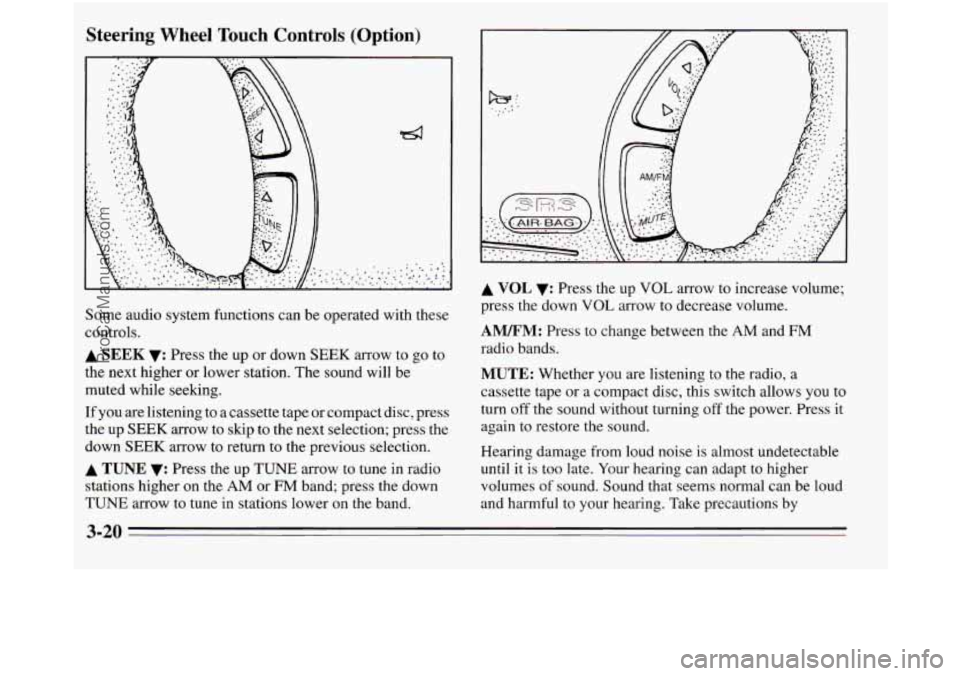
Steering Wheel Touch Controls (Option)
Some audio system functions can be operated with these
controls.
A SEEK v: Press the up or down SEEK arrow to go to
the next higher or lower station. The sound will be
muted while seeking.
If you are listening to a cassette tape or compact disc, press
the up
SEEK arrow to skip to the next selection; press the
down
SEEK arrow to return to the previous selection.
A TUNE v: Press the up TUNE arrow to tune in radio
stations higher on the
AM or FM band; press the down
TUNE arrow to tune in stations lower on the band.
A VOL v: Press the up VOL arrow to increase volume;
press the down
VOL arrow to decrease volume.
AM/FM: Press to change between the AM and FM
radio bands.
MUTE: Whether you are listening to the radio, a
cassette tape
or a compact disc, this switch allows you to
turn
off the sound without turning off the power. Press it
again to restore the sound.
Hearing damage from loud noise is almost undetectable
until it is too late. Your hearing can adapt to higher
volumes
of sound. Sound that seems normal can be loud
and harmful to your hearing. Take precautions
by
3-20
ProCarManuals.com
Page 190 of 390
A computer senses that wheels are slowing down. If one
of the wheels is about to stop rolling, the computer will
separately work the brakes at each front wheel and at the
rear wheels.
The anti-lock system can change
the brake pressure
faster than any driver could. The computer
is
programmed to make the most of available tire and road
conditions.
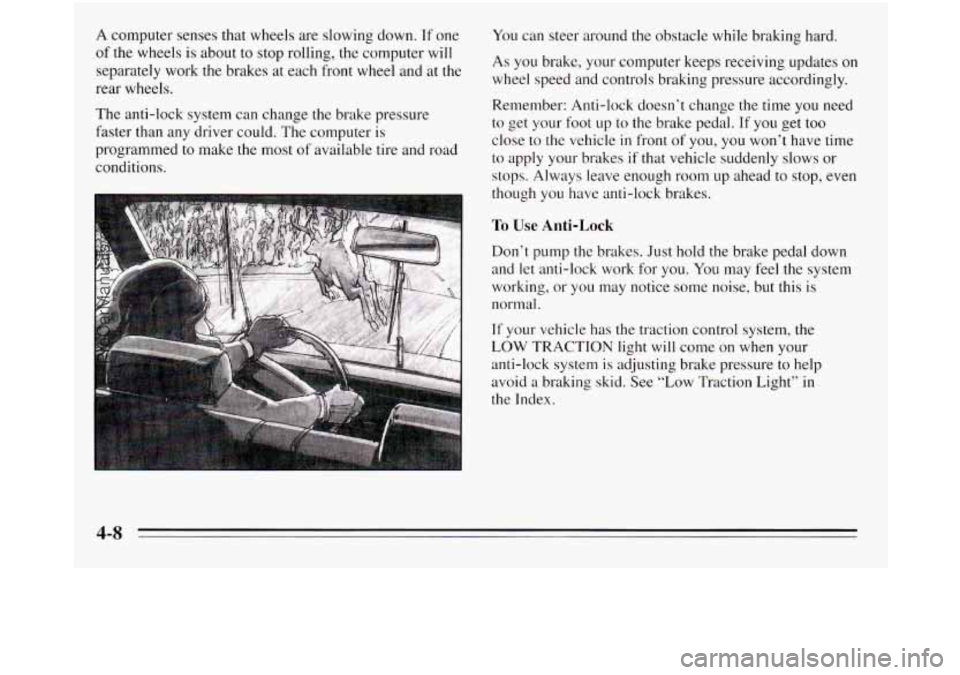
You can steer around the obstacle while braking hard.
As you brake, your computer keeps receiving updates on
wheel speed and controls braking pressure accordingly.
Remember: Anti-lock doesn’t change the time you need
to get your foot up to the brake pedal. If you get too
close
to the vehicle in front of you, you won’t have time
to apply your brakes if that vehicle suddenly slows or
stops. Always leave enough room up ahead
to stop, even
though you have anti-lock brakes.
To Use Anti-Lock
Don’t pump the brakes. Just hold the brake pedal down
and let anti-lock work for you.
You may feel the system
working, or you may notice some noise, but this
is
normal.
If your vehicle has the traction control system, the
LOW TRACTION light will come on when your
anti-lock system
is adjusting brake pressure to help
avoid a braking skid. See “Low Traction Light” in
the Index.
4-8
ProCarManuals.com
Page 193 of 390
Steering
Power Steering
If you lose power steering assist because the engine
stops or the system
is not functioning, you can steer but
it will take much more effort.
Steering Tips
Drividg tML Curves
It’s important to take curves at a reasonable speed.
A lot of the “driver lost control” accidents mentioned on
the news happen on curves. Here’s why:
Experienced driver or beginner, each
of us is subject to
the same laws
of physics when driving on curves. The
traction of the tires against the road surface makes
it
possible for the vehicle to change its path when you turn
the front wheels.
If there’s no traction, inertia will keep
the vehicle going in the same direction.
If you’ve ever
tried to steer a vehicle on wet ice, you’ll understand this. Suppose you’re
steering through a sharp curve. Then
you suddenly accelerate. Both control systems
--
steering and acceleration -- have to do their work where
the tires meet the road. Unless you have traction control
and the system
is on, adding the sudden acceleration can
demand too much of those places. You can lose control.
What should you do if this ever happens? Ease up
on the
accelerator pedal, steer the vehicle the way you want
it
to go, and slow down.
Speed limit signs near curves warn that you should
adjust your speed. Of course, the posted speeds are
based on
good weather and road conditions. Under less
favorable conditions you’ll want to go slower.
If you need to reduce your speed as you approach a
curve, do it before you enter the curve, while your front
wheels are straight ahead.
Try to adjust your speed
so you can “drive” through the
curve. Maintain a reasonable, steady speed. Wait to
accelerate
until you are out of the curve, and then
accelerate gently into the straightaway.
The traction you can get in a curve depends on
the
condition of your tires and the road surface, the angle
at which the curve
is banked, and your speed. While
you’re in a curve, speed is the one factor you can
control.
4-11
ProCarManuals.com
Page 196 of 390
Check your mirrors, glance over your shoulder, and
start your left lane change signal before moving out
of the right lane to pass. When you are far enough
ahead
of the passed vehicle to see its front in your
inside mirror, activate your right lane change signal
and move back into the right lane. (Remember that
your right outside mirror is convex. The vehicle you
just passed may seem to be farther away from you
than it really
is.)
Try not to pass more than one vehicle at a time on
two-lane roads. Reconsider before passing the next
vehicle.
Don’t overtake a slowly moving vehicle too rapidly.
Even though the brake lamps are not flashing, it may
be slowing down or starting to turn.
If you’re being passed, make it easy for the
following driver
to get ahead of you. Perhaps you
can ease a little to the right.
Loss of Control
Let’s review what driving experts say about what
happens when the three control systems (brakes, steering
and acceleration) don’t have enough friction where the
tires meet the road to
do what the driver has asked.
In any emergency, don’t give
up. Keep trying to steer and
constantly seek an escape route or area of less danger.
Skidding
In a skid, a driver can lose control of the vehicle. Defensive
drivers avoid most skids by taking reasonable care suited
to existing conditions, and by not “overdriving” those
conditions. But skids are always possible.
The three types of skids correspond
to your
Oldsmobile’s three control systems. In the braking skid
your wheels aren’t rolling. In the steering or cornering
skid, too much speed or steering in a curve causes tires
to slip and lose cornering force. And in the acceleration
skid too much throttle causes the driving wheels to spin.
A cornering skid is best handled by easing your foot off
the accelerator pedal. If you have the traction control
system, remember: It helps avoid only the acceleration
skid. If
you do not have traction control, or if the system
A 1A
ProCarManuals.com
Page 213 of 390
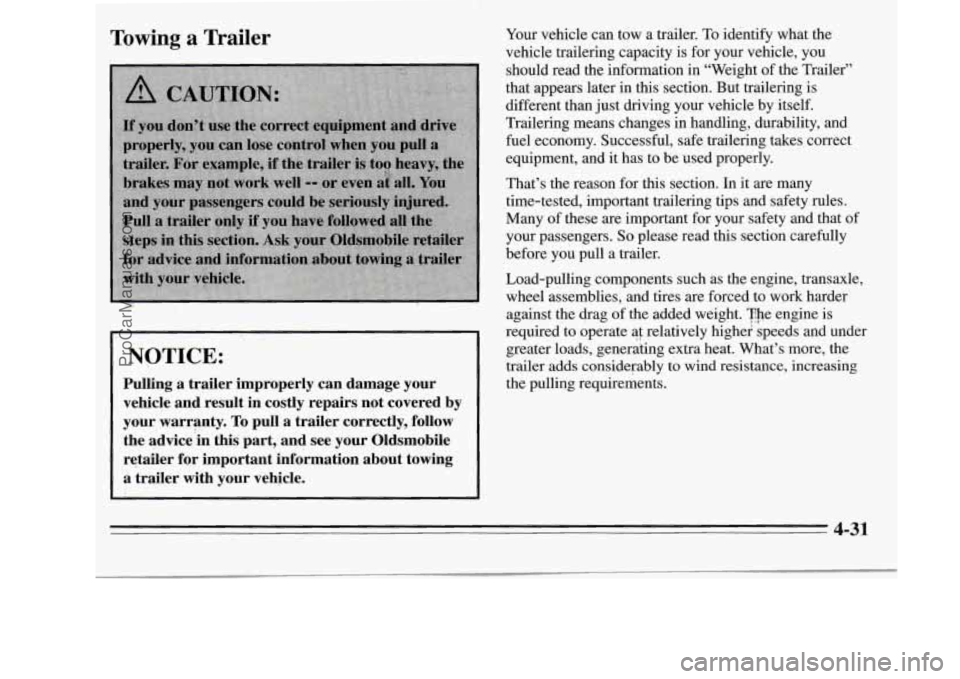
Towing a Trailer
NOTICE:
Pulling a trailer improperly can damage your vehicle and’result in costly repairs not covered by
your warranty.
To pull a trailer correctly, follow
the advice‘in this part, and see your Oldsmobile
retailer for important information about towing a trailer with your vehicle.
Your vehicle can tow a trailer. To identify what the
vehicle trailering capacity is for your vehicle, you
should read the information in “Weight of the Trailer”
that appears later in this section. But trailering is
different than just driving your vehicle by itself.
Trailering means changes in handling, durability, and
fuel economy. Successful, safe trailering takes correct
equipment, and it has to be used properly.
That’s the reason for this section. In it are many
time-tested, important trailering tips and safety rules.
Many of these are important for your safety and that of
your passengers.
So please read this section carefully
before you pull a trailer.
Load-pulling components such as the engine, transaxle,
wheel assemblies, and tires are forced to work harder
against the drag of the added weight. The engine is
required
‘to operate ai relatively highei speeds and under
greater loads, generating extra heat. What’s more, the
trailer adds considerably to wind resistance, increasing
the pulling requirements.
4-31
ProCarManuals.com
Page 230 of 390
Towing Your Vehicle
J
I
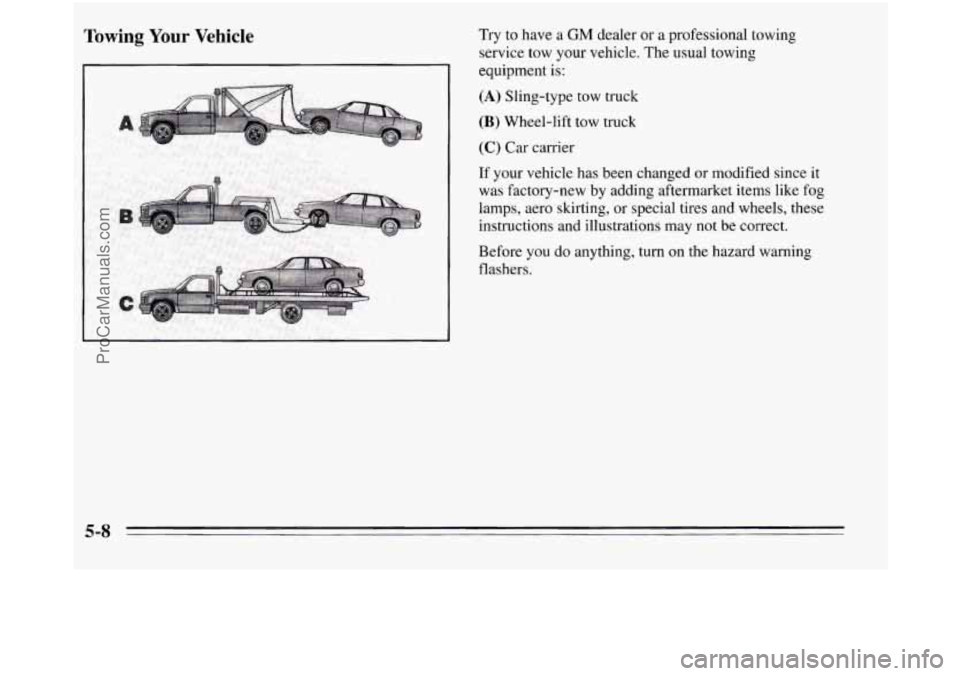
Try to have a GM dealer or a professional towing
service tow your vehicle. The usual towing
equipment
is:
(A) Sling-type tow truck
(B) Wheel-lift tow truck
(C) Car carrier
If your vehicle has been changed or modified since it
was factory-new by adding aftermarket items like fog
lamps, aero skirting, or special tires and wheels, these
instructions and illustrations may not be correct.
Before you do anything, turn
on the hazard warning
flashers.
5-8
ProCarManuals.com
Page 246 of 390
If a Tire Goes Flat
It’s unusual for a tire to “blow out” while you’re driving,
especially if
you maintain your tires properly. If air goes
out
of a tire, it’s much more likely to leak out slowly.
But if
you should ever have a “blowout,” here are a few
tips about what to expect and what to do:
If a front tire fails, the flat tire will create
a drag that
pulls the vehicle toward that side. Take your foot off the
accelerator pedal and grip the steering wheel firmly.
Steer to maintain lane position, then gently brake to
a
stop well out of the traffic lane.
A rear blowout, particularly on a curve, acts much like a
skid and may require the same correction you’d use in a
skid. In any rear blowout, remove your foot from the
accelerator pedal. Get the vehicle under control by
steering the way you want
the vehicle to go. It may be
very bumpy and noisy, but you can still steer. Gently
brake to a stop, well
off the road if possible.
If
a tire goes flat, the next part shows how to use your
jacking equipment
to change a flat tire safely.
Air Inflator (Option)
Your vehicle may have an air inflator for use in bringing
tires up to the proper pressure.
To learn about it, see
“Air Inflator System’’ in the Index.
Changing a Flat Tire
If a tire goes flat, avoid further tire and wheel damage
by driving slowly to
a level place. Turn on your hazard
warning flashers.
5-24
ProCarManuals.com
Page 382 of 390
......................................... Horn 2-39
Hydroplaning .................................. 4- 18 Key
Lock Cylinders
............................ 7-37
Key Reminder Warning
.......................... 2-23
Keys
.......................................... 2-1
&You’re Stuck
In Sand. Mud. Ice or Snow ......... 5-35
Ignition Key Positions
........................... 2-23
Ignition Switch
................................. 2-23
Illuminated Entry System
......................... 2-11
Inflator.
Air ................................... 2-63
Injector 3365 Fuse
.............................. 6-56
Inside Daymight Rearview
Mirror ................. 2-58
Brake System
............................... 7-39
Restraint Systems
............................ 7-39
Axle Boot and Sed ......................... 7-39
Throttle Linkage
............................. 7-39
Instrument Panel Cluster
......................... 2-72
Instrument Panel Intensity Control
................. 2-49
Instrument Panel. Cleaning
....................... 6-45
Integrated
Roof Antenna ......................... 3-23
Interior Lamps Control
........................... 2-55
Interior Lights Override Switch
.................... 2-56
Inspections
Exhaust Systems
............................. 7-39
Steering. Suspension and Front-Wheel-Drive
Instrumentpanel
............................... 2-70
Jack.
Tie .................................... 5-25
Jumpstarting
................................... 5-2 Lamps
...................................... 2-49
Lamps Control. Interior
.......................... 2-55
Lamps On Reminder
............................ 2-49
Lane Change Indicator
........................... 2-41
Larger Children. Safety Belt Use
................... 1-54
Latches. Side Window
........................... 2-39
Leaving
Your Vehicle ............................. 2-7
Leaving
Your Vehicle With the Engine Running ....... 2-35
Level Control. Electronic
......................... 2-68
Liftgate Ajar Warning Light
....................... 2-84
Liftgate Lock
.................................. 2-19
Liftgate. Raising
................................ 2-19
Lights Air Bag: Readiness
................. .... 1.27, 2.76 ......
Anti-LGck Brake System Warning ........... 2.78. 4.7
Brake System Warning ........................ 2-77
Liftgate Ajar Warning
......................... 2-84
Low Fuel Warning
........................... 2-85
Low Traction
............................ 2-80, 4-9
Power Sliding Door Warning
................... 2-84
Safety Belt Reminder
.................... 1-13, 2-76
Service Engine Soon
.......................... 2-81
TCS Warning ........................... 2.79, 4-9
Traction Control System Warning
........... 2-79, 4-9
9-6
ProCarManuals.com
Page 387 of 390
Traction .................................... 6-39
Treadwear
.................................. 6-39
Uniform Quality Grading
...................... 6-38
Wear Indicators
.............................. 6-37
Wheel Replacement
.......................... 6-40
When It’s Time for New
....................... 6-37
Top Strap
..................................... 1-49
TorqueLock
................................... 2-35
Torque. Wheel
Nut ......................... 5.32. 6.59
Towing a Trailer
................................ 4-3 1
Towing Your Vehicle ............................. 5-8
Front ...................................... 5-11
Rear
....................................... 5- 13
Traction Control Disable Switch
................... 4-10
Traction Control System
.......................... 4-9
Traction Control System Warning Light
......... 2-79, 4-9
Trailer Tongue Weight
........................... 4-33
Trailer Towing Brakes
..................................... 4-35
Driving on Grades
............................ 4-37
Driving with a Trailer
......................... 4-35
Hitches
.................................... 4-34
Maintenance
................................ 4-38
Parking on Hills
............................. 4-38
Safety Chains
............................... 4-35
Total Weight on Your Vehicle’s Tires
............. 4-34
Towing
a Trailer ............................. 4-31
Turnsignals
................................ 4-37
Transaxle Fluid, Automatic
....................... 6- 19
Transmitters, Matching to Your Vehicle
............. 2- 10
Trip Odometer
................................. 2-75
Weight
of a
Trailer ........................... 4-33 Trip. Before Leaving on a Long
.................... 4-21
Turn Signal and Lane Change Indicator
............. 2-41
Turn SignaVMultifunction Lever
................... 2-40
Turn Signals When Towing a Trailer
................ 4-37
Underbody Maintenance
........................ 6-48
Underhood Lamp
............................... 6-11
Vehicle Damage Warnings
......................... iv
Vehicle Identification Number (VIN)
............... 6-51
Vehicle Loading ................................ 4-29
Vehicle Storage
........................ : ....... 6-30
Vehicle Symbols
................................... v
Vehicle. Control of a ............................. 4-5
Vehicle. Leaving Your
............................ 2-7
Ventilation Tips
................................. 3-7
Vision. Night
.................................. 4-16
Visor Vanity Mirrors
............................ 2-65
Visors. Sun
.................................... 2-65
Voltmeter ..................................... 2-77
Ventilation System. Flow-Through
.................. 3-7
warning Devices
............................... 5-2
Warning Flashers. Hazard
......................... 5-1
Warning Lights. Gages and Indicators
............... 2-75
Washing Your Vehicle
........................... 6-47
Water. Driving Through Deep Standing
............. 2-27
Weatherstrips .................................. 6-46
9-11
ProCarManuals.com