instrument panel OLDSMOBILE SILHOUETTE 2003 Owner's Manual
[x] Cancel search | Manufacturer: OLDSMOBILE, Model Year: 2003, Model line: SILHOUETTE, Model: OLDSMOBILE SILHOUETTE 2003Pages: 466, PDF Size: 21.55 MB
Page 159 of 466
3 Instrument Panel
Audio System(s) ...... ................................ 3.63
Setting the Time
....................................... 3-63
Radio with CD
.......................................... 3-64
Radio with Cassette and CD
...................... 3-71
Radio with Six-Disc CD
......... .... , ......... 3-80
Entertainment System
.................... , ......... 3-91
Rear Seat Audio (RSA) (Without Entertainment System)
................... 3-98
Rear Seat Audio (RSA) (With Entertainment System)
... ............ 3.100 Theft-Deterrent
Feature
................................ 3-101
Audio Steering Wheel Controls
...................... 3.102
DVD Distortion
............................................ 3.103
Understanding Radio Reception
.................... 3.103
Care
of Your CDs and DVDs ........................ 3-104
Care
of Your CD and DVD Player ................. 3-104
Cleaning Your DVD Player
........................... 3.105
Cleaning the Video Screen
........................... 3.105
Fixed Mast Antenna
.................................... 3.105
Care
of Your
Cassette Tape Player ............... 3-103
3-2
Page 162 of 466
A. Side Outlets
B. Front Outlets
C. Turn SignaVMultifunction Lever
D. Hazard Warning Flasher Switch
E. Instrument Panel Cluster
F. Center Outlets
G. Audio System
H. Side Outlets
I. Exterior Lamps Control
J. Hood Release
K. Audio Steering Wheel Controls
L. Horn
M. Ignition Switch
N. Audio Steering Wheel Controls
0. Climate Controls
P. Rear Fan Controls
Q. Cupholder Tray
R. Accessory Power Outlet
S. Instrument Panel Switchbank
T. Glove Box
U. Front Outlets
V. Instrument Panel Fuse Block
3-5
Page 165 of 466
Turn and Lane-Change Signals
The turn signal has two upward (for right) and two
downward (for left) positions. These positions allow you
to signal a turn or a lane change.
To signal a turn, move the lever all the way up or
down. When the turn is finished, the lever will return
automatically.
-1 An arrow on the instrument
panel cluster will flash in
the direction of the
turn or lane change.
To signal a lane change, just raise or lower the lever
until the arrow starts to flash. Hold it there until you
complete your lane change. The lever will return by itself
when you release it.
As you signal a turn or a lane change,
if the arrow
flashes faster than normal, a signal bulb may be
burned out and other drivers won’t see your turn signal.
If a bulb is burned out, replace it to help avoid an
accident. If the arrows don’t go on at all when you signal
a turn, check for burned-out bulbs and check the
fuse. See
Bulb Replacement on page 5-52 and Fuses
and Circuit Breakers on page
5-96.
If you have a trailer towing option with added wiring for
the trailer lamps, the signal indicator will flash at a normal
rate even
if a turn signal bulb is burned out. Check the
front and rear turn signal lamps regularly to make sure
they are working.
Turn Signal On Chime
If either turn signal is left on for more than 3/4 mile
(1.2 km), a chime will sound to let the driver know to
turn
it off.
If you need to leave the signal on for more than 3/4 mile
(1.2 km), turn off the signal and then turn it back on.
Headlamp High/Low-Beam Changer
To change the headlamps from high to low beam, or
low to high, simply pull the turn signal lever all the way
toward you. Then release it.
When the high beams
are on, this light on the
instrument panel cluster
will also be on.
Your fog lamps will turn
off when you switch to
high beams. Using your high beams in fog is not
recommended.
3-8
Page 167 of 466
Rear Window WasherNViper
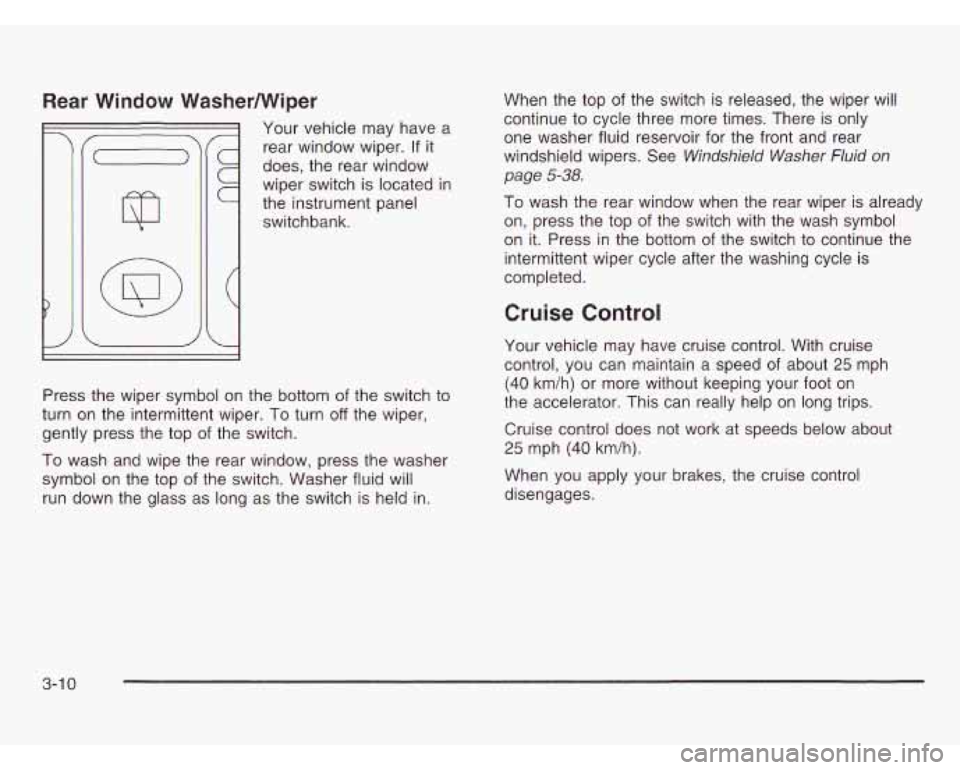
Your vehicle may have a
rear window wiper. If it
does, the rear window
wiper switch is located
in
the instrument panel
switchbank.
i
1
Press the wiper symbol on the bottom of the switch to
turn on the intermittent wiper.
To turn off the wiper,
gently press the top of the switch.
To wash and wipe the rear window, press the washer
symbol on the top of the switch. Washer fluid will
run down the glass as long as the switch is held in. When
the top
of the switch is released, the wiper will
continue to cycle three more times. There is only
one washer fluid reservoir for the front and rear
windshield wipers. See
Windshield Washer Fluid on
page
5-38.
To wash the rear window when the rear wiper is already
on, press the top
of the switch with the wash symbol
on it. Press in the bottom of the switch to continue the
intermittent wiper cycle after the washing cycle is
completed.
Cruise Control
Your vehicle may have cruise control. With cruise
control, you can maintain a speed of about
25 mph
(40 km/h) or more without keeping your foot on
the accelerator. This can really help on long trips.
Cruise control does not work at speeds below about
25 mph (40 km/h).
When you apply your brakes, the cruise control
disengages.
3-1 0
Page 171 of 466
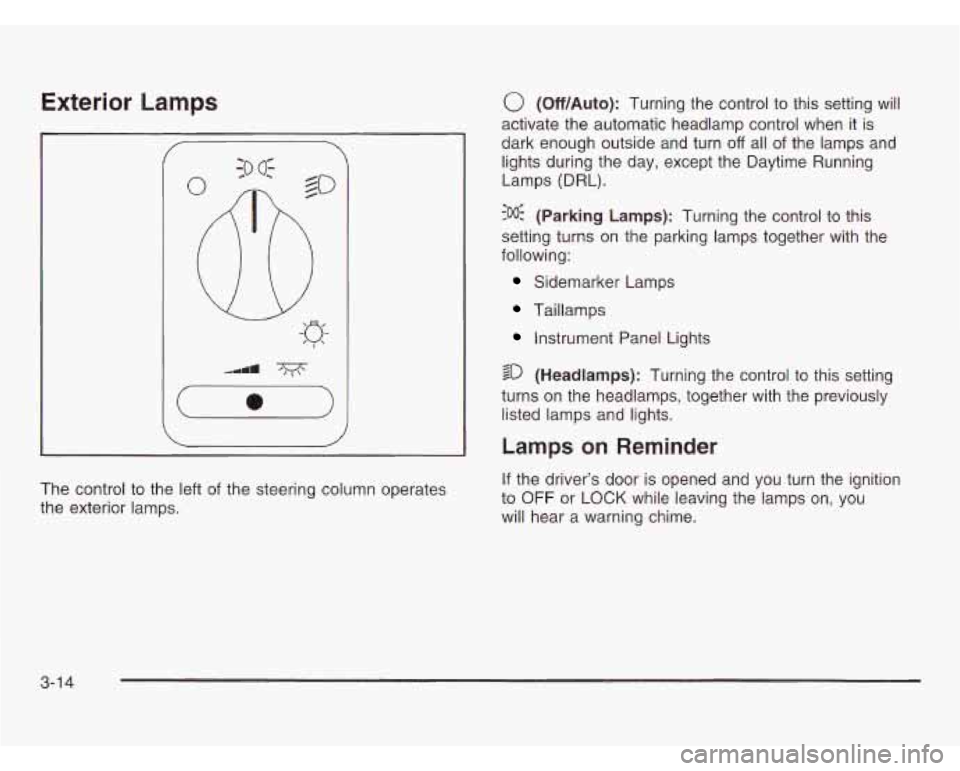
Exterior Lamps
The control to the left of the steering column operates
the exterior lamps.
0 (Off/Auto): Turning the control to this setting will
activate the automatic headlamp control when it is
dark enough outside and turn
off all of the lamps and
lights during the day, except the Daytime Running
Lamps (DRL).
?% (Parking Lamps): Turning the control to this
setting turns on the parking lamps together with the
following:
Sidemarker Lamps
Taillamps
Instrument Panel Lights
sD (Headlamps): Turning the control to this setting
turns on the headlamps, together with the previously
listed lamps and lights.
Lamps on Reminder
If the driver’s door is opened and you turn the ignition
to
OFF or LOCK while leaving the lamps on, you
will hear a warning chime.
3-1 4
Page 172 of 466
Daytime Running Lamps/Automatic
Headlamp System
Daytime Running Lamps (DRL) can make it easier for
others to see the front of your vehicle during the
day. DRL can be helpful in many different driving
conditions, but they can be especially helpful
in the short
periods after dawn and before sunset. Fully functional
daytime running lamps are required on all vehicles
first sold in Canada.
A light sensor on top of the instrument panel makes
the
DRL work, so be sure it isn’t covered. The DRL
system will make your front parking and turn signal
lamps come on in daylight when:
The ignition is on,
the exterior lamps control is off, and
the parking brake is released.
When the DRL are on, only your front parking and turn
signal lamps will be on. Your instrument panel won’t
Le I:+ . .- ue 111 up.
When it’s dark enough outside, the exterior lamps will
come on automatically. When it’s bright enough outside,
the exterior lamps will turn
off and the DRL will turn
on. Of course, you may still turn on the headlamps any
time you need to.
If you start your vehicle in a dark garage, the automatic
headlamp system will come on immediately. Once
you leave the garage, it will take approximately
one minute for the automatic headlamp system to
change to DRL
if it is light outside. During that delay,
your instrument panel cluster may not be as bright
as usual. Make sure your instrument panel brightness
control is in the full bright position. See “Instrument
Panel Brightness Control’’ under
lnterior Lamps
on page
3-17.
To idle your vehicle with the DRL and automatic
headlamp control
off, set the parking brake while the
ignition is in OFF or LOCK. Then start the vehicle.
The DRL and automatic headlamp control will stay
off
until you release the parking brake.
As with any vehicle. you should turn on the reuular
headlamp system when you need
it.
3-1 5
Page 173 of 466

Fog Lamps
Your vehicle may have fog
lamps.
If it does, the fog
lamps switch is located in
the instrument panel
switchbank. Press the fog lamp symbol on the switch
to turn on the lamps. The
indicator light will be lit when the fog lamps are on.
Press the top part of the switch to turn them
off.
The indicator light will go off.
When your DRL are on, the exterior lamps control must
first be turned from the
off position before the fog
lamps can be turned on.
Your parking lamps
or headlamps must be on for your
fog lamps to turn on.
At night, when the light sensor automatically turns on
your headlamps, the fog lamps can be turned on when
the exterior lamps control is in any position.
Your fog lamps will go
off when you switch to high
beams. Using your high beams in fog is not
recommended.
3-1 6
Page 174 of 466
Interior Lamps
Instrument Panel Brightness
This feature controls the brightness of the instrument
panel lights.
The thumbwheel for this feature is located below the
exterior lamps control.
Turn the thumbwheel to the right to brighten the lights
or to the left to dim them.
Interior Lamps Control
Turn the thumbwheel all the way to the right to turn on
the interior lamps, if the interior lamps override switch
is
off. Turn the thumbwheel to the left to turn the
lamps
off.
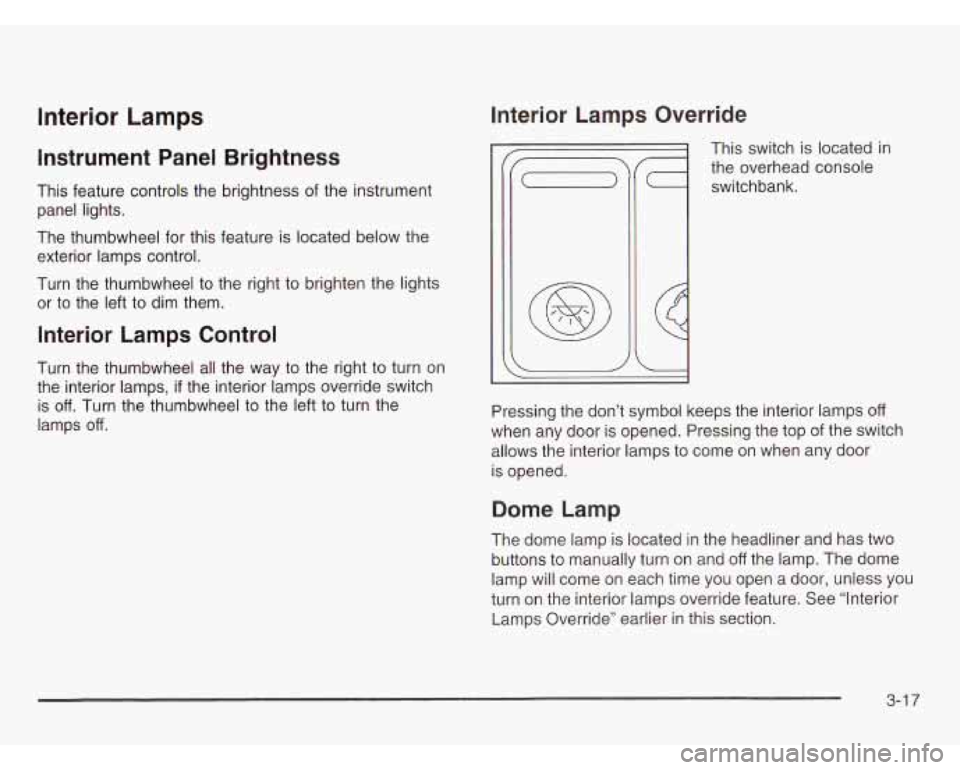
Interior Lamps Override
This switch is located in
the overhead console
switchbank.
Pressing the don’t symbol keeps the interior lamps
off
when any door is opened. Pressing the top of the switch
allows the interior lamps to come on when any door
is opened.
Dome Lamp
The dome lamp is located in the headliner and has two
buttons to manually turn on and
off the lamp. The dome
lamp will come on each time you open a door, unless you
turn
on the interior lamps override feature. See “Interior
Lamps Override” earlier
in this section.
3-1 7
Page 178 of 466
Switchbanks
There are two sets of switchbanks located in the front of
the vehicle. The switches will vary with the options
that are
on your vehicle.
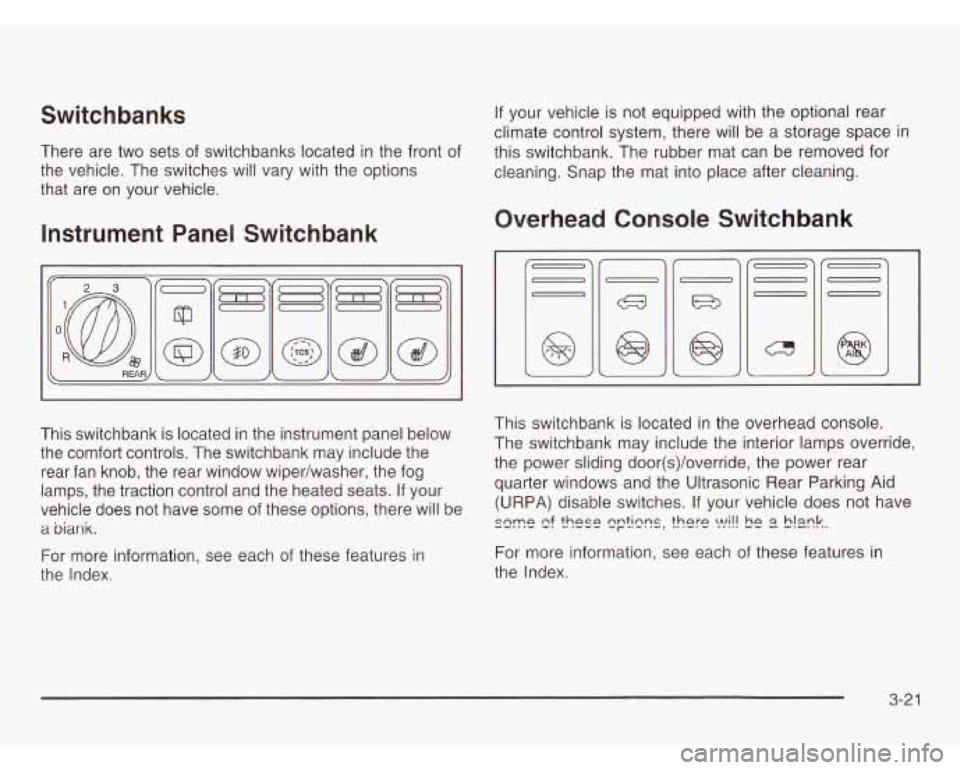
Instrument Panel Switchbank
This switchbank is located in the instrument panel below
the comfort controls. The switchbank may include the
rear fan knob, the rear window wiper/washer, the fog
lamps, the traction control and the heated seats. If your
vehicle does not have some of these options, there will be
a biank.
For more information, see each of these features in
the Index. If
your vehicle is not equipped with the optional rear
climate control system, there will be a storage space in
this switchbank. The rubber mat can be removed for
cleaning. Snap the mat into place after cleaning.
Overhead Console Switchbank
This switchbank is located in the overhead console.
The switchbank may include the interior lamps override,
the power sliding door(s)/override, the power rear
quarter windows and the Ultrasonic Rear Parking Aid
(URPA) disable switches. If your vehicle does not have
szme e! ?hese q??lzns, there !vi!! !E E? S!mk.
For more information, see each of these features in
the Index.
3-21
Page 179 of 466
Ultrasonic Rear Parking Assist
(URPA)
The Ultrasonic Rear Parking Assist (URPA) system
is designed to help you park, while the vehicle is in
REVERSE (R). It operates only at very low speeds, less
than
3 mph (5 km/h). URPA can help make parking
easier and to help you avoid colliding with objects such as
parked vehicles. The URPA system can detect objects
up to
5 feet (1.5 m) behind the vehicle, and tell you how
close these objects are from your rear bumper.
Your vehicle’s URPA operates when the shift lever is
moved into REVERSE (R) and the vehicle speed is less
than
3 mph (5 km/h). Four ultrasonic sensors located
at the rear bumper are used to detect the distance to the
object. The URPA display is located inside the vehicle,
near the rear window. It has three color-coded lights
used to provide distance and system information to
the driver.
~~ children licj -.%s, or pets arc __ your
vehicle,
RPA won’t tell you they are there.
You could strike them and they could be
injured or killed. Whether or not you are using
URPA, check carefully behind your vehicle and
then watch closely whenever you back
up.
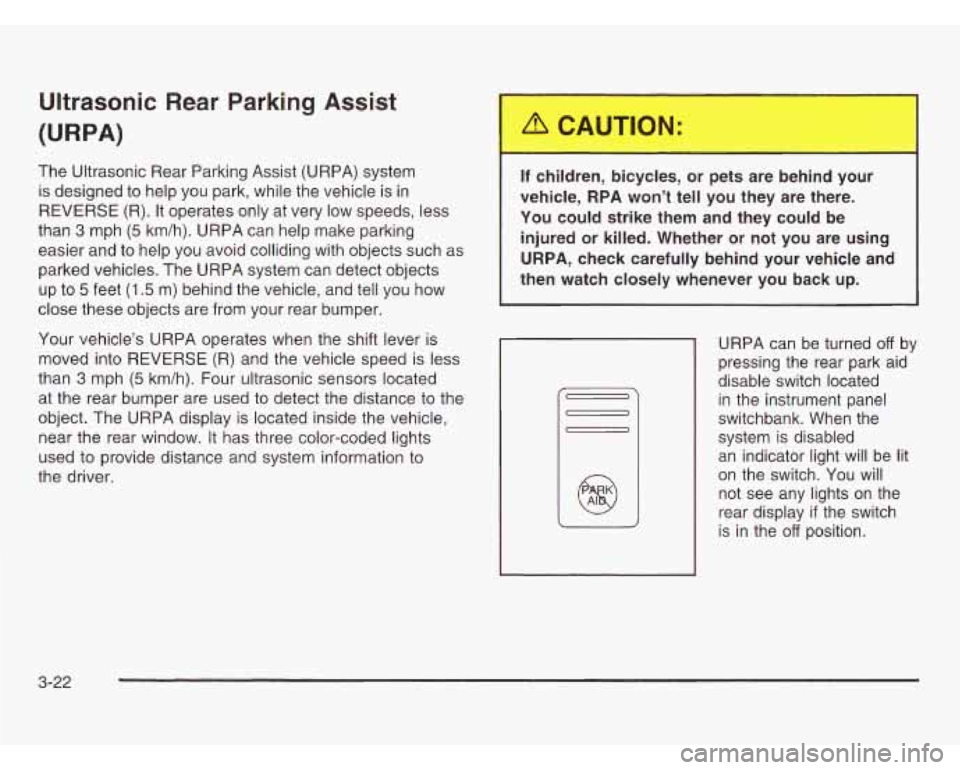
URPA can be turned off by
pressing the rear park aid
disable switch located
in the instrument panel
switchbank. When the
system is disabled
an indicator light will be lit
on the switch. You will
not see any lights on the
rear display
if the switch
is in the
off position.
3-22