instrument panel Oldsmobile Silhouette 2004 s User Guide
[x] Cancel search | Manufacturer: OLDSMOBILE, Model Year: 2004, Model line: Silhouette, Model: Oldsmobile Silhouette 2004Pages: 462, PDF Size: 3.1 MB
Page 108 of 462
Notice:If you open the liftgate without checking
for overhead obstructions such as a garage
door, you could break the liftgate glass. Always
check to make sure the area above the liftgate
is clear before opening it.
{CAUTION:
It can be dangerous to drive with the liftgate
open because carbon monoxide (CO) gas can
come into your vehicle. You can't see or smell
CO. It can cause unconsciousness and even
death. If you must drive with the liftgate open
or if electrical wiring or other cable
connections must pass through the seal
between the body and the liftgate:
·Make sure all other windows are shut.
·Turn the fan on your heating or cooling
system to its highest speed and select the
control setting that will force outside air
into your vehicle. See
Climate Control
System on page 3-28.
·If you have air outlets on or under the
instrument panel, open them all the way.
See
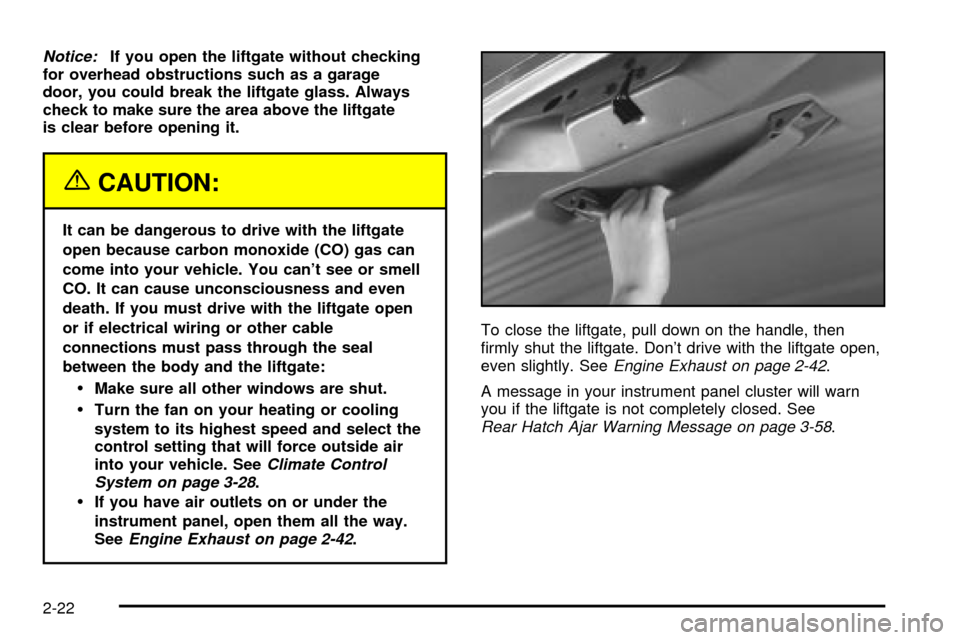
Engine Exhaust on page 2-42.To close the liftgate, pull down on the handle, then
®rmly shut the liftgate. Don't drive with the liftgate open,
even slightly. See
Engine Exhaust on page 2-42.
A message in your instrument panel cluster will warn
you if the liftgate is not completely closed. See
Rear Hatch Ajar Warning Message on page 3-58.
2-22
Page 112 of 462
Theft-Deterrent Systems
Vehicle theft is big business, especially in some cities.
Although your vehicle has a number of theft-deterrent
features, we know that nothing we put on it can make
it impossible to steal.
Content Theft-Deterrent
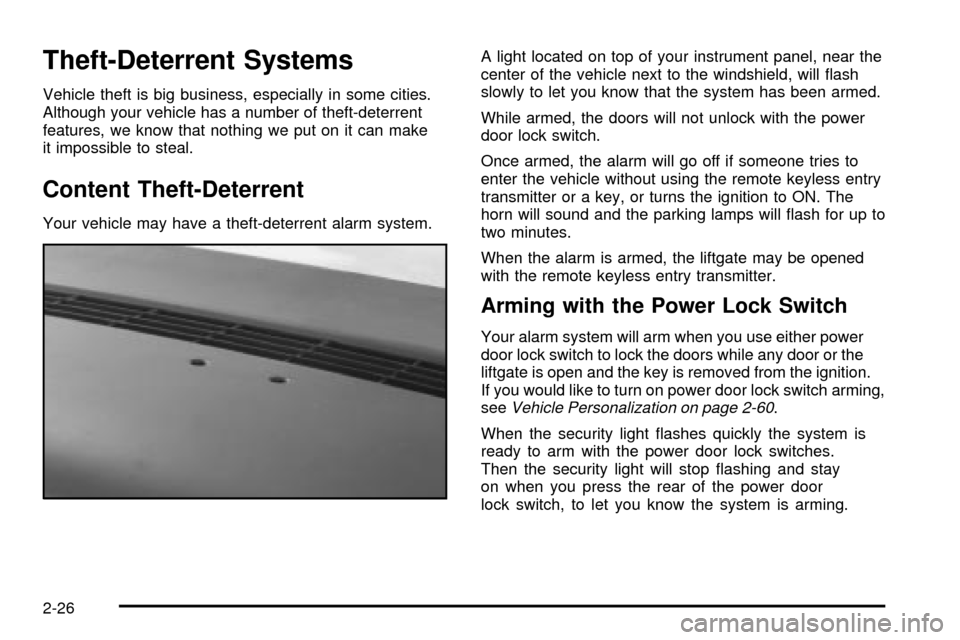
Your vehicle may have a theft-deterrent alarm system.A light located on top of your instrument panel, near the
center of the vehicle next to the windshield, will ¯ash
slowly to let you know that the system has been armed.
While armed, the doors will not unlock with the power
door lock switch.
Once armed, the alarm will go off if someone tries to
enter the vehicle without using the remote keyless entry
transmitter or a key, or turns the ignition to ON. The
horn will sound and the parking lamps will ¯ash for up to
two minutes.
When the alarm is armed, the liftgate may be opened
with the remote keyless entry transmitter.
Arming with the Power Lock Switch
Your alarm system will arm when you use either power
door lock switch to lock the doors while any door or the
liftgate is open and the key is removed from the ignition.
If you would like to turn on power door lock switch arming,
see
Vehicle Personalization on page 2-60.
When the security light ¯ashes quickly the system is
ready to arm with the power door lock switches.
Then the security light will stop ¯ashing and stay
on when you press the rear of the power door
lock switch, to let you know the system is arming.
2-26
Page 115 of 462

If the engine does not start and the security message
comes on, the key may have a damaged transponder.
Turn the ignition off and try again.
If the engine still does not start, and the key appears to
be undamaged, try another ignition key. At this time, you
may also want to check the instrument panel PASS KEY
fuse. If the engine still does not start with the other key,
your vehicle needs service. If your vehicle does start, the
®rst key may be faulty. See your dealer or a locksmith
who can service the PASS-Key
žIII to have a new key
made. SeeFuses and Circuit Breakers on page 5-101.
It is possible for the PASS-Key
žIII decoder to learn the
transponder value of a new or replacement key. Up
to 10 additional keys may be programmed for the
vehicle. This procedure is for learning additional keys
only. If all the currently programmed keys are lost or do
not operate, you must see your dealer or a locksmith
who can service PASS-Key
žIII to have keys made and
programmed to the system.See your dealer or a locksmith who can service
PASS-Key
žIII to get a new key blank that is cut exactly
as the ignition key that operates the system.
Canadian Owners:If you lose or damage your keys,
only a GM dealer can service PASS-Key
žIII to
have new keys made. To program additional keys you
will need two current driver's keys, black in color.
You must add a step to the following procedure. After
Step 3, repeat Steps 1 through 3 with the second current
driver's key. Then continue with Step 4.
To program the new key, do the following:
1. Verify the new key has PK3 stamped on it.
2. Insert the ignition key in the ignition and start the
engine. If the engine will not start, see your dealer
for service.
3. After the engine has started, turn the key to OFF
and remove the key.
4. Insert the key to be programmed and turn it to RUN
within 10 seconds of removing the previous key.
2-29
Page 117 of 462

Ignition Positions
With the key in the ignition, you can turn it to ®ve different
positions.
A (ACCESSORY):This is the position in which you can
operate your electrical accessories. Press in the ignition
switch as you turn the top of the key toward you.
B (LOCK):This is the only position from which you
can remove the key. This position locks your ignition
and transaxle.
Notice:If your key seems stuck in LOCK and you
can not turn it, be sure you are using the correct
key; if so, is it all the way in? Turn the key only with
your hand. Using a tool to force it could break the
key or the ignition switch. If none of these works,
then your vehicle needs service.
C (OFF):This position unlocks the ignition and
transaxle, but does not send power to any accessories.
Use this position if your vehicle must be pushed or towed,
but never try to push-start your vehicle.
D (RUN):This is the position to which the switch
returns after you start your engine and release the
ignition key. This is the position for driving. Even when
the engine is not running, you can use RUN to
operate your electrical accessories and to display
some instrument panel warning lights.
E (START):This position starts the engine. When the
engine starts, release the ignition key. The switch
will return to RUN for normal driving.
If the engine is not running, ACCESSORY and RUN
are positions that allow you to operate your electrical
accessories, such as the radio.
2-31
Page 123 of 462
Notice:If your vehicle seems to start up rather
slowly, or if it seems not to shift gears as you go
faster, something may be wrong with a transaxle
system sensor. If you drive very far that way, your
vehicle can be damaged. So, if this happens, have
your vehicle serviced right away. Until then, you can
use SECOND (2) when you are driving less than
35 mph (55 km/h) and THIRD (3) for higher speeds.
FIRST (1):This position gives you even more power but
lower fuel economy than SECOND (2). You can use it
on very steep hills, or in deep snow or mud. If the
shift lever is put in FIRST (1), the transaxle will not
downshift into ®rst gear until the vehicle is going slow
enough.
Notice:Spinning the tires or holding the vehicle in
one place on a hill using only the accelerator
pedal may damage the transaxle. If you are stuck,
do not spin the tires. When stopping on a hill,
use the brakes to hold the vehicle in place.
Parking Brake
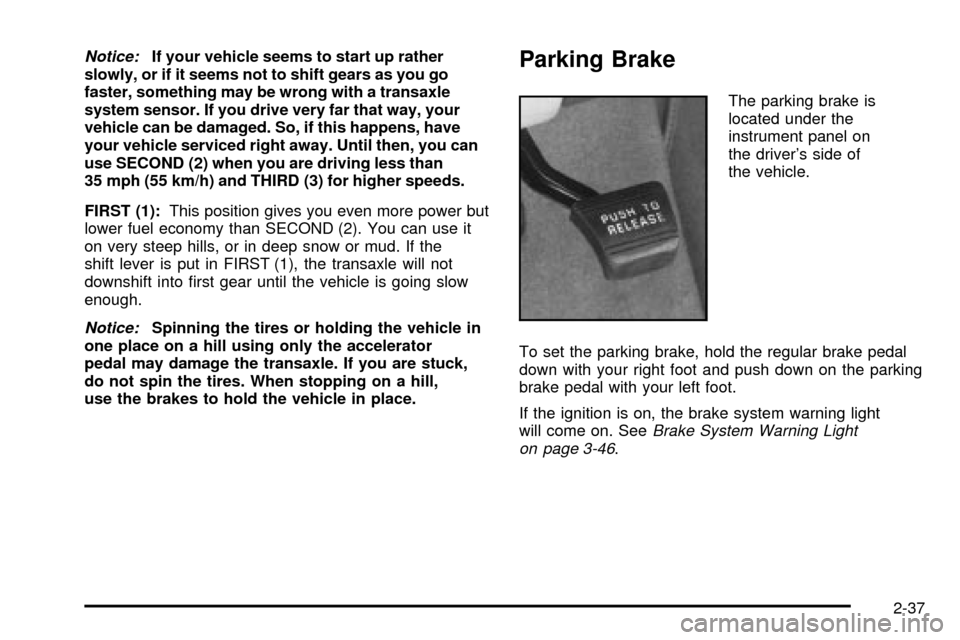
The parking brake is
located under the
instrument panel on
the driver's side of
the vehicle.
To set the parking brake, hold the regular brake pedal
down with your right foot and push down on the parking
brake pedal with your left foot.
If the ignition is on, the brake system warning light
will come on. See
Brake System Warning Light
on page 3-46.
2-37
Page 137 of 462

Reprogramming a Single HomeLinkž
Button
To program a device to HomeLinkžusing a HomeLinkž
button previously trained, follow these steps:
1. Press and hold the desired HomeLink
žbutton.
Do not release the button.
2. The indicator light will begin to ¯ash after
20 seconds. While still holding the HomeLink
ž
button, proceed with Step 2 under ªProgramming
HomeLinkž.º
Resetting Defaults
To reset HomeLinkžto default settings do the following:
1. Hold down the two outside buttons for about
20 seconds until the indicator light begins to ¯ash.
2. Continue to hold both buttons until the HomeLink
ž
indicator light turns off.
3. Release both buttons.
For questions or comments, contact HomeLink
žat
1-800-355-3515, or on the internet at
www.homelink.com.
Storage Areas
Your vehicle's large carrying capacity can store many
items. If you have the extended wheelbase version, you
can carry things as large as a 4' x 8' piece of plywood.
You can also use the ¯oor pins that are used to
attach the seats, to secure larger loads.
Glove Box
Your vehicle has a glove box below the instrument
panel. To open the glove box, lift the latch release.
The glove box door has a detent to prevent the door
from lowering too far. Open the glove box until the door
is partway open, then pull the door down if you need
it fully open. To close the glove box, the door must
be pushed up past the detent.
2-51
Page 138 of 462
Cupholder(s)
There are cupholders located below the center
instrument panel switchbank. The cupholders have a
removable liner for larger size cups and for cleaning the
cupholders.
To use the cupholders, simply pull out the tray. Keep
the tray stowed in when not in use.
Your vehicle also has cupholders on the bottom inboard
side of the second row driver's side captain's chairs
and the seatbacks have cupholders that can be
used when the seatbacks are folded forward.
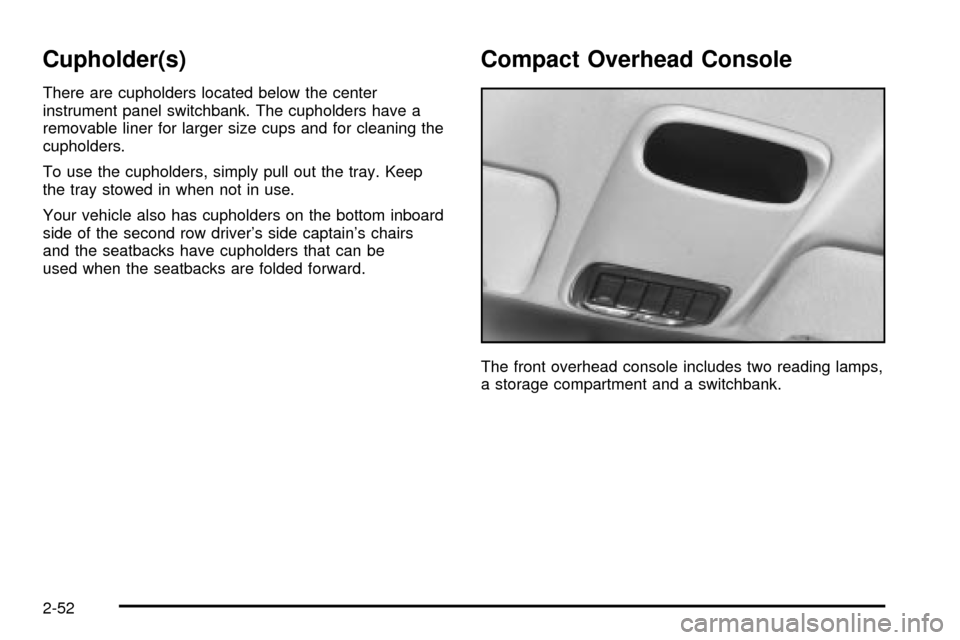
Compact Overhead Console
The front overhead console includes two reading lamps,
a storage compartment and a switchbank.
2-52
Page 147 of 462

Entering Programming Mode
To program features, your vehicle must be in the
programming mode. Follow these steps:
1. The content theft-deterrent system must be
disarmed. See
Content Theft-Deterrent on
page 2-26.
2. Remove the BCM PRGRM fuse from the instrument
panel fuse block, located to the right of the glove
box. See
Fuses and Circuit Breakers on page 5-101.
3. Close the driver's door.
4. Turn the ignition key to ACCESSORY.
5. Count the number of chimes you hear. You will
hear two to four chimes depending on the features
your vehicle is equipped with. Refer to the chart
shown previously.
You can now program your choices.
To exit the programming mode, follow the steps listed
under
Exiting Programming Mode on page 2-69.
Delayed Illumination and Exit
Lighting
This feature allows you to customize the interior lamps
when entering and exiting the vehicle.
Programmable Modes
Mode 1:Both Features Off. The interior lamps will turn
on or off at the same instant that a door is opened or
closed.
Mode 2:Delayed Illumination Only. The interior lamps
will stay on for about 25 seconds after all the doors
and liftgate are closed, or until you lock the doors.
Mode 3:Exit Lighting Only. The interior lamps will come
on whenever you remove the key from the ignition
and stay on for about 25 seconds, or until you lock the
doors.
Mode 4:Both Features On. This combines
Modes 2 and 3.
2-61
Page 148 of 462

Your vehicle was originally programmed to Mode 4.
The mode may have been changed since then.
To determine the current mode, or to change the mode,
do the following:
1. Follow the instructions for ªEntering Programming
Modeº earlier in this section.
2. Turn the interior lamps on by turning the instrument
panel brightness control all the way up.
3. Count the number of chimes you hear. The number
of chimes indicates the vehicle's current
programmed mode. If you do not wish to change
the current mode, you can either exit the
programming mode by following the instructions
later in this section or program the next feature
available on your vehicle.
4. Turn the interior lamps off to change the
current mode.
5. Turn the interior lamps from on to off until you hear
the number of chimes corresponding to the mode
selection you want.
The mode you selected is now set. You can either exit
the programming mode by following the instructions
later in this section or program the next feature available
on your vehicle.Automatic Door Locks
This feature allows you to customize the automatic
locking and unlocking of the doors when using the
shift lever.
Programmable Modes
Mode 1:Both Features Off. Automatic door locking and
unlocking is disabled. You will always need to lock
your doors manually before driving to increase occupant
safety.
Mode 2:Automatic Door Locking Only
·The automatic door unlock feature is turned off.
·Shift out of PARK (P) with the ignition on and the
driver's door closed; all doors will lock automatically.
Mode 3:Automatic Unlocking with the Ignition Off
·Turn off the ignition with the transaxle in PARK (P);
all doors will unlock automatically.
·Shift out of PARK (P) with the ignition on and the
driver's door closed; all doors will lock automatically.
Mode 4:Automatic Unlocking with Transaxle in
PARK (P)
·Shift into PARK (P) with the ignition on; all doors
will unlock automatically.
·Shift out of PARK (P) with the ignition on and the
driver's door closed; all doors will lock automatically.
2-62
Page 155 of 462

3. Press the button with the horn symbol on the
remote keyless entry transmitter.
4. Count the number of chimes you hear. The number
of chimes indicates the vehicle's current
programmed mode. If you do not wish to change the
current mode, you can either exit the programming
mode by following the instructions later in this section
or program the next feature available on your vehicle.
5. Press the panic button to change the current mode.
6. Press the panic button until you hear the number
of chimes corresponding to the mode selection
you want.
7. Remove your key from the door key cylinder.
The mode you selected is now set. You can either exit
the programming mode by following the instructions
next in this section or program the next feature available
on your vehicle.Exiting Programming Mode
To exit programming mode, turn the key from
ACCESSORY to OFF and put the BCM PRGRM fuse
back into the instrument panel fuse block.
After programming a feature, you can exit the
programming mode at anytime. Also, if your vehicle is
equipped with the content theft-deterrent system,
remember to arm the system before exiting.
2-69