ECU Oldsmobile Silhouette 2004 s Owner's Guide
[x] Cancel search | Manufacturer: OLDSMOBILE, Model Year: 2004, Model line: Silhouette, Model: Oldsmobile Silhouette 2004Pages: 462, PDF Size: 3.1 MB
Page 107 of 462

Resetting the Power Sliding Door
The power sliding door may operate incorrectly or not
at all because of the following conditions:
·A low voltage or dead battery
·A disconnected battery
·If the instrument panel PWR/HEATED SEAT PSD
fuse or the underhood fuse 8, 27, or 29 are
removed or blown.
See
Fuses and Circuit Breakers on page 5-101for more
information about your fuse panel.
If any of these conditions occur, the power sliding door
will need to be reset. If your vehicle has the dual
power sliding doors, both doors will have to be reset.
To reset a door, do the following:
1. Check to be sure the power sliding door is unlocked
and securely closed.
2. Turn the ignition key to OFF.
3. If the power sliding door override is on, press the
textured end of the power sliding door override
switch to turn it off.
4. Remove fuse 29 from the underhood fuse block.
Leave it out for 30 seconds.
5. Reinstall the fuse and wait 10 seconds.6. Turn the power sliding door override on by pressing
the end of the switch with the override symbol on it.
7. Press the power sliding door switch(es) to open the
power sliding door.
8. Open the door all of the way.
9. Wait ®ve seconds and close the door by pressing
the power sliding door switch(es).
10. Wait ®ve seconds and repeat Steps 7 through 9.
If the door does not rest in the fully open position after
repeating Step 7, repeat Steps 7 through 9 again. If
the door still does not operate correctly, see your dealer
for service.
Liftgate
To unlock or lock the liftgate from the outside, use the
remote keyless entry transmitter. For more information,
see
Remote Keyless Entry System Operation on
page 2-5.
Open the liftgate using the handle located above the
license plate. Once slightly opened, the liftgate will rise
by itself. Lamps in the rear of the vehicle will come
on, illuminating the rear cargo area. See
Interior Lamps
on page 3-18.
2-21
Page 112 of 462
Theft-Deterrent Systems
Vehicle theft is big business, especially in some cities.
Although your vehicle has a number of theft-deterrent
features, we know that nothing we put on it can make
it impossible to steal.
Content Theft-Deterrent
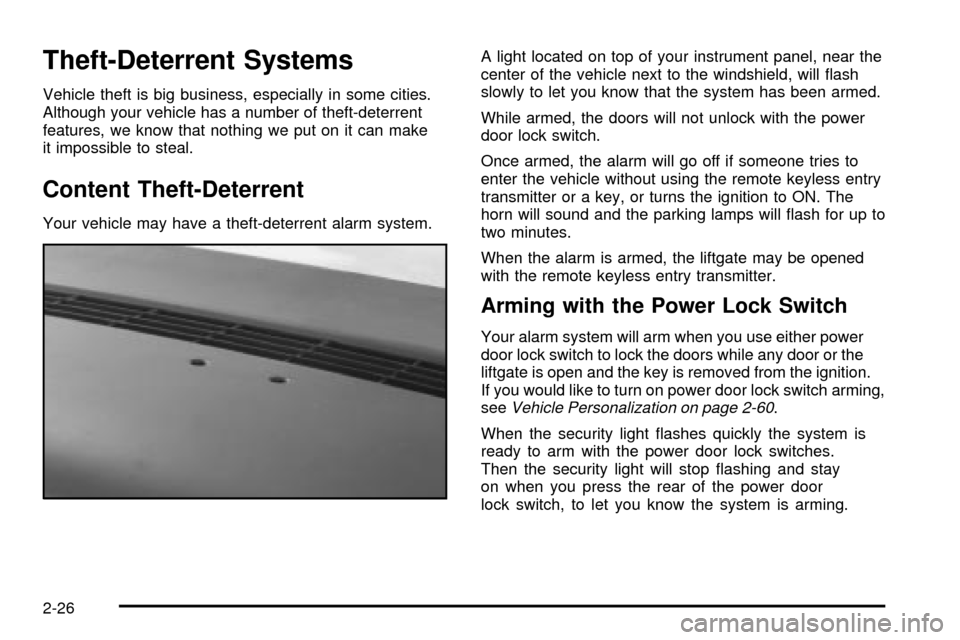
Your vehicle may have a theft-deterrent alarm system.A light located on top of your instrument panel, near the
center of the vehicle next to the windshield, will ¯ash
slowly to let you know that the system has been armed.
While armed, the doors will not unlock with the power
door lock switch.
Once armed, the alarm will go off if someone tries to
enter the vehicle without using the remote keyless entry
transmitter or a key, or turns the ignition to ON. The
horn will sound and the parking lamps will ¯ash for up to
two minutes.
When the alarm is armed, the liftgate may be opened
with the remote keyless entry transmitter.
Arming with the Power Lock Switch
Your alarm system will arm when you use either power
door lock switch to lock the doors while any door or the
liftgate is open and the key is removed from the ignition.
If you would like to turn on power door lock switch arming,
see
Vehicle Personalization on page 2-60.
When the security light ¯ashes quickly the system is
ready to arm with the power door lock switches.
Then the security light will stop ¯ashing and stay
on when you press the rear of the power door
lock switch, to let you know the system is arming.
2-26
Page 113 of 462

After all doors and the liftgate are closed and locked,
the security light will begin ¯ashing at a very
slow rate to let you know the system is armed.
Arming with the Remote Keyless Entry
Transmitter
Your alarm system will arm when you use your remote
keyless entry transmitter to lock the doors, if the key
is not in the ignition. The security light will turn on to let
you know the system is arming. After all doors and
the liftgate are closed and locked, the security light will
begin ¯ashing at a very slow rate to let you know
the system is armed.
Arming with Your Key
Your alarm system will arm when you use your key to
lock the driver's door. The security light will turn on to let
you know the system is arming. After all doors and the
liftgate are closed and locked, the security light will begin
¯ashing at a very slow rate to let you know the system is
armed. If you would like your key not to arm the system,
see
Vehicle Personalization on page 2-60.
Arming Con®rmation
If remote unlock con®rmation is on, your parking lamps
will ¯ash brie¯y to let you know when your alarm system
has disarmed. If you would not like the parking lamps to
¯ash, see
Vehicle Personalization on page 2-60.
Disarming with the Remote Keyless
Entry Transmitter
Your alarm system will disarm when you use your
remote keyless entry transmitter to unlock the doors.
The security light will stop ¯ashing to let you know the
system is no longer armed.
Disarming with Your Key
Your alarm system will disarm when you use your key
to unlock the driver's door. The security light will
stop ¯ashing to let you know the system is no longer
armed. If you would like your key not to disarm the alarm
system, see
Vehicle Personalization on page 2-60.
2-27
Page 114 of 462

PASS-KeyžIII
Your PASS-KeyžIII system operates on a radio
frequency subject to Federal Communications
Commission (FCC) Rules and with Industry Canada.
This device complies with Part 15 of the FCC Rules.
Operation is subject to the following two conditions:
1. this device may not cause harmful interference, and
2. this device must accept any interference received,
including interference that may cause undesired
operation.
This device complies with RSS-210 of Industry Canada.
Operation is subject to the following two conditions:
1. this device may not cause interference, and
2. this device must accept any interference received,
including interference that may cause undesired
operation of the device.
Changes or modi®cations to this system by other than
an authorized service facility could void authorization to
use this equipment.
PASS-Key
žIII uses a radio frequency transponder in
the key that matches a decoder in your vehicle.
PASS-KeyžIII Operation
Your vehicle is equipped
with the PASS-KeyžIII
(Personalized Automotive
Security System)
theft-deterrent system.
PASS-Key
žIII is a passive
theft deterrent system.
This means you do
not have to do anything
different to arm or disarm
the system. It works
when you insert or remove
the key from the ignition.
When the PASS-Key
žIII system senses that someone
is using the wrong key, it shuts down the vehicle's
starter and fuel systems. The starter will not work and
fuel will stop being delivered to the engine. Anyone
using a trial-and-error method to start the vehicle will be
discouraged because of the high number of electrical
key codes.
2-28
Page 115 of 462

If the engine does not start and the security message
comes on, the key may have a damaged transponder.
Turn the ignition off and try again.
If the engine still does not start, and the key appears to
be undamaged, try another ignition key. At this time, you
may also want to check the instrument panel PASS KEY
fuse. If the engine still does not start with the other key,
your vehicle needs service. If your vehicle does start, the
®rst key may be faulty. See your dealer or a locksmith
who can service the PASS-Key
žIII to have a new key
made. SeeFuses and Circuit Breakers on page 5-101.
It is possible for the PASS-Key
žIII decoder to learn the
transponder value of a new or replacement key. Up
to 10 additional keys may be programmed for the
vehicle. This procedure is for learning additional keys
only. If all the currently programmed keys are lost or do
not operate, you must see your dealer or a locksmith
who can service PASS-Key
žIII to have keys made and
programmed to the system.See your dealer or a locksmith who can service
PASS-Key
žIII to get a new key blank that is cut exactly
as the ignition key that operates the system.
Canadian Owners:If you lose or damage your keys,
only a GM dealer can service PASS-Key
žIII to
have new keys made. To program additional keys you
will need two current driver's keys, black in color.
You must add a step to the following procedure. After
Step 3, repeat Steps 1 through 3 with the second current
driver's key. Then continue with Step 4.
To program the new key, do the following:
1. Verify the new key has PK3 stamped on it.
2. Insert the ignition key in the ignition and start the
engine. If the engine will not start, see your dealer
for service.
3. After the engine has started, turn the key to OFF
and remove the key.
4. Insert the key to be programmed and turn it to RUN
within 10 seconds of removing the previous key.
2-29
Page 116 of 462

5. The security message will turn off once the key has
been programmed. It may not be apparent that the
security message went on due to how quickly
the key is programmed.
6. Repeat Steps 1 through 4 if additional keys are to
be programmed.
If you are ever driving and the security message comes
on and stays on, you will be able to restart your
engine if you turn it off. Your PASS-Key
žIII system,
however, is not working properly and must be serviced
by your dealer. Your vehicle is not protected by the
PASS-Key
žIII system at this time.
If you lose or damage a PASS-Key
žIII key, see your
dealer or a locksmith who can service PASS-KeyžIII to
have a new key made.
Starting and Operating Your
Vehicle
New Vehicle Break-In
Notice:Your vehicle does not need an elaborate
ªbreak-in.º But it will perform better in the long run
if you follow these guidelines:
·Do not drive at any one speed Ð fast or
slow Ð for the ®rst 500 miles (805 km).
Do not make full-throttle starts.
·Avoid making hard stops for the ®rst
200 miles (322 km) or so. During this time
your new brake linings are not yet broken in.
Hard stops with new linings can mean
premature wear and earlier replacement.
Follow this breaking-in guideline every time
you get new brake linings.
·Do not tow a trailer during break-in.
See
Towing a Trailer on page 4-38for
more information.
2-30
Page 131 of 462
Outside Convex Mirror
Your passenger's side mirror is convex. A convex
mirror's surface is curved so you can see more from
the driver's seat.
{CAUTION:
A convex mirror can make things (like other
vehicles) look farther away than they really are.
If you cut too sharply into the right lane, you
could hit a vehicle on your right. Check your
inside mirror or glance over your shoulder
before changing lanes.
Outside Heated Mirrors
If your vehicle has the outside rearview mirrors, they are
heated when you activate the rear window defogger.
See ªRear Window Defoggerº in
Climate Control System
on page 3-28.
OnStaržSystem
OnStaržuses global positioning system (GPS) satellite
technology, wireless communications, and call centers
to provide you with a wide range of safety, security,
information and convenience services.
A complete OnStar
žuser's guide and the terms and
conditions of the OnStaržSubscription Service
Agreement are included in your vehicle's glove box
literature. For more information, visit www.onstar.com,
contact OnStar
žat 1-888-4-ONSTAR (1-888-466-7827),
or press the blue OnStaržbutton to speak to an
OnStaržadvisor 24 hours a day, 7 days a week.
A completed Subscription Service Agreement is required
prior to delivery of OnStar
žservices and prepaid
calling minutes are also required for OnStaržPersonal
Calling and OnStaržVirtual Advisor use. Terms and
conditions of the Subscription Service Agreement can be
found at www.onstar.com.
2-45
Page 133 of 462
HomeLinkžTransmitter
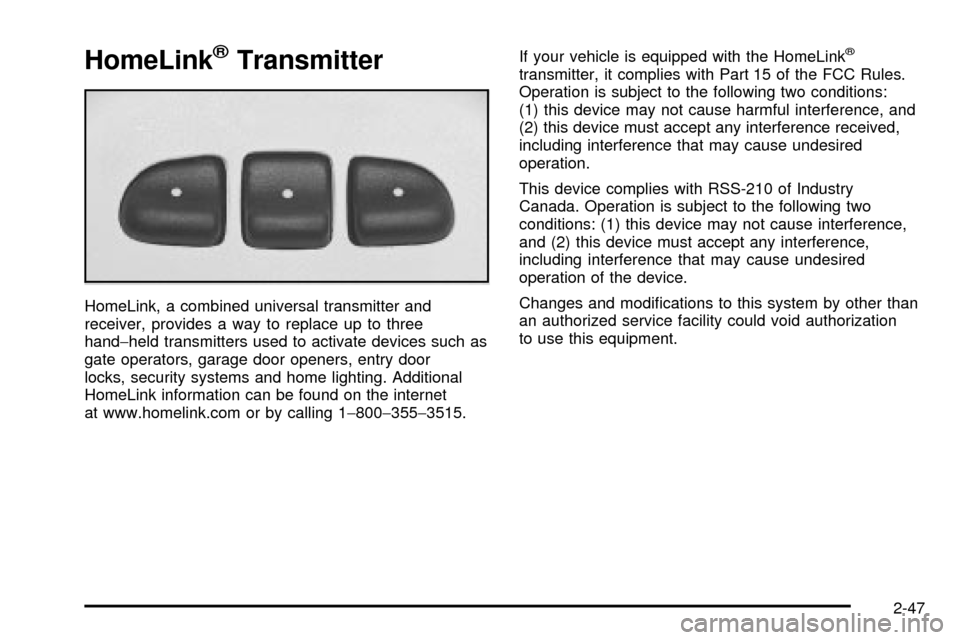
HomeLink, a combined universal transmitter and
receiver, provides a way to replace up to three
hand-held transmitters used to activate devices such as
gate operators, garage door openers, entry door
locks, security systems and home lighting. Additional
HomeLink information can be found on the internet
at www.homelink.com or by calling 1-800-355-3515.If your vehicle is equipped with the HomeLink
ž
transmitter, it complies with Part 15 of the FCC Rules.
Operation is subject to the following two conditions:
(1) this device may not cause harmful interference, and
(2) this device must accept any interference received,
including interference that may cause undesired
operation.
This device complies with RSS-210 of Industry
Canada. Operation is subject to the following two
conditions: (1) this device may not cause interference,
and (2) this device must accept any interference,
including interference that may cause undesired
operation of the device.
Changes and modi®cations to this system by other than
an authorized service facility could void authorization
to use this equipment.
2-47
Page 134 of 462

Programming the HomeLinkž
Transmitter
Do not use the HomeLinkžTransmitter with any garage
door opener that does not have the ªstop and reverseº
feature. This includes any garage door opener model
manufactured before April 1, 1982. If you have a newer
garage door opener with rolling codes, please be
sure to follow steps 6 through 8 to complete the
programming of your HomeLink
žTransmitter.
Read the instructions completely before attempting to
program the HomeLink
žTransmitter. Because of
the steps involved, it may be helpful to have another
person available to assist you in programming the
transmitter.
Keep the original transmitter for use in other vehicles as
well as for future HomeLink
žprogramming. It is also
recommended that upon the sale of the vehicle,
the programmed HomeLink
žbuttons should be erased
for security purposes. Refer to ªErasing HomeLinkž
Buttonsº or, for assistance, contact HomeLinkžon the
internet at: www.homelink.com or by calling
1-800-355-3515.Be sure that people and objects are clear of the garage
door or gate operator you are programming. When
programming a garage door, it is advised to park outside
of the garage.
It is recommended that a new battery be installed in
your hand-held transmitter for quicker and more
accurate transmission of the radio frequency.
Your vehicle's engine should be turned off while
programming the transmitter. Follow these steps to
program up to three channels:
1. Press and hold down the two outside buttons,
releasing only when the indicator light begins to
¯ash, after 20 seconds. Do not hold down the
buttons for longer than 30 seconds and do not
repeat this step to program a second and/or third
transmitter to the remaining two HomeLink
žbuttons.
2. Position the end of your hand-held transmitter about
1 to 3 inches (3 to 8 cm) away from the HomeLink
ž
buttons while keeping the indicator light in view.
3. Simultaneously press and hold both the desired
button on HomeLink
žand the hand-held transmitter
button. Do not release the buttons until Step 4
has been completed.
2-48
Page 137 of 462

Reprogramming a Single HomeLinkž
Button
To program a device to HomeLinkžusing a HomeLinkž
button previously trained, follow these steps:
1. Press and hold the desired HomeLink
žbutton.
Do not release the button.
2. The indicator light will begin to ¯ash after
20 seconds. While still holding the HomeLink
ž
button, proceed with Step 2 under ªProgramming
HomeLinkž.º
Resetting Defaults
To reset HomeLinkžto default settings do the following:
1. Hold down the two outside buttons for about
20 seconds until the indicator light begins to ¯ash.
2. Continue to hold both buttons until the HomeLink
ž
indicator light turns off.
3. Release both buttons.
For questions or comments, contact HomeLink
žat
1-800-355-3515, or on the internet at
www.homelink.com.
Storage Areas
Your vehicle's large carrying capacity can store many
items. If you have the extended wheelbase version, you
can carry things as large as a 4' x 8' piece of plywood.
You can also use the ¯oor pins that are used to
attach the seats, to secure larger loads.
Glove Box
Your vehicle has a glove box below the instrument
panel. To open the glove box, lift the latch release.
The glove box door has a detent to prevent the door
from lowering too far. Open the glove box until the door
is partway open, then pull the door down if you need
it fully open. To close the glove box, the door must
be pushed up past the detent.
2-51