instrument cluster OPEL AGILA 2009 Owners Manual
[x] Cancel search | Manufacturer: OPEL, Model Year: 2009, Model line: AGILA, Model: OPEL AGILA 2009Pages: 153, PDF Size: 1.82 MB
Page 11 of 153

1-6In brief
1Side air vents .................... 3 8-5
2Door window defroster
vents ................................. 3 8-5
3Steering wheel mounted
remote control 3............... 3 7-2
4Parking lamps ................... 3 6-1
Turn signal lamps .............. 3 6-2
High beam......................... 3 6-2
Dipped beam ..................... 3 6-2
Headlamp flash ................. 3 6-2
Rear fog lamp ................... 3 6-3
5Central information display
for time and outside
temperature .............. 3 5-3, 5-4
Instrument cluster ............. 3 5-8
Speedometer .................... 3 5-5
Odometer ......................... 3 5-6
Fuel gauge ........................ 3 5-7
Service interval display 3 3 5-14
Transmission display 3..... 3 5-7
Trip computer 3.............. 3 5-146Driver’s airbag ................. 3 3-13
Horn .................................. 3 5-2
7Windscreen wiper/washer . 3 5-2
Rear window wiper/washer 3 5-3
8Tachometer ....................... 3 5-6
9Centre air vents ................. 3 8-4
10Hazard warning ................. 3 6-2
Control indicator for
front passenger airbag
deactivation 3................. 3
3-18
11Upper tray ......................... 3 4-2
12Infotainment system .......... 3 7-1
13Front passenger’s airbag 3 3-13
14Storage tray....................... 3 4-2
15Passenger airbag deactivation
switch 3........................... 3 3-17
16Glove box .......................... 3 4-1
17Climate controls................ 3 8-1
18Power outlet ...................... 3 5-4
Cigarette lighter 3............. 3 5-519Gearshift lever ........... 3 9-4, 9-6
20Storage tray
21Ignition switch................... 3 9-1
22Steering wheel adjustment 3 5-1
23Fuse box ...................... 3 10-12
24Bonnet release ............... 3 10-2
25Front fog lamps 3............. 3 6-3
Headlamp range
adjustment 3.................... 3 6-1
TCSS deactivation 3...... 3 9-11
Page 20 of 153
2-5 Keys, doors and windows
To disengage safety lock, raise lock
lever.
Lockout protection
To prevent the driver from being
inadvertently locked out, the driver’s
door cannot be locked when it is
open.
Doors
Tailgate
To open
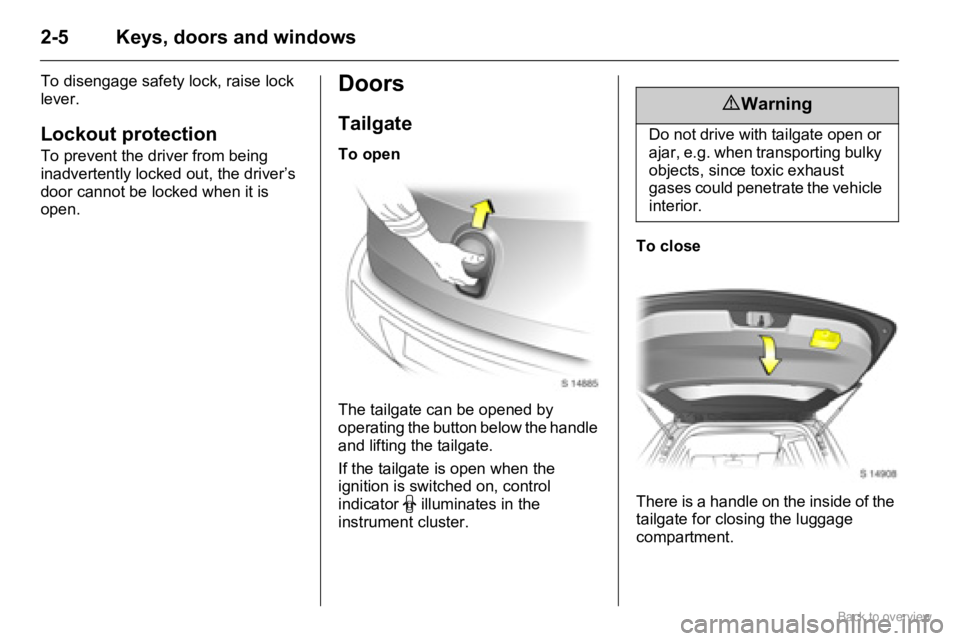
The tailgate can be opened by
operating the button below the handle
and lifting the tailgate.
If the tailgate is open when the
ignition is switched on, control
indicator
9 illuminates in the
instrument cluster.To close
There is a handle on the inside of the
tailgate for closing the luggage
compartment.
9 Warning
Do not drive with tailgate open or
ajar, e.g. when transporting bulky
objects, since toxic exhaust
gases could penetrate the vehicle
interior.
Page 32 of 153
3-6 Seats, restraints and interior
In the event of an accident, persons
not wearing seat belts endanger their
fellow occupants and themselves.
Control indicator X for driver’s seat
belt reminder 35-9.
Seat belts are designed to be used by
only one person at a time. They are
only suitable for children aged up to
12 years or smaller than 150 cm if
used in conjunction with a child
restraint 3.
Belt force limiters
Load limiters on the front seats
reduce the impact on the seat
occupant’s body from a tensioning
belt, in the event of frontal collisions
or rear impacts of a certain severity.
The belt force is controlled, to reduce
the risk of belt-inflicted injury.
Belt tensioners
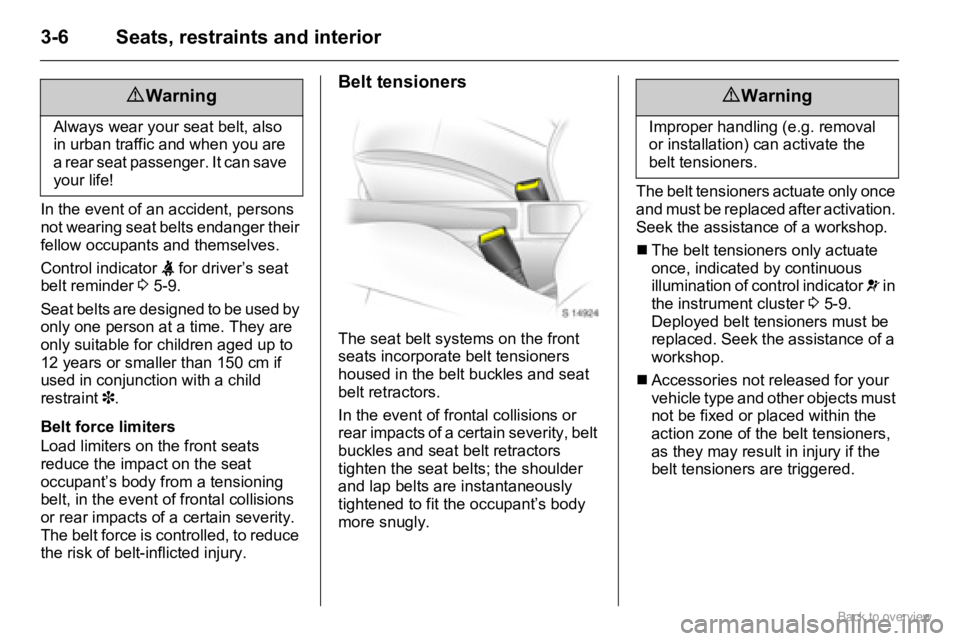
The seat belt systems on the front
seats incorporate belt tensioners
housed in the belt buckles and seat
belt retractors.
In the event of frontal collisions or
rear impacts of a certain severity, belt
buckles and seat belt retractors
tighten the seat belts; the shoulder
and lap belts are instantaneously
tightened to fit the occupant’s body
more snugly.The belt tensioners actuate only once
and must be replaced after activation.
Seek the assistance of a workshop.
„The belt tensioners only actuate
once, indicated by continuous
illumination of control indicator v in
the instrument cluster 35-9.
Deployed belt tensioners must be
replaced. Seek the assistance of a
workshop.
„Accessories not released for your
vehicle type and other objects must
not be fixed or placed within the
action zone of the belt tensioners,
as they may result in injury if the
belt tensioners are triggered.
9 Warning
Always wear your seat belt, also
in urban traffic and when you are
a rear seat passenger. It can save
your life!
9 Warning
Improper handling (e.g. removal
or installation) can activate the
belt tensioners.
Page 57 of 153
5-7Instruments and controls
Fuel gauge
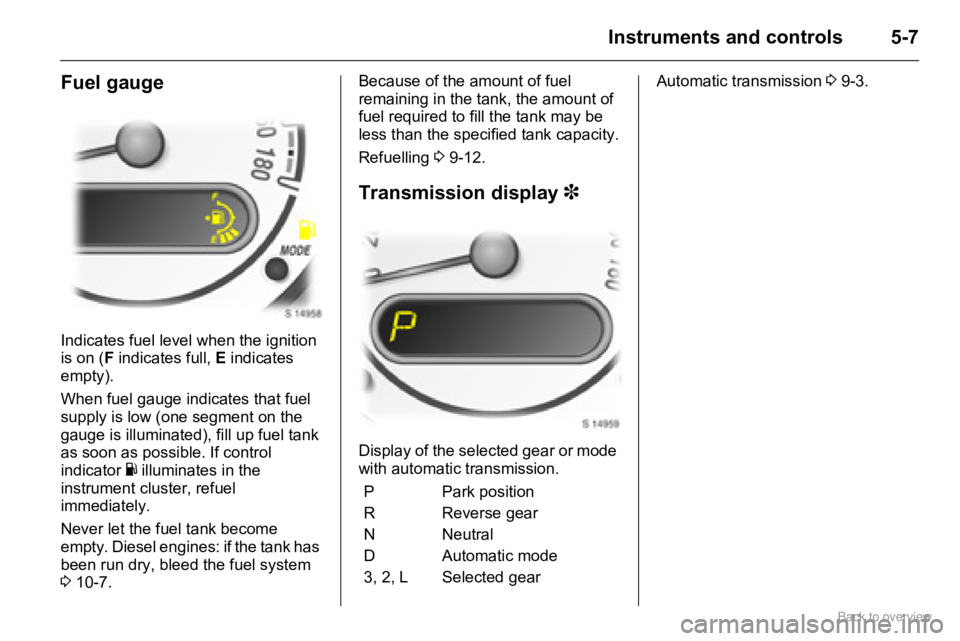
Indicates fuel level when the ignition
is on (F indicates full, E indicates
empty).
When fuel gauge indicates that fuel
supply is low (one segment on the
gauge is illuminated), fill up fuel tank
as soon as possible. If control
indicator
Y illuminates in the
instrument cluster, refuel
immediately.
Never let the fuel tank become
empty. Diesel engines: if the tank has
been run dry, bleed the fuel system
310-7.Because of the amount of fuel
remaining in the tank, the amount of
fuel required to fill the tank may be
less than the specified tank capacity.
Refuelling 39-12.
Transmission display 3
Display of the selected gear or mode
with automatic transmission.Automatic transmission 39-3.
P Park position
R Reverse gear
N Neutral
D Automatic mode
3, 2, L Selected gear
Page 58 of 153
5-8 Instruments and controls
Instrument clusterControl indicators
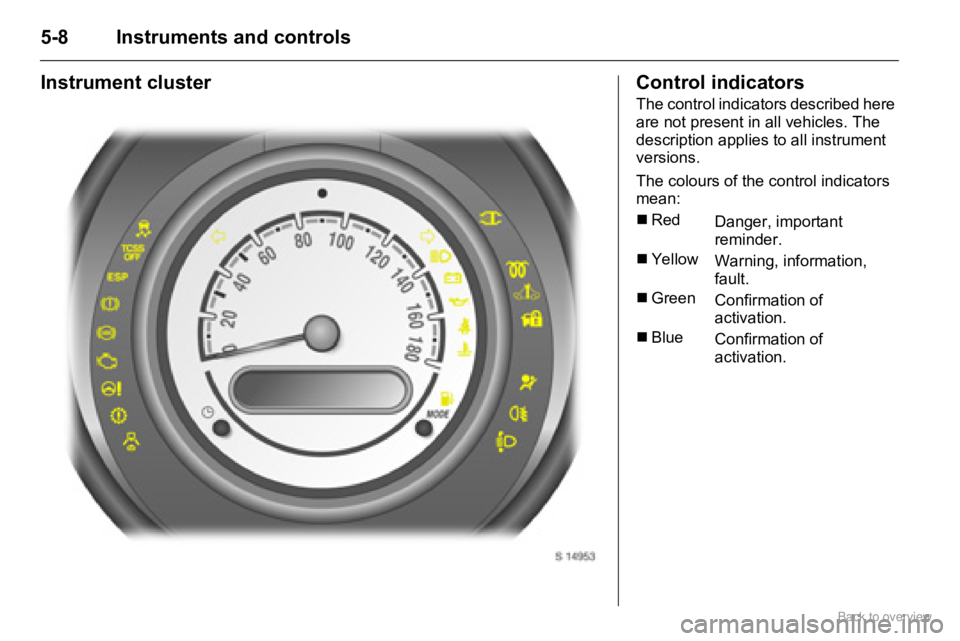
The control indicators described here
are not present in all vehicles. The
description applies to all instrument
versions.
The colours of the control indicators
mean:
„Red
Danger, important
reminder.
„Yellow
Warning, information,
fault.
„Green
Confirmation of
activation.
„Blue
Confirmation of
activation.
Page 64 of 153
5-14 Instruments and controls
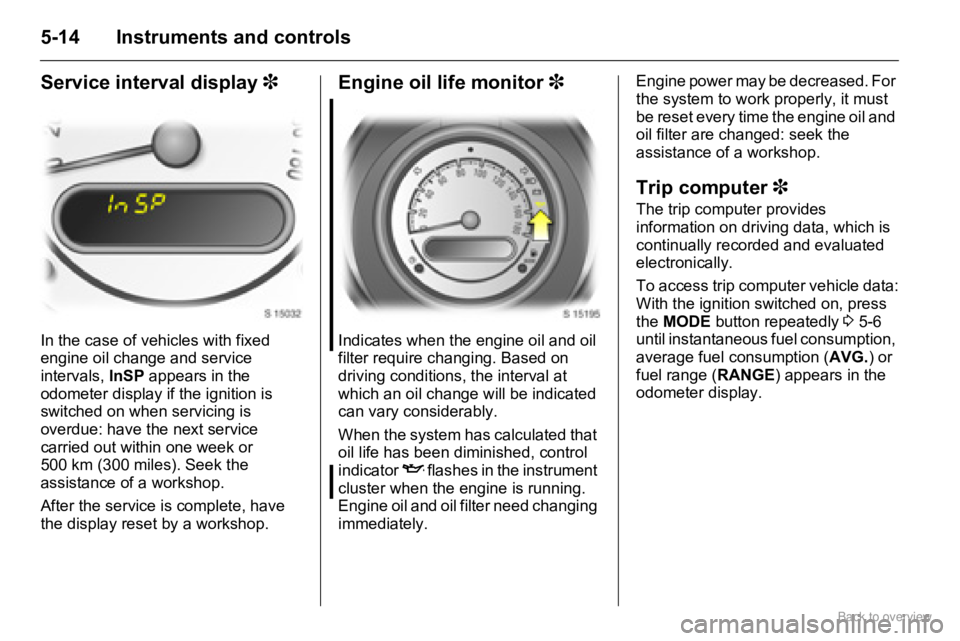
Service interval display 3
In the case of vehicles with fixed
engine oil change and service
intervals, InSP appears in the
odometer display if the ignition is
switched on when servicing is
overdue: have the next service
carried out within one week or
500 km (300 miles). Seek the
assistance of a workshop.
After the service is complete, have
the display reset by a workshop.
Engine oil life monitor 3
Indicates when the engine oil and oil
filter require changing. Based on
driving conditions, the interval at
which an oil change will be indicated
can vary considerably.
When the system has calculated that
oil life has been diminished, control
indicator
I flashes in the instrument
cluster when the engine is running.
Engine oil and oil filter need changing
immediately. Engine power may be decreased. For
the system to work properly, it must
be reset every time the engine oil and
oil filter are changed: seek the
assistance of a workshop.
Trip computer 3
The trip computer provides
information on driving data, which is
continually recorded and evaluated
electronically.
To access trip computer vehicle data:
With the ignition switched on, press
the MODE button repeatedly 3 5-6
until instantaneous fuel consumption,
average fuel consumption (AVG.) or
fuel range (RANGE) appears in the
odometer display.
Page 66 of 153

5-16 Instruments and controls
If control indicator Y illuminates in the
instrument cluster, refuel
immediately, regardless of the value
shown in the range display.
Setting units of measure
You can select which units of
measure are to be used for fuel
consumption figures.
With the vehicle stationary and with
instantaneous consumption showing
in the display, press and hold the
MODE button for approx. 2 seconds
to toggle between L/100km and
km/L.
Interruption of power supply
If the power supply has been
interrupted or if the battery voltage
has dropped too low, the values
stored in the trip computer will be lost.
Page 68 of 153
6-2 Lighting
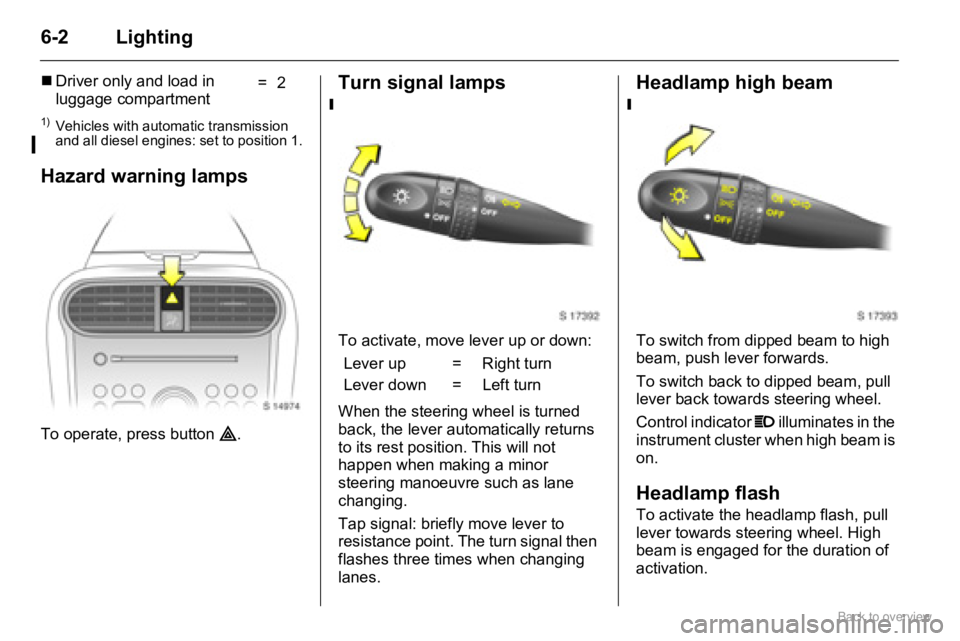
Hazard warning lamps
To operate, press button ¨.
Turn signal lamps
To activate, move lever up or down:
When the steering wheel is turned
back, the lever automatically returns
to its rest position. This will not
happen when making a minor
steering manoeuvre such as lane
changing.
Tap signal: briefly move lever to
resistance point. The turn signal then
flashes three times when changing
lanes.
Headlamp high beam
To switch from dipped beam to high
beam, push lever forwards.
To switch back to dipped beam, pull
lever back towards steering wheel.
Control indicator P illuminates in the
instrument cluster when high beam is
on.
Headlamp flash
To activate the headlamp flash, pull
lever towards steering wheel. High
beam is engaged for the duration of
activation. „Driver only and load in
luggage compartment=2
1)Vehicles with automatic transmission
and all diesel engines: set to position 1.
Lever up = Right turn
Lever down = Left turn
Page 69 of 153
6-3Lighting
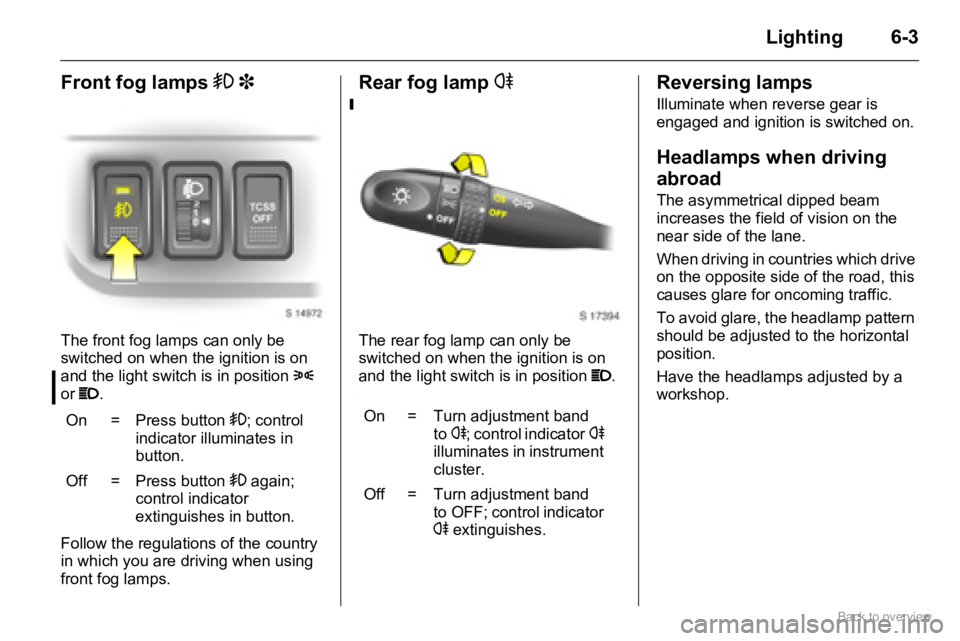
Front fog lamps > 3
The front fog lamps can only be
switched on when the ignition is on
and the light switch is in position 8
or P.
Follow the regulations of the country
in which you are driving when using
front fog lamps.
Rear fog lamp r
The rear fog lamp can only be
switched on when the ignition is on
and the light switch is in position P.
.
Reversing lamps
Illuminate when reverse gear is
engaged and ignition is switched on.
Headlamps when driving
abroad
The asymmetrical dipped beam
increases the field of vision on the
near side of the lane.
When driving in countries which drive
on the opposite side of the road, this
causes glare for oncoming traffic.
To avoid glare, the headlamp pattern
should be adjusted to the horizontal
position.
Have the headlamps adjusted by a
workshop.
On =
Press button >; control
indicator illuminates in
button.
Off = Press button > again;
control indicator
extinguishes in button.
On =
Turn adjustment band
tor; control indicatorr
illuminates in instrument
cluster.
Off = Turn adjustment band
to OFF; control indicator
r extinguishes.
Page 97 of 153

9-10Driving and operating
Brake assist
Rapid powerful application of the
brake pedal automatically applies
maximum brake force amplification to
achieve the shortest possible braking
distance under full braking (brake
assist).
Maintain steady pressure on the
brake pedal for as long as full-on
braking is to continue. When the
brake pedal is released, the
maximum brake force amplification is
taken away.
Ride control systems
Electronic Stability Program
(ESP®) 3
The Electronic Stability Program
improves driving stability when
necessary, independently of the type
of road surface and the tyre grip. It
also prevents the drive wheels from
spinning.
The system monitors vehicle
movements. As soon as the vehicle
starts to swerve (understeers/
oversteers), engine output is reduced
(the sound of the engine changes)
and individual wheels are specifically
braked. This considerably improves
the driving stability of the vehicle on
snow and ice and on wet or slippery
road surfaces.
ESP
® is ready for operation as soon
as the ignition is switched on and the
control indicators
R, ESP and TCSS OFF extinguish.
When the ESP® comes into action,
control indicator
R flashes rapidly in
the instrument cluster. Some noise or
vibration may be apparent.ESP active control indicator 3 5-10.
Interruption of power supply
If the vehicle’s battery has been
disconnected and reconnected,
ESP
® is deactivated and control
indicator R flashes once per second.
Reactivate ESP® by driving in a
straight line at over 15 km/h (9 mph)
for a few seconds until flashing
ceases. Several seconds may lapse
before the control indicator
extinguishes, depending on road
conditions.
Caution
Do not let this special safety feature
tempt you into taking risks when
driving.
Traffic safety can only be achieved
by adopting a responsible driving
style.