80% OPEL AMPERA E 2018.5 Owner's Manual
[x] Cancel search | Manufacturer: OPEL, Model Year: 2018.5, Model line: AMPERA E, Model: OPEL AMPERA E 2018.5Pages: 273, PDF Size: 6.6 MB
Page 66 of 273

64Instruments and controlsInstruments and
controlsControls ....................................... 65
Steering wheel adjustment ........65
Steering wheel controls .............65
Heated steering wheel ...............65
Horn ........................................... 66
Pedestrian safety alert ...............66
Windscreen wiper and washer ..66
Rear window wiper and washer ...................................... 68
Outside temperature ..................68
Clock ......................................... 69
Power outlets ............................. 69
Inductive charging .....................70
Warning lights, gauges and indi‐ cators ........................................... 72
Instrument cluster ......................72
Speedometer ............................. 74
Odometer .................................. 74
Battery gauge ............................ 74
Driving efficiency gauge ............74
Power indicator gauge ...............76
Regenerative braking ................76
Total vehicle range ....................77
Service display .......................... 77Control indicators ......................77
Turn lights .................................. 77
Seat belt reminder .....................77
Airbag and belt tensioners .........78
Airbag deactivation ....................78
Charging system .......................78
Service vehicle soon .................79
Brake system ............................. 79
Electric parking brake ................79
Electric parking brake fault ........79
Antilock brake system (ABS) .....79
Sport mode ................................ 80
Lane keep assist .......................80
Electronic Stability Control off ...80
Electronic Stability Control and Traction Control system ...........80
Traction Control system off .......80
Tyre pressure monitoring system ...................................... 80
Immobiliser ................................ 81
Vehicle ready ............................. 81
Exterior light .............................. 81
High beam ................................. 81
High beam assist .......................81
Rear fog light ............................. 81
Cruise control ............................ 81
Vehicle detected ahead .............81
Pedestrian detection ..................81
Speed limiter ............................. 81Traffic sign assistant ..................82
Door open .................................. 82
Displays ....................................... 82
Driver Information Centre ..........82
Info Display ................................ 85
Vehicle messages ........................89
Warning chimes .........................90
Battery voltage .......................... 90
Vehicle personalisation ................91
Telematics service .......................94
OnStar ....................................... 94
Page 73 of 273

Instruments and controls71
To charge a mobile device:1. Remove all objects from the charging slot. The system may not
charge if there are any objects in
the charging slot.
2. With the mobile device screen facing the driver, slowly insert the
device into the charging slot until
0 is shown on the Info Display.
This indicates that the mobile
device is properly positioned and
could be charged.
If a device is inserted into the slot and
0 is not displayed, remove the mobile
device from the pocket, turn it 180°,
and wait 3 seconds before inserting the device into the slot again.
Page 75 of 273

Instruments and controls73OverviewOTurn lights 3 77XSeat belt reminder 3 77vAirbag and belt tensioners
3 78VAirbag deactivation 3 78pCharging system 3 786Service vehicle soon
3 79RBrake system 3 79mElectric parking brake
3 79jElectric parking brake fault
3 79uAntilock brake system
(ABS) 3 793Sport mode 3 80aLane keep assist 3 80aElectronic Stability Control
off 3 80bElectronic Stability Control
and Traction Control
system 3 80kTraction Control system off
3 80wTyre pressure monitoring
system 3 80dImmobiliser 3 814Vehicle ready 3 818Exterior light 3 81CHigh beam 3 81fHigh beam assist 3 81øRear fog light 3 81mCruise control 3 81AVehicle detected ahead
3 817Pedestrian detection
3 81LSpeed limiter 3 81LTraffic sign assistant
3 82hDoor open 3 82
Reconfigurable instrument cluster
The cluster layout can be changed.
Use the steering wheel control to
move between the different display
zones and scroll through the different displays.
There are three display
configurations to choose from:
● Basic configuration displays the
speedometer with a simplified
high voltage battery gauge and
efficiency light.
● Standard configuration displays
the speedometer with a high
voltage battery gauge and
efficiency gauge.
● Enhanced configuration displays
the speedometer with high
voltage battery gauge, efficiency
ring, and power gauge.
Driver Information Centre 3 82.
Page 79 of 273
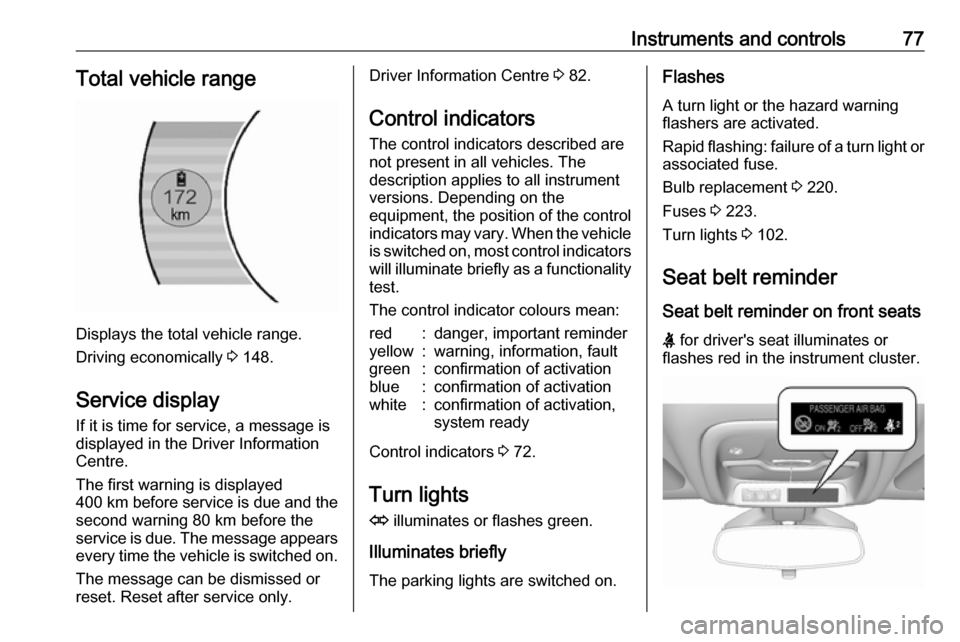
Instruments and controls77Total vehicle range
Displays the total vehicle range.
Driving economically 3 148.
Service display If it is time for service, a message is
displayed in the Driver Information
Centre.
The first warning is displayed
400 km before service is due and the
second warning 80 km before the
service is due. The message appears every time the vehicle is switched on.
The message can be dismissed or
reset. Reset after service only.
Driver Information Centre 3 82.
Control indicators
The control indicators described are
not present in all vehicles. The
description applies to all instrument
versions. Depending on the
equipment, the position of the control indicators may vary. When the vehicle
is switched on, most control indicators
will illuminate briefly as a functionality test.
The control indicator colours mean:red:danger, important reminderyellow:warning, information, faultgreen:confirmation of activationblue:confirmation of activationwhite:confirmation of activation,
system ready
Control indicators 3 72.
Turn lights
O illuminates or flashes green.
Illuminates briefly
The parking lights are switched on.
Flashes
A turn light or the hazard warning
flashers are activated.
Rapid flashing: failure of a turn light or associated fuse.
Bulb replacement 3 220.
Fuses 3 223.
Turn lights 3 102.
Seat belt reminder
Seat belt reminder on front seats
X for driver's seat illuminates or
flashes red in the instrument cluster.
Page 82 of 273

80Instruments and controlsABS. The brake system remains
operational but without ABS
regulation.
Antilock brake system 3 158.
Sport mode
3 illuminates when Sport mode
is selected.
Sport mode 3 154.
Lane keep assist
a illuminates green or yellow, or
flashes yellow.
Illuminates green
The system is switched on and ready to operate.
Illuminates yellow
The system approaches a detected
lane marking without using the turn
light in that direction.
Flashes yellow The system recognises that the lane
is departed significantly.Lane keep assist 3 191.
Electronic Stability Control
off
n illuminates yellow.
The system is deactivated.
Electronic Stability Control 3 163.
Electronic Stability Control
and Traction Control system
b illuminates or flashes yellow.
Illuminates
A fault in the system is present.
Continued driving is possible. Driving
stability, however, may deteriorate
depending on road surface
conditions.
Have the cause of the fault remedied
by a workshop.
Flashes
The system is active and is working to assist the driver with directional
control of the vehicle in difficult driving conditions.Electronic Stability Control 3 163.
Traction Control system 3 162.
Traction Control system off
k illuminates yellow.
The system is deactivated.
Traction Control system 3 162.
Tyre pressure monitoring
system
w illuminates or flashes yellow.
Illuminates
Tyre pressure loss. Stop immediately
and check tyre pressure.
Flashes
Fault in system or tyre without
pressure sensor mounted (e.g. spare wheel). After 60 to 90 seconds the
control indicator illuminates
continuously. Consult a workshop.
Tyre pressure monitoring system 3 233.
Page 130 of 273
128Infotainment systemWAF (PCM), AIFF, 3GPP (audio only)
and Audio Books (MP3, WMA, AAC,
AA).
The playlist formats recognised by
the system are ASX, M3U, PLS,
WPL, B4S and XSPF.
Picture files
The displayable picture file formats
are JPG, BMP, PNG and GIF.
Movie files
The playable movie file formats are
AVI and MP4.
The maximum resolution is 1280 x
720 pixels. The frame rate must be
less than 30 fps.
The usable codec is H.264 / MPEG-4 AVC.
The playable audio formats are MP3,
AC3, AAC and WMA.
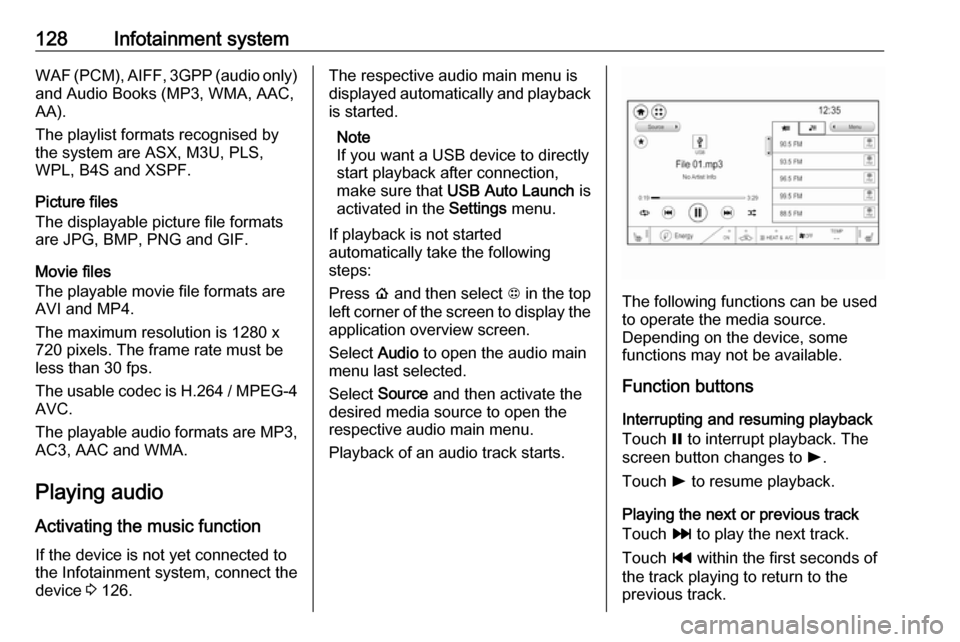
Playing audio Activating the music function
If the device is not yet connected to
the Infotainment system, connect the device 3 126.The respective audio main menu is
displayed automatically and playback is started.
Note
If you want a USB device to directly
start playback after connection,
make sure that USB Auto Launch is
activated in the Settings menu.
If playback is not started
automatically take the following
steps:
Press p and then select 1 in the top
left corner of the screen to display the application overview screen.
Select Audio to open the audio main
menu last selected.
Select Source and then activate the
desired media source to open the
respective audio main menu.
Playback of an audio track starts.
The following functions can be used
to operate the media source.
Depending on the device, some
functions may not be available.
Function buttons
Interrupting and resuming playback
Touch = to interrupt playback. The
screen button changes to l.
Touch l to resume playback.
Playing the next or previous track
Touch v to play the next track.
Touch t within the first seconds of
the track playing to return to the
previous track.
Page 143 of 273
Infotainment system141Seek advice on predetermined
installation points for the external
antenna or equipment holder and
ways of using devices with a
transmission power exceeding 10 W.
Use of a hands-free attachment
without external antenna with mobile
telephone standards GSM
900/1800/1900 and UMTS is only
permitted if the maximum
transmission power of the mobile
telephone is 2 W for GSM 900 or
1 W for the other types.
For reasons of safety, do not use the
phone while driving. Even use of a hands-free set can be a distraction
while driving.9 Warning
Operation of radio equipment and
mobile telephones which fail to
meet above mentioned mobile
telephone standards is only
permitted using an antenna
located outside of the vehicle.
Caution
Mobile telephones and radio
equipment may lead to
malfunctions in the vehicle
electronics when operated inside
the vehicle with no exterior
antenna, unless the above
mentioned regulations are
observed.
Page 156 of 273
154Driving and operatingElectric vehicle
operation modes
Operation This vehicle is a purely electricallydriven vehicle. It always uses an
electric propulsion system to drive the
vehicle. Electricity is the vehicle's only source of energy.
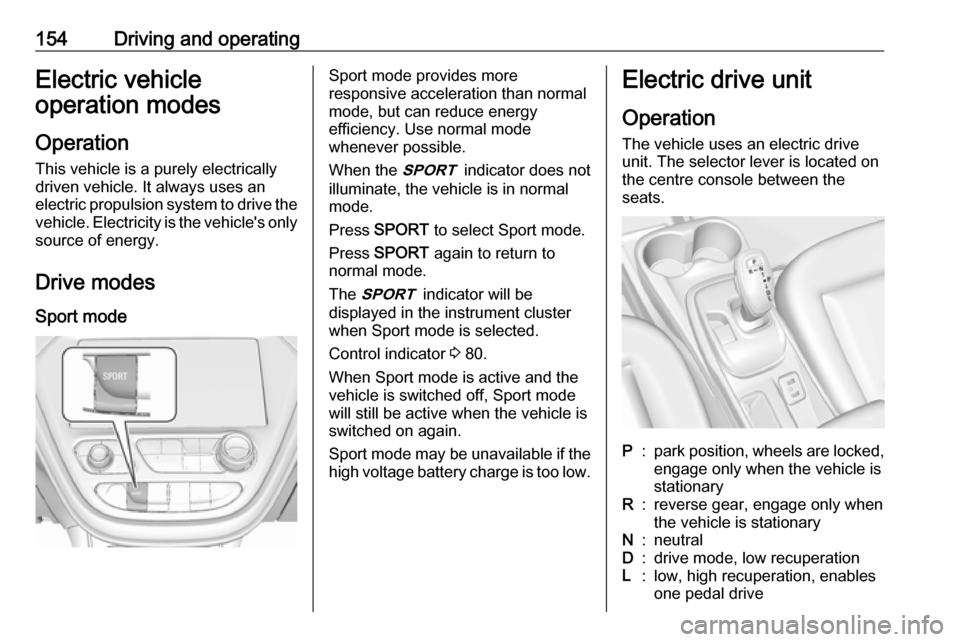
Drive modes Sport modeSport mode provides more
responsive acceleration than normal
mode, but can reduce energy
efficiency. Use normal mode
whenever possible.
When the 3 indicator does not
illuminate, the vehicle is in normal
mode.
Press SPORT to select Sport mode.
Press SPORT again to return to
normal mode.
The 3 indicator will be
displayed in the instrument cluster
when Sport mode is selected.
Control indicator 3 80.
When Sport mode is active and the
vehicle is switched off, Sport mode
will still be active when the vehicle is switched on again.
Sport mode may be unavailable if the high voltage battery charge is too low.Electric drive unit
Operation The vehicle uses an electric drive
unit. The selector lever is located on
the centre console between the
seats.P:park position, wheels are locked, engage only when the vehicle is
stationaryR:reverse gear, engage only when
the vehicle is stationaryN:neutralD:drive mode, low recuperationL:low, high recuperation, enables
one pedal drive
Page 164 of 273

162Driving and operatinghigh voltage battery is full, allowing
space for energy from regenerative
braking.
This feature also integrates with the
Location-based charging feature,
allowing you to configure the system so it is enabled when you are at home ( On – home only ) or away (On – away
only ).
Location based charging 3 197.Ride control systems
Traction Control system The Traction Control system (TC) is a component of the Electronic Stability
Control (ESC).
TC improves driving stability when
necessary, regardless of the type of
road surface or tyre grip, by
preventing the drive wheels from
spinning.
As soon as the drive wheels starts to
spin, electric drive unit output is
reduced and the wheel spinning the
most is braked individually. This
considerably improves the driving
stability of the vehicle on slippery road
surfaces.
TC is operational as soon as the
control indicator b extinguishes.
When TC operates b flashes.
9
Warning
Do not let this special safety
feature tempt you into taking risks
when driving.
Adapt speed to the road
conditions.
Control indicator b 3 80.
Deactivation
TC can be switched off when spinning of drive wheels is required: press b
briefly.
Page 165 of 273
Driving and operating163
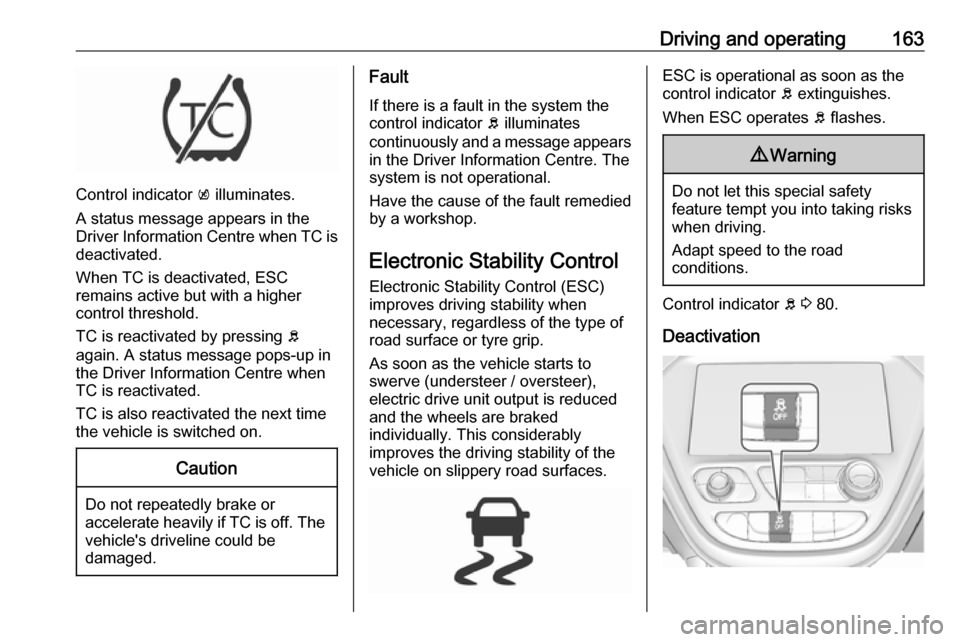
Control indicator k illuminates.
A status message appears in the
Driver Information Centre when TC is
deactivated.
When TC is deactivated, ESC
remains active but with a higher
control threshold.
TC is reactivated by pressing b
again. A status message pops-up in
the Driver Information Centre when
TC is reactivated.
TC is also reactivated the next time
the vehicle is switched on.
Caution
Do not repeatedly brake or accelerate heavily if TC is off. The
vehicle's driveline could be
damaged.
Fault
If there is a fault in the system the
control indicator b illuminates
continuously and a message appears in the Driver Information Centre. Thesystem is not operational.
Have the cause of the fault remedied
by a workshop.
Electronic Stability Control
Electronic Stability Control (ESC)
improves driving stability when
necessary, regardless of the type of
road surface or tyre grip.
As soon as the vehicle starts to
swerve (understeer / oversteer),
electric drive unit output is reduced and the wheels are braked
individually. This considerably
improves the driving stability of the
vehicle on slippery road surfaces.ESC is operational as soon as the
control indicator b extinguishes.
When ESC operates b flashes.9 Warning
Do not let this special safety
feature tempt you into taking risks
when driving.
Adapt speed to the road
conditions.
Control indicator b 3 80.
Deactivation