ad blue OPEL AMPERA E 2018.5 Owner's Manual
[x] Cancel search | Manufacturer: OPEL, Model Year: 2018.5, Model line: AMPERA E, Model: OPEL AMPERA E 2018.5Pages: 273, PDF Size: 6.6 MB
Page 79 of 273
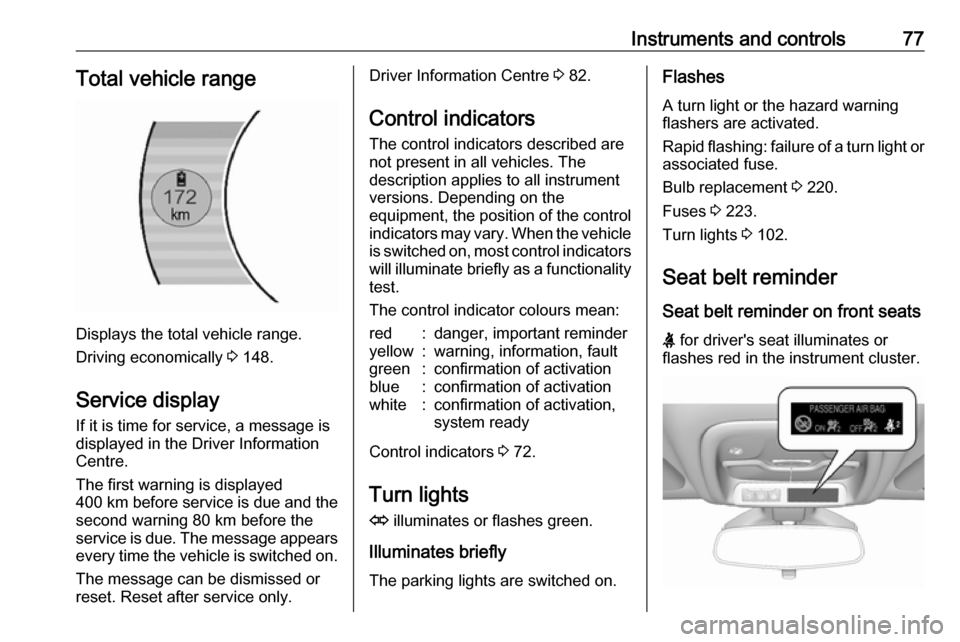
Instruments and controls77Total vehicle range
Displays the total vehicle range.
Driving economically 3 148.
Service display If it is time for service, a message is
displayed in the Driver Information
Centre.
The first warning is displayed
400 km before service is due and the
second warning 80 km before the
service is due. The message appears every time the vehicle is switched on.
The message can be dismissed or
reset. Reset after service only.
Driver Information Centre 3 82.
Control indicators
The control indicators described are
not present in all vehicles. The
description applies to all instrument
versions. Depending on the
equipment, the position of the control indicators may vary. When the vehicle
is switched on, most control indicators
will illuminate briefly as a functionality test.
The control indicator colours mean:red:danger, important reminderyellow:warning, information, faultgreen:confirmation of activationblue:confirmation of activationwhite:confirmation of activation,
system ready
Control indicators 3 72.
Turn lights
O illuminates or flashes green.
Illuminates briefly
The parking lights are switched on.
Flashes
A turn light or the hazard warning
flashers are activated.
Rapid flashing: failure of a turn light or associated fuse.
Bulb replacement 3 220.
Fuses 3 223.
Turn lights 3 102.
Seat belt reminder
Seat belt reminder on front seats
X for driver's seat illuminates or
flashes red in the instrument cluster.
Page 83 of 273

Instruments and controls81Immobiliser
d illuminates yellow.
Fault in the immobiliser system. The
propulsion system cannot be started.
Seek the assistance of a workshop.
Immobiliser 3 31.
Vehicle ready 4 illuminates green. The vehicle is
ready to be driven.
Starting and stopping the vehicle
3 151.
Exterior light 8 illuminates green.
The exterior lights are on 3 99.
High beam
C illuminates blue.
Illuminated when high beam is on or
during headlight flash 3 100.
High beam assist f illuminates green.The high beam assist is activated
3 100.
Rear fog light
ø illuminates yellow.
The rear fog light is on 3 103.
Cruise control m illuminates white or green.
Illuminates white The system is on.
Illuminates green
Cruise control is active.
Cruise control 3 164.
Vehicle detected ahead
A illuminates green or yellow.
Illuminates green
A vehicle ahead is detected in the
same lane.Illuminates yellow
The distance to a preceding moving
vehicle gets too small or when
approaching another vehicle too
rapidly.
Forward collision alert 3 167.
Pedestrian detection
7 illuminates yellow.
A pedestrian ahead is detected.
Front pedestrian protection 3 172.
Speed limiter
L illuminates white or green.
Illuminates white The system is on.
Illuminates green
Speed limiter is active. Set speed is
indicated near L symbol.
Speed limiter 3 166.
Page 86 of 273

84Instruments and controlsBlank page
Shows a blank page without any
information.
Audio menu
In the main view of the Audio
application, press { or } to scroll
through radio stations or move to the next / previous track of a USB /
Bluetooth ®
device that is connected to
the vehicle.
Press 9 to select the Audio app, then
press [ to enter the Audio menu. In
the Audio menu browse for music,
select from the favourites, or change
the audio source.
Exit the Audio menu by pressing 9
or ].
Phone menu Press 9 to select the Phone
application, then press [ to enter the
Phone menu. In the Phone menu, if
there is no active phone call, view
recent calls, scroll through contacts,
or select from the favourites. If thereis an active call, mute or unmute the
phone or switch to handset or hands
free operation.
Exit the Phone menu by pressing 9
or ].
Layout menu Press 9 while display themes is
displayed. Select Basic, Standard or
Enhanced mode by pressing 9.
Options menu
The following list contains all possible Options menu pages:
● Unit
● Speed warning
● Tyre load
Units
Press [ while units page is displayed.
Select imperial or metric units by
pressing 9.
Speed warning
The speed warning function alerts the
driver when a set speed is exceeded.To set the speed warning, press 9
while the page is displayed. Press
[ and { or } to adjust the value.
Press 9 to set the speed. Once the
speed is set, this feature can be
turned off by pressing 9 while
viewing this page. If the selected
speed limit is exceeded, a pop-up
warning is displayed with a chime.
Tyre load
The tyre pressure category according to the actual tyre inflation pressure
can be selected 3 233.
Press { or } to select a category
Light , Eco or Max .
Press 9 to confirm category.
Help
Provides information about the
gauges which are available in the
different layouts ( Basic, Standard or
Enhanced ).
Open source software
System settings 3 117.
Page 103 of 273

Lighting10150 km/h. High beam is switched off at
a speed below 35 km/h, but high beam assist remains active.
The green control indicator f
illuminates continuously when the
high beam assist is activated, the blue one 7 illuminates when high beam is
on.
Control indicator f 3 81, 7 3 81.
Pushing the stalk once switches on
manual high beam without high beam assist.
High beam assist switches
automatically back to low beam
when:
● Driving in urban areas.
● Reverse parking function is active.
● Rear fog light is switched on.
If there are no restrictions detected,
the system switches back to high
beam.Deactivation
If high beam assist is active and high
beam is on, press f once or pull the
stalk once to deactivate high beam
assist.
If high beam assist is active and high
beam is off, press f once to
deactivate high beam assist.
Pushing the stalk to activate manual high beam will also deactivate highbeam assist.
Headlight flash in conjunction with high beam assist
Headlight flash by pulling the stalk
once will not deactivate high beam
assist when high beam is off.
Headlight flash by pulling the stalk
once deactivates high beam assist
when high beam is on.
Fault in headlight system
When the system detects a failure in
the headlight system, it selects a
preset position to avoid dazzling of
oncoming traffic. A warning is
displayed in the Driver Information
Centre.Headlight flash
To activate the headlight flash, pull
stalk.
Pulling stalk deactivates high beam.
Headlight range adjustment
Manual headlight range
adjustment
To adapt headlight range to the
vehicle load to prevent dazzling: turn
thumb wheel ? to required position.
Page 108 of 273

106Infotainment systemInfotainment systemIntroduction................................ 106
General information .................106
Theft-deterrent feature ............107
Control elements overview ......108
Usage ...................................... 110
Basic operation .......................... 113
Tone settings ........................... 115
Volume settings .......................116
System settings .......................117
Radio ......................................... 120
Usage ...................................... 120
Station search ......................... 121
Radio data system ...................123
Digital audio broadcasting .......124
External devices ........................126
General information .................126
Playing audio ........................... 128
Displaying pictures ..................130
Playing movies ........................ 131
Using smartphone applications ............................ 132
Speech recognition ....................133
General information .................133
Usage ...................................... 133Phone........................................ 134
General information .................134
Bluetooth connection ...............134
Emergency call ........................136
Operation ................................. 137
Mobile phones and CB radio equipment ............................... 140Introduction
General information
The Infotainment system provides
you with state-of-the-art in-car
Infotainment.
Using radio tuner functions, you can
listen to a great number of different
radio stations.
You can connect external data
storage devices to the Infotainment
system as further audio sources,
either via cable or via Bluetooth.
The Infotainment system is equipped
with a phone portal that allows for
comfortable and safe use of your
mobile phone in the vehicle.
You can also operate specific
smartphone applications via the
Infotainment system.
Optionally, the Infotainment system
can be operated using the touch
screen and buttons on the control
panel, the controls on the steering wheel, or - if provided by your mobile
phone - via speech recognition.
Page 114 of 273
112Infotainment system
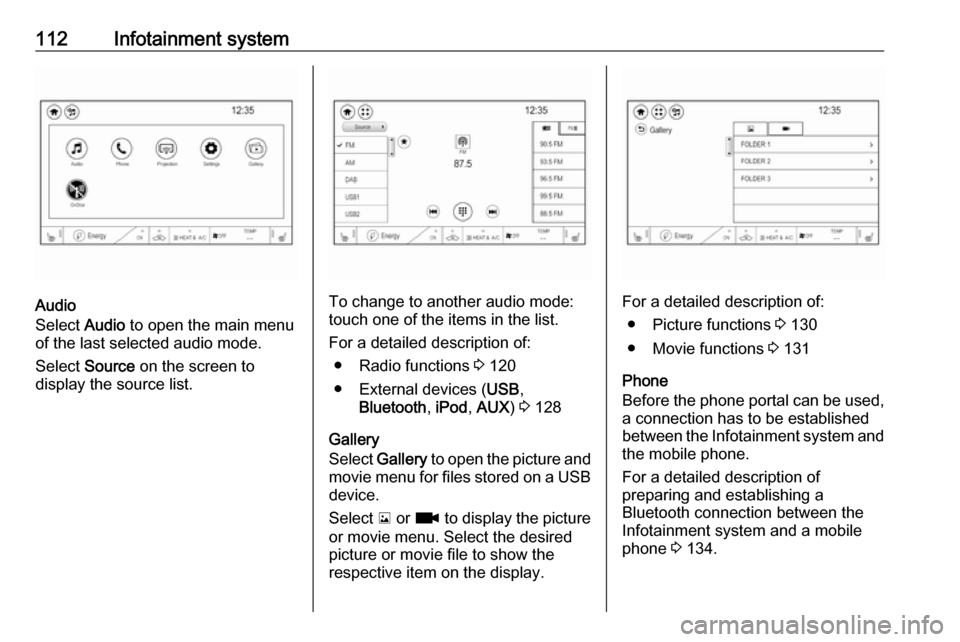
Audio
Select Audio to open the main menu
of the last selected audio mode.
Select Source on the screen to
display the source list.To change to another audio mode:
touch one of the items in the list.
For a detailed description of: ● Radio functions 3 120
● External devices ( USB,
Bluetooth , iPod , AUX ) 3 128
Gallery
Select Gallery to open the picture and
movie menu for files stored on a USB device.
Select y or z to display the picture
or movie menu. Select the desired
picture or movie file to show the
respective item on the display.For a detailed description of:
● Picture functions 3 130
● Movie functions 3 131
Phone
Before the phone portal can be used, a connection has to be established
between the Infotainment system and
the mobile phone.
For a detailed description of
preparing and establishing a
Bluetooth connection between the Infotainment system and a mobile
phone 3 134.
Page 121 of 273
Infotainment system119Press p and then select 1 in the top
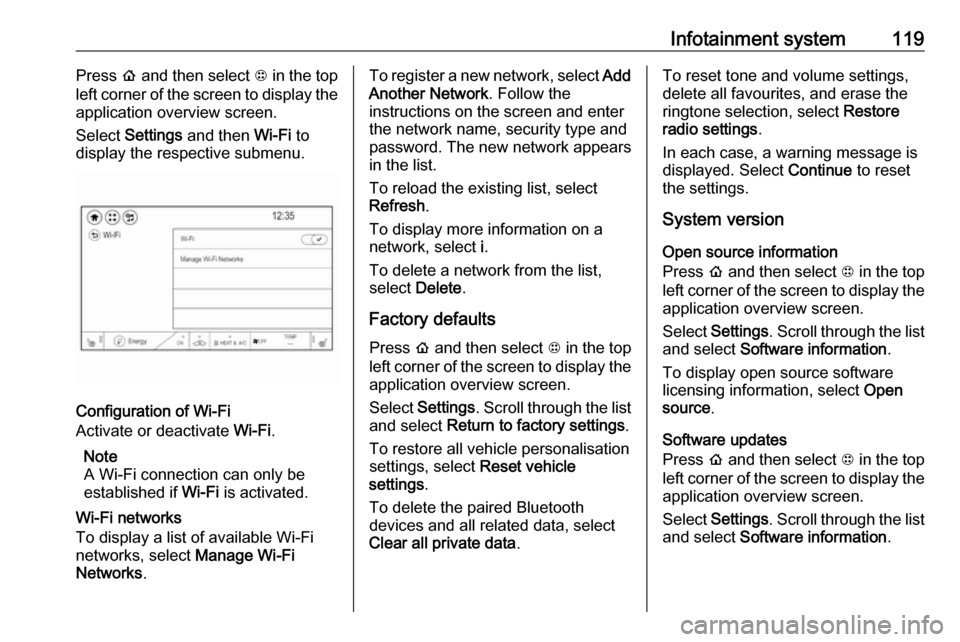
left corner of the screen to display the application overview screen.
Select Settings and then Wi-Fi to
display the respective submenu.
Configuration of Wi-Fi
Activate or deactivate Wi-Fi.
Note
A Wi-Fi connection can only be
established if Wi-Fi is activated.
Wi-Fi networks
To display a list of available Wi-Fi
networks, select Manage Wi-Fi
Networks .
To register a new network, select Add
Another Network . Follow the
instructions on the screen and enter
the network name, security type and
password. The new network appears
in the list.
To reload the existing list, select
Refresh .
To display more information on a
network, select i.
To delete a network from the list,
select Delete .
Factory defaults Press p and then select 1 in the top
left corner of the screen to display the application overview screen.
Select Settings . Scroll through the list
and select Return to factory settings .
To restore all vehicle personalisation
settings, select Reset vehicle
settings .
To delete the paired Bluetooth
devices and all related data, select
Clear all private data .To reset tone and volume settings,
delete all favourites, and erase the
ringtone selection, select Restore
radio settings .
In each case, a warning message is
displayed. Select Continue to reset
the settings.
System version
Open source information
Press p and then select 1 in the top
left corner of the screen to display the application overview screen.
Select Settings . Scroll through the list
and select Software information .
To display open source software
licensing information, select Open
source .
Software updates
Press p and then select 1 in the top
left corner of the screen to display the application overview screen.
Select Settings . Scroll through the list
and select Software information .
Page 129 of 273

Infotainment system127Disconnecting a device
To disconnect the USB device, select
another function and then remove the
USB storage device.Caution
Avoid disconnecting the device
during playback. This may
damage the device or the
Infotainment system.
USB Auto Launch
By default, the USB audio menu is displayed automatically as soon as a
USB device is connected.
If desired, this function can be
deactivated.
Press p and then select 1 in the top
left corner of the screen to display the
application overview screen.
Select Settings . Scroll to USB Auto
Launch and touch the screen button
next to the function.
To reactivate the function, touch the
screen button again.
Bluetooth
Devices which support the Bluetooth
music profiles A2DP and AVRCP can be connected wirelessly to the
Infotainment system. The
Infotainment system can play music
files contained in these devices.
When connected to the USB port,
various functions of the devices can
be operated via the controls and
menus of the Infotainment system.
Connecting and disconnecting a
device
For a detailed description on how to
establish a Bluetooth connection
3 134.
Manage Bluetooth devices
In the Bluetooth music menu, select
Menu to display the Bluetooth audio
menu and then select the Audio
settings tab. Select Manage
Bluetooth devices . The Devices list is
displayed.
For a detailed description 3 134.File formats and folders
The maximum capacity of a device
supported by the Infotainment system amounts to 5000 music files and15 stages of folder structure. Only
devices formatted in the
FAT16 / FAT32 file system are
supported.
If there are images included in the
audio metadata, these images are
displayed on the screen.
Note
Some files may not be played
properly. This may be due to a
different recording format or the
condition of the file.
Files from online shops to which
Digital Rights Management (DRM)
has been applied cannot be played.
The Infotainment system can play the
following audio, picture and movie
files stored on external devices.
Audio files
The playable audio file formats are
MP3 (MPEG-1 Layer 3, MPEG-2
Layer 3), WMA, AAC, AAC+, OGG,
Page 135 of 273

Infotainment system133Connecting the mobile phoneConnect the smartphone to the USB
port 3 126.
When first connecting a device, a
privacy consent message may be
displayed. Confirm the message to
continue the connection procedure.
Starting phone projection Press p and then select 1 in the top
left corner of the screen to display the
application overview screen.
To start the phone projection function, select Projection .
Note
If the application is recognised by
the Infotainment system, the
application icon may change to
Apple CarPlay or Android Auto .
Alternatively, press and hold p.
The phone projection screen
displayed depends on your
smartphone and software version.
Returning to the home screen
Press p.Speech recognition
General information
The voice pass-thru application of the Infotainment system allows access to
the speech recognition commands on your smartphone. See your
smartphone manufacturer's
operating instructions to find out
whether your smartphone supports this feature.
In order to use the voice pass-thru
application, the smartphone must be
connected to the Infotainment system
via USB cable 3 126 or via Bluetooth
3 134.
Usage
Activating speech recognition Press and hold w on the steering
wheel to start a speech recognition
session. A voice command message
is displayed on the screen.As soon as a beep is heard, you can
say a command. For information on
the commands supported, see the
operating instructions for your
smartphone.
Adjusting the volume of voice
prompts
Turn m on the control panel or press
the volume buttons behind the
steering wheel to increase or
decrease the volume of voice
prompts.
Deactivating speech recognition
Press n on the steering wheel. The
voice command message disappears
and the speech recognition session is ended.
Page 136 of 273
134Infotainment systemPhoneGeneral information
The phone portal provides you with
the possibility of having mobile phone
conversations via a vehicle
microphone and the vehicle
loudspeakers as well as operating the most important mobile phone
functions via the Infotainment system
in the vehicle. To be able to use the
phone portal, the mobile phone must
be connected to the Infotainment
system via Bluetooth.
Not all phone functions are supported by every mobile phone. The usable
phone functions depend on the
relevant mobile phone and network
provider. You can find further
information on this in the operating
instructions for your mobile phone, or
you can enquire about them with your network provider.Important information for
operation and traffic safety9 Warning
Mobile phones have effects on
your environment. For this reason safety regulations and directions
have been prepared. You should
be familiar with the related
directions before you use the
telephone function.
9 Warning
Use of the hands-free facility while
driving can be dangerous because
your concentration is reduced
when telephoning. Park your
vehicle before you use the hands- free facility. Follow the stipulations
of the country in which you find
yourself at present.
Do not forget to follow the special
regulations that apply in specific
areas and always switch off the
mobile phone if the use of mobile
phones is prohibited, if
interference is caused by the
mobile phone or if dangerous
situations can occur.
Bluetooth
The phone portal is certified by the
Bluetooth Special Interest Group
(SIG).
You can find further information about the specification on the internet at
http://www.bluetooth.com
Bluetooth connection
Bluetooth is a radio standard for the wireless connection of e.g. mobile
phones, smartphones or other
devices.
The pairing and connecting of the
Bluetooth devices to the Infotainment
system are carried out via the
Devices menu. Pairing is the PIN
code exchange between the
Bluetooth device and the
Infotainment system.