instrument cluster OPEL ANTARA 2014 User Guide
[x] Cancel search | Manufacturer: OPEL, Model Year: 2014, Model line: ANTARA, Model: OPEL ANTARA 2014Pages: 217, PDF Size: 6.04 MB
Page 130 of 217
128Driving and operatingEngine exhaust9Danger
Engine exhaust gases contain
poisonous carbon monoxide,
which is colourless and odourless and could be fatal if inhaled.
If exhaust gases enter the interior
of the vehicle, open the windows.
Have the cause of the fault
rectified by a workshop.
Avoid driving with an open load
compartment, otherwise exhaust
gases could enter the vehicle.
Malfunction indicator light 3 85.
Diesel particle filter
The diesel particle filter system filters
harmful soot particles out of the
exhaust gases. The system includes
a self-cleaning function that runs
automatically during driving without
any notification.
The filter is cleaned by periodically
burning off the soot particles at high
temperature. This process takes
place automatically under set driving
conditions and may take more than
15 minutes. Autostop is not available
and fuel consumption may be higher
during this period. The emission of
smells and smoke during this process is normal.
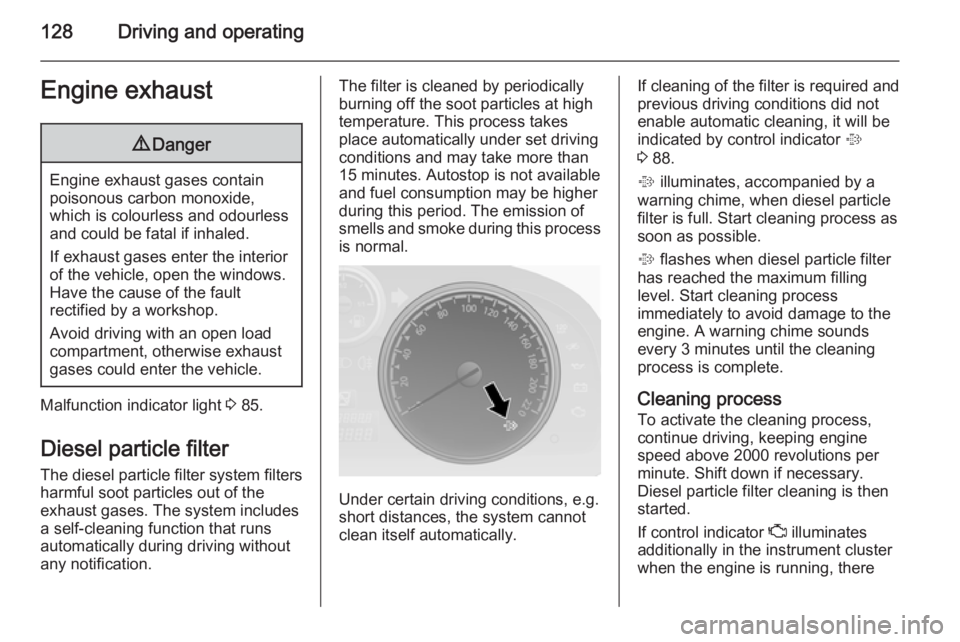
Under certain driving conditions, e.g.
short distances, the system cannot
clean itself automatically.
If cleaning of the filter is required and previous driving conditions did not
enable automatic cleaning, it will be
indicated by control indicator %
3 88.
% illuminates, accompanied by a
warning chime, when diesel particle
filter is full. Start cleaning process as
soon as possible.
% flashes when diesel particle filter
has reached the maximum filling level. Start cleaning process
immediately to avoid damage to the
engine. A warning chime sounds every 3 minutes until the cleaning
process is complete.
Cleaning process
To activate the cleaning process,
continue driving, keeping engine
speed above 2000 revolutions per
minute. Shift down if necessary.
Diesel particle filter cleaning is then
started.
If control indicator Z illuminates
additionally in the instrument cluster
when the engine is running, there
Page 134 of 217
132Driving and operating
Activation
In automatic mode, press button
s ; control indicator s
illuminates in the instrument cluster 3 89.
The settings of certain electronic
systems are adapted to reduce fuel
consumption:
■ The engine reacts less quickly to the accelerator pedal.
■ Automatic upshift points occur sooner and downshift points occur
later.
■ The transmission locks itself to the engine at cruising speeds, to
improve efficiency and increase
power and torque.
■ The fuel supply is automatically cut-
off more quickly during vehicle
deceleration. Overrun cut-off
3 125.
Do not use fuel economy mode whilst towing, e.g. a trailer.Deactivation
Fuel economy mode is switched off
by pressing button s again;
control indicator s extinguishes in
the instrument cluster.
Fault
In the event of a fault in the automatic
transmission, control indicator Z
illuminates in the instrument cluster 3 85 . Automatic shifting may be much
harsher than normal or, in the case of
a serious fault, cancelled altogether.
Have the cause of the fault remedied
by a workshop.
If control indicator g illuminates in
the instrument cluster when the
engine is running, this may indicate a
fault in the transmission electronics
3 85. The electronics switch to the
emergency running programme, fuel
consumption may increase and the
driveability of the vehicle may be
affected. Seek the assistance of a
workshop.Interruption of power
supply
The clutch is not disengaged if the
vehicle battery is discharged and a
gear has been selected. The vehicle
cannot move. The selector lever
cannot be moved out of position P or
N .
If the battery is discharged, start the
vehicle using jump leads 3 187.
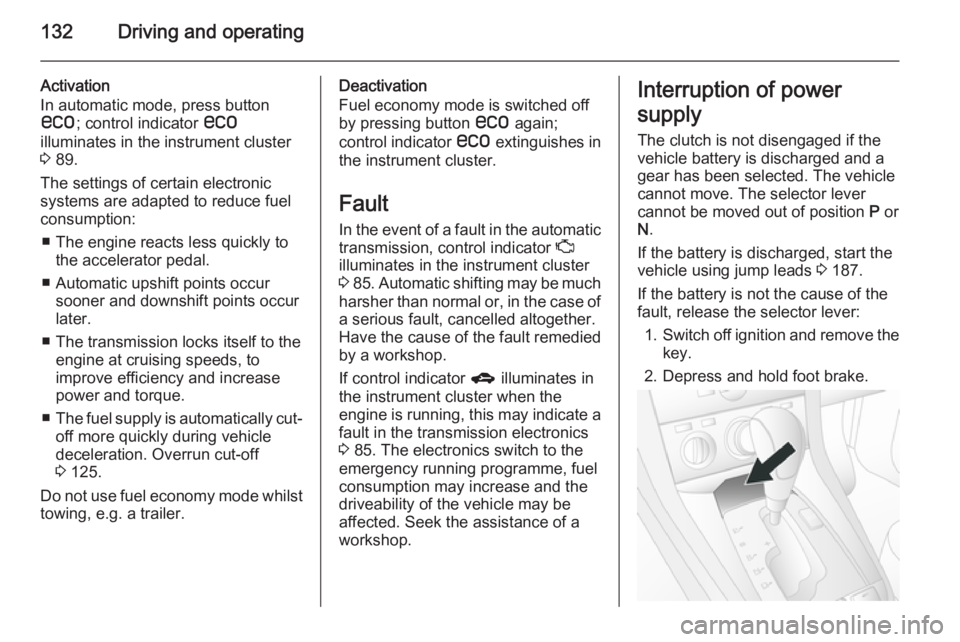
If the battery is not the cause of the
fault, release the selector lever:
1. Switch off ignition and remove the
key.
2. Depress and hold foot brake.
Page 136 of 217
134Driving and operatingDrive systems
All-wheel drive All-wheel drive is an active-on-
demand system that engages
automatically, with no action required
by the driver. Depending on the
driving environment, the vehicle
switches between two-wheel drive and four-wheel drive, to give the
vehicle more traction and stability
when necessary.
If the front wheels begin to slip, the
rear wheels will automatically begin to drive the vehicle as required. More
torque is transferred to the wheels
that have the most traction, so the
vehicle has optimum grip at all times. There may be a slight engagement
noise during hard use.
As well as enabling the vehicle to be
driven off-road, this system also
enables the vehicle to be driven on
normal roads without incurring
excessive tyre and drivetrain wear or
causing poor control.Ensure tyres (including the spare) are
inflated to the correct pressure
3 207 and are suitable for the
prevailing road conditions. For
optimum system performance, the
vehicle's tyres should not have
varying degrees of wear.
If control indicator B flashes in the
instrument cluster during driving, All- wheel drive is temporarily disabled. If B flashes continuously, there is a fault
in the system; seek the assistance of
a workshop.
All-wheel drive control indicator B
3 86.
On-road driving The increased traction of All-wheel
drive vehicles offers greater driving
control in adverse road conditions,
particularly heavy snow and ice.
However, All-wheel drive vehicles are
not "skid-proof" and do not decrease
stopping distances.
All-wheel drive vehicles have a higher
centre of gravity than conventional
vehicles. Always approach curves at
an appropriate driving speed. Do notattempt to go as fast through turns as
you might in a conventional vehicle.
Strong crosswinds can affect the normal steering of the vehicle. Drive
slower under strong crosswind
conditions.
Off-road driving ■ Avoid protruding objects (such as rocks or tree stumps) that maydamage the underbody and tyres of
your vehicle.
■ Test the brakes after operating in mud, to clear excess mud from the
braking surfaces.
■ Grip the steering wheel when travelling over rough terrain.
Terrain conditions can cause rapid
and unexpected movement in the
steering.
The ground clearance, ramp angle,
angle of approach and departure and wading depth need to be considered,
especially in hilly conditions and
when wading, to prevent the vehicle
becoming stuck and possibly
damaged.
Vehicle dimensions 3 204.
Page 139 of 217
Driving and operating137hard braking, the vehicle can nolonger be steered and may
swerve.
You can continue driving, provided
you drive with care and anticipation.
Have the cause of the fault remedied
by a workshop.
Parking brake Electrical parking brake
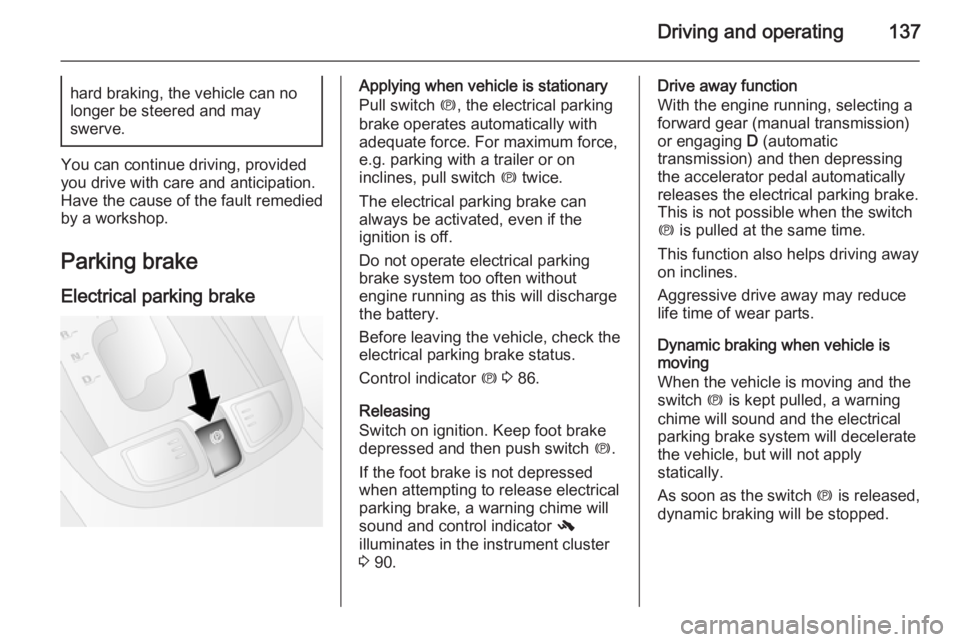
Applying when vehicle is stationary
Pull switch m, the electrical parking
brake operates automatically with
adequate force. For maximum force,
e.g. parking with a trailer or on
inclines, pull switch m twice.
The electrical parking brake can
always be activated, even if the
ignition is off.
Do not operate electrical parking
brake system too often without
engine running as this will discharge
the battery.
Before leaving the vehicle, check the
electrical parking brake status.
Control indicator m 3 86.
Releasing
Switch on ignition. Keep foot brake
depressed and then push switch m.
If the foot brake is not depressed
when attempting to release electrical
parking brake, a warning chime will
sound and control indicator -
illuminates in the instrument cluster
3 90.Drive away function
With the engine running, selecting a
forward gear (manual transmission)
or engaging D (automatic
transmission) and then depressing the accelerator pedal automatically
releases the electrical parking brake.
This is not possible when the switch
m is pulled at the same time.
This function also helps driving away
on inclines.
Aggressive drive away may reduce
life time of wear parts.
Dynamic braking when vehicle is
moving
When the vehicle is moving and the
switch m is kept pulled, a warning
chime will sound and the electrical
parking brake system will decelerate
the vehicle, but will not apply
statically.
As soon as the switch m is released,
dynamic braking will be stopped.
Page 140 of 217
138Driving and operating
Fault
Failure mode of electrical parking
brake is indicated by control indicator
j 3 86.
In the event of a fault, to apply
electrical parking brake: pull and hold the switch m for a few seconds. If
control indicator m illuminates,
electrical parking brake has been
applied successfully.
To release electrical parking brake:
push and hold the switch m for a few
seconds. If control indicator m
extinguishes, electrical parking brake has been released successfully.
If control indicator m flashes:
electrical parking brake is not fully
applied or released. When m is
continuously flashing, with ignition
switched on depress brake pedal,
release electrical parking brake and
retry applying.
If m continues to flash, do not drive
the vehicle. If necessary, place
wedge blocks or equivalent in front of and behind wheels to prevent vehiclemovement. Seek the assistance of a
workshop to have the cause of the
fault remedied.
Brake assist
If the brake pedal is depressed
quickly and forcefully, maximum
brake force is automatically applied
(full braking).
Maintain steady pressure on the brake pedal for as long as full braking is required. Maximum brake force is
automatically reduced when the
brake pedal is released.
Hill start assist The system helps prevent unintendedmovement when driving away on
inclines.
When releasing the foot brake after
stopping on an incline, the brakes
remain on for a further 2 seconds. The brakes release automatically as soon
as the vehicle begins to accelerate.Ride control systems
Electronic Stability Control Electronic Stability Control (ESC)
improves driving stability when
necessary, regardless of the type of
road surface or tyre grip. It also
prevents the drive wheels from
spinning.
As soon as the vehicle starts to
swerve (understeer/oversteer),
engine output is reduced and the wheels are braked individually. This
considerably improves the driving
stability of the vehicle on slippery road
surfaces.
ESC is operational as soon as control indicators b and t extinguish in the
instrument cluster after switching on the ignition.
When ESC is active b flashes 3 87.
Page 141 of 217
Driving and operating1399Warning
Do not let this special safety
feature tempt you into taking risks
when driving.
Adapt speed to the road
conditions.
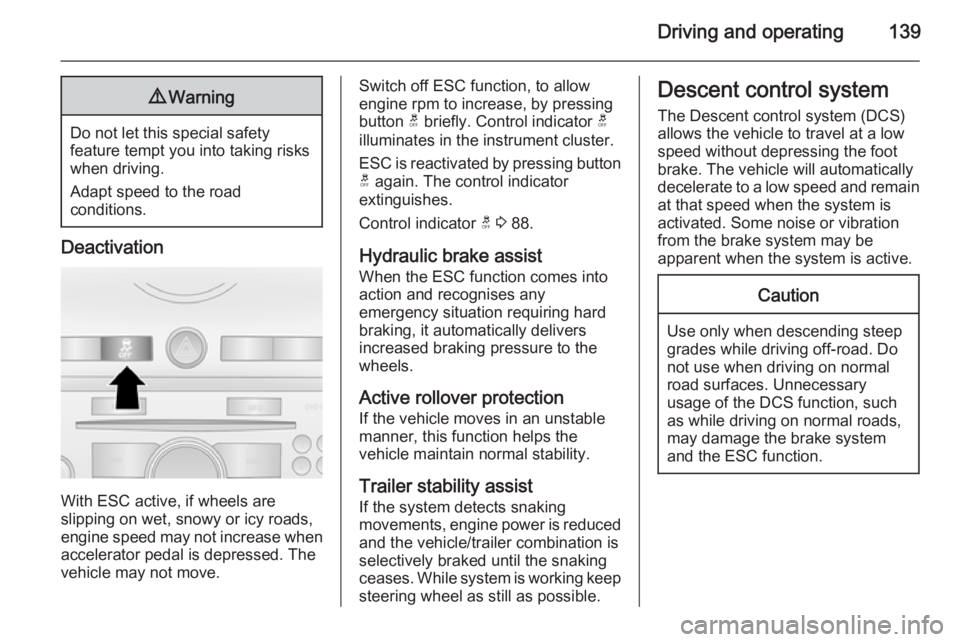
Deactivation
With ESC active, if wheels are
slipping on wet, snowy or icy roads,
engine speed may not increase when
accelerator pedal is depressed. The
vehicle may not move.
Switch off ESC function, to allow
engine rpm to increase, by pressing
button t briefly. Control indicator t
illuminates in the instrument cluster.
ESC is reactivated by pressing button t again. The control indicator
extinguishes.
Control indicator t 3 88.
Hydraulic brake assist
When the ESC function comes into
action and recognises any
emergency situation requiring hard
braking, it automatically delivers
increased braking pressure to the
wheels.
Active rollover protection
If the vehicle moves in an unstable
manner, this function helps the
vehicle maintain normal stability.
Trailer stability assist If the system detects snaking
movements, engine power is reduced
and the vehicle/trailer combination is
selectively braked until the snaking
ceases. While system is working keep
steering wheel as still as possible.Descent control system
The Descent control system (DCS)
allows the vehicle to travel at a low
speed without depressing the foot
brake. The vehicle will automatically
decelerate to a low speed and remain
at that speed when the system is
activated. Some noise or vibration
from the brake system may be
apparent when the system is active.Caution
Use only when descending steep
grades while driving off-road. Do
not use when driving on normal
road surfaces. Unnecessary
usage of the DCS function, such
as while driving on normal roads,
may damage the brake system
and the ESC function.
Page 142 of 217
140Driving and operating
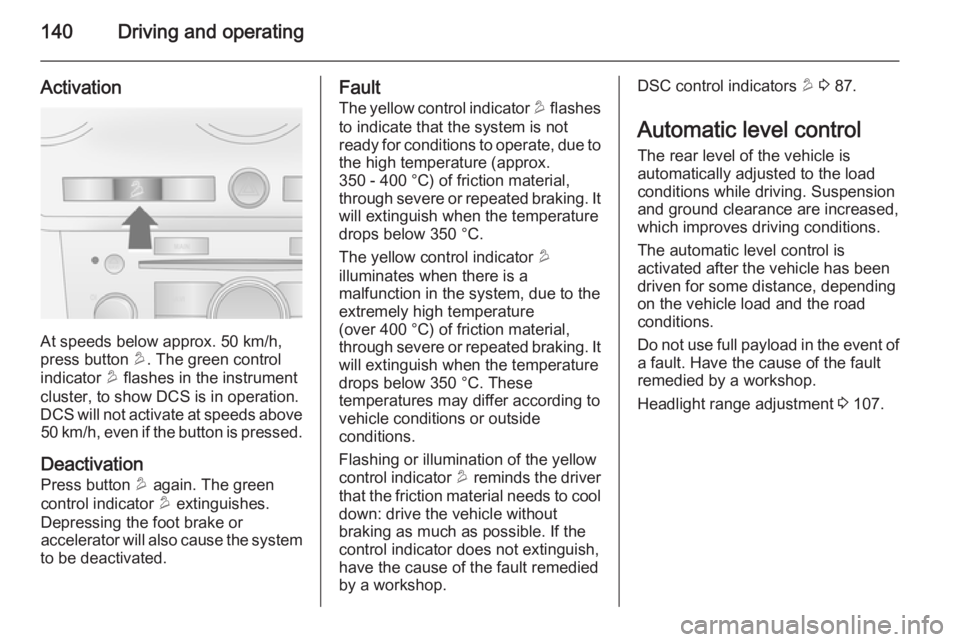
Activation
At speeds below approx. 50 km/h,
press button u. The green control
indicator u flashes in the instrument
cluster, to show DCS is in operation.
DCS will not activate at speeds above 50 km/h, even if the button is pressed.
Deactivation
Press button u again. The green
control indicator u extinguishes.
Depressing the foot brake or
accelerator will also cause the system
to be deactivated.
Fault
The yellow control indicator u flashes
to indicate that the system is not
ready for conditions to operate, due to
the high temperature (approx.
350 - 400 °C) of friction material,
through severe or repeated braking. It will extinguish when the temperature
drops below 350 °C.
The yellow control indicator u
illuminates when there is a
malfunction in the system, due to the
extremely high temperature
(over 400 °C) of friction material,
through severe or repeated braking. It
will extinguish when the temperature drops below 350 °C. These
temperatures may differ according to
vehicle conditions or outside
conditions.
Flashing or illumination of the yellow
control indicator u reminds the driver
that the friction material needs to cool
down: drive the vehicle without
braking as much as possible. If the
control indicator does not extinguish,
have the cause of the fault remedied
by a workshop.DSC control indicators u 3 87.
Automatic level control
The rear level of the vehicle is
automatically adjusted to the load
conditions while driving. Suspension
and ground clearance are increased,
which improves driving conditions.
The automatic level control is
activated after the vehicle has been
driven for some distance, depending
on the vehicle load and the road
conditions.
Do not use full payload in the event of a fault. Have the cause of the fault
remedied by a workshop.
Headlight range adjustment 3 107.
Page 143 of 217
Driving and operating141Driver assistance
systems9 Warning
Driver assistance systems are
developed to support the driver
and not to replace the driver's
attention.
The driver accepts full
responsibility when driving the
vehicle.
When using driver assistance
systems, always take care
regarding the current traffic
situation.
Cruise control
The cruise control can store and
maintain speeds above 40 km/h.
Deviations from the stored speeds
may occur when driving uphill or
downhill.
For safety reasons the cruise control
cannot be activated until the foot
brake has been operated once.
Do not use the cruise control if it is not advisable to maintain a constant
speed.
With automatic transmission, only activate cruise control in automatic
mode.
Control indicator m 3 91.
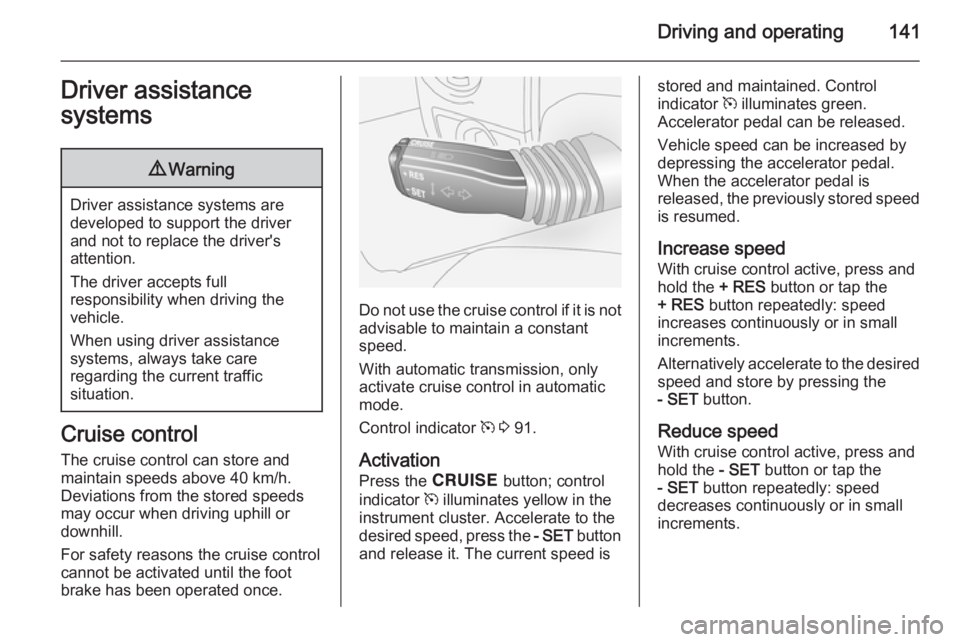
Activation
Press the e button; control
indicator m illuminates yellow in the
instrument cluster. Accelerate to the desired speed, press the - SET button
and release it. The current speed is
stored and maintained. Control
indicator m illuminates green.
Accelerator pedal can be released.
Vehicle speed can be increased by
depressing the accelerator pedal. When the accelerator pedal is
released, the previously stored speed
is resumed.
Increase speed
With cruise control active, press and
hold the + RES button or tap the
+ RES button repeatedly: speed
increases continuously or in small
increments.
Alternatively accelerate to the desired speed and store by pressing the- SET button.
Reduce speed
With cruise control active, press and
hold the - SET button or tap the
- SET button repeatedly: speed
decreases continuously or in small
increments.
Page 145 of 217
Driving and operating143
30 cm, the signal is continuous. The
acoustic signal may differ depending
on the type of object detected.
Deactivation
To deactivate, press the button again
and the LED in the button will
extinguish. The control indicator r
in the instrument cluster will illuminate
until the vehicle speed exceeds
25 km/h.
The system is deactivated
automatically when the vehicle speed is above 8 km/h or when selector
lever is in neutral (automatic
transmission in N or P).
If the b button is pressed again, the
LED in the button will extinguish and
the system will be reactivated as soon
as a forward gear or reverse gear is
engaged and the electrical parking
brake is released.
Fault
In the event of a fault in the system,
control indicator r illuminates in the
instrument cluster.If the acoustic signal sounds 3 times
continuously when there are no
obstacles near the front or rear
bumper, there is a fault in the system. Have the cause of the fault remedied
by a workshop.
Important hints for using the
parking assist system9 Warning
Under certain circumstances,
various reflective surfaces on
objects or clothing as well as
external noise sources may cause the system to fail to detect
obstacles.
Special attention has to be paid to
low obstacles which can damage
the lower part of the bumper.
Caution
Performance of the system can be reduced when sensors are
covered, e.g. by ice or snow.
Performance of the parking assist
system can be reduced due to
heavy loading.
Special conditions apply if there
are taller vehicles in the vicinity
(e.g. off-road vehicles, mini vans,
vans). Object identification and correct distance indication in the
upper part of these vehicles
cannot be guaranteed.
Objects with a very small reflection
cross-section, e.g. objects of
narrow size or soft materials, may
not be detected by the system.
Parking assist systems do not
detect objects outside the
detection range.
Page 148 of 217
146Driving and operating
The fuel filler cap can be retained in
the holder on the inside of the fuel filler flap.
When refuelling, fully insert the pump nozzle and switch it on.
After the automatic cut-off, the fuel
tank can be topped up with a
maximum two doses of fuel.Caution
Wipe off any overflowing fuel
immediately.
After refuelling, replace the fuel filler
cap and turn it clockwise until you
hear several clicks. Ensure the cap is
screwed in completely, otherwise
control indicator Z may illuminate in
the instrument cluster 3 85.
Close fuel filler flap.
Fuel filler cap
Only a genuine fuel filler cap provides
full functionality. Diesel-engined
vehicles have special fuel filler caps.
Fuel consumption - CO 2-
Emissions
The fuel consumption (combined) of
the model Opel Antara is within a range of 10.9 to 6.3 l/100 km.
The CO 2 emission (combined) is
within a range of 255 to 167 g/km.
For the values specific for your
vehicle, refer to the EEC Certificate of Conformity provided with your vehicle
or other national registration
documents.
General information The official fuel consumption and
specific CO 2 emission figures quoted
relate to the EU base model with
standard equipment.
Fuel consumption data and CO 2
emission data are determined
according to regulation R (EC) No.
715/2007 (in the latest applicable
version), taking into consideration the
vehicle weight in running order, as
specified by the regulation.The figures are provided only for the
purpose of comparison between
different vehicle variants and must not be taken as a guarantee for the
actual fuel consumption of a
particular vehicle. Additional
equipment may result in slightly
higher results than the stated
consumption and CO 2 figures.
Furthermore, fuel consumption is dependent on personal driving style
as well as road and traffic conditions.