instrument panel OPEL ANTARA 2014 User Guide
[x] Cancel search | Manufacturer: OPEL, Model Year: 2014, Model line: ANTARA, Model: OPEL ANTARA 2014Pages: 217, PDF Size: 6.04 MB
Page 96 of 217
94Instruments and controls
Some transmitters do not send a
correct time signal. In such cases,
switch off automatic time
synchronisation and set the time
manually.
Deactivate ( Clock Sync.Off ) or
activate ( Clock Sync.On ) automatic
time synchronisation with the arrow
buttons.
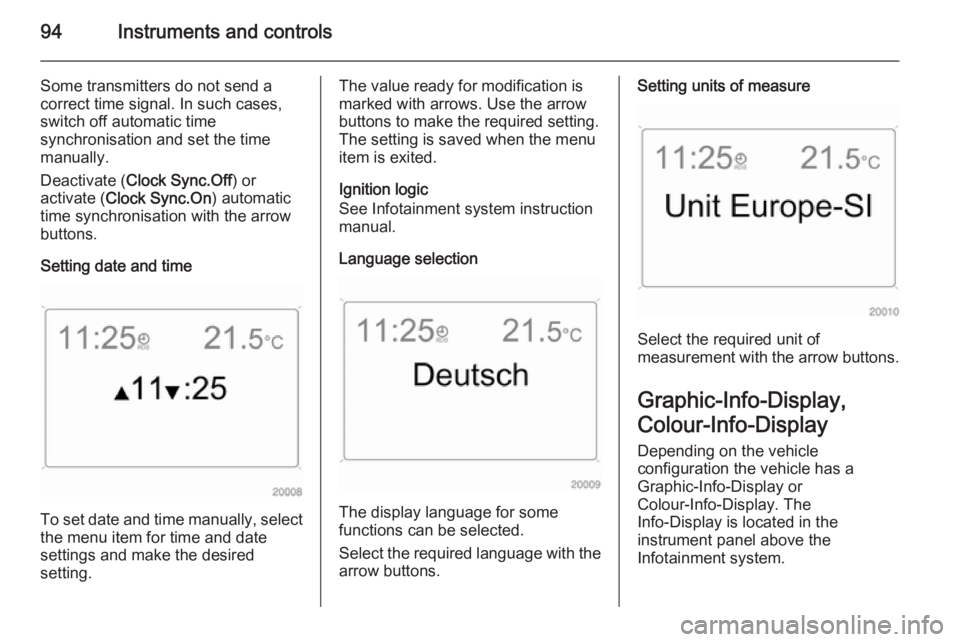
Setting date and time
To set date and time manually, select
the menu item for time and date
settings and make the desired
setting.
The value ready for modification is
marked with arrows. Use the arrow
buttons to make the required setting.
The setting is saved when the menu item is exited.
Ignition logic
See Infotainment system instruction
manual.
Language selection
The display language for some
functions can be selected.
Select the required language with the
arrow buttons.
Setting units of measure
Select the required unit of
measurement with the arrow buttons.
Graphic-Info-Display,
Colour-Info-Display Depending on the vehicle
configuration the vehicle has a
Graphic-Info-Display or
Colour-Info-Display. The
Info-Display is located in the
instrument panel above the
Infotainment system.
Page 97 of 217

Instruments and controls95
Info-Display indicates:■ time 3 77
■ outside temperature 3 76
■ date 3 77
■ Infotainment and navigation systems - see Infotainment systeminstruction manual
■ system settings
The Info-Display is located in the
instrument panel above the
Infotainment system. The
Graphic-Info-Display presents the
information in monochrome. The
Colour-Info-Display presents the
information in colour.
The type of information and how it is
displayed depends on the equipment
of the vehicle and the settings of the
trip computer and Infotainment
system. Some information appears
on the display in an abbreviated form.
An F in the display indicates a fault.
Have the cause of the fault remedied
by a workshop.
Trip computer, Graphic-Info-Display,
Colour-Info-Display 3 102.
Selecting functions
The functions and settings of the
Infotainment system can be accessed
via the Info-Display.
Functions are selected and executed
in the menu on the display using the
arrow buttons and the central
multifunction knob on the
Infotainment system or the left
adjuster wheel on the steering wheel.
If a check control warning message
appears on the Info-Display, the
display is blocked from other
functions. Acknowledge the message by pressing an arrow button, the
multifunction knob or the left adjusterwheel. If there are several warning
messages, acknowledge them one at a time.
Check control 3 100.
Select using the Infotainment
system buttons
Select a function via the Infotainment
system arrow buttons. The menu of
the selected function is displayed.
Select using the central
multifunction knob The multifunction knob is the central
control element for the menus:
Page 109 of 217
Lighting107
To ensure automatic light control
functions properly, do not cover the
light sensor on top of the instrument
panel.
Driving abroad 3 108.
Wiper activated lighting
With light switch in the AUTO
position, when the windscreen wiper is operated for 8 cycles or more the
exterior lights illuminate
automatically.
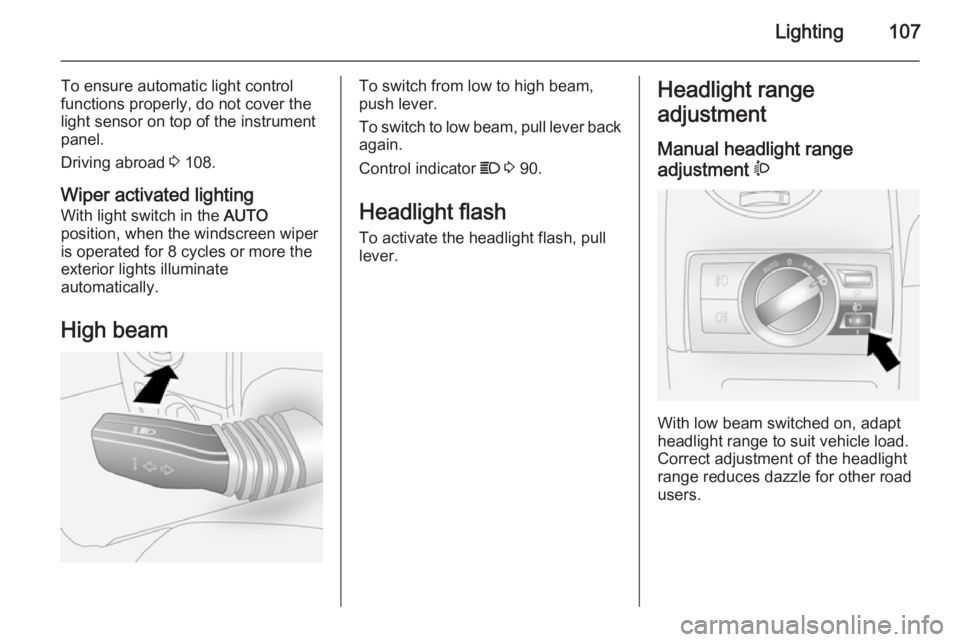
High beamTo switch from low to high beam,
push lever.
To switch to low beam, pull lever back
again.
Control indicator C 3 90.
Headlight flash To activate the headlight flash, pull
lever.Headlight range
adjustment
Manual headlight range
adjustment ?
With low beam switched on, adapt
headlight range to suit vehicle load.
Correct adjustment of the headlight
range reduces dazzle for other road
users.
Page 113 of 217
Lighting111Interior lighting
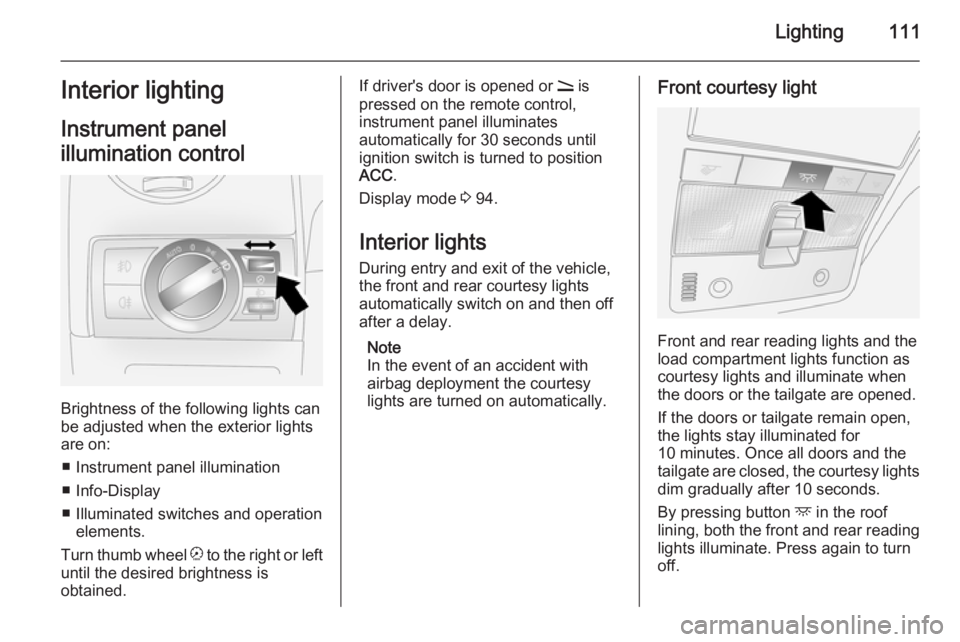
Instrument panel
illumination control
Brightness of the following lights can
be adjusted when the exterior lights
are on:
■ Instrument panel illumination
■ Info-Display
■ Illuminated switches and operation elements.
Turn thumb wheel k to the right or left
until the desired brightness is
obtained.
If driver's door is opened or q is
pressed on the remote control,
instrument panel illuminates
automatically for 30 seconds until
ignition switch is turned to position ACC .
Display mode 3 94.
Interior lights
During entry and exit of the vehicle,
the front and rear courtesy lights
automatically switch on and then off
after a delay.
Note
In the event of an accident with airbag deployment the courtesy
lights are turned on automatically.Front courtesy light
Front and rear reading lights and the
load compartment lights function as
courtesy lights and illuminate when
the doors or the tailgate are opened.
If the doors or tailgate remain open, the lights stay illuminated for
10 minutes. Once all doors and the tailgate are closed, the courtesy lights dim gradually after 10 seconds.
By pressing button d in the roof
lining, both the front and rear reading lights illuminate. Press again to turn
off.
Page 144 of 217
142Driving and operating
Deactivation
Press the e button; control
indicator m extinguishes and the
vehicle slowly decelerates.
Automatic deactivation: ■ vehicle speed below approx. 45 km/h,
■ the brake pedal is depressed,
■ the clutch pedal is depressed,
■ selector lever in N,
■ the Electronic Stability Control is operating.
Resume stored speed
Press the + RES button at a speed
above 45 km/h. The stored speed will be obtained.
Deleting the stored speed The stored speed will be deleted by
pressing the e button or
switching off the ignition.Parking assist
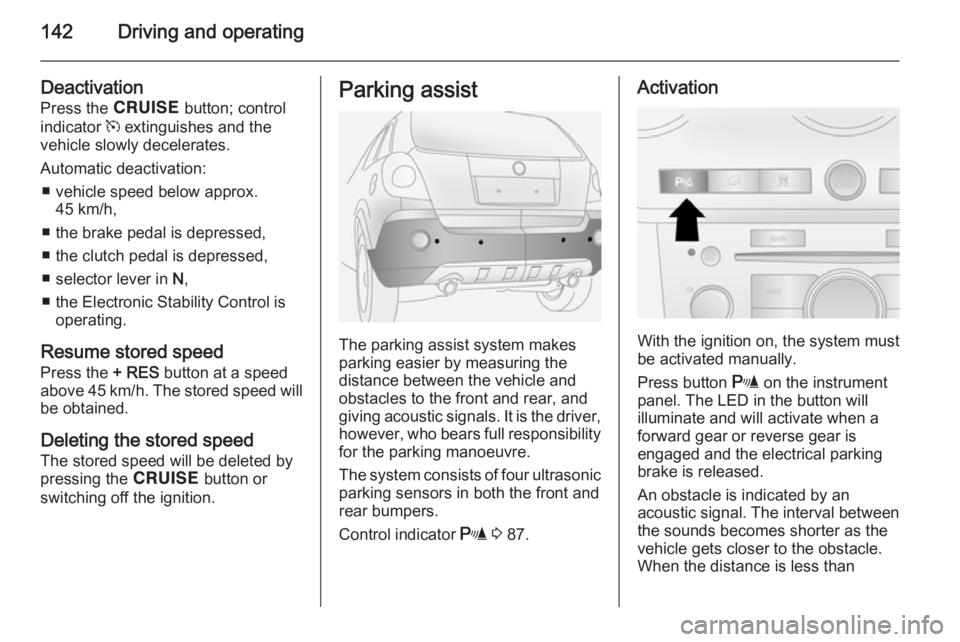
The parking assist system makes
parking easier by measuring the
distance between the vehicle and obstacles to the front and rear, and
giving acoustic signals. It is the driver,
however, who bears full responsibility for the parking manoeuvre.
The system consists of four ultrasonic
parking sensors in both the front and
rear bumpers.
Control indicator r 3 87.
Activation
With the ignition on, the system must
be activated manually.
Press button r on the instrument
panel. The LED in the button will
illuminate and will activate when a
forward gear or reverse gear is
engaged and the electrical parking
brake is released.
An obstacle is indicated by an
acoustic signal. The interval between
the sounds becomes shorter as the
vehicle gets closer to the obstacle.
When the distance is less than
Page 168 of 217
166Vehicle care
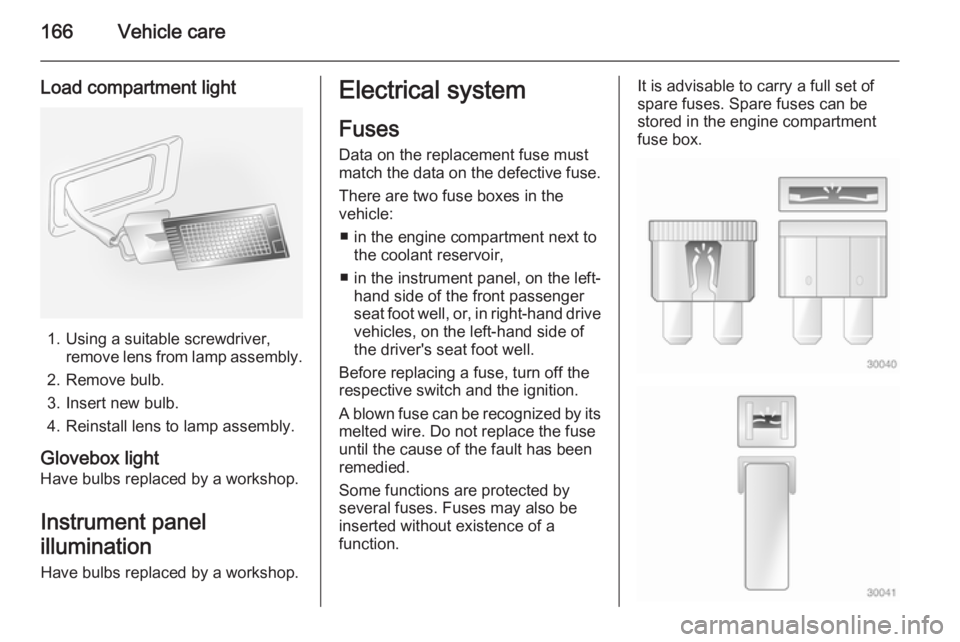
Load compartment light
1. Using a suitable screwdriver,remove lens from lamp assembly.
2. Remove bulb.
3. Insert new bulb.
4. Reinstall lens to lamp assembly.
Glovebox light
Have bulbs replaced by a workshop.
Instrument panel
illumination Have bulbs replaced by a workshop.
Electrical system
Fuses
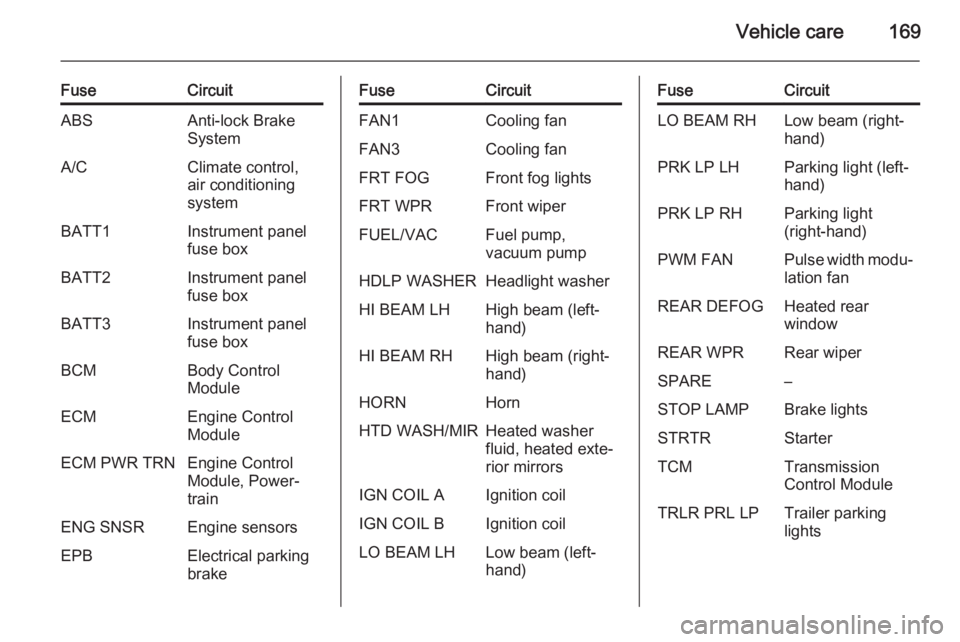
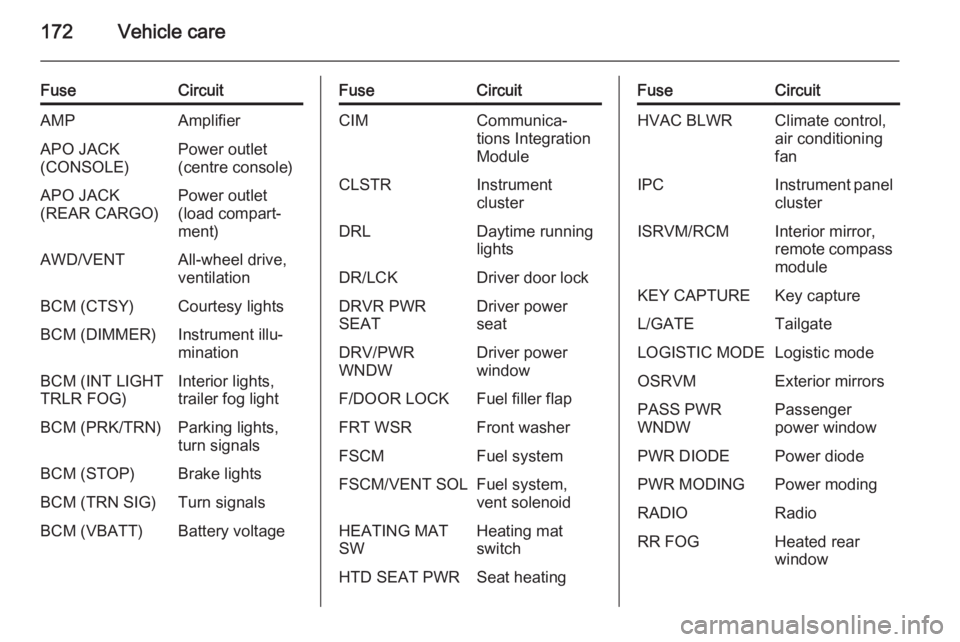
Data on the replacement fuse must
match the data on the defective fuse.
There are two fuse boxes in the
vehicle:
■ in the engine compartment next to the coolant reservoir,
■ in the instrument panel, on the left- hand side of the front passenger
seat foot well, or, in right-hand drive
vehicles, on the left-hand side of
the driver's seat foot well.
Before replacing a fuse, turn off the
respective switch and the ignition.
A blown fuse can be recognized by its melted wire. Do not replace the fuse
until the cause of the fault has been
remedied.
Some functions are protected by
several fuses. Fuses may also be
inserted without existence of a
function.It is advisable to carry a full set of
spare fuses. Spare fuses can be
stored in the engine compartment
fuse box.
Page 171 of 217
Vehicle care169
FuseCircuitABSAnti-lock Brake
SystemA/CClimate control,
air conditioning
systemBATT1Instrument panel
fuse boxBATT2Instrument panel
fuse boxBATT3Instrument panel
fuse boxBCMBody Control
ModuleECMEngine Control
ModuleECM PWR TRNEngine Control
Module, Power‐
trainENG SNSREngine sensorsEPBElectrical parking
brakeFuseCircuitFAN1Cooling fanFAN3Cooling fanFRT FOGFront fog lightsFRT WPRFront wiperFUEL/VACFuel pump,
vacuum pumpHDLP WASHERHeadlight washerHI BEAM LHHigh beam (left-
hand)HI BEAM RHHigh beam (right-
hand)HORNHornHTD WASH/MIRHeated washer
fluid, heated exte‐
rior mirrorsIGN COIL AIgnition coilIGN COIL BIgnition coilLO BEAM LHLow beam (left-
hand)FuseCircuitLO BEAM RHLow beam (right-
hand)PRK LP LHParking light (left-
hand)PRK LP RHParking light
(right-hand)PWM FANPulse width modu‐ lation fanREAR DEFOGHeated rear
windowREAR WPRRear wiperSPARE–STOP LAMPBrake lightsSTRTRStarterTCMTransmission
Control ModuleTRLR PRL LPTrailer parking
lights
Page 172 of 217
170Vehicle care
After changing of defective fusesclose the fuse box cover and press
until it engages.
If the fuse box cover is not closed
correctly, malfunctions may occur.
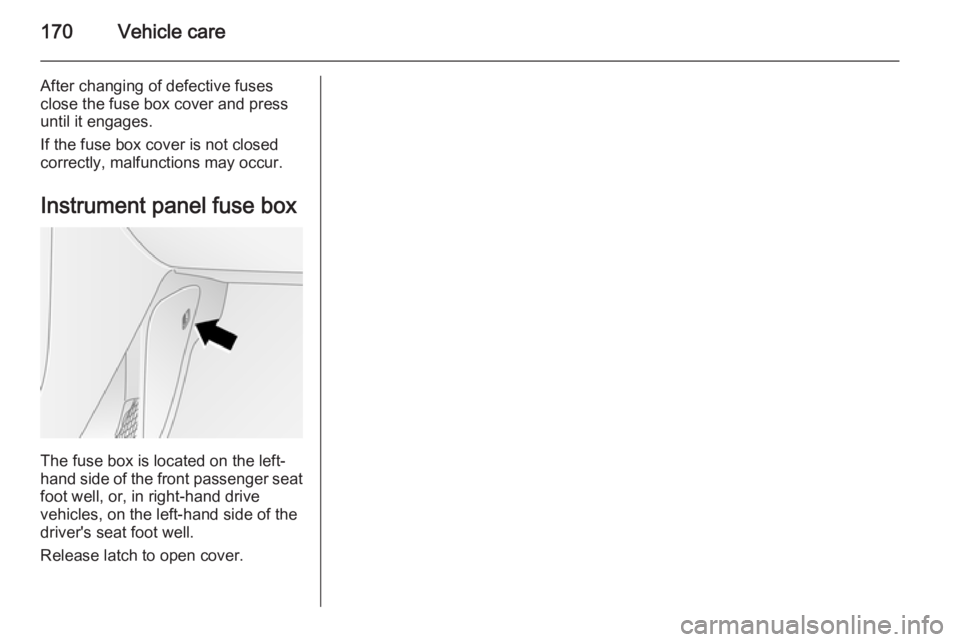
Instrument panel fuse box
The fuse box is located on the left-
hand side of the front passenger seat
foot well, or, in right-hand drive
vehicles, on the left-hand side of the
driver's seat foot well.
Release latch to open cover.
Page 174 of 217
172Vehicle care
FuseCircuitAMPAmplifierAPO JACK
(CONSOLE)Power outlet
(centre console)APO JACK
(REAR CARGO)Power outlet
(load compart‐
ment)AWD/VENTAll-wheel drive,
ventilationBCM (CTSY)Courtesy lightsBCM (DIMMER)Instrument illu‐
minationBCM (INT LIGHT
TRLR FOG)Interior lights,
trailer fog lightBCM (PRK/TRN)Parking lights,
turn signalsBCM (STOP)Brake lightsBCM (TRN SIG)Turn signalsBCM (VBATT)Battery voltageFuseCircuitCIMCommunica‐
tions Integration
ModuleCLSTRInstrument
clusterDRLDaytime running
lightsDR/LCKDriver door lockDRVR PWR
SEATDriver power
seatDRV/PWR
WNDWDriver power
windowF/DOOR LOCKFuel filler flapFRT WSRFront washerFSCMFuel systemFSCM/VENT SOLFuel system,
vent solenoidHEATING MAT
SWHeating mat
switchHTD SEAT PWRSeat heatingFuseCircuitHVAC BLWRClimate control,
air conditioning
fanIPCInstrument panel clusterISRVM/RCMInterior mirror,
remote compass moduleKEY CAPTUREKey captureL/GATETailgateLOGISTIC MODELogistic modeOSRVMExterior mirrorsPASS PWR
WNDWPassenger
power windowPWR DIODEPower diodePWR MODINGPower modingRADIORadioRR FOGHeated rear
window
Page 194 of 217
192Vehicle care
Sunroof
Never clean with solvents or abrasive
agents, fuels, aggressive media
(e.g. paint cleaner, acetone-
containing solutions etc.), acidic or
highly alkaline media or abrasive
pads. Do not apply wax or polishing
agents to the sunroof.
Wheels and tyres Do not use high-pressure jet
cleaners.
Clean rims with a pH-neutral wheel
cleaner.
Rims are painted and can be treated
with the same agents as the body.
Paintwork damage
Rectify minor paintwork damage with
a touch-up pen before rust forms.
Have more extensive damage or rust areas repaired by a workshop.
Underbody Some areas of the vehicle underbody
have a PVC undercoating while other critical areas have a durable
protective wax coating.After the underbody is washed, check
the underbody and have it waxed if
necessary.
Bitumen/rubber materials could
damage the PVC coating. Have
underbody work carried out by a
workshop.
Before and after winter, wash the
underbody and have the protective
wax coating checked.
Towing equipment
Do not clean the coupling ball bar with
a steam-jet or high-pressure jet
cleaner.
Rear carrier system
Clean the rear carrier system with a
steam-jet or high-pressure jet cleaner
at least once a year.
Operate the rear carrier system once
in a while if not in regular use, in
particular during winter.Interior care
Interior and upholstery Only clean the vehicle interior,
including the instrument panel fascia
and panelling, with a dry cloth or
interior cleaner.
Clean the leather upholstery with
clear water and a soft cloth. In case of heavy soiling, use leather care.
The instrument cluster and the
displays should only be cleaned using
a soft damp cloth. If necessary use a
weak soap solution.
Clean fabric upholstery with a
vacuum cleaner and brush. Remove
stains with an upholstery cleaner.
Clothing fabrics may not be
colourfast. This could cause visible
discolourations, especially on light- coloured upholstery. Removable
stains and discolourations should be
cleaned as soon as possible.
Clean seat belts with lukewarm water or interior cleaner.