window OPEL ASTRA GTC 2018 Owner's Manual
[x] Cancel search | Manufacturer: OPEL, Model Year: 2018, Model line: ASTRA GTC, Model: OPEL ASTRA GTC 2018Pages: 295, PDF Size: 8.37 MB
Page 38 of 295
36Keys, doors and windowsInitialising the power windowsIf the windows cannot be closed
automatically (e.g. after
disconnecting the vehicle battery), a
warning message or a warning code
is displayed in the Driver Information
Centre.
Vehicle messages 3 99.
Activate the window electronics as follows:
1. Close doors.
2. Switch on ignition.
3. Pull switch until the window is closed and keep pulling for
additional two seconds.
4. Repeat for each window.Heated rear window
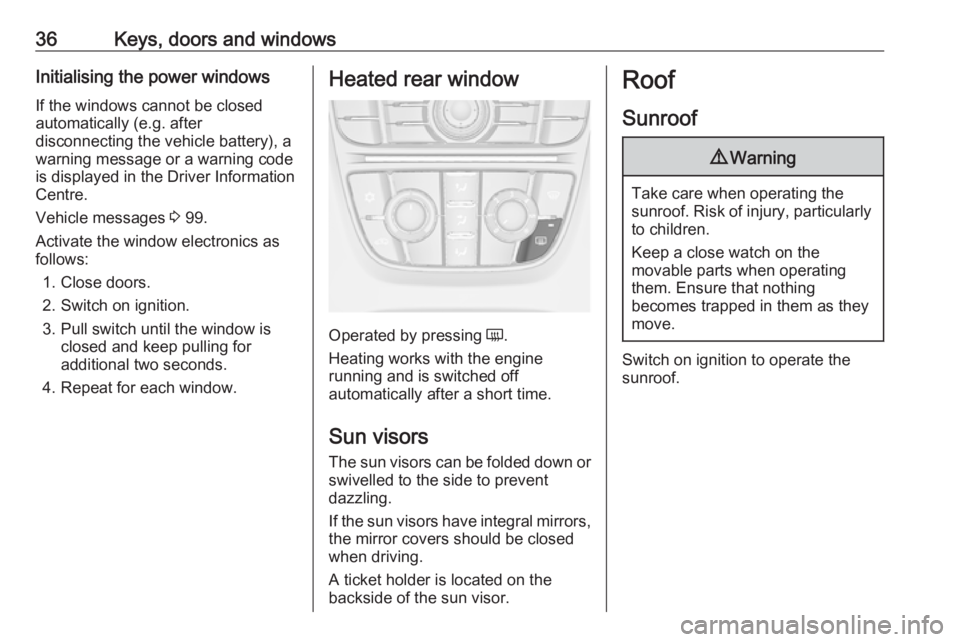
Operated by pressing Ü.
Heating works with the engine
running and is switched off
automatically after a short time.
Sun visors The sun visors can be folded down or
swivelled to the side to prevent
dazzling.
If the sun visors have integral mirrors, the mirror covers should be closed
when driving.
A ticket holder is located on the
backside of the sun visor.
Roof
Sunroof9 Warning
Take care when operating the
sunroof. Risk of injury, particularly to children.
Keep a close watch on the
movable parts when operating
them. Ensure that nothing
becomes trapped in them as they
move.
Switch on ignition to operate the sunroof.
Page 39 of 295
Keys, doors and windows37
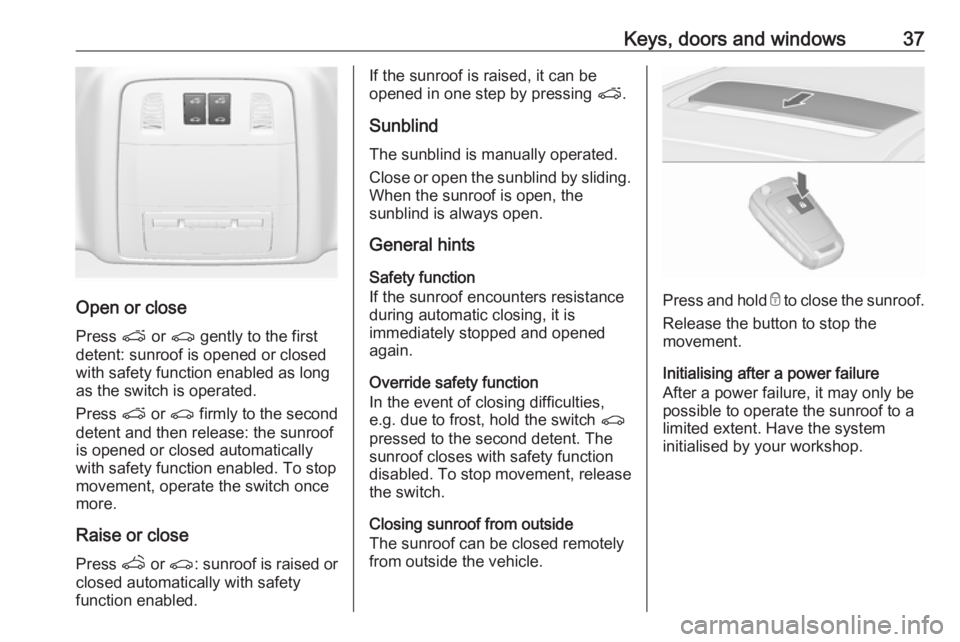
Open or close
Press p or r gently to the first
detent: sunroof is opened or closed with safety function enabled as long
as the switch is operated.
Press p or r firmly to the second
detent and then release: the sunroof
is opened or closed automatically
with safety function enabled. To stop
movement, operate the switch once
more.
Raise or close Press q or r : sunroof is raised or
closed automatically with safety
function enabled.
If the sunroof is raised, it can be
opened in one step by pressing p.
Sunblind
The sunblind is manually operated.
Close or open the sunblind by sliding. When the sunroof is open, the
sunblind is always open.
General hints
Safety function
If the sunroof encounters resistance
during automatic closing, it is
immediately stopped and opened
again.
Override safety function
In the event of closing difficulties,
e.g. due to frost, hold the switch r
pressed to the second detent. The
sunroof closes with safety function
disabled. To stop movement, release the switch.
Closing sunroof from outside
The sunroof can be closed remotely
from outside the vehicle.
Press and hold e to close the sunroof.
Release the button to stop the
movement.
Initialising after a power failure
After a power failure, it may only be
possible to operate the sunroof to a
limited extent. Have the system
initialised by your workshop.
Page 40 of 295
38Keys, doors and windowsGlass panel
Panorama roof
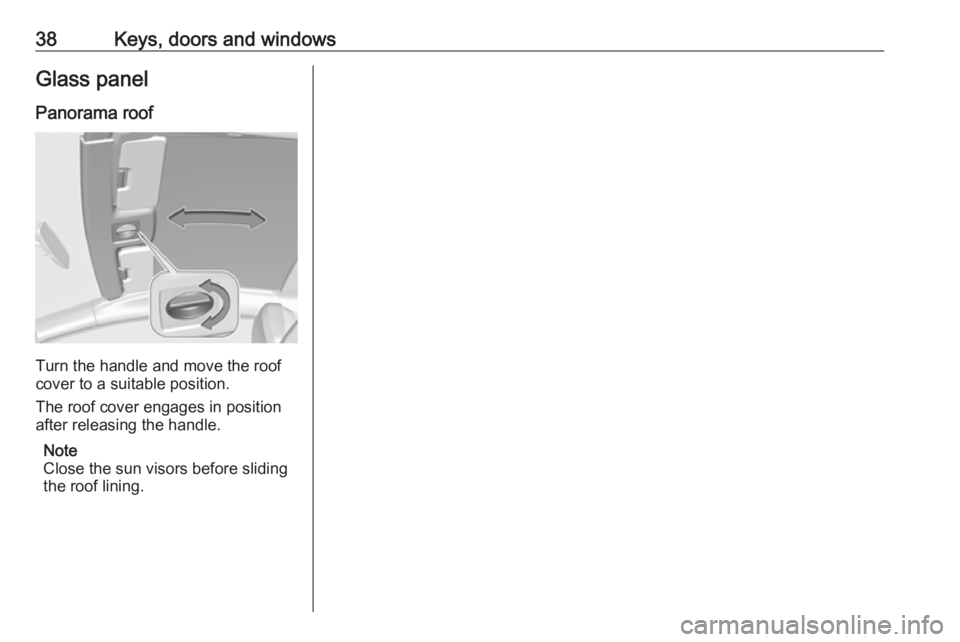
Turn the handle and move the roof
cover to a suitable position.
The roof cover engages in position
after releasing the handle.
Note
Close the sun visors before sliding
the roof lining.
Page 74 of 295
72Instruments and controlsInstruments and
controlsControls ....................................... 73
Steering wheel adjustment ........73
Steering wheel controls .............73
Heated steering wheel ...............73
Horn ........................................... 74
Windscreen wiper/washer .........74
Rear window wiper/washer .......76
Outside temperature ..................76
Clock ......................................... 77
Power outlets ............................. 78
Cigarette lighter ......................... 79
Ashtrays .................................... 79
Warning lights, gauges and indi‐ cators ........................................... 80
Instrument cluster ......................80
Speedometer ............................. 80
Odometer .................................. 80
Trip odometer ............................ 80
Tachometer ............................... 80
Fuel gauge ................................ 81
Fuel selector .............................. 81
Engine coolant temperature gauge ....................................... 83
Service display .......................... 83Control indicators ......................84
Turn signal ................................. 87
Seat belt reminder .....................87
Airbag and belt tensioners .........87
Airbag deactivation ....................87
Charging system .......................88
Malfunction indicator light ..........88
Service vehicle soon .................88
Brake and clutch system ...........88
Operate pedal ............................ 88
Electric parking brake ................88
Electric parking brake fault ........89
Antilock brake system (ABS) .....89
Upshift ....................................... 89
Power steering .......................... 89
Lane departure warning ............89
Ultrasonic parking assist ...........90
Electronic Stability Control off ...90
Electronic Stability Control and Traction Control system ...........90
Traction Control system off .......90
Preheating ................................. 90
Diesel particle filter ....................90
Tyre pressure monitoring system ...................................... 91
Engine oil pressure ....................91
Low fuel ..................................... 91
Immobiliser ................................ 92
Reduced engine power .............92
Exterior light .............................. 92High beam................................. 92
High beam assist .......................92
Adaptive forward lighting ...........92
Fog light ..................................... 92
Rear fog light ............................. 92
Low washer fluid ........................92
Cruise control ............................ 92
Adaptive cruise control ..............92
Vehicle detected ahead .............93
Door open .................................. 93
Information displays .....................93
Driver Information Centre ..........93
Graphic-Info-Display, Colour- Info-Display .............................. 97
Smartphone controller ...............99
Vehicle messages ........................99
Warning chimes .......................102
Battery voltage ........................ 102
Trip computer ............................. 103
Vehicle personalisation ..............105
Telematics service .....................110
OnStar ..................................... 110
ERA GLONASS .......................113
Page 78 of 295
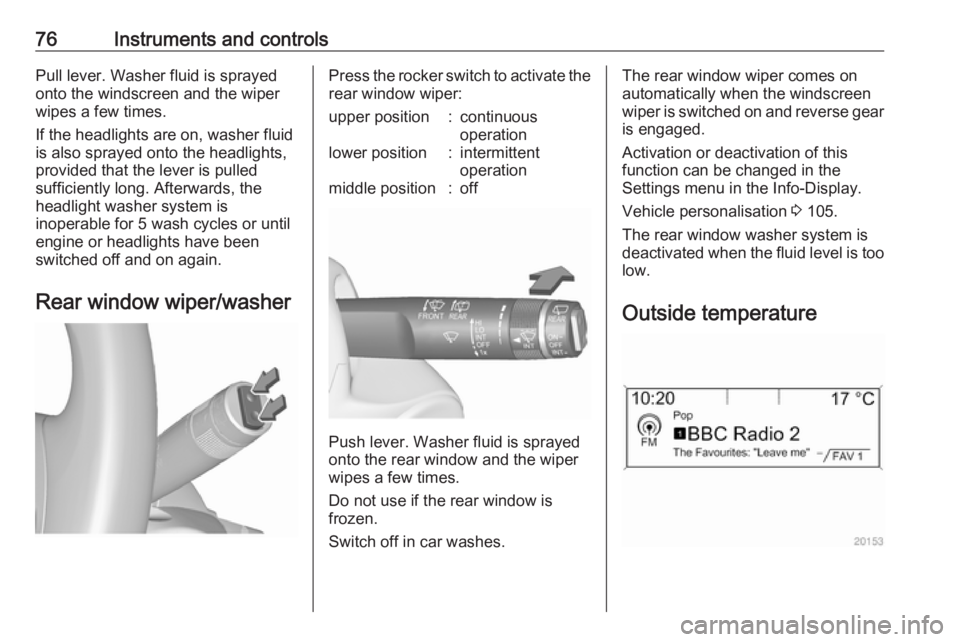
76Instruments and controlsPull lever. Washer fluid is sprayed
onto the windscreen and the wiper wipes a few times.
If the headlights are on, washer fluid
is also sprayed onto the headlights,
provided that the lever is pulled
sufficiently long. Afterwards, the
headlight washer system is
inoperable for 5 wash cycles or until
engine or headlights have been
switched off and on again.
Rear window wiper/washerPress the rocker switch to activate the
rear window wiper:upper position:continuous
operationlower position:intermittent
operationmiddle position:off
Push lever. Washer fluid is sprayed
onto the rear window and the wiper
wipes a few times.
Do not use if the rear window is
frozen.
Switch off in car washes.
The rear window wiper comes on
automatically when the windscreen
wiper is switched on and reverse gear
is engaged.
Activation or deactivation of this
function can be changed in the
Settings menu in the Info-Display.
Vehicle personalisation 3 105.
The rear window washer system is deactivated when the fluid level is too
low.
Outside temperature
Page 98 of 295
96Instruments and controlsreset knob between speedometer
and Driver Information Centre with
the ignition on.
On vehicles with trip computer, more
submenus are available.
Selection and indication can be
different between Midlevel-Display
and Uplevel-Combi-Display.
Trip/Fuel Information Menu, Trip
Computer 3 103.
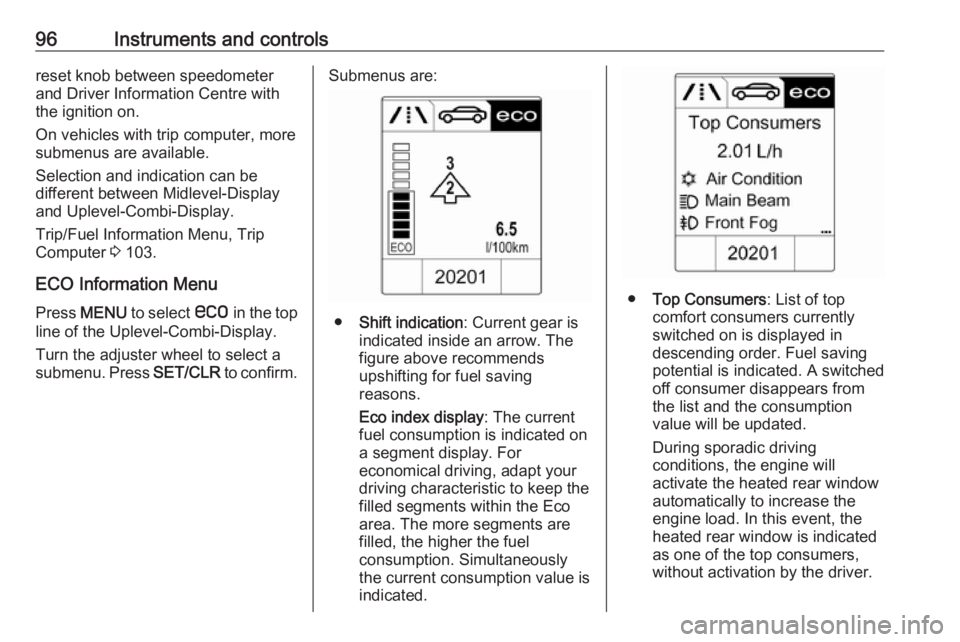
ECO Information Menu Press MENU to select s in the top
line of the Uplevel-Combi-Display.
Turn the adjuster wheel to select a
submenu. Press SET/CLR to confirm.Submenus are:
●Shift indication : Current gear is
indicated inside an arrow. The
figure above recommends
upshifting for fuel saving
reasons.
Eco index display : The current
fuel consumption is indicated on a segment display. For
economical driving, adapt your driving characteristic to keep the
filled segments within the Eco
area. The more segments are
filled, the higher the fuel
consumption. Simultaneously
the current consumption value is
indicated.
● Top Consumers : List of top
comfort consumers currently
switched on is displayed in
descending order. Fuel saving
potential is indicated. A switched off consumer disappears from
the list and the consumption
value will be updated.
During sporadic driving
conditions, the engine will
activate the heated rear window
automatically to increase the
engine load. In this event, the
heated rear window is indicated
as one of the top consumers,
without activation by the driver.
Page 103 of 295
Instruments and controls101No.Vehicle message56Tyre pressure imbalance on
front axle57Tyre pressure imbalance on
rear axle58Tyres without TPMS sensors
detected59Open then close driver window60Open then close front
passenger window61Open then close rear left
window62Open then close rear right
window65Theft attempted66Service anti-theft alarm system67Service steering wheel lock68Service power steering69Service suspension system70Service level control systemNo.Vehicle message71Service rear axle74Service AFL75Service air conditioning76Service side blind spot alert
system77Service lane departure warning79Top up engine oil81Service transmission82Change engine oil soon83Service adaptive cruise control84Engine power is reduced89Service vehicle soon94Shift to park position before
exiting95Service airbag128Bonnet open134Park assist fault, clean bumper136Service parking assistNo.Vehicle message145Check washer fluid level174Low vehicle battery258Parking assist off
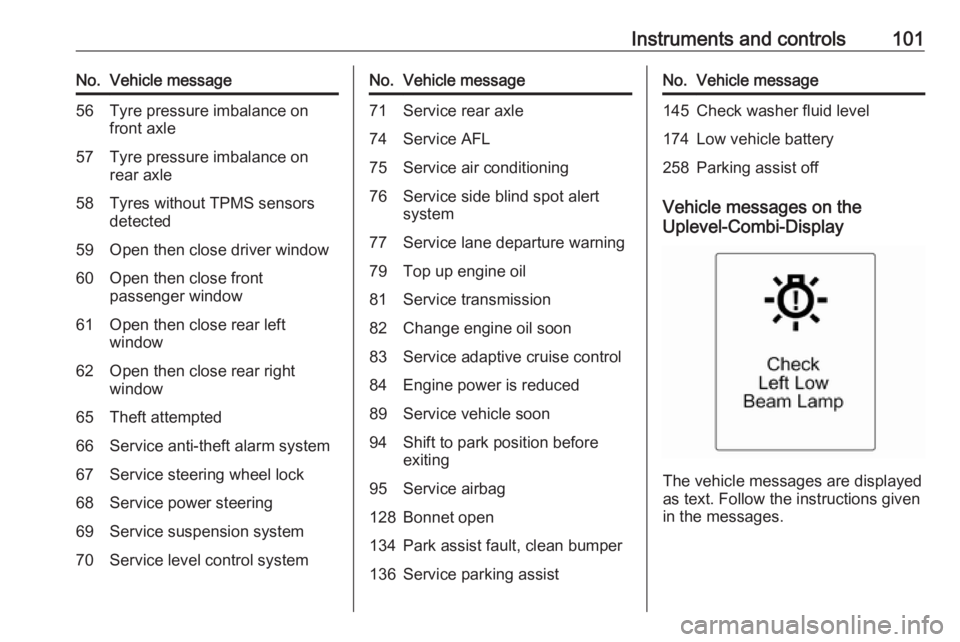
Vehicle messages on the
Uplevel-Combi-Display
The vehicle messages are displayed
as text. Follow the instructions given
in the messages.
Page 104 of 295
102Instruments and controlsVehicle messages on the Colour-
Info-Display
Some important messages appear
additionally in the Colour-Info-
Display. Press the multifunction knob
to confirm a message. Some
messages only pop-up for a few
seconds.
Warning chimes
When starting the engine or whilst driving
Only one warning chime will sound at a time.
The warning chime regarding
unfastened seat belts has priority
over any other warning chime.
● If seat belt is not fastened.
● If a door or the tailgate is not fully
closed when starting off.
● If a certain speed is exceeded with parking brake applied.
● If a programmed speed is exceeded.● If a warning message or awarning code appears in the
Driver Information Centre.
● If the parking assist detects an object.
● If an unintended lane change occurs.
● If the diesel particle filter has reached the maximum filling
level.
When the vehicle is parked and/or the driver's door is opened
● With exterior lights on.
During an Autostop ● If the driver's door is opened.
Battery voltage
When the vehicle battery voltage is
running low, a warning message or
warning code 174 will appear in the
Driver Information Centre.1. Switch off immediately any electric consumers which are not
required for a safe ride, e.g. seat
heating, heated rear window or
other main consumers.
2. Charge the vehicle battery by driving continuously for a while or
by using a charging device.
The warning message or warning
code will disappear after the engine
has been started twice consecutively
without a voltage drop.
If the vehicle battery cannot be
recharged, have the cause of the fault remedied by a workshop.
Page 108 of 295
106Instruments and controlsThe following settings can be
selected by turning and pressing the
multifunction knob:
● Sport mode settings
● Languages
● Time Date
● Radio settings
● Phone settings
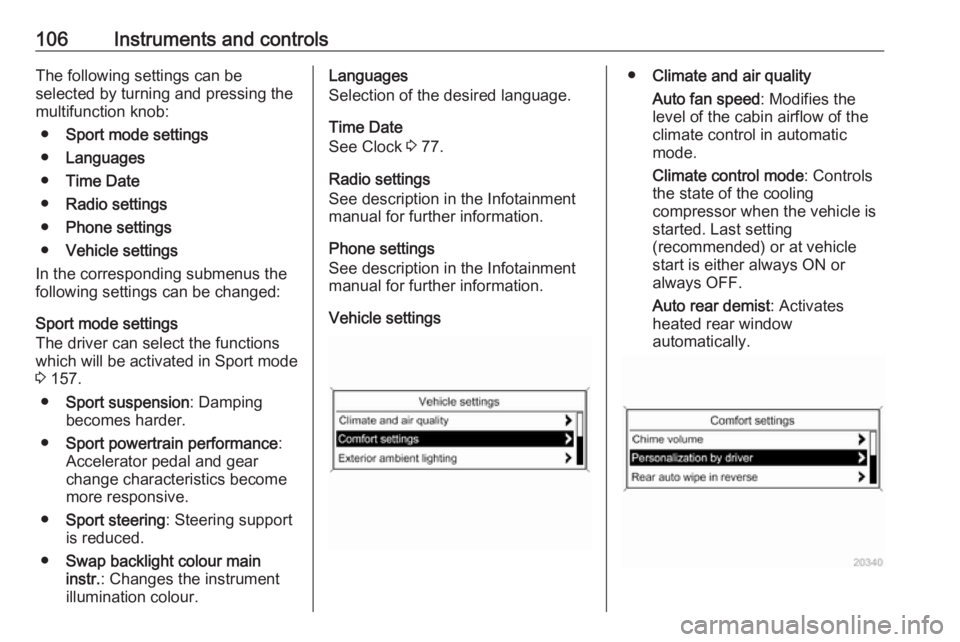
● Vehicle settings
In the corresponding submenus the
following settings can be changed:
Sport mode settings
The driver can select the functions which will be activated in Sport mode
3 157.
● Sport suspension : Damping
becomes harder.
● Sport powertrain performance :
Accelerator pedal and gear
change characteristics become
more responsive.
● Sport steering : Steering support
is reduced.
● Swap backlight colour main
instr. : Changes the instrument
illumination colour.Languages
Selection of the desired language.
Time Date
See Clock 3 77.
Radio settings
See description in the Infotainment
manual for further information.
Phone settings
See description in the Infotainment
manual for further information.
Vehicle settings● Climate and air quality
Auto fan speed : Modifies the
level of the cabin airflow of the
climate control in automatic
mode.
Climate control mode : Controls
the state of the cooling
compressor when the vehicle is
started. Last setting
(recommended) or at vehicle
start is either always ON or
always OFF.
Auto rear demist : Activates
heated rear window
automatically.
Page 109 of 295
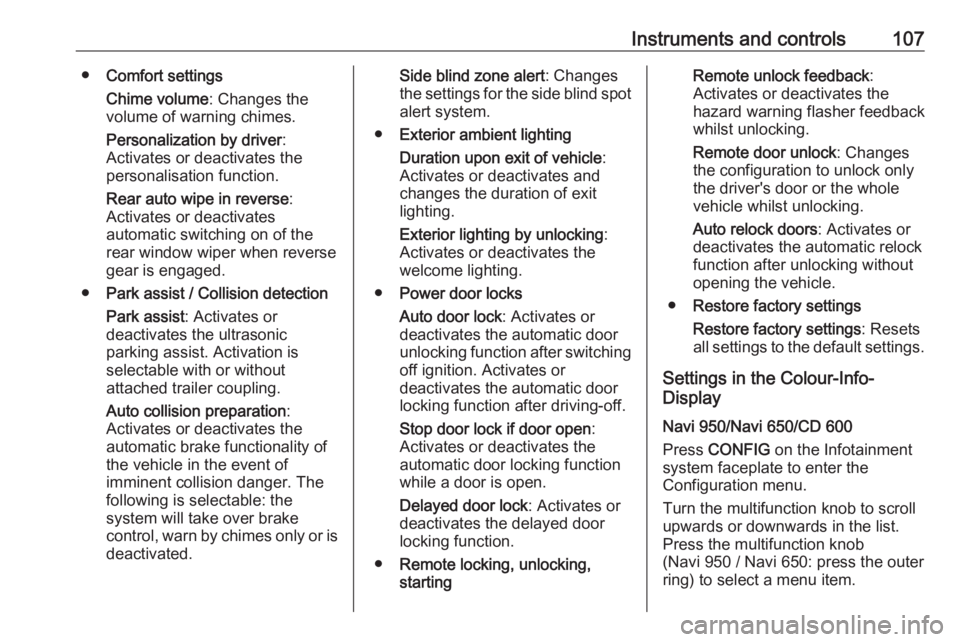
Instruments and controls107●Comfort settings
Chime volume : Changes the
volume of warning chimes.
Personalization by driver :
Activates or deactivates the
personalisation function.
Rear auto wipe in reverse :
Activates or deactivates
automatic switching on of the
rear window wiper when reverse
gear is engaged.
● Park assist / Collision detection
Park assist : Activates or
deactivates the ultrasonic
parking assist. Activation is
selectable with or without
attached trailer coupling.
Auto collision preparation :
Activates or deactivates the
automatic brake functionality of
the vehicle in the event of
imminent collision danger. The
following is selectable: the
system will take over brake
control, warn by chimes only or is
deactivated.Side blind zone alert : Changes
the settings for the side blind spot alert system.
● Exterior ambient lighting
Duration upon exit of vehicle :
Activates or deactivates and
changes the duration of exit
lighting.
Exterior lighting by unlocking :
Activates or deactivates the
welcome lighting.
● Power door locks
Auto door lock : Activates or
deactivates the automatic door
unlocking function after switching off ignition. Activates or
deactivates the automatic door
locking function after driving-off.
Stop door lock if door open :
Activates or deactivates the
automatic door locking function
while a door is open.
Delayed door lock : Activates or
deactivates the delayed door
locking function.
● Remote locking, unlocking,
startingRemote unlock feedback :
Activates or deactivates the hazard warning flasher feedback
whilst unlocking.
Remote door unlock : Changes
the configuration to unlock only
the driver's door or the whole
vehicle whilst unlocking.
Auto relock doors : Activates or
deactivates the automatic relock
function after unlocking without
opening the vehicle.
● Restore factory settings
Restore factory settings : Resets
all settings to the default settings.
Settings in the Colour-Info-
Display
Navi 950/Navi 650/CD 600
Press CONFIG on the Infotainment
system faceplate to enter the
Configuration menu.
Turn the multifunction knob to scroll
upwards or downwards in the list.
Press the multifunction knob
(Navi 950 / Navi 650: press the outer
ring) to select a menu item.