door lock OPEL ASTRA J 2014 Manual user
[x] Cancel search | Manufacturer: OPEL, Model Year: 2014, Model line: ASTRA J, Model: OPEL ASTRA J 2014Pages: 331, PDF Size: 10.13 MB
Page 33 of 331
Keys, doors and windows31
Activation■ Self-activated 30 seconds after locking the vehicle (initialisation of
the system)
■ Directly by pressing e on the radio
remote control once more after
locking
Note
Changes to the vehicle interior such
as the use of seat covers, and open
windows or sunroof, could impair the
function of passenger compartment
monitoring.Activation without monitoring of
passenger compartment and vehicle inclination
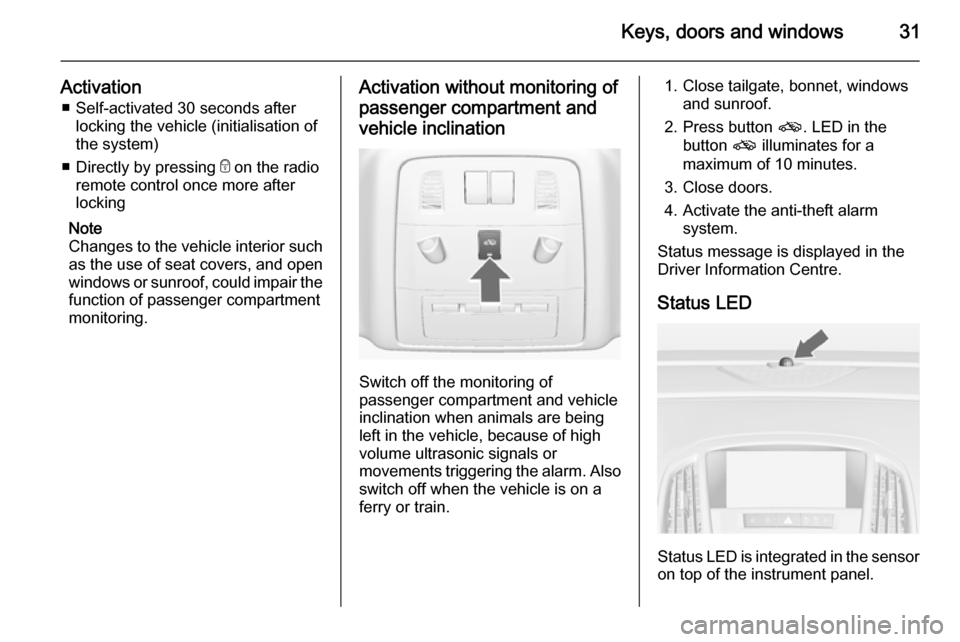
Switch off the monitoring of
passenger compartment and vehicle
inclination when animals are being
left in the vehicle, because of high
volume ultrasonic signals or
movements triggering the alarm. Also switch off when the vehicle is on a
ferry or train.
1. Close tailgate, bonnet, windows and sunroof.
2. Press button o. LED in the
button o illuminates for a
maximum of 10 minutes.
3. Close doors.
4. Activate the anti-theft alarm system.
Status message is displayed in the
Driver Information Centre.
Status LED
Status LED is integrated in the sensor
on top of the instrument panel.
Page 34 of 331

32Keys, doors and windows
Status during the first 30 seconds of
anti-theft alarm system activation:LED illu‐
minates=test, arming delay.LED
flashes
quickly=doors, tailgate or
bonnet not completely
closed, or system fault.
Status after system is armed:
LED flashes
slowly=system is armed.
Seek the assistance of a workshop in the event of faults.
Deactivation
Unlocking the vehicle deactivates the anti-theft alarm system.
Alarm When triggered, the alarm sounds via a separate battery-backed power
sounder, and the hazard warning
lights flash simultaneously. The
number and duration of alarm signals
are stipulated by legislation.
The alarm can be silenced by
pressing any button on the radio
remote control or by switching on the
ignition.
The anti-theft alarm system can be
deactivated only by pressing button
c or by switching on the ignition.
A triggered alarm, which has not been interrupted by the driver, will be
indicated by the hazard warning
lights. They will flash quickly three
times the next time the vehicle is
unlocked with the radio remote
control. Additionally a warning
message or a warning code is
displayed in the Driver Information
Centre after switching on the ignition.
Vehicle messages 3 128.
Immobiliser
The system is part of the ignition
switch and checks whether the
vehicle is allowed to be started with
the key being used.
The immobiliser is activated
automatically after the key has been
removed from the ignition switch.If the control indicator d flashes when
the ignition is on, there is a fault in the
system; the engine cannot be started. Switch off the ignition and repeat the
start attempt.
If the control indicator continues
flashing, attempt to start the engine
using the spare key and seek the
assistance of a workshop.
Note
The immobiliser does not lock the
doors. You should always lock the
vehicle after leaving it and switch on
the anti-theft alarm system 3 25,
3 30.
Control indicator d 3 120.
Page 86 of 331
84StorageLoad compartmentThe rear seat backrest is divided into
two parts. Both parts can be folded
down.
Load compartmentextension, 3-door and 5-door hatchback,
4-door notchback ■ Only 3-door and 5-door hatchback: remove the load compartment
cover if necessary.
■ Press and hold the catch to push the head restraints down 3 40.
■ Fold up the rear armrest.■ Guide the seat belts through side supports to protect them against
damage. When folding the
backrests, pull the seat belts along
with them.
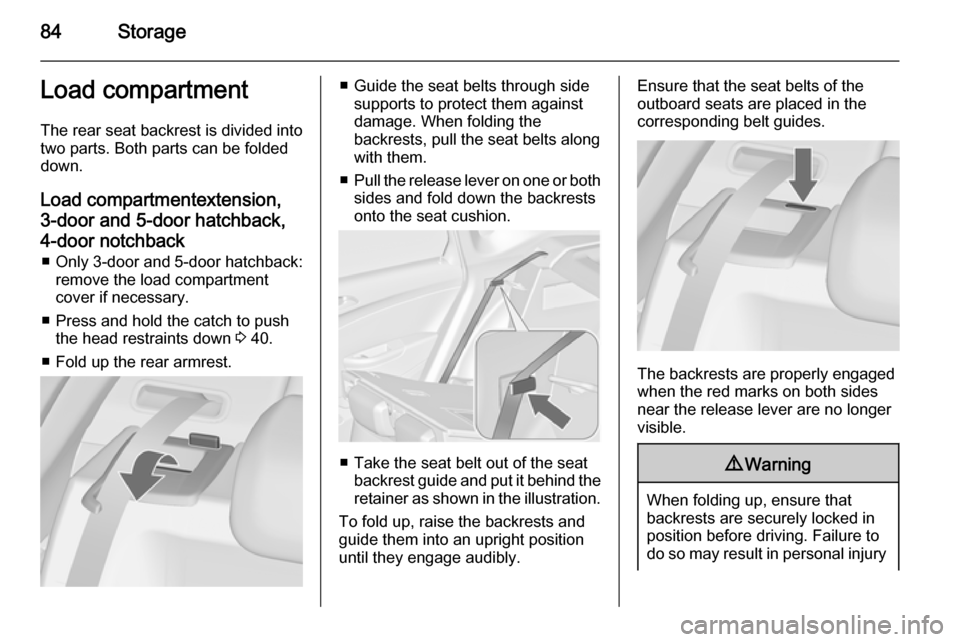
■ Pull the release lever on one or both
sides and fold down the backrests
onto the seat cushion.
■ Take the seat belt out of the seat backrest guide and put it behind theretainer as shown in the illustration.
To fold up, raise the backrests and
guide them into an upright position
until they engage audibly.
Ensure that the seat belts of the
outboard seats are placed in the
corresponding belt guides.
The backrests are properly engaged
when the red marks on both sides near the release lever are no longer
visible.
9 Warning
When folding up, ensure that
backrests are securely locked in
position before driving. Failure to
do so may result in personal injury
Page 88 of 331
86Storage
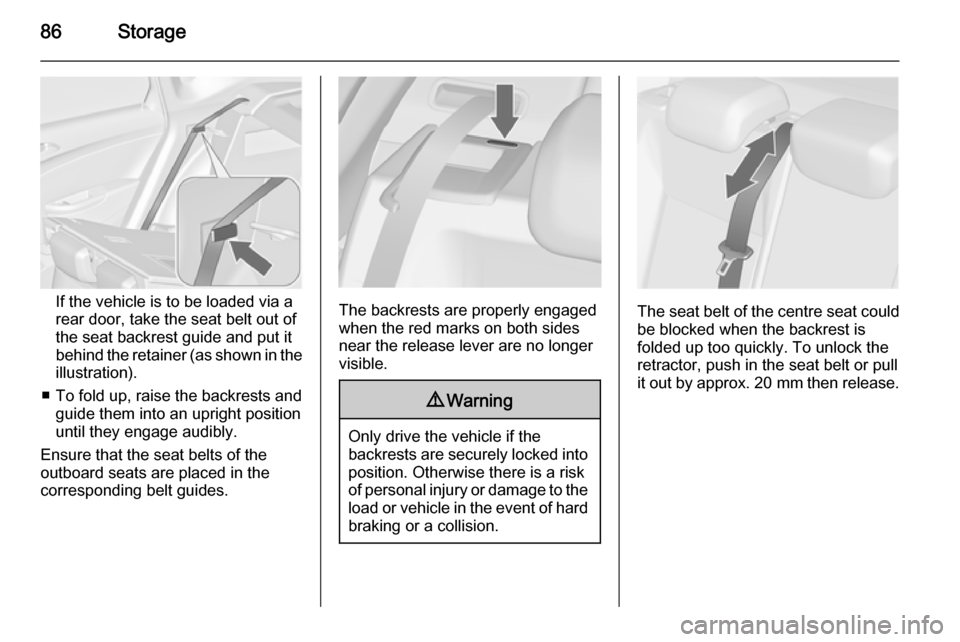
If the vehicle is to be loaded via arear door, take the seat belt out of
the seat backrest guide and put it
behind the retainer (as shown in the illustration).
■ To fold up, raise the backrests and guide them into an upright position
until they engage audibly.
Ensure that the seat belts of the
outboard seats are placed in the corresponding belt guides.The backrests are properly engaged
when the red marks on both sides
near the release lever are no longer
visible.
9 Warning
Only drive the vehicle if the
backrests are securely locked into position. Otherwise there is a risk
of personal injury or damage to the
load or vehicle in the event of hard braking or a collision.
The seat belt of the centre seat could
be blocked when the backrest is
folded up too quickly. To unlock the
retractor, push in the seat belt or pull
it out by approx. 20 mm then release.
Page 138 of 331
136Instruments and controls
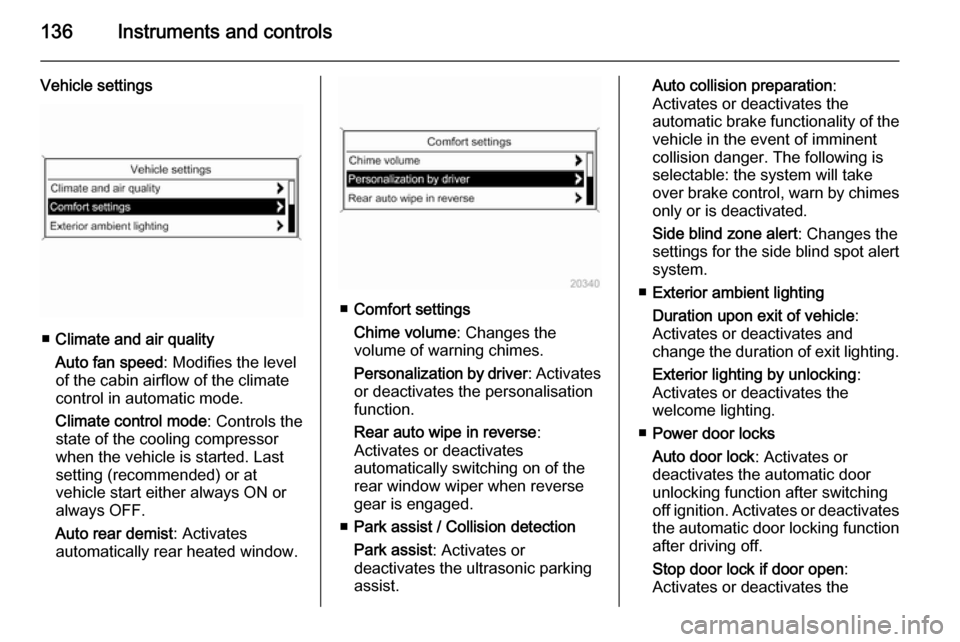
Vehicle settings
■Climate and air quality
Auto fan speed : Modifies the level
of the cabin airflow of the climate
control in automatic mode.
Climate control mode : Controls the
state of the cooling compressor
when the vehicle is started. Last
setting (recommended) or at
vehicle start either always ON or
always OFF.
Auto rear demist : Activates
automatically rear heated window.
■ Comfort settings
Chime volume : Changes the
volume of warning chimes.
Personalization by driver : Activates
or deactivates the personalisation
function.
Rear auto wipe in reverse :
Activates or deactivates
automatically switching on of the
rear window wiper when reverse
gear is engaged.
■ Park assist / Collision detection
Park assist : Activates or
deactivates the ultrasonic parking
assist.
Auto collision preparation :
Activates or deactivates the
automatic brake functionality of the
vehicle in the event of imminent
collision danger. The following is
selectable: the system will take
over brake control, warn by chimes only or is deactivated.
Side blind zone alert : Changes the
settings for the side blind spot alert
system.
■ Exterior ambient lighting
Duration upon exit of vehicle :
Activates or deactivates and
change the duration of exit lighting.
Exterior lighting by unlocking :
Activates or deactivates the
welcome lighting.
■ Power door locks
Auto door lock : Activates or
deactivates the automatic door
unlocking function after switching
off ignition. Activates or deactivates
the automatic door locking function after driving off.
Stop door lock if door open :
Activates or deactivates the
Page 139 of 331
Instruments and controls137
automatic door locking function
while a door is open.
Delayed door lock : Activates or
deactivates the delayed door
locking function.
■ Remote locking, unlocking, starting
Remote unlock feedback : Activates
or deactivates the hazard warning
flasher feedback whilst unlocking.
Remote door unlock : Changes the
configuration to unlock only the driver's door or the whole vehicle
whilst unlocking.
Auto relock doors : Activates or
deactivates the automatic relock
function after unlocking without
opening the vehicle.
■ Restore factory settings
Restore factory settings : Reset all
settings to the default settings.
Personal settings in the
Colour-Info-Display
Navi 600/Navi 900
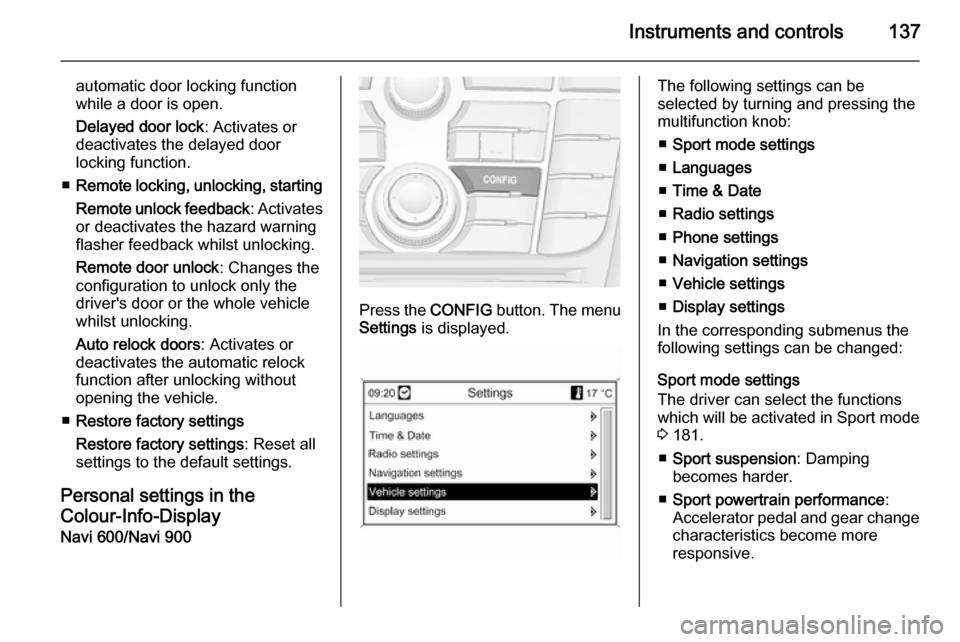
Press the CONFIG button. The menu
Settings is displayed.
The following settings can be
selected by turning and pressing the
multifunction knob:
■ Sport mode settings
■ Languages
■ Time & Date
■ Radio settings
■ Phone settings
■ Navigation settings
■ Vehicle settings
■ Display settings
In the corresponding submenus the
following settings can be changed:
Sport mode settings
The driver can select the functions
which will be activated in Sport mode
3 181.
■ Sport suspension : Damping
becomes harder.
■ Sport powertrain performance :
Accelerator pedal and gear change
characteristics become more
responsive.
Page 141 of 331

Instruments and controls139
vehicle in the event of imminent
collision danger. The following is
selectable: the system will take
over brake control, warn by chimes
only or is deactivated.
Side blind zone alert : Changes the
settings for the side blind spot alert
system.
■ Exterior ambient lighting
Duration upon exit of vehicle :
Activates or deactivates and
changes the duration of exit
lighting.
Exterior lighting by unlocking :
Activates or deactivates the
welcome lighting.
■ Power door locks
Auto door lock : Activates or
deactivates the automatic door
unlocking function after switching off ignition. Activates or deactivates the automatic door locking function after driving off.
Prevent doorlock while door open :
Activates or deactivates the automatic door locking function
while a door is open.■ Lock / Unlock / Start by remote
Remote unlock feedback : Activates
or deactivates the hazard warning
flasher feedback whilst unlocking.
Remote door unlock : Changes the
configuration to unlock only the
driver's door or the whole vehicle
whilst unlocking.
Auto relock doors : Activates or
deactivates the automatic relock
function after unlocking without
opening the vehicle.
■ Restore factory settings
Restore factory settings : Resets all
settings to the default settings.
Display settings
Selectable display settings:
■ Day mode : Optimisation for
daylight conditions.
■ Night mode : Optimisation for
darkness.
■ Automatic mode : The display
changes mode when the vehicle lights are switched on/off.■ Rear view camera : Changes the
settings for the rear view camera.
■ Picture frame : See description for
Infotainment system in the
Infotainment system manual.
Settings in the Colour-Info- Display CD 600/Navi 650/Navi 950
Press the CONFIG button on the
Infotainment system faceplate to
enter the Configuration menu.
Turn the multifunction knob to scroll
upwards or downwards in the list.
Press the multifunction knob
(Navi 950 / Navi 650: press the outer
ring) to select a menu item.
Page 143 of 331

Instruments and controls141
on the ignition or uses the last
chosen setting.
Auto Demist : Activate or deactivate
auto demist.
Auto Rear Demist : Activates
automatically the rear heated
window.
■ Comfort and Convenience
Chime Volume : Change the volume
of warning chimes.
Personalisation by Driver :
Activates or deactivates the
personalisation function.
Auto Reverse Gear Wiper : Activate
or deactivate automatically
switching on of the rear window
wiper when reverse gear is
engaged.
■ Collision Detection Systems
Park Assist : Activate or deactivate
the ultrasonic sensors.
Automatic Collision Preparation :
Activates or deactivates the
automatic brake functionality of the
vehicle in the event of imminent
collision danger. The following is
selectable: the system will takeover brake control, warn by chimes
only or is deactivated completely.
Side Blind Zone Alert : Activates or
deactivates the side blind spot alert system.
■ Lighting
Vehicle Locator Lights : Activate or
deactivate the entry lighting.
Exit Lighting : Activate or deactivate
and change the duration of exit lighting.
■ Power Door Locks
Open Door Anti Lock Out : Activate
or deactivate the automatic door locking function while a door is
open.
Auto Door Lock : Activates or
deactivates the automatic door
unlocking function after switching off ignition. Activates or deactivates the automatic door locking function
after driving-off.
Delay Door Lock : Activate or
deactivate the delayed door locking
function.■ Remote Lock/Unlock/Start
Remote Lock Feedback : Activate
or deactivate the hazard warning
light feedback whilst locking.
Remote Unlock Feedback : Activate
or deactivate the hazard warning
flasher feedback whilst unlocking.
Remote Door Unlock : Change the
configuration to unlock only the
driver's door or the whole vehicle
whilst unlocking.
Relock Remotely Unlocked Doors :
Activates or deactivates the
automatic relock function after
unlocking without opening the
vehicle.
■ Return to Factory Settings? : Reset
all settings to the default settings.
Page 154 of 331

152Lighting
Rear courtesy lights
Illuminates in conjunction with the
front courtesy light depending on
rocker switch position.
Press s or t to switch on manually.
Reading lights
Operated with s and t buttons in
front and rear courtesy lights.
Sunvisor lights
Illuminates when the cover is opened.
Lighting features
Centre console lighting Spotlight incorporated in the interior
lighting comes on when headlights
are switched on.
Entry lighting
Welcome lighting
The following lights are switched on
for a short time by unlocking the
vehicle with the radio remote control:
■ headlights,
■ tail lights,
■ reversing lights,
■ number plate lights,
■ instrument panel light,
■ interior lights,
■ door and console lights,
■ puddle lights.
Some functions work only in the dark
and facilitates locating the vehicle.
Page 167 of 331
Driving and operating165Starting and operating
New vehicle running-in Do not brake unnecessarily hard for
the first few journeys.
During the first drive, smoke may
occur because of wax and oil
evaporating off the exhaust system.
Park the vehicle in the open for a
while after the first drive and avoid
inhaling the fumes.
During the running-in period fuel and
engine oil consumption may be
higher and the cleaning process of the diesel particle filter may take
place more often. Autostop may be inhibited to allow for charging the
battery.
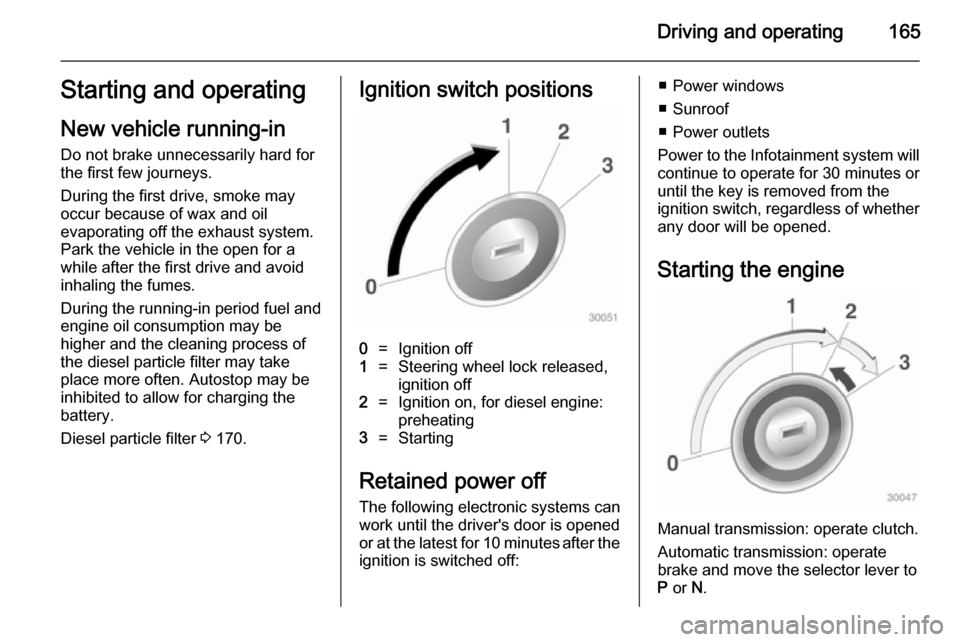
Diesel particle filter 3 170.Ignition switch positions0=Ignition off1=Steering wheel lock released,
ignition off2=Ignition on, for diesel engine:
preheating3=Starting
Retained power off
The following electronic systems can
work until the driver's door is opened
or at the latest for 10 minutes after the
ignition is switched off:
■ Power windows
■ Sunroof
■ Power outlets
Power to the Infotainment system will continue to operate for 30 minutes oruntil the key is removed from the
ignition switch, regardless of whether
any door will be opened.
Starting the engine
Manual transmission: operate clutch.
Automatic transmission: operate
brake and move the selector lever to
P or N.