steering wheel OPEL ASTRA J 2014 Manual user
[x] Cancel search | Manufacturer: OPEL, Model Year: 2014, Model line: ASTRA J, Model: OPEL ASTRA J 2014Pages: 331, PDF Size: 10.13 MB
Page 130 of 331
128Instruments and controls
Press (the outer ring)■ To select or activate the marked option
■ To confirm a set value
■ To switch a system function on/off
BACK button
Press button to: ■ exit a menu without changing settings
■ return from a submenu to a higher menu level
■ delete the last character in a character sequence
Press and hold the button for a few
seconds to delete the entire entry.
Vehicle personalisation 3 134.
Memorised settings 3 25.
Smartphone controller
The smartphone controller allows a
smartphone to access vehicle data
via WLAN or Bluetooth connection.
This data can then be displayed and analysed on the smartphone.Vehicle messages
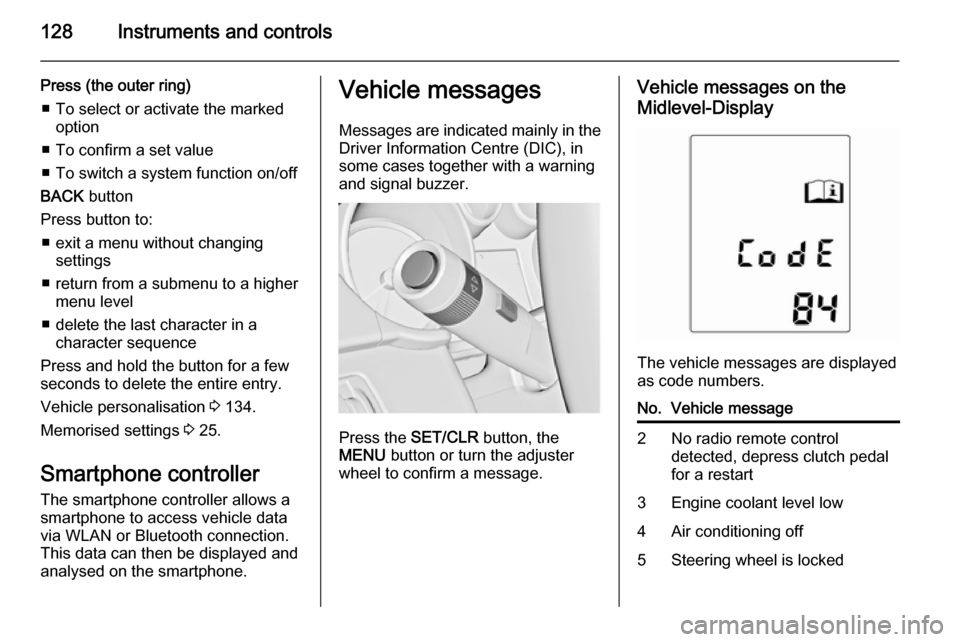
Messages are indicated mainly in the
Driver Information Centre (DIC), in
some cases together with a warning and signal buzzer.
Press the SET/CLR button, the
MENU button or turn the adjuster
wheel to confirm a message.
Vehicle messages on the
Midlevel-Display
The vehicle messages are displayed
as code numbers.
No.Vehicle message2No radio remote control
detected, depress clutch pedal
for a restart3Engine coolant level low4Air conditioning off5Steering wheel is locked
Page 131 of 331

Instruments and controls129
No.Vehicle message6Depress brake pedal to release
electric parking brake7Turn steering wheel, switch
ignition off and then on9Turn steering wheel, start
engine again12Vehicle overloaded13Compressor overheated15Centre high-mounted brake
light failure16Brake light failure17Headlight levelling malfunction18Left low beam failure19Rear fog light failure20Right low beam failure21Left sidelight failure22Right sidelight failure23Reversing light failureNo.Vehicle message24Number plate light failure25Left front turn signal failure26Left rear turn signal failure27Right front turn signal failure28Right rear turn signal failure29Check trailer brake light30Check trailer reversing light31Check left trailer turn signal32Check right trailer turn signal33Check trailer rear fog light34Check trailer rear light35Replace battery in radio remote
control48Clean side blind zone alert
system49Lane departure warning
unavailable53Tighten gas capNo.Vehicle message54Water in diesel fuel filter55Diesel particle filter is full
3 17056Tyre pressure imbalance on
front axle57Tyre pressure imbalance on
rear axle58Tyres without TPMS sensors
detected59Open and then close driver
window60Open and then close front
passenger window61Open and then close rear left
window62Open and then close rear right
window65Theft attempted66Service theft alarm system67Service steering wheel lock
Page 148 of 331
146Lighting
With the light switch in position
AUTO all lighting functions are
available.
The following functions are available
also with light switch in position 9:
■ Dynamic curve lighting
■ Cornering light
■ Reversing function
■ Dynamic automatic headlight levelling
Playstreet lighting
Activated automatically at low speed
up to approx. 30 km/h. The light beam is turned at an angle of 8° to the
roadside.
Town lighting
Activated automatically at a speed
range between approx. 40 and
55 km/h and when street lights are
detected by the light sensor. The light
range is reduced by an extended light
distribution.Country lighting
Activated automatically at a speed
range between approx. 55 and
115 km/h. The beam of light and the
brightness is different between the left and the right side.
Motorway lighting
Activated automatically at a speed
above approx. 115 km/h and minimal
steering movements. It switches on
after a delay or directly when the
vehicle is powerfully accelerated. The
light beam is longer and brighter.
Adverse weather lighting
Activated automatically up to a speed
of approx. 70 km/h, when the rain
sensor recognizes condensation or
the wiper operates continuously. The
range, distribution and light intensity
is regulated variably depending on visibility.Dynamic curve lighting
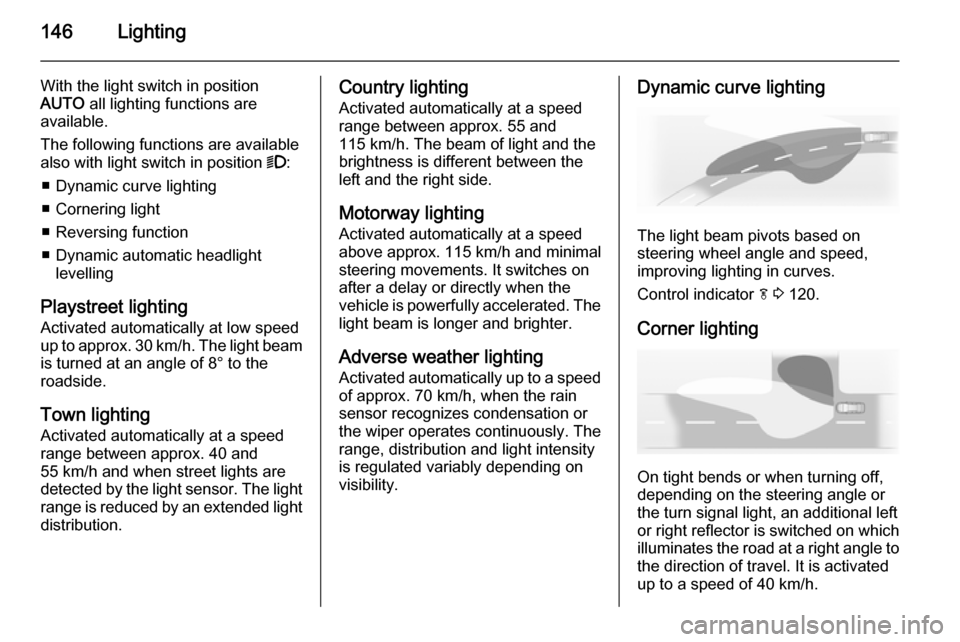
The light beam pivots based on
steering wheel angle and speed,
improving lighting in curves.
Control indicator f 3 120.
Corner lighting
On tight bends or when turning off,
depending on the steering angle or
the turn signal light, an additional left
or right reflector is switched on which illuminates the road at a right angle to
the direction of travel. It is activated
up to a speed of 40 km/h.
Page 151 of 331
Lighting149
Fault in adaptive forward lightingsystem
When the system detects a failure in
the Adaptive forward lighting system,
the system moves to a preset position to avoid dazzling of oncoming traffic.
If this is not possible the affected
headlight will be automatically
switched off. In any case one
headlight will stay on. A warning is
displayed in the Driver Information
Centre.
Hazard warning flashers
Operated with the ¨ button.
In the event of an accident with airbag
deployment the hazard warning
flashers are activated automatically.
Turn and lane-change
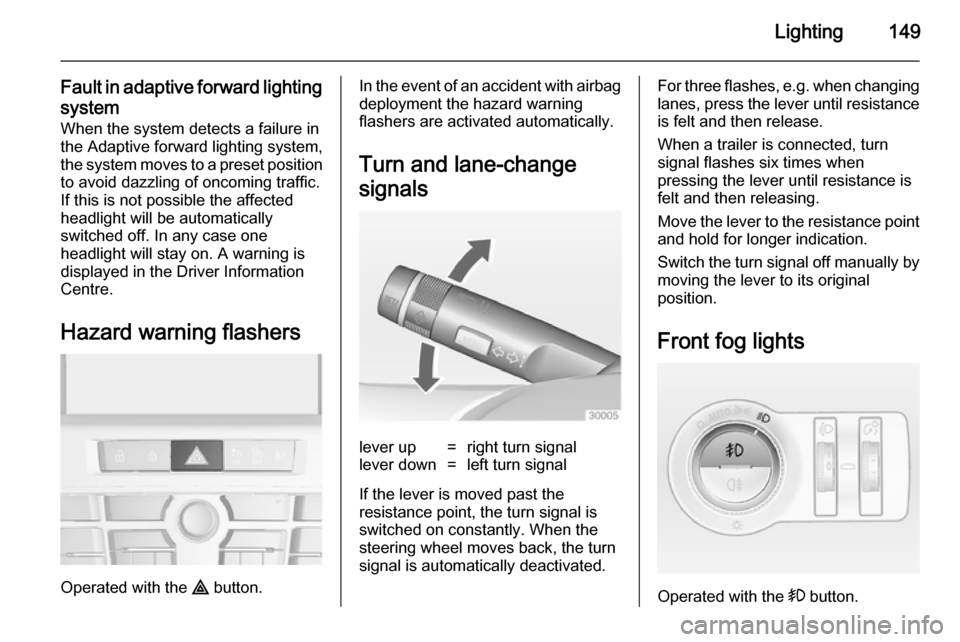
signalslever up=right turn signallever down=left turn signal
If the lever is moved past the
resistance point, the turn signal is
switched on constantly. When the
steering wheel moves back, the turn
signal is automatically deactivated.
For three flashes, e.g. when changing lanes, press the lever until resistance
is felt and then release.
When a trailer is connected, turn
signal flashes six times when
pressing the lever until resistance is
felt and then releasing.
Move the lever to the resistance point
and hold for longer indication.
Switch the turn signal off manually by moving the lever to its original
position.
Front fog lights
Operated with the > button.
Page 158 of 331
156Climate control
Demisting and defrosting
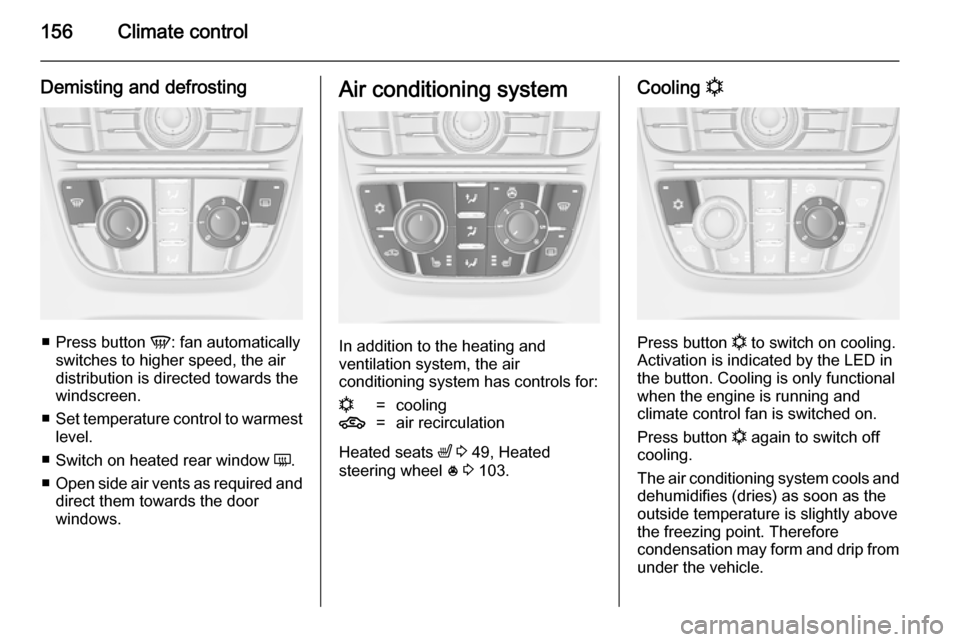
■Press button V: fan automatically
switches to higher speed, the air distribution is directed towards the
windscreen.
■ Set temperature control to warmest
level.
■ Switch on heated rear window Ü.
■ Open side air vents as required and
direct them towards the door
windows.
Air conditioning system
In addition to the heating and
ventilation system, the air
conditioning system has controls for:
n=cooling4=air recirculation
Heated seats ß 3 49, Heated
steering wheel * 3 103.
Cooling n
Press button
n to switch on cooling.
Activation is indicated by the LED in
the button. Cooling is only functional
when the engine is running and
climate control fan is switched on.
Press button n again to switch off
cooling.
The air conditioning system cools and
dehumidifies (dries) as soon as the
outside temperature is slightly above
the freezing point. Therefore
condensation may form and drip from under the vehicle.
Page 160 of 331
158Climate control
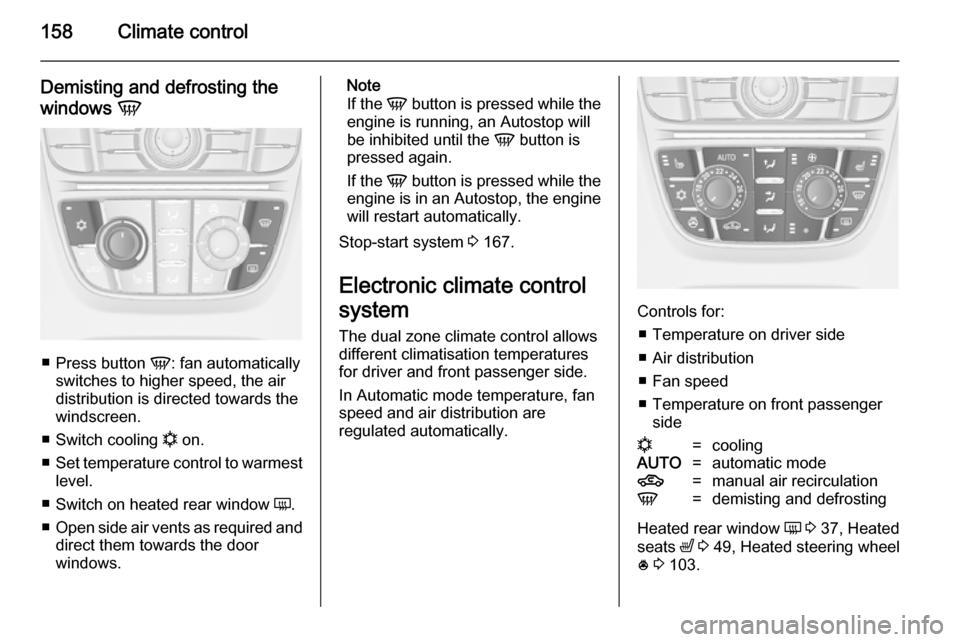
Demisting and defrosting the
windows V
■
Press button V: fan automatically
switches to higher speed, the air distribution is directed towards the
windscreen.
■ Switch cooling n on.
■ Set temperature control to warmest
level.
■ Switch on heated rear window Ü.
■ Open side air vents as required and
direct them towards the door
windows.
Note
If the V button is pressed while the
engine is running, an Autostop will
be inhibited until the V button is
pressed again.
If the V button is pressed while the
engine is in an Autostop, the engine will restart automatically.
Stop-start system 3 167.
Electronic climate control
system
The dual zone climate control allows
different climatisation temperatures
for driver and front passenger side.
In Automatic mode temperature, fan
speed and air distribution are
regulated automatically.
Controls for:
■ Temperature on driver side■ Air distribution
■ Fan speed
■ Temperature on front passenger side
n=coolingAUTO=automatic mode4=manual air recirculationV=demisting and defrosting
Heated rear window Ü 3 37, Heated
seats ß 3 49, Heated steering wheel
* 3 103.
Page 166 of 331

164Driving and operatingDriving and operatingDriving hints............................... 164
Starting and operating ...............165
Engine exhaust .......................... 170
Automatic transmission .............. 171
Manual transmission ..................175
Brakes ........................................ 175
Ride control systems .................178
Driver assistance systems .........183
Fuel ............................................ 213
Trailer hitch ................................ 219Driving hints
Control of the vehicleNever coast with engine not
running (except during Autostop)
Many systems will not function in this
situation (e.g. brake servo unit, power steering). Driving in this manner is a
danger to yourself and others. All
systems function during an Autostop,
but there will be a controlled reduction
in power steering assist and vehicle
speed is reduced.
Stop-start system 3 167.
Idle boost
If charging of the battery is required
due to battery condition, the power output of the generator has to be
increased. This will be achieved by an
idle boost which may be audible.
On vehicles with Uplevel- or Uplevel- Combi-Display, a message appearsin the Driver Information Centre.Pedals
To ensure the pedal travel is uninhibited, there must be no mats in the area of the pedals.
Steering If power steering assist is lost
because the engine stops or due to a
system malfunction, the vehicle can
be steered but may require increased
effort.
Control indicator c 3 118.Caution
Vehicles equipped with hydraulic
power steering:
If the steering wheel is turned until it reaches the end of its travel, and
is held in that position for more
than 15 seconds, damage may
occur to the power steering
system and there may be loss of
power steering assist.
Page 167 of 331
Driving and operating165Starting and operating
New vehicle running-in Do not brake unnecessarily hard for
the first few journeys.
During the first drive, smoke may
occur because of wax and oil
evaporating off the exhaust system.
Park the vehicle in the open for a
while after the first drive and avoid
inhaling the fumes.
During the running-in period fuel and
engine oil consumption may be
higher and the cleaning process of the diesel particle filter may take
place more often. Autostop may be inhibited to allow for charging the
battery.
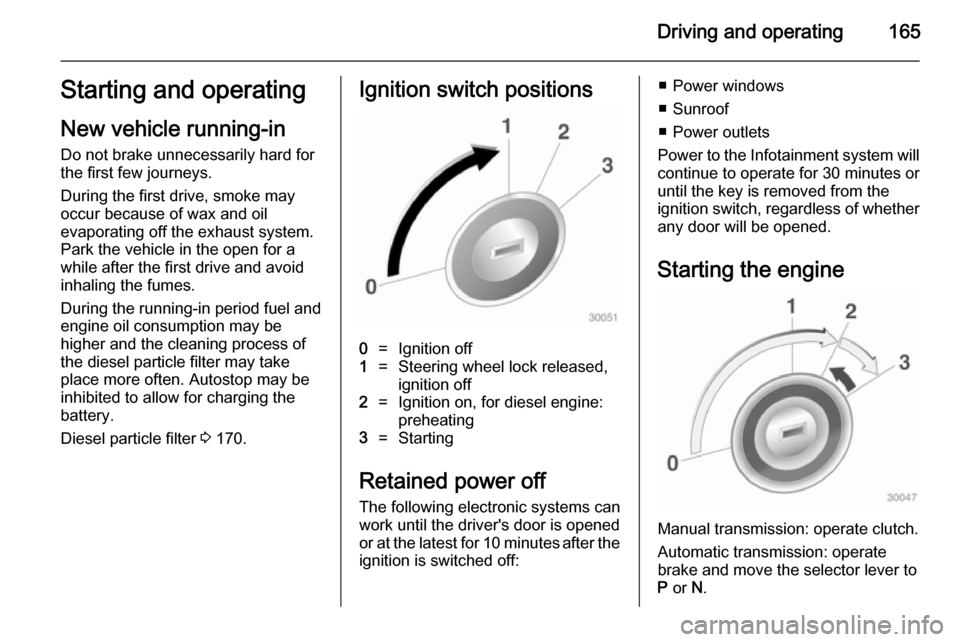
Diesel particle filter 3 170.Ignition switch positions0=Ignition off1=Steering wheel lock released,
ignition off2=Ignition on, for diesel engine:
preheating3=Starting
Retained power off
The following electronic systems can
work until the driver's door is opened
or at the latest for 10 minutes after the
ignition is switched off:
■ Power windows
■ Sunroof
■ Power outlets
Power to the Infotainment system will continue to operate for 30 minutes oruntil the key is removed from the
ignition switch, regardless of whether
any door will be opened.
Starting the engine
Manual transmission: operate clutch.
Automatic transmission: operate
brake and move the selector lever to
P or N.
Page 171 of 331

Driving and operating169
■ the driver's seat belt is unfastenedand the driver's door is opened
■ the engine temperature is too low
■ the charging level of the vehicle battery is below a defined level
■ the brake vacuum is not sufficient
■ the vehicle is driven at least at walking speed
■ the climate control system requests
an engine start
■ the air conditioning is manually switched on
If the bonnet is not fully closed, a warning message is displayed in the
Driver Information Centre.
If an electric accessory, e.g. a
portable CD player, is connected to
the power outlet, a brief power drop during restart might be noticeable.
Parking ■ Do not park the vehicle on an easily
ignitable surface. The high
temperature of the exhaust system
could ignite the surface.■ Always apply parking brake. Apply manual parking brake without
pressing release button. Apply as
firmly as possible on downhill or uphill slopes. Depress the foot
brake at the same time to reduce
operating force.
Apply electric parking brake by pulling switch m for approx.
one second.
■ Switch off the engine and ignition. Turn the steering wheel until the
steering wheel lock engages.
■ If the vehicle is on a level surface or
uphill slope, engage first gear or set the selector lever to P before
switching off the ignition. On an
uphill slope, turn the front wheels
away from the kerb.
If the vehicle is on a downhill slope, engage reverse gear or set theselector lever to P before switching
off the ignition. Turn the front
wheels towards the kerb.
■ Lock the vehicle and activate the anti-theft alarm system.Note
In the event of an accident with
airbag deployment, the engine is
turned off automatically if the vehicle
comes to a standstill within a certain time.
Page 198 of 331

196Driving and operatingThe complete attention of the
driver is always required while
driving. The driver must always be ready to take action and apply the
brakes.
System limitations
The system is designed to warn only for vehicles, but may react also to
other metallic objects.
In the following cases, forward
collision alert may not detect a vehicle
ahead or sensor performance is
limited:
■ on winding roads,
■ when weather limits visibility, e.g. fog, rain, or snow,
■ when the sensor is blocked by snow, ice, slush, mud, dirt, or
windscreen damage.
Following distance
indication The following distance indication
displays the distance to a preceding
moving vehicle. The system uses,
depending on the vehicle equipment,
either the radar behind the radiator
grille or the front camera in the
windscreen to detect the distance of
a vehicle directly ahead in your path.
It is active at speeds above 40 km/h.
When a preceding vehicle is detected
ahead, the distance is indicated in
seconds, displayed on a page in the
Driver Information Centre 3 121.
Press the MENU button on the turn
signal lever to select Vehicle
Information Menu X and turn the
adjuster wheel to choose following distance indication page.The minimum indicated distance is
0.5 s.
If there is no vehicle ahead or the vehicle ahead is out of range, two
dashes will be displayed: -.- s.
Active Emergency Braking
Active emergency braking can help to reduce the damage from crashes with vehicles and obstacles directly
ahead, when a collision can no longer be avoided either by manual braking
or by steering. Before the active
emergency braking applies, the driver
is warned by the forward collision
alert 3 193.
The feature uses various inputs (e.g.
radar sensor, brake pressure, vehicle speed) to calculate the probability ofa frontal collision.
Active emergency braking operates automatically above walking speed,
provided that Auto collision
preparation setting is not deactivated
in the vehicle personalisation menu
3 134.