lights OPEL ASTRA J 2019 Manual user
[x] Cancel search | Manufacturer: OPEL, Model Year: 2019, Model line: ASTRA J, Model: OPEL ASTRA J 2019Pages: 205, PDF Size: 6.25 MB
Page 83 of 205
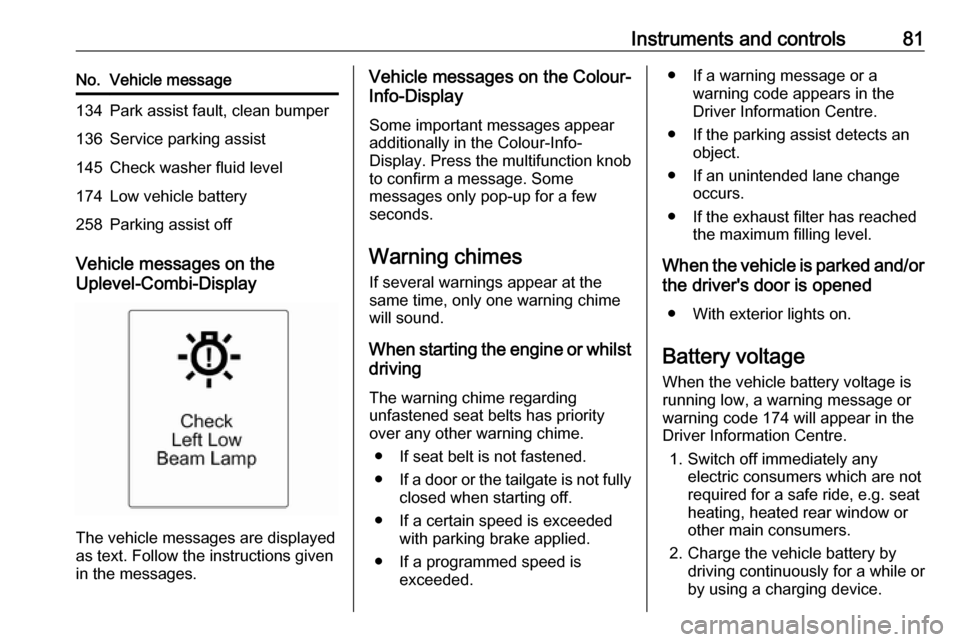
Instruments and controls81No.Vehicle message134Park assist fault, clean bumper136Service parking assist145Check washer fluid level174Low vehicle battery258Parking assist off
Vehicle messages on the
Uplevel-Combi-Display
The vehicle messages are displayed
as text. Follow the instructions given
in the messages.
Vehicle messages on the Colour-
Info-Display
Some important messages appear
additionally in the Colour-Info-
Display. Press the multifunction knob to confirm a message. Some
messages only pop-up for a few
seconds.
Warning chimes If several warnings appear at the
same time, only one warning chime will sound.
When starting the engine or whilst driving
The warning chime regarding
unfastened seat belts has priority
over any other warning chime.
● If seat belt is not fastened.
● If a door or the tailgate is not fully
closed when starting off.
● If a certain speed is exceeded with parking brake applied.
● If a programmed speed is exceeded.● If a warning message or awarning code appears in the
Driver Information Centre.
● If the parking assist detects an object.
● If an unintended lane change occurs.
● If the exhaust filter has reached the maximum filling level.
When the vehicle is parked and/or
the driver's door is opened
● With exterior lights on.
Battery voltage When the vehicle battery voltage is
running low, a warning message or
warning code 174 will appear in the
Driver Information Centre.
1. Switch off immediately any electric consumers which are not
required for a safe ride, e.g. seat
heating, heated rear window or
other main consumers.
2. Charge the vehicle battery by driving continuously for a while or
by using a charging device.
Page 89 of 205
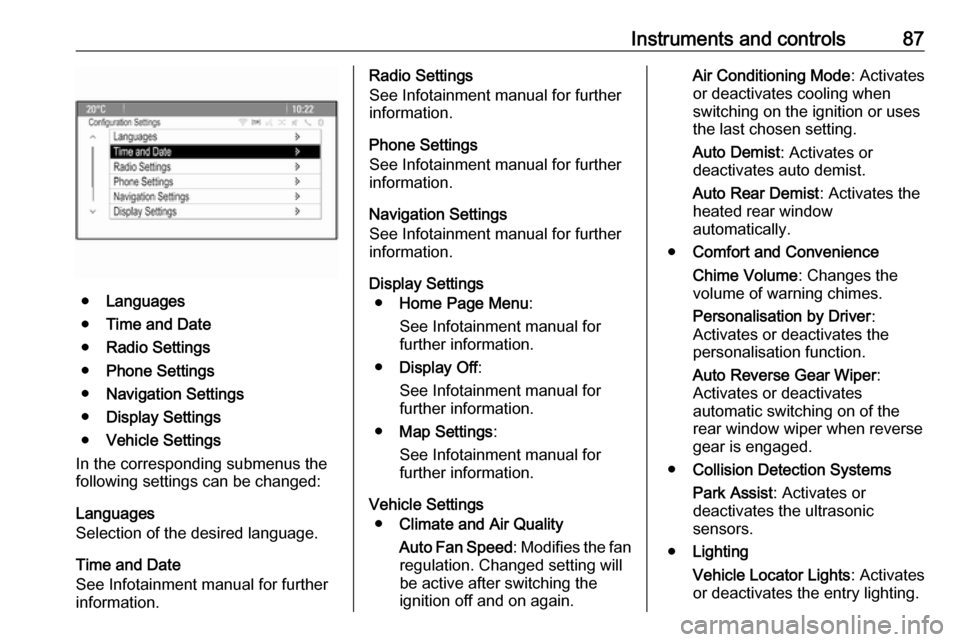
Instruments and controls87
●Languages
● Time and Date
● Radio Settings
● Phone Settings
● Navigation Settings
● Display Settings
● Vehicle Settings
In the corresponding submenus the
following settings can be changed:
Languages
Selection of the desired language.
Time and Date
See Infotainment manual for further
information.
Radio Settings
See Infotainment manual for further
information.
Phone Settings
See Infotainment manual for further information.
Navigation Settings
See Infotainment manual for further
information.
Display Settings ● Home Page Menu :
See Infotainment manual for
further information.
● Display Off :
See Infotainment manual for
further information.
● Map Settings :
See Infotainment manual for
further information.
Vehicle Settings ● Climate and Air Quality
Auto Fan Speed : Modifies the fan
regulation. Changed setting will
be active after switching the
ignition off and on again.Air Conditioning Mode : Activates
or deactivates cooling when
switching on the ignition or uses
the last chosen setting.
Auto Demist : Activates or
deactivates auto demist.
Auto Rear Demist : Activates the
heated rear window
automatically.
● Comfort and Convenience
Chime Volume : Changes the
volume of warning chimes.
Personalisation by Driver :
Activates or deactivates the
personalisation function.
Auto Reverse Gear Wiper :
Activates or deactivates
automatic switching on of the
rear window wiper when reverse
gear is engaged.
● Collision Detection Systems
Park Assist : Activates or
deactivates the ultrasonic
sensors.
● Lighting
Vehicle Locator Lights : Activates
or deactivates the entry lighting.
Page 91 of 205
Instruments and controls89Depending on the equipment of the
vehicle, the following services are available:
● Emergency services and support
in the case of a vehicle
breakdown
● Wi-Fi hotspot
● Smartphone application
● Remote control, e.g. location of the vehicle, activation of horn and
lights, control of central locking system
● Stolen vehicle assistance
● Vehicle diagnostics
● Destination download
Note
The OnStar module of the vehicle is
deactivated after ten days without an
ignition cycle. Functions requiring a
data connection will be available
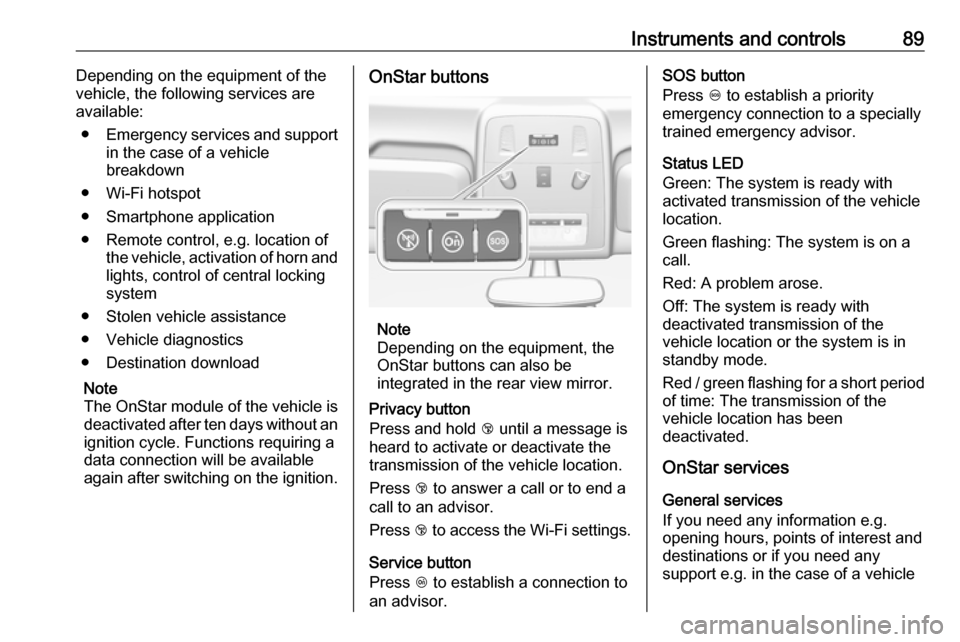
again after switching on the ignition.OnStar buttons
Note
Depending on the equipment, the
OnStar buttons can also be
integrated in the rear view mirror.
Privacy button
Press and hold j until a message is
heard to activate or deactivate the transmission of the vehicle location.
Press j to answer a call or to end a
call to an advisor.
Press j to access the Wi-Fi settings.
Service button
Press Z to establish a connection to
an advisor.
SOS button
Press [ to establish a priority
emergency connection to a specially
trained emergency advisor.
Status LED
Green: The system is ready with
activated transmission of the vehicle
location.
Green flashing: The system is on a
call.
Red: A problem arose.
Off: The system is ready with
deactivated transmission of the
vehicle location or the system is in standby mode.
Red / green flashing for a short period of time: The transmission of the
vehicle location has been
deactivated.
OnStar services
General services
If you need any information e.g.
opening hours, points of interest and
destinations or if you need any
support e.g. in the case of a vehicle
Page 92 of 205

90Instruments and controlsbreakdown, a flat tyre and empty fuel
tank, press Z to establish a
connection to an advisor.
Emergency services
In the case of an emergency situation,
press [ and talk to an advisor. The
advisor then contacts emergency or
assistance service providers and
directs them to your vehicle.
In the case of an accident with
activation of airbags or belt
tensioners, an automatic emergency
call is established. The advisor is
immediately connected to your
vehicle to see whether help is
needed.
Wi-Fi hotspot
The Wi-Fi hotspot of the vehicle
provides internet connectivity with a
maximum speed of 4G/LTE.
Note
The Wi-Fi hotspot functionality is not available for all markets.
Up to seven devices may be
connected.To connect a mobile device with the
Wi-Fi hotspot:
1. Press j and then select Wi-Fi
settings on the Info-Display. The settings displayed include the Wi- Fi hotspot name (SSID),
password and connection type.
2. Start a Wi-Fi network search on your mobile device.
3. Select your vehicle hotspot (SSID) when listed.
4. When prompted, enter the password on your mobile device.
Note
To change the SSID or password,
press Z and talk to an advisor or log
in to your account.
To switch off the Wi-Fi hotspot
functionality, press Z to call an
advisor.
Smartphone app
With the myOpel smartphone app,
some vehicle functions can be
operated remotely.The following functions are available:
● Lock or unlock vehicle.
● Honk horn or flash lights.
● Check fuel level, engine oil life and tyre pressure (only with tyre
pressure monitoring system).
● Send navigation destination to the vehicle, if equipped with a
built-in navigation system.
● Locate vehicle on a map.
● Manage Wi-Fi settings.
To operate these functions, download the app from App Store ®
or
Google Play™ Store.
Remote control
If desired, use any phone to call an
advisor, who can remotely operate
specific vehicle functions. Find the respective OnStar phone number on
our country-specific website.
The following functions are available: ● Lock or unlock vehicle.
● Provide information on the vehicle location.
● Honk horn or flash lights.
Page 95 of 205
Lighting93LightingExterior lighting............................ 93
Light switch ................................ 93
Automatic light control ...............94
High beam ................................. 95
High beam assist .......................95
Headlight flash ........................... 95
Headlight range adjustment ......96
Headlights when driving abroad ...................................... 96
Daytime running lights ...............97
Adaptive forward lighting ...........97
Hazard warning flashers ..........100
Turn lights ................................ 100
Front fog lights ......................... 101
Rear fog light ........................... 101
Parking lights ........................... 101
Reversing lights .......................102
Misted light covers ...................102
Interior lighting ........................... 102
Instrument panel illumination control ..................................... 102
Interior lights ............................ 102
Reading lights .......................... 103
Sunvisor lights ......................... 103Lighting features ........................104
Centre console lighting ............104
Entry lighting ............................ 104
Exit lighting .............................. 104
Battery discharge protection ....105Exterior lighting
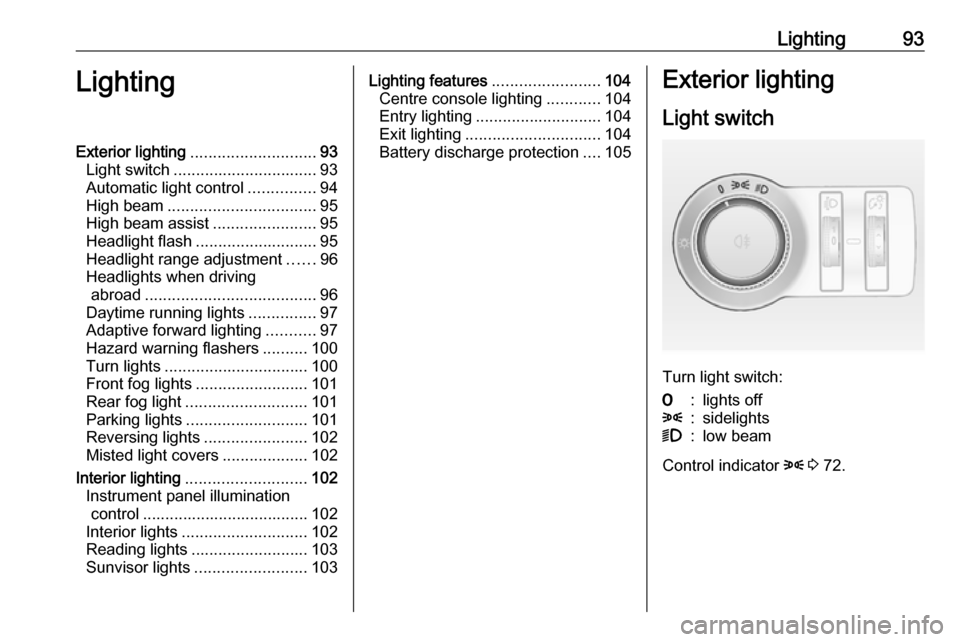
Light switch
Turn light switch:
7:lights off8:sidelights9:low beam
Control indicator 8 3 72.
Page 96 of 205
94LightingLight switch with automatic light
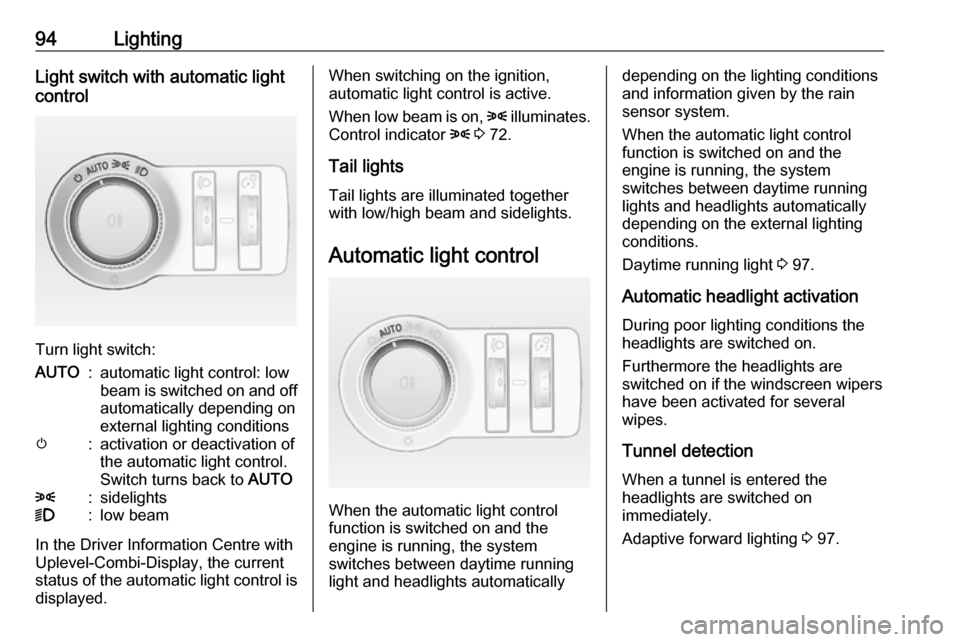
control
Turn light switch:
AUTO:automatic light control: low
beam is switched on and off automatically depending on
external lighting conditionsm:activation or deactivation of
the automatic light control.
Switch turns back to AUTO8:sidelights9:low beam
In the Driver Information Centre with
Uplevel-Combi-Display, the current
status of the automatic light control is
displayed.
When switching on the ignition,
automatic light control is active.
When low beam is on, 8 illuminates.
Control indicator 8 3 72.
Tail lights
Tail lights are illuminated together with low/high beam and sidelights.
Automatic light control
When the automatic light control
function is switched on and the
engine is running, the system
switches between daytime running
light and headlights automatically
depending on the lighting conditions
and information given by the rain
sensor system.
When the automatic light control
function is switched on and the
engine is running, the system
switches between daytime running
lights and headlights automatically
depending on the external lighting
conditions.
Daytime running light 3 97.
Automatic headlight activation
During poor lighting conditions the
headlights are switched on.
Furthermore the headlights are
switched on if the windscreen wipers
have been activated for several
wipes.
Tunnel detection When a tunnel is entered the
headlights are switched on
immediately.
Adaptive forward lighting 3 97.
Page 97 of 205
Lighting95High beam
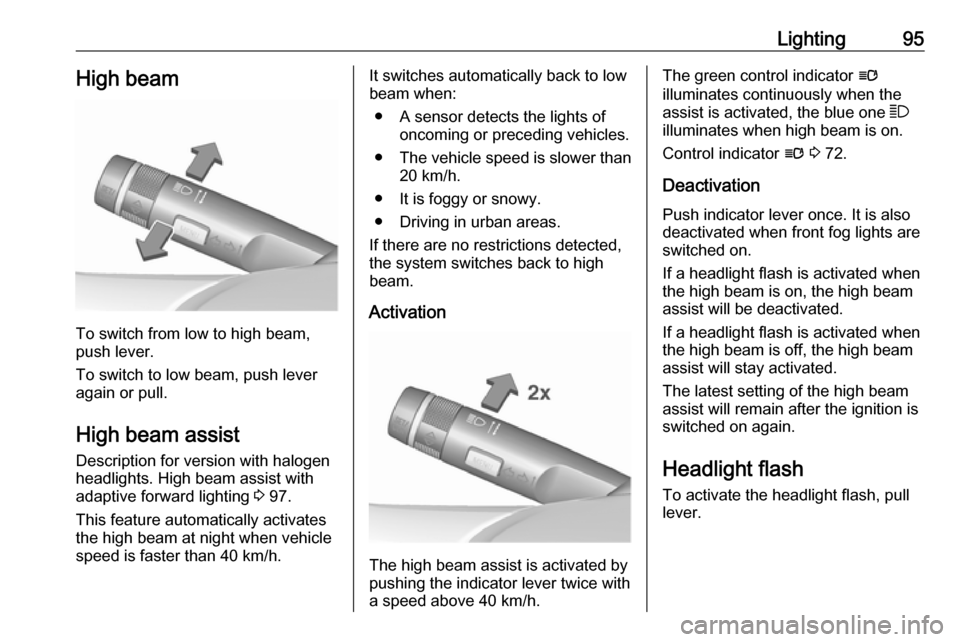
To switch from low to high beam,
push lever.
To switch to low beam, push lever
again or pull.
High beam assist Description for version with halogen
headlights. High beam assist with
adaptive forward lighting 3 97.
This feature automatically activates
the high beam at night when vehicle
speed is faster than 40 km/h.
It switches automatically back to low
beam when:
● A sensor detects the lights of oncoming or preceding vehicles.
● The vehicle speed is slower than
20 km/h.
● It is foggy or snowy.
● Driving in urban areas.
If there are no restrictions detected,
the system switches back to high
beam.
Activation
The high beam assist is activated by
pushing the indicator lever twice with
a speed above 40 km/h.
The green control indicator l
illuminates continuously when the
assist is activated, the blue one 7
illuminates when high beam is on.
Control indicator l 3 72.
Deactivation Push indicator lever once. It is also
deactivated when front fog lights are
switched on.
If a headlight flash is activated when
the high beam is on, the high beam
assist will be deactivated.
If a headlight flash is activated when
the high beam is off, the high beam
assist will stay activated.
The latest setting of the high beam
assist will remain after the ignition is
switched on again.
Headlight flash To activate the headlight flash, pull
lever.
Page 98 of 205
96LightingHeadlight range adjustment
Manual headlight range
adjustment
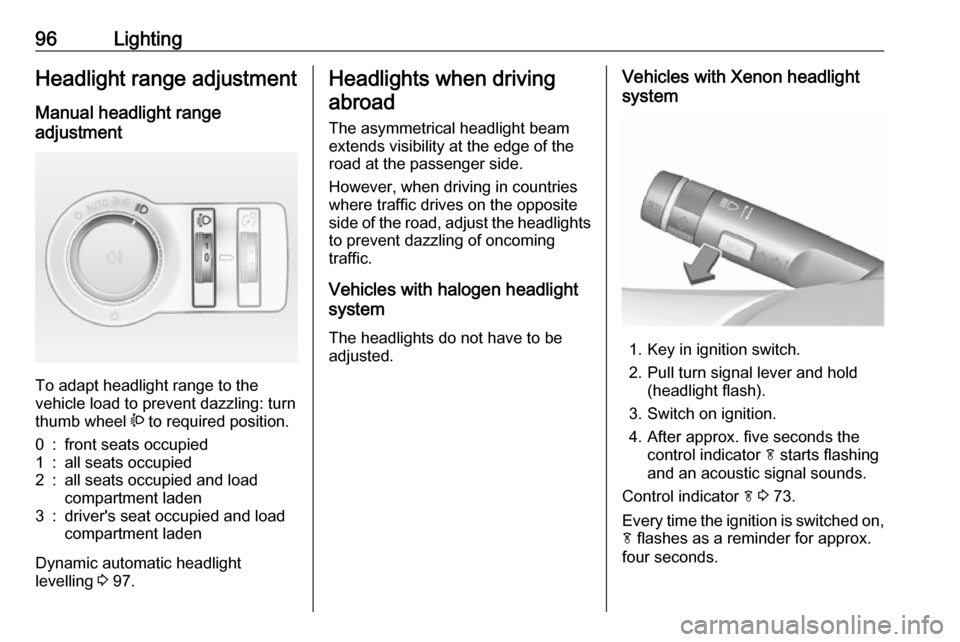
To adapt headlight range to the
vehicle load to prevent dazzling: turn
thumb wheel ? to required position.
0:front seats occupied1:all seats occupied2:all seats occupied and load
compartment laden3:driver's seat occupied and load
compartment laden
Dynamic automatic headlight
levelling 3 97.
Headlights when driving
abroad
The asymmetrical headlight beam
extends visibility at the edge of the
road at the passenger side.
However, when driving in countries
where traffic drives on the opposite
side of the road, adjust the headlights to prevent dazzling of oncoming
traffic.
Vehicles with halogen headlight
system
The headlights do not have to be adjusted.Vehicles with Xenon headlight
system
1. Key in ignition switch.
2. Pull turn signal lever and hold (headlight flash).
3. Switch on ignition.
4. After approx. five seconds the control indicator f starts flashing
and an acoustic signal sounds.
Control indicator f 3 73.
Every time the ignition is switched on,
f flashes as a reminder for approx.
four seconds.
Page 99 of 205

Lighting97For deactivation, operate the same
procedure as described above. f will
not flash when function is
deactivated.
Daytime running lights
Daytime running lights increase
visibility of the vehicle during daylight.
They are switched on automatically
when ignition is on.
If the vehicle is equipped with
automatic light control function, the
system switches between daytime running light and low/high beam
automatically depending on the
lighting conditions and information
given by the rain sensor system.
Automatic light control 3 94.
Adaptive forward lighting
The Adaptive forward lighting
functions are only available with Bi-
Xenon headlights. Light range, light
distribution and intensity of light are
variably triggered depending on the
light conditions, weather and road
type.With the light switch in position
AUTO all lighting functions are
available.
The following functions are available
also with light switch in position 9:
● dynamic curve lighting ● cornering light
● reversing function
● dynamic automatic headlight levelling
Playstreet lighting
Activated automatically at low speed
up to approx. 30 km/h. The light beam is turned at an angle of 8° to the
roadside.
Town lighting Activated automatically at a speed
range between approx. 40 and
55 km/h and when street lights are
detected by the light sensor. The light
range is reduced by an extended light
distribution.Country lighting
Activated automatically at a speed
range between approx. 55 and
115 km/h. The beam of light and the
brightness is different between the left and the right side.
Motorway lighting
Activated automatically at a speed
above approx. 115 km/h and minimal steering movements. It switches on
after a delay or directly when the vehicle is powerfully accelerated. The light beam is longer and brighter.
Adverse weather lighting
Activated automatically up to a speed of approx. 70 km/h, when the rain
sensor recognizes condensation or
the wiper operates continuously. The
range, distribution and light intensity
is regulated variably depending on visibility.
Page 100 of 205

98LightingDynamic curve lighting
The light beam pivots based on
steering wheel angle and speed,
improving lighting in curves.
Control indicator f 3 73.
Corner lighting
On tight bends or when turning off,
depending on the steering angle or
the turn signal light, an additional left
or right reflector is switched on which illuminates the road at a right angle to
the direction of travel. It is activated
up to a speed of 40 km/h.
Control indicator f 3 73.
Reversing function
If the headlights are on and reverse
gear is engaged, both corner lights
are switched on. They remain
illuminated for 20 seconds after
disengaging reverse gear or until
driving faster than 17 km/h in a
forward gear.
High Beam Assist
This feature allows high beam as
main driving light by night and when
vehicle speed is faster than 40 km/h.
It switches to low beam when: ● The camera in the windscreen detects the lights of oncoming or
preceding vehicles.
● The vehicle speed is slower than
20 km/h.
● It is foggy or snowy.
● Driving in urban areas.
If there are no restrictions detected, the system switches back to high
beam.Activation
The high beam assist is activated by
pushing the indicator lever twice with
a speed above 40 km/h.
The green control indicator l
illuminates continuously when the
assist is activated, the blue one 7
illuminates when high beam is on.
Control indicator l 3 72.
Deactivation
Push indicator lever once. It is also
deactivated when front fog lights are
switched on.