instrument cluster OPEL ASTRA J 2019 Manual user
[x] Cancel search | Manufacturer: OPEL, Model Year: 2019, Model line: ASTRA J, Model: OPEL ASTRA J 2019Pages: 205, PDF Size: 6.25 MB
Page 58 of 205

56Instruments and controlsInstruments and
controlsControls ....................................... 57
Steering wheel adjustment ........57
Steering wheel controls .............57
Heated steering wheel ...............57
Horn ........................................... 58
Windscreen wiper and washer ..58
Outside temperature ..................60
Clock ......................................... 60
Power outlets ............................. 62
Warning lights, gauges and indi‐ cators ........................................... 62
Instrument cluster ......................62
Speedometer ............................. 62
Odometer .................................. 63
Trip odometer ............................ 63
Tachometer ............................... 63
Fuel gauge ................................ 63
Engine coolant temperature gauge ....................................... 64
Service display .......................... 64
Control indicators ......................65
Turn lights .................................. 67
Seat belt reminder .....................68
Airbag and belt tensioners .........68Airbag deactivation ....................68
Charging system .......................68
Malfunction indicator light ..........69
Service vehicle soon .................69
Brake and clutch system ...........69
Operate pedal ............................ 69
Electric parking brake ................69
Electric parking brake fault ........70
Antilock brake system (ABS) .....70
Upshift ....................................... 70
Power steering .......................... 70
Parking assist ............................ 70
Electronic Stability Control off ...71
Electronic Stability Control and Traction Control system ...........71
Traction Control system off .......71
Exhaust filter .............................. 71
Tyre pressure monitoring system ...................................... 71
Engine oil pressure ....................72
Low fuel ..................................... 72
Immobiliser ................................ 72
Reduced engine power .............72
Exterior light .............................. 72
High beam ................................. 72
High beam assist .......................72
Adaptive forward lighting ...........73
Front fog lights ........................... 73
Rear fog light ............................. 73
Low washer fluid ........................73Cruise control............................ 73
Door open .................................. 73
Displays ....................................... 73
Driver Information Centre ..........73
Info Display ................................ 77
Vehicle messages ........................79
Warning chimes .........................81
Battery voltage .......................... 81
Trip computer ............................... 82
Vehicle personalisation ................84
Telematics service .......................88
OnStar ....................................... 88
Page 64 of 205
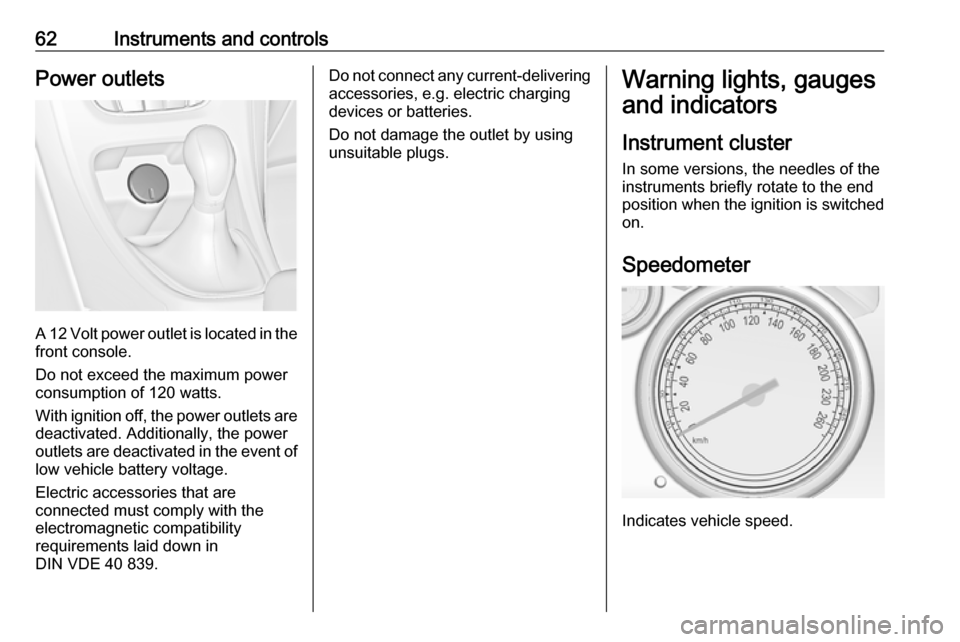
62Instruments and controlsPower outlets
A 12 Volt power outlet is located in the
front console.
Do not exceed the maximum power
consumption of 120 watts.
With ignition off, the power outlets are
deactivated. Additionally, the power
outlets are deactivated in the event of low vehicle battery voltage.
Electric accessories that are
connected must comply with the
electromagnetic compatibility
requirements laid down in
DIN VDE 40 839.
Do not connect any current-delivering
accessories, e.g. electric charging
devices or batteries.
Do not damage the outlet by using
unsuitable plugs.Warning lights, gauges
and indicators
Instrument cluster
In some versions, the needles of the
instruments briefly rotate to the end
position when the ignition is switched on.
Speedometer
Indicates vehicle speed.
Page 68 of 205

66Instruments and controlsControl indicators in the instrument cluster
Page 75 of 205
Instruments and controls73The high beam assist or intelligent
light range is activated 3 95,
3 97.
Adaptive forward lighting
f illuminates or flashes yellow.
Illuminates
Fault in system.
Seek the assistance of a workshop.
Flashes
System switched to symmetrical low
beam.
Control indicator f flashes for approx.
four seconds after the ignition is
switched on as a reminder that the
system has been activated 3 96.
Automatic light control 3 94.
Front fog lights
> illuminates green.
The front fog lights are on 3 101.Rear fog light
r illuminates yellow.
The rear fog light is on 3 101.
Low washer fluid G illuminates yellow.
The washer fluid level is low.
Washer fluid 3 143.
Cruise control m illuminates white or green.
Illuminates white The system is on.
Illuminates green
Cruise control is active.
Cruise control 3 130.
Door open
h illuminates red.
A door or the tailgate is open.Displays
Driver Information Centre
The Driver Information Centre is
located in the instrument cluster
between speedometer and
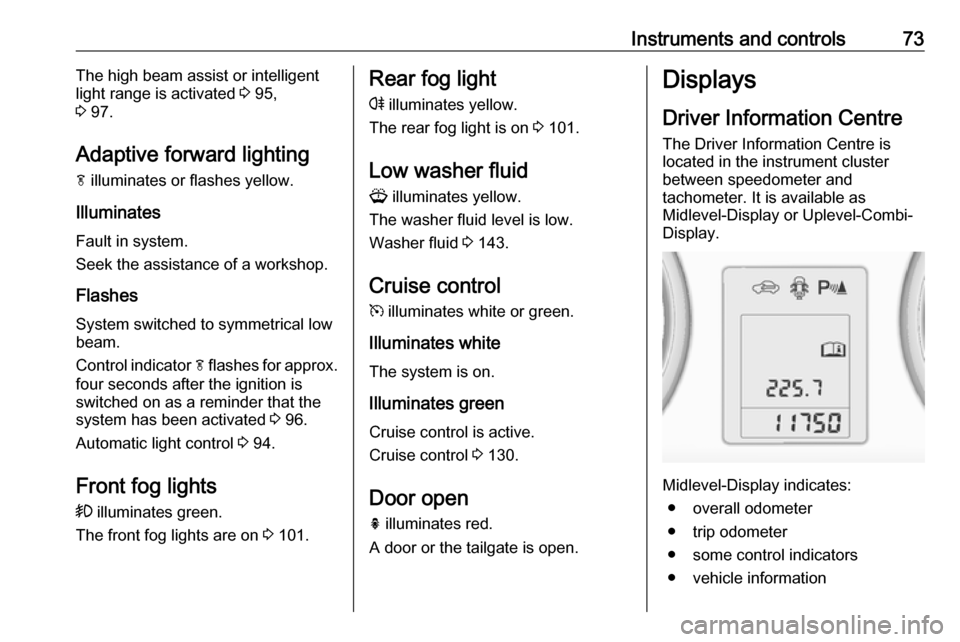
tachometer. It is available as
Midlevel-Display or Uplevel-Combi-
Display.
Midlevel-Display indicates:
● overall odometer
● trip odometer
● some control indicators
● vehicle information
Page 125 of 205

Driving and operating123The selected gear is indicated in theinstrument cluster.
If a higher gear is selected when
vehicle speed is too low, or a lower
gear when vehicle speed is too high,
the shift is not executed. This can
cause a message in the Driver
Information Centre.
In manual mode, no automatic
shifting to a higher gear takes place
at high engine revolutions.
Electronic driving programmes
● Following a cold start, the operating temperature
programme increases engine
speed to quickly bring the
catalytic converter to the required
temperature.
● The automatic neutral shift function automatically shifts to
idling when the vehicle is stopped
with a forward gear engaged and the brake pedal is pressed.● Special programmes automatically adapt the shifting
points when driving up inclines or down hills.
● When starting off in snowy or icy conditions or on other slippery
surfaces, the electronic
transmission control selects a
higher gear automatically.
Kickdown
If the accelerator pedal is pressed
down completely in automatic mode,
the transmission shifts to a lower gear
depending on engine speed.
Fault
In the event of a fault, control indicator g illuminates. Additionally, a code
number or a vehicle message is
displayed in the Driver Information
Centre. Vehicle messages 3 79.
The transmission no longer shifts
automatically. Continued travel is possible with manual shifting.Only the highest gear is available.
Depending on the fault, 2nd gear may also be available in manual mode.
Shift only when vehicle is at a
standstill.
Have the cause of the fault remedied
by a workshop.
Interruption of power supply In the event of an interruption of
power supply, the selector lever
cannot be moved out of the P
position. The ignition key cannot be removed from the ignition switch.
If the vehicle battery is discharged,
start the vehicle using jump leads
3 170.
If the vehicle battery is not the cause
of the fault, release the selector lever.
1. Apply the parking brake.
Page 132 of 205
130Driving and operatingDriver assistance
systems9 Warning
Driver assistance systems are
developed to support the driver
and not to replace the driver's
attention.
The driver accepts full
responsibility when driving the
vehicle.
When using driver assistance
systems, always take care
regarding the current traffic
situation.
Cruise control
The Cruise control can store and
maintain speeds of approx. 30 to
200 km/h. Deviations from the stored
speeds may occur when driving uphill or downhill.
For safety reasons, the cruise control cannot be activated until the brake
pedal has been operated once.
Activating in first gear is not possible.
Do not use the cruise control if it is not advisable to maintain a constant
speed.
With automatic transmission, only
activate cruise control in automatic
mode.
Control indicator m 3 73.
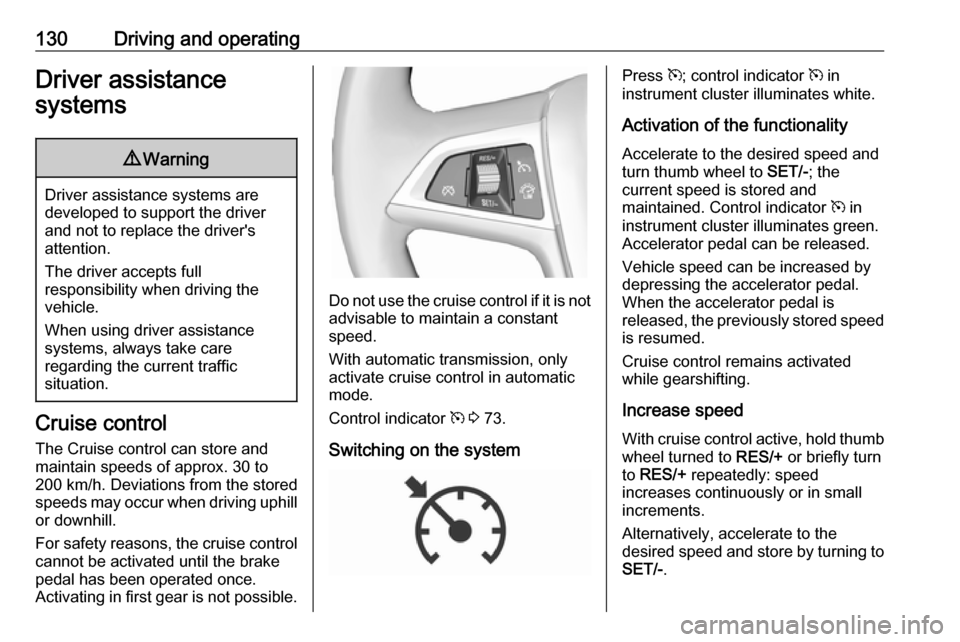
Switching on the system
Press m; control indicator m in
instrument cluster illuminates white.
Activation of the functionality Accelerate to the desired speed and
turn thumb wheel to SET/-; the
current speed is stored and
maintained. Control indicator m in
instrument cluster illuminates green.
Accelerator pedal can be released.
Vehicle speed can be increased by
depressing the accelerator pedal.
When the accelerator pedal is
released, the previously stored speed
is resumed.
Cruise control remains activated
while gearshifting.
Increase speed
With cruise control active, hold thumb
wheel turned to RES/+ or briefly turn
to RES/+ repeatedly: speed
increases continuously or in small
increments.
Alternatively, accelerate to the
desired speed and store by turning to SET/- .
Page 133 of 205
Driving and operating131
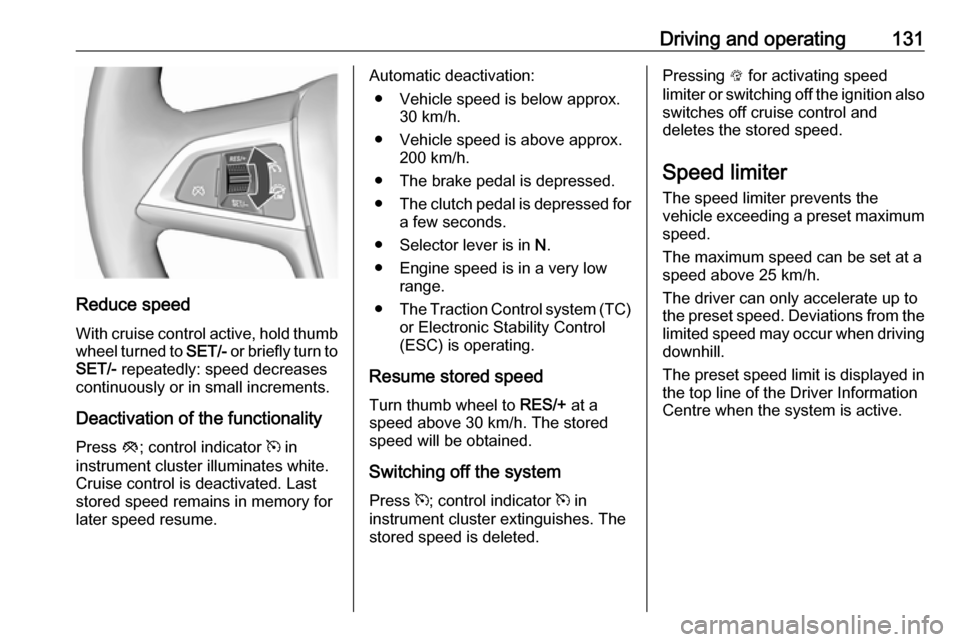
Reduce speedWith cruise control active, hold thumb
wheel turned to SET/- or briefly turn to
SET/- repeatedly: speed decreases
continuously or in small increments.
Deactivation of the functionality
Press y; control indicator m in
instrument cluster illuminates white.
Cruise control is deactivated. Last
stored speed remains in memory for
later speed resume.
Automatic deactivation:
● Vehicle speed is below approx. 30 km/h.
● Vehicle speed is above approx. 200 km/h.
● The brake pedal is depressed.
● The clutch pedal is depressed for
a few seconds.
● Selector lever is in N.
● Engine speed is in a very low range.
● The Traction Control system (TC)
or Electronic Stability Control
(ESC) is operating.
Resume stored speed
Turn thumb wheel to RES/+ at a
speed above 30 km/h. The stored
speed will be obtained.
Switching off the system
Press m; control indicator m in
instrument cluster extinguishes. The stored speed is deleted.Pressing L for activating speed
limiter or switching off the ignition also switches off cruise control and
deletes the stored speed.
Speed limiter
The speed limiter prevents the
vehicle exceeding a preset maximum
speed.
The maximum speed can be set at a
speed above 25 km/h.
The driver can only accelerate up to
the preset speed. Deviations from the limited speed may occur when driving
downhill.
The preset speed limit is displayed in
the top line of the Driver Information
Centre when the system is active.
Page 158 of 205

156Vehicle careNo.Circuit16Starter17Transmission control module18Heated rear window19Front power windows20Rear power windows21Rear electrical centre22Left high beam (Halogen)23Headlamp washer system24Right low beam (Xenon)25Left low beam (Xenon)26Front fog lights27–28–29Electric parking brake30ABS31–32AirbagNo.Circuit33Adaptive forward lighting/Auto‐
matic light control34Exhaust gas recirculation35Exterior mirror/Rain sensor36Climate control37Canister vent solenoid38Vacuum pump39Central control module40Windscreen washer41Right high beam (Halogen)42Radiator fan43Windscreen wiper44Windscreen wiper45Radiator fan46–47Horn48Radiator fan49Fuel pumpNo.Circuit50Headlamp levelling/Adaptive
forward lighting51Air shutter52–53Transmission control module/
Engine control module54Vacuum pump/Instrument
panel cluster/Heating ventila‐
tion/Air conditioning system
After having changed defective fuses,
close the fuse box cover and press
until it engages.
If the fuse box cover is not closed
correctly, malfunction may occur.
Page 159 of 205
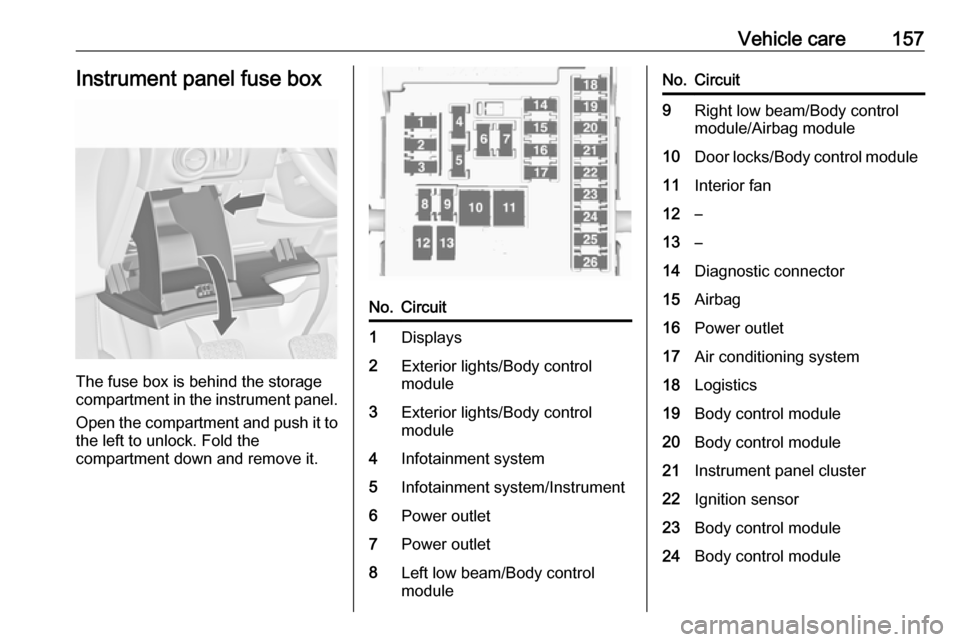
Vehicle care157Instrument panel fuse box
The fuse box is behind the storage
compartment in the instrument panel.
Open the compartment and push it to the left to unlock. Fold the
compartment down and remove it.
No.Circuit1Displays2Exterior lights/Body control
module3Exterior lights/Body control
module4Infotainment system5Infotainment system/Instrument6Power outlet7Power outlet8Left low beam/Body control
moduleNo.Circuit9Right low beam/Body control
module/Airbag module10Door locks/Body control module11Interior fan12–13–14Diagnostic connector15Airbag16Power outlet17Air conditioning system18Logistics19Body control module20Body control module21Instrument panel cluster22Ignition sensor23Body control module24Body control module
Page 178 of 205

176Vehicle carePaintwork damageRectify minor paintwork damage with
a touch-up pen before rust forms.
Have more extensive damage or rust
areas repaired by a workshop.
Underbody Some areas of the vehicle underbody
have a PVC undercoating while other
critical areas have a durable
protective wax coating.
After the underbody is washed, check
the underbody and have it waxed if
necessary.
Bitumen/rubber materials could
damage the PVC coating. Have
underbody work carried out by a
workshop.
Before and after winter, wash the
underbody and have the protective
wax coating checked.
Towing equipment Do not clean the coupling ball bar with
a steam-jet or high-pressure jet
cleaner.Air shutter
Clean the shutter system in the front
bumper to maintain correct
functionality.
Interior care
Interior and upholstery Only clean the vehicle interior,
including the instrument panel fascia
and panelling, with a dry cloth or
interior cleaner.
Clean the leather upholstery with
clear water and a soft cloth. In case of
heavy soiling, use leather care.
The instrument cluster and the
displays should only be cleaned using
a soft damp cloth. If necessary use a
weak soap solution.
Clean fabric upholstery with a
vacuum cleaner and brush. Remove
stains with an upholstery cleaner.
Clothing fabrics may not be
colourfast. This could cause visible discolourations, especially on light-coloured upholstery. Removable
stains and discolourations should be
cleaned as soon as possible.
Clean seat belts with lukewarm water or interior cleaner.Caution
Close Velcro fasteners as open
Velcro fasteners on clothing could
damage seat upholstery.
The same applies to clothing with
sharp-edged objects, like zips or
belts or studded jeans.
Plastic and rubber parts
Plastic and rubber parts can be
cleaned with the same cleaner as
used to clean the body. Use interior cleaner if necessary. Do not use any
other agent. Avoid solvents and petrol in particular. Do not use high-
pressure jet cleaners.