parking OPEL ASTRA K 2017 User Guide
[x] Cancel search | Manufacturer: OPEL, Model Year: 2017, Model line: ASTRA K, Model: OPEL ASTRA K 2017Pages: 305, PDF Size: 9.11 MB
Page 122 of 305
120Instruments and controlsDepending on the vehicle
configuration the vehicle has a
● Graphic-Info-Display
or
● 7'' Colour-Info-Display with
touchscreen functionality
or
● 8'' Colour-Info-Display with
touchscreen functionality
The vehicle has a 7'' Colour-Info-
Display with touchscreen
functionality.
The vehicle has a 8'' Colour-Info-
Display with touchscreen
functionality.
The Info displays can indicate: ● time 3 95
● outside temperature 3 95
● date 3 95
● Infotainment system, see description in the Infotainment
manual
● indication of rear view camera 3 207
● indication of parking assist instructions 3 198● navigation, see description in the
Infotainment manual
● system messages
● settings for vehicle personalisation 3 123
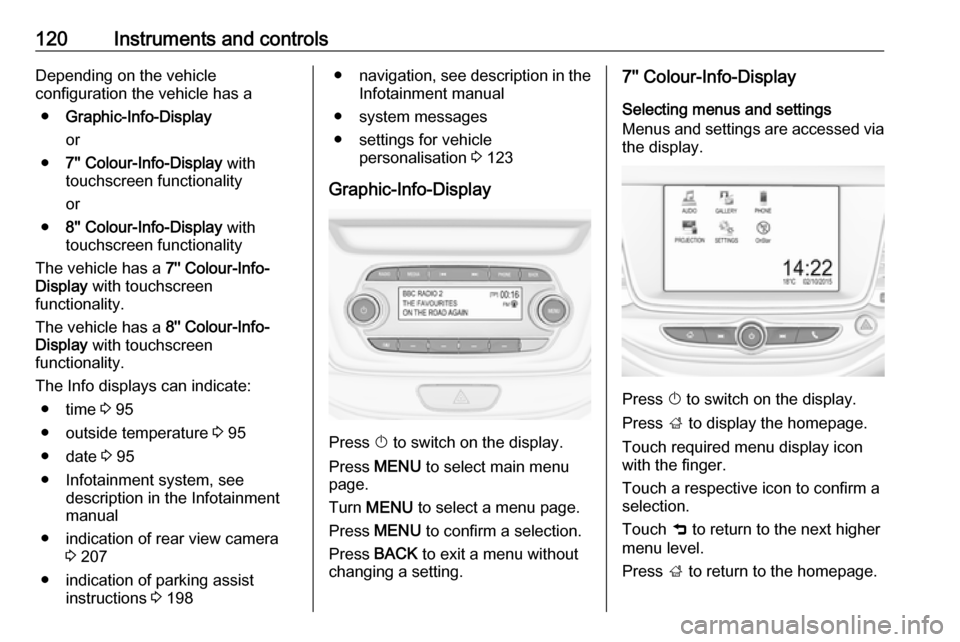
Graphic-Info-Display
Press X to switch on the display.
Press MENU to select main menu
page.
Turn MENU to select a menu page.
Press MENU to confirm a selection.
Press BACK to exit a menu without
changing a setting.
7'' Colour-Info-Display
Selecting menus and settings
Menus and settings are accessed via
the display.
Press X to switch on the display.
Press ; to display the homepage.
Touch required menu display icon
with the finger.
Touch a respective icon to confirm a
selection.
Touch 9 to return to the next higher
menu level.
Press ; to return to the homepage.
Page 124 of 305
122Instruments and controlsVehicle messagesMessages are indicated in the Driver
Information Centre, in some cases
together with a warning and signal
chime.
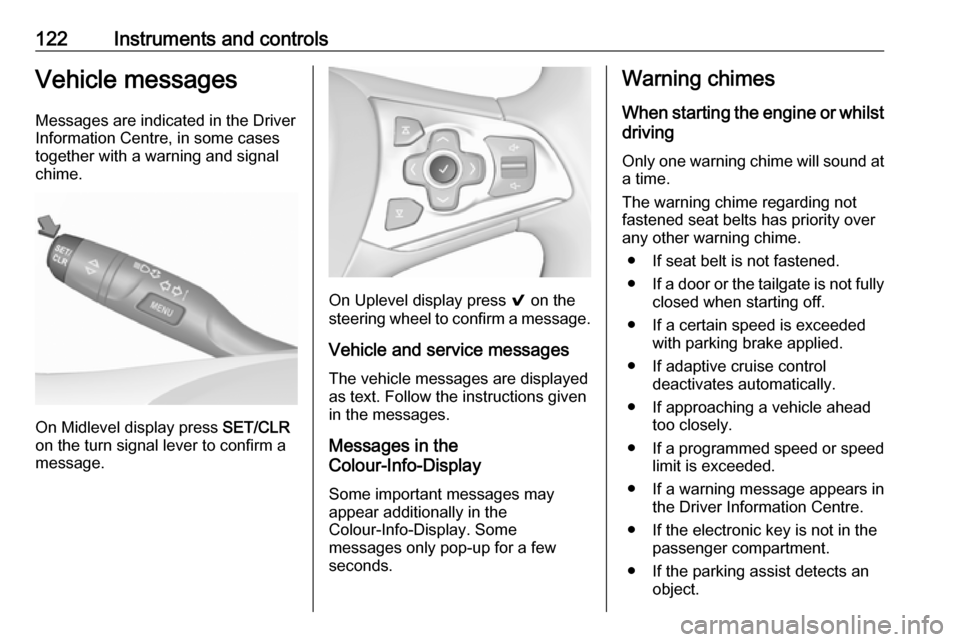
On Midlevel display press SET/CLR
on the turn signal lever to confirm a
message.
On Uplevel display press 9 on the
steering wheel to confirm a message.
Vehicle and service messages
The vehicle messages are displayed
as text. Follow the instructions given
in the messages.
Messages in the
Colour-Info-Display
Some important messages may
appear additionally in the
Colour-Info-Display. Some
messages only pop-up for a few
seconds.
Warning chimes
When starting the engine or whilstdriving
Only one warning chime will sound at a time.
The warning chime regarding not
fastened seat belts has priority over
any other warning chime.
● If seat belt is not fastened.
● If a door or the tailgate is not fully
closed when starting off.
● If a certain speed is exceeded with parking brake applied.
● If adaptive cruise control deactivates automatically.
● If approaching a vehicle ahead too closely.
● If a programmed speed or speed
limit is exceeded.
● If a warning message appears in the Driver Information Centre.
● If the electronic key is not in the passenger compartment.
● If the parking assist detects an object.
Page 126 of 305
124Instruments and controls
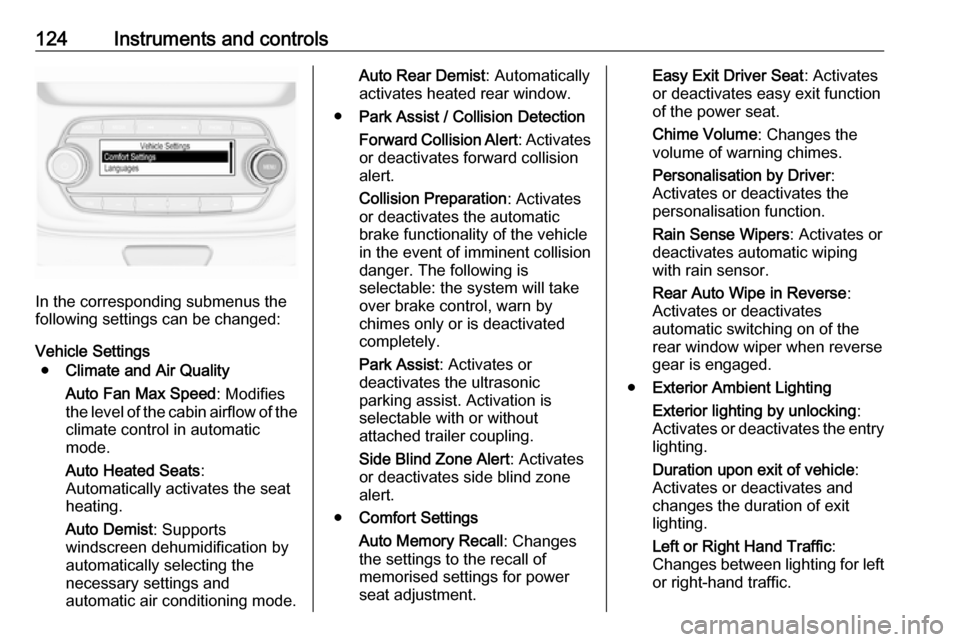
In the corresponding submenus the
following settings can be changed:
Vehicle Settings ● Climate and Air Quality
Auto Fan Max Speed : Modifies
the level of the cabin airflow of the climate control in automatic
mode.
Auto Heated Seats :
Automatically activates the seat
heating.
Auto Demist : Supports
windscreen dehumidification by
automatically selecting the
necessary settings and
automatic air conditioning mode.
Auto Rear Demist : Automatically
activates heated rear window.
● Park Assist / Collision Detection
Forward Collision Alert : Activates
or deactivates forward collision
alert.
Collision Preparation : Activates
or deactivates the automatic
brake functionality of the vehicle in the event of imminent collision
danger. The following is
selectable: the system will take
over brake control, warn by
chimes only or is deactivated
completely.
Park Assist : Activates or
deactivates the ultrasonic
parking assist. Activation is
selectable with or without
attached trailer coupling.
Side Blind Zone Alert : Activates
or deactivates side blind zone alert.
● Comfort Settings
Auto Memory Recall : Changes
the settings to the recall of
memorised settings for power
seat adjustment.Easy Exit Driver Seat : Activates
or deactivates easy exit function of the power seat.
Chime Volume : Changes the
volume of warning chimes.
Personalisation by Driver :
Activates or deactivates the
personalisation function.
Rain Sense Wipers : Activates or
deactivates automatic wiping
with rain sensor.
Rear Auto Wipe in Reverse :
Activates or deactivates
automatic switching on of the
rear window wiper when reverse
gear is engaged.
● Exterior Ambient Lighting
Exterior lighting by unlocking :
Activates or deactivates the entry
lighting.
Duration upon exit of vehicle :
Activates or deactivates and
changes the duration of exit
lighting.
Left or Right Hand Traffic :
Changes between lighting for left or right-hand traffic.
Page 128 of 305

126Instruments and controlsVehicle● Climate & Air Quality
Auto Fan Max Speed : Modifies
the level of the cabin airflow of the climate control in automatic
mode.
Auto Heated Seats :
Automatically activates the seat
heating.
Auto Defog : Supports
windscreen dehumidification by
automatically selecting the
necessary settings and
automatic air conditioning mode.
Auto Rear Defog : Automatically
activates heated rear window.
● Collision / Detection Systems
Forward Collision Alert :
Activates or deactivates forward
collision alert.
Auto Collision Preparation :
Activates or deactivates the
automatic brake functionality of
the vehicle in the event of
imminent collision danger. The
following is selectable: the
system will take over brakecontrol, warn by chimes only or is
deactivated completely.
Forward Collision System :
Changes the settings of forward
collision alert.
Park Assist : Activates or
deactivates the ultrasonic
parking assist. Activation is
selectable with or without
attached trailer coupling.
Go Notifier : Activates or
deactivates the reminder function
of the adaptive cruise control.
Side Blind Zone Alert : Activates
or deactivates side blind zone
alert.
● Comfort and Convenience
Auto Memory Recall : Changes
the settings to the recall of
memorised settings for power
seat adjustment.
Easy Exit Driver Seat : Activates
or deactivates easy exit function of the power seat.
Chime Volume : Changes the
volume of warning chimes.Personalization By Driver :
Activates or deactivates the
personalisation function.
Rain Sense Wipers : Activates or
deactivates automatic wiping
with rain sensor.
Auto Wipe in Reverse Gear :
Activates or deactivates automatic switching on of the
rear window wiper when reverse
gear is engaged.
● Lighting
Vehicle Locator Lights : Activates
or deactivates the entry lighting.
Exit Lighting : Activates or
deactivates and changes the
duration of exit lighting.
Left or Right Hand Traffic :
Changes between lighting for left or right-hand traffic.
Adaptive Forward Lighting :
Changes the settings of the
functions of the LED headlights.
● Power Door Locks
Unlocked Door Anti Lock Out :
Activates or deactivates the door
Page 130 of 305

128Instruments and controlsAuto Rear Demist: Automatically
activates heated rear window.
● Collision / Detection Systems
Forward Collision Alert : Activates
or deactivates forward collision
alert.
Auto Collision Preparation :
Activates or deactivates the
automatic brake functionality of
the vehicle in the event of
imminent collision danger. The
following is selectable: the
system will take over brake
control, warn by chimes only or is
deactivated completely.
Park Assist : Activates or
deactivates the ultrasonic
parking assist. Activation is
selectable with or without
attached trailer coupling.
Go Notifier : Activates or
deactivates the reminder function
of the adaptive cruise control.
Side Blind Zone Alert : Activates
or deactivates side blind zone alert.● Comfort and Convenience
Auto Memory Recall : Changes
the settings to the recall of
memorised settings for power
seat adjustment.
Easy Exit Driver Seat : Activates
or deactivates easy exit function
of the power seat.
Chime Volume : Changes the
volume of warning chimes.
Personalisation by Driver :
Activates or deactivates the
personalisation function.
Rainsense Wipers : Activates or
deactivates automatic wiping with rain sensor.
Auto Wipe in Reverse Gear :
Activates or deactivates
automatic switching on of the
rear window wiper when reverse gear is engaged.
● Lighting
Vehicle Locator Lights : Activates
or deactivates the entry lighting.
Exit Lighting : Activates or
deactivates and changes the
duration of exit lighting.Left or Right Hand Traffic :
Changes between lighting for left or right-hand traffic.
Adaptive Forward Lighting :
Changes the settings of the
functions of the LED headlights.
● Power Door Locks
Unlocked Door Anti-Lockout :
Activates or deactivates the door locking function while a door is
open.
Auto Door Lock : Activates or
deactivates the automatic door
locking function after switching
on ignition.
Delayed Door Lock : Activates or
deactivates the delayed door
locking function. This feature
delays the actual locking of the
doors until all doors are closed.
● Remote Lock, Unlock, Start
Remote Unlock Light Feedback :
Activates or deactivates the
hazard warning flasher feedback
whilst unlocking.
Remote Lock Feedback :
Changes what kind of feedback
is given when locking the vehicle.
Page 136 of 305
134LightingLightingExterior lighting.......................... 134
Light switch .............................. 134
Automatic light control .............135
High beam ............................... 135
Headlight flash ......................... 135
Headlight range adjustment ....135
Headlights when driving abroad .................................... 136
Daytime running lights .............136
LED headlights ........................ 136
Hazard warning flashers ..........139
Turn and lane-change signals . 140
Front fog lights ......................... 140
Rear fog light ........................... 141
Parking lights ........................... 141
Reversing lights .......................141
Misted light covers ...................141
Interior lighting ........................... 142
Instrument panel illumination control ..................................... 142
Interior lights ............................ 142
Reading lights .......................... 142
Sunvisor lights ......................... 143
Lighting features ........................143
Centre console lighting ............143Entry lighting ............................ 143
Exit lighting .............................. 143
Battery discharge protection ....144Exterior lighting
Light switch
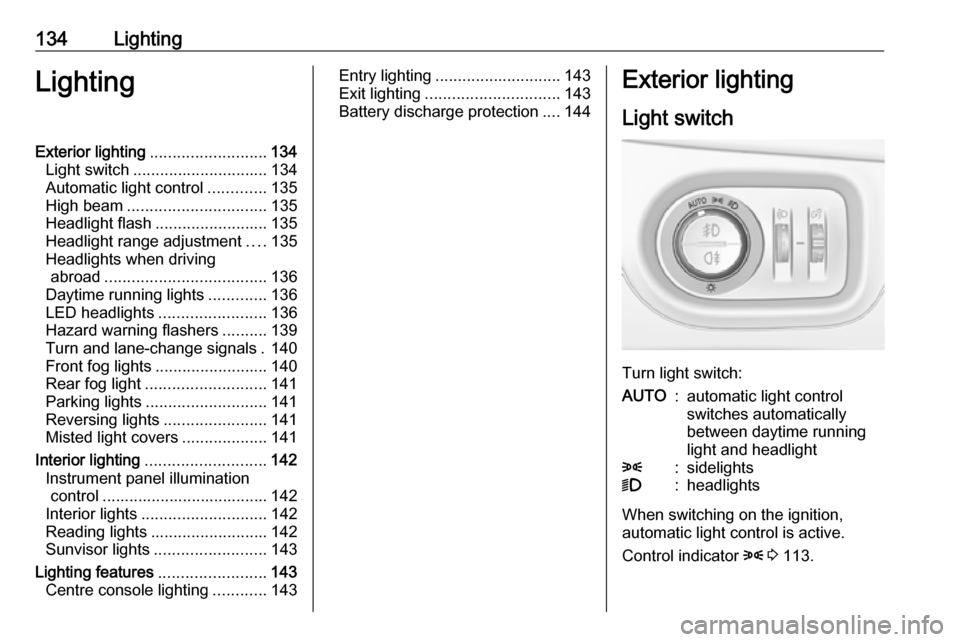
Turn light switch:
AUTO:automatic light control
switches automatically
between daytime running
light and headlight8:sidelights9:headlights
When switching on the ignition,
automatic light control is active.
Control indicator 8 3 113.
Page 139 of 305
Lighting137The following lighting functions are
available with light switch in position
AUTO or 9.
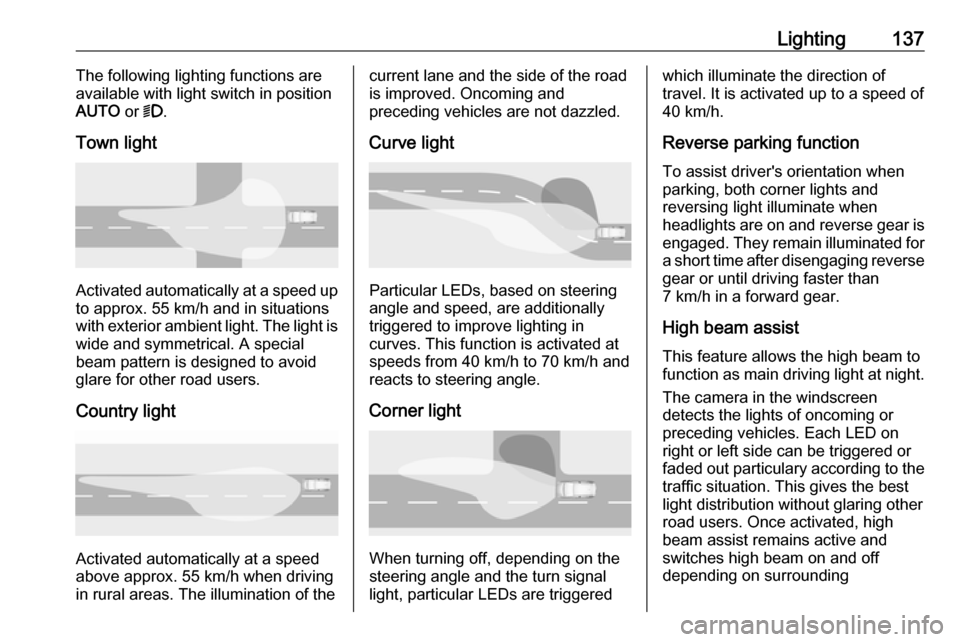
Town light
Activated automatically at a speed up to approx. 55 km/h and in situations
with exterior ambient light. The light is
wide and symmetrical. A special
beam pattern is designed to avoid
glare for other road users.
Country light
Activated automatically at a speed
above approx. 55 km/h when driving
in rural areas. The illumination of the
current lane and the side of the road is improved. Oncoming and
preceding vehicles are not dazzled.
Curve light
Particular LEDs, based on steering
angle and speed, are additionally
triggered to improve lighting in
curves. This function is activated at
speeds from 40 km/h to 70 km/h and
reacts to steering angle.
Corner light
When turning off, depending on the
steering angle and the turn signal light, particular LEDs are triggered
which illuminate the direction of
travel. It is activated up to a speed of
40 km/h.
Reverse parking function To assist driver's orientation when
parking, both corner lights and
reversing light illuminate when
headlights are on and reverse gear is
engaged. They remain illuminated for
a short time after disengaging reverse gear or until driving faster than
7 km/h in a forward gear.
High beam assist This feature allows the high beam to
function as main driving light at night.
The camera in the windscreen
detects the lights of oncoming or
preceding vehicles. Each LED on
right or left side can be triggered or
faded out particulary according to the
traffic situation. This gives the best
light distribution without glaring other
road users. Once activated, high
beam assist remains active and
switches high beam on and off
depending on surrounding
Page 141 of 305
Lighting139Pressing indicator lever once
switches on manual high beam
without high beam assist.
High beam assist switches
automatically to low beam when:
● Driving in urban areas.
● Reverse parking function is active.
● Front or rear fog lights are switched on.
If there are no restrictions detected, the system switches back to high
beam.
DeactivationIndicator lever with or without MENU
button
If high beam assist is active and high
beam is on, pull indicator lever once
to deactivate high beam assist.
If high beam assist is active and high
beam is off, push indicator lever twice
to deactivate high beam assist.
Pushing the indicator lever to activate manual high beam will also
deactivate high beam assist.Indicator lever with f button
If high beam assist is active and high
beam is on, press f once or pull
indicator lever once to deactivate high
beam assist.
If high beam assist is active and high
beam is off, press f once to
deactivate high beam assist.
Pushing the indicator lever to activate manual high beam will also
deactivate high beam assist.Headlight flash in conjunction with
high beam assist
Headlight flash by pulling indicator
lever once will not deactivate high beam assist when high beam is off.
Headlight flash by pulling indicator
lever once deactivates high beam
assist when high beam is on.
Dynamic automatic headlight
levelling
To prevent oncoming traffic from being dazzled, headlight levelling is
automatically adjusted based on
inclination information measured by
front and rear axle, acceleration or
deceleration and vehicle speed.
Headlights when driving abroad
3 136.
Fault in LED headlight system
When the system detects a failure in
the LED headlight system, it selects a preset position to avoid dazzling of
oncoming traffic. A warning is
displayed in the Driver Information Centre.
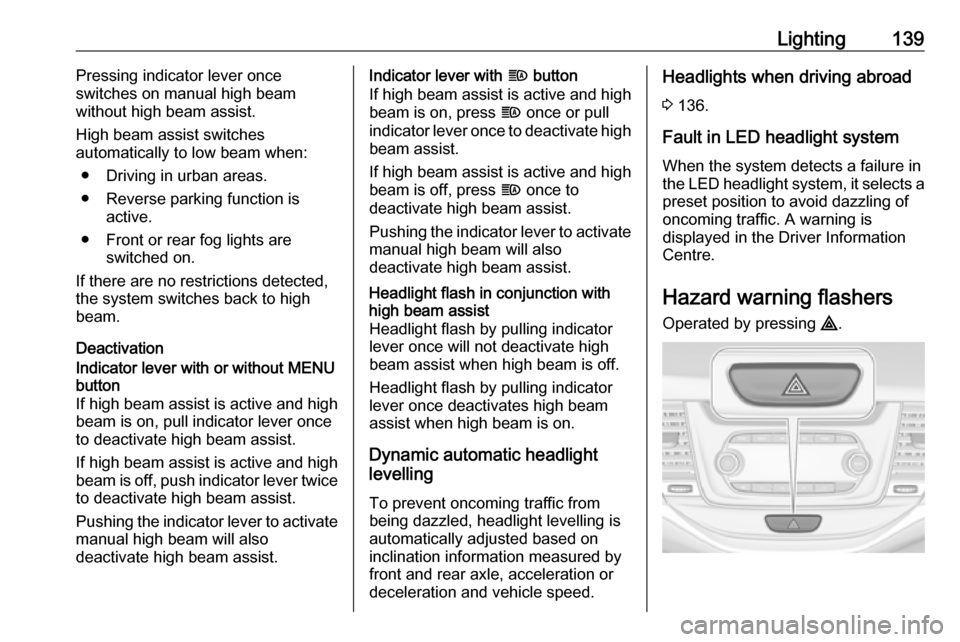
Hazard warning flashers
Operated by pressing ¨.
Page 143 of 305
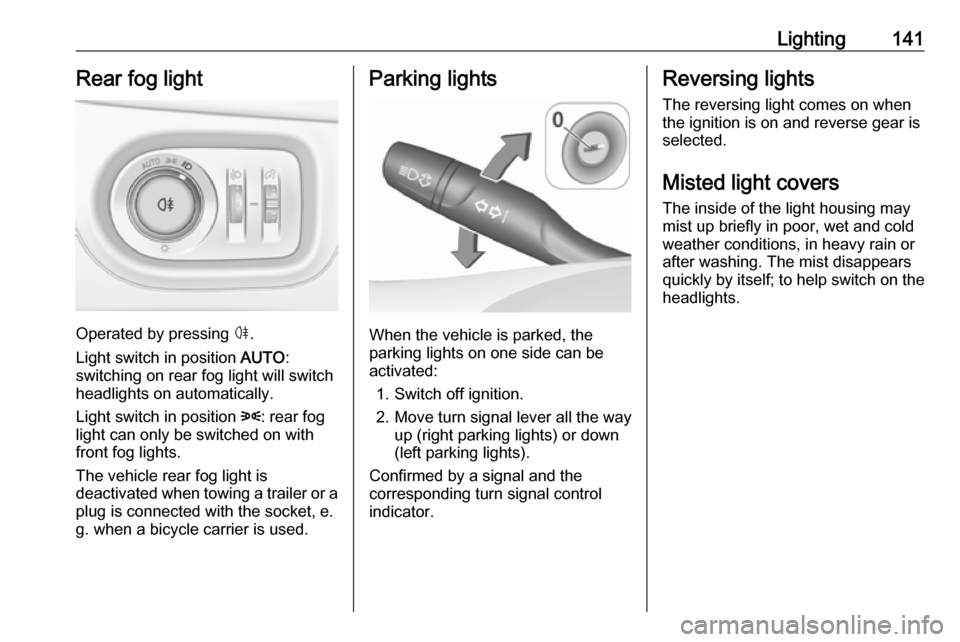
Lighting141Rear fog light
Operated by pressing ø.
Light switch in position AUTO:
switching on rear fog light will switch
headlights on automatically.
Light switch in position 8: rear fog
light can only be switched on with
front fog lights.
The vehicle rear fog light is
deactivated when towing a trailer or a
plug is connected with the socket, e.
g. when a bicycle carrier is used.
Parking lights
When the vehicle is parked, the
parking lights on one side can be
activated:
1. Switch off ignition.
2. Move turn signal lever all the way up (right parking lights) or down
(left parking lights).
Confirmed by a signal and the
corresponding turn signal control
indicator.
Reversing lights
The reversing light comes on when
the ignition is on and reverse gear is
selected.
Misted light covers
The inside of the light housing may
mist up briefly in poor, wet and cold weather conditions, in heavy rain or
after washing. The mist disappears
quickly by itself; to help switch on the
headlights.
Page 157 of 305

Driving and operating155Driving and
operatingDriving hints ............................... 156
Control of the vehicle ...............156
Steering ................................... 156
Starting and operating ...............156
New vehicle running-in ............156
Ignition switch positions ...........156
Power button ........................... 157
Retained power off ..................158
Starting the engine ..................159
Overrun cut-off ........................ 161
Stop-start system ....................161
Parking .................................... 164
Engine exhaust .......................... 165
Diesel particle filter ..................166
Catalytic converter ...................166
Automatic transmission ..............167
Transmission display ...............167
Selector lever .......................... 167
Manual mode ........................... 168
Electronic driving programmes 169
Fault ........................................ 169
Interruption of power supply ....169
Manual transmission ..................170Manual transmission automa‐
ted .............................................. 171
Transmission display ...............171
Selector lever .......................... 172
Manual mode ........................... 173
Electronic driving programmes 173
Fault ........................................ 173
Brakes ........................................ 174
Antilock brake system .............174
Parking brake .......................... 175
Brake assist ............................. 177
Hill start assist ......................... 177
Ride control systems .................177
Traction Control system ..........177
Electronic Stability Control ......178
Sport mode .............................. 179
Driver assistance systems .........180
Cruise control .......................... 180
Speed limiter ........................... 182
Adaptive cruise control ............184
Forward collision alert .............191
Following distance indication ...194
Active emergency braking .......195
Parking assist .......................... 198
Side blind spot alert .................205
Rear view camera ...................207
Traffic sign assistant ................209
Lane keep assist .....................213Fuel............................................ 215
Fuel for petrol engines .............215
Fuel for diesel engines ............215
Refuelling ................................ 215
Fuel consumption - CO 2-
Emissions ............................... 216
Trailer hitch ................................ 217
General information .................217
Driving characteristics and towing tips .............................. 218
Trailer towing ........................... 218
Towing equipment ...................219
Trailer stability assist ...............222