eco OPEL ASTRA K 2018.5 Owner's Manual
[x] Cancel search | Manufacturer: OPEL, Model Year: 2018.5, Model line: ASTRA K, Model: OPEL ASTRA K 2018.5Pages: 317, PDF Size: 9.58 MB
Page 5 of 317

Introduction3Vehicle specific dataPlease enter your vehicle's data on
the previous page to keep it easily
accessible. This information is
available in the sections "Service and
maintenance" and "Technical data"
as well as on the identification plate.
Introduction
Your vehicle is a designed
combination of advanced technology, safety, environmental friendliness
and economy.
This Owner's Manual provides you
with all the necessary information to
enable you to drive your vehicle
safely and efficiently.
Make sure your passengers are
aware of the possible risk of accident
and injury which may result from
improper use of the vehicle.
You must always comply with the
specific laws and regulations of the
country that you are in. These laws
may differ from the information in this Owner's Manual.
Disregarding the description given in
this manual may affect your warranty.When this Owner's Manual refers to a
workshop visit, we recommend your
Opel Service Partner.
For gas vehicles we recommend an
Opel Repairer authorised for
servicing gas vehicles.
All Opel Service Partners provide
first-class service at reasonable
prices. Experienced mechanics
trained by Opel work according to
specific Opel instructions.
The customer literature pack should
always be kept ready to hand in the
vehicle.
Using this manual ● This manual describes all options
and features available for this
model. Certain descriptions,
including those for display and
menu functions, may not apply to
your vehicle due to model
variant, country specifications,
special equipment or
accessories.
● The "In brief" section will give you
an initial overview.● The table of contents at the beginning of this manual and
within each section shows where the information is located.
● The index will enable you to search for specific information.
● This Owner's Manual depicts left-
hand drive vehicles. Operation is similar for right-hand drive
vehicles.
● The Owner's Manual uses the engine identifier code. The
corresponding sales designation
and engineering code can be
found in the section "Technical
data".
● Directional data, e.g. left or right, or front or back, always relate to
the direction of travel.
● Displays may not support your specific language.
● Display messages and interior labelling are written in bold
letters.
Page 13 of 317

In brief111Power windows .....................41
2 Exterior mirrors .....................39
3 Central locking system ..........24
4 Side air vents ...................... 155
5 Cruise control .....................185
Speed limiter ....................... 187
Adaptive cruise control .......189
Forward collision alert .........196
6 Turn and lane-change
signals, headlight flash,
low/high beam, high beam
assist ................................... 142
Exit lighting ......................... 145
Parking lights ...................... 143
Buttons for Driver
Information Centre ..............116
7 Instruments ........................ 104
Driver Information Centre .... 116
8 Buttons for Driver
Information Centre ..............116
9 Forward collision alert
indicator ............................. 19610Windscreen wiper and
washer, rear wiper and
washer ................................. 92
11 Centre air vents .................. 155
12 Info-Display ........................ 121
13 Anti-theft alarm system
status LED ........................... 36
14 Hazard warning flashers ....141
15 Glovebox .............................. 71
16 CD player
17 Controls for Info-Display
operation ............................. 121
18 Climate control system ........ 148
19 Fuse box ............................ 252
Power connector ..................99
20 Traction Control system .....182
Electronic Stability Control . 183
Sport mode ........................ 185
Parking assist/Advanced
parking assist .....................203
Lane keep assist ................218
Eco button for stop-start
system ................................. 163
Fuel selector ....................... 10621Manual transmission ..........176
Automatic transmission ......172
Manual transmission
automated ........................... 176
22 Power outlet .......................... 97
23 Parking brake ......................180
24 Power button ....................... 159
25 Ignition switch .....................158
26 Steering wheel adjustment ..91
27 Horn ..................................... 92
28 Bonnet release lever ..........233
29 Storage compartment ...........72
30 Light switch ........................ 136
Headlight range
adjustment ......................... 137
Front/rear fog lights ............142
Instrument illumination .......144
Page 20 of 317
18In briefStarting the engine
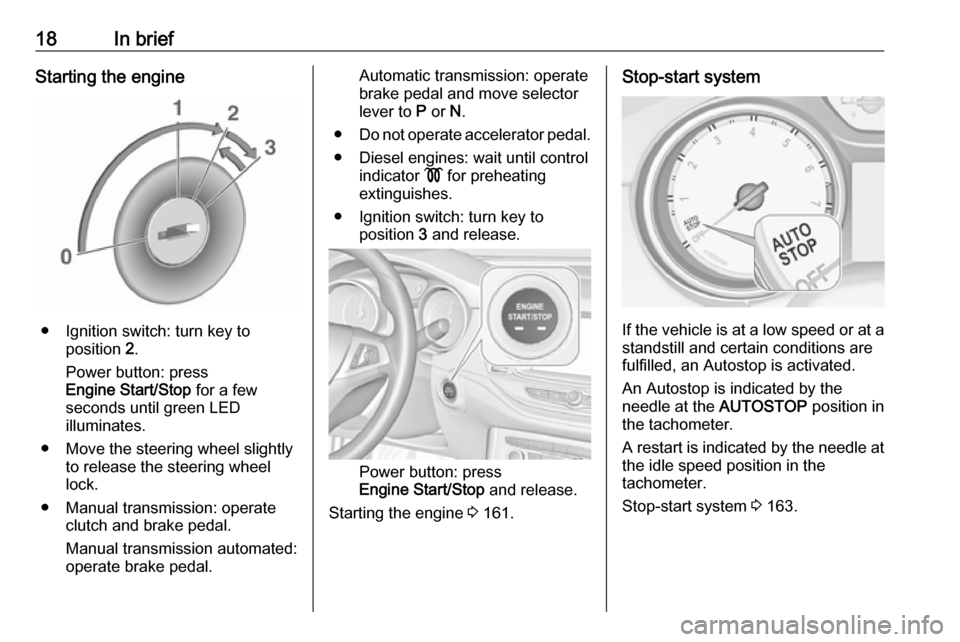
● Ignition switch: turn key toposition 2.
Power button: press
Engine Start/Stop for a few
seconds until green LED
illuminates.
● Move the steering wheel slightly to release the steering wheel
lock.
● Manual transmission: operate clutch and brake pedal.
Manual transmission automated:
operate brake pedal.
Automatic transmission: operate
brake pedal and move selector
lever to P or N.
● Do not operate accelerator pedal.
● Diesel engines: wait until control indicator ! for preheating
extinguishes.
● Ignition switch: turn key to position 3 and release.
Power button: press
Engine Start/Stop and release.
Starting the engine 3 161.
Stop-start system
If the vehicle is at a low speed or at a
standstill and certain conditions are
fulfilled, an Autostop is activated.
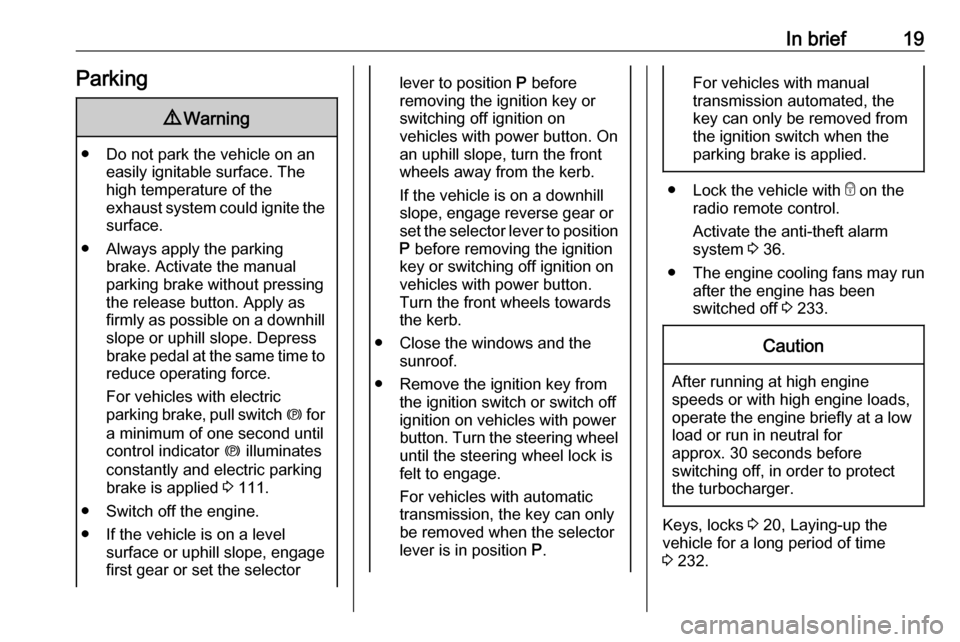
An Autostop is indicated by the
needle at the AUTOSTOP position in
the tachometer.
A restart is indicated by the needle at
the idle speed position in the
tachometer.
Stop-start system 3 163.
Page 21 of 317
In brief19Parking9Warning
● Do not park the vehicle on an
easily ignitable surface. The
high temperature of the
exhaust system could ignite the
surface.
● Always apply the parking brake. Activate the manual
parking brake without pressing the release button. Apply as
firmly as possible on a downhill slope or uphill slope. Depress
brake pedal at the same time to
reduce operating force.
For vehicles with electric
parking brake, pull switch m for
a minimum of one second until
control indicator m illuminates
constantly and electric parking
brake is applied 3 111.
● Switch off the engine. ● If the vehicle is on a level surface or uphill slope, engage
first gear or set the selector
lever to position P before
removing the ignition key or
switching off ignition on
vehicles with power button. On
an uphill slope, turn the front
wheels away from the kerb.
If the vehicle is on a downhill
slope, engage reverse gear or
set the selector lever to position
P before removing the ignition
key or switching off ignition on
vehicles with power button.
Turn the front wheels towards
the kerb.
● Close the windows and the sunroof.
● Remove the ignition key from the ignition switch or switch off
ignition on vehicles with power
button. Turn the steering wheel until the steering wheel lock is
felt to engage.
For vehicles with automatic
transmission, the key can only
be removed when the selector
lever is in position P.For vehicles with manual
transmission automated, the key can only be removed from
the ignition switch when the
parking brake is applied.
● Lock the vehicle with e on the
radio remote control.
Activate the anti-theft alarm
system 3 36.
● The engine cooling fans may run
after the engine has been
switched off 3 233.
Caution
After running at high engine
speeds or with high engine loads,
operate the engine briefly at a low load or run in neutral for
approx. 30 seconds before
switching off, in order to protect
the turbocharger.
Keys, locks 3 20, Laying-up the
vehicle for a long period of time
3 232.
Page 26 of 317
24Keys, doors and windows● Overload of the central lockingsystem by operating at frequent
intervals, the power supply is
interrupted for a short time.
● Interference from higher-power radio waves from other sources.
To rectify the cause of the fault,
change the position of the electronic
key.
Manual unlocking 3 24.
Memorised settings
Whenever the ignition is switched off,
the following settings are
automatically memorised by the
remote control unit or the electronic
key:
● automatic climate control
● lighting
● Infotainment system
● central locking system
● comfort settings
The saved settings are automatically used the next time the ignition is
switched on with the memorised key
of the remote control unit 3 158 or
electronic key 3 22.A precondition is that Personalisation
by Driver is activated in the personal
settings of the Info-Display. This must
be set for each remote control unit or
electronic key which is used. The
status change is available only after
locking and unlocking the vehicle.
The assigned memory position of the power seat is automatically recalled
when switching on ignition and Auto
Memory Recall is activated in the
Info-Display for the memorised
remote control or electronic key.
Power seat 3 50.
Vehicle personalisation 3 125.
Central locking system Unlocks and locks doors, load
compartment and fuel filler flap.
A pull on an interior door handle
unlocks the respective door. Pulling
the handle once more opens the door.
Note
In the event of an accident in which
airbags or belt pretensioners are
deployed, the vehicle is
automatically unlocked.Note
A short time after unlocking with the
remote control the doors are locked
automatically if no door has been
opened. A precondition is that the
setting is activated in the vehicle
personalisation 3 125.
Remote control operation
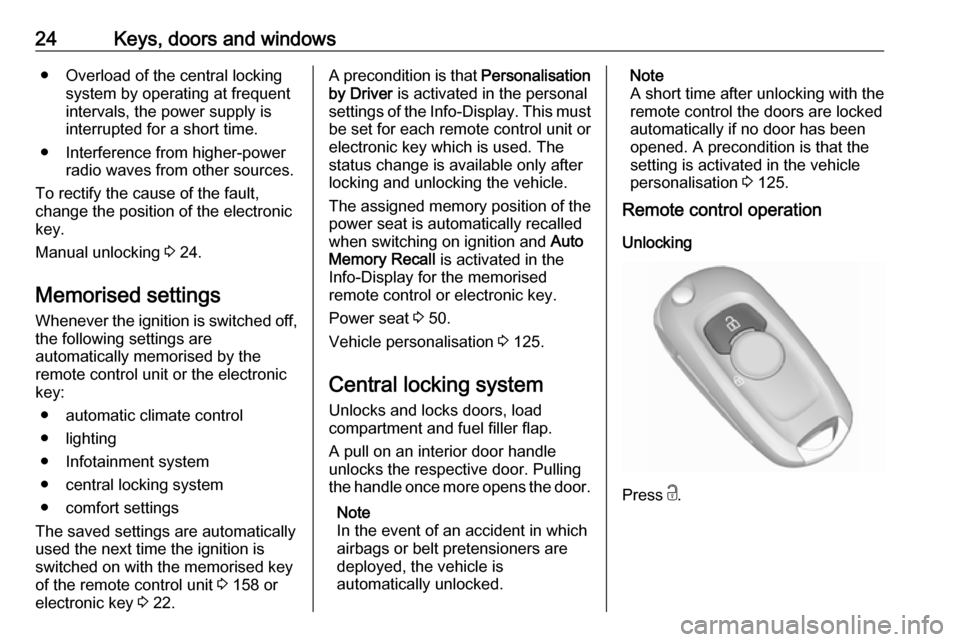
Unlocking
Press c.
Page 27 of 317
Keys, doors and windows25Unlocking mode can be set in the
vehicle personalisation menu in the
Info Display. Two settings are
selectable:
● All doors, load compartment and fuel filler flap will be unlocked by
pressing c once.
● Only the driver's door and fuel filler flap will be unlocked by
pressing c once. To unlock all
doors and load compartment,
press c twice.
Select the relevant setting in Settings,
I Vehicle in the Info-Display.
Info-Display 3 121.
Vehicle personalisation 3 125.
The setting can be saved for the remote control being used.
Memorised settings 3 24.
Unlocking and opening the tailgate 3 30.
Locking
Close doors, load compartment and
fuel filler flap.
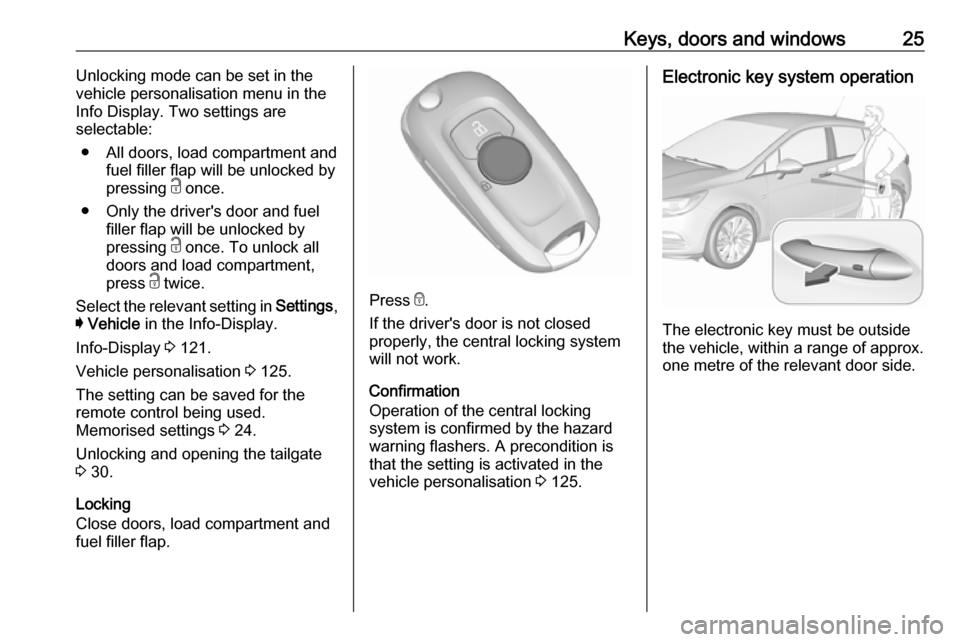
Press e.
If the driver's door is not closed
properly, the central locking system
will not work.
Confirmation
Operation of the central locking
system is confirmed by the hazard
warning flashers. A precondition is
that the setting is activated in the
vehicle personalisation 3 125.
Electronic key system operation
The electronic key must be outside
the vehicle, within a range of approx. one metre of the relevant door side.
Page 28 of 317
26Keys, doors and windowsUnlocking
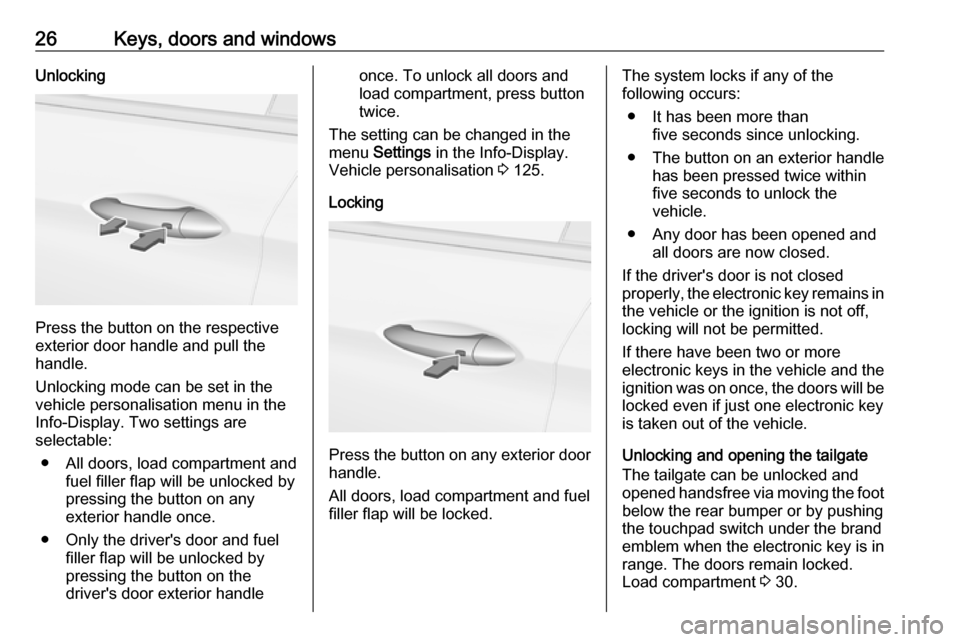
Press the button on the respective
exterior door handle and pull the
handle.
Unlocking mode can be set in the
vehicle personalisation menu in the
Info-Display. Two settings are
selectable:
● All doors, load compartment and fuel filler flap will be unlocked by
pressing the button on any
exterior handle once.
● Only the driver's door and fuel filler flap will be unlocked by
pressing the button on the
driver's door exterior handle
once. To unlock all doors and
load compartment, press button
twice.
The setting can be changed in the
menu Settings in the Info-Display.
Vehicle personalisation 3 125.
Locking
Press the button on any exterior door
handle.
All doors, load compartment and fuel
filler flap will be locked.
The system locks if any of the
following occurs:
● It has been more than five seconds since unlocking.
● The button on an exterior handle has been pressed twice within
five seconds to unlock the
vehicle.
● Any door has been opened and all doors are now closed.
If the driver's door is not closed
properly, the electronic key remains in the vehicle or the ignition is not off,
locking will not be permitted.
If there have been two or more
electronic keys in the vehicle and the
ignition was on once, the doors will be
locked even if just one electronic key
is taken out of the vehicle.
Unlocking and opening the tailgate
The tailgate can be unlocked and
opened handsfree via moving the foot below the rear bumper or by pushing
the touchpad switch under the brand
emblem when the electronic key is in
range. The doors remain locked.
Load compartment 3 30.
Page 29 of 317
Keys, doors and windows27Operation with buttons on the
electronic key
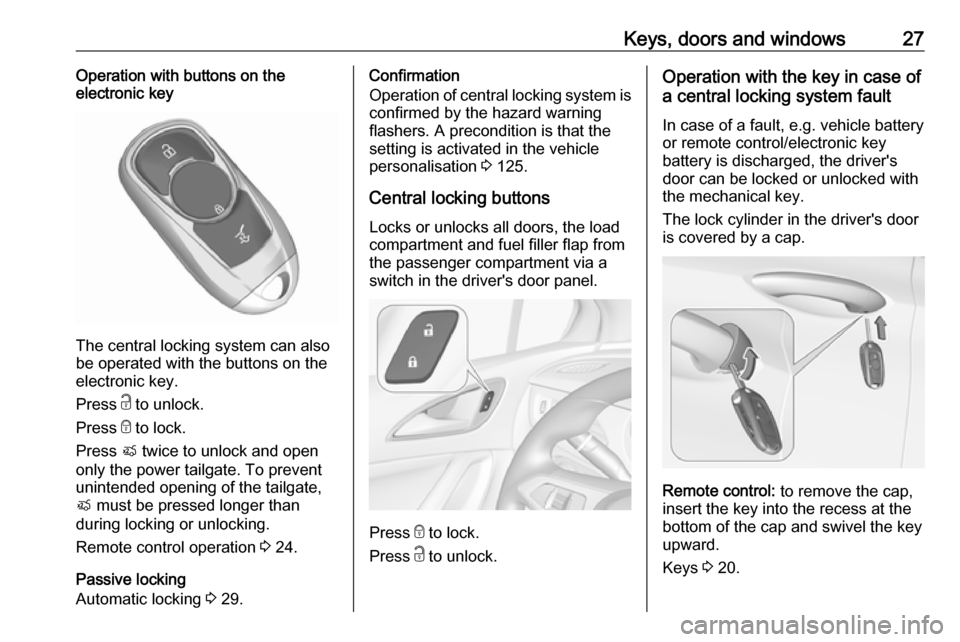
The central locking system can also
be operated with the buttons on the
electronic key.
Press c to unlock.
Press e to lock.
Press X twice to unlock and open
only the power tailgate. To prevent
unintended opening of the tailgate,
X must be pressed longer than
during locking or unlocking.
Remote control operation 3 24.
Passive locking
Automatic locking 3 29.
Confirmation
Operation of central locking system is
confirmed by the hazard warning
flashers. A precondition is that the
setting is activated in the vehicle
personalisation 3 125.
Central locking buttons Locks or unlocks all doors, the load
compartment and fuel filler flap from
the passenger compartment via a
switch in the driver's door panel.
Press e to lock.
Press c to unlock.
Operation with the key in case of
a central locking system fault
In case of a fault, e.g. vehicle battery
or remote control/electronic key
battery is discharged, the driver's
door can be locked or unlocked with
the mechanical key.
The lock cylinder in the driver's door
is covered by a cap.
Remote control: to remove the cap,
insert the key into the recess at the
bottom of the cap and swivel the key
upward.
Keys 3 20.
Page 31 of 317

Keys, doors and windows29
After locking, cover the lock cylinder
with the cap: insert the cap with the
lower side in the recesses, swivel and
push the cap until it engages at the
upper side.
Automatic lockingAutomatic locking after driving off
This security feature can be
configured to automatically lock all
doors, load compartment and fuel
filler flap after driving off and
exceeding a certain speed.
When at a standstill after driving, the
vehicle will be unlocked automatically
as soon as the key is removed from
the ignition switch, or with electronic
key system when the ignition is
switched off.
Activation or deactivation of
automatic locking can be set in the
menu Settings , I Vehicle in the Info-
Display.
Info-Display 3 121.
Vehicle personalisation 3 125.
The setting can be saved for the
remote control or electronic key being used 3 24.
Automatic relock after unlocking This feature can be configured to
automatically lock all doors, load
compartment and fuel filler flap a
short time after unlocking with the
remote control or electronic key,
provided no door has been opened.
Activation or deactivation of
automatic relock can be set in the
menu Settings , I Vehicle in the Info-
Display.
Info-Display 3 121.Vehicle personalisation 3 125.
The setting can be saved for the
remote control or electronic key being used 3 24.
Passive locking
On vehicles with electronic key
system, this feature locks the vehicle
automatically after several seconds if an electronic key has been
recognised previously inside the
vehicle, all doors have then been
closed and the electronic key does
not remain within the vehicle.
If the electronic key remains in the
vehicle or the ignition is not off,
passive locking will not be permitted.
If there have been two or more
electronic keys in the vehicle and the
ignition was on once, the feature
locks the vehicle if just one electronic
key is taken out of the vehicle.
To prevent passive locking of the
vehicle e.g. when refuelling or if
passengers remain in the vehicle, the system must be disabled.
Page 32 of 317
30Keys, doors and windowsTo disable the system, press the
central locking button c for a few
seconds while one door is open. An
acoustic signal sounds three times to confirm deactivation. The function
remains disabled until the central
locking button e is pressed or the
ignition is switched on.
Activation or deactivation of passive
locking can be set in the menu
Settings , I Vehicle in the Info-Display.
Info-Display 3 121.
Vehicle personalisation 3 125.
The setting can be saved for the
electronic key being used 3 24.Child locks9 Warning
Use the child locks whenever
children are occupying the rear
seats.
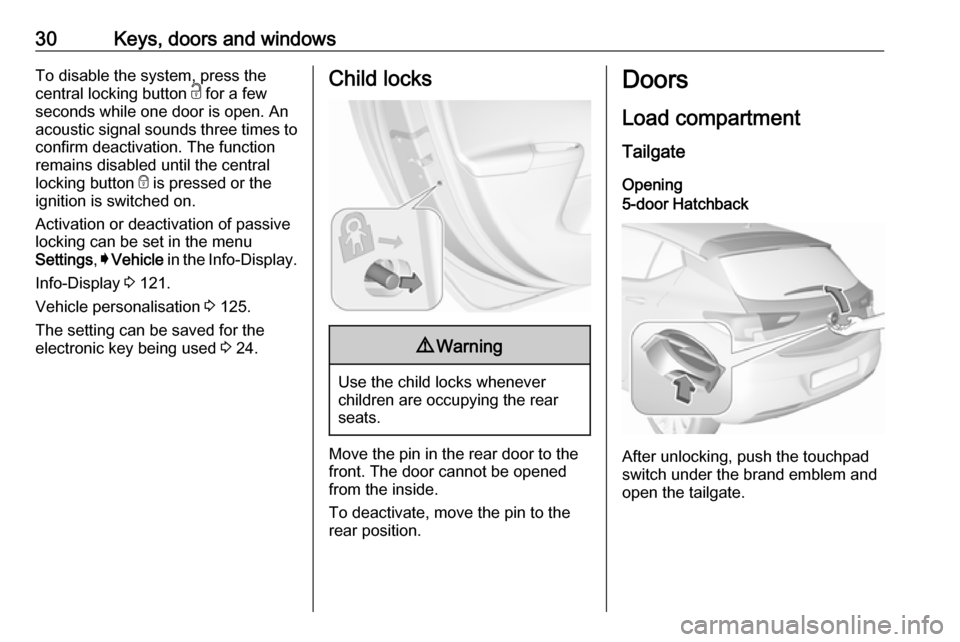
Move the pin in the rear door to the front. The door cannot be openedfrom the inside.
To deactivate, move the pin to the
rear position.
Doors
Load compartment
Tailgate Opening5-door Hatchback
After unlocking, push the touchpad
switch under the brand emblem and
open the tailgate.