Automatic OPEL ASTRA K 2018 Owner's Guide
[x] Cancel search | Manufacturer: OPEL, Model Year: 2018, Model line: ASTRA K, Model: OPEL ASTRA K 2018Pages: 313, PDF Size: 9.35 MB
Page 54 of 313

52Seats, restraintsAdjustable thigh support
Pull the lever and slide the thigh
support.
Side bolster
Adjust seat backrest width to suit
personal requirements.
Press e to reduce backrest width.
Press d to increase backrest width.
Memory function for power seat adjustment
Two different driver's seat settings
can be stored.
Memorised settings 3 24, Vehicle
personalisation 3 125.
Storing memory position
● Adjust driver's seat to desired position.
● Press and hold MEM and 1 or 2
simultaneously until a chime sounds.
Recall of memory positions
Press and hold 1 or 2 until the stored
seat position has been reached.
Releasing the button during seat
movement cancels the recall.
Automatic recall of memory positions
Memory positions are assigned to the driver (1 or 2) using the respective key
and are automatically recalled when
Page 55 of 313

Seats, restraints53the ignition is switched on. In addition,
a message in the Driver Information
Centre indicates the driver number,
identified by the used key. If the
ignition is switched on more than
three subsequent times with the
same key, the message will not be
displayed again until another key is
being used.
To stop recall movement, press one
of the memory or power seat controls.
Precondition is that Personalisation
by Driver and Auto Memory Recall is
activated in the personal settings of
the Info-Display.
This function can be activated or
deactivated in the vehicle
personalisation.
Select the relevant setting in the Vehicle menu in the Info-Display.
Info-Display 3 121.
Vehicle personalisation 3 125.
Easy exit function
For a convenient exit out of the
vehicle, the power driver seat moves
rearwards when vehicle is stationary.To activate the easy exit function:
● set selector lever to position P
(automatic transmission)
● apply parking brake (manual transmission)
● switch off ignition
● remove key from the ignition switch
● open the driver's door
If the door is already open, switch off
ignition to activate easy exit.
To stop movement, press one of the memory or power seat controls.
This function can be activated or
deactivated in the vehicle
personalisation.
Select the relevant setting in the Vehicle menu in the Info-Display.
Info-Display 3 121.
Vehicle personalisation 3 125.
Safety function
If the driver's seat encounters
resistance during movement, the
recall may stop. After removing the
obstruction, press and hold the
appropriate memory position buttonfor two seconds. Try recalling the
memory position again. If the recall
does not operate, consult a
workshop.
Overload
If the seat setting is electrically
overloaded, the power supply is
automatically cut-off for a short time.
Note
After an accident in which airbags
have been deployed, the memory
function for each position button will
be deactivated.
Armrest
Page 56 of 313
54Seats, restraintsThe armrest can be slid forwards by
10 cm. Under the armrest there is a
storage compartment.
Armrest storage 3 72.
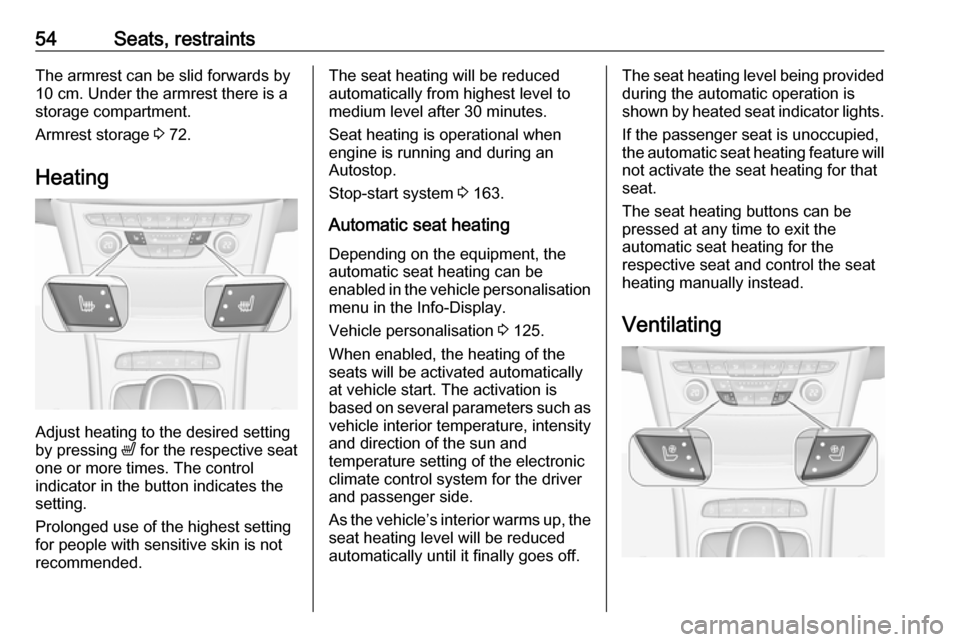
Heating
Adjust heating to the desired setting
by pressing ß for the respective seat
one or more times. The control
indicator in the button indicates the
setting.
Prolonged use of the highest setting
for people with sensitive skin is not
recommended.
The seat heating will be reduced
automatically from highest level to
medium level after 30 minutes.
Seat heating is operational when
engine is running and during an
Autostop.
Stop-start system 3 163.
Automatic seat heating Depending on the equipment, the
automatic seat heating can be
enabled in the vehicle personalisation
menu in the Info-Display.
Vehicle personalisation 3 125.
When enabled, the heating of the
seats will be activated automatically
at vehicle start. The activation is
based on several parameters such as vehicle interior temperature, intensity
and direction of the sun and
temperature setting of the electronic
climate control system for the driver
and passenger side.
As the vehicle’s interior warms up, the seat heating level will be reduced
automatically until it finally goes off.The seat heating level being provided
during the automatic operation is
shown by heated seat indicator lights.
If the passenger seat is unoccupied,
the automatic seat heating feature will not activate the seat heating for that
seat.
The seat heating buttons can be
pressed at any time to exit the
automatic seat heating for the
respective seat and control the seat
heating manually instead.
Ventilating
Page 57 of 313
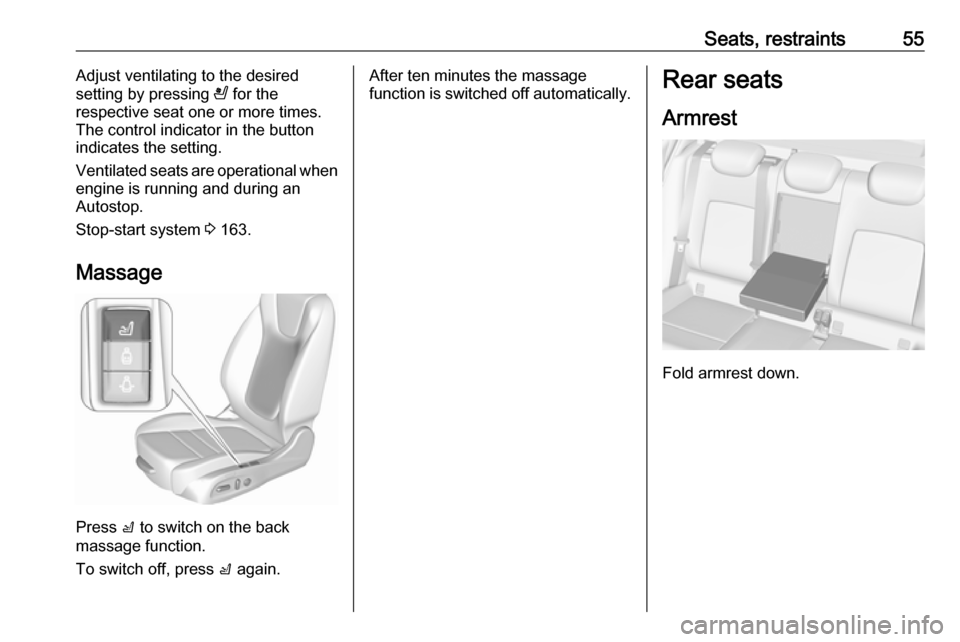
Seats, restraints55Adjust ventilating to the desired
setting by pressing A for the
respective seat one or more times.
The control indicator in the button
indicates the setting.
Ventilated seats are operational when
engine is running and during an
Autostop.
Stop-start system 3 163.
Massage
Press c to switch on the back
massage function.
To switch off, press c again.
After ten minutes the massage
function is switched off automatically.Rear seats
Armrest
Fold armrest down.
Page 82 of 313
80StorageOpening roller blind
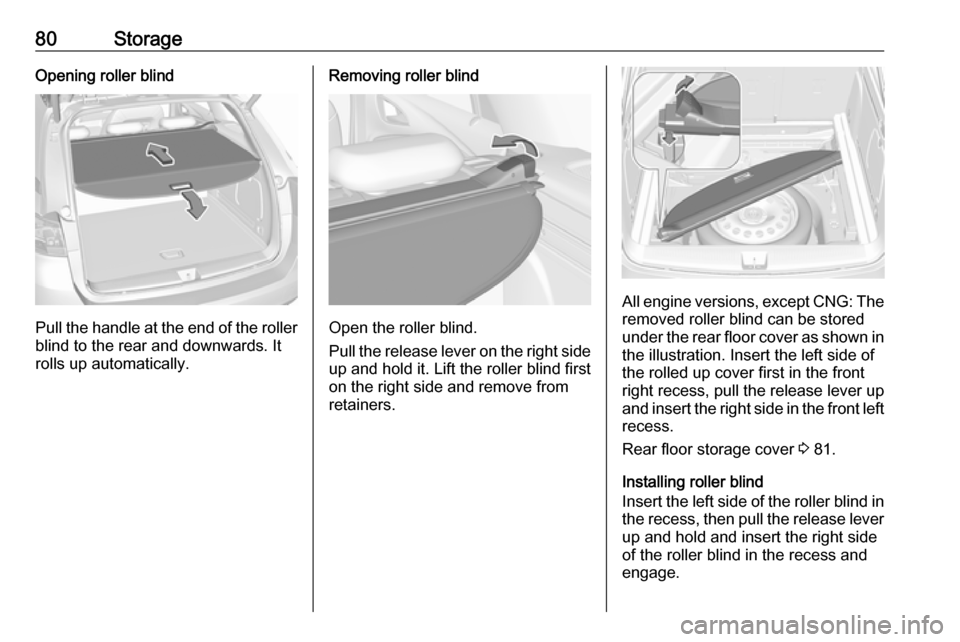
Pull the handle at the end of the rollerblind to the rear and downwards. It
rolls up automatically.
Removing roller blind
Open the roller blind.
Pull the release lever on the right side
up and hold it. Lift the roller blind first
on the right side and remove from retainers.
All engine versions, except CNG: The
removed roller blind can be stored
under the rear floor cover as shown in the illustration. Insert the left side ofthe rolled up cover first in the front
right recess, pull the release lever up
and insert the right side in the front left recess.
Rear floor storage cover 3 81.
Installing roller blind
Insert the left side of the roller blind in
the recess, then pull the release lever up and hold and insert the right side
of the roller blind in the recess and
engage.
Page 95 of 313

Instruments and controls93Adjustable wiper interval
Wiper lever in position INT.
Turn the adjuster wheel to adjust the
wiping frequency.
Windscreen wiper with rain
sensorHI:fastLO:slowAUTO:automatic wiping with rain
sensorOFF:off
In AUTO position, the rain sensor
detects the amount of water on the
windscreen and automatically
regulates the frequency of the
windscreen wiper.
For a single wipe when the
windscreen wiper is off, press the
lever downwards to position 1x.
Do not use if the windscreen is frozen.
Switch off in car washes.
Adjustable sensitivity of the rain
sensor
Wiper lever in position AUTO.
Turn the adjuster wheel to adjust the
sensitivity of the rain sensor.
Page 96 of 313
94Instruments and controls
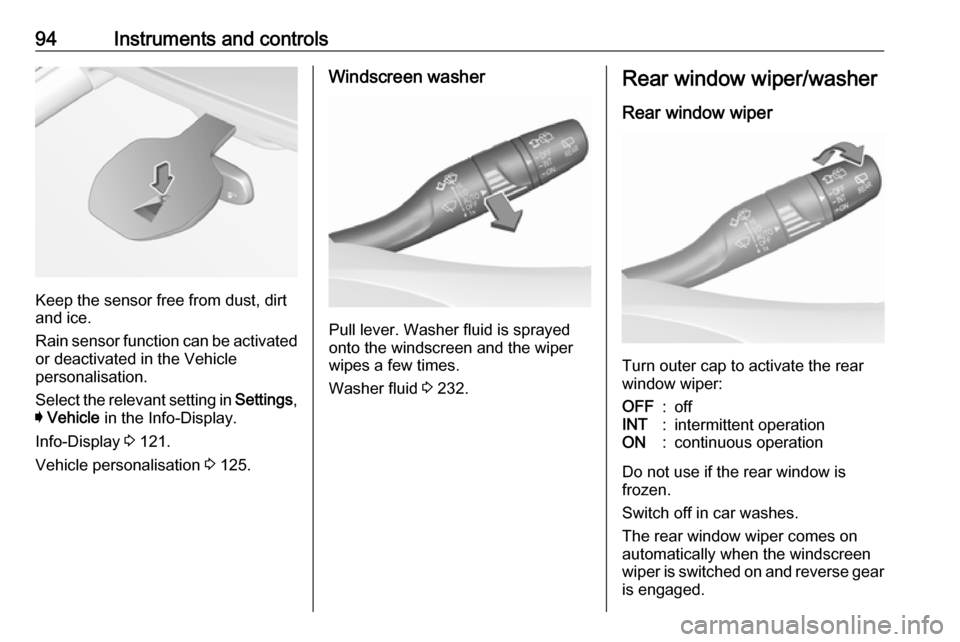
Keep the sensor free from dust, dirt
and ice.
Rain sensor function can be activated or deactivated in the Vehicle
personalisation.
Select the relevant setting in Settings,
I Vehicle in the Info-Display.
Info-Display 3 121.
Vehicle personalisation 3 125.
Windscreen washer
Pull lever. Washer fluid is sprayed
onto the windscreen and the wiper
wipes a few times.
Washer fluid 3 232.
Rear window wiper/washer
Rear window wiper
Turn outer cap to activate the rear
window wiper:
OFF:offINT:intermittent operationON:continuous operation
Do not use if the rear window is
frozen.
Switch off in car washes.
The rear window wiper comes on
automatically when the windscreen
wiper is switched on and reverse gear
is engaged.
Page 98 of 313
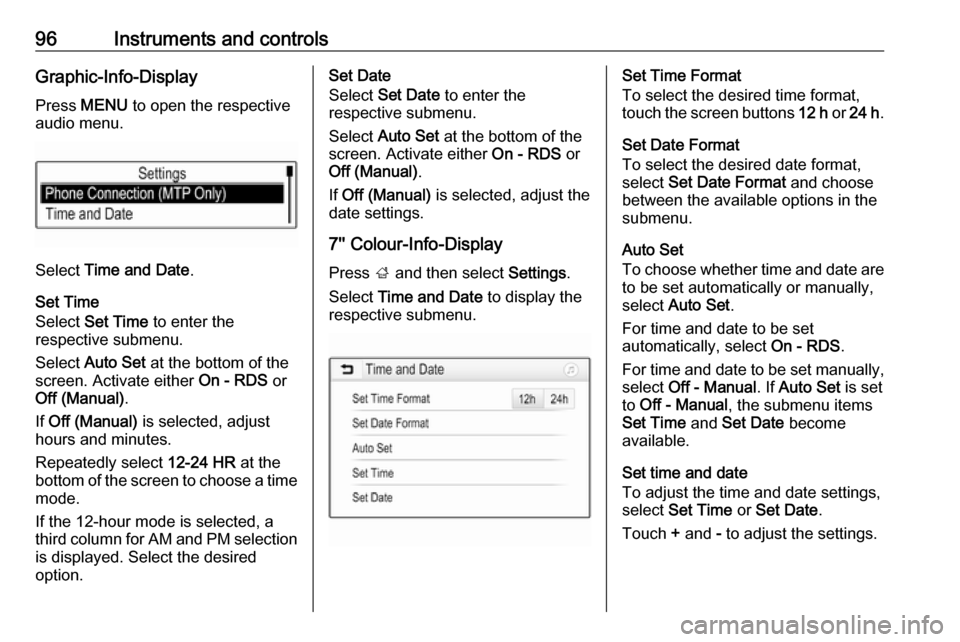
96Instruments and controlsGraphic-Info-DisplayPress MENU to open the respective
audio menu.
Select Time and Date .
Set Time
Select Set Time to enter the
respective submenu.
Select Auto Set at the bottom of the
screen. Activate either On - RDS or
Off (Manual) .
If Off (Manual) is selected, adjust
hours and minutes.
Repeatedly select 12-24 HR at the
bottom of the screen to choose a time mode.
If the 12-hour mode is selected, a
third column for AM and PM selection
is displayed. Select the desired
option.
Set Date
Select Set Date to enter the
respective submenu.
Select Auto Set at the bottom of the
screen. Activate either On - RDS or
Off (Manual) .
If Off (Manual) is selected, adjust the
date settings.
7'' Colour-Info-Display
Press ; and then select Settings.
Select Time and Date to display the
respective submenu.Set Time Format
To select the desired time format,
touch the screen buttons 12 h or 24 h .
Set Date Format
To select the desired date format,
select Set Date Format and choose
between the available options in the
submenu.
Auto Set
To choose whether time and date are
to be set automatically or manually,
select Auto Set .
For time and date to be set
automatically, select On - RDS.
For time and date to be set manually, select Off - Manual . If Auto Set is set
to Off - Manual , the submenu items
Set Time and Set Date become
available.
Set time and date
To adjust the time and date settings, select Set Time or Set Date .
Touch + and - to adjust the settings.
Page 99 of 313

Instruments and controls978'' Colour-Info-Display
Press ; and then select the
Settings icon.
Select Time and Date .
Set time
Select Set Time to enter the
respective submenu.
Select Auto Set at the bottom of the
screen. Activate either On - RDS or
Off - Manual .
If Off - Manual is selected, adjust
hours and minutes by touching n or
o .
Touch 12-24 Hr on the right side of the
screen to select a time mode.
If 12-hour mode is selected, a third
column for AM and PM setting is
displayed. Select the desired option.
Set date
Select Set Date to enter the
respective submenu.
Note
If date information is automatically
provided, this menu item is not
available.
Select Auto Set at the bottom of the
screen. Activate either On - RDS or
Off - Manual .
If Off - Manual is selected, adjust the
date by touching n or o.
Clock display
Select Clock Display to enter the
respective submenu.
To turn off the digital clock display in
the menus, select Off.Power outlets
A 12 Volt power outlet is located in the
centre console.
Page 109 of 313

Instruments and controls107LED off:petrol operationLED illu‐
minates:natural gas operationLED
flashes for
approx.
five
seconds:fuel mode transition is
selected but switching
is not possibleLED
flashes:fuel mode transition in
process, flashing stops
if transition is completed
Switching is not possible at high loads (e.g. powerful acceleration, driving at
full throttle).
If the selector switch is operated
several times within a short time, a
switchover inhibitor is activated. The
engine remains in the current
operating mode. The inhibitor
remains active until the ignition is
switched off.
A slight loss of power and torque can
be expected during petrol operation.
You must therefore adapt your driving style, e.g. during overtaking
manoeuvres and high vehicle loads
(e.g. towing loads) accordingly.
The vehicle consumes petrol when
starting the engine and even when in
certain natural gas operating modes. The petrol consumption in natural gas
operating mode can vary depending
on driving behaviour (e.g. high load or
towing). In case of a low fuel level, a
corresponding message is displayed
as a reminder to refuel.
Note
Always ensure that there is enough
petrol in the tank.
Fuel for natural gas operation 3 219.
Forced fuel mode transitionNatural gas tank is running low
As soon as the natural gas tank is
empty, petrol operation is
automatically engaged. Manually
engaging natural gas operation mode is not possible until natural gas
refuelling is detected.
Before the petrol fuel system runs empty, a warning message will be
displayed and cannot be dismissed.Petrol tank is running low while
natural gas is available
If the remaining petrol level in the tank falls below a certain level, natural gas
operation is automatically engaged
provided there is a sufficient natural
gas level in the tank. Manually
engaging petrol operation mode is not
possible.
Before both fuel systems run empty,
a warning message will be displayed
and cannot be dismissed.
Engine coolant temperaturegauge
Displays the coolant temperature.