spec OPEL ASTRA K 2019.5 User Guide
[x] Cancel search | Manufacturer: OPEL, Model Year: 2019.5, Model line: ASTRA K, Model: OPEL ASTRA K 2019.5Pages: 311, PDF Size: 9.52 MB
Page 67 of 311
Seats, restraints65Child restraints
Child restraint systems9 Danger
If using a rear-facing child restraint
system on the front passenger
seat, the airbag system for the
front passenger seat must be
deactivated. This also applies to certain forward-facing child
restraint systems as indicated in
the tables 3 67.
Airbag deactivation 3 63.
Airbag label 3 58.
We recommend a child restraint system which is tailored specifically to the vehicle. For further information,
contact your workshop.
When a child restraint system is being
used, pay attention to the following
usage and installation instructions as
well as to those supplied with the child
restraint system.
Always comply with local or national
regulations. In some countries, the
use of child restraint systems is
forbidden on certain seats.
Child restraint systems can be
fastened with:
● Three-point seat belt
● ISOFIX brackets
● Top-tether anchor
Three-point seat belt
Child restraint systems can be
fastened by using a three-point seat
belt. Depending on the size of the
used child restraint systems, up to
three child restraint systems can be
attached to the rear seats. After
fastening the child restraint system
the seat belt has to be tightened
3 67.ISOFIX brackets
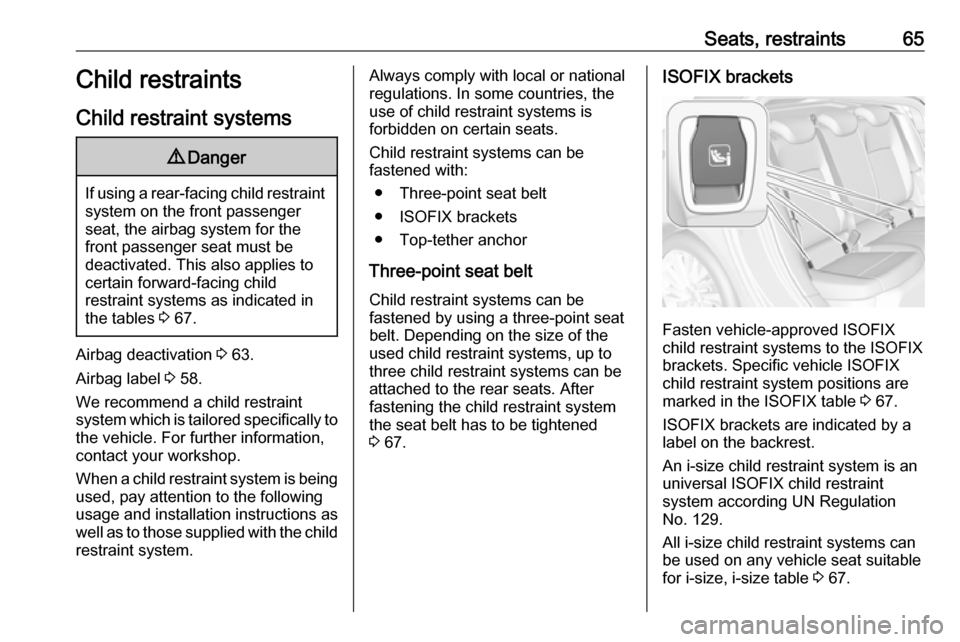
Fasten vehicle-approved ISOFIX
child restraint systems to the ISOFIX
brackets. Specific vehicle ISOFIX
child restraint system positions are
marked in the ISOFIX table 3 67.
ISOFIX brackets are indicated by a
label on the backrest.
An i-size child restraint system is an
universal ISOFIX child restraint
system according UN Regulation
No. 129.
All i-size child restraint systems can be used on any vehicle seat suitable
for i-size, i-size table 3 67.
Page 69 of 311

Seats, restraints67Child restraint installation locations
Permissible options for fastening a child restraint system with a three-point seat belt
Weight class
On front passenger seat
On rear outboard seatsOn rear centre seat
activated airbagdeactivated airbagGroup 0: up to 10 kgXU 1,2U/L 3UGroup 0+: up to 13 kgXU1,2U/L 3UGroup I: 9 to 18 kgXU1,2U/L 3,4U4Group II: 15 to 25 kgU1,2XU/L 3,4U4Group III: 22 to 36 kgU1,2XU/L 3,4U4U:universal suitability in conjunction with three-point seat beltL:suitable for particular child restraint systems of the 'specific-vehicle', 'restricted' or 'semi-universal' categories. The
child restraint system must be approved for the specific vehicle type (refer to the vehicle type list of the child restraint
system)X:no child restraint system permitted in this weight class1:move seat forwards as far as necessary and adjust seat backrest as far as necessary to a vertical position to ensure that the belt runs forwards from the upper anchorage point2:move seat upwards as far as necessary and adjust seat backrest as far as necessary to a vertical position to ensurethat the belt is tight on the buckle side3:move the respective front seat ahead of the child restraint system forwards as far as necessary4:adjust the respective headrest as necessary or remove if required
Page 71 of 311

Seats, restraints69IL:suitable for particular ISOFIX restraint systems of the 'specific-vehicle', 'restricted' or 'semi-universal' categories.The ISOFIX restraint system must be approved for the specific vehicle type (refer to the vehicle type list of the child
restraint system)IUF:suitable for ISOFIX forward-facing child restraint systems of universal category approved for use in this weight classX:no ISOFIX child restraint system approved in this weight class1:move seat forwards as far as necessary and adjust seat backrest inclination as far as necessary to a vertical position to ensure that the belt runs forwards from the upper anchorage point2:move seat height adjustment upwards as far as necessary and adjust seat backrest inclination as far as necessary to a vertical position to ensure that the belt is tight on the buckle side3:move the respective front seat ahead of the child restraint system forwards as far as necessary4:adjust the respective headrest as necessary or remove if required
ISOFIX size class and seat device
A – ISO/F3:forward-facing child restraint system for children of maximum size in the weight class 9 to 18 kgB – ISO/F2:forward-facing child restraint system for smaller children in the weight class 9 to 18 kgB1 – ISO/F2X:forward-facing child restraint system for smaller children in the weight class 9 to 18 kgC – ISO/R3:rear-facing child restraint system for children of maximum size in the weight class up to 18 kgD – ISO/R2:rear-facing child restraint system for smaller children in the weight class up to 18 kgE – ISO/R1:rear-facing child restraint system for young children in the weight class up to 13 kgF– ISO/L1:left lateral facing position child restraint system (carry-cot)G – ISO/L2:right lateral facing position child restraint system (carry-cot)
Permissible options for fitting an i-size child restraint system with ISOFIX brackets
On front passenger seat
On rear outboard seatsOn rear centre seat
activated airbagdeactivated airbagi-size child restraint systemsXXi - UX
Page 98 of 311
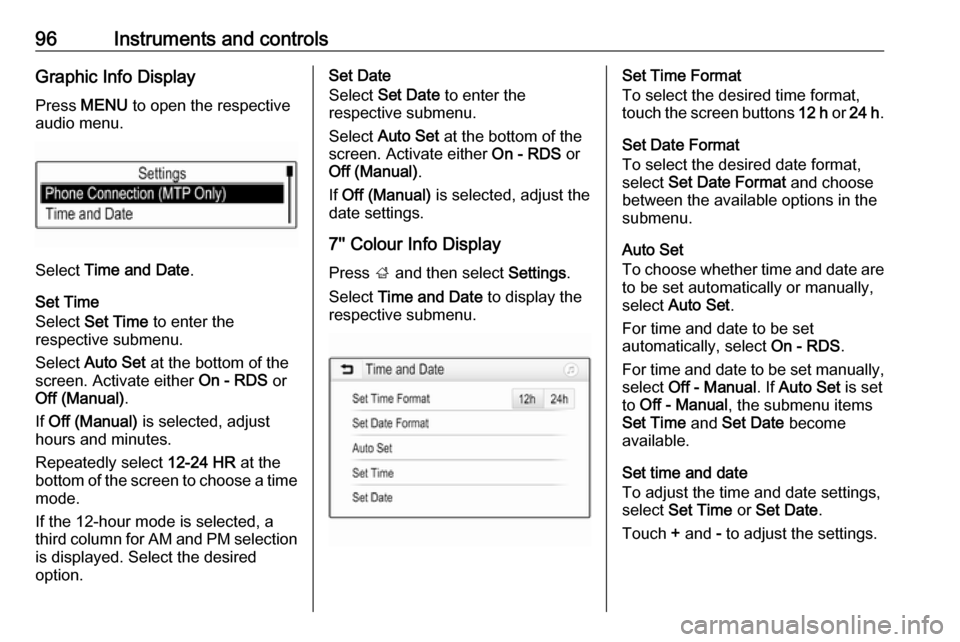
96Instruments and controlsGraphic Info DisplayPress MENU to open the respective
audio menu.
Select Time and Date .
Set Time
Select Set Time to enter the
respective submenu.
Select Auto Set at the bottom of the
screen. Activate either On - RDS or
Off (Manual) .
If Off (Manual) is selected, adjust
hours and minutes.
Repeatedly select 12-24 HR at the
bottom of the screen to choose a time mode.
If the 12-hour mode is selected, a
third column for AM and PM selection
is displayed. Select the desired
option.
Set Date
Select Set Date to enter the
respective submenu.
Select Auto Set at the bottom of the
screen. Activate either On - RDS or
Off (Manual) .
If Off (Manual) is selected, adjust the
date settings.
7'' Colour Info Display
Press ; and then select Settings.
Select Time and Date to display the
respective submenu.Set Time Format
To select the desired time format,
touch the screen buttons 12 h or 24 h .
Set Date Format
To select the desired date format,
select Set Date Format and choose
between the available options in the
submenu.
Auto Set
To choose whether time and date are
to be set automatically or manually,
select Auto Set .
For time and date to be set
automatically, select On - RDS.
For time and date to be set manually, select Off - Manual . If Auto Set is set
to Off - Manual , the submenu items
Set Time and Set Date become
available.
Set time and date
To adjust the time and date settings, select Set Time or Set Date .
Touch + and - to adjust the settings.
Page 99 of 311
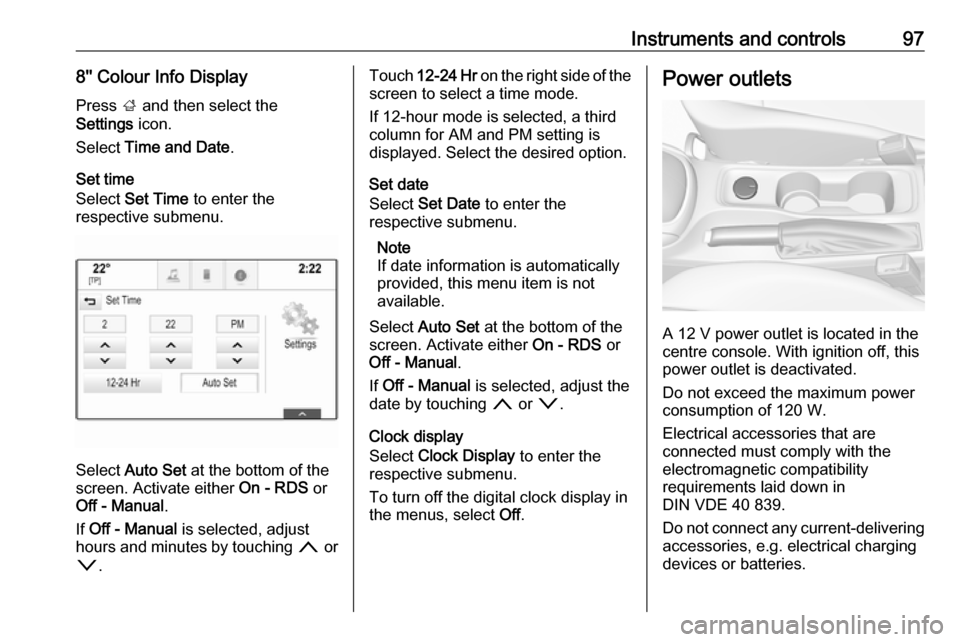
Instruments and controls978'' Colour Info DisplayPress ; and then select the
Settings icon.
Select Time and Date .
Set time
Select Set Time to enter the
respective submenu.
Select Auto Set at the bottom of the
screen. Activate either On - RDS or
Off - Manual .
If Off - Manual is selected, adjust
hours and minutes by touching n or
o .
Touch 12-24 Hr on the right side of the
screen to select a time mode.
If 12-hour mode is selected, a third
column for AM and PM setting is
displayed. Select the desired option.
Set date
Select Set Date to enter the
respective submenu.
Note
If date information is automatically
provided, this menu item is not
available.
Select Auto Set at the bottom of the
screen. Activate either On - RDS or
Off - Manual .
If Off - Manual is selected, adjust the
date by touching n or o.
Clock display
Select Clock Display to enter the
respective submenu.
To turn off the digital clock display in
the menus, select Off.Power outlets
A 12 V power outlet is located in the
centre console. With ignition off, this
power outlet is deactivated.
Do not exceed the maximum power
consumption of 120 W.
Electrical accessories that are
connected must comply with the
electromagnetic compatibility
requirements laid down in
DIN VDE 40 839.
Do not connect any current-delivering
accessories, e.g. electrical charging
devices or batteries.
Page 105 of 311
Instruments and controls103Odometer
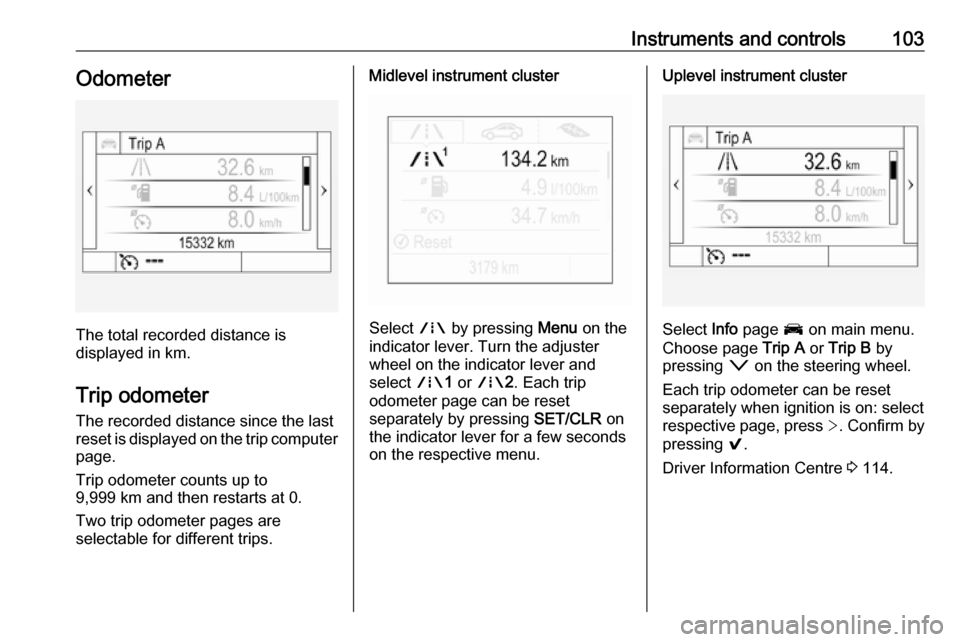
The total recorded distance is
displayed in km.
Trip odometer The recorded distance since the last
reset is displayed on the trip computer
page.
Trip odometer counts up to
9,999 km and then restarts at 0.
Two trip odometer pages are
selectable for different trips.
Midlevel instrument cluster
Select ; by pressing Menu on the
indicator lever. Turn the adjuster
wheel on the indicator lever and
select ;1 or ; 2. Each trip
odometer page can be reset
separately by pressing SET/CLR on
the indicator lever for a few seconds
on the respective menu.
Uplevel instrument cluster
Select Info page J on main menu.
Choose page Trip A or Trip B by
pressing o on the steering wheel.
Each trip odometer can be reset separately when ignition is on: select
respective page, press >. Confirm by
pressing 9.
Driver Information Centre 3 114.
Page 106 of 311
104Instruments and controlsTachometer
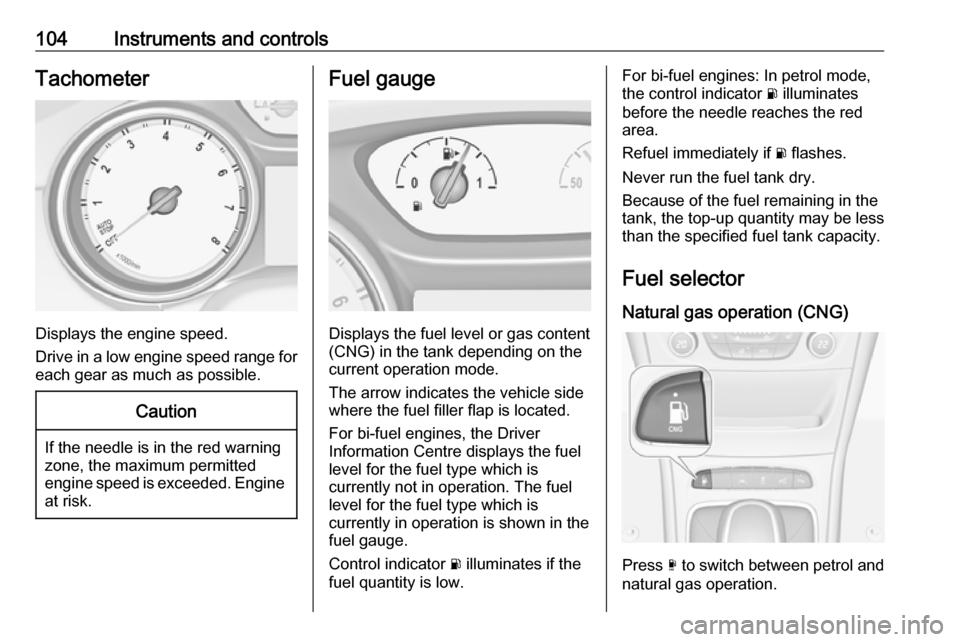
Displays the engine speed.
Drive in a low engine speed range for each gear as much as possible.
Caution
If the needle is in the red warning
zone, the maximum permitted
engine speed is exceeded. Engine at risk.
Fuel gauge
Displays the fuel level or gas content
(CNG) in the tank depending on the current operation mode.
The arrow indicates the vehicle side
where the fuel filler flap is located.
For bi-fuel engines, the Driver
Information Centre displays the fuel
level for the fuel type which is
currently not in operation. The fuel
level for the fuel type which is
currently in operation is shown in the fuel gauge.
Control indicator r illuminates if the
fuel quantity is low.
For bi-fuel engines: In petrol mode,
the control indicator r illuminates
before the needle reaches the red
area.
Refuel immediately if r flashes.
Never run the fuel tank dry.
Because of the fuel remaining in the
tank, the top-up quantity may be less
than the specified fuel tank capacity.
Fuel selector
Natural gas operation (CNG)
Press X to switch between petrol and
natural gas operation.
Page 118 of 311

116Instruments and controlsSome of the displayed functions differ
when the vehicle is being driven or at
a standstill and some functions are
only active when the vehicle is being
driven.
Trip / fuel information menu, ;
or Info
The following list contains all possible
Info Menu pages. Some may not be
available for your particular vehicle.
Depending on the display, some
functions are symbolised.
Turn the adjuster wheel or press Q
or P to select a page:
● Trip odometer 1/2 or A/B
● Average fuel consumption
● Average speed
● Digital speed
● Fuel range
● Instantaneous fuel consumption
● Remaining oil life
● Tyre pressure
● Traffic sign assistant
● Following distance
● Timer● Outside temperature ● AdBlue level
On Midlevel display the pages
Remaining Oil Life, Tyre Pressure,
Traffic Sign Assistant and Following
Distance are displayed in the Vehicle information menu, select ?.
Trip odometer 1/2 or A/B
Trip odometer displays the current
distance since a certain reset.
Trip odometer counts up to a distance
of 9,999 km then restarts at 0.
To reset on Midlevel display, press
SET/CLR for a few seconds.
To reset on Uplevel display, press >
and confirm with 9.
The information of trip odometer page
1/A and 2/B can be reset separately
while the respective display is active.
Average Fuel Consumption
Display of average consumption. The measurement can be reset at any
time and starts with a default value.To reset on Midlevel display, press
SET/CLR for a few seconds, on
Uplevel display, press > and confirm
with 9.
On vehicles with bi-fuel engines:
Average consumption is indicated for
the currently selected mode, CNG or
petrol.
Average speed
Display of average speed. The
measurement can be reset at any
time.
To reset on Midlevel display, press
SET/CLR for a few seconds, on
Uplevel display, press > and confirm
with 9.
Digital speed
Digital display of the instantaneous
speed.
Fuel range
Range is calculated from current fuel
level and current consumption. The
display shows average values.
After refuelling, the range is updated
automatically after a brief delay.
Page 119 of 311
Instruments and controls117When the fuel level is low, a message
appears on the display and the
control indicator Y in the fuel gauge
illuminates.
When the fuel tank must be refuelled
immediately, a warning message
appears and remains on the display.
Additionally, control indicator Y in the
fuel gauge flashes 3 112.
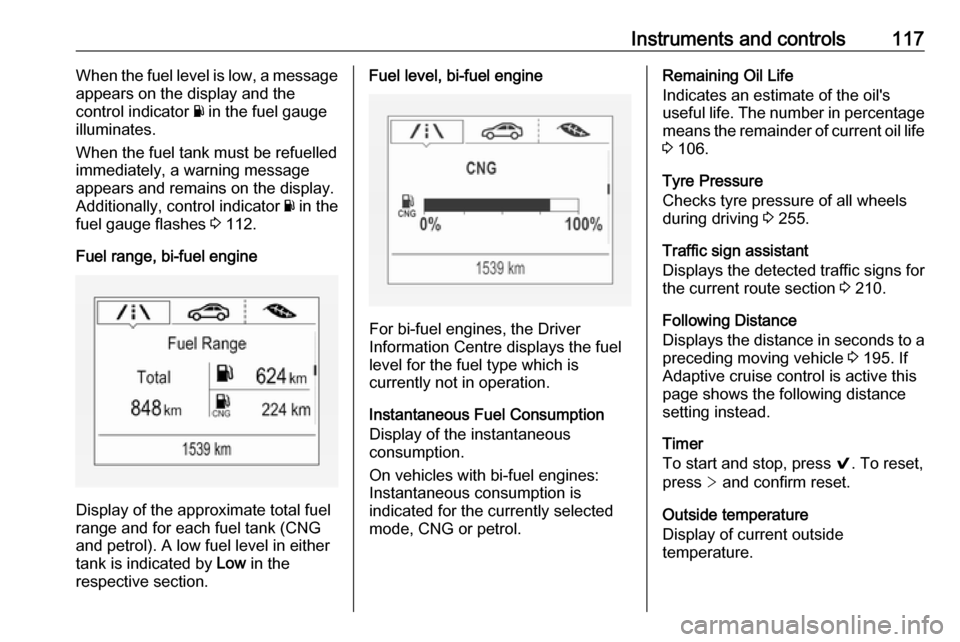
Fuel range, bi-fuel engine
Display of the approximate total fuel
range and for each fuel tank (CNG
and petrol). A low fuel level in either
tank is indicated by Low in the
respective section.
Fuel level, bi-fuel engine
For bi-fuel engines, the Driver
Information Centre displays the fuel level for the fuel type which is
currently not in operation.
Instantaneous Fuel Consumption
Display of the instantaneous
consumption.
On vehicles with bi-fuel engines:
Instantaneous consumption is
indicated for the currently selected
mode, CNG or petrol.
Remaining Oil Life
Indicates an estimate of the oil's
useful life. The number in percentage means the remainder of current oil life 3 106.
Tyre Pressure
Checks tyre pressure of all wheels
during driving 3 255.
Traffic sign assistant
Displays the detected traffic signs for
the current route section 3 210.
Following Distance
Displays the distance in seconds to a
preceding moving vehicle 3 195. If
Adaptive cruise control is active this
page shows the following distance
setting instead.
Timer
To start and stop, press 9. To reset,
press > and confirm reset.
Outside temperature
Display of current outside
temperature.
Page 122 of 311
120Instruments and controlsThe Info display can indicate:● time 3 95
● outside temperature 3 95
● date 3 95
● Infotainment system, see description in the Infotainment
manual
● rear view camera 3 208
● parking assist instructions 3 199
● navigation, see description in the
Infotainment manual
● system messages
● settings for vehicle personalisation 3 123Graphic Info Display
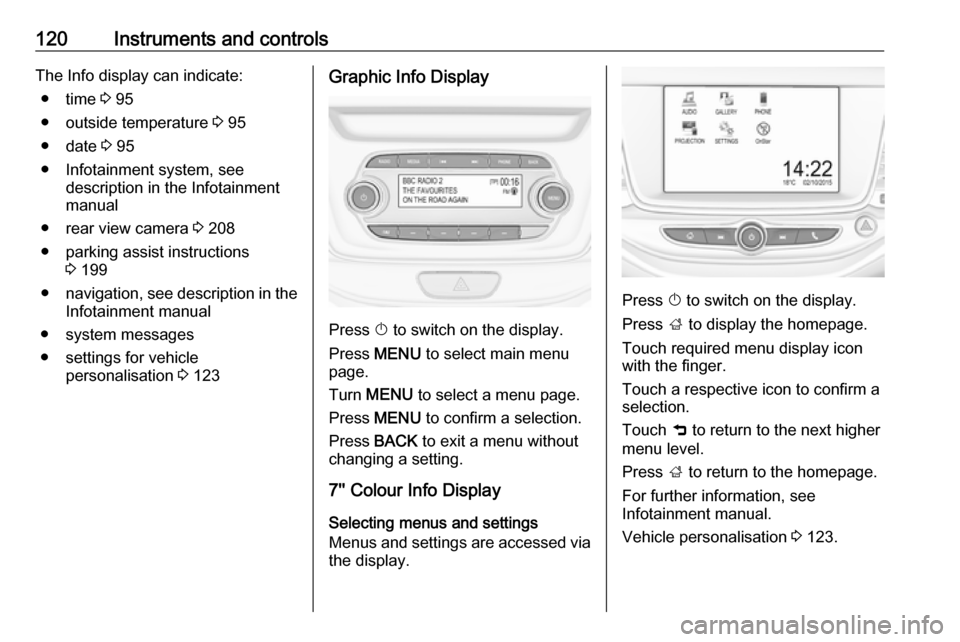
Press X to switch on the display.
Press MENU to select main menu
page.
Turn MENU to select a menu page.
Press MENU to confirm a selection.
Press BACK to exit a menu without
changing a setting.
7'' Colour Info Display
Selecting menus and settings
Menus and settings are accessed via
the display.
Press X to switch on the display.
Press ; to display the homepage.
Touch required menu display icon
with the finger.
Touch a respective icon to confirm a selection.
Touch 9 to return to the next higher
menu level.
Press ; to return to the homepage.
For further information, see
Infotainment manual.
Vehicle personalisation 3 123.