change OPEL ASTRA K 2019.5 Owner's Guide
[x] Cancel search | Manufacturer: OPEL, Model Year: 2019.5, Model line: ASTRA K, Model: OPEL ASTRA K 2019.5Pages: 311, PDF Size: 9.52 MB
Page 144 of 311
142LightingActivate temporary flashing by
holding the lever just before the
resistance point. Turn lights will flash
until lever is being released.
To activate three flashes, tap the
lever briefly without passing the
resistance point.
With a trailer connected, turn light
flashes six times and tone frequency
changes.
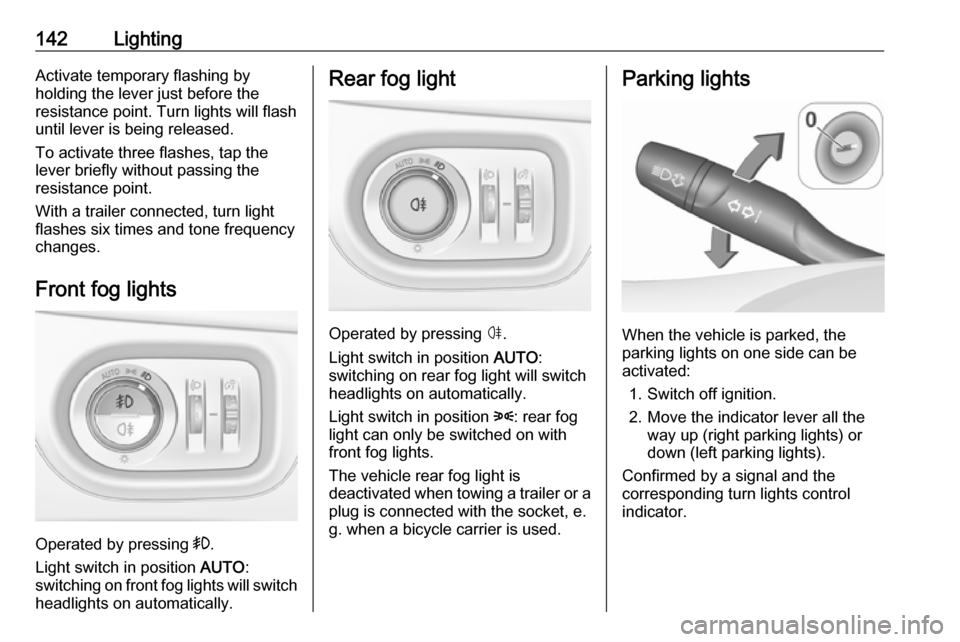
Front fog lights
Operated by pressing >.
Light switch in position AUTO:
switching on front fog lights will switch headlights on automatically.
Rear fog light
Operated by pressing ø.
Light switch in position AUTO:
switching on rear fog light will switch
headlights on automatically.
Light switch in position 8: rear fog
light can only be switched on with
front fog lights.
The vehicle rear fog light is
deactivated when towing a trailer or a
plug is connected with the socket, e.
g. when a bicycle carrier is used.
Parking lights
When the vehicle is parked, the
parking lights on one side can be
activated:
1. Switch off ignition.
2. Move the indicator lever all the way up (right parking lights) or
down (left parking lights).
Confirmed by a signal and the
corresponding turn lights control
indicator.
Page 151 of 311
Climate control149If no cooling or drying is required,
switch off the cooling system for fuel
saving reasons.
Activated cooling may inhibit
Autostops.
Stop-start system 3 163.
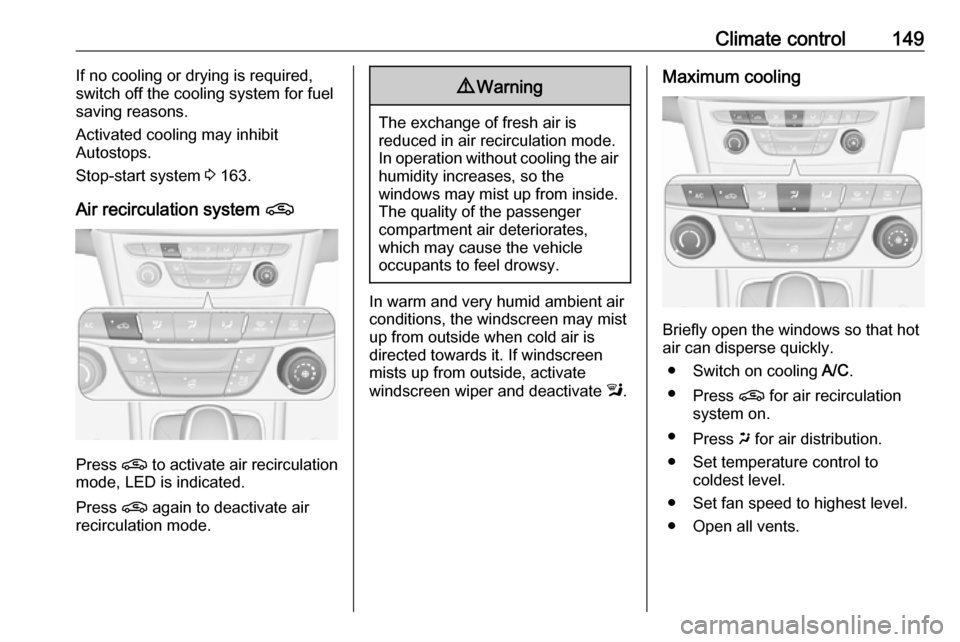
Air recirculation system n
Press n to activate air recirculation
mode, LED is indicated.
Press n again to deactivate air
recirculation mode.
9 Warning
The exchange of fresh air is
reduced in air recirculation mode.
In operation without cooling the air humidity increases, so the
windows may mist up from inside.
The quality of the passenger
compartment air deteriorates,
which may cause the vehicle
occupants to feel drowsy.
In warm and very humid ambient air conditions, the windscreen may mist
up from outside when cold air is
directed towards it. If windscreen
mists up from outside, activate
windscreen wiper and deactivate l.
Maximum cooling
Briefly open the windows so that hot
air can disperse quickly.
● Switch on cooling A/C.
● Press n for air recirculation
system on.
● Press x for air distribution.
● Set temperature control to coldest level.
● Set fan speed to highest level.
● Open all vents.
Page 153 of 311
Climate control151Heated exterior mirrors Ü 3 40.
Heated seats ß 3 54.
Ventilated seats A 3 54.
Heated steering wheel A 3 92.
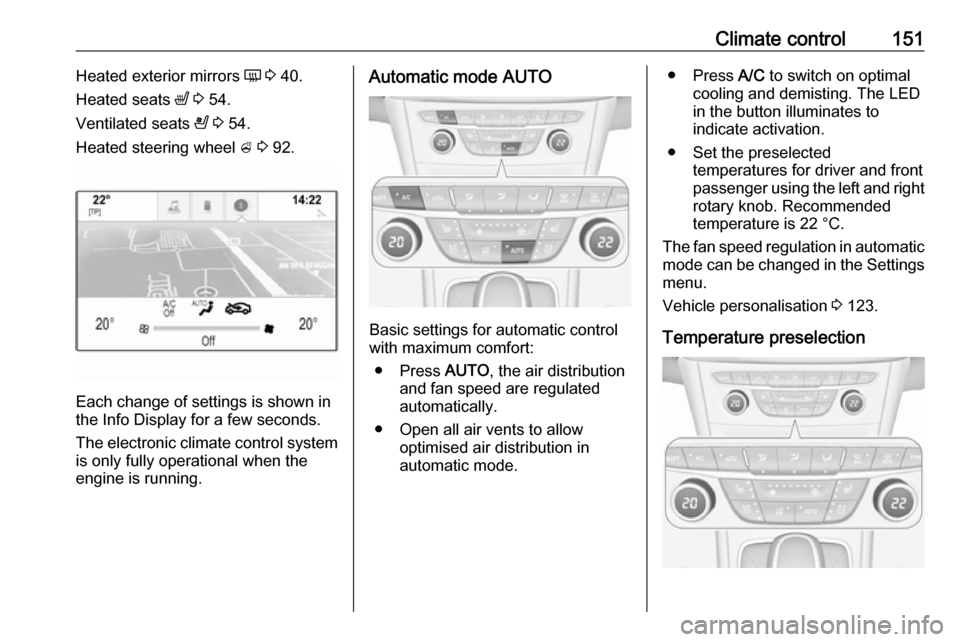
Each change of settings is shown in
the Info Display for a few seconds.
The electronic climate control system
is only fully operational when the
engine is running.
Automatic mode AUTO
Basic settings for automatic control
with maximum comfort:
● Press AUTO, the air distribution
and fan speed are regulated
automatically.
● Open all air vents to allow optimised air distribution in
automatic mode.
● Press A/C to switch on optimal
cooling and demisting. The LED in the button illuminates to
indicate activation.
● Set the preselected temperatures for driver and front
passenger using the left and right
rotary knob. Recommended
temperature is 22 °C.
The fan speed regulation in automatic mode can be changed in the Settings menu.
Vehicle personalisation 3 123.
Temperature preselection
Page 154 of 311
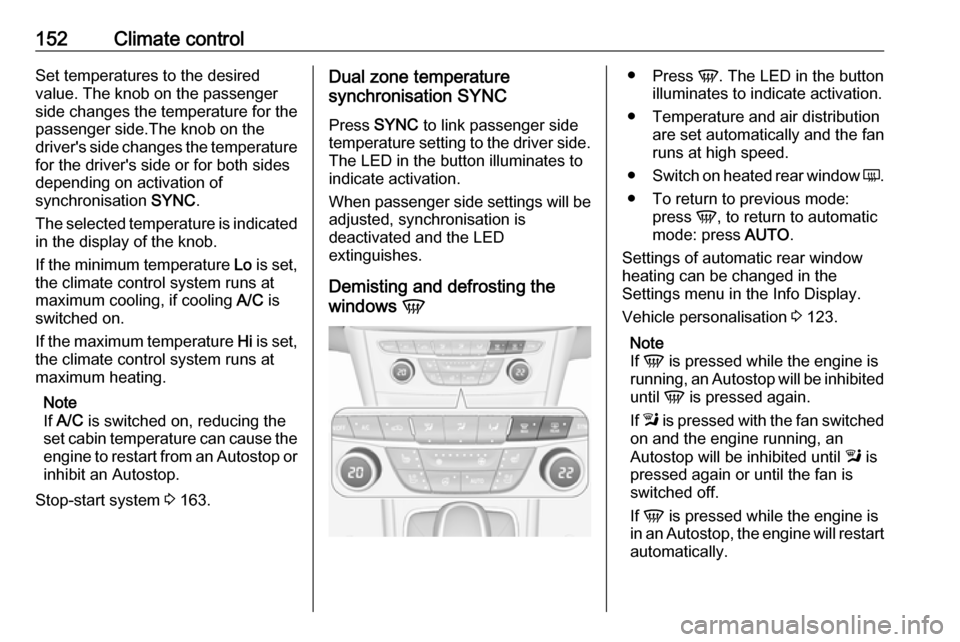
152Climate controlSet temperatures to the desired
value. The knob on the passenger
side changes the temperature for the
passenger side.The knob on the
driver's side changes the temperature for the driver's side or for both sides
depending on activation of
synchronisation SYNC.
The selected temperature is indicated in the display of the knob.
If the minimum temperature Lo is set,
the climate control system runs at maximum cooling, if cooling A/C is
switched on.
If the maximum temperature Hi is set,
the climate control system runs at
maximum heating.
Note
If A/C is switched on, reducing the
set cabin temperature can cause the
engine to restart from an Autostop or inhibit an Autostop.
Stop-start system 3 163.Dual zone temperature
synchronisation SYNC
Press SYNC to link passenger side
temperature setting to the driver side.
The LED in the button illuminates to
indicate activation.
When passenger side settings will be
adjusted, synchronisation is
deactivated and the LED
extinguishes.
Demisting and defrosting the
windows V●
Press V. The LED in the button
illuminates to indicate activation.
● Temperature and air distribution are set automatically and the fan
runs at high speed.
● Switch on heated rear window Ü.
● To return to previous mode: press V, to return to automatic
mode: press AUTO.
Settings of automatic rear window
heating can be changed in the
Settings menu in the Info Display.
Vehicle personalisation 3 123.
Note
If V is pressed while the engine is
running, an Autostop will be inhibited
until V is pressed again.
If l is pressed with the fan switched
on and the engine running, an
Autostop will be inhibited until l is
pressed again or until the fan is
switched off.
If V is pressed while the engine is
in an Autostop, the engine will restart
automatically.
Page 155 of 311
Climate control153If l is pressed with the fan switched
on while the engine is in an
Autostop, the engine will restart
automatically.
Stop-start system 3 163.
Deactivation or activation of
Electronic climate control system
ON/OFF
Cooling, fan and automatic mode can
be switched off by pressing ON/OFF.
When the system is deactivated, the
LED in the button ON/OFF is not
illuminated.
Activation by pressing ON/OFF
again, A/C or AUTO . The LED in the
button illuminates to indicate
activation.
Manual settings Climate control system settings can
be changed by activating the buttons
and rotary knobs as described below.
Changing a setting will deactivate the
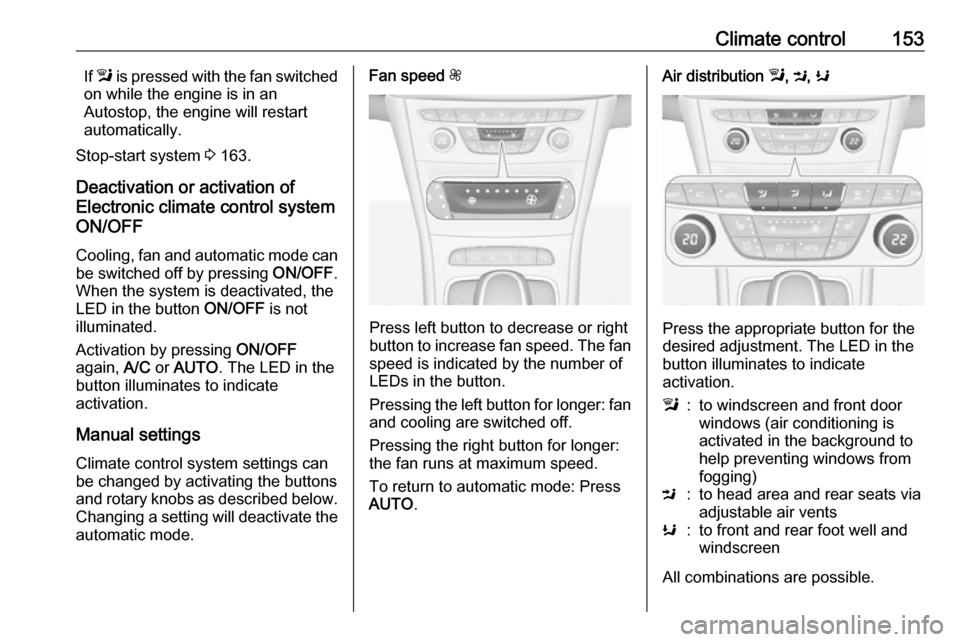
automatic mode.Fan speed Z
Press left button to decrease or right
button to increase fan speed. The fan speed is indicated by the number of
LEDs in the button.
Pressing the left button for longer: fan and cooling are switched off.
Pressing the right button for longer:
the fan runs at maximum speed.
To return to automatic mode: Press
AUTO .
Air distribution l, M , K
Press the appropriate button for the
desired adjustment. The LED in the
button illuminates to indicate
activation.
l:to windscreen and front door
windows (air conditioning is
activated in the background to
help preventing windows from
fogging)M:to head area and rear seats via
adjustable air ventsK:to front and rear foot well and
windscreen
All combinations are possible.
Page 156 of 311
154Climate controlReturn to automatic air distribution:
press AUTO .
Cooling A/C
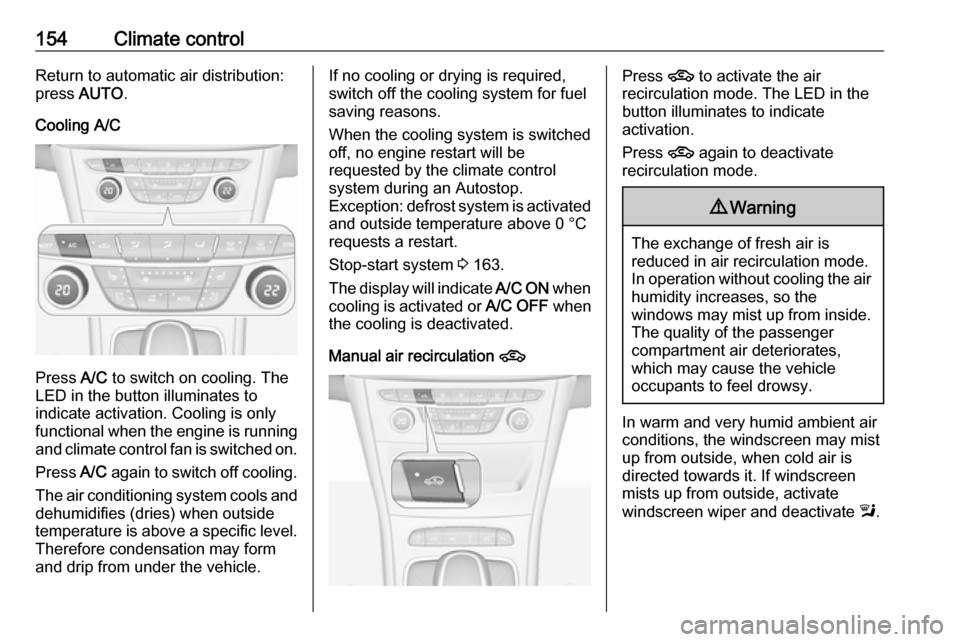
Press A/C to switch on cooling. The
LED in the button illuminates to
indicate activation. Cooling is only
functional when the engine is running and climate control fan is switched on.
Press A/C again to switch off cooling.
The air conditioning system cools and
dehumidifies (dries) when outside
temperature is above a specific level. Therefore condensation may form
and drip from under the vehicle.
If no cooling or drying is required,
switch off the cooling system for fuel
saving reasons.
When the cooling system is switched
off, no engine restart will be
requested by the climate control
system during an Autostop.
Exception: defrost system is activated and outside temperature above 0 °C
requests a restart.
Stop-start system 3 163.
The display will indicate A/C ON when
cooling is activated or A/C OFF when
the cooling is deactivated.
Manual air recirculation 4Press 4 to activate the air
recirculation mode. The LED in the
button illuminates to indicate
activation.
Press 4 again to deactivate
recirculation mode.9 Warning
The exchange of fresh air is
reduced in air recirculation mode.
In operation without cooling the air humidity increases, so the
windows may mist up from inside.
The quality of the passenger
compartment air deteriorates,
which may cause the vehicle
occupants to feel drowsy.
In warm and very humid ambient air conditions, the windscreen may mist
up from outside, when cold air is
directed towards it. If windscreen
mists up from outside, activate
windscreen wiper and deactivate l.
Page 157 of 311
Climate control155Automatic air recirculationAn air humidity sensor switches
automatically to external air if internal air humidity is too high.
Basic settings
Some settings can be changed in the Settings menu in the Info Display.
Vehicle personalisation 3 123.
Auxiliary heater
Air heater Quickheat is an electric auxiliary air
heater which automatically warms up
the passenger compartment more
quickly.Air vents
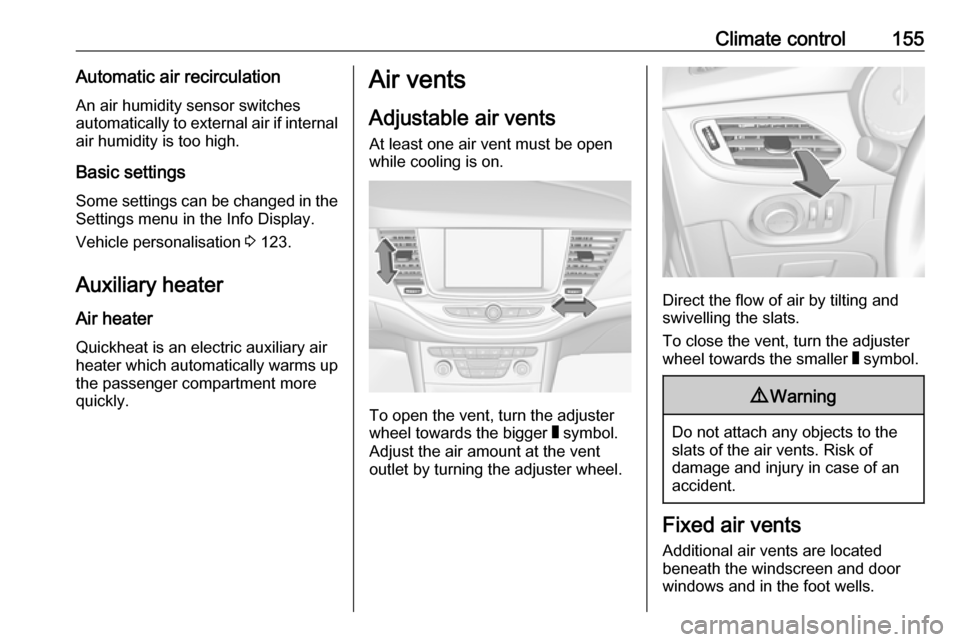
Adjustable air vents At least one air vent must be open
while cooling is on.
To open the vent, turn the adjuster
wheel towards the bigger W symbol.
Adjust the air amount at the vent
outlet by turning the adjuster wheel.
Direct the flow of air by tilting and
swivelling the slats.
To close the vent, turn the adjuster
wheel towards the smaller W symbol.
9 Warning
Do not attach any objects to the
slats of the air vents. Risk of
damage and injury in case of an
accident.
Fixed air vents
Additional air vents are located
beneath the windscreen and door windows and in the foot wells.
Page 185 of 311

Driving and operating183Reduce speedWith cruise control active, hold thumb
wheel turned to SET/- or briefly turn to
SET/- repeatedly: speed decreases
continuously or in small increments.
Deactivation of the functionality
Press y; control indicator m in
instrument cluster illuminates white.
On Uplevel display m changes to
white.
Cruise control is deactivated, but not
switched off. Last stored speed
remains in memory for later speed
resume.
Automatic deactivation: ● Vehicle speed is below approx. 30 km/h.
● Vehicle speed drops more than 25 km/h below the set speed.
● The brake pedal is depressed.
● The clutch pedal is depressed for
a few seconds.
● The selector lever is in N.
● Engine speed is in a very low range.● The Traction Control system orElectronic Stability Control is
operating.
● Parking brake is applied.
● Simultaneous pressing RES/+
and brake pedal deactivates
cruise control and will delete
stored speed.
Resume stored speed
Turn thumb wheel to RES/+ at a
speed above 30 km/h. The stored
speed will be obtained.
Switching off the system
Press m, control indicator m in
instrument cluster extinguishes. The
stored speed is deleted.
Pressing L to activate the speed
limiter or switching off the ignition also switches off cruise control and
deletes the stored speed.
Speed limiter
The speed limiter prevents the
vehicle exceeding a preset maximum speed.The maximum speed can be set at
speeds above 25 km/h up to
200 km/h.
The driver can only accelerate up to
the preset speed. Deviations from the
limited speed may occur when driving
downhill.
The preset speed limit is displayed in
the Driver Information Centre when
the system is active.
Activation of the functionality
Illustrations show different versions.
Page 186 of 311
184Driving and operating
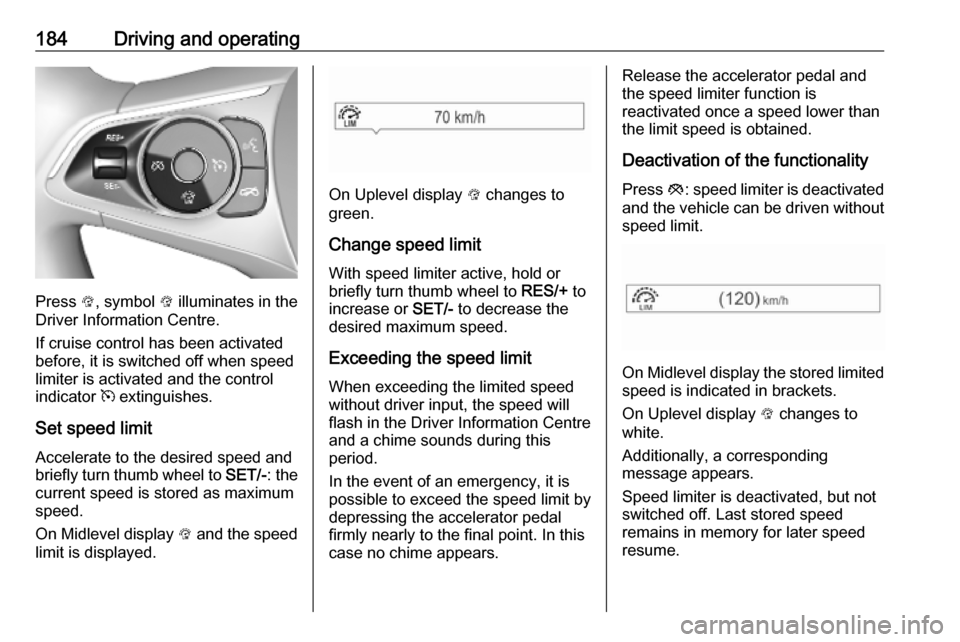
Press L, symbol L illuminates in the
Driver Information Centre.
If cruise control has been activated
before, it is switched off when speed
limiter is activated and the control
indicator m extinguishes.
Set speed limit
Accelerate to the desired speed and
briefly turn thumb wheel to SET/-: the
current speed is stored as maximum speed.
On Midlevel display L and the speed
limit is displayed.
On Uplevel display L changes to
green.
Change speed limit With speed limiter active, hold or
briefly turn thumb wheel to RES/+ to
increase or SET/- to decrease the
desired maximum speed.
Exceeding the speed limit
When exceeding the limited speed
without driver input, the speed will
flash in the Driver Information Centre
and a chime sounds during this
period.
In the event of an emergency, it is
possible to exceed the speed limit by
depressing the accelerator pedal
firmly nearly to the final point. In this
case no chime appears.
Release the accelerator pedal and
the speed limiter function is
reactivated once a speed lower than the limit speed is obtained.
Deactivation of the functionality Press y: speed limiter is deactivated
and the vehicle can be driven without speed limit.
On Midlevel display the stored limited
speed is indicated in brackets.
On Uplevel display L changes to
white.
Additionally, a corresponding
message appears.
Speed limiter is deactivated, but not
switched off. Last stored speed
remains in memory for later speed
resume.
Page 189 of 311
Driving and operating187Increase or reduce speed
The preset speed can be changed by moving thumb wheel to RES/+ to
increase or SET/- to decrease the
speed. Move thumb wheel repeatedly
to change speed in small steps, move and hold to change speed in largesteps.
Resume stored speed
If the system is switched on but
inactive and a speed was stored
before, turn thumb wheel to RES/+ at
a speed above 5 km/h (with automatic
transmission) or above 30 km/h (with
manual transmission) to resume the stored speed.
Full speed range adaptive cruise
control on vehicles with automatic transmission
Full speed range adaptive cruise
control will maintain a following
distance behind a detected vehicle and slow your vehicle to a stop behind
that vehicle.When the vehicle ahead accelerates
after a brief stop, the adaptive cruise
control will drive off automatically
without driver action. If necessary,
press RES/+ or the accelerator pedal
to resume adaptive cruise control.
Pressing the accelerator pedal allows more control over the acceleration
after driving off. Note that automatic
braking is disabled during usage of
the accelerator pedal.
If the stopped vehicle ahead was
stopped for a longer time and then
begins to move forward, the green
illuminated vehicle ahead control
indicator A will flash and a warning
chime will sound as a reminder to
check traffic before proceeding.9 Warning
When full speed range adaptive
cruise control is deactivated or
cancelled, the vehicle will no
longer be held at a stop and can
start moving. Always be prepared
to manually apply the brake pedal
to hold the vehicle stationary.
Do not leave the vehicle while it is being held at a stop by the full
speed range adaptive cruise
control. Always move selector
lever to park position P and switch
off the ignition before leaving the
vehicle.
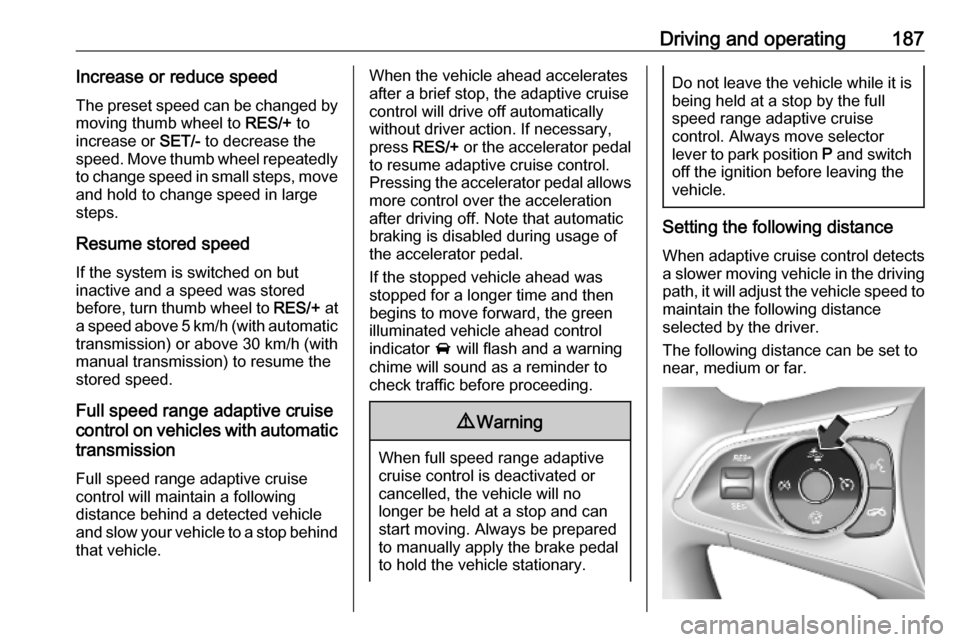
Setting the following distance
When adaptive cruise control detects a slower moving vehicle in the drivingpath, it will adjust the vehicle speed to
maintain the following distance
selected by the driver.
The following distance can be set to
near, medium or far.