lighting OPEL ASTRA K 2019.5 Owner's Guide
[x] Cancel search | Manufacturer: OPEL, Model Year: 2019.5, Model line: ASTRA K, Model: OPEL ASTRA K 2019.5Pages: 311, PDF Size: 9.52 MB
Page 147 of 311
Lighting145This function can be activated or
deactivated in the vehicle
personalisation.
Select the relevant setting in Settings
I Vehicle in the Info Display.
Info Display 3 119.
Vehicle personalisation 3 123.
The settings can be saved for the key
being used 3 24.
The following lights will additionally
switch on when the driver's door is
opened:
● illumination of some switches
● Driver Information Centre
● door pocket lights
Exit lighting The following lights switch on if the
key is removed from the ignition
switch:
● interior lights
● instrument panel light
They will switch off automatically after
a delay. This function works only in
the dark.Path lighting
Headlights, tail lights and number
plate lights illuminate the surrounding
area for an adjustable time after
leaving the vehicle.
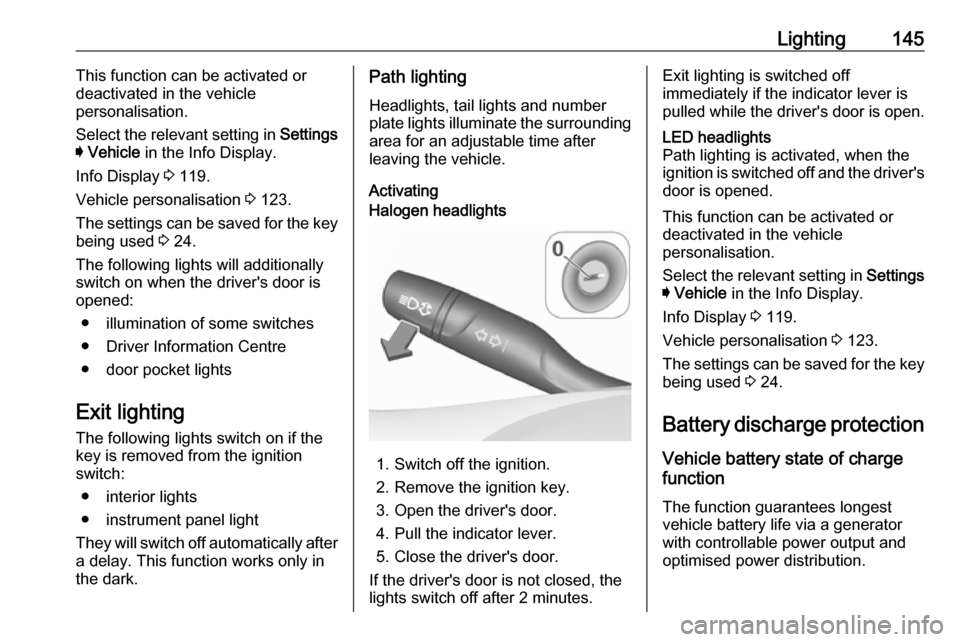
ActivatingHalogen headlights
1. Switch off the ignition.
2. Remove the ignition key.
3. Open the driver's door.
4. Pull the indicator lever.
5. Close the driver's door.
If the driver's door is not closed, the
lights switch off after 2 minutes.
Exit lighting is switched off
immediately if the indicator lever is
pulled while the driver's door is open.LED headlights
Path lighting is activated, when the
ignition is switched off and the driver's door is opened.
This function can be activated or
deactivated in the vehicle
personalisation.
Select the relevant setting in Settings
I Vehicle in the Info Display.
Info Display 3 119.
Vehicle personalisation 3 123.
The settings can be saved for the key being used 3 24.
Battery discharge protection Vehicle battery state of charge
function
The function guarantees longest
vehicle battery life via a generator with controllable power output and
optimised power distribution.
Page 148 of 311

146LightingTo prevent discharge of the vehicle
battery when driving, the following
systems are reduced automatically in two stages and finally switched off:
● auxiliary heater
● heated rear window and mirrors ● heated steering wheel
● heated mirrors
● heated seats
● fan
In the second stage, a message
which confirms the activation of the
vehicle battery discharge protection
will be displayed in the Driver
Information Centre.
Switching off electric lights To prevent discharge of the vehicle
battery when the ignition is switched off, some interior lights are switched
off automatically after some time.
Page 164 of 311
162Driving and operatingAutomatic transmission: operate
brake pedal and move selector lever
to P or N.
Do not operate accelerator pedal.
Press Engine Start/Stop briefly: an
automatic procedure operates the
starter with a short delay until the engine is running, see automatic
starter control.
To switch off the engine when vehicle is stationary, press
Engine Start/Stop briefly. Automatic
transmission: apply the parking brake
and engage P.
To start the engine during an
Autostop:
● Manual transmission: during an Autostop, the engine can be
started by depressing the clutch
pedal 3 163.
● Automatic transmission: during an Autostop, the engine can be
started by releasing the brake pedal 3 163.Emergency engine shut off during
driving
If the engine needs to be switched offduring driving in case of emergency,
press Engine Start/Stop for longer
than 2 seconds or press twice briefly within 5 seconds.9 Danger
Switching off the engine during
driving may cause loss of power
support for brake and steering
systems. Assistance systems and
airbag systems are disabled.
Lighting and brake lights will
extinguish. Therefore power down the engine and ignition while
driving only when required in case of emergency.
Starting the vehicle at low
temperatures
Starting the engine without additional
heaters is possible down to -25 °С for diesel engines and -30 °C for petrol
engines. Required is an engine oil
with the correct viscosity, the correct fuel, performed services and a
sufficiently charged vehicle battery.
With temperatures below -30 °C the
automatic transmission requires a
warming phase of approx. 5 minutes.
The selector lever must be in position P .
Automatic starter control This function controls the engine
starting procedure. The driver does
not need to hold the key in position 3
or to hold Engine Start/Stop pressed.
Once applied, the system will go on
starting automatically until the engine
is running. Because of the checking
procedure, the engine starts running after a short delay.
Page 195 of 311
Driving and operating193ActivationForward collision alert with front
camera detects vehicles to distances
of approx. 60 m and operates
automatically at all speeds above
walking speed.
Forward collision alert with radar
sensor detects vehicles to distances
of approx. 150 m and operates
automatically at all speeds above
walking speed.
Alerting the driver
The vehicle ahead control indicator
A illuminates green in the instrument
cluster when the system has detected
a vehicle in the driving path.
The control indicator A changes to
yellow when the distance to a
preceding moving vehicle gets too
small or when approaching another
vehicle too rapidly.Caution
The colour lighting of this control
indicator does not correspond to
local traffic laws on following
distance. The driver bears full
responsibility for maintaining safe
following distance according to
applicable traffic rules, weather
and road conditions etc. at all
times.
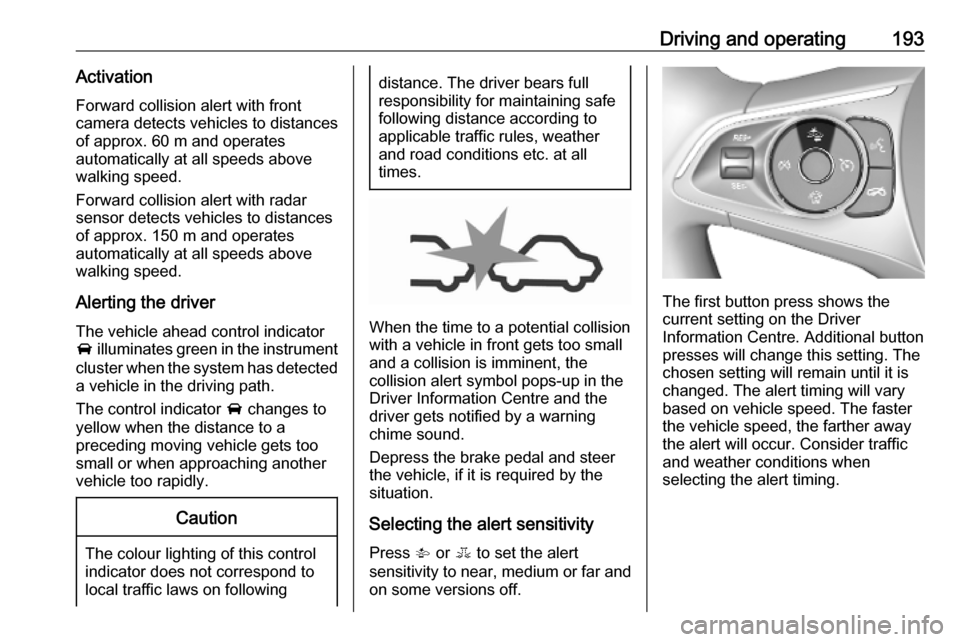
When the time to a potential collision
with a vehicle in front gets too small
and a collision is imminent, the
collision alert symbol pops-up in the
Driver Information Centre and the
driver gets notified by a warning
chime sound.
Depress the brake pedal and steer
the vehicle, if it is required by the
situation.
Selecting the alert sensitivity
Press V or E to set the alert
sensitivity to near, medium or far and on some versions off.
The first button press shows the
current setting on the Driver
Information Centre. Additional button presses will change this setting. The
chosen setting will remain until it is
changed. The alert timing will vary
based on vehicle speed. The faster the vehicle speed, the farther awaythe alert will occur. Consider traffic
and weather conditions when
selecting the alert timing.
Page 209 of 311
Driving and operating2079Warning
Side blind spot alert does not
replace driver vision.
The system does not detect:
● vehicles outside the side blind zones which may be rapidly
approaching
● pedestrians, cyclists or animals
Before changing a lane, always
check all mirrors, look over the
shoulder and use the turn lights.
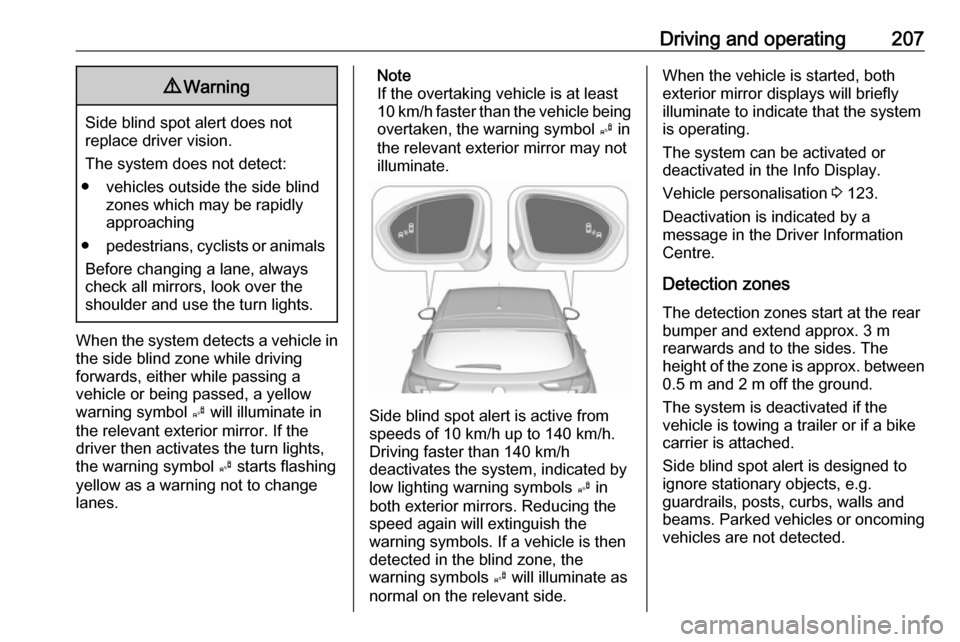
When the system detects a vehicle in the side blind zone while driving
forwards, either while passing a
vehicle or being passed, a yellow
warning symbol B will illuminate in
the relevant exterior mirror. If the
driver then activates the turn lights,
the warning symbol B starts flashing
yellow as a warning not to change
lanes.
Note
If the overtaking vehicle is at least
10 km/h faster than the vehicle being
overtaken, the warning symbol B in
the relevant exterior mirror may not
illuminate.
Side blind spot alert is active from
speeds of 10 km/h up to 140 km/h.
Driving faster than 140 km/h
deactivates the system, indicated by
low lighting warning symbols B in
both exterior mirrors. Reducing the speed again will extinguish the
warning symbols. If a vehicle is then
detected in the blind zone, the
warning symbols B will illuminate as
normal on the relevant side.
When the vehicle is started, both exterior mirror displays will briefly
illuminate to indicate that the system
is operating.
The system can be activated or
deactivated in the Info Display.
Vehicle personalisation 3 123.
Deactivation is indicated by a
message in the Driver Information
Centre.
Detection zones
The detection zones start at the rear bumper and extend approx. 3 m
rearwards and to the sides. The
height of the zone is approx. between 0.5 m and 2 m off the ground.
The system is deactivated if the
vehicle is towing a trailer or if a bike
carrier is attached.
Side blind spot alert is designed to
ignore stationary objects, e.g.
guardrails, posts, curbs, walls and
beams. Parked vehicles or oncoming
vehicles are not detected.
Page 213 of 311
Driving and operating211speed limit sign or end of speed limitis detected or up to a defined sign
timeout.
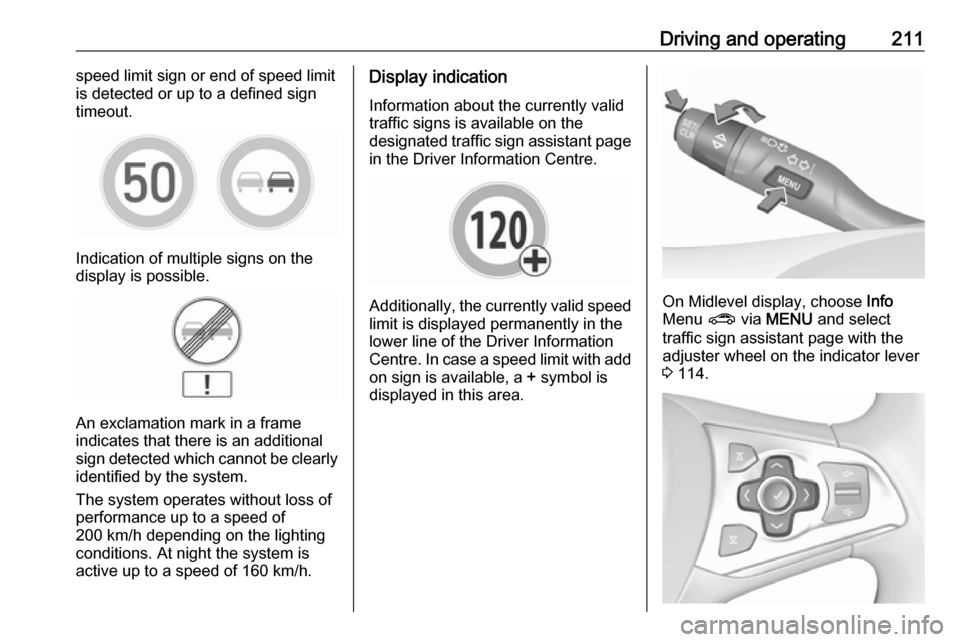
Indication of multiple signs on the
display is possible.
An exclamation mark in a frame
indicates that there is an additional
sign detected which cannot be clearly
identified by the system.
The system operates without loss of
performance up to a speed of
200 km/h depending on the lighting
conditions. At night the system is
active up to a speed of 160 km/h.
Display indication
Information about the currently valid
traffic signs is available on the
designated traffic sign assistant page in the Driver Information Centre.
Additionally, the currently valid speed
limit is displayed permanently in the
lower line of the Driver Information
Centre. In case a speed limit with add on sign is available, a + symbol is
displayed in this area.On Midlevel display, choose Info
Menu ? via MENU and select
traffic sign assistant page with the adjuster wheel on the indicator lever
3 114.
Page 217 of 311
Driving and operating215Note
The system may be switched off if it
detects lanes which are too narrow,
too wide or too curved.
Activation
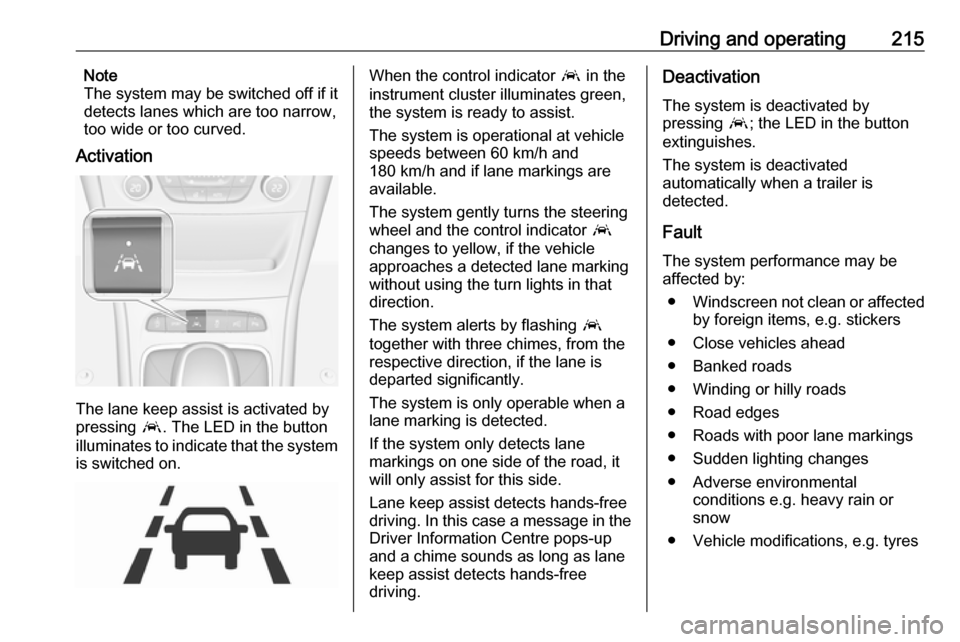
The lane keep assist is activated by
pressing a. The LED in the button
illuminates to indicate that the system
is switched on.
When the control indicator a in the
instrument cluster illuminates green,
the system is ready to assist.
The system is operational at vehicle
speeds between 60 km/h and
180 km/h and if lane markings are
available.
The system gently turns the steering
wheel and the control indicator a
changes to yellow, if the vehicle
approaches a detected lane marking
without using the turn lights in that
direction.
The system alerts by flashing a
together with three chimes, from the
respective direction, if the lane is
departed significantly.
The system is only operable when a
lane marking is detected.
If the system only detects lane
markings on one side of the road, it
will only assist for this side.
Lane keep assist detects hands-free
driving. In this case a message in the
Driver Information Centre pops-up
and a chime sounds as long as lane
keep assist detects hands-free
driving.Deactivation
The system is deactivated by
pressing a; the LED in the button
extinguishes.
The system is deactivated
automatically when a trailer is
detected.
Fault
The system performance may be affected by:
● Windscreen not clean or affected
by foreign items, e.g. stickers
● Close vehicles ahead
● Banked roads
● Winding or hilly roads
● Road edges
● Roads with poor lane markings
● Sudden lighting changes
● Adverse environmental conditions e.g. heavy rain or
snow
● Vehicle modifications, e.g. tyres
Page 304 of 311

302Customer informationFault memories in the vehicle can be
reset by a service company when
carrying out servicing or repairs or at
your request.
Comfort and infotainment
functions
Comfort settings and custom settings can be stored in the vehicle and
changed or reset at any time.
Depending on the equipment level in
question, these include
● seat and steering wheel position settings
● chassis and air conditioning settings
● custom settings such as interior lighting
You can input your own data in the
infotainment functions for your
vehicle as part of the selected
features.Depending on the equipment level in
question, these include
● multimedia data such as music, videos or photos for playback in
an integrated multimedia system
● address book data for use with an
integrated hands-free system or
an integrated navigation system
● input destinations
● data on the use of online services
This data for comfort and
infotainment functions can be stored
locally in the vehicle or be kept on a
device that you have connected to the
vehicle ( e.g. a smartphone, USB stick
or MP3 player). Data that you have
input yourself can be deleted at any
time.
This data can only be transmitted out
of the vehicle at your request,
particularly when using online
services in accordance with the
settings selected by you.Smartphone integration, e.g.
Android Auto or Apple CarPlay
If your vehicle is equipped
accordingly, you can connect your
smartphone or another mobile device to the vehicle so that you can control
it via the controls integrated in the
vehicle. The smartphone image and
sound can be output via the
multimedia system in this case. At the
same time, specific information is
transmitted to your smartphone.
Depending on the type of integration, this includes data such as position
data, day / night mode and other
general vehicle information. For more
information, please see the operating
instructions for the vehicle /
infotainment system.
Integration allows selected
smartphone apps to be used, such as navigation or music playback. No
further integration is possible
between smartphone and vehicle, in
particular active access to vehicle
data. The nature of further data
processing is determined by the
provider of the app used. Whether
you can define settings, and if so
Page 306 of 311

304IndexAAccessories and vehicle modifications .......................... 227
Active emergency braking ..........195
Adaptive cruise control .......113, 185
AdBlue ................................ 111, 169
Adjustable air vents ...................155
Airbag and belt tensioners .........108
Airbag deactivation ..............63, 108
Airbag label................................... 58
Airbag system .............................. 58
Air conditioning regular operation ................................ 156
Air conditioning system .............. 148
Air intake .................................... 156
Air vents...................................... 155
Antilock brake system ................ 175
Antilock brake system (ABS) .....110
Anti-theft alarm system ................36
Anti-theft locking system .............. 36
Appearance care ........................273
Armrest ................................... 53, 55
Armrest storage ........................... 72
Ashtrays ....................................... 98 Automatic anti-dazzle ..................41
Automatic light control ...............136
Automatic locking ........................29
Automatic transmission .............172
Autostop ..................................... 163
Auxiliary heater ........................... 155B
Battery discharge protection ......145
Battery voltage ........................... 123 Belts.............................................. 56
BlueInjection ............................... 169
Bonnet ....................................... 229
Brake and clutch fluid .................278
Brake and clutch system ...........109
Brake assist ............................... 178
Brake fluid .................................. 232
Brakes ............................... 175, 232
Breakdown.................................. 271
Bulb replacement ....................... 235
C Capacities .................................. 289
Cargo management system ........82
Catalytic converter .....................168
Central locking system ................24
Centre console lighting ..............144
Changing tyre and wheel size ...260
Charging system ........................ 109 Child locks ................................... 30
Child restraint installation locations ................................... 67
Child restraints.............................. 65
Child restraint systems ................65
Climate control ............................. 16
Climate control systems .............147
Clock............................................. 95
Page 307 of 311

305CNG.................................... 104, 218
Control indicators........................ 107
Control of the vehicle .................158
Controls ........................................ 91
Convex shape .............................. 39
Coolant and antifreeze ...............278
Cruise control ....................112, 181
Cupholders .................................. 71
Curtain airbag system .................. 63
Curve lighting.............................. 139
D
Danger, Warnings and Cautions ...4
Daytime running lights ...............139
Declaration of conformity ............293
DEF ............................................ 169
Diesel exhaust fluid ....................169
Diesel fuel system bleeding .......234
Door open .................................. 113
Doors ............................................ 30
Driver assistance systems ..........181
Driver Information Centre ...........114
Driving characteristics and towing tips .............................. 222
Driving hints ................................ 158
E Electric adjustment ......................39
Electrical system......................... 245
Electric parking brake .........109, 176
Electric parking brake fault .........109Electronic climate control system 150
Electronic driving programmes ..173
Electronic key system ...................22
Electronic Stability Control.......... 179
Electronic Stability Control and Traction Control system ..........110
Electronic Stability Control off..... 110
End-of-life vehicle recovery .......228
Engine compartment fuse box ...246
Engine coolant ........................... 231
Engine coolant temperature gauge ..................................... 105
Engine data ............................... 284
Engine exhaust .......................... 167
Engine identification ...................281
Engine oil ................... 230, 278, 282
Engine oil pressure ....................111
Entry lighting .............................. 144
Event data recorders ..................300
Exhaust filter ............................... 167
Exit lighting ................................ 145
Exterior care .............................. 273
Exterior light ............................... 112
Exterior lighting ....................13, 135
Exterior mirrors ............................. 39
F
Fault ........................................... 174
First aid kit ................................... 86
Fixed air vents ........................... 155Folding mirrors ............................. 39
Following distance ......................110
Following distance indication ......195
Forward collision alert................. 192
Front airbag system .....................62
Front fog lights ...........112, 142, 237
Front seats.................................... 47
Front storage ................................ 72
Fuel............................................. 216
Fuel for diesel engines ..............218
Fuel for natural gas operation ...218
Fuel for petrol engines ...............216
Fuel gauge ................................. 104
Fuel selector .............................. 104
Fuses ......................................... 245
G Gauges ....................................... 102
Gear selection ........................... 172
Gear shifting ............................... 110
General information ...................221
Glovebox ..................................... 71
H Halogen headlights ....................235
Hand brake ......................... 175, 176
Hazard warning flashers ............141
Headlight flash ........................... 138
Headlight range adjustment ......138
Headlights................................... 135
Headlights when driving abroad 139