park assist OPEL ASTRA K 2019 Manual user
[x] Cancel search | Manufacturer: OPEL, Model Year: 2019, Model line: ASTRA K, Model: OPEL ASTRA K 2019Pages: 317, PDF Size: 9.56 MB
Page 127 of 317
Instruments and controls125Vehicle personalisation
The vehicle's behaviour can be
personalised by changing the settings in the Info-Display.
Some of the personal settings for
different drivers can be memorised
individually for each vehicle key.
Memorised settings 3 25.
Depending on vehicle equipment and
country-specific regulations some of
the functions described below may
not be available.
Some functions are only displayed or
active when the engine is running.
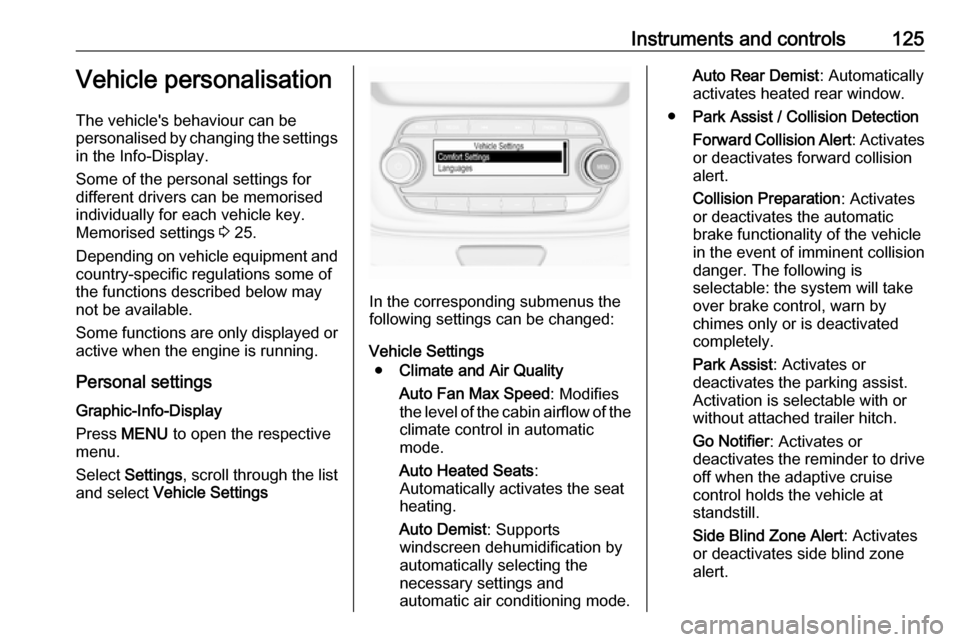
Personal settings Graphic-Info-Display
Press MENU to open the respective
menu.
Select Settings , scroll through the list
and select Vehicle Settings
In the corresponding submenus the
following settings can be changed:
Vehicle Settings ● Climate and Air Quality
Auto Fan Max Speed : Modifies
the level of the cabin airflow of the climate control in automatic
mode.
Auto Heated Seats :
Automatically activates the seat
heating.
Auto Demist : Supports
windscreen dehumidification by
automatically selecting the
necessary settings and
automatic air conditioning mode.
Auto Rear Demist : Automatically
activates heated rear window.
● Park Assist / Collision Detection
Forward Collision Alert : Activates
or deactivates forward collision
alert.
Collision Preparation : Activates
or deactivates the automatic
brake functionality of the vehicle
in the event of imminent collision
danger. The following is
selectable: the system will take
over brake control, warn by
chimes only or is deactivated
completely.
Park Assist : Activates or
deactivates the parking assist.
Activation is selectable with or
without attached trailer hitch.
Go Notifier : Activates or
deactivates the reminder to drive off when the adaptive cruise
control holds the vehicle at
standstill.
Side Blind Zone Alert : Activates
or deactivates side blind zone
alert.
Page 129 of 317
Instruments and controls127Remote Left in Vehicle Alarm:
Activates or deactivates the
warning chime when the
electronic key remains in the
vehicle.
● Restore Factory Settings :
Resets all settings to the default settings.
● Valet Mode :
See Infotainment manual.
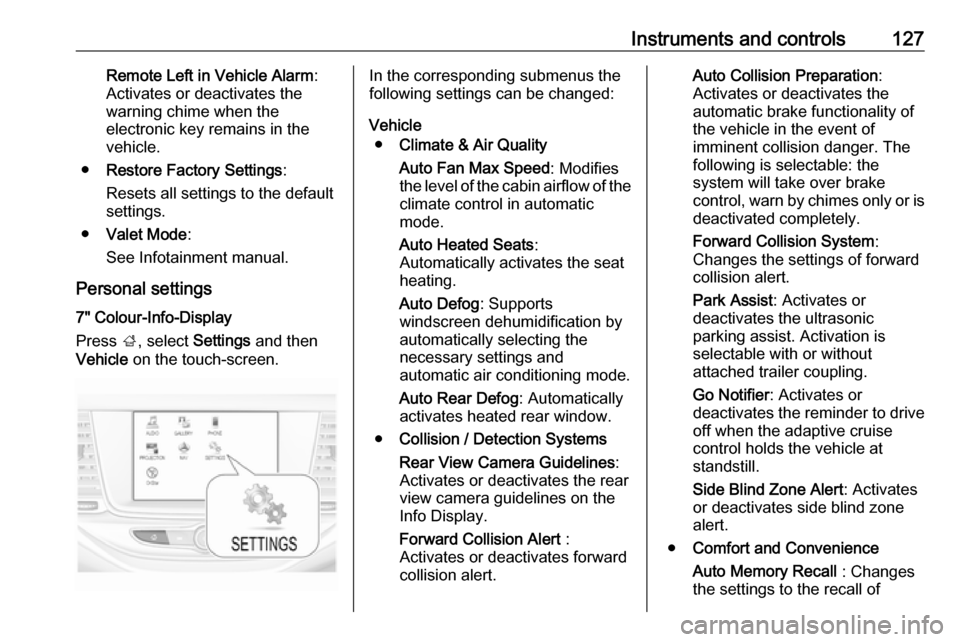
Personal settings 7" Colour-Info-Display
Press ;, select Settings and then
Vehicle on the touch-screen.In the corresponding submenus the
following settings can be changed:
Vehicle ● Climate & Air Quality
Auto Fan Max Speed : Modifies
the level of the cabin airflow of the climate control in automatic
mode.
Auto Heated Seats :
Automatically activates the seat
heating.
Auto Defog : Supports
windscreen dehumidification by
automatically selecting the
necessary settings and
automatic air conditioning mode.
Auto Rear Defog : Automatically
activates heated rear window.
● Collision / Detection Systems
Rear View Camera Guidelines :
Activates or deactivates the rear
view camera guidelines on the
Info Display.
Forward Collision Alert :
Activates or deactivates forward
collision alert.Auto Collision Preparation :
Activates or deactivates the
automatic brake functionality of
the vehicle in the event of
imminent collision danger. The
following is selectable: the
system will take over brake
control, warn by chimes only or is
deactivated completely.
Forward Collision System :
Changes the settings of forward
collision alert.
Park Assist : Activates or
deactivates the ultrasonic
parking assist. Activation is
selectable with or without
attached trailer coupling.
Go Notifier : Activates or
deactivates the reminder to drive
off when the adaptive cruise
control holds the vehicle at
standstill.
Side Blind Zone Alert : Activates
or deactivates side blind zone alert.
● Comfort and Convenience
Auto Memory Recall : Changes
the settings to the recall of
Page 131 of 317
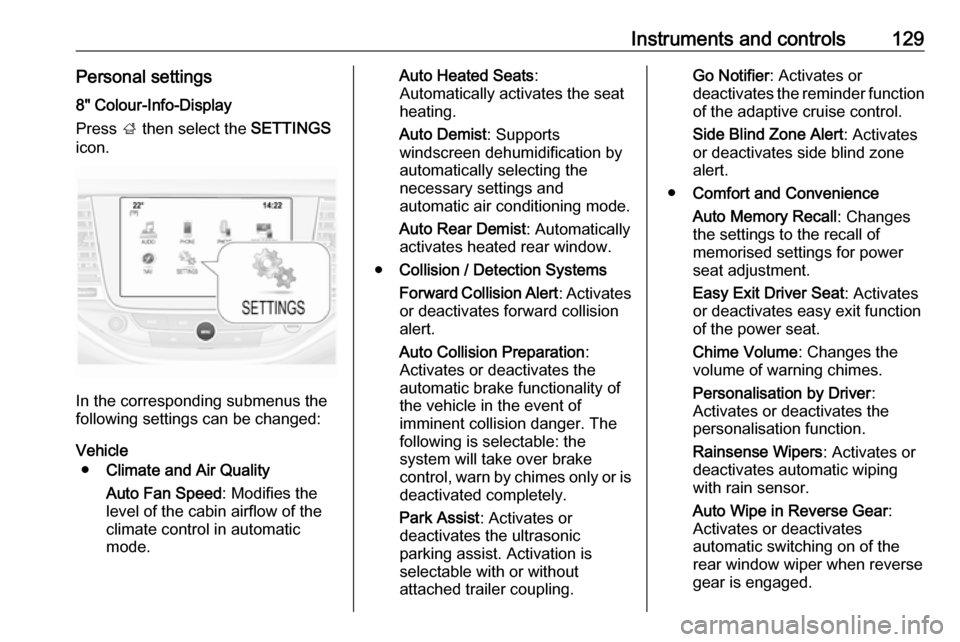
Instruments and controls129Personal settings8" Colour-Info-Display
Press ; then select the SETTINGS
icon.
In the corresponding submenus the
following settings can be changed:
Vehicle ● Climate and Air Quality
Auto Fan Speed : Modifies the
level of the cabin airflow of the
climate control in automatic
mode.
Auto Heated Seats :
Automatically activates the seat
heating.
Auto Demist : Supports
windscreen dehumidification by
automatically selecting the
necessary settings and
automatic air conditioning mode.
Auto Rear Demist : Automatically
activates heated rear window.
● Collision / Detection Systems
Forward Collision Alert : Activates
or deactivates forward collision
alert.
Auto Collision Preparation :
Activates or deactivates the
automatic brake functionality of
the vehicle in the event of
imminent collision danger. The
following is selectable: the
system will take over brake
control, warn by chimes only or is
deactivated completely.
Park Assist : Activates or
deactivates the ultrasonic
parking assist. Activation is
selectable with or without
attached trailer coupling.Go Notifier : Activates or
deactivates the reminder function
of the adaptive cruise control.
Side Blind Zone Alert : Activates
or deactivates side blind zone alert.
● Comfort and Convenience
Auto Memory Recall : Changes
the settings to the recall of
memorised settings for power
seat adjustment.
Easy Exit Driver Seat : Activates
or deactivates easy exit function of the power seat.
Chime Volume : Changes the
volume of warning chimes.
Personalisation by Driver :
Activates or deactivates the
personalisation function.
Rainsense Wipers : Activates or
deactivates automatic wiping with rain sensor.
Auto Wipe in Reverse Gear :
Activates or deactivates automatic switching on of the
rear window wiper when reverse
gear is engaged.
Page 140 of 317
138LightingThe following lighting functions are
available with light switch in position
AUTO or 9.
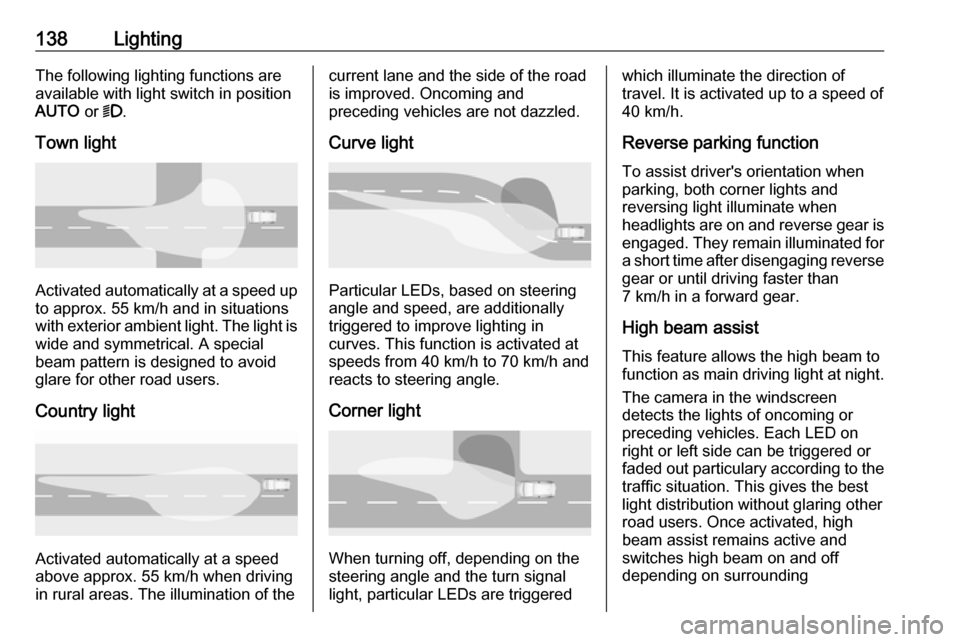
Town light
Activated automatically at a speed up to approx. 55 km/h and in situations
with exterior ambient light. The light is
wide and symmetrical. A special
beam pattern is designed to avoid
glare for other road users.
Country light
Activated automatically at a speed
above approx. 55 km/h when driving
in rural areas. The illumination of the
current lane and the side of the road is improved. Oncoming and
preceding vehicles are not dazzled.
Curve light
Particular LEDs, based on steering
angle and speed, are additionally
triggered to improve lighting in
curves. This function is activated at
speeds from 40 km/h to 70 km/h and
reacts to steering angle.
Corner light
When turning off, depending on the
steering angle and the turn signal light, particular LEDs are triggered
which illuminate the direction of
travel. It is activated up to a speed of
40 km/h.
Reverse parking function To assist driver's orientation when
parking, both corner lights and
reversing light illuminate when
headlights are on and reverse gear is
engaged. They remain illuminated for
a short time after disengaging reverse gear or until driving faster than
7 km/h in a forward gear.
High beam assist This feature allows the high beam to
function as main driving light at night.
The camera in the windscreen
detects the lights of oncoming or
preceding vehicles. Each LED on
right or left side can be triggered or
faded out particulary according to the
traffic situation. This gives the best
light distribution without glaring other
road users. Once activated, high
beam assist remains active and
switches high beam on and off
depending on surrounding
Page 142 of 317
140LightingHigh beam assist switches
automatically to low beam when:
● Driving in urban areas.
● Reverse parking function is active.
● Front or rear fog lights are switched on.
If there are no restrictions detected,
the system switches back to high
beam.
DeactivationIndicator lever with or without MENU button
If high beam assist is active and high
beam is on, pull indicator lever once
to deactivate high beam assist.
If high beam assist is active and high
beam is off, push indicator lever twice
to deactivate high beam assist.
Pushing the indicator lever to activate manual high beam will also
deactivate high beam assist.Indicator lever with f button
If high beam assist is active and high
beam is on, press f once or pull
indicator lever once to deactivate high
beam assist.If high beam assist is active and high
beam is off, press f once to
deactivate high beam assist.
Pushing the indicator lever to activate manual high beam will also
deactivate high beam assist.Headlight flash in conjunction with
high beam assist
Headlight flash by pulling indicator
lever once will not deactivate high beam assist when high beam is off.
Headlight flash by pulling indicator lever once deactivates high beam
assist when high beam is on.
Dynamic automatic headlight
levelling
To prevent oncoming traffic from
being dazzled, headlight levelling is
automatically adjusted based on
inclination information measured by
front and rear axle, acceleration or
deceleration and vehicle speed.
Headlights when driving abroad
3 137.
Fault in LED headlight system
When the system detects a failure in
the LED headlight system, it selects a preset position to avoid dazzling of
oncoming traffic. A warning is
displayed in the Driver Information
Centre.
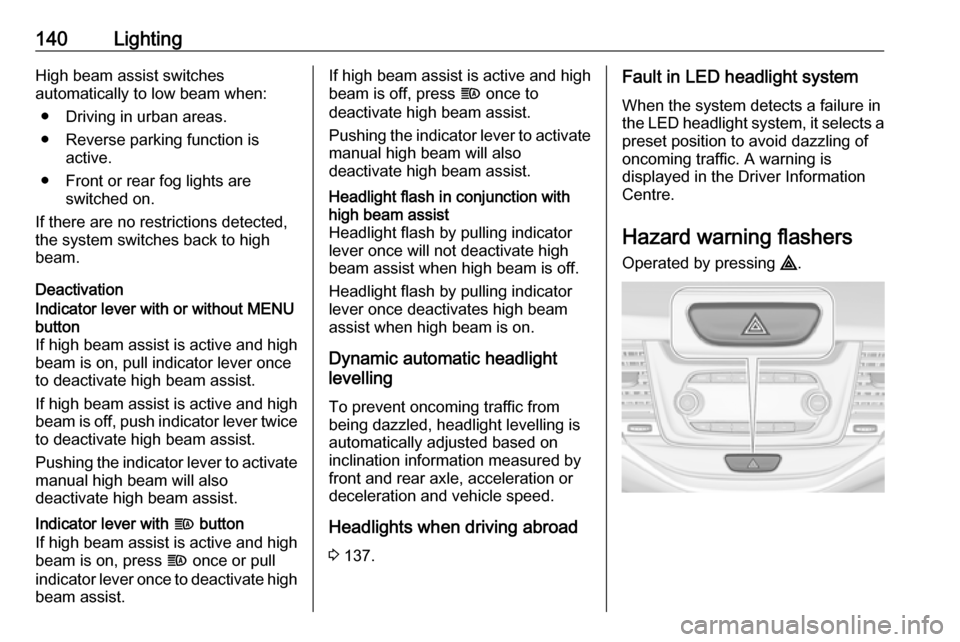
Hazard warning flashers Operated by pressing ¨.
Page 158 of 317

156Driving and operatingDriving and
operatingDriving hints ............................... 157
Control of the vehicle ...............157
Steering ................................... 157
Starting and operating ...............157
New vehicle running-in ............157
Ignition switch positions ...........157
Power button ........................... 158
Retained power off ..................160
Starting the engine ..................160
Overrun cut-off ........................ 162
Stop-start system ....................162
Parking .................................... 165
Engine exhaust .......................... 167
Exhaust filter ............................ 167
Catalytic converter ...................168
AdBlue ..................................... 169
Automatic transmission ..............171
Transmission display ...............171
Selector lever .......................... 172
Manual mode ........................... 173
Electronic driving programmes 173
Fault ........................................ 173
Interruption of power supply ....174Manual transmission ..................174
Manual transmission automa‐ ted .............................................. 175
Transmission display ...............175
Selector lever .......................... 176
Manual mode ........................... 177
Electronic driving programmes 177
Fault ........................................ 177
Brakes ........................................ 178
Antilock brake system .............178
Parking brake .......................... 179
Brake assist ............................. 181
Hill start assist ......................... 181
Ride control systems .................181
Traction Control system ..........181
Electronic Stability Control ......182
Sport mode .............................. 183
Driver assistance systems .........184
Cruise control .......................... 184
Speed limiter ........................... 186
Adaptive cruise control ............187
Forward collision alert .............195
Following distance indication ...197
Active emergency braking .......198
Parking assist .......................... 201
Side blind spot alert .................209
Rear view camera ...................210
Traffic sign assistant ................212
Lane keep assist .....................216Fuel............................................ 219
Fuel for petrol engines .............219
Fuel for diesel engines ............220
Fuel for natural gas operation . 221
Refuelling ................................ 221
Trailer hitch ................................ 224
General information .................224
Driving characteristics and towing tips .............................. 224
Trailer towing ........................... 224
Towing equipment ...................225
Trailer stability assist ...............228
Page 159 of 317

Driving and operating157Driving hints
Control of the vehicle
Never coast with engine not
running
Many systems will not function in this
situation ( e.g. brake servo unit, power
steering). Driving in this manner is a danger to yourself and others.
All systems function during an
Autostop.
Stop-start system 3 162.
Idle boost
If charging of the vehicle battery is
required due to battery condition, the
power output of the generator must be increased. This will be achieved by an idle boost which may be audible.
A message appears in the Driver
Information Centre.
Pedals
To ensure the pedal travel is
uninhibited, there must be no mats in
the area of the pedals.Use only floor mats, which fit properly and are fixed by the retainers on the
driver side.
Steering If power steering assist is lost
because the engine stops or due to a system malfunction, the vehicle can
be steered but may require increased
effort.Starting and operating
New vehicle running-in Do not brake unnecessarily hard for
the first few journeys.
During the first drive, smoke may
occur because of wax and oil
evaporating off the exhaust system. Park the vehicle in the open for a
while after the first drive and avoid
inhaling the fumes.
During the running-in period, fuel and engine oil consumption may be
higher.
Additionally, the cleaning process of
the exhaust filter may take place more
often.
Exhaust filter 3 167.
Autostop may be inhibited to allow for
charging of the vehicle battery.
Ignition switch positions
Turn key:
Page 201 of 317

Driving and operating199● forward looking brake assist
● intelligent brake assist (only with radar sensor)
Brake preparation system
When approaching a vehicle ahead
so quickly that a collision is likely, the brake preparation system slightly
pressurizes the brakes. This reduces
the response time, when a manual or automatic braking is requested.
The brake system is prepared so that braking can occur more rapidly.
If equipped only with front camera the
system operates up to a speed of 80
km/h.
Emergency automatic braking After activation of brake preparation
system and just before the imminent
collision, this function automatically
applies limited braking to reduce the
impact speed of the collision or
prohibit a crash. Depending on the
situation, the vehicle may
automatically brake moderately or
hard. This front automatic braking canonly occur if a vehicle ahead is
detected, indicated by the vehicle
ahead indicator A 3 195.
If equipped only with front camera the
system operates up to a speed of 60
km/h.
Below a speed of 40 km/h the system can apply full braking.
Emergency automatic braking may slow the vehicle to a complete stop to
try to avoid a potential crash. If this
happens, emergency automatic
braking may engage the electric
parking brake to hold the vehicle at a
stop. To release press the electric
parking brake button or firmly press
the accelerator pedal.9 Warning
Emergency automatic braking is
an emergency crash preparation
feature and is not designed to
avoid crashes. Do not rely on the
system to brake the vehicle.
Emergency automatic braking will
not brake outside of its operating speed range and only responds to
detected vehicles.
Forward looking brake assist
In addition to the brake preparation
system and emergency automatic
braking, the forward looking brake
assist function makes the brake assist more sensitive. Therefore, pressing
the brake pedal less strongly results
in immediate hard braking. This
function helps the driver brake
quicker and harder before the
imminent collision.
If equipped only with front camera the
system operates up to a speed of 85
km/h.9 Warning
Active emergency braking is not
designed to apply hard
autonomous braking or to
automatically avoid a collision. It is designed to reduce the vehicle
speed before a collision. It may not
react for pedestrians or animals.
Page 202 of 317
200Driving and operatingAfter a sudden lane change, the
system needs a certain time to
detect the next preceding vehicle.
The complete attention of the
driver is always required while
driving. The driver shall always be ready to take action and apply the brakes and steer to avoid
collisions. The system is designed
to work with all occupants wearing their seat belts.
Intelligent Brake Assist
If the vehicle is equipped with radar
sensor Intelligent brake assist may
activate when the brake pedal is
applied quickly by providing a boost
to braking based on the speed of
approach and distance to a vehicle
ahead.
Minor brake pedal pulsations or pedal
movement during this time is normal
and the brake pedal should continue
to be applied as needed. Intelligent
brake assist will automatically
disengage only when the brake pedal is released.
9 Warning
Intelligent brake assist may
increase vehicle braking in
situations when it may not be
necessary. You could block the
flow of traffic. If this occurs, take
your foot off the brake pedal and
then apply the brakes as needed.
Deactivation
On vehicles with front camera active
emergency braking can be
deactivated by repeatedly pressing
the gap switch V to Off setting,
3 195. If deactivated a message is
displayed in the Driver Information
Centre.
On vehicles with radar sensor the
system can be disabled in the
personalisation menu in the Info-
display, 3 125.
We recommend to deactivate the system in the vehicle personalisation
in the following cases:
● when the vehicle is being towed
● before using an automatic car wash with ignition switched on
● if the windscreen has been damaged close to the camera
● if the front bumper has been damaged
System limitations In some cases, the active emergencybraking system may provide an
automatic braking in situations that
seem to be unnecessary, for instance
in parking garages, due to traffic signs
in a curve or due to vehicles in
another lane. This is normal
operation, the vehicle does not need
Page 203 of 317
Driving and operating201service. Firmly apply the accelerator
pedal to override the automatic
braking.
Emergency automatic braking may
not:
● detect a vehicle ahead on winding or hilly roads.
● detect all vehicles, especially vehicles with a trailer, tractors,
muddy vehicles, etc.
● detect a vehicle when weather limits visibility, such as in fog,rain, or snow.
To avoid malfunction keep the areas
of the camera sensor in the
windscreen and the radar sensor in
the radiator grille always clean from
dirt, dust, ice and snow.
Complete attention is always required
while driving, and you should be
ready to take action and apply the
brakes and/or steer the vehicle to
avoid crashes.
Fault
In case the system requires a service,
a message is displayed in the Driver
Information Centre.If the system does not work as it
should do, vehicle messages are
displayed in the Driver Information
Centre.
Vehicle messages 3 123.
Parking assist
General information When the trailer hitch is attached,
change the configuration settings in
the vehicle personalisation menu in
the Info-Display. Vehicle
personalisation 3 125.
When attaching a trailer or bike
carrier to the trailer hitch, the parking
assist is deactivated.
Rear parking assist9 Warning
It is the driver who bears full
responsibility for the parking
manoeuvre.
Always check the surrounding
area while reversing and using the rear parking assist system.
The rear parking assist makes
parking easier by measuring the
distance between the vehicle and
rear obstacles. It informs and warns
the driver by giving acoustic signals
and display indication.
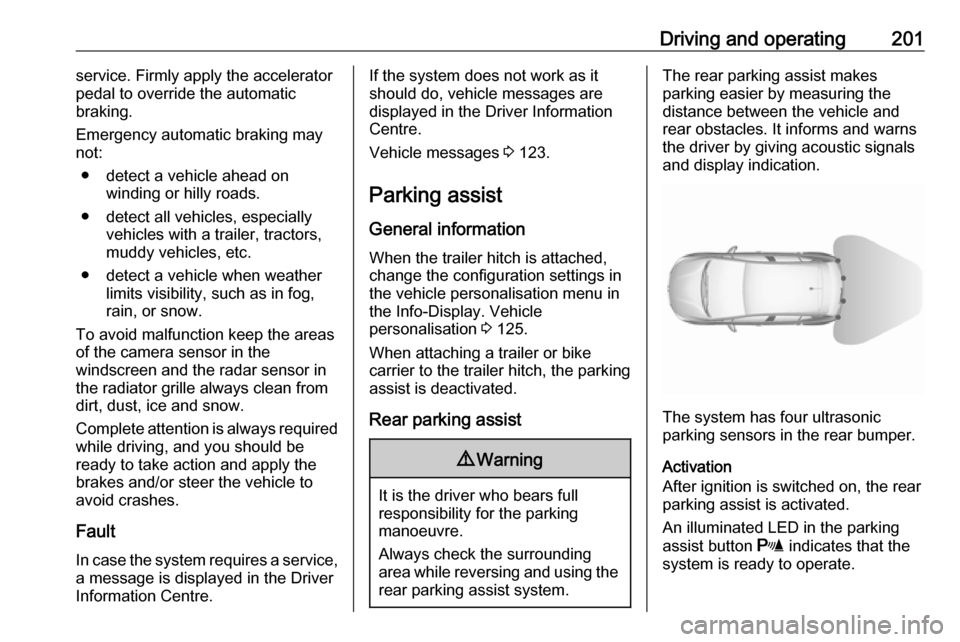
The system has four ultrasonic
parking sensors in the rear bumper.
Activation
After ignition is switched on, the rear
parking assist is activated.
An illuminated LED in the parking
assist button r indicates that the
system is ready to operate.