ect OPEL ASTRA K 2019 Repair Manual
[x] Cancel search | Manufacturer: OPEL, Model Year: 2019, Model line: ASTRA K, Model: OPEL ASTRA K 2019Pages: 317, PDF Size: 9.56 MB
Page 93 of 317

Instruments and controls91Instruments and
controlsControls ....................................... 92
Steering wheel adjustment ........92
Steering wheel controls .............92
Heated steering wheel ...............93
Horn ........................................... 93
Windscreen wiper and washer ..93
Rear window wiper and washer ...................................... 95
Outside temperature ..................96
Clock ......................................... 96
Power outlets ............................. 98
Ashtrays .................................... 99
Warning lights, gauges and indi‐ cators ......................................... 100
Instrument cluster ....................100
Speedometer ........................... 103
Odometer ................................ 104
Trip odometer .......................... 104
Tachometer ............................. 105
Fuel gauge .............................. 105
Fuel selector ............................ 105
Engine coolant temperature gauge ..................................... 106
Service display ........................ 107Control indicators ....................108
Turn lights ................................ 108
Seat belt reminder ...................108
Airbag and belt tensioners .......109
Airbag deactivation ..................109
Charging system .....................110
Malfunction indicator light ........110
Brake and clutch system .........110
Electric parking brake ..............110
Electric parking brake fault ......110
Antilock brake system (ABS) ...111
Gear shifting ............................ 111
Following distance ...................111
Lane keep assist .....................111
Electronic Stability Control off . 111
Electronic Stability Control and Traction Control system .........111
Traction Control system off .....112
Preheating ............................... 112
Exhaust filter ............................ 112
AdBlue ..................................... 112
Tyre pressure monitoring system .................................... 112
Engine oil pressure ..................112
Low fuel ................................... 113
Immobiliser .............................. 113
Exterior light ............................ 113
High beam ............................... 113
High beam assist .....................113
LED headlights ........................ 113Front fog lights......................... 114
Rear fog light ........................... 114
Cruise control .......................... 114
Adaptive cruise control ............114
Vehicle detected ahead ...........114
Speed limiter ........................... 114
Traffic sign assistant ................114
Door open ................................ 115
Displays ..................................... 115
Driver Information Centre ........115
Info Display .............................. 121
Vehicle messages ......................123
Warning chimes .......................124
Battery voltage ........................ 124
Vehicle personalisation ..............125
Telematics service .....................131
OnStar ..................................... 131
Page 94 of 317
92Instruments and controlsControlsSteering wheel adjustment
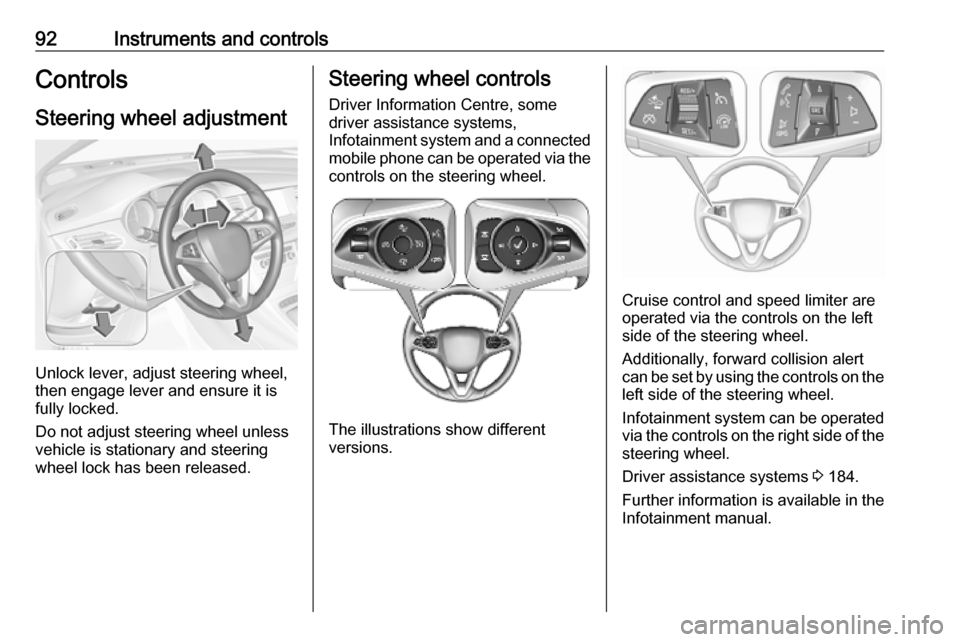
Unlock lever, adjust steering wheel,
then engage lever and ensure it is
fully locked.
Do not adjust steering wheel unless
vehicle is stationary and steering
wheel lock has been released.
Steering wheel controls
Driver Information Centre, some
driver assistance systems,
Infotainment system and a connected mobile phone can be operated via the
controls on the steering wheel.
The illustrations show different
versions.
Cruise control and speed limiter are
operated via the controls on the left
side of the steering wheel.
Additionally, forward collision alert
can be set by using the controls on the
left side of the steering wheel.
Infotainment system can be operated
via the controls on the right side of the
steering wheel.
Driver assistance systems 3 184.
Further information is available in the
Infotainment manual.
Page 96 of 317
94Instruments and controlsAdjustable wiper interval
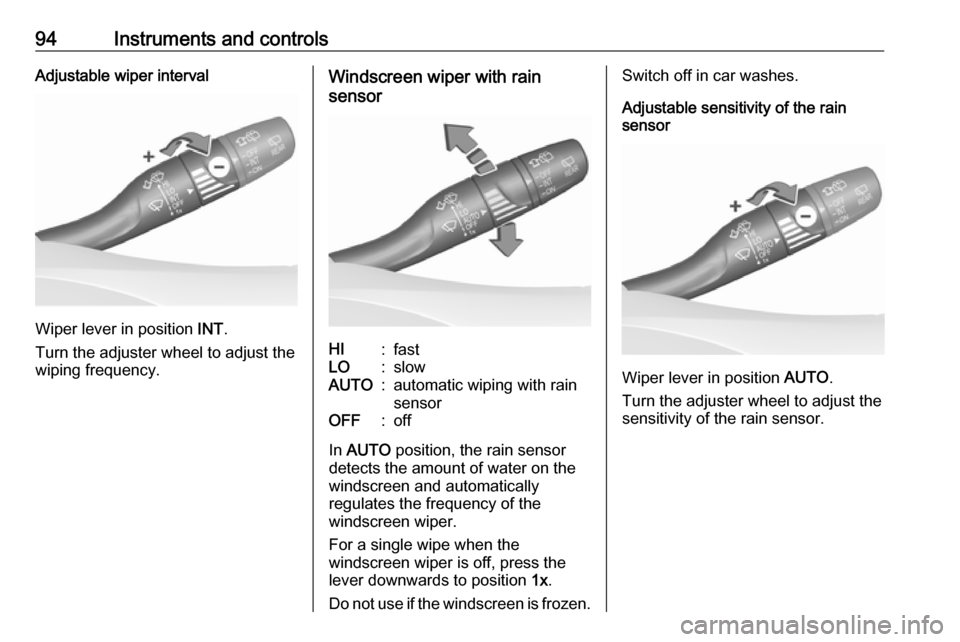
Wiper lever in position INT.
Turn the adjuster wheel to adjust the
wiping frequency.
Windscreen wiper with rain
sensorHI:fastLO:slowAUTO:automatic wiping with rain
sensorOFF:off
In AUTO position, the rain sensor
detects the amount of water on the
windscreen and automatically
regulates the frequency of the
windscreen wiper.
For a single wipe when the
windscreen wiper is off, press the
lever downwards to position 1x.
Do not use if the windscreen is frozen.
Switch off in car washes.
Adjustable sensitivity of the rain
sensor
Wiper lever in position AUTO.
Turn the adjuster wheel to adjust the
sensitivity of the rain sensor.
Page 97 of 317
Instruments and controls95
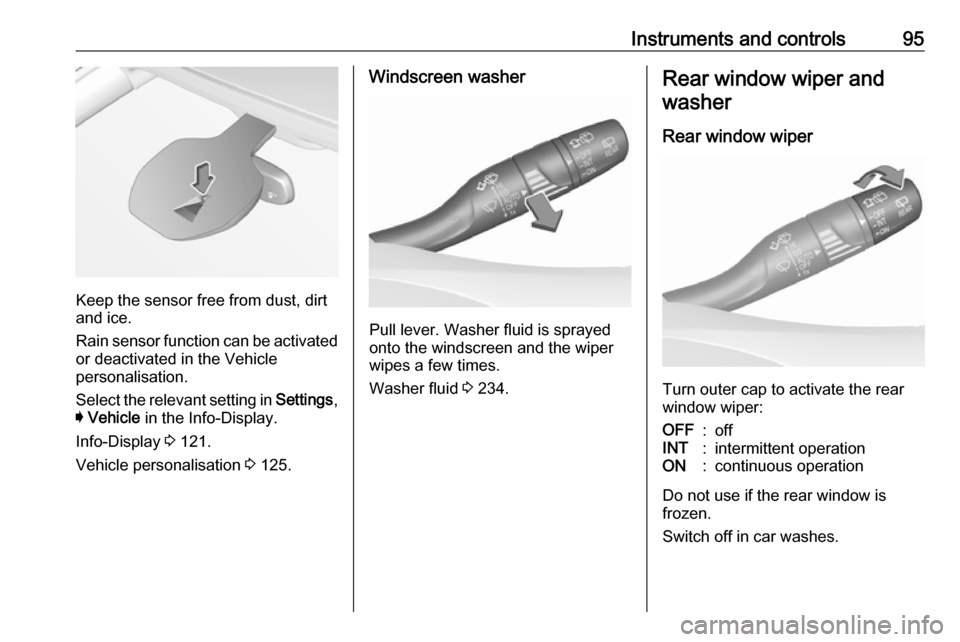
Keep the sensor free from dust, dirt
and ice.
Rain sensor function can be activated or deactivated in the Vehicle
personalisation.
Select the relevant setting in Settings,
I Vehicle in the Info-Display.
Info-Display 3 121.
Vehicle personalisation 3 125.
Windscreen washer
Pull lever. Washer fluid is sprayed
onto the windscreen and the wiper
wipes a few times.
Washer fluid 3 234.
Rear window wiper and
washer
Rear window wiper
Turn outer cap to activate the rear
window wiper:
OFF:offINT:intermittent operationON:continuous operation
Do not use if the rear window is
frozen.
Switch off in car washes.
Page 99 of 317

Instruments and controls97Graphic-Info-DisplayPress MENU to open the respective
audio menu.
Select Time and Date .
Set Time
Select Set Time to enter the
respective submenu.
Select Auto Set at the bottom of the
screen. Activate either On - RDS or
Off (Manual) .
If Off (Manual) is selected, adjust
hours and minutes.
Repeatedly select 12-24 HR at the
bottom of the screen to choose a time mode.
If the 12-hour mode is selected, a
third column for AM and PM selection
is displayed. Select the desired
option.
Set Date
Select Set Date to enter the
respective submenu.
Select Auto Set at the bottom of the
screen. Activate either On - RDS or
Off (Manual) .
If Off (Manual) is selected, adjust the
date settings.
7'' Colour-Info-Display
Press ; and then select Settings.
Select Time and Date to display the
respective submenu.Set Time Format
To select the desired time format,
touch the screen buttons 12 h or 24 h .
Set Date Format
To select the desired date format,
select Set Date Format and choose
between the available options in the
submenu.
Auto Set
To choose whether time and date are
to be set automatically or manually,
select Auto Set .
For time and date to be set
automatically, select On - RDS.
For time and date to be set manually, select Off - Manual . If Auto Set is set
to Off - Manual , the submenu items
Set Time and Set Date become
available.
Set time and date
To adjust the time and date settings, select Set Time or Set Date .
Touch + and - to adjust the settings.
Page 100 of 317
98Instruments and controls8'' Colour-Info-Display
Press ; and then select the
Settings icon.
Select Time and Date .
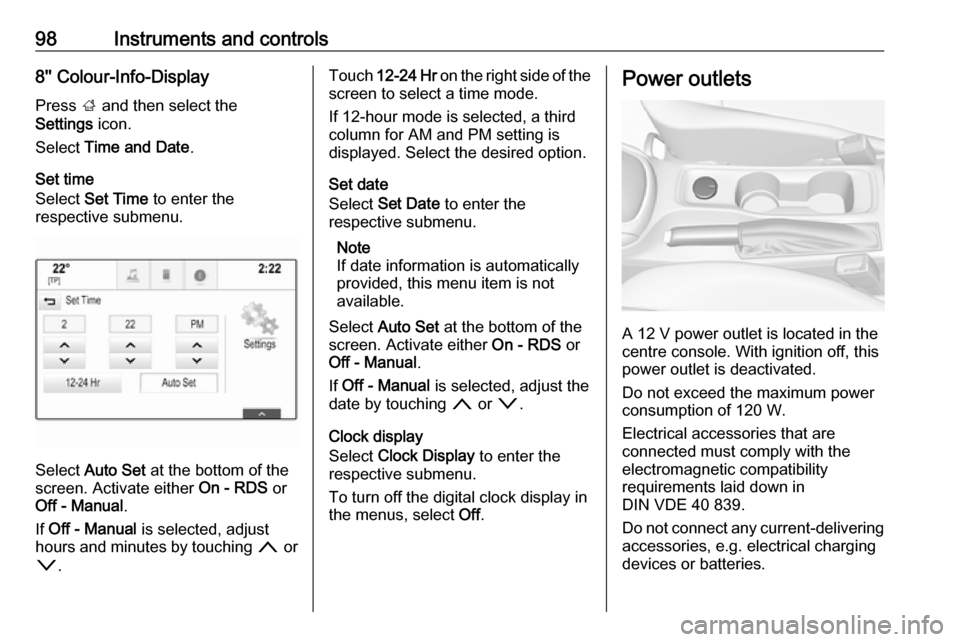
Set time
Select Set Time to enter the
respective submenu.
Select Auto Set at the bottom of the
screen. Activate either On - RDS or
Off - Manual .
If Off - Manual is selected, adjust
hours and minutes by touching n or
o .
Touch 12-24 Hr on the right side of the
screen to select a time mode.
If 12-hour mode is selected, a third
column for AM and PM setting is
displayed. Select the desired option.
Set date
Select Set Date to enter the
respective submenu.
Note
If date information is automatically
provided, this menu item is not
available.
Select Auto Set at the bottom of the
screen. Activate either On - RDS or
Off - Manual .
If Off - Manual is selected, adjust the
date by touching n or o.
Clock display
Select Clock Display to enter the
respective submenu.
To turn off the digital clock display in
the menus, select Off.Power outlets
A 12 V power outlet is located in the
centre console. With ignition off, this
power outlet is deactivated.
Do not exceed the maximum power
consumption of 120 W.
Electrical accessories that are
connected must comply with the
electromagnetic compatibility
requirements laid down in
DIN VDE 40 839.
Do not connect any current-delivering
accessories, e.g. electrical charging
devices or batteries.
Page 101 of 317
Instruments and controls99Do not damage the outlets by using
unsuitable plugs.
Stop-start system 3 162.
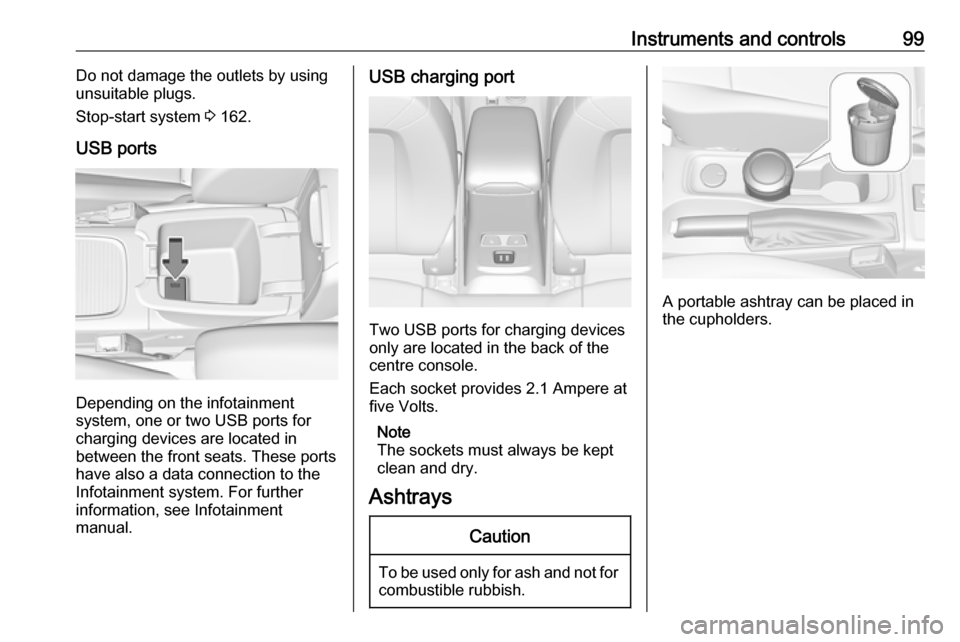
USB ports
Depending on the infotainment
system, one or two USB ports for
charging devices are located in
between the front seats. These ports
have also a data connection to the
Infotainment system. For further
information, see Infotainment
manual.
USB charging port
Two USB ports for charging devices
only are located in the back of the
centre console.
Each socket provides 2.1 Ampere at
five Volts.
Note
The sockets must always be kept
clean and dry.
Ashtrays
Caution
To be used only for ash and not for combustible rubbish.
A portable ashtray can be placed in
the cupholders.
Page 105 of 317

Instruments and controls103OverviewOTurn signal 3 108XSeat belt reminder 3 108vAirbag and belt tensioners
3 109VAirbag deactivation 3 109pCharging system 3 110ZMalfunction indicator light
3 110RBrake and clutch system 3 110mElectric parking brake 3 110jElectric parking brake fault
3 110uAntilock brake system (ABS)
3 111RGear shifting 3 111EFollowing distance 3 111aLane keep assist 3 111aElectronic Stability Control off
3 111bElectronic Stability Control and
Traction Control system 3 111kTraction Control system off
3 112!Preheating 3 112ùAdBlue 3 112wTyre pressure monitoring
system 3 112IEngine oil pressure 3 112YLow fuel 3 113dImmobiliser 3 1138Exterior light 3 113CHigh beam 3 113fHigh beam assist 3 113fLED headlights 3 113>Fog light 3 114øRear fog light 3 114mCruise control 3 114 / Adaptive
cruise control 3 114CAdaptive cruise control 3 114AVehicle detected ahead 3 114LSpeed limiter 3 114LTraffic sign assistant 3 114hDoor open 3 115
Speedometer
Indicates vehicle speed.
Page 106 of 317
104Instruments and controlsOdometer
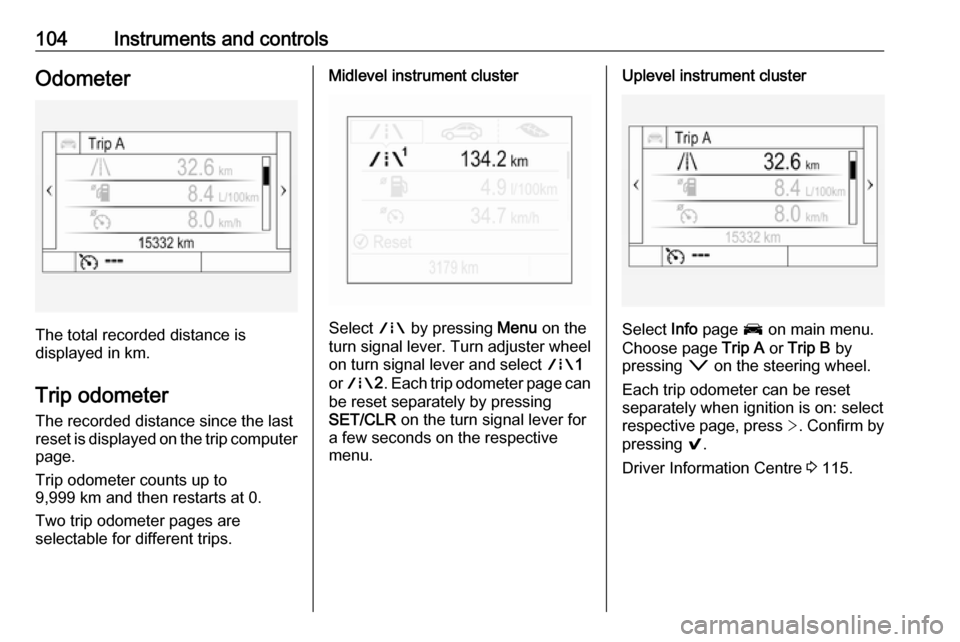
The total recorded distance is
displayed in km.
Trip odometer The recorded distance since the last
reset is displayed on the trip computer
page.
Trip odometer counts up to
9,999 km and then restarts at 0.
Two trip odometer pages are
selectable for different trips.
Midlevel instrument cluster
Select ; by pressing Menu on the
turn signal lever. Turn adjuster wheel
on turn signal lever and select ;1
or ; 2. Each trip odometer page can
be reset separately by pressing
SET/CLR on the turn signal lever for
a few seconds on the respective
menu.
Uplevel instrument cluster
Select Info page J on main menu.
Choose page Trip A or Trip B by
pressing o on the steering wheel.
Each trip odometer can be reset separately when ignition is on: select
respective page, press >. Confirm by
pressing 9.
Driver Information Centre 3 115.
Page 107 of 317

Instruments and controls105Tachometer
Displays the engine speed.
Drive in a low engine speed range for each gear as much as possible.
Caution
If the needle is in the red warning
zone, the maximum permitted
engine speed is exceeded. Engine at risk.
Fuel gauge
Displays the fuel level or gas content
(CNG) in the tank depending on the current operation mode.
The arrow indicates the vehicle side
where the fuel filler flap is located.
For bi-fuel engines, the Driver
Information Centre displays the fuel l
evel for the fuel type which is currently
not in operation. The fuel level for the fuel type which is currently in
operation is shown in the fuel gauge.
Control indicator r illuminates if the
fuel quantity is low.
For bi-fuel engines: In petrol mode, the control indicator r illuminates
before the needle reaches the red
area.
Refuel immediately if r flashes.
Never run the fuel tank dry.
Because of the fuel remaining in the
tank, the top-up quantity may be less
than the specified fuel tank capacity.
Fuel selector
Natural gas operation (CNG)
Press X to switch between petrol and
natural gas operation.