instrument cluster OPEL ASTRA K 2020 Manual user
[x] Cancel search | Manufacturer: OPEL, Model Year: 2020, Model line: ASTRA K, Model: OPEL ASTRA K 2020Pages: 305, PDF Size: 27.84 MB
Page 179 of 305
Driving and operating177Vehicle speed can be increased bydepressing the accelerator pedal.
When the accelerator pedal is
released, the previously stored speed
is resumed.
Cruise control remains activated
while gearshifting.
Increase speed
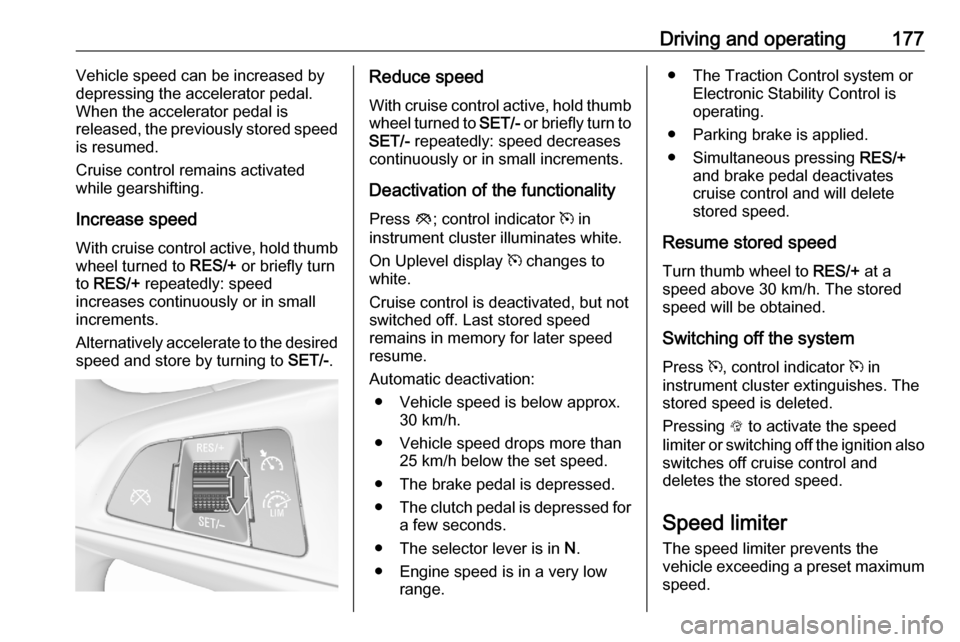
With cruise control active, hold thumb wheel turned to RES/+ or briefly turn
to RES/+ repeatedly: speed
increases continuously or in small
increments.
Alternatively accelerate to the desired speed and store by turning to SET/-.Reduce speed
With cruise control active, hold thumb
wheel turned to SET/- or briefly turn to
SET/- repeatedly: speed decreases
continuously or in small increments.
Deactivation of the functionality
Press y; control indicator m in
instrument cluster illuminates white.
On Uplevel display m changes to
white.
Cruise control is deactivated, but not
switched off. Last stored speed
remains in memory for later speed
resume.
Automatic deactivation: ● Vehicle speed is below approx. 30 km/h.
● Vehicle speed drops more than 25 km/h below the set speed.
● The brake pedal is depressed.
● The clutch pedal is depressed for
a few seconds.
● The selector lever is in N.
● Engine speed is in a very low range.● The Traction Control system orElectronic Stability Control is
operating.
● Parking brake is applied.
● Simultaneous pressing RES/+
and brake pedal deactivates
cruise control and will delete stored speed.
Resume stored speed
Turn thumb wheel to RES/+ at a
speed above 30 km/h. The stored
speed will be obtained.
Switching off the system
Press m, control indicator m in
instrument cluster extinguishes. The
stored speed is deleted.
Pressing L to activate the speed
limiter or switching off the ignition also switches off cruise control and
deletes the stored speed.
Speed limiter
The speed limiter prevents the
vehicle exceeding a preset maximum
speed.
Page 189 of 305
Driving and operating187Fault
If the adaptive cruise control does not work due to temporary conditions
(e.g. blockage by ice, overheated
brakes or low speed manoeuvres) or
if there is a permanent system error,
then a message is displayed in the
Driver Information Centre.
Vehicle messages 3 122.
Forward collision alert The forward collision alert may help toavoid or reduce the harm caused by
front-end crashes.
If the vehicle is equipped with
conventional cruise control, the
forward collision alert uses the front
camera in the windscreen to detect a
vehicle directly ahead, in your path.
If the vehicle is equipped with
adaptive cruise control, the forward
collision alert uses the radar sensor to detect a vehicle directly ahead, in
your path.
Number plate mounting 3 222
A vehicle ahead is indicated by the
control indicator A.
If a vehicle directly ahead is
approached too quickly, a warning
chime and alert in the Driver
Information Centre is provided.
A precondition is that forward collision
alert with front camera system or
radar sensor is not deactivated in the
vehicle personalisation menu 3 124.
Activation
Forward collision alert with front
camera detects vehicles to distances
and operates automatically at all
speeds above walking speed.
Forward collision alert with radar
sensor detects vehicles to distances
and operates automatically at all
speeds above walking speed.
Alerting the driver
The vehicle ahead control indicator
A illuminates green in the instrument
cluster when the system has detected
a vehicle in the driving path.
The control indicator A changes to
yellow when the distance to a
preceding moving vehicle gets too
small or when approaching another
vehicle too rapidly.Caution
The colour lighting of this control
indicator does not correspond to
local traffic laws on following
distance. The driver bears full
responsibility for maintaining safe
following distance according to
applicable traffic rules, weather
and road conditions etc. at all
times.
Page 196 of 305
194Driving and operatingDetecting front pedestrian ahead
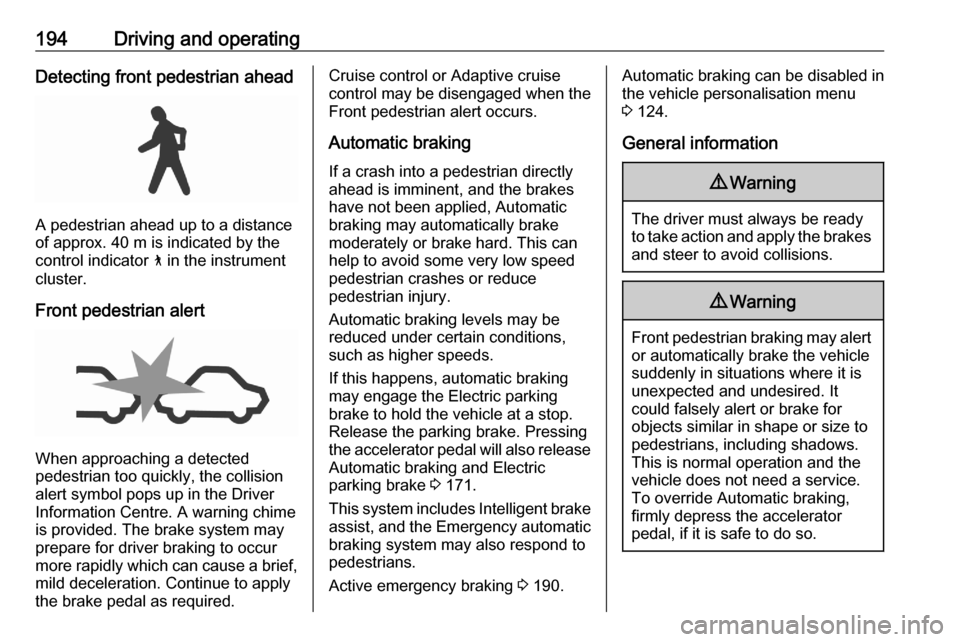
A pedestrian ahead up to a distance
of approx. 40 m is indicated by the
control indicator 7 in the instrument
cluster.
Front pedestrian alert
When approaching a detected
pedestrian too quickly, the collision
alert symbol pops up in the Driver Information Centre. A warning chime
is provided. The brake system may
prepare for driver braking to occur
more rapidly which can cause a brief, mild deceleration. Continue to apply
the brake pedal as required.
Cruise control or Adaptive cruise
control may be disengaged when the Front pedestrian alert occurs.
Automatic braking If a crash into a pedestrian directlyahead is imminent, and the brakes
have not been applied, Automatic
braking may automatically brake
moderately or brake hard. This can
help to avoid some very low speed
pedestrian crashes or reduce
pedestrian injury.
Automatic braking levels may be reduced under certain conditions,
such as higher speeds.
If this happens, automatic braking
may engage the Electric parking
brake to hold the vehicle at a stop.
Release the parking brake. Pressing
the accelerator pedal will also release Automatic braking and Electric
parking brake 3 171.
This system includes Intelligent brake assist, and the Emergency automatic
braking system may also respond to
pedestrians.
Active emergency braking 3 190.Automatic braking can be disabled in
the vehicle personalisation menu
3 124.
General information9 Warning
The driver must always be ready
to take action and apply the brakes and steer to avoid collisions.
9 Warning
Front pedestrian braking may alert
or automatically brake the vehicle
suddenly in situations where it is
unexpected and undesired. It
could falsely alert or brake for
objects similar in shape or size to
pedestrians, including shadows.
This is normal operation and the
vehicle does not need a service.
To override Automatic braking,
firmly depress the accelerator
pedal, if it is safe to do so.
Page 213 of 305
Driving and operating211Note
The system may be switched off if it
detects lanes which are too narrow,
too wide or too curved.
Activation
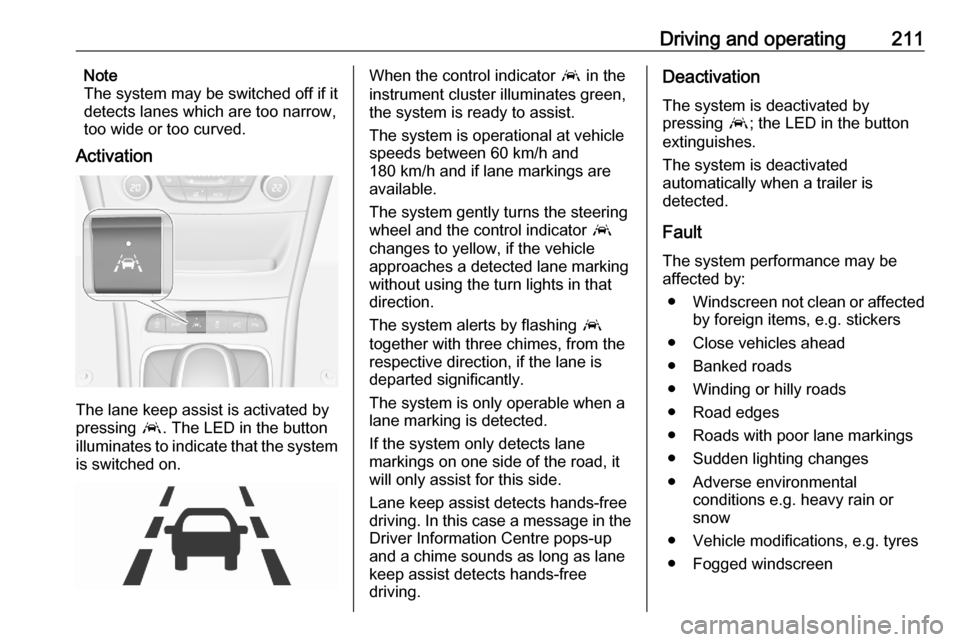
The lane keep assist is activated by
pressing a. The LED in the button
illuminates to indicate that the system
is switched on.
When the control indicator a in the
instrument cluster illuminates green,
the system is ready to assist.
The system is operational at vehicle
speeds between 60 km/h and
180 km/h and if lane markings are
available.
The system gently turns the steering
wheel and the control indicator a
changes to yellow, if the vehicle
approaches a detected lane marking
without using the turn lights in that
direction.
The system alerts by flashing a
together with three chimes, from the
respective direction, if the lane is
departed significantly.
The system is only operable when a
lane marking is detected.
If the system only detects lane
markings on one side of the road, it
will only assist for this side.
Lane keep assist detects hands-free
driving. In this case a message in the
Driver Information Centre pops-up
and a chime sounds as long as lane
keep assist detects hands-free
driving.Deactivation
The system is deactivated by
pressing a; the LED in the button
extinguishes.
The system is deactivated
automatically when a trailer is
detected.
Fault
The system performance may be affected by:
● Windscreen not clean or affected
by foreign items, e.g. stickers
● Close vehicles ahead
● Banked roads
● Winding or hilly roads
● Road edges
● Roads with poor lane markings
● Sudden lighting changes
● Adverse environmental conditions e.g. heavy rain or
snow
● Vehicle modifications, e.g. tyres ● Fogged windscreen
Page 245 of 305

Vehicle care243No.Circuit16Fuel injection17Fuel injection18Diesel exhaust system19–20–21–22ABS23Washer system for windscreen
and rear window24–25Diesel fuel heating26Transmission control module27Power tailgate module28–29Heated rear window30Mirror defrost31–No.Circuit32DC transformer / LED display /
Electrical heater / Climate
control / Glow plug controller33–34Horn35Engine control module36Right high beam (Halogen, Eco
LED) / Right low beam (LED)37Left high beam (Halogen, Eco
LED)38LED headlight / Automatic
headlight range adjustment39Front fog light40Central Gateway Module41–42Manual headlight range adjust‐
ment43Fuel pump44Rear view camera / Inside rear
view mirror / Trailer moduleNo.Circuit45LED headlight left / Automatic
headlight range adjustment left46Instrument cluster47Steering column lock48Rear wiper49Outside rearview mirror50LED headlight right / Automatic
headlight range adjustment
right51Left low beam (LED)52Engine control module / Trans‐
mission control module53Windscreen wiper54Windscreen wiper55Diesel Exhaust system56–57–
After having changed defective fuses,
close the fuse box cover and press
until it engages.
Page 247 of 305
Vehicle care245No.Circuit17Body control module 418Body control module 319Data link connector20Airbag system21Climate control system22Central locking system / tailgate23Electronic key system24Power seat memory function25Airbag system steering wheel26Ignition switch / Steering
column lock27Body control module 228USB socket29Cigarette lighter / Power outlet
front30Selector lever31Rear window wiper32Transmission control moduleNo.Circuit33Anti-theft alarm system / Power
sounder34Parking assist / Side blind spot
alert / Infotainment system /
USB socket35SOS36Info Display / Instrument cluster37Infotainment system / radio
After having changed defective fuses,
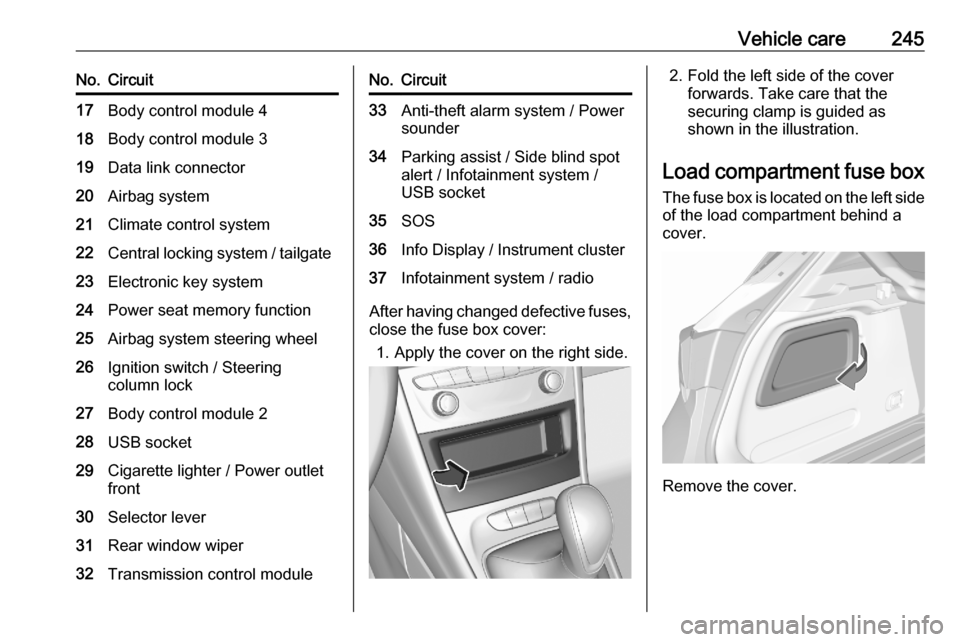
close the fuse box cover:
1. Apply the cover on the right side.
2. Fold the left side of the cover forwards. Take care that thesecuring clamp is guided as
shown in the illustration.
Load compartment fuse box The fuse box is located on the left side
of the load compartment behind a
cover.
Remove the cover.
Page 271 of 305

Vehicle care269Before and after winter, wash the
underbody and have the protective
wax coating checked.
Towing equipment
Do not clean the coupling ball bar with
a steam-jet or high-pressure jet
cleaner.
Air shutterClean the shutter system in the front
bumper to maintain correct
functionality.
Interior care
Interior and upholstery Only clean the vehicle interior,
including the instrument panel fascia
and panelling, with a dry cloth or
interior cleaner.
Clean the leather upholstery with
clear water and a soft cloth. In case of
heavy soiling, use leather care.
The instrument cluster and the
displays should only be cleaned using
a soft damp cloth. If necessary use a
weak soap solution.Clean fabric upholstery with a
vacuum cleaner and brush. Remove
stains with an upholstery cleaner.
Clothing fabrics may not be
colourfast. This could cause visible
discolourations, especially on light- coloured upholstery. Removable
stains and discolourations should be
cleaned as soon as possible.
Clean seat belts with lukewarm water or interior cleaner.Caution
Close Velcro fasteners as open
Velcro fasteners on clothing could
damage seat upholstery.
The same applies to clothing with
sharp-edged objects, like zips or
belts or studded jeans.
Plastic and rubber parts
Plastic and rubber parts can be
cleaned with the same cleaner as
used to clean the body. Use interior cleaner if necessary. Do not use any
other agent. Avoid solvents and petrol in particular. Do not use high-
pressure jet cleaners.
Floor mats9 Warning
If a floor mat has the wrong size or
is not properly installed, it can
interfere with the accelerator pedal
and/or brake pedal, what can
cause unintended acceleration
and/or increased stopping
distance which can cause a crash and injury.
Use the following guidelines for
proper floor mat usage.
● The original equipment floor mats
were designed for your vehicle. If the floor mats need replacing, it
is recommended that certified
Page 302 of 305

300Headlights when driving abroad 133
Head restraint adjustment .............8
Head restraints ............................ 48
Heated mirrors ............................. 41
Heated rear window ..................... 45
Heated steering wheel .................93
Heated windscreen .......................45
Heating .................................. 56, 58
High beam ......................... 113, 133
High beam assist ................113, 131
Hill start assist ........................... 172
Horn ....................................... 14, 94
I Identification plate .....................276
Ignition switch positions .............152
Immobiliser .......................... 40, 113
Indicators .................................... 104
Inductive charging ......................100
Info Display ................................. 121
Information displays.................... 115
Instrument cluster ......................101
Instrument panel fuse box .........244
Instrument panel illumination control .................................... 137
Instrument panel overview ........... 10
Interior care ............................... 269
Interior lighting ............................ 137
Interior lights ...................... 138, 240
Interior mirrors .............................. 42Interruption of power supply ......169
Introduction .................................... 3
J
Jump starting ............................. 263
K Key, memorised settings ..............25
Keys ............................................. 21
Keys, locks ................................... 21
L Lane keep assist ................111, 210
Lashing eyes ............................... 83
LED headlights ...................113, 134
Lighting features .........................139
Light switch ................................ 130
Load compartment ................32, 75
Load compartment cover .............81
Load compartment fuse box ......245
Loading information .....................90
Low fuel ..................................... 113
M
Malfunction indicator light ..........110
Manual anti-dazzle ......................42
Manual mode ............................. 168
Manual seat adjustment ...............50
Manual transmission .................. 169
Manual windows ..........................43
Massage ....................................... 57Maximum speed......................... 249
Memorised settings ......................25
Mirror adjustment ........................... 9
Misted light covers .....................137
N New vehicle running-in ..............152
Number plate light .....................240
O
Object detection systems ...........195
Odometer ................................... 105
Oil, engine .......................... 273, 277
Outside temperature ....................97
Overrun cut-off ........................... 157
P Parking ................................ 19, 160
Parking assist ............................ 195
Parking brake ............................ 171
Parking lights ............................. 137
Particulate filter ........................... 161
Pedestrian detection ...................114
Performance .............................. 281
Performing work ........................224
Power button .............................. 153
Power outlets ............................... 99
Power seat adjustment ................52
Power windows ............................ 43
Preheating ................................. 112
Puncture ..................................... 259