Message OPEL ASTRA K 2020 User Guide
[x] Cancel search | Manufacturer: OPEL, Model Year: 2020, Model line: ASTRA K, Model: OPEL ASTRA K 2020Pages: 305, PDF Size: 27.84 MB
Page 110 of 305
108Instruments and controlsOn Uplevel display select Info Menu
by pressing p on steering wheel.
Press P to select Remaining Oil
Life page.
Remaining oil life duration is indicated
in percentage.
ResetOn Midlevel display press SET/CLR
on the indicator lever for several
seconds to reset. The ignition must be
switched on but engine not running.
On Uplevel display press > on
steering wheel to open the subfolder. Select Reset and confirm by pressing
9 for several seconds. The ignition
must be switched on but engine not
running.
The system must be reset every time
the engine oil is changed to allow
proper functionality. Seek the
assistance of a workshop.
Next service
A message appears in the Driver
Information Centre, when
maintenance of the vehicle is
required. Have maintenance workcarried out by a workshop within one
week or 500 km, whichever occurs first.
Service information 3 272.
Control indicators The control indicators described are
not present in all vehicles. The
description applies to all instrument
versions. Depending on the
equipment, the position of the control
indicators may vary. When the
ignition is switched on, most control
indicators will illuminate briefly as a
functionality test.
The control indicator colours mean:red:danger, important reminderyellow:warning, information, faultgreen:confirmation of activationblue:confirmation of activationwhite:confirmation of activation
See all control indicators on different
instrument clusters 3 101.
Turn lights
O illuminates or flashes green.
Illuminates briefly
The parking lights are switched on.
Flashes
The turn lights or the hazard warning flashers are activated.
Rapid flashing: failure of the turn
lights or associated fuse, failure of the turn lights on the trailer.
Bulb replacement 3 230.
Fuses 3 241.
Turn lights 3 136.
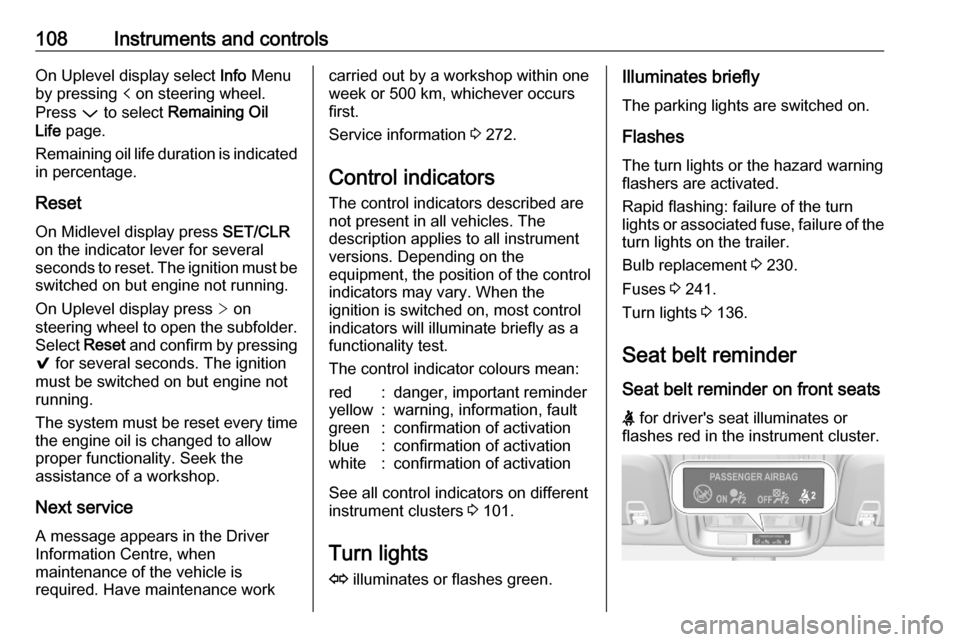
Seat belt reminder Seat belt reminder on front seats
X for driver's seat illuminates or
flashes red in the instrument cluster.
Page 117 of 305
Instruments and controls115Speed limiter 3 177.
Traffic sign assistant L displays detected traffic signs as
control indicator.
Traffic sign assistant 3 206.
Door open h illuminates red.
A door or the tailgate is open.Displays
Driver Information Centre The Driver Information Centre is
located in the instrument cluster.
Depending on the version and the
instrument cluster, the Driver
Information Centre is available as
Baselevel display or Uplevel display.
Driver Information Centre indicates
depending on the equipment:
● overall and trip odometer
● vehicle information
● trip / fuel information
● driving economy information ● vehicle and warning messages● audio and infotainment information
● phone information
● navigation information
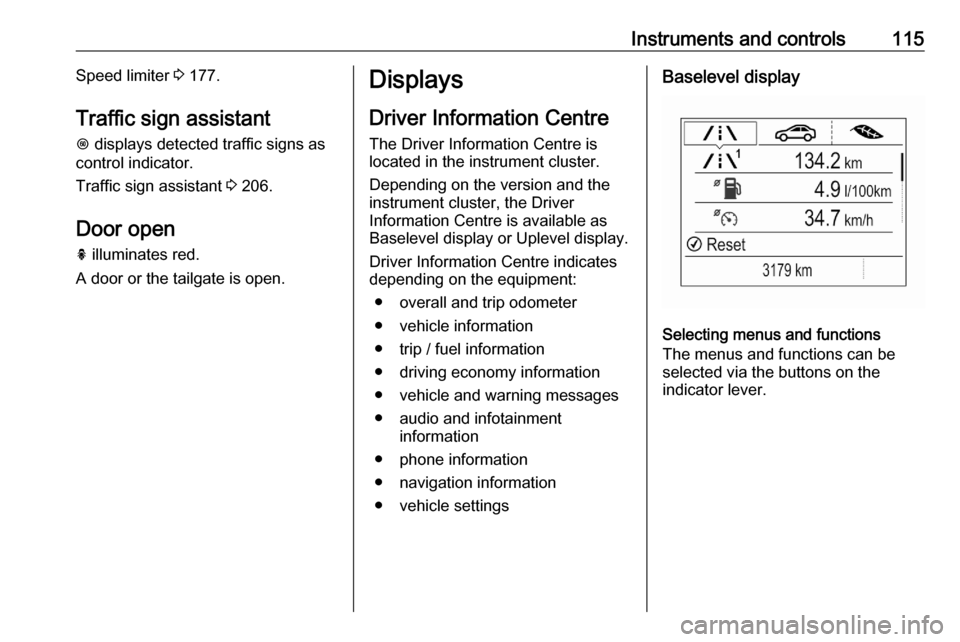
● vehicle settingsBaselevel display
Selecting menus and functions
The menus and functions can be
selected via the buttons on the
indicator lever.
Page 118 of 305
116Instruments and controls
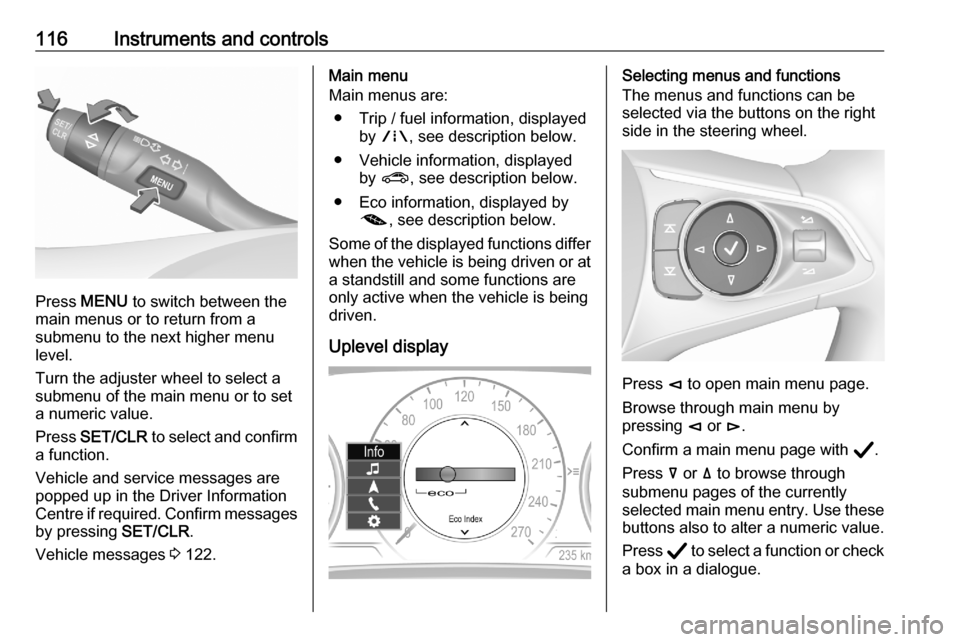
Press MENU to switch between the
main menus or to return from a
submenu to the next higher menu
level.
Turn the adjuster wheel to select a
submenu of the main menu or to set
a numeric value.
Press SET/CLR to select and confirm
a function.
Vehicle and service messages are
popped up in the Driver Information
Centre if required. Confirm messages
by pressing SET/CLR.
Vehicle messages 3 122.
Main menu
Main menus are:
● Trip / fuel information, displayed by ; , see description below.
● Vehicle information, displayed by ? , see description below.
● Eco information, displayed by @ , see description below.
Some of the displayed functions differ when the vehicle is being driven or at
a standstill and some functions are
only active when the vehicle is being
driven.
Uplevel displaySelecting menus and functions
The menus and functions can be
selected via the buttons on the right
side in the steering wheel.
Press è to open main menu page.
Browse through main menu by
pressing è or é.
Confirm a main menu page with Å.
Press å or ä to browse through
submenu pages of the currently
selected main menu entry. Use these
buttons also to alter a numeric value.
Press Å to select a function or check
a box in a dialogue.
Page 119 of 305

Instruments and controls117Vehicle and service messages are
popped-up in the Driver Information Centre if required. Confirm messages
by pressing Å.
Vehicle messages 3 122.
Main menu
Main menus are:
● Trip / fuel information, displayed by Info .
● Audio information, displayed by Audio .
● Navigation information, displayed by Navigation.
● Phone information, displayed by Phone .
● Vehicle information, displayed by
Options .
Some of the displayed functions differ when the vehicle is being driven or at
a standstill and some functions are
only active when the vehicle is being
driven.
Uplevel instrument cluster can be
displayed as Sport mode or Tour
mode. See Options menu, Display.Info Menu, ; or "
The following list contains all possible Info Menu pages. Some may not be
available for your particular vehicle.
Depending on the display some
functions are symbolised.
● Speed
● Trip 1 / Trip A , containing:
Distance
Fuel Economy / Average Fuel
Economy
Average Speed
● Trip 2 / Trip B , containing:
Distance
Fuel Economy / Average Fuel
Economy
Average Speed
● Fuel / Fuel Information ,
containing:
Fuel Range
Instant Fuel Economy
● Oil Life
● Tyre Pressure
● Timer
● Traffic Sign Memory●Following Distance
● Driver Assistance
● Top Consumers
● Economy Trend
● ECO Index
● AdBlue Level
On Baselevel display, the pages Oil
Life , Tyre Pressure , Following
Distance , Traffic Sign Memory ,
AdBlue Level , Tyre Load and Speed
Warning are displayed in the Vehicle
information menu, select ?.
Speed
Digital display of the instantaneous
speed.
Trip 1/A or 2/B
Two independent pages 1/A and 2/B
display the current distance, average
fuel consumption and average speed
since a certain reset.
The distance indicator counts up to a
distance of 9,999 km then restarts at
0.
To reset on Baselevel, press Å and
confirm reset. On Uplevel display,
press é and confirm with Å. This
Page 120 of 305

118Instruments and controlsonly resets the values on the current
displayed page. The other Trip page
stays unaffected.
Fuel /Fuel InformationFuel Range
Range is calculated from current fuel tank level and current consumption. The display shows average values.
After refuelling, the range is updated
automatically after a brief delay.
When the fuel level in the tank is low,
a message appears on the display
and control indicator Y in the fuel
gauge illuminates.
When the tank must be refuelled
immediately, a warning message
appears and remains on the display.
Additionally, control indicator Y in the
fuel gauge flashes 3 113.Instant Fuel Economy
Display of the instantaneous
consumption.
Oil Life
Indicates an estimate of the oil's
useful life. The number in % means
the remaining of current oil life 3 107.
Tyre Pressure
Checks tyre pressure of all wheels
during driving 3 251.
Timer
Baselevel display: start and stop
timer with Å. To reset, hold Å when
timer is not running.
Uplevel display: To start or stop timer, press Å and Å again. To reset,
press Å, choose Reset and confirm
with Å.
Traffic Sign Memory
Displays the detected traffic signs for
the current route section 3 206.
Following Distance
Displays the distance in seconds to a
preceding moving vehicle 3 189. If
Adaptive cruise control is active this
page shows the following distance
setting instead.
Driver Assistance
Displays the status of several driver
assistance systems:
Adaptive cruise control 3 179.
Forward collision alert 3 187.Lane keep assist 3 210.
AdBlue Level
Displays the level of the AdBlue tank 3 163.
Eco information menu, @
● Top Consumers
● Economy Trend
● ECO Index
On Uplevel display the pages Top
Consumers , Economy Trend and
ECO Index are displayed in the Info
Menu, see above.
Top Consumers
List of top comfort consumers
currently switched on is displayed in
descending order. Fuel saving
potential is indicated.
During sporadic driving conditions,
the engine will activate the heated
rear window automatically to increase
the engine load. In this event, the
heated rear window is indicated as
one of the top consumers, without
activation by the driver.
Page 123 of 305
Instruments and controls121Info DisplayThe Info Display is located in theinstrument panel near the instrument
cluster.
Depending on the vehicle
configuration, the vehicle has one of
the following Infotainment systems:
● Multimedia
or
● Multimedia Navi
or
● Multimedia Navi Pro
The Info Display can indicate: ● time 3 97
● outside temperature 3 97
● date 3 97
● Infotainment system, see description in the Infotainment
manual
● climate control settings 3 143
● rear view camera 3 204
● parking assist instructions 3 195
● navigation, see description in the
Infotainment manual● system messages
● settings for vehicle personalisation 3 124
Multimedia Navi Selecting menus and settings
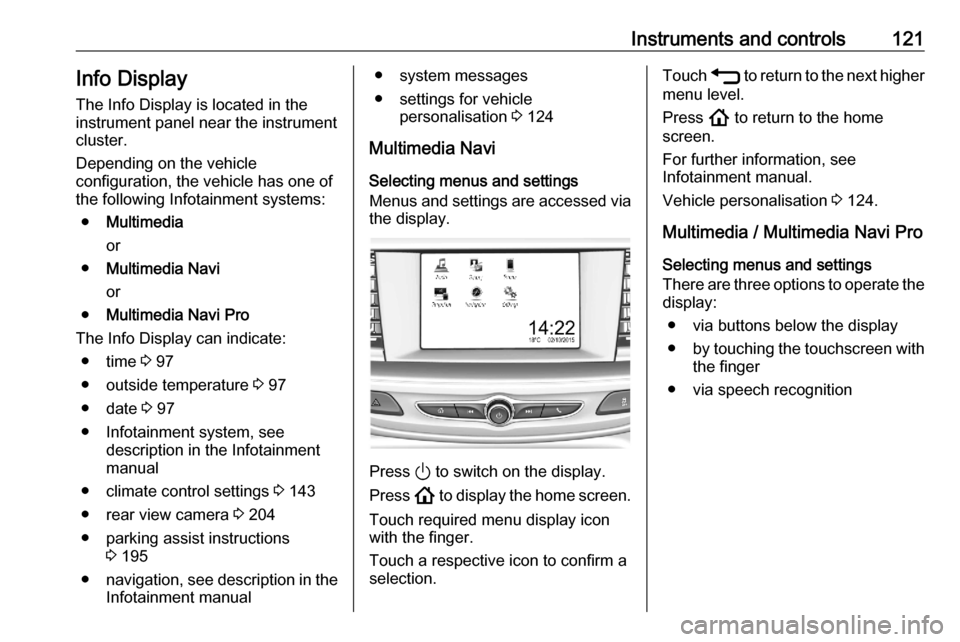
Menus and settings are accessed via the display.
Press ) to switch on the display.
Press ! to display the home screen.
Touch required menu display icon
with the finger.
Touch a respective icon to confirm a
selection.
Touch 1 to return to the next higher
menu level.
Press ! to return to the home
screen.
For further information, see
Infotainment manual.
Vehicle personalisation 3 124.
Multimedia / Multimedia Navi Pro
Selecting menus and settings
There are three options to operate the display:
● via buttons below the display
● by touching the touchscreen with
the finger
● via speech recognition
Page 124 of 305
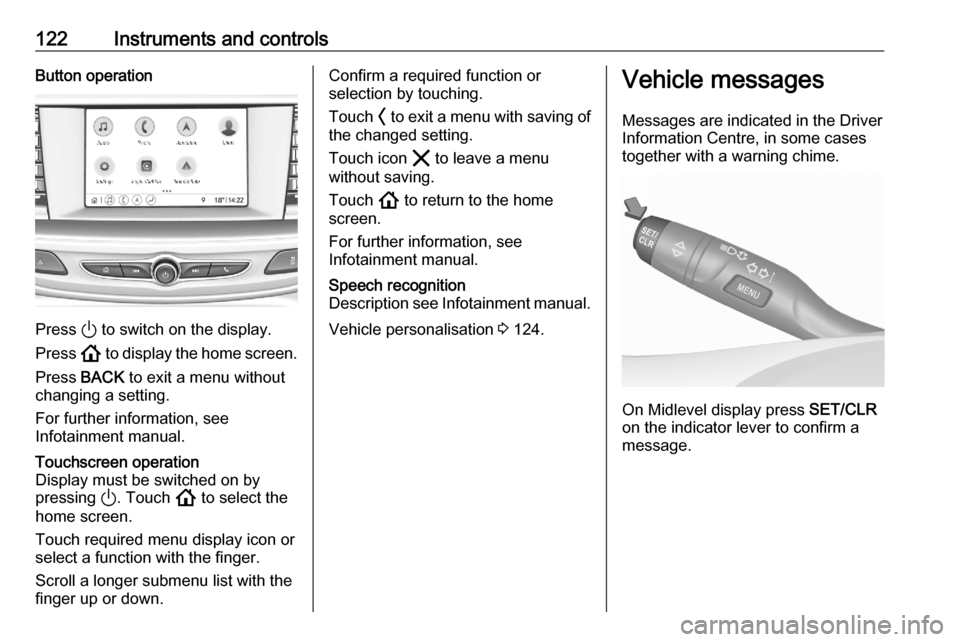
122Instruments and controlsButton operation
Press ) to switch on the display.
Press ! to display the home screen.
Press BACK to exit a menu without
changing a setting.
For further information, see
Infotainment manual.
Touchscreen operation
Display must be switched on by
pressing ). Touch ! to select the
home screen.
Touch required menu display icon or
select a function with the finger.
Scroll a longer submenu list with the
finger up or down.Confirm a required function or
selection by touching.
Touch O to exit a menu with saving of
the changed setting.
Touch icon & to leave a menu
without saving.
Touch ! to return to the home
screen.
For further information, see
Infotainment manual.Speech recognition
Description see Infotainment manual.
Vehicle personalisation 3 124.
Vehicle messages
Messages are indicated in the Driver
Information Centre, in some cases
together with a warning chime.
On Midlevel display press SET/CLR
on the indicator lever to confirm a
message.
Page 125 of 305
Instruments and controls123
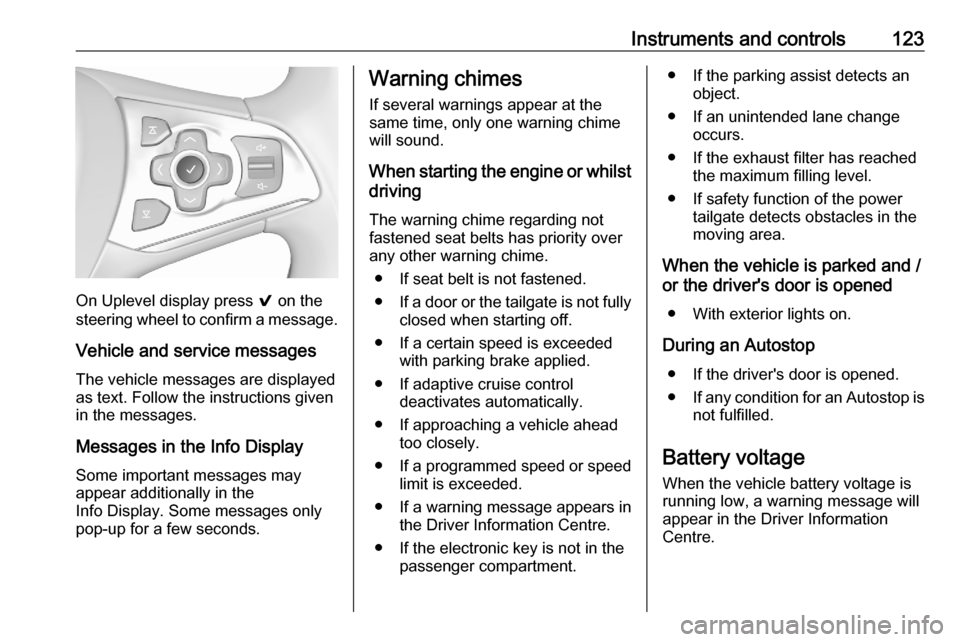
On Uplevel display press 9 on the
steering wheel to confirm a message.
Vehicle and service messages
The vehicle messages are displayed
as text. Follow the instructions given
in the messages.
Messages in the Info Display
Some important messages may
appear additionally in the
Info Display. Some messages only pop-up for a few seconds.
Warning chimes
If several warnings appear at the
same time, only one warning chime
will sound.
When starting the engine or whilst driving
The warning chime regarding not
fastened seat belts has priority over
any other warning chime.
● If seat belt is not fastened.
● If a door or the tailgate is not fully
closed when starting off.
● If a certain speed is exceeded with parking brake applied.
● If adaptive cruise control deactivates automatically.
● If approaching a vehicle ahead too closely.
● If a programmed speed or speed
limit is exceeded.
● If a warning message appears in the Driver Information Centre.
● If the electronic key is not in the passenger compartment.● If the parking assist detects an object.
● If an unintended lane change occurs.
● If the exhaust filter has reached the maximum filling level.
● If safety function of the power tailgate detects obstacles in the
moving area.
When the vehicle is parked and / or the driver's door is opened
● With exterior lights on.
During an Autostop ● If the driver's door is opened.
● If any condition for an Autostop is
not fulfilled.
Battery voltage When the vehicle battery voltage is
running low, a warning message will
appear in the Driver Information
Centre.
Page 126 of 305
124Instruments and controls1. Switch off any electricalconsumers which are not requiredfor a safe drive, e.g. seat heating,
heated rear window or other main consumers.
2. Charge the vehicle battery by driving continuously for a while or
by using a charging device.
The warning message will disappear
after the engine has been started
twice without a voltage drop.
If the vehicle battery cannot be
recharged, have the cause of the fault
remedied by a workshop.Vehicle personalisation
The vehicle's behaviour can be
personalised by changing the settings in the Info Display.
Some of the personal settings for
different drivers can be memorised individually for each vehicle key.
Memorised settings 3 25.
Depending on vehicle equipment and
country-specific regulations some of
the functions described below may
not be available.
Some functions are only displayed or
active when the engine is running.
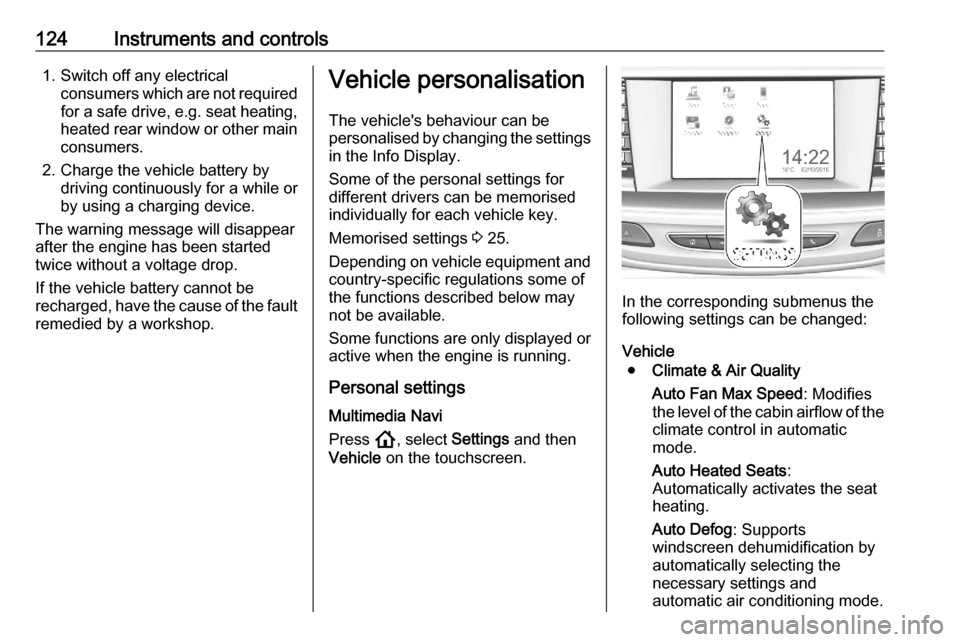
Personal settings Multimedia Navi
Press !, select Settings and then
Vehicle on the touchscreen.
In the corresponding submenus the
following settings can be changed:
Vehicle ● Climate & Air Quality
Auto Fan Max Speed : Modifies
the level of the cabin airflow of the climate control in automatic
mode.
Auto Heated Seats :
Automatically activates the seat
heating.
Auto Defog : Supports
windscreen dehumidification by
automatically selecting the
necessary settings and
automatic air conditioning mode.
Page 127 of 305

Instruments and controls125Auto Rear Defog: Automatically
activates heated rear window.
● Collision / Detection Systems
Rear View Camera Guidelines :
Activates or deactivates the rear
view camera guidelines on the
Info Display.
Forward Collision Alert :
Activates or deactivates forward
collision alert.
Auto Collision Preparation :
Activates or deactivates the
automatic brake functionality of
the vehicle in the event of
imminent collision danger. The
following is selectable: the
system will take over brake
control, warn by chimes only or is
deactivated completely.
Forward Collision System :
Activates or deactivates warning
chimes or automatic brake
functionality in the event of
imminent collision danger.
Front pedestrian detection :
Activates or deactivates warning
chimes or automatic brakefunctionality of the pedestrian
detection system.
Rear Cross Traffic Alert :
Activates or deactivates rear
cross traffic alert.
Park Assist : Activates or
deactivates the parking assist.
Activation is selectable with or
without attached trailer coupling.
Go Notifier : Activates or
deactivates the reminder
message to drive off when the
adaptive cruise control holds the
vehicle at standstill.
Side Blind Zone Alert : Activates
or deactivates side blind zone alert.
● Comfort and Convenience
Auto Memory Recall : Changes
the settings to the recall of
memorised settings for power
seat adjustment.
Easy Exit Driver Seat : Activates
or deactivates easy exit function
of the power seat.
Chime Volume : Changes the
volume of warning chimes.Reverse Tilt Mirror : Activates or
deactivates the parking assist function of the exterior mirrors.
Auto Mirror Folding : Activates or
deactivates folding of the exterior
mirrors with the remote control.
Personalization By Driver :
Activates or deactivates the
personalisation function.
Rain Sense Wipers : Activates or
deactivates automatic wiping
with rain sensor.
Auto Wipe in Reverse Gear :
Activates or deactivates automatic switching on of the
rear window wiper when reverse
gear is engaged.
Extended Hill Start Assist :
Toggles between hill start assist
and extended hold hill start assist
● Lighting
Vehicle Locator Lights : Activates
or deactivates the entry lighting.
Exit Lighting : Activates or
deactivates and changes the
duration of exit lighting.