infotainment OPEL ASTRA SALOON 2014 User Guide
[x] Cancel search | Manufacturer: OPEL, Model Year: 2014, Model line: ASTRA SALOON, Model: OPEL ASTRA SALOON 2014Pages: 245, PDF Size: 7.12 MB
Page 111 of 245
Instruments and controls109
Always day design black or coloured
text on light background.
Always night design white or coloured
text on dark background.
Selection is indicated by a o in front
of the menu item.
Ignition logic
See Infotainment system manual.Vehicle messages
Messages are given via the
instrument panel display or as
warning and signal buzzers. Check
control messages appear on the
Info-Display. Some appear in an
abbreviated form. Confirm warning
messages with the multifunction knob
3 102, 3 105.
Warning chimes
When starting the engine or
whilst driving ■ If the electronic key is not present or is not recognised.
■ If seat belt is not fastened.
■ If a door or the tailgate is not fully closed when starting off.
■ If a certain speed is exceeded with the parking brake applied.■ If the speed programmed at thefactory is exceeded.
■ If the vehicle has automated manual transmission and the
driver's door is opened when the
engine is running, a gear is
engaged and the foot brake is not
depressed.
When the vehicle is parked and the driver's door is opened ■ When the key is in the ignition switch.
■ With exterior lights on.
■ With Open&Start system and automatic transmission, if the
selector lever is not in P.
■ For automated manual transmission, if the parking brake is
not applied and no gear is engaged when the engine is switched off.
Page 114 of 245
112Instruments and controlsTrip computerTrip computer in Board-
Info-Display
Access the data by pressing the BC
button on the Infotainment system or
the left adjuster wheel on the steering wheel.
Some information appears in the
display in an abbreviated form.
Once an audio function has been
selected, the lower row of the trip computer function is displayed
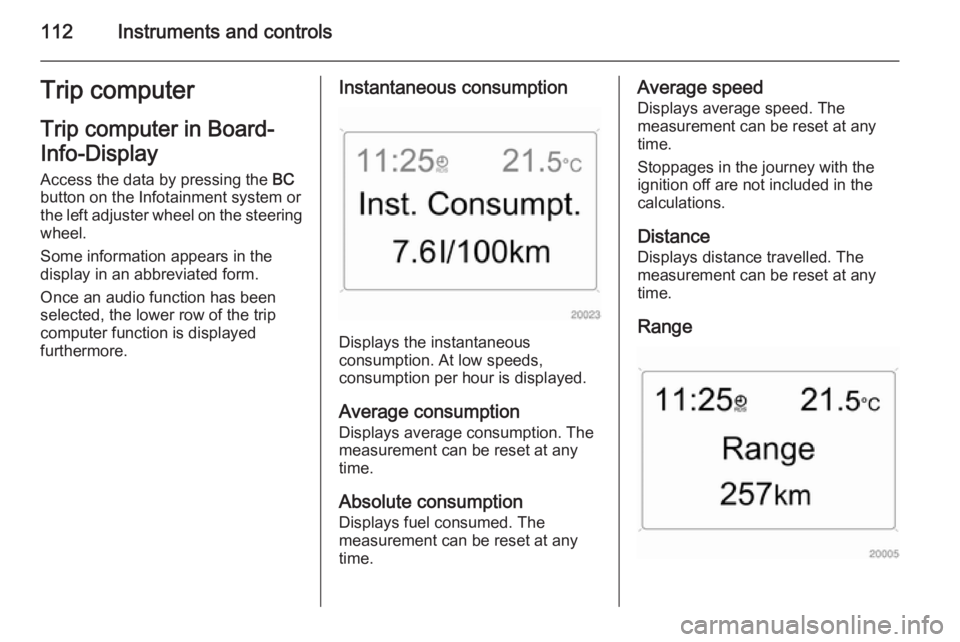
furthermore.Instantaneous consumption
Displays the instantaneous
consumption. At low speeds,
consumption per hour is displayed.
Average consumption
Displays average consumption. The
measurement can be reset at any
time.
Absolute consumption
Displays fuel consumed. The
measurement can be reset at any
time.
Average speed
Displays average speed. The
measurement can be reset at any
time.
Stoppages in the journey with the
ignition off are not included in the
calculations.
Distance
Displays distance travelled. The
measurement can be reset at any
time.
Range
Page 115 of 245

Instruments and controls113
Range is calculated from current fuel
tank content and current
consumption. The display shows
average values.
After refuelling, the range updates
automatically after a brief delay.
When the fuel level in the tank is low,
the message Range appears in the
display.
When the fuel tank is nearly empty,
the message Refuel! appears in the
display.
Stop watchSelect the function. Press the OK
button or the left adjuster wheel on the
steering wheel to start or stop the stop watch.
Restart trip computer
The measurement or calculation of
the following trip computer
information can be restarted:
■ Average consumption,
■ Absolute consumption,
■ Average speed,
■ Distance,
■ Stop watch.
Select the desired trip computer
information 3 102. To restart, press
the OK button or the left adjuster
wheel on the steering wheel for
approx. 2 seconds.Trip computer in Graphic-
Info-Display or Colour-
Info-Display
The main page of the trip computer
provides information on range,
current consumption and average
consumption of BC 1.
To display other trip computer data,
press the BC button on the
infotainment system, select the trip
computer menu from the display or
press the left adjuster wheel on the
steering wheel.
Select BC 1 or BC 2 from the trip
computer menu.
Page 116 of 245
114Instruments and controls
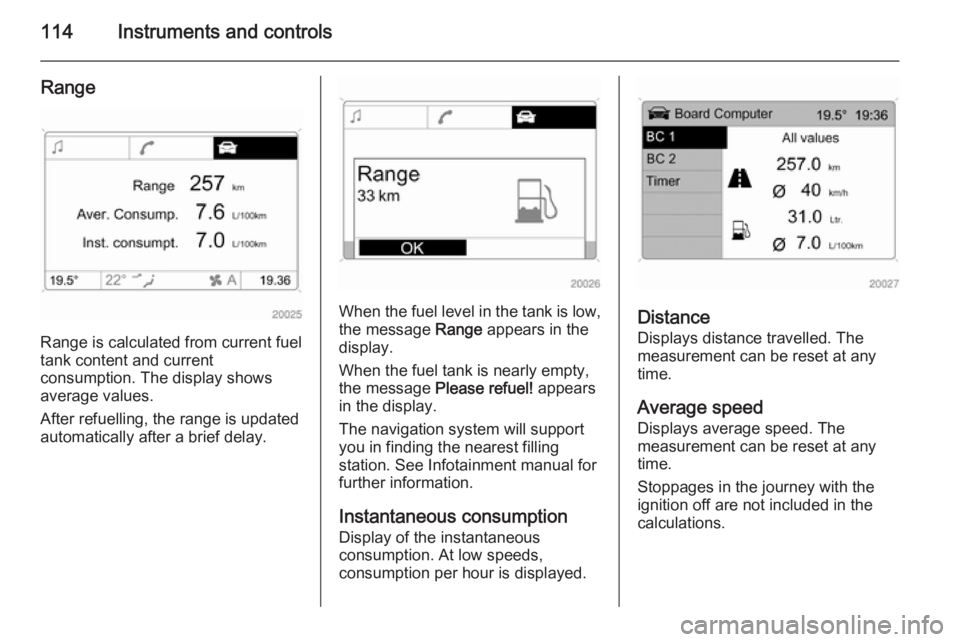
Range
Range is calculated from current fuel
tank content and current
consumption. The display shows
average values.
After refuelling, the range is updated
automatically after a brief delay.
When the fuel level in the tank is low,
the message Range appears in the
display.
When the fuel tank is nearly empty,
the message Please refuel! appears
in the display.
The navigation system will support
you in finding the nearest filling
station. See Infotainment manual for
further information.
Instantaneous consumptionDisplay of the instantaneous
consumption. At low speeds,
consumption per hour is displayed.Distance
Displays distance travelled. The
measurement can be reset at any
time.
Average speed Displays average speed. The
measurement can be reset at any
time.
Stoppages in the journey with the
ignition off are not included in the
calculations.
Page 185 of 245
Vehicle care183
Fuse assignments inconjunction with loadcompartment fuse box version ANo.Circuit1ABS2ABS3Interior fan climate control
system4Interior fan, heating, air condi‐
tioning system5Radiator fan6Radiator fan7Central locking system8Windscreen washer system,
tailgate9Heated rear window, heated
exterior mirror10Diagnostics plug11InstrumentsNo.Circuit12Mobile telephone, Infotainment
system, display13Courtesy light14Windscreen wiper15Windscreen wiper16Horn, ABS, brake light switch,
air conditioning system17Diesel fuel filter or air condi‐
tioning system18Starter19–20Horn21Engine electronics22Engine electronics23Headlight range adjustment24Fuel pump25–26Engine electronicsNo.Circuit27Heating, air conditioning system28–29Power steering30Engine electronics31Rear window wiper32Brake light switch33Headlight range adjustment,
light switch, clutch switch,
instrument, driver's door
module34Control unit, steering column
module35Infotainment system36Cigarette lighter, front power
outlet
Page 186 of 245
184Vehicle care
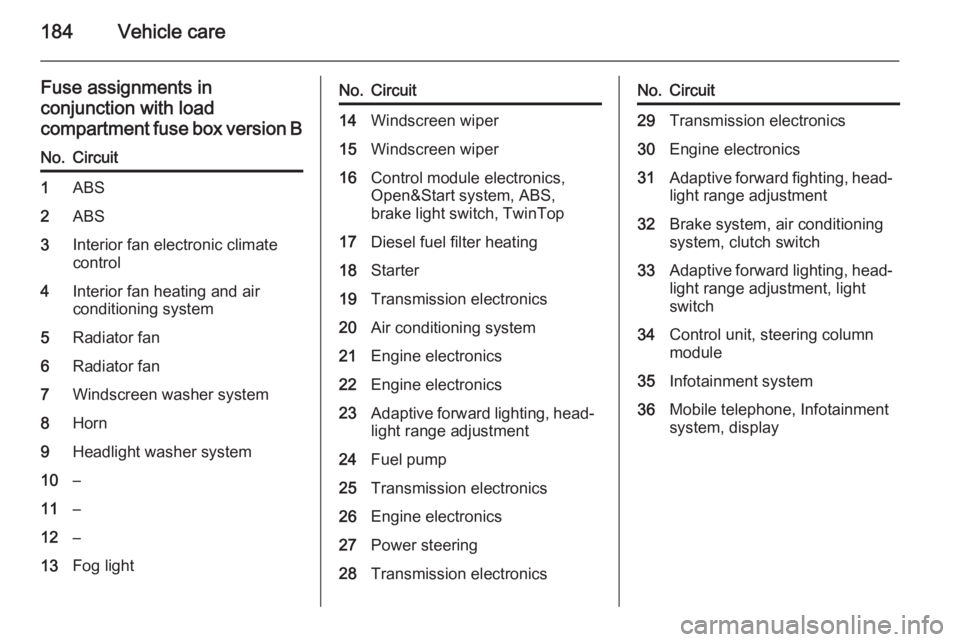
Fuse assignments inconjunction with load
compartment fuse box version BNo.Circuit1ABS2ABS3Interior fan electronic climate control4Interior fan heating and air
conditioning system5Radiator fan6Radiator fan7Windscreen washer system8Horn9Headlight washer system10–11–12–13Fog lightNo.Circuit14Windscreen wiper15Windscreen wiper16Control module electronics,
Open&Start system, ABS,
brake light switch, TwinTop17Diesel fuel filter heating18Starter19Transmission electronics20Air conditioning system21Engine electronics22Engine electronics23Adaptive forward lighting, head‐
light range adjustment24Fuel pump25Transmission electronics26Engine electronics27Power steering28Transmission electronicsNo.Circuit29Transmission electronics30Engine electronics31Adaptive forward fighting, head‐ light range adjustment32Brake system, air conditioning
system, clutch switch33Adaptive forward lighting, head‐
light range adjustment, light
switch34Control unit, steering column
module35Infotainment system36Mobile telephone, Infotainment
system, display