ignition OPEL CASCADA 2019 Manual user
[x] Cancel search | Manufacturer: OPEL, Model Year: 2019, Model line: CASCADA, Model: OPEL CASCADA 2019Pages: 261, PDF Size: 7.94 MB
Page 153 of 261

Driving and operating151adequate force. For maximum
force, e.g. parking with trailer or on
inclines, pull switch m twice.
The electric parking brake is
applied when control indicator m
illuminates 3 92.
The electric parking brake can always
be activated, even if the ignition is off.
Do not operate electric parking brake
system too often without engine
running as this will discharge the
vehicle battery.
Before leaving the vehicle, check the electric parking brake status. Control
indicator m 3 92.
Releasing
Switch on ignition. Keep brake pedal
depressed then push switch m.
Drive away function
Vehicles with manual transmission:
Depressing the clutch pedal and then slightly releasing the clutch pedal and
slightly depressing the accelerator
pedal releases the electric parking
brake automatically. This is not
possible when the switch m is pulled
at the same time.
Vehicles with automatic transmission: Engaging D and then depressing the
accelerator pedal releases the
electric parking brake automatically.
This is not possible when the switch
m is pulled at the same time.
Dynamic braking when vehicle is
moving
When the vehicle is moving and the
switch m is kept pulled, the electric
parking brake system will decelerate the vehicle, but will not apply
statically.
As soon as the switch m is released,
dynamic braking will be stopped.
Fault
Failure mode of electric parking brake
is indicated by control indicator j and
by a vehicle message which is
displayed in the Driver Information
Centre.Apply electric parking brake: pull and
hold the switch m for more than
5 seconds. If control indicator m
illuminates, electric parking brake is
applied.
Release electric parking brake: push and hold the switch m for more than
2 seconds. If control indicator m
extinguishes, electric parking brake is
released.
Control indicator m flashes: electric
parking brake is not fully applied or
released. When continuously
flashing, release electric parking
brake and retry applying.
Brake assist If the brake pedal is depressed
quickly and forcefully, maximum
brake force is automatically applied
(full braking).
Maintain steady pressure on the
brake pedal for as long as full braking is required. Maximum brake force is
automatically reduced when the
brake pedal is released.
Page 155 of 261
Driving and operating153Deactivation
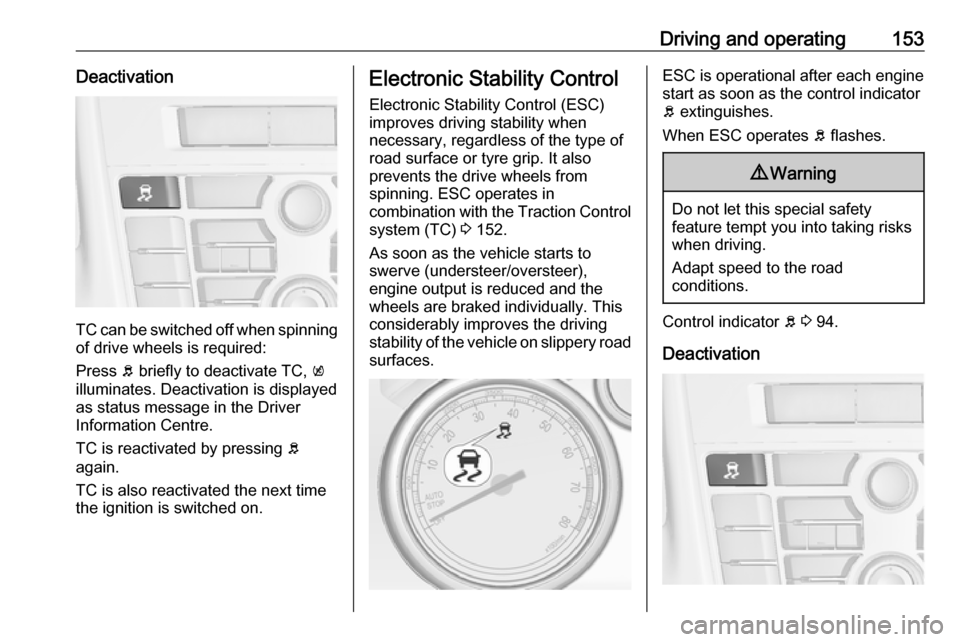
TC can be switched off when spinningof drive wheels is required:
Press b briefly to deactivate TC, k
illuminates. Deactivation is displayed
as status message in the Driver
Information Centre.
TC is reactivated by pressing b
again.
TC is also reactivated the next time
the ignition is switched on.
Electronic Stability Control
Electronic Stability Control (ESC)
improves driving stability when
necessary, regardless of the type of
road surface or tyre grip. It also
prevents the drive wheels from
spinning. ESC operates in
combination with the Traction Control system (TC) 3 152.
As soon as the vehicle starts to
swerve (understeer/oversteer),
engine output is reduced and the
wheels are braked individually. This
considerably improves the driving
stability of the vehicle on slippery road
surfaces.ESC is operational after each engine
start as soon as the control indicator
b extinguishes.
When ESC operates b flashes.9 Warning
Do not let this special safety
feature tempt you into taking risks
when driving.
Adapt speed to the road
conditions.
Control indicator b 3 94.
Deactivation
Page 156 of 261
154Driving and operatingFor a more sporty behaviour ESC and
TC can be deactivated separately:
● Press b briefly: only Traction
control system is inactive, ESC
remains active, k illuminates
● Press and hold b for at least
5 seconds: TC and ESC are deactivated, k and n illuminate.
Additionally, the selected mode is
displayed as status message in the
Driver Information Centre.
If the vehicle comes into threshold
with deactivated ESP, the system will reactivate ESP for the time duration
of the threshold, when the brake
pedal is depressed once.
ESC is reactivated by pressing b
again. If the TC system was
previously disabled, both TC and
ESC are reactivated.
ESC is also reactivated the next time
the ignition is switched on.Interactive driving system
Flex RideFlex Ride driving system allows the
driver to select between three driving
modes:
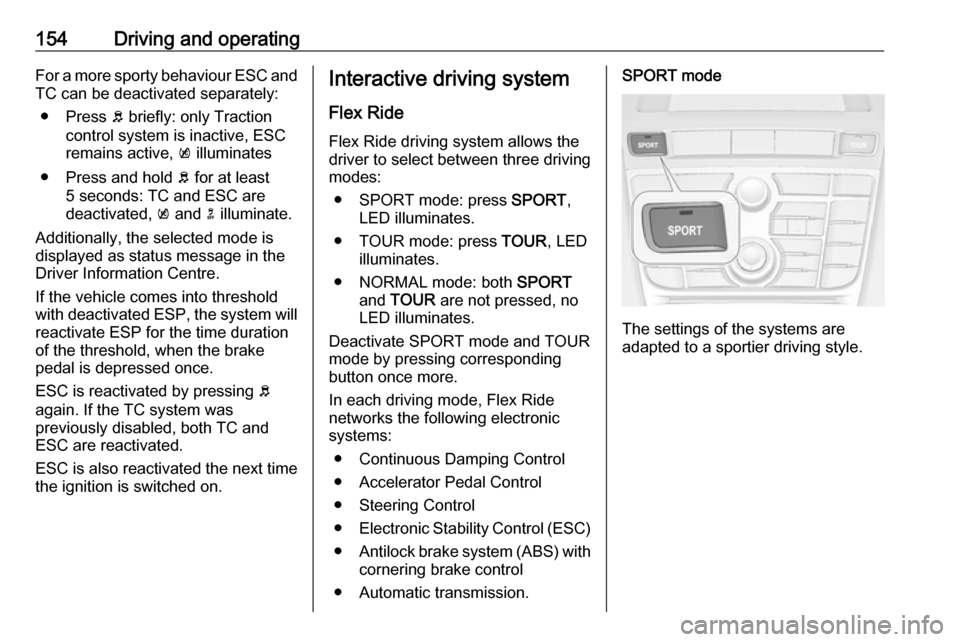
● SPORT mode: press SPORT,
LED illuminates.
● TOUR mode: press TOUR, LED
illuminates.
● NORMAL mode: both SPORT
and TOUR are not pressed, no
LED illuminates.
Deactivate SPORT mode and TOUR
mode by pressing corresponding
button once more.
In each driving mode, Flex Ride
networks the following electronic systems:
● Continuous Damping Control
● Accelerator Pedal Control
● Steering Control
● Electronic Stability Control (ESC)
● Antilock brake system (ABS) with
cornering brake control
● Automatic transmission.SPORT mode
The settings of the systems are
adapted to a sportier driving style.
Page 159 of 261
Driving and operating157
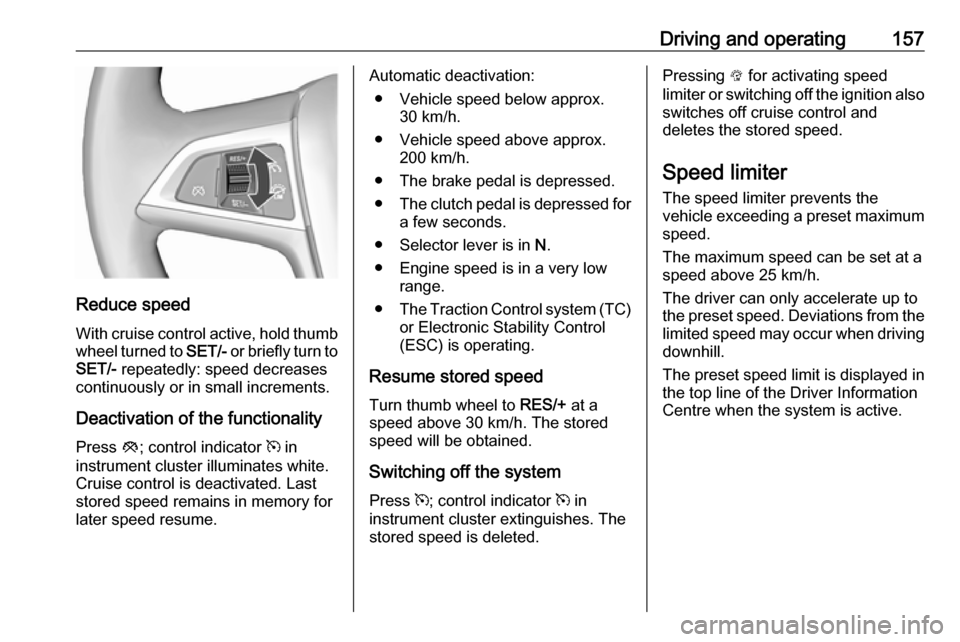
Reduce speedWith cruise control active, hold thumb
wheel turned to SET/- or briefly turn to
SET/- repeatedly: speed decreases
continuously or in small increments.
Deactivation of the functionality
Press y; control indicator m in
instrument cluster illuminates white.
Cruise control is deactivated. Last
stored speed remains in memory for
later speed resume.
Automatic deactivation:
● Vehicle speed below approx. 30 km/h.
● Vehicle speed above approx. 200 km/h.
● The brake pedal is depressed.
● The clutch pedal is depressed for
a few seconds.
● Selector lever is in N.
● Engine speed is in a very low range.
● The Traction Control system (TC)
or Electronic Stability Control
(ESC) is operating.
Resume stored speed
Turn thumb wheel to RES/+ at a
speed above 30 km/h. The stored
speed will be obtained.
Switching off the system
Press m; control indicator m in
instrument cluster extinguishes. The stored speed is deleted.Pressing L for activating speed
limiter or switching off the ignition also switches off cruise control and
deletes the stored speed.
Speed limiter
The speed limiter prevents the
vehicle exceeding a preset maximum
speed.
The maximum speed can be set at a
speed above 25 km/h.
The driver can only accelerate up to
the preset speed. Deviations from the limited speed may occur when driving
downhill.
The preset speed limit is displayed in
the top line of the Driver Information
Centre when the system is active.
Page 161 of 261

Driving and operating159Release the accelerator pedal andthe speed limiter function is
reactivated once a speed lower than
the limit speed is obtained.
Deactivation of the functionality Press y: speed limiter is deactivated
and the vehicle can be driven without speed limit.
The limited speed is stored and a
corresponding message appears in
the Driver Information Centre.
Resume limit speed
Turn thumb wheel to RES/+. The
stored speed limit will be obtained.
Switching off the system
Press L, the speed limit indication in
the Driver Information Centre
extinguishes. The stored speed is
deleted.
By pressing m to activate cruise
control or by switching off the ignition, speed limiter is also deactivated and
the stored speed is deleted.Forward collision alert
The forward collision alert can help to
avoid or reduce the harm caused by
front-end crashes.
Forward collision alert uses the front
camera system in the windscreen to
detect a vehicle directly ahead, in your path, within a distance of approx.
60 metres.
A vehicle ahead is indicated by
control indicator A.
If a vehicle directly ahead is
approached too quickly, a warning
chime and alert in the Driver
Information Centre is provided.
A precondition is that forward collision
alert is not deactivated by pressing
V .
Activation Forward collision alert operates
automatically above 40 km/h, if it is not deactivated by pressing V, see
below.
Page 170 of 261

168Driving and operatingAs soon as turn indicator is switched
off, the system searches for parking
slots on the passenger side again.
Display priorities
After activating the advanced parking assist, a message appears in the
Driver Information Centre. Advanced
parking assist indication in the Driver
Information Centre can be inhibited
by vehicle messages with a higher
priority. After approving the message
by pressing SET/CLR on the turn
signal lever, advanced parking assist
instructions appear again and the
parking manoeuvre can be continued.
Deactivation
The system is deactivated by:
● short press of D if advanced
parking assist and front-rear
parking assist are activated
● long press of D if advanced
parking assist is activated
● successfully ending parking manoeuvre
● driving faster than 30 km/h
● switching off the ignitionDeactivation by the driver or by the
system during manoeuvring will be
indicated by a message in the Driver
Information Centre.
Fault
A message appears in the Driver
Information Centre when:
● there is a fault in the system● the driver did not successfully complete the parking manoeuvre
● the system is not operational
If an object is detected during parking instructions, Stop is indicated in the
Driver Information Centre. Removing
the object will resume the parking
manoeuvre. If the object is not
removed, the system will be
deactivated. Press D for approx.
one second to activate the system
and search for a new parking slot.Basic notes on parking assist
systems9 Warning
Under certain circumstances,
various reflective surfaces on
objects or clothing as well as
external noise sources may cause the system to fail to detect
obstacles.
Special attention must be paid to
low obstacles which can damage
the lower part of the bumper.
Caution
Performance of the system can be reduced when sensors are
covered, e.g. by ice or snow.
Performance of the parking assist
system can be reduced due to
heavy loading.
Special conditions apply if there
are taller vehicles in the vicinity
(e.g. off-road vehicles, mini vans,
vans). Object identification and
Page 177 of 261

Driving and operating175When the setting page is displayed,
select Off to deactivate alert function.
Reactivate by selecting On.
When switching on the ignition, alert function is deactivated.
Pop-up indication is displayed for approx. 8 seconds in the Driver
Information Centre.
System reset The content of the traffic sign memory
can be cleared in the setting menu of
the traffic sign assistant page by
pressing and holding SET/CLR on the
turn signal lever. Upon successful
reset, a chime will sound and the
following symbol is indicated until the
next traffic sign is detected.
In some cases, traffic sign assistant is reset automatically by the system.
Fault
The traffic sign assistant system may
not operate correctly when:
● The area of the windscreen, where the front camera is
located, is not clean.
● Traffic signs are completely or partially covered or difficult to
discern.
● There are adverse environmental
conditions, e.g. heavy rain, snow, direct sunlight or shadows. In this
event, No Traffic Sign Detection
due to Weather is indicated in the
Driver Information Centre.
● Traffic signs are incorrectly mounted or damaged.
● Traffic signs do not comply with the Vienna Convention on Road
Signs and Signals.Caution
The system is intended to help the
driver within a defined speed
range to discern certain traffic
signs. Do not ignore traffic signs
which are not displayed by the
system.
The system does not discern any other than the conventional traffic
signs that might give or end a
speed limit.
Do not let this special feature
tempt you into taking risks when
driving.
Always adapt speed to the road
conditions.
Page 180 of 261
178Driving and operatingFuel additive
Fuel should contain detergent
additives that help prevent engine
and fuel system deposits from
forming. Clean fuel injectors and
intake valves will allow the emission
control system to work properly. In
certain countries fuel does not
contain sufficient quantities of
additive to keep fuel injectors and
intake valves clean. In these
countries a fuel additive is required for
some engines to make up for this lack
of detergency. Only use fuel additive
approved for the vehicle.
Adding fuel additive to the filled fuel
tank is required at least every 15,000
km or after one year, whichever
occurs first. For further information,
contact your workshop.
Prohibited fuels
Fuels containing oxygenates such as
ethers and ethanol, as well as
reformulated fuel, are available in
some cities. If these fuels comply with
the previously described
specification, then they are
acceptable to use. However, E85(85% ethanol) and other fuels
containing more than 15% ethanol
must be used only in FlexFuel
vehicles.Caution
Do not use fuel containing
methanol. It can corrode metal
parts in the fuel system and also
damage plastic and rubber parts.
This damage would not be
covered by the vehicle warranty.
Some fuels, mainly high octane
racing fuels, can contain an octane
enhancing additive called
methylcyclopentadienyl manganese
tricarbonyl (MMT). Do not use fuels or fuel additives with MMT as they can
reduce spark plug life and affect
emission control system
performance. The malfunction
indicator light Z may illuminate 3 92.
If this occurs, seek the assistance of
a workshop.
Refuelling9 Danger
Before refuelling, switch off
ignition and any external heaters
with combustion chambers.
Switch off any mobile phones.
Follow the operating and safety
instructions of the filling station
when refuelling.
Page 181 of 261
Driving and operating1799Danger
Fuel is flammable and explosive.
No smoking. No naked flames or
sparks.
If you can smell fuel in your
vehicle, have the cause of this
remedied immediately by a
workshop.
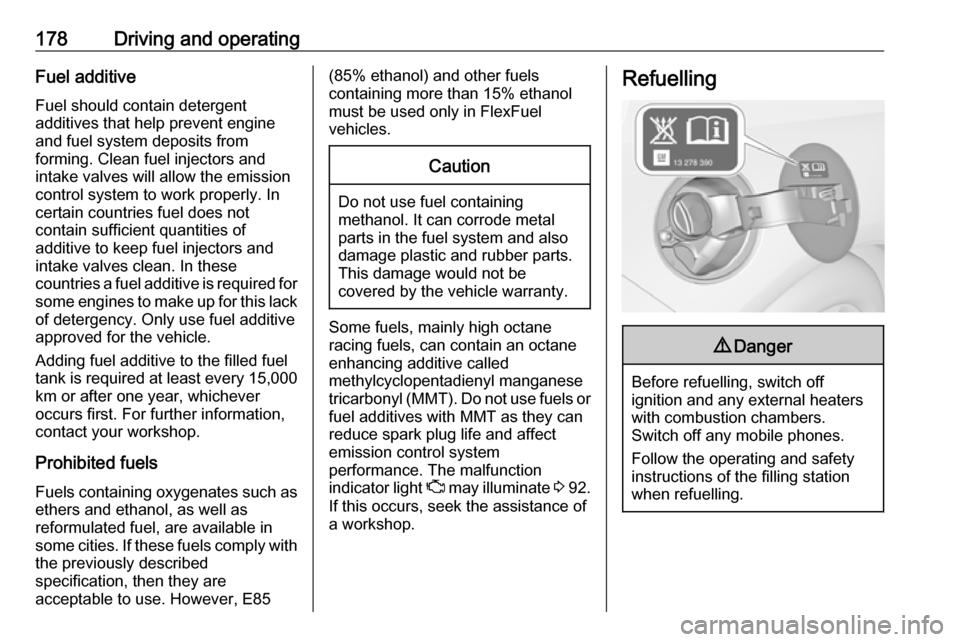
A label with symbols at the fuel filler
flap is indicating the allowed fuel
types. In Europe the pump nozzles of the filling stations are marked with
these symbols. Refuel only the
allowed fuel type.
Caution
In case of misfuelling, do not
switch on ignition.
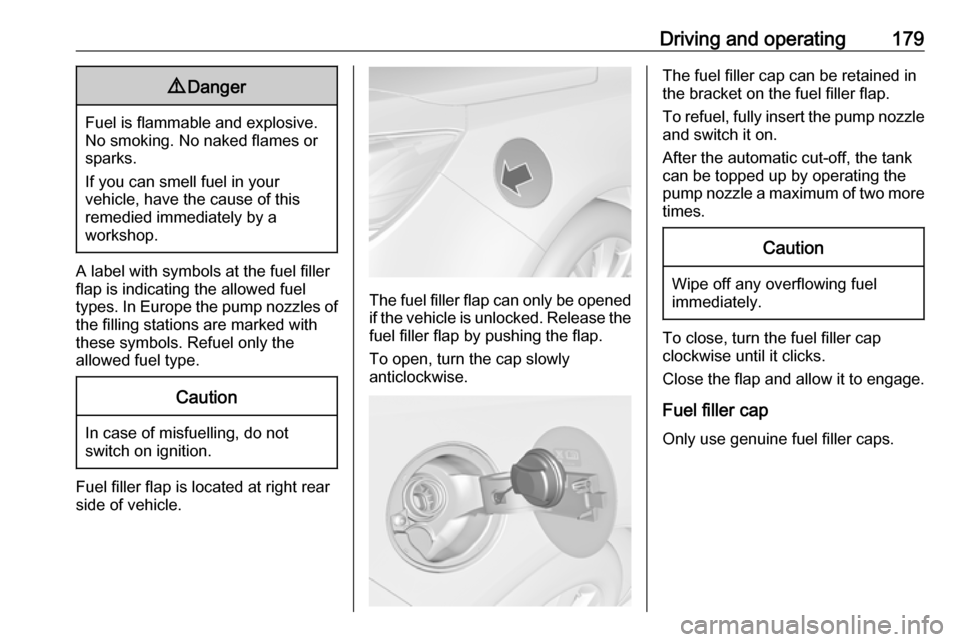
Fuel filler flap is located at right rear
side of vehicle.
The fuel filler flap can only be opened
if the vehicle is unlocked. Release the
fuel filler flap by pushing the flap.
To open, turn the cap slowly
anticlockwise.
The fuel filler cap can be retained in
the bracket on the fuel filler flap.
To refuel, fully insert the pump nozzle
and switch it on.
After the automatic cut-off, the tank can be topped up by operating the
pump nozzle a maximum of two more
times.Caution
Wipe off any overflowing fuel
immediately.
To close, turn the fuel filler cap
clockwise until it clicks.
Close the flap and allow it to engage.
Fuel filler cap
Only use genuine fuel filler caps.
Page 189 of 261
Vehicle care187Vehicle checks
Performing work9 Warning
Only perform engine compartment
checks when the ignition is off.
The cooling fan may start
operating even if the ignition is off.
9 Danger
The ignition system and Xenon
headlights use extremely high
voltage. Do not touch.
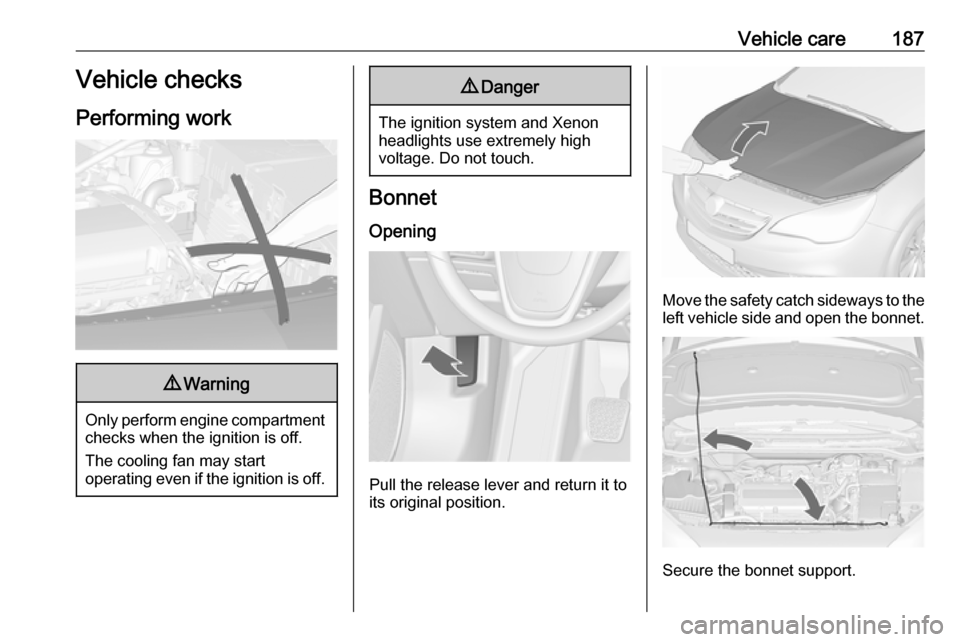
Bonnet
Opening
Pull the release lever and return it to
its original position.
Move the safety catch sideways to the left vehicle side and open the bonnet.
Secure the bonnet support.