phone OPEL COMBO E 2019.1 Infotainment system
[x] Cancel search | Manufacturer: OPEL, Model Year: 2019.1, Model line: COMBO E, Model: OPEL COMBO E 2019.1Pages: 125, PDF Size: 2.48 MB
Page 55 of 125

55Audio files.................................. 27
Picture files................................ 27
G
General information 26, 27 , 31 , 42 , 45
Bluetooth ................................... 27
DAB ........................................... 23
Infotainment system ....................6
Navigation ................................. 31
Phone ........................................ 45
Smartphone applications ..........27
USB ........................................... 27
Guidance ..................................... 39
I
Infotainment control panel ..............8
M Maps ............................................. 32
Menu operation............................. 14
Mobile phones and CB radio equipment ................................ 51
Mute.............................................. 10
N Navigation Contacts .................................... 35
Current location ......................... 32
Destination input .......................35
Map display ............................... 32
Map manipulation ......................32Map update............................... 31
Recent destinations ..................35
Route guidance ......................... 39
TMC stations ....................... 31, 39
Traffic incidents ......................... 39
Turn list ..................................... 39
Waypoint trip ............................. 35
O Operation ...................................... 48
CD ............................................. 26
External devices ........................27
Menu ......................................... 14
Navigation system .....................32
Phone ........................................ 48
Radio ......................................... 21
P
Pairing .......................................... 46
Personal settings ..........................18
Phone Bluetooth ................................... 45
Bluetooth connection ................46
Call history ................................ 48
Contacts .................................... 48
Emergency calls ........................47
Entering a number ....................48
Functions during a call ..............48
General information................... 45
Incoming call ............................. 48Phone book............................... 48
Phone main menu .....................48
Phone book .................................. 48
Phone projection .......................... 30
Picture files ................................... 27
Playing audio ................................ 28
POIs.............................................. 35
Presets Retrieving stations..................... 21
Storing stations ......................... 21
Profile settings .............................. 18
R Radio Activating................................... 21
Configuring DAB .......................23
Configuring RDS .......................23
DAB announcements ................23
Digital audio broadcasting
(DAB) ........................................ 23
Presets ...................................... 21
Radio data system (RDS) .........23
Regional .................................... 23
Regionalisation ......................... 23
Retrieving stations..................... 21
Selecting the waveband ............21
Station search ........................... 21
Station tuning ............................ 21
Storing stations ......................... 21
Usage ........................................ 21
Page 56 of 125

56Radio data system .......................23
RDS .............................................. 23
Regional ....................................... 23
Regionalisation ............................. 23
Retrieving stations ........................21
Ring tone ...................................... 48
Ring tone volume ......................17
Route guidance ............................ 39
S Smartphone .................................. 27
Phone projection .......................30
Speech output volume ..................17
Speech recognition .......................42
Storing stations ............................. 21
Switching the Infotainment system on .................................. 10
System settings ............................ 18
T
Time adjust......................................... 18
TMC stations ................................ 31
Tone settings ................................ 17
Touch beep volume ......................17
Traffic incidents ............................ 39
Turn list ......................................... 39
U Update software ........................... 18
Usage ................... 10, 21, 26, 32, 43Bluetooth................................... 27
CD ............................................. 26
Menu ......................................... 14
Navigation system .....................32
Phone ........................................ 48
Radio ......................................... 21
USB ........................................... 27
USB Connecting device ....................27
General information................... 27
USB audio menu .......................28
USB picture menu .....................29
Using smartphone applications ....30
V Voice guidance ............................. 32
Voice recognition ..........................42
Volume Auto volume .............................. 17
Mute function............................. 10
Ring tone volume ......................17
Setting the volume ....................10
Speech output ........................... 17
Speed compensated volume ....17
Touch beep volume ..................17
Volume settings ............................ 17
W
Waveband selection .....................21
Waypoint trip................................. 35
Page 57 of 125

Introduction.................................. 58
Basic operation ............................ 65
Radio ........................................... 71
CD Player .................................... 75
External devices .......................... 76
Speech recognition ......................80
Phone .......................................... 83
Index ............................................ 90Multimedia
Page 58 of 125

58IntroductionIntroductionGeneral information.....................58
Control elements overview ..........60
Usage .......................................... 62General information
The Infotainment system Multimedia
provides you with state-of-the-art in-
car Infotainment.
Using the FM, AM or DAB radio
functions, you may register up to 24 stations.
The CD player will entertain you with
audio CDs and MP3 / WMA CDs.
You can connect external data
storage devices to the Infotainment
system as further audio sources;
either via a cable or via Bluetooth ®
.
In addition, the Infotainment system
allows comfortable and safe use of
your mobile phone in the vehicle.
Using the phone projection function,
you can operate specific applications
on your smartphone via the
Infotainment system.
Optionally, the Infotainment system
can be operated using controls on the steering wheel or via the speech
recognition system.The well-thought-out design of the
control elements, the touch screen
and the clear displays enable you to
control the system easily and
intuitively.
Note
This manual describes all options
and features available for the
various Infotainment systems.
Certain descriptions, including those
for display and menu functions, may not apply to your vehicle due to
model variant, country
specifications, special equipment or
accessories.
Note
The Infotainment system includes
certain third party software. For the
associated notices, licenses and any
other information regarding this
software see
http://www.psa-peugeot-
citroen.com/oss.
Page 61 of 125

Introduction611X........................................... 62
If switched off: switch
power on / off
If switched on: mute system
Turn: adjust volume
2 c
Display navigation app
when phone projection is
active ..................................... 78
3 _
Open vehicle settings
menu, see Owner's Manual
4 b
Open audio menu:
Radio ..................................... 71
CD player .............................. 75
External devices (USB,
Bluetooth) .............................. 76
5 d
Open menu for picture
function ................................. 786
:
Open settings menu ..............65
7 a
Open phone menu ................86
Display phone projection
screen when phone
projection is active ................78
8 Info Display / touch screen
with Home menu (Home
menu only visible after 3-
finger touch on screen) .........65
9 USB port ............................... 76Steering wheel controls
1 SRC (Source)
Select audio source,
confirm selection with G....... 62
Long press: mute system
2 ä / å
Select next / previous
preset radio station when
radio active ............................ 71
or select next / previous
track / picture when
external devices active .........76
Page 62 of 125

62Introductionor select next / previous
entry in station list, media
list, call / contacts list when operation started via
steering wheel controls
Confirm selection with G
3 G
Confirm selected item
or open station list, media list
4 x
Activate / deactivate mute
function ................................. 62
5 À / Á
Turn upwards /
downwards: increase /
decrease volume
6 v
Short press: accept incoming call
Long press: reject
incoming call, hang up call ....86or open call / contacts list .....86
If phone call active: open
call in progress menu
7 w
Short press: activate
embedded speech recognition
Long press: activate
speech recognition in
Apple CarPlay™ or
Android™ Auto if phone
connected via USB port ........81Usage
Control elements
The Infotainment system is operated
via function buttons, a touch screen
and menus that are shown on the
display.
Inputs are made optionally via: ● the control panel on the Infotainment system 3 60
● the touch screen 3 65
● audio controls on the steering wheel 3 60
● the speech recognition 3 80
Switching the Infotainment
system on or off
Press X. After switching on, the last
selected Infotainment source
becomes active.
Note
Some functions of the Infotainment
system are only available if ignition
is switched on or engine is running.
Page 63 of 125
Introduction63Automatic switch-off
If the Infotainment system has been switched on pressing X while the
ignition is switched off, it will switch off
again automatically when the ECO
mode becomes active.
Setting the volume Turn X. The current setting is shown
on the display.
When the Infotainment system is
switched on, the last selected volume
is set.
Speed compensated volume
When the speed compensated
volume is activated 3 67, the
volume is adapted automatically to
make up for the road and wind noise
as you drive.
Mute
Press X to mute the Infotainment
system.
To cancel the mute function, press
X again. The last selected volume is
set again.Modes of operation
Audio-Media
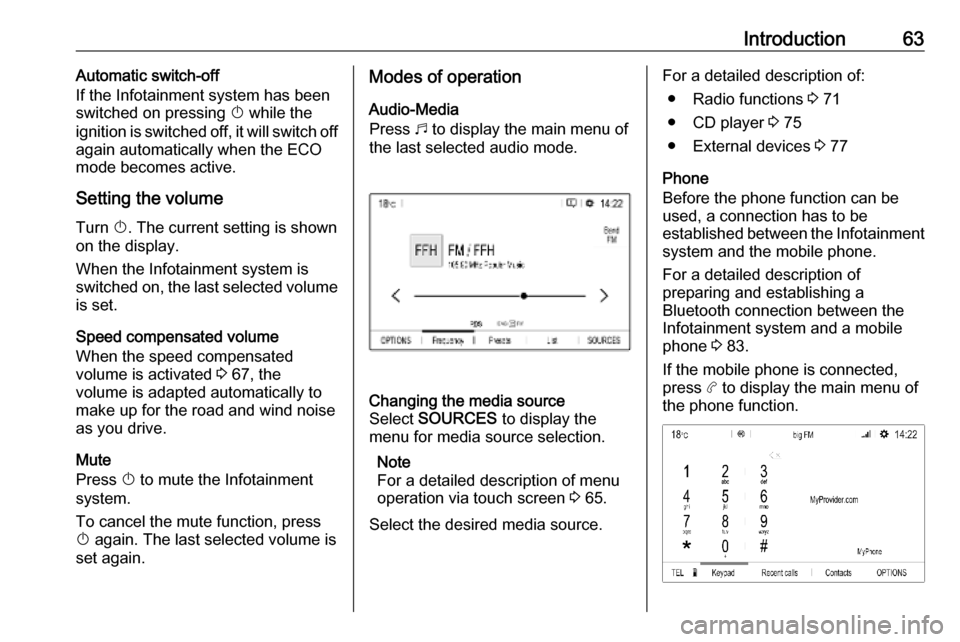
Press b to display the main menu of
the last selected audio mode.Changing the media source
Select SOURCES to display the
menu for media source selection.
Note
For a detailed description of menu
operation via touch screen 3 65.
Select the desired media source.For a detailed description of: ● Radio functions 3 71
● CD player 3 75
● External devices 3 77
Phone
Before the phone function can be
used, a connection has to be
established between the Infotainment system and the mobile phone.
For a detailed description of
preparing and establishing a
Bluetooth connection between the Infotainment system and a mobilephone 3 83.
If the mobile phone is connected,
press a to display the main menu of
the phone function.
Page 64 of 125
64IntroductionFor a detailed description of mobile
phone operation via the Infotainment
system 3 86.
Apps
To show specific apps of your
smartphone on the display of the
Infotainment system, connect your
smartphone.
Press a and touch Apple CarPlay or
Android Auto . A menu with different
selectable apps is displayed.
For a detailed description 3 78.
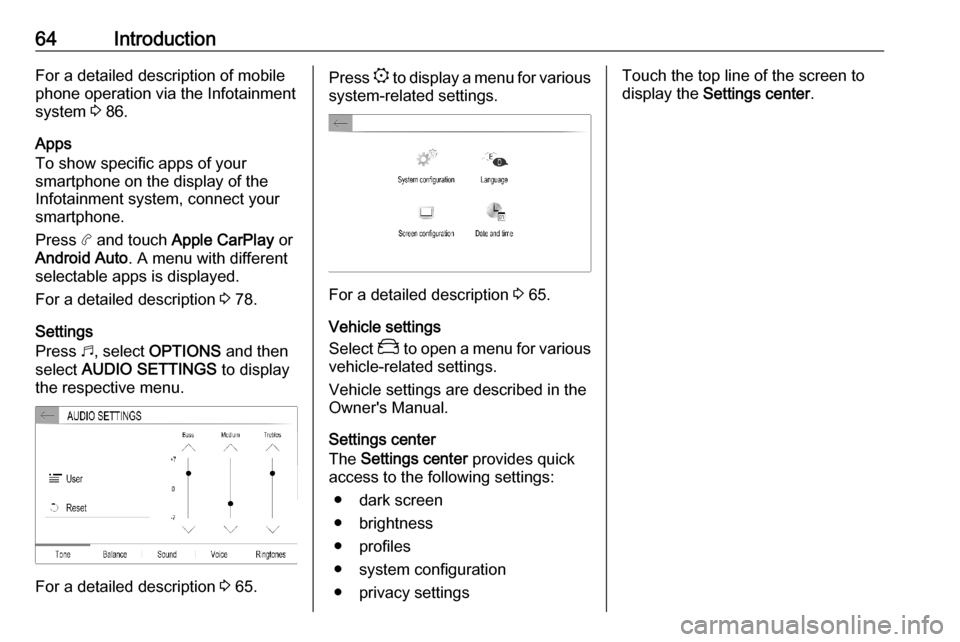
Settings
Press b, select OPTIONS and then
select AUDIO SETTINGS to display
the respective menu.
For a detailed description 3 65.
Press
: to display a menu for various
system-related settings.
For a detailed description 3 65.
Vehicle settings
Select _ to open a menu for various
vehicle-related settings.
Vehicle settings are described in the
Owner's Manual.
Settings center
The Settings center provides quick
access to the following settings:
● dark screen
● brightness
● profiles
● system configuration
● privacy settings
Touch the top line of the screen to
display the Settings center .
Page 69 of 125
Basic operation69Adjusting the screenSelect Screen configuration .
Text scroll function
Select the Animation tab.
If long texts on the screen should be
scrolled automatically, activate
Automatic scrolling .
If Automatic scrolling is deactivated,
long texts are truncated.
Adjusting the brightness
Select Brightness and set the
brightness of the screen to the
desired level.
Storing your personal settings
To go to the profile settings, touch the top line of the screen and then select
Profiles .
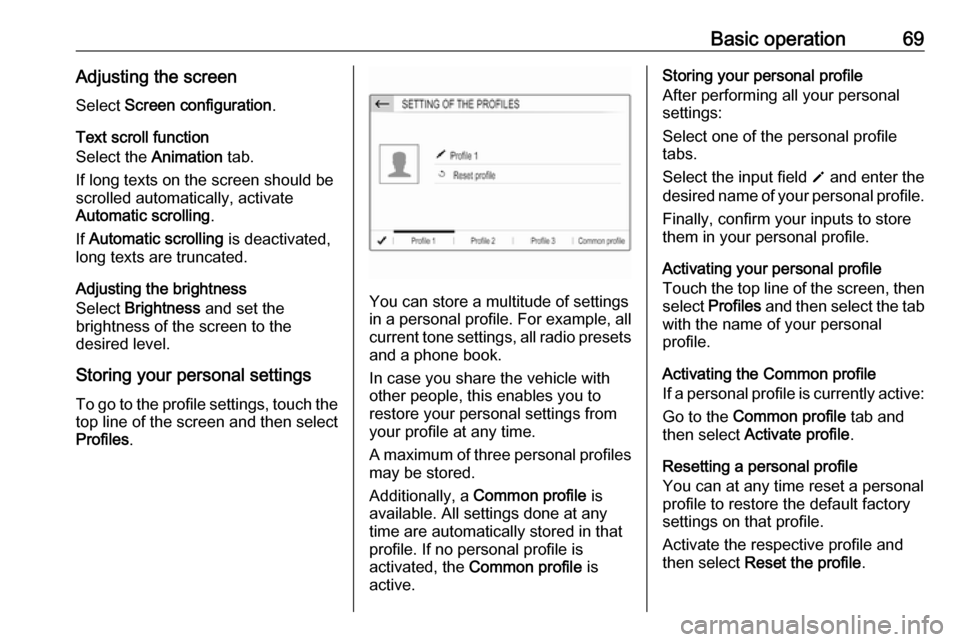
You can store a multitude of settings
in a personal profile. For example, all
current tone settings, all radio presets
and a phone book.
In case you share the vehicle with
other people, this enables you to
restore your personal settings from
your profile at any time.
A maximum of three personal profiles may be stored.
Additionally, a Common profile is
available. All settings done at any
time are automatically stored in that
profile. If no personal profile is
activated, the Common profile is
active.
Storing your personal profile
After performing all your personal
settings:
Select one of the personal profile
tabs.
Select the input field o and enter the
desired name of your personal profile.
Finally, confirm your inputs to store
them in your personal profile.
Activating your personal profile
Touch the top line of the screen, then select Profiles and then select the tab
with the name of your personal
profile.
Activating the Common profile
If a personal profile is currently active:
Go to the Common profile tab and
then select Activate profile .
Resetting a personal profile
You can at any time reset a personal
profile to restore the default factory
settings on that profile.
Activate the respective profile and
then select Reset the profile .
Page 76 of 125

76External devicesExternal devicesGeneral information.....................76
Playing audio ............................... 77
Displaying pictures ....................... 78
Using smartphone applications ...78General information
A USB port is located on the control
panel. Another USB port may be
located in the storage compartment
next to the Info Display.Caution
To protect the system, do not use
a USB hub.
Note
The USB ports must always be kept
clean and dry.
USB ports
An MP3 player, USB device, SD card (via USB connector / adapter) or
smartphone can be connected to each USB port.
The Infotainment system can play
audio files or show picture files
contained in USB devices.
When connected to a USB port,
various functions of the devices
mentioned above can be operated via the controls and menus of the
Infotainment system.
Note
Not all auxiliary devices are
supported by the Infotainment
system.
Note
If two USB ports are available: To
use the phone projection feature
3 78 of the Infotainment system,
the smartphone has to be connected
to the USB port on the control panel. The USB port in the storage
compartment cannot be used for
Apple CarPlay.
Connecting / disconnecting a device
Connect one of the devices
mentioned above to a USB port. If
required, use the appropriate
connection cable. The music function starts automatically.
Note
If a non-readable USB device is
connected, a corresponding error
message appears and the
Infotainment system automatically
switches to the previous function.
To disconnect a USB device, select
another function and then remove the
USB device.