electronic OPEL CORSA E 2017.5 Owner's Guide
[x] Cancel search | Manufacturer: OPEL, Model Year: 2017.5, Model line: CORSA E, Model: OPEL CORSA E 2017.5Pages: 269, PDF Size: 7.97 MB
Page 154 of 269
152Driving and operatingElectronic Stability Control
Electronic Stability Control (ESC)
improves driving stability when
necessary, regardless of the type of
road surface or tyre grip.
As soon as the vehicle starts to
swerve (understeer/oversteer),
engine output is reduced and the wheels are braked individually.
ESC operates in combination with the Traction Control system (TC). It
prevents the drive wheels from
spinning.
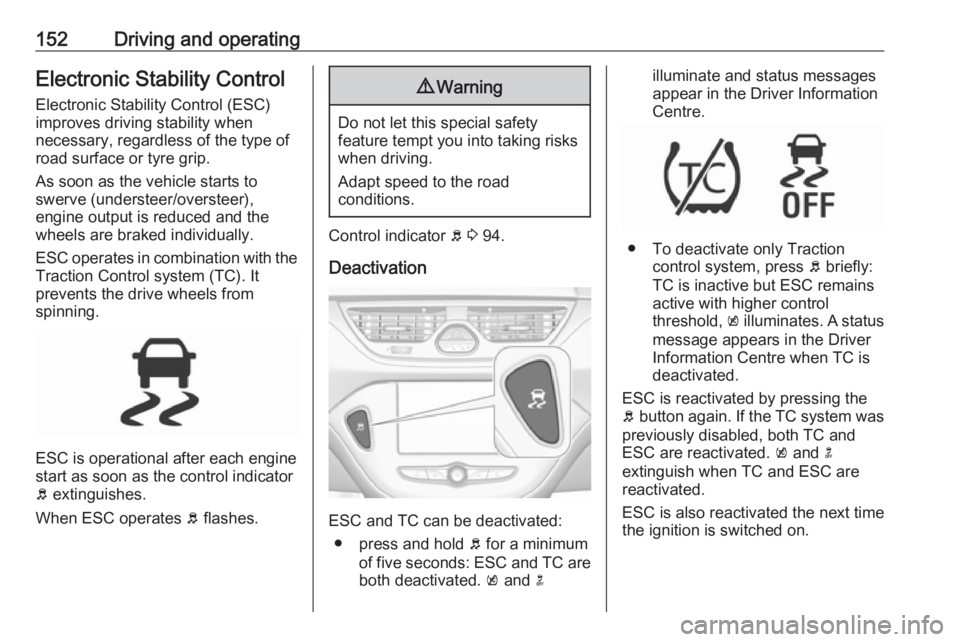
ESC is operational after each engine
start as soon as the control indicator
b extinguishes.
When ESC operates b flashes.
9 Warning
Do not let this special safety
feature tempt you into taking risks
when driving.
Adapt speed to the road
conditions.
Control indicator b 3 94.
Deactivation
ESC and TC can be deactivated: ● press and hold b for a minimum
of five seconds: ESC and TC are
both deactivated. k and n
illuminate and status messages
appear in the Driver Information
Centre.
● To deactivate only Traction control system, press b briefly:
TC is inactive but ESC remains
active with higher control
threshold, k illuminates. A status
message appears in the Driver Information Centre when TC isdeactivated.
ESC is reactivated by pressing the
b button again. If the TC system was
previously disabled, both TC and
ESC are reactivated. k and n
extinguish when TC and ESC are
reactivated.
ESC is also reactivated the next time
the ignition is switched on.
Page 157 of 269
Driving and operating155Switching on
Press m; control indicator m in
instrument cluster illuminates white.
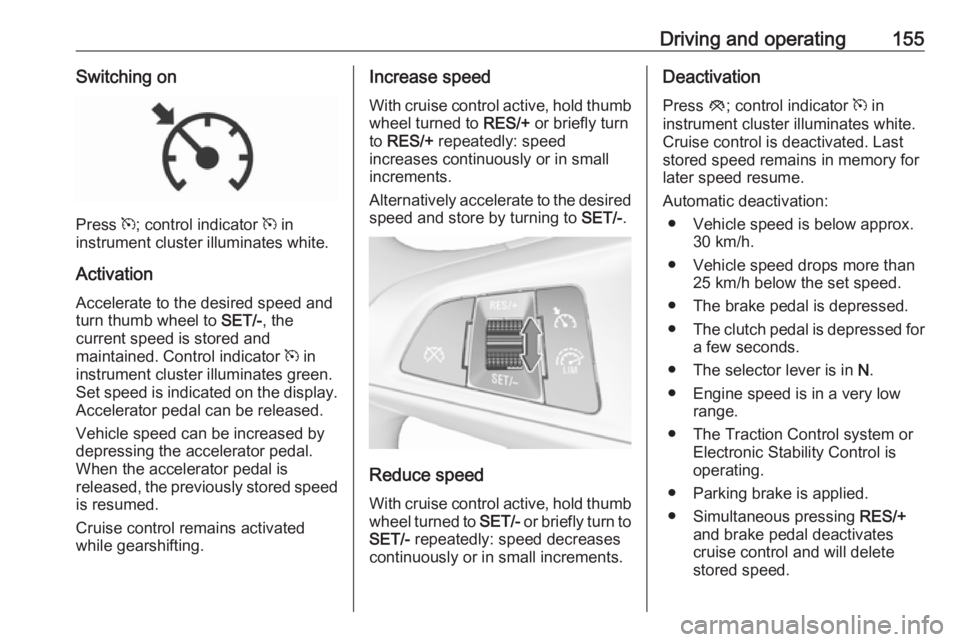
Activation Accelerate to the desired speed and
turn thumb wheel to SET/-, the
current speed is stored and
maintained. Control indicator m in
instrument cluster illuminates green. Set speed is indicated on the display.
Accelerator pedal can be released.
Vehicle speed can be increased by
depressing the accelerator pedal. When the accelerator pedal is
released, the previously stored speed is resumed.
Cruise control remains activated
while gearshifting.
Increase speed
With cruise control active, hold thumb
wheel turned to RES/+ or briefly turn
to RES/+ repeatedly: speed
increases continuously or in small
increments.
Alternatively accelerate to the desired speed and store by turning to SET/-.
Reduce speed
With cruise control active, hold thumb
wheel turned to SET/- or briefly turn to
SET/- repeatedly: speed decreases
continuously or in small increments.
Deactivation
Press y; control indicator m in
instrument cluster illuminates white. Cruise control is deactivated. Last
stored speed remains in memory for
later speed resume.
Automatic deactivation: ● Vehicle speed is below approx. 30 km/h.
● Vehicle speed drops more than 25 km/h below the set speed.
● The brake pedal is depressed.
● The clutch pedal is depressed for
a few seconds.
● The selector lever is in N.
● Engine speed is in a very low range.
● The Traction Control system or Electronic Stability Control is
operating.
● Parking brake is applied.
● Simultaneous pressing RES/+
and brake pedal deactivates
cruise control and will delete
stored speed.
Page 191 of 269

Driving and operating1899Warning
Towing a trailer is permitted only
when a coupling ball bar is fitted correctly. If the coupling ball bardoes not engage correctly, seekthe assistance of a workshop.
Dismounting the coupling ball bar
Insert the key in the lock and unlock
the coupling ball bar.
Push the rotary knob onto the
coupling ball bar and rotate right while pressed down until it engages. Pull
out the ball bar downwards.
Insert sealing plug in opening for
coupling ball bar. Fold away socket.
Trailer stability assist
If the system detects snaking
movements, engine power is reduced
and the vehicle/trailer combination is
selectively braked until the snaking ceases. While system is working keep
steering wheel as still as possible.
Trailer stability assist is a function of
the Electronic Stability Control 3 152.
Page 193 of 269
Vehicle care191General Information
Accessories and vehicle modifications
We recommend the use of genuine
parts and accessories and factory
approved parts specific for your
vehicle type. We cannot assess or guarantee reliability of other products
- even if they have a regulatory or
otherwise granted approval.
Any modification, conversion or other changes made to standard vehicle
specifications (including, without
limitation, software modifications,
modifications of the electronic control
units) may invalidate the warranty
offered by Opel. Furthermore, such
changes may affect driver assistance systems, may impact fuel
consumption, CO 2 emissions and
other emissions of the vehicle and
cause the vehicle to no longer
conform to the type approval,
impacting the validity of your vehicle
registration.Caution
When transporting the vehicle on
a train or on a recovery vehicle, the
mud flaps may be damaged.
Vehicle storage
Storage for a long period of time
If the vehicle is to be stored for several months:
● Wash and wax the vehicle.
● Have the wax in the engine compartment and underbody
checked.
● Clean and preserve the rubber seals.
● Fill up fuel tank completely.
● Change the engine oil.
● Drain the washer fluid reservoir.
● Check the coolant antifreeze and
corrosion protection.
● Adjust tyre pressure to the value specified for full load.
● Park the vehicle in a dry, wellventilated place. Engage first or
reverse gear or set selector lever
to P. Prevent the vehicle from
rolling.
● Do not apply the parking brake.
● Open the bonnet, close all doors and lock the vehicle.
● Disconnect the clamp from the negative terminal of the vehicle
battery. Beware that all systems
are not functional, e.g. anti-theft
alarm system.
Putting back into operation
When the vehicle is to be put back into
operation:
● Connect the clamp to the negative terminal of the vehicle
battery. Activate the electronics
of the power windows.
● Check tyre pressure.
● Fill up the washer fluid reservoir.
● Check the engine oil level.
● Check the coolant level.
● Fit the number plate if necessary.
Page 218 of 269
216Vehicle careThe tyre pressures for all tyres are
displayed on one page.
System status and pressure warnings are displayed by a message
indicating the corresponding tyre in the Driver Information Centre.
The system considers the tyre
temperature for the warnings.
Temperature dependency 3 213.
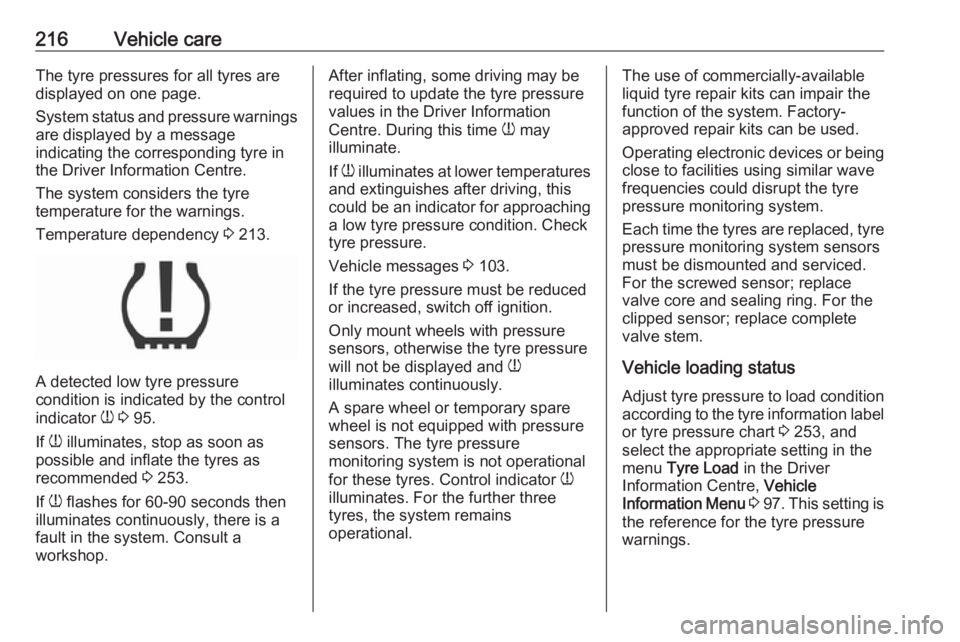
A detected low tyre pressure
condition is indicated by the control
indicator w 3 95.
If w illuminates, stop as soon as
possible and inflate the tyres as
recommended 3 253.
If w flashes for 60-90 seconds then
illuminates continuously, there is a
fault in the system. Consult a
workshop.
After inflating, some driving may be
required to update the tyre pressure
values in the Driver Information
Centre. During this time w may
illuminate.
If w illuminates at lower temperatures
and extinguishes after driving, this
could be an indicator for approaching a low tyre pressure condition. Check
tyre pressure.
Vehicle messages 3 103.
If the tyre pressure must be reduced
or increased, switch off ignition.
Only mount wheels with pressure
sensors, otherwise the tyre pressure
will not be displayed and w
illuminates continuously.
A spare wheel or temporary spare
wheel is not equipped with pressure
sensors. The tyre pressure
monitoring system is not operational
for these tyres. Control indicator w
illuminates. For the further three
tyres, the system remains
operational.The use of commercially-available liquid tyre repair kits can impair the
function of the system. Factory-
approved repair kits can be used.
Operating electronic devices or being
close to facilities using similar wave
frequencies could disrupt the tyre
pressure monitoring system.
Each time the tyres are replaced, tyre pressure monitoring system sensors
must be dismounted and serviced.
For the screwed sensor; replace
valve core and sealing ring. For the
clipped sensor; replace complete
valve stem.
Vehicle loading status
Adjust tyre pressure to load condition according to the tyre information label
or tyre pressure chart 3 253, and
select the appropriate setting in the
menu Tyre Load in the Driver
Information Centre, Vehicle
Information Menu 3 97 . This setting is
the reference for the tyre pressure warnings.
Page 261 of 269
Customer information259original source. Such altered
versions also must not be
misrepresented as being Info-ZIP
releases--including, but not
limited to, labeling of the altered
versions with the names “Info-
ZIP” (or any variation thereof,
including, but not limited to,
different capitalizations), “Pocket
UnZip,” “WiZ” or “MacZip” without the explicit permission of Info-ZIP.
Such altered versions are further
prohibited from misrepresentative use of the Zip-Bugs or Info-ZIP e-mail addresses or of the Info-ZIP
URL(s).
4. Info-ZIP retains the right to use the names “Info-ZIP,” “Zip,”
“UnZip,” “UnZipSFX,” “WiZ,” “Pocket UnZip,” “Pocket Zip,” and
“MacZip” for its own source and
binary releases.
Registered trademarksApple Inc.
Apple CarPlay™ is a trademark of
Apple Inc.
App Store ®
and iTunes Store ®
are
registered trademarks of Apple Inc.iPhone ®
, iPod ®
, iPod touch ®
, iPod
nano ®
, iPad ®
and Siri ®
are registered
trademarks of Apple Inc.Aupeo! GmbH
AUPEO ®
is a registered trademark of
the Aupeo! GmbH.Bluetooth SIG, Inc.
Bluetooth ®
is a registered trademark
of Bluetooth SIG, Inc.DivX, LLC
DivX ®
and DivX Certified ®
are
registered trademarks of DivX, LLC.EnGIS Technologies, Inc.
BringGo ®
is a registered trademark of
EnGIS Technologies, Inc.Google Inc.
Android™ and Google Play™ Store
are trademarks of Google Inc.Stitcher Inc.
Stitcher™ is a trademark of Stitcher,
Inc.Verband der Automobilindustrie e.V.
AdBlue ®
is a registered trademark of
the VDA.Vehicle data recording
and privacy
Event data recorders
Data storage modules in the
vehicle
A large number of electronic
components of your vehicle contain
data storage modules temporarily or
permanently storing technical data
about the condition of the vehicle,
events and errors. In general, this
technical information documents the
condition of parts, modules, systems
or the environment:
● Operating conditions of system components (e.g. filling levels).
● Status messages of the vehicle and its single components (e.g.
number of wheel revolutions / rotational speed, deceleration,
lateral acceleration).
● Dysfunctions and defects in important system components.
Page 265 of 269
263Control indicators.......................... 88
Control of the vehicle .................134
Controls ........................................ 76
Convex shape .............................. 30
Coolant and antifreeze ...............238
Corner lighting ............................ 116
Cruise control ...................... 96, 154
Cupholders .................................. 57
Curtain airbag system .................. 49
D Danger, Warnings and Cautions ...4
Daytime running lights ...............116
Declaration of conformity ............255
Diesel fuel system bleeding .......198
Diesel particle filter ...............94, 140
Door open .................................... 96
Doors ............................................ 27
Driver assistance systems ..........154
Driver Information Centre .............97
Driving characteristics and towing tips .............................. 185
Driving hints ................................ 134
E Easy entry..................................... 39
Electric adjustment ......................30
Electrical system......................... 207
Electronic climate control system 126
Electronic driving programmes . ........................................ 143, 148Electronic Stability Control.......... 152
Electronic Stability Control and Traction Control system ............94
Electronic Stability Control off....... 94
End-of-life vehicle recovery .......192
Engine compartment fuse box ...208
Engine coolant ........................... 194
Engine coolant temperature gauge ....................................... 86
Engine data ............................... 245
Engine exhaust .......................... 140
Engine identification ...................241
Engine oil ................... 193, 238, 242
Engine oil pressure ......................95
Entry lighting .............................. 121
Event data recorders ..................259
Exit lighting ................................ 121
Exterior care .............................. 233
Exterior light ................................. 96
Exterior lighting ....................14, 113
Exterior mirrors ............................. 30
F
Fault ................................... 143, 148
First aid ......................................... 72
First aid kit ................................... 72
Fixed air vents ........................... 131
Flex-Fix system ............................ 59
Fog light ....................................... 96
Fog lights ................................... 202Folding mirrors ............................. 30
Following distance indication ......160
Forward collision alert................. 157
Front airbag system .....................47
Front fog lights ........................... 118
Front seats.................................... 37
Front storage ................................ 58
Front turn signal lights ...............203
Fuel............................................. 177
Fuel consumption - CO 2-
Emissions ............................... 184
Fuel for diesel engines ..............178
Fuel for liquid gas operation .......179
Fuel for petrol engines ...............177
Fuel gauge ................................... 85 Fuel selector ................................ 86
Fuses ......................................... 207
G Gauges ......................................... 83
Gear shifting ................................. 93
General information ...................185
Glovebox ..................................... 57
Graphic-Info-Display ...................102
H Halogen headlights ....................199
Hand brake ......................... 149, 150
Hazard warning flashers ............117
Headlight flash ........................... 115
Headlight range adjustment ......115