interior OPEL CORSA F 2020 Owner's Manual
[x] Cancel search | Manufacturer: OPEL, Model Year: 2020, Model line: CORSA F, Model: OPEL CORSA F 2020Pages: 229, PDF Size: 21.14 MB
Page 5 of 229
Introduction3Vehicle specific dataPlease enter your vehicle's data on
the previous page to keep it easily
accessible.
Please refer to the sections "Service
and maintenance", "Technical data",
the vehicle’s identification plate and
national registration documents.
Introduction
Your vehicle is a designed
combination of advanced technology, safety, environmental friendliness
and economy.
This Owner's Manual provides you
with all the necessary information to
enable you to drive your vehicle
safely and efficiently.
Make sure your passengers are
aware of the possible risk of accident
and injury which may result from
improper use of the vehicle.
You must always comply with the
specific laws and regulations of the
country that you are in. These laws
may differ from the information in this Owner's Manual.Disregarding the description given in
this manual may affect your warranty.
When this Owner's Manual refers to a
workshop visit, we recommend your Opel Service Partner.
All Opel Service Partners provide
first-class service at reasonable
prices. Experienced mechanics
trained by Opel work according to
specific Opel instructions.
The customer literature pack should
always be kept ready to hand in the
vehicle.
Using this manual ● This manual describes all options
and features available for this
model. Certain descriptions,
including those for display and
menu functions, may not apply to
your vehicle due to model
variant, country specifications,
special equipment or
accessories.
● The table of contents at the beginning of this manual and
within each section shows where the information is located.● The index will enable you to search for specific information.
● This Owner's Manual depicts left-
hand drive vehicles. Operation is
similar for right-hand drive
vehicles.
● The Owner's Manual uses the engine identifier code. The
corresponding sales designation
and engineering code can be
found in the section "Technical
data".
● Directional data, e.g. left or right, or front or back, always relate to
the direction of travel.
● Displays may not support your specific language.
● Display messages and interior labelling are written in bold
letters.
Page 11 of 229
Keys, doors and windows9Keys, doors and
windowsKeys, locks ..................................... 9
Keys ............................................ 9
Radio remote control .................10
Electronic key system ................11
Central locking system ..............12
Automatic locking ......................16
Child locks ................................. 17
Doors ........................................... 18
Load compartment ....................18
Vehicle security ............................ 18
Anti-theft locking system ...........18
Anti-theft alarm system ..............19
Immobiliser ................................ 20
Exterior mirrors ............................ 21
Convex shape ........................... 21
Electric adjustment ....................21
Folding mirrors .......................... 21
Heated mirrors ........................... 22
Interior mirrors ............................. 22
Manual anti-dazzle ....................22
Automatic anti-dazzle ................23
Windows ...................................... 23
Windscreen ............................... 23Power windows......................... 23
Heated rear window ..................25
Sun visors .................................. 25
Roller blinds ............................... 26
Roof ............................................. 26
Glass panel ............................... 26Keys, locks
KeysCaution
Do not attach heavy or bulky items to the ignition key.
Replacement keys
The key number is specified on a
detachable tag.
The key number must be quoted
when ordering replacement keys as it
is a component of the immobiliser
system.
Locks 3 194.
Central locking 3 12.
Starting the engine 3 101.
Radio remote control 3 10.
Electronic key 3 11.
The code number of the adapter for
the locking wheel nuts is specified on
a card. It must be quoted when
ordering a replacement adapter.
Wheel changing 3 186.
Page 14 of 229
12Keys, doors and windowsReplacing battery in electronic
key
Replace the battery as soon as the
system no longer operates properly
or the range is reduced.
In the event of a discharged battery,
C illuminates in the instrument
cluster and a warning message is
displayed in the Driver Information
Centre.
Driver Information Centre 3 76.
Batteries do not belong in household
waste. They must be disposed of at
an appropriate recycling collection
point.
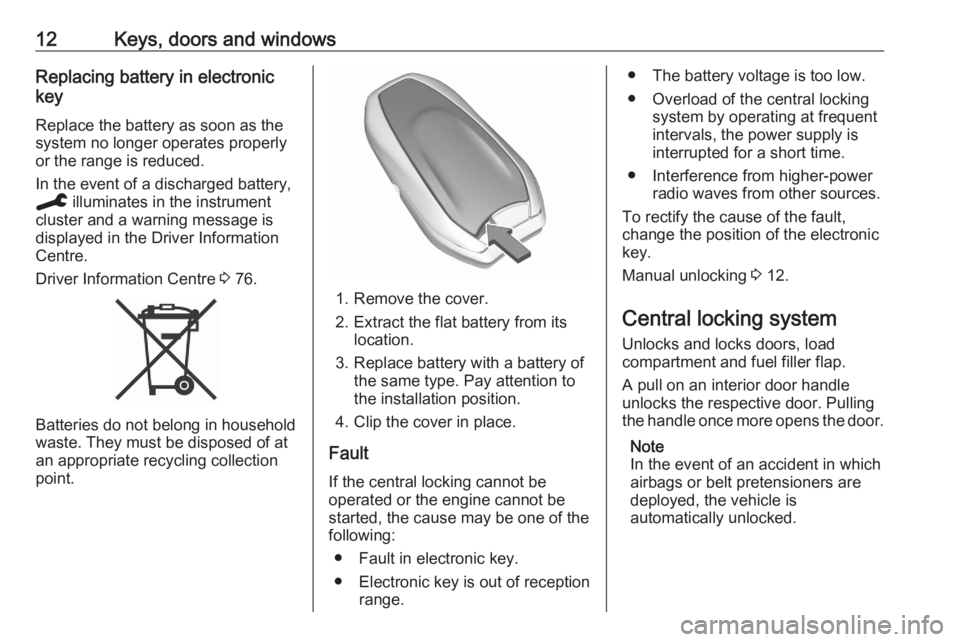
1. Remove the cover.
2. Extract the flat battery from its location.
3. Replace battery with a battery of the same type. Pay attention to
the installation position.
4. Clip the cover in place.
Fault
If the central locking cannot be
operated or the engine cannot be
started, the cause may be one of the
following:
● Fault in electronic key.
● Electronic key is out of reception range.
● The battery voltage is too low.
● Overload of the central locking system by operating at frequent
intervals, the power supply is
interrupted for a short time.
● Interference from higher-power radio waves from other sources.
To rectify the cause of the fault,
change the position of the electronic
key.
Manual unlocking 3 12.
Central locking system Unlocks and locks doors, load
compartment and fuel filler flap.
A pull on an interior door handle
unlocks the respective door. Pulling
the handle once more opens the door.
Note
In the event of an accident in which
airbags or belt pretensioners are
deployed, the vehicle is
automatically unlocked.
Page 18 of 229
16Keys, doors and windowsManually unlock the front door by
inserting and turning the key in the
lock cylinder.
The other doors can be opened by
pulling the interior handle. The load
compartment and fuel filler flap will
possibly not be unlocked.
By switching on the ignition, the anti- theft locking system is deactivated.
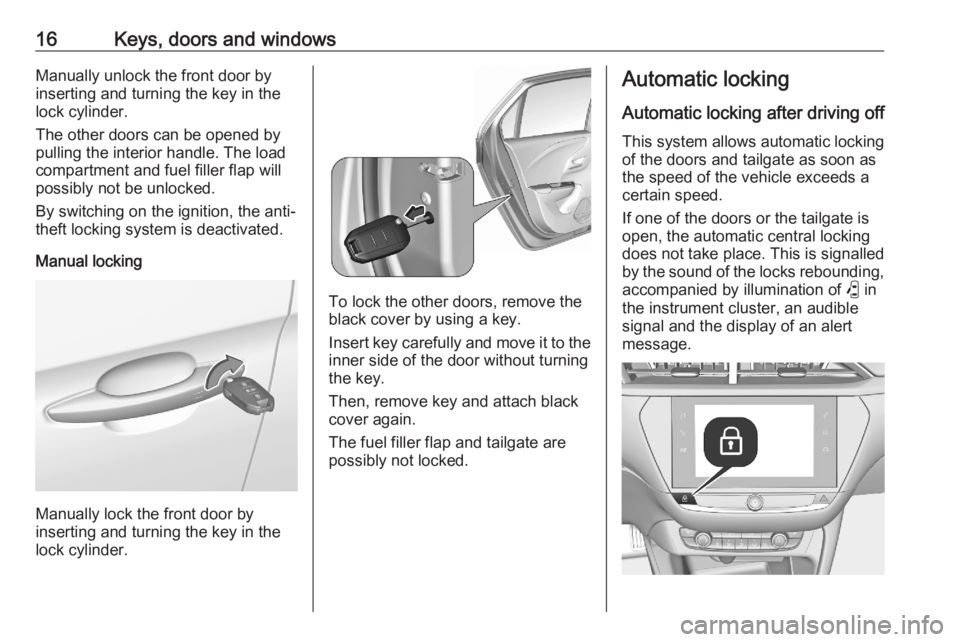
Manual locking
Manually lock the front door by
inserting and turning the key in the
lock cylinder.
To lock the other doors, remove the
black cover by using a key.
Insert key carefully and move it to the inner side of the door without turning
the key.
Then, remove key and attach black
cover again.
The fuel filler flap and tailgate are
possibly not locked.
Automatic locking
Automatic locking after driving off This system allows automatic locking
of the doors and tailgate as soon as
the speed of the vehicle exceeds a
certain speed.
If one of the doors or the tailgate is
open, the automatic central locking
does not take place. This is signalled
by the sound of the locks rebounding, accompanied by illumination of P in
the instrument cluster, an audible signal and the display of an alert
message.
Page 19 of 229
Keys, doors and windows17This function can be activated or
deactivated at any time. With the
ignition on, press b until an audible
signal starts and a corresponding
message is displayed.
The state of the system stays in
memory when switching off the
ignition.
Automatic relock after unlocking This feature automatically locks all
doors, load compartment and fuel
filler flap a short time after unlocking
with the remote control or electronic
key, provided no door has been
opened.
Child locks9 Warning
Use the child locks whenever
children are occupying the rear
seats.
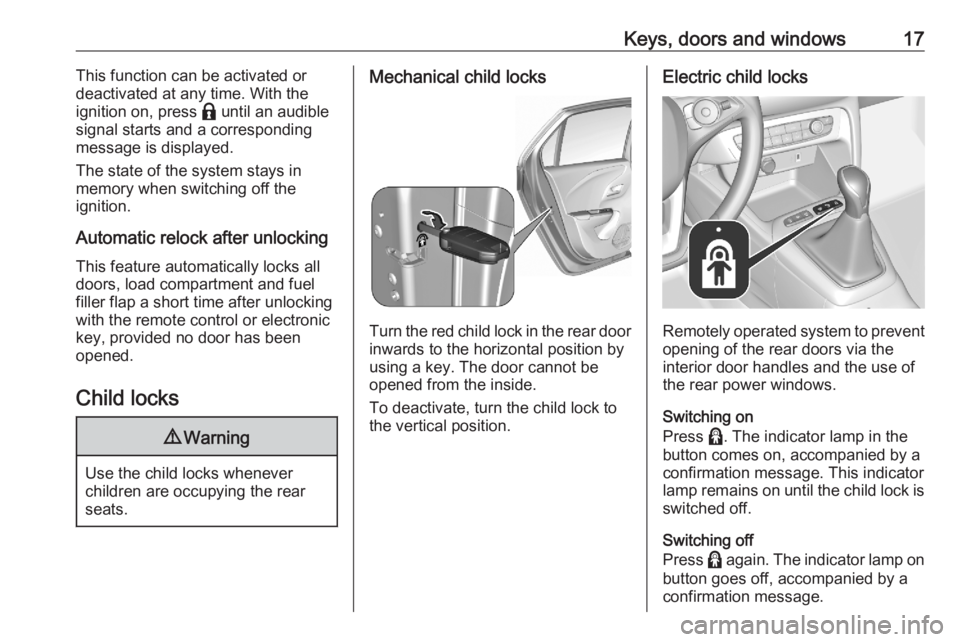
Mechanical child locks
Turn the red child lock in the rear door inwards to the horizontal position by
using a key. The door cannot be
opened from the inside.
To deactivate, turn the child lock to
the vertical position.
Electric child locks
Remotely operated system to prevent
opening of the rear doors via the
interior door handles and the use of
the rear power windows.
Switching on
Press >. The indicator lamp in the
button comes on, accompanied by a
confirmation message. This indicator
lamp remains on until the child lock is
switched off.
Switching off
Press > again. The indicator lamp on
button goes off, accompanied by a
confirmation message.
Page 20 of 229
18Keys, doors and windowsDoors
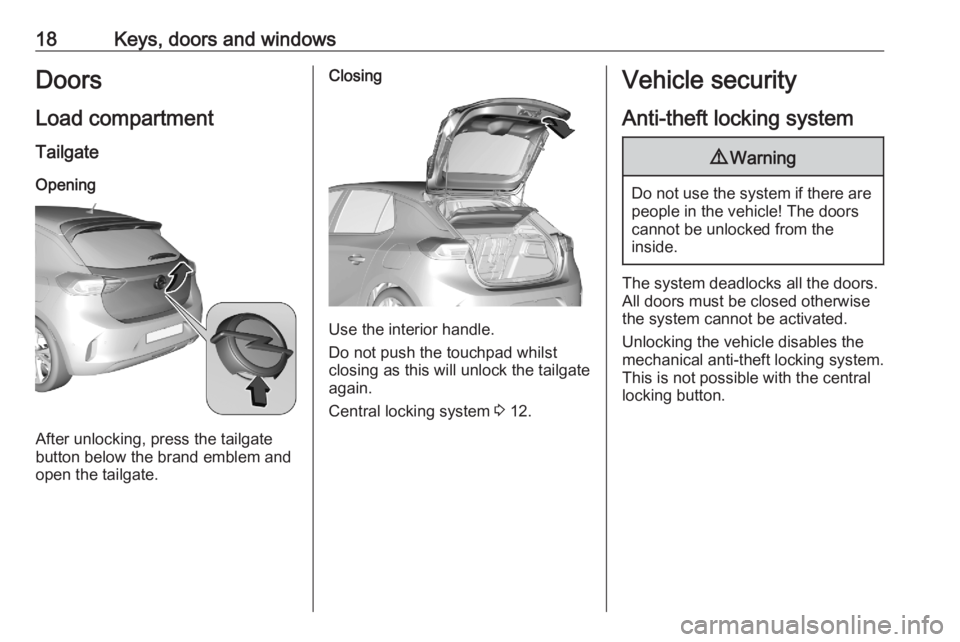
Load compartment Tailgate
Opening
After unlocking, press the tailgate
button below the brand emblem and
open the tailgate.
Closing
Use the interior handle.
Do not push the touchpad whilst
closing as this will unlock the tailgate
again.
Central locking system 3 12.
Vehicle security
Anti-theft locking system9 Warning
Do not use the system if there are
people in the vehicle! The doorscannot be unlocked from the
inside.
The system deadlocks all the doors. All doors must be closed otherwise
the system cannot be activated.
Unlocking the vehicle disables the
mechanical anti-theft locking system.
This is not possible with the central
locking button.
Page 21 of 229
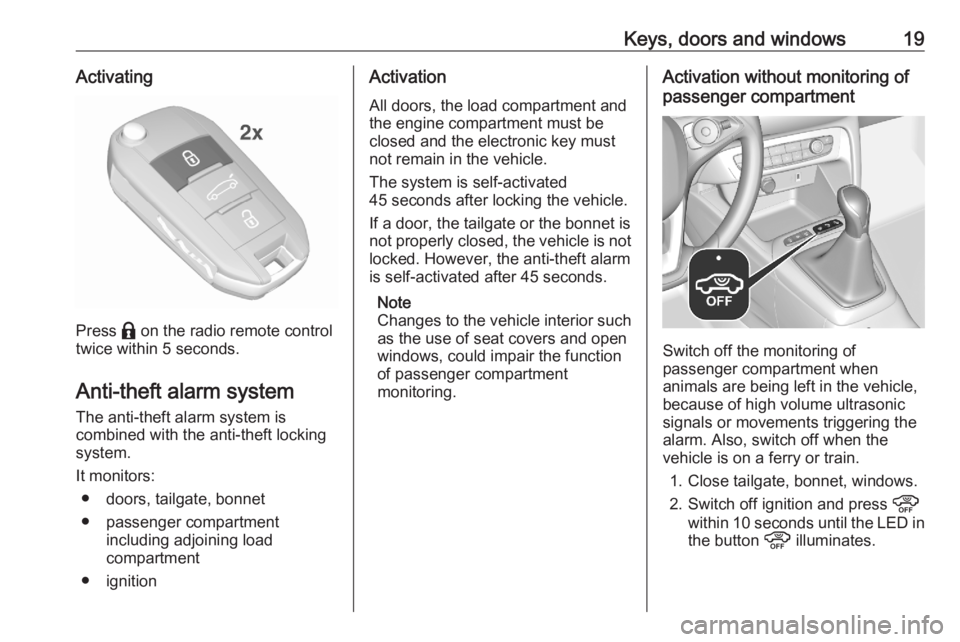
Keys, doors and windows19Activating
Press b on the radio remote control
twice within 5 seconds.
Anti-theft alarm system
The anti-theft alarm system is
combined with the anti-theft locking
system.
It monitors: ● doors, tailgate, bonnet
● passenger compartment including adjoining load
compartment
● ignition
Activation
All doors, the load compartment and
the engine compartment must be
closed and the electronic key must
not remain in the vehicle.
The system is self-activated
45 seconds after locking the vehicle.
If a door, the tailgate or the bonnet is
not properly closed, the vehicle is not locked. However, the anti-theft alarm
is self-activated after 45 seconds.
Note
Changes to the vehicle interior such
as the use of seat covers and open
windows, could impair the function
of passenger compartment
monitoring.Activation without monitoring of
passenger compartment
Switch off the monitoring of
passenger compartment when
animals are being left in the vehicle,
because of high volume ultrasonic
signals or movements triggering the
alarm. Also, switch off when the
vehicle is on a ferry or train.
1. Close tailgate, bonnet, windows.
2. Switch off ignition and press !
within 10 seconds until the LED in
the button ! illuminates.
Page 24 of 229
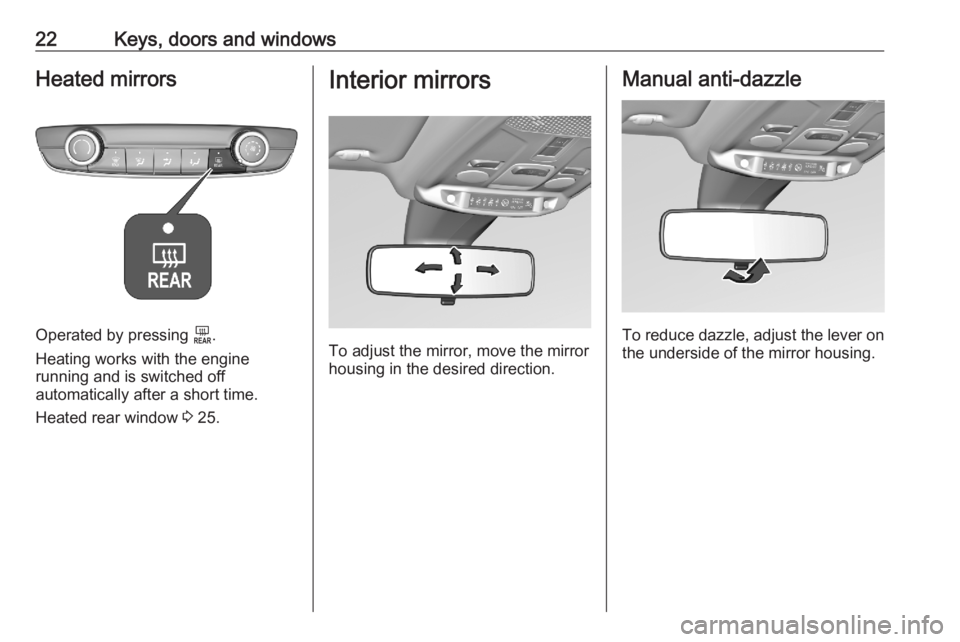
22Keys, doors and windowsHeated mirrors
Operated by pressing f.
Heating works with the engine
running and is switched off
automatically after a short time.
Heated rear window 3 25.
Interior mirrors
To adjust the mirror, move the mirror
housing in the desired direction.
Manual anti-dazzle
To reduce dazzle, adjust the lever on the underside of the mirror housing.
Page 25 of 229
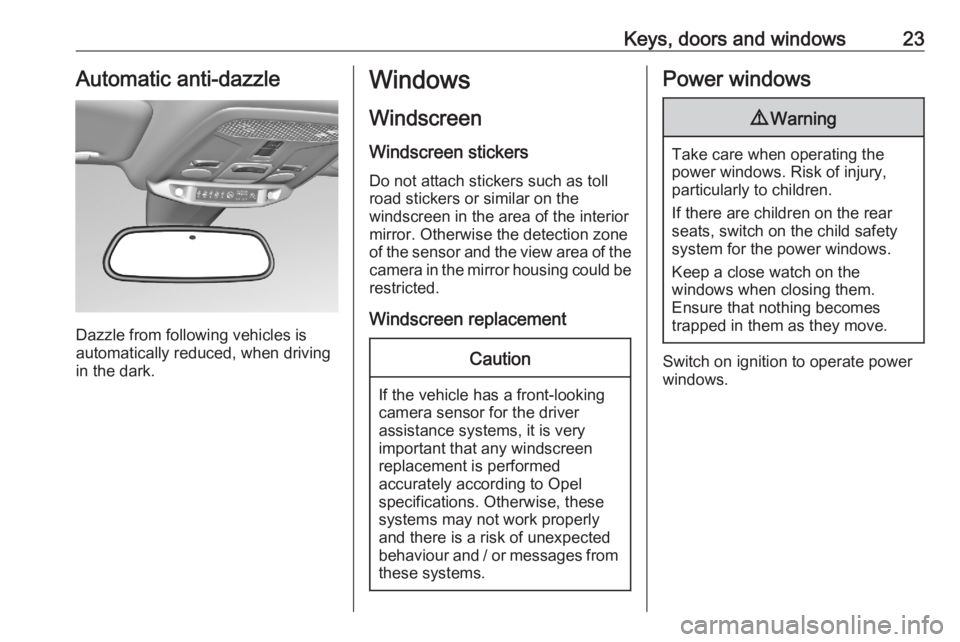
Keys, doors and windows23Automatic anti-dazzle
Dazzle from following vehicles is
automatically reduced, when driving
in the dark.
Windows
Windscreen
Windscreen stickers
Do not attach stickers such as toll
road stickers or similar on the
windscreen in the area of the interior
mirror. Otherwise the detection zone
of the sensor and the view area of the camera in the mirror housing could be
restricted.
Windscreen replacementCaution
If the vehicle has a front-looking
camera sensor for the driver
assistance systems, it is very
important that any windscreen
replacement is performed
accurately according to Opel
specifications. Otherwise, these
systems may not work properly
and there is a risk of unexpected
behaviour and / or messages from these systems.
Power windows9 Warning
Take care when operating the
power windows. Risk of injury,
particularly to children.
If there are children on the rear seats, switch on the child safety
system for the power windows.
Keep a close watch on the
windows when closing them.
Ensure that nothing becomes
trapped in them as they move.
Switch on ignition to operate power
windows.
Page 54 of 229
52StorageRemove the roof rack when not inuse.Loading information
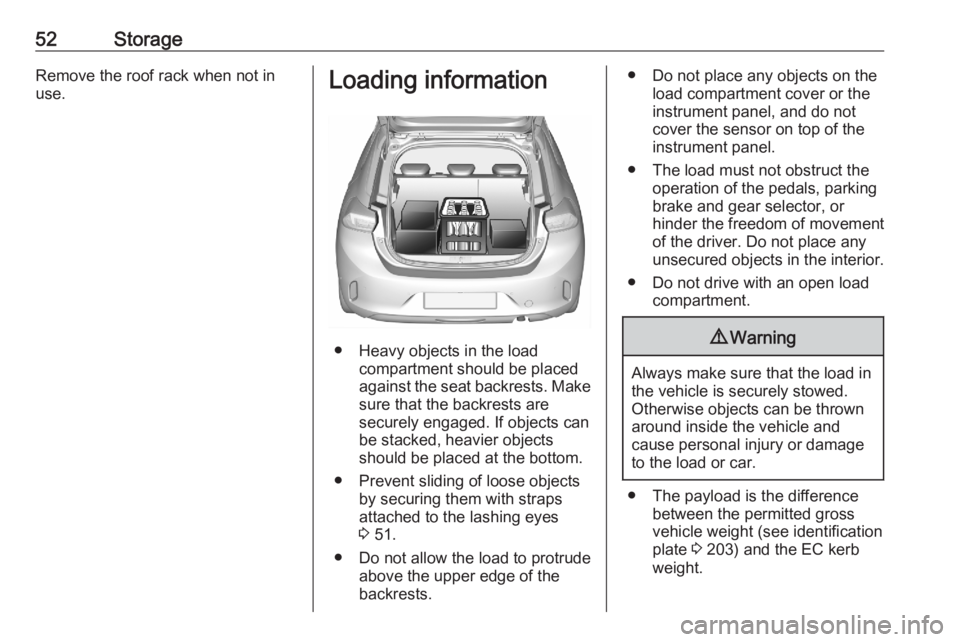
● Heavy objects in the load compartment should be placed
against the seat backrests. Make
sure that the backrests are
securely engaged. If objects can
be stacked, heavier objects
should be placed at the bottom.
● Prevent sliding of loose objects by securing them with straps
attached to the lashing eyes
3 51.
● Do not allow the load to protrude above the upper edge of the
backrests.
● Do not place any objects on the load compartment cover or theinstrument panel, and do notcover the sensor on top of the
instrument panel.
● The load must not obstruct the operation of the pedals, parking
brake and gear selector, or
hinder the freedom of movement of the driver. Do not place any
unsecured objects in the interior.
● Do not drive with an open load compartment.9Warning
Always make sure that the load in
the vehicle is securely stowed.
Otherwise objects can be thrown
around inside the vehicle and
cause personal injury or damage
to the load or car.
● The payload is the difference between the permitted gross
vehicle weight (see identification
plate 3 203) and the EC kerb
weight.