warning OPEL CROSSLAND X 2017.75 Manual user
[x] Cancel search | Manufacturer: OPEL, Model Year: 2017.75, Model line: CROSSLAND X, Model: OPEL CROSSLAND X 2017.75Pages: 245, PDF Size: 7.6 MB
Page 104 of 245
102Instruments and controls8" Colour-Info-Display
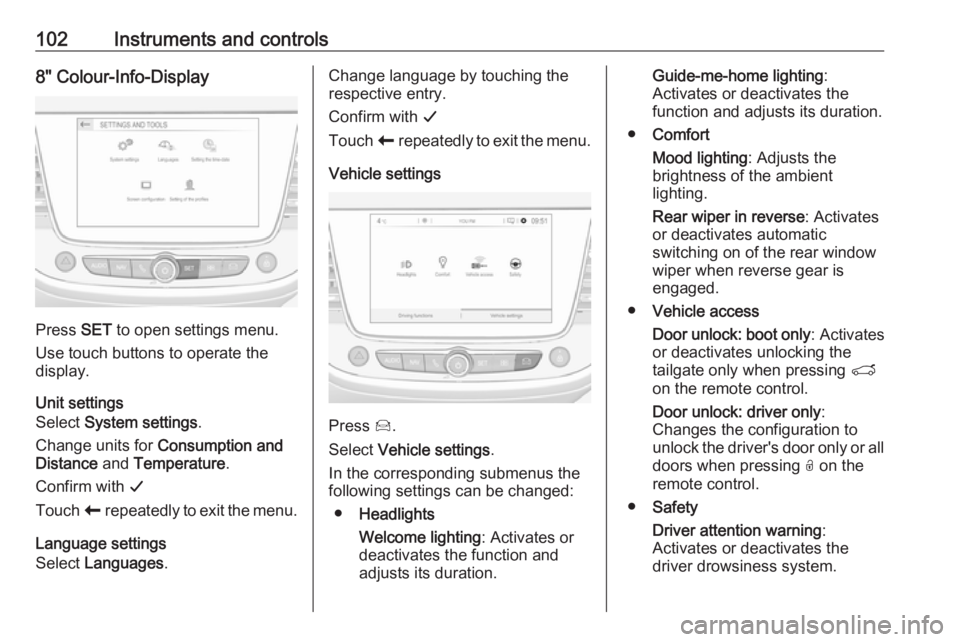
Press SET to open settings menu.
Use touch buttons to operate the
display.
Unit settings
Select System settings .
Change units for Consumption and
Distance and Temperature .
Confirm with G
Touch r repeatedly to exit the menu.
Language settings
Select Languages .
Change language by touching the
respective entry.
Confirm with G
Touch r repeatedly to exit the menu.
Vehicle settings
Press Í.
Select Vehicle settings .
In the corresponding submenus the
following settings can be changed:
● Headlights
Welcome lighting : Activates or
deactivates the function and
adjusts its duration.
Guide-me-home lighting :
Activates or deactivates the
function and adjusts its duration.
● Comfort
Mood lighting : Adjusts the
brightness of the ambient
lighting.
Rear wiper in reverse : Activates
or deactivates automatic
switching on of the rear window
wiper when reverse gear is
engaged.
● Vehicle access
Door unlock: boot only : Activates
or deactivates unlocking the
tailgate only when pressing T
on the remote control.
Door unlock: driver only :
Changes the configuration to
unlock the driver's door only or all
doors when pressing O on the
remote control.
● Safety
Driver attention warning :
Activates or deactivates the
driver drowsiness system.
Page 109 of 245
Lighting107LightingExterior lighting.......................... 107
Light switch .............................. 107
Automatic light control .............108
High beam ............................... 108
Headlight flash ......................... 108
Headlight range adjustment ....109
Daytime running lights .............109
Adaptive forward lighting .........109
Hazard warning flashers ..........110
Turn and lane-change signals . 111
Front fog lights ......................... 111
Rear fog light ........................... 111
Parking lights ........................... 112
Reversing lights .......................112
Misted light covers ...................112
Interior lighting ........................... 112
Instrument panel illumination control ..................................... 112
Interior lights ............................ 113
Reading lights .......................... 113
Sunvisor lights ......................... 113
Lighting features ........................114
Centre console lighting ............114
Entry lighting ............................ 114Exit lighting.............................. 114
Battery discharge protection ....114Exterior lighting
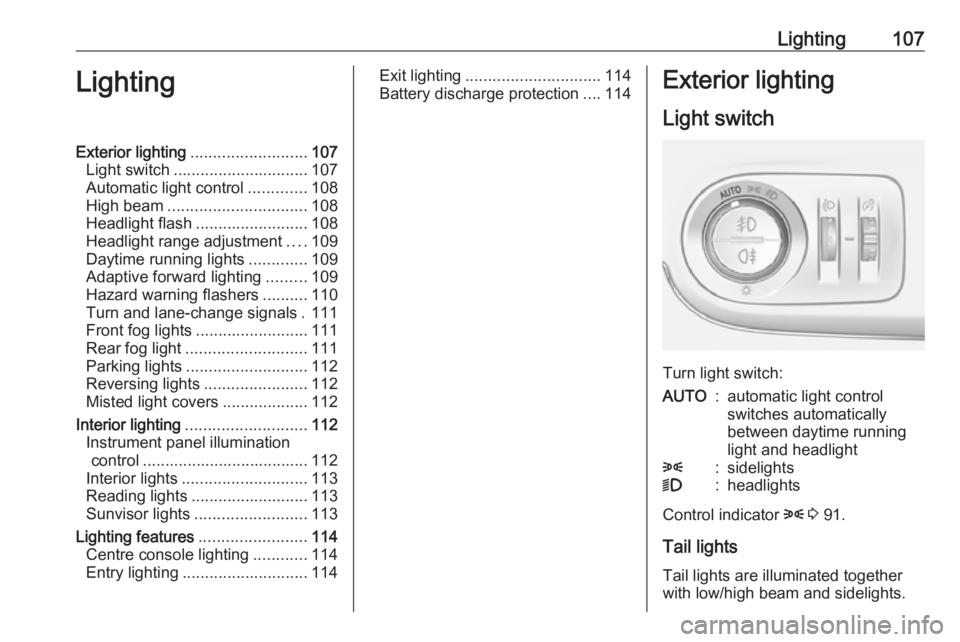
Light switch
Turn light switch:
AUTO:automatic light control
switches automatically
between daytime running
light and headlight8:sidelights9:headlights
Control indicator 8 3 91.
Tail lights Tail lights are illuminated together
with low/high beam and sidelights.
Page 112 of 245
110LightingIt switches automatically to low beam
when:
● The camera or a sensor in the windscreen detects the lights of
oncoming or preceding vehicles.
● The vehicle speed drops below 15 km/h.
● It is foggy or snowy.
● Driving in urban areas.
If there are no restrictions detected,
the system switches back to high
beam.
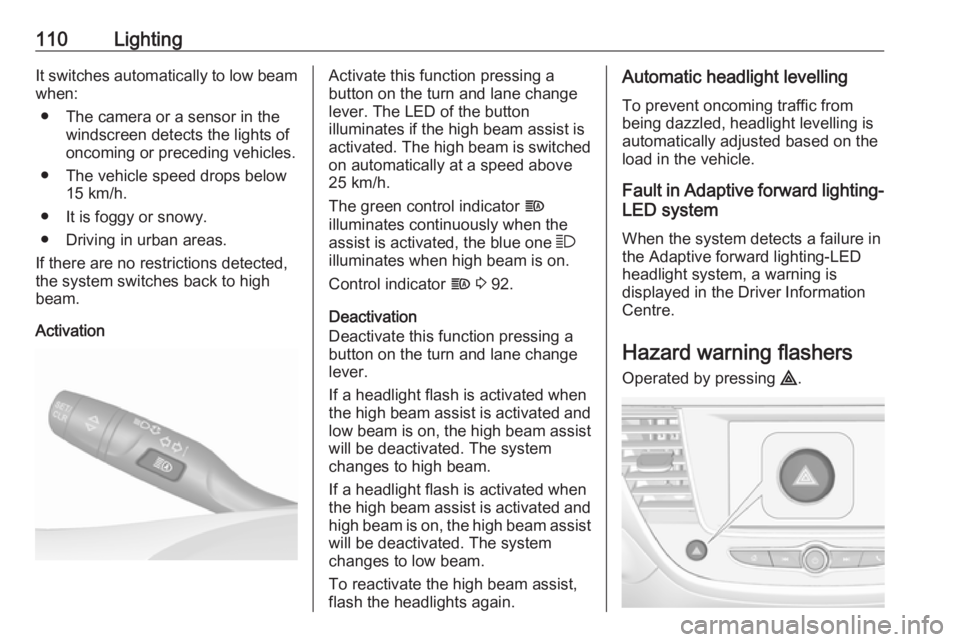
ActivationActivate this function pressing a
button on the turn and lane change
lever. The LED of the button
illuminates if the high beam assist is activated. The high beam is switched on automatically at a speed above
25 km/h.
The green control indicator f
illuminates continuously when the
assist is activated, the blue one 7
illuminates when high beam is on.
Control indicator f 3 92.
Deactivation
Deactivate this function pressing a button on the turn and lane change
lever.
If a headlight flash is activated when
the high beam assist is activated and
low beam is on, the high beam assist will be deactivated. The system
changes to high beam.
If a headlight flash is activated when
the high beam assist is activated and
high beam is on, the high beam assist will be deactivated. The system
changes to low beam.
To reactivate the high beam assist,
flash the headlights again.Automatic headlight levelling
To prevent oncoming traffic from
being dazzled, headlight levelling is
automatically adjusted based on the
load in the vehicle.
Fault in Adaptive forward lighting- LED system
When the system detects a failure in
the Adaptive forward lighting-LED
headlight system, a warning is
displayed in the Driver Information Centre.
Hazard warning flashers
Operated by pressing ¨.
Page 113 of 245
Lighting111When braking in an emergency, the
hazard warning flashers are switched
on automatically depending on the
force of deceleration. They are
switched off automatically the first
time you accelerate.
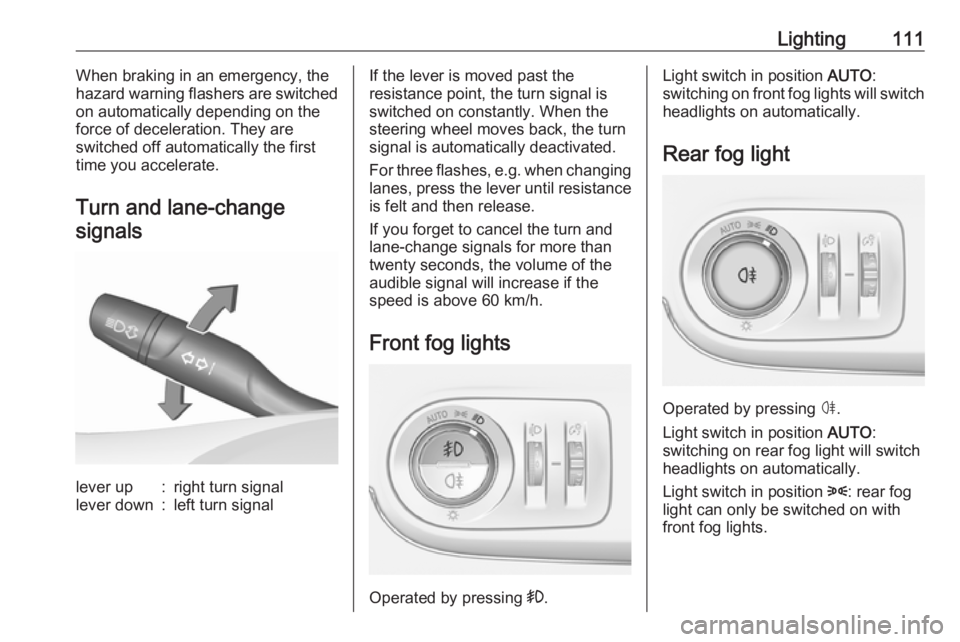
Turn and lane-change signalslever up:right turn signallever down:left turn signalIf the lever is moved past the
resistance point, the turn signal is
switched on constantly. When the
steering wheel moves back, the turn
signal is automatically deactivated.
For three flashes, e.g. when changing
lanes, press the lever until resistance
is felt and then release.
If you forget to cancel the turn and
lane-change signals for more than
twenty seconds, the volume of the
audible signal will increase if the
speed is above 60 km/h.
Front fog lights
Operated by pressing >.
Light switch in position AUTO:
switching on front fog lights will switch headlights on automatically.
Rear fog light
Operated by pressing ø
.
Light switch in position AUTO:
switching on rear fog light will switch
headlights on automatically.
Light switch in position 8: rear fog
light can only be switched on with
front fog lights.
Page 120 of 245
118Climate control● Switch on heatedwindscreen ,.
● Open side air vents as required and direct them towards the doorwindows.
Note
If à is pressed while the engine is
running, an Autostop will be inhibited until à is pressed again.
If à is pressed while the engine is in
an Autostop, the engine will restart
automatically.
Stop-start system 3 132.
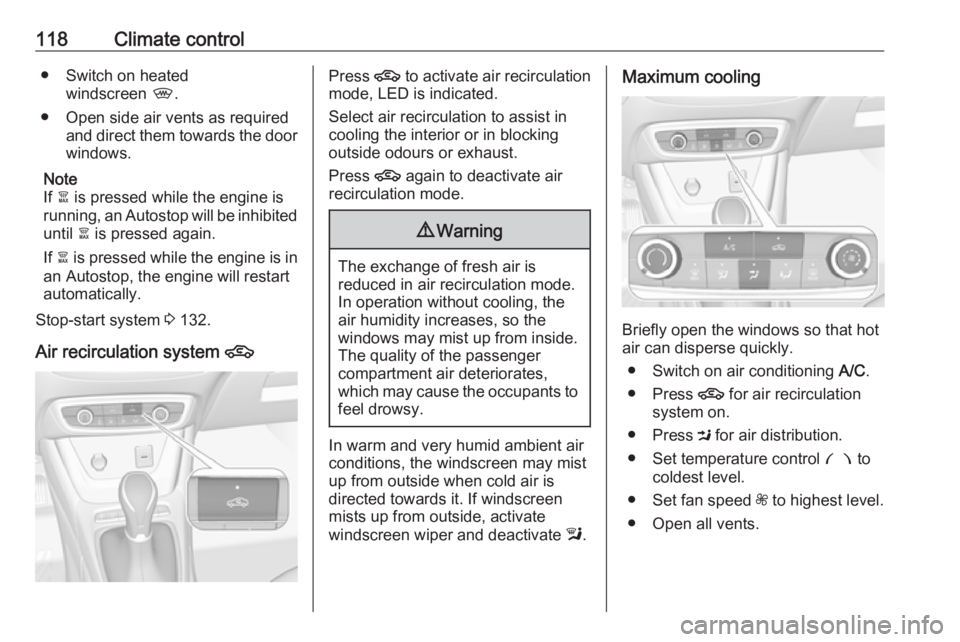
Air recirculation system 4Press 4 to activate air recirculation
mode, LED is indicated.
Select air recirculation to assist in
cooling the interior or in blocking
outside odours or exhaust.
Press 4 again to deactivate air
recirculation mode.9 Warning
The exchange of fresh air is
reduced in air recirculation mode.
In operation without cooling, the
air humidity increases, so the
windows may mist up from inside.
The quality of the passenger
compartment air deteriorates,
which may cause the occupants to
feel drowsy.
In warm and very humid ambient air
conditions, the windscreen may mist
up from outside when cold air is
directed towards it. If windscreen
mists up from outside, activate
windscreen wiper and deactivate l.
Maximum cooling
Briefly open the windows so that hot
air can disperse quickly.
● Switch on air conditioning A/C.
● Press 4 for air recirculation
system on.
● Press M for air distribution.
● Set temperature control £ to
coldest level.
● Set fan speed Z to highest level.
● Open all vents.
Page 124 of 245
122Climate controlAir conditioning A/C
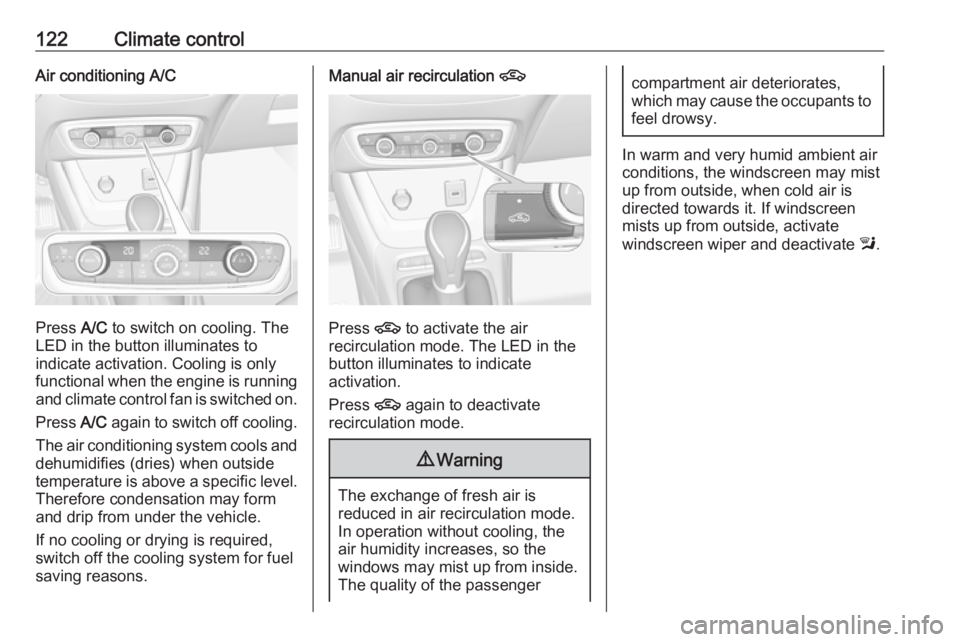
Press A/C to switch on cooling. The
LED in the button illuminates to
indicate activation. Cooling is only
functional when the engine is running and climate control fan is switched on.
Press A/C again to switch off cooling.
The air conditioning system cools and
dehumidifies (dries) when outside
temperature is above a specific level. Therefore condensation may form
and drip from under the vehicle.
If no cooling or drying is required,
switch off the cooling system for fuel
saving reasons.
Manual air recirculation 4
Press 4 to activate the air
recirculation mode. The LED in the
button illuminates to indicate
activation.
Press 4 again to deactivate
recirculation mode.
9 Warning
The exchange of fresh air is
reduced in air recirculation mode.
In operation without cooling, the
air humidity increases, so the
windows may mist up from inside.
The quality of the passenger
compartment air deteriorates,
which may cause the occupants to
feel drowsy.
In warm and very humid ambient air
conditions, the windscreen may mist
up from outside, when cold air is
directed towards it. If windscreen
mists up from outside, activate
windscreen wiper and deactivate l.
Page 127 of 245
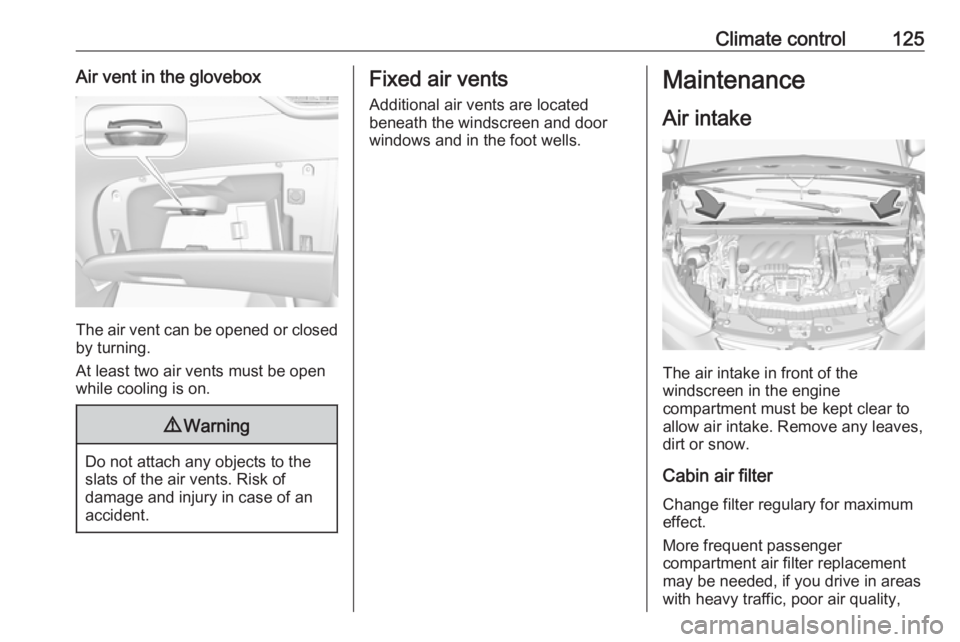
Climate control125Air vent in the glovebox
The air vent can be opened or closedby turning.
At least two air vents must be open
while cooling is on.
9 Warning
Do not attach any objects to the
slats of the air vents. Risk of
damage and injury in case of an
accident.
Fixed air vents
Additional air vents are located
beneath the windscreen and door windows and in the foot wells.Maintenance
Air intake
The air intake in front of the
windscreen in the engine
compartment must be kept clear to
allow air intake. Remove any leaves,
dirt or snow.
Cabin air filter
Change filter regulary for maximum
effect.
More frequent passenger
compartment air filter replacement
may be needed, if you drive in areas
with heavy traffic, poor air quality,
Page 129 of 245
Driving and operating127Driving and
operatingDriving hints ............................... 128
Control of the vehicle ...............128
Steering ................................... 128
Starting and operating ...............128
New vehicle running-in ............128
Ignition switch positions ...........128
Power button ........................... 129
Power saving mode .................130
Starting the engine ..................131
Overrun cut-off ........................ 132
Stop-start system ....................132
Parking .................................... 135
Engine exhaust .......................... 136
Diesel particle filter ..................136
Catalytic converter ...................137
AdBlue ..................................... 137
Automatic transmission ..............140
Transmission display ...............140
Selector lever .......................... 140
Manual mode ........................... 141
Electronic driving programmes 142
Fault ........................................ 142
Interruption of power supply ....142Manual transmission ..................143
Brakes ........................................ 144
Antilock brake system .............144
Parking brake .......................... 145
Brake assist ............................. 145
Hill start assist ......................... 145
Ride control systems .................146
Electronic Stability Control and Traction Control system .........146
Driver assistance systems .........147
Cruise control .......................... 147
Speed limiter ........................... 149
Parking assist .......................... 151
Advanced parking assist .........154
Side blind spot alert .................159
Panoramic view system ...........161
Rear view camera ...................163
Lane departure warning ..........165
Driver alert ............................... 166
Fuel ............................................ 167
Fuel for petrol engines .............167
Fuel for diesel engines ............168
Refuelling ................................ 168
Fuel consumption - CO 2-
Emissions ............................... 169
Trailer hitch ................................ 170
General information .................170Driving characteristics and
towing tips .............................. 170
Trailer towing ........................... 171
Towing equipment ...................171
Page 132 of 245

130Driving and operating9Warning
If the vehicle battery is discharged,
the vehicle must not be towed,
tow-started or jump-started as the
steering wheel lock cannot be
disengaged.
Operation on vehicles with
electronic key system in case of
failure
If either the electronic key fails or the
battery of the electronic key is weak,
the Driver Information Centre may
display No Remote Detected or
Replace Battery in Remote Key when
you try to start the vehicle.
Hold the electronic key with buttons outside at the marking on the steering column cover as shown in the
illustration.
Depress the clutch pedal (manual
transmission) or the brake pedal
(automatic transmission or manual
transmission automated) and press
Start/Stop button to start the engine.
This option is intended for
emergencies only. Replace the
electronic key battery as soon as
possible 3 24.
For unlocking or locking the doors,
see fault in radio remote control unit
or electronic key system 3 25.
Power saving mode
This function manages the duration of
using certain systems to avoid
discharging of the vehicle battery.
After the engine has stopped, some
systems can still be used such as the audio and telematics system,
windscreen wipers, dipped beam
headlamps, courtesy lamps, etc. for a total maximum time of about forty
minutes.
Changing into power saving
mode
When a certain discharging status of
the vehicle battery is achieved, the
active functions are switched in
standby mode. A message appears in the Driver Information Centre
indicating Power saving mode .
A telephone call being made at this
time will be maintained for around 10
minutes with the Bluetooth handsfree
system of the Infotainment system.
Page 137 of 245
Driving and operating135● The driver's seat belt isunfastened and the driver's door
is opened.
● The engine temperature is too low.
● The charging level of the vehicle battery is below a defined level.
● The brake vacuum is not sufficient.
● The vehicle is driven at least at walking speed.
● The climate control system requests an engine start.
● The air conditioning is manually switched on.
If the bonnet is not fully closed, a warning message is displayed in the
Driver Information Centre.
If an electrical accessory, e.g. a
portable CD player, is connected to
the power outlet, a brief power drop during the restart might be noticeable.Parking9 Warning
● Do not park the vehicle on an
easily ignitable surface. The
high temperature of the
exhaust system could ignite the
surface.
● Always apply the parking brake. Activate the manual
parking brake without pressing the release button. Apply as
firmly as possible on a downhill slope or uphill slope. Depress
brake pedal at the same time to
reduce operating force.
● Switch off the engine.
● If the vehicle is on a level surface or uphill slope, engage
first gear or set the selector
lever to position P before
removing the ignition key or
switching off ignition on
vehicles with power button. On an uphill slope, turn the front
wheels away from the kerb.
If the vehicle is on a downhill
slope, engage reverse gear or
set the selector lever to position
P before removing the ignition
key or switching off ignition on
vehicles with power button.
Turn the front wheels towards
the kerb.
● Close the windows.
● Remove the ignition key from the ignition switch or switch off
ignition on vehicles with power
button. Turn the steering wheel until the steering wheel lock is
felt to engage.
● Lock the vehicle.
● Activate the anti-theft alarm system.
● The engine cooling fans may run
after the engine has been
switched off 3 177.
Caution
After running at high engine
speeds or with high engine loads,
operate the engine briefly at a low