warning light OPEL CROSSLAND X 2019.75 Manual user
[x] Cancel search | Manufacturer: OPEL, Model Year: 2019.75, Model line: CROSSLAND X, Model: OPEL CROSSLAND X 2019.75Pages: 253, PDF Size: 7.76 MB
Page 148 of 253
146Driving and operatingapproaching a vehicle ahead too
rapidly, it may not provide you
enough time to avoid a collision.
The driver accepts full
responsibility for the appropriate
following distance based on traffic, weather and visibility conditions.
The complete attention of the
driver is always required while
driving. The driver must always be
ready to take action and apply the
brakes.
Activation
Forward collision alert detects
vehicles and operates automatically
at all speeds between 5 km/h and 85 km/h. The system detects
stationary vehicles if the speed does
not exceed 80 km/h.
Alerting the driver
The driver is warned by following
alerts:
● Symbol , illuminates and a
warning message is displayed in
the Driver Information Centre
when the distance to the vehicle
ahead gets to small.
● Symbol , illuminates, a warning
message is displayed in the
Driver Information Centre and a
warning chime sounds, when a
collision is imminent and
immediate driver's action is
required.9 Warning
Forward collision alert is just a
warning system and does not
apply the brakes. When
approaching a vehicle ahead too
rapidly, it may not provide you
enough time to avoid a collision.
The driver accepts full
responsibility for the appropriate
following distance based on traffic, weather and visibility conditions.
The complete attention of the
driver is always required while
driving. The driver must always be
ready to take action and apply the
brakes.Caution
The colour lighting of this control
indicator does not correspond to
local traffic laws on following
distance. The driver bears full
responsibility for maintaining safe
following distance according to
applicable traffic rules, weather
and road conditions etc. at all
times.
Selecting the alert sensitivity
The alert sensitivity has to be set to
close, normal or distant in the vehicle personalisation menu 3 95.
Page 157 of 253
Driving and operating155
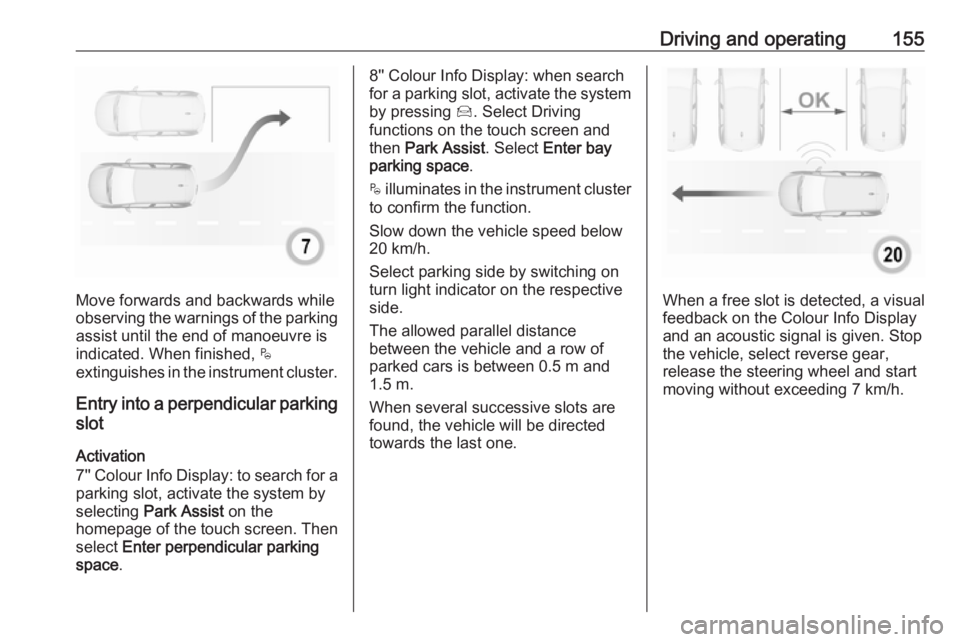
Move forwards and backwards while
observing the warnings of the parking
assist until the end of manoeuvre is
indicated. When finished, $
extinguishes in the instrument cluster.
Entry into a perpendicular parking
slot
Activation
7'' Colour Info Display: to search for a parking slot, activate the system by
selecting Park Assist on the
homepage of the touch screen. Then select Enter perpendicular parking
space .
8'' Colour Info Display: when search
for a parking slot, activate the system
by pressing Í. Select Driving
functions on the touch screen and
then Park Assist . Select Enter bay
parking space .
$ illuminates in the instrument cluster
to confirm the function.
Slow down the vehicle speed below
20 km/h.
Select parking side by switching on
turn light indicator on the respective
side.
The allowed parallel distance
between the vehicle and a row of
parked cars is between 0.5 m and
1.5 m.
When several successive slots are found, the vehicle will be directed
towards the last one.
When a free slot is detected, a visual
feedback on the Colour Info Display
and an acoustic signal is given. Stop
the vehicle, select reverse gear,
release the steering wheel and start
moving without exceeding 7 km/h.
Page 158 of 253
156Driving and operating
Move forwards and backwards as
instructed by observing the warnings of the parking assist and paying
attention to the acoustic signals until
the end of manoeuvre is indicated.
When finished, $ extinguishes in the
instrument cluster.
During the parking manoeuvre, the
system is automatically deactivated
once the rear of the vehicle is within
50 cm of an obstacle.
Exiting a parallel parking slot
Activation
7'' Colour Info Display: when exiting a parallel parking slot, activate the
system by selecting Park Assist on
the homepage of the touch screen.
Then select Exit parallel parking
space .
8'' Colour Info Display: when exiting a parallel parking slot, activate the
system by pressing Í. Select Driving
functions on the touch screen and
then Park Assist . Select Exit parallel
parking space .
Select exit side by switching on the
respective turn light indicator.
Engage reverse or forward gear,
release the steering wheel and start
moving without exceeding 5 km/h.
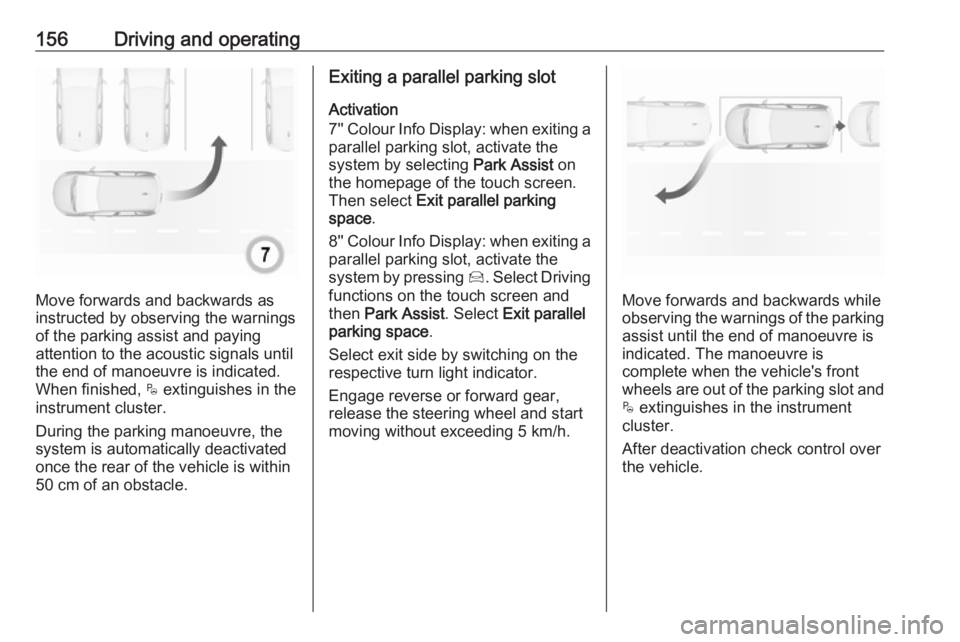
Move forwards and backwards while
observing the warnings of the parking
assist until the end of manoeuvre is
indicated. The manoeuvre is
complete when the vehicle's front
wheels are out of the parking slot and $ extinguishes in the instrument
cluster.
After deactivation check control over
the vehicle.
Page 160 of 253
158Driving and operatingcrossing as a parking slot. After
selecting reverse gear the system will start a parking manoeuvre. Take care regarding the availability of the
suggested parking slot.
Low curbs and surface irregularities,
e.g. on construction zones, are not
detected by the system. The driver
accepts responsibility.
Side blind spot alert The side blind spot alert system
detects and reports objects on either
side of the vehicle, within a specified
blind spot zone. The system displays
a visual alert in each exterior mirror,
when detecting objects that may not
be visible in the interior and exterior
mirrors.
Side blind spot alert uses some of the
parking assist sensors.9 Warning
Side blind spot alert does not
replace driver vision.
The system does not detect:
● vehicles outside the side blind zones which may be rapidly
approaching
● pedestrians, cyclists or animals
Before changing a lane, always
check all mirrors, look over the
shoulder and use the turn light.
Activation
7'' Colour Info Display: select Blind
spot monitoring on the Info Display
and activate the function.
8'' Colour Info Display: press Í.
Select Driving functions on the Info
Display and then Blind spot
monitoring . Activate the function.
B illuminates continously green in the
instrument cluster to confirm the
function.
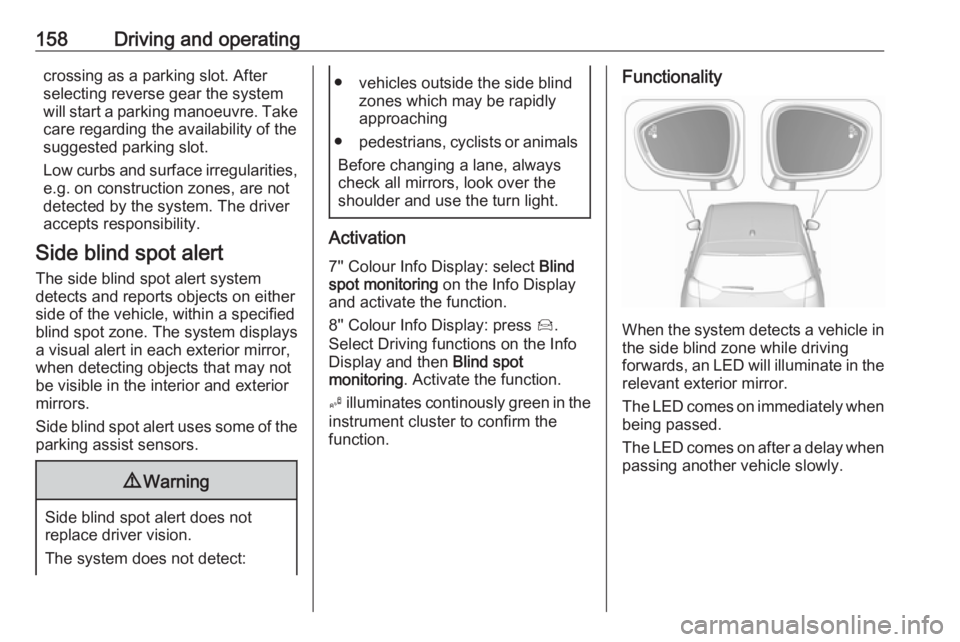
Functionality
When the system detects a vehicle in the side blind zone while driving
forwards, an LED will illuminate in the
relevant exterior mirror.
The LED comes on immediately when being passed.
The LED comes on after a delay when
passing another vehicle slowly.
Page 164 of 253
162Driving and operatingDisplayed images may be furtheror closer than they appear. The
area displayed is limited and
objects that are close to either
edge of the bumper or under the
bumper are not displayed on the
screen.
System limitations
Caution
For optimal operation of the
system, it is important to keep the
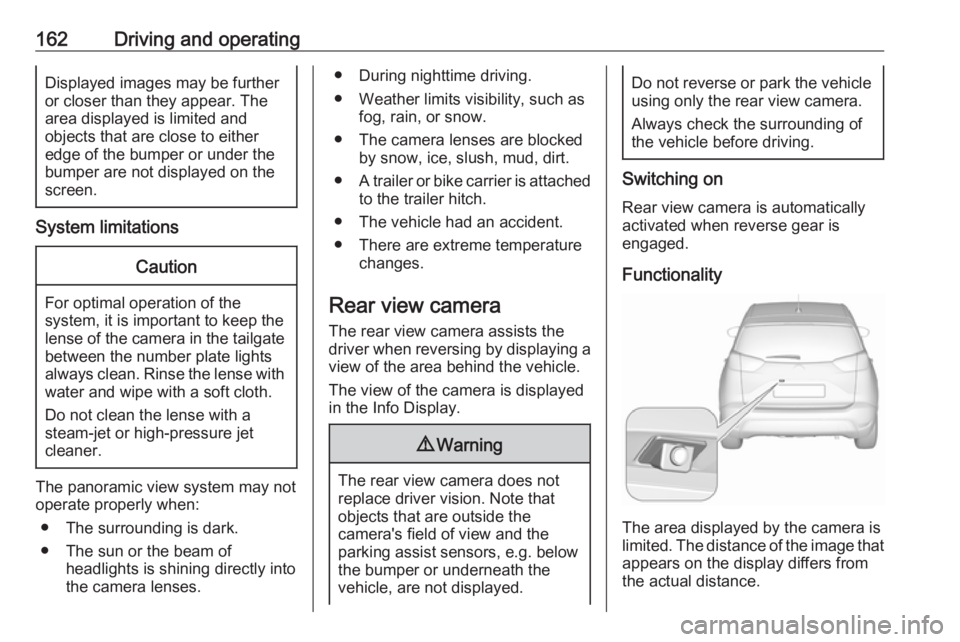
lense of the camera in the tailgate between the number plate lightsalways clean. Rinse the lense with water and wipe with a soft cloth.
Do not clean the lense with a
steam-jet or high-pressure jet
cleaner.
The panoramic view system may not
operate properly when:
● The surrounding is dark.
● The sun or the beam of headlights is shining directly into
the camera lenses.
● During nighttime driving.
● Weather limits visibility, such as fog, rain, or snow.
● The camera lenses are blocked by snow, ice, slush, mud, dirt.
● A trailer or bike carrier is attached
to the trailer hitch.
● The vehicle had an accident.
● There are extreme temperature changes.
Rear view camera The rear view camera assists the
driver when reversing by displaying a
view of the area behind the vehicle.
The view of the camera is displayed
in the Info Display.9 Warning
The rear view camera does not
replace driver vision. Note that
objects that are outside the
camera's field of view and the
parking assist sensors, e.g. below
the bumper or underneath the
vehicle, are not displayed.
Do not reverse or park the vehicle
using only the rear view camera.
Always check the surrounding of
the vehicle before driving.
Switching on
Rear view camera is automatically
activated when reverse gear is
engaged.
Functionality
The area displayed by the camera is
limited. The distance of the image that
appears on the display differs from
the actual distance.
Page 165 of 253
Driving and operating163Guide lines
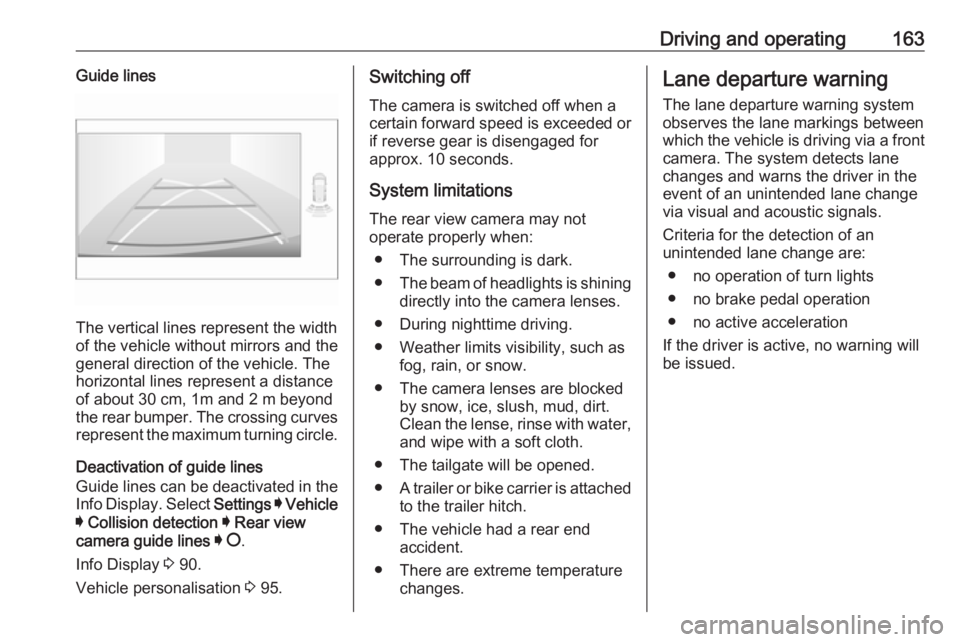
The vertical lines represent the width
of the vehicle without mirrors and the
general direction of the vehicle. The
horizontal lines represent a distance of about 30 cm, 1m and 2 m beyond
the rear bumper. The crossing curves
represent the maximum turning circle.
Deactivation of guide lines
Guide lines can be deactivated in the Info Display. Select Settings I Vehicle
I Collision detection I Rear view
camera guide lines I § .
Info Display 3 90.
Vehicle personalisation 3 95.
Switching off
The camera is switched off when a
certain forward speed is exceeded or
if reverse gear is disengaged for
approx. 10 seconds.
System limitations
The rear view camera may not
operate properly when:
● The surrounding is dark.
● The beam of headlights is shining
directly into the camera lenses.
● During nighttime driving.
● Weather limits visibility, such as fog, rain, or snow.
● The camera lenses are blocked by snow, ice, slush, mud, dirt.
Clean the lense, rinse with water,
and wipe with a soft cloth.
● The tailgate will be opened.
● A trailer or bike carrier is attached
to the trailer hitch.
● The vehicle had a rear end accident.
● There are extreme temperature changes.Lane departure warning
The lane departure warning systemobserves the lane markings between
which the vehicle is driving via a front camera. The system detects lane
changes and warns the driver in the
event of an unintended lane change
via visual and acoustic signals.
Criteria for the detection of an
unintended lane change are:
● no operation of turn lights
● no brake pedal operation
● no active acceleration
If the driver is active, no warning will
be issued.
Page 166 of 253
164Driving and operatingActivation
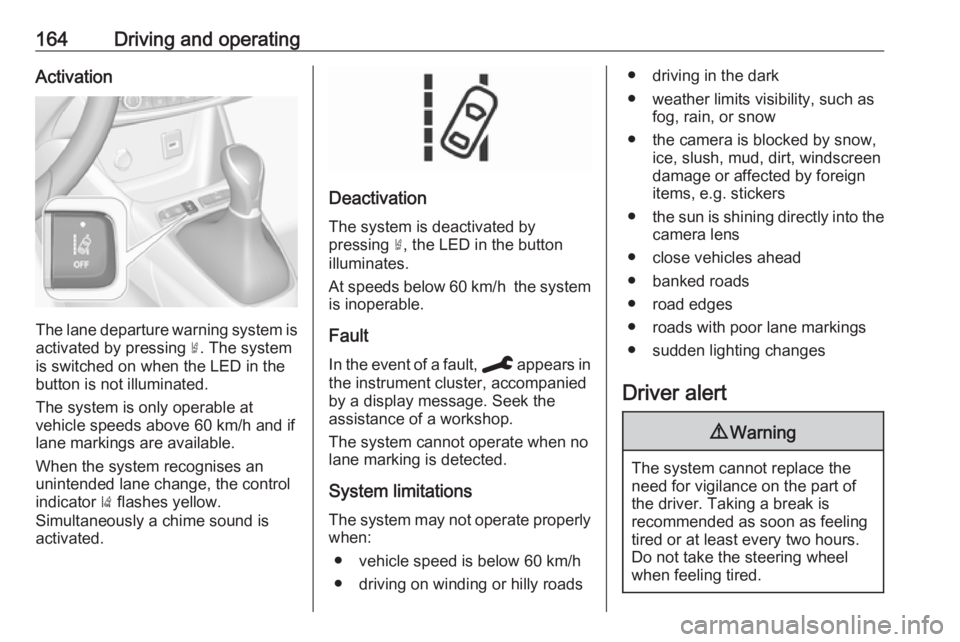
The lane departure warning system isactivated by pressing ½. The system
is switched on when the LED in the
button is not illuminated.
The system is only operable at
vehicle speeds above 60 km/h and if
lane markings are available.
When the system recognises an
unintended lane change, the control
indicator ) flashes yellow.
Simultaneously a chime sound is
activated.
Deactivation
The system is deactivated by
pressing ½, the LED in the button
illuminates.
At speeds below 60 km/h the system
is inoperable.
Fault
In the event of a fault, C appears in
the instrument cluster, accompanied
by a display message. Seek the
assistance of a workshop.
The system cannot operate when no
lane marking is detected.
System limitations
The system may not operate properly when:
● vehicle speed is below 60 km/h● driving on winding or hilly roads
● driving in the dark
● weather limits visibility, such as fog, rain, or snow
● the camera is blocked by snow, ice, slush, mud, dirt, windscreen
damage or affected by foreign
items, e.g. stickers
● the sun is shining directly into the
camera lens
● close vehicles ahead
● banked roads
● road edges
● roads with poor lane markings
● sudden lighting changes
Driver alert9 Warning
The system cannot replace the
need for vigilance on the part of
the driver. Taking a break is
recommended as soon as feeling tired or at least every two hours.
Do not take the steering wheel
when feeling tired.
Page 249 of 253
247Control indicators.......................... 81
Control of the vehicle .................122
Controls ........................................ 70
Convex shape .............................. 33
Coolant and antifreeze ...............219
Cornering lights .......................... 103
Cruise control ...................... 87, 140
Cupholders .................................. 61
Curtain airbag system .................. 53
D Danger, Warnings and Cautions ...4
Daytime running lights ...............103
Declaration of conformity ............232
DEF ............................................ 130
Deflation detection system ...........85
Diesel exhaust fluid ....................130
Diesel fuel system bleeding .......181
Door open .................................... 87
Doors ............................................ 29
Driver alert .................................. 164
Driver assistance systems ..........140
Driver Information Centre .............88
Driving characteristics and towing tips .............................. 169
Driving hints ................................ 122
E Electric adjustment ......................33
Electrical system......................... 190
Electronic climate control system 113Electronic driving programmes ..135
Electronic key system ...................22
Electronic Stability Control and Traction Control system ....84, 139
Electronic Stability Control and Traction Control system off .......85
Emergency call ............................. 98
End-of-life vehicle recovery .......175
Engine compartment fuse box ...191
Engine coolant ........................... 178
Engine coolant temperature ........85
Engine coolant temperature gauge ....................................... 79
Engine data ............................... 226
Engine exhaust .......................... 129
Engine identification ...................222
Engine oil ...........177, 219, 223, 230
Engine oil level monitor ................79
Engine oil pressure ......................85
Entry lighting .............................. 107
Event data recorders ..................240
Exhaust filter ......................... 85, 129
Exit lighting ................................ 107
Exterior care .............................. 210
Exterior light ................................. 86
Exterior lighting ....................12, 100
Exterior mirrors ............................. 33F
Fault ........................................... 135
First aid ......................................... 66
First aid kit ................................... 66
Fixed air vents ........................... 119
Floor mats................................... 213
Folding mirrors ............................. 34
Forward collision alert................. 145
Front airbag system .....................52
Front fog lights .............86, 104, 185
Front pedestrian protection ........149
Front seats.................................... 41
Fuel............................................. 166
Fuel for diesel engines ..............166
Fuel for petrol engines ...............166
Fuel gauge ................................... 79 Fuel tank ..................................... 230
Fuses ......................................... 190
G
Gauges ......................................... 77
Gear selection ........................... 134
Gear shifting ................................. 84
General information ...................169
Glass panel .................................. 39
Glovebox ..................................... 61
H Halogen headlights ....................182
Hand brake ......................... 137, 138
Hazard warning flashers ............103
Page 250 of 253
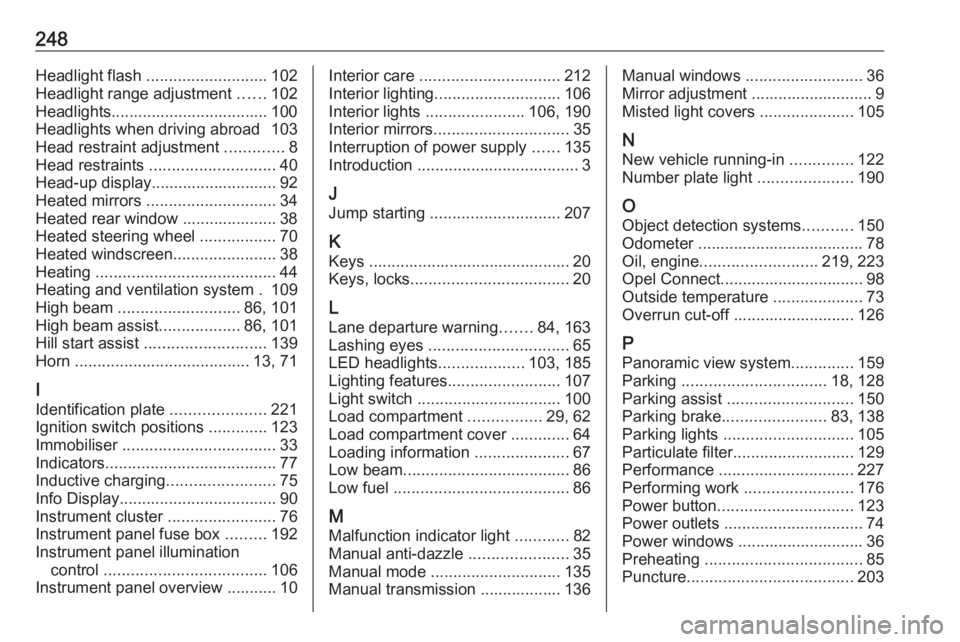
248Headlight flash ........................... 102
Headlight range adjustment ......102
Headlights................................... 100 Headlights when driving abroad 103
Head restraint adjustment .............8
Head restraints ............................ 40
Head-up display............................ 92 Heated mirrors ............................. 34
Heated rear window ..................... 38
Heated steering wheel .................70
Heated windscreen .......................38
Heating ........................................ 44
Heating and ventilation system . 109
High beam ........................... 86, 101
High beam assist ..................86, 101
Hill start assist ........................... 139
Horn ....................................... 13, 71
I
Identification plate .....................221
Ignition switch positions .............123
Immobiliser .................................. 33
Indicators ...................................... 77
Inductive charging ........................75
Info Display ................................... 90
Instrument cluster ........................76
Instrument panel fuse box .........192
Instrument panel illumination control .................................... 106
Instrument panel overview ........... 10Interior care ............................... 212
Interior lighting ............................ 106
Interior lights ...................... 106, 190
Interior mirrors .............................. 35
Interruption of power supply ......135
Introduction .................................... 3
J Jump starting ............................. 207
K Keys ............................................. 20
Keys, locks ................................... 20
L
Lane departure warning .......84, 163
Lashing eyes ............................... 65
LED headlights ...................103, 185
Lighting features .........................107
Light switch ................................ 100
Load compartment ................29, 62
Load compartment cover .............64
Loading information .....................67
Low beam ..................................... 86
Low fuel ....................................... 86
M
Malfunction indicator light ............82
Manual anti-dazzle ......................35
Manual mode ............................. 135
Manual transmission .................. 136Manual windows ..........................36
Mirror adjustment ........................... 9
Misted light covers .....................105
N
New vehicle running-in ..............122
Number plate light .....................190
O Object detection systems ...........150
Odometer ..................................... 78
Oil, engine .......................... 219, 223
Opel Connect................................ 98
Outside temperature ....................73
Overrun cut-off ........................... 126
P Panoramic view system ..............159
Parking ................................ 18, 128
Parking assist ............................ 150
Parking brake ....................... 83, 138
Parking lights ............................. 105
Particulate filter ........................... 129
Performance .............................. 227
Performing work ........................176
Power button .............................. 123
Power outlets ............................... 74
Power windows ............................ 36
Preheating ................................... 85
Puncture ..................................... 203
Page 252 of 253
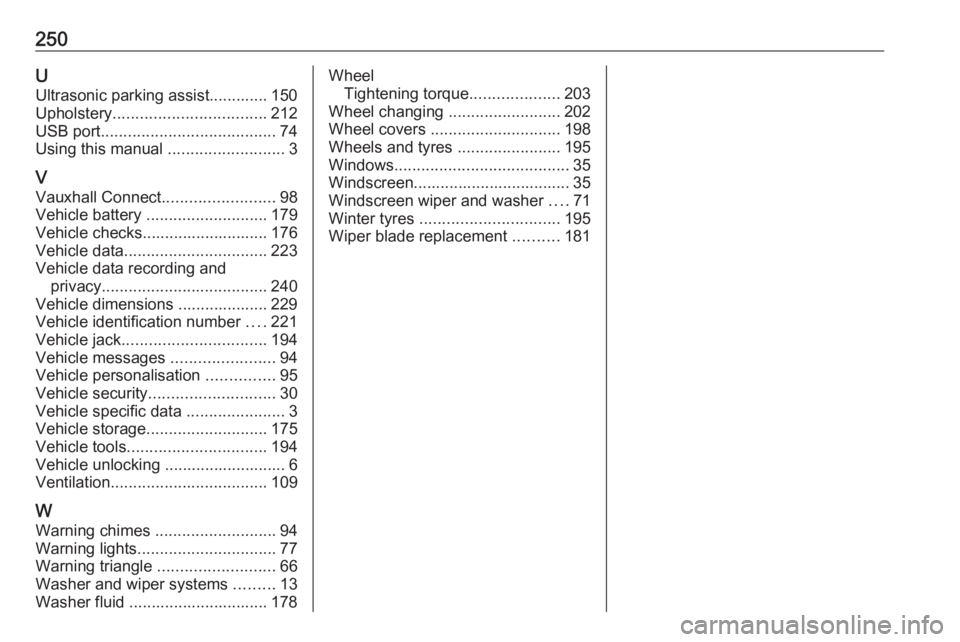
250UUltrasonic parking assist............. 150
Upholstery .................................. 212
USB port ....................................... 74
Using this manual ..........................3
V Vauxhall Connect .........................98
Vehicle battery ........................... 179
Vehicle checks............................ 176
Vehicle data ................................ 223
Vehicle data recording and privacy ..................................... 240
Vehicle dimensions .................... 229
Vehicle identification number ....221
Vehicle jack ................................ 194
Vehicle messages .......................94
Vehicle personalisation ...............95
Vehicle security ............................ 30
Vehicle specific data ......................3
Vehicle storage ........................... 175
Vehicle tools ............................... 194
Vehicle unlocking ........................... 6
Ventilation ................................... 109
W
Warning chimes ........................... 94
Warning lights ............................... 77
Warning triangle .......................... 66
Washer and wiper systems .........13
Washer fluid ............................... 178Wheel Tightening torque ....................203
Wheel changing .........................202
Wheel covers ............................. 198
Wheels and tyres .......................195
Windows ....................................... 35
Windscreen................................... 35
Windscreen wiper and washer ....71
Winter tyres ............................... 195
Wiper blade replacement ..........181