lock OPEL CROSSLAND X 2019.75 Manual user
[x] Cancel search | Manufacturer: OPEL, Model Year: 2019.75, Model line: CROSSLAND X, Model: OPEL CROSSLAND X 2019.75Pages: 253, PDF Size: 7.76 MB
Page 149 of 253
Driving and operating147The chosen setting will remain until it
is changed. The alert timing will vary based on vehicle speed. The faster
the vehicle speed, the farther away the alert will occur. Consider traffic
and weather conditions when
selecting the alert timing.
Deactivation
The system can only be deactivated
by deactivating the active emergency braking in the vehicle personalisation
3 95.
System limitations
Forward collision alert is designed to
warn on vehicles only, but may react also to other objects.
In the following cases, forward
collision alert may not detect a vehicle ahead or sensor performance is
limited:
● driving on winding or hilly roads
● driving in the dark
● weather limits visibility, such as fog, rain, or snow● the sensor in the windscreen is blocked by snow, ice, slush, mud,dirt etc.
● the windscreen is damaged or affected by foreign objects, e.g.
stickers
Active emergency braking
Active emergency braking can help to reduce the damage and injury from
crashes with vehicles, pedestrians and obstacles directly ahead, when a
collision can no longer be avoided
either by manual braking or by
steering. Before the active
emergency braking applies, the driver
is warned by the forward collision
alert or the front pedestrian protection alert.
Forward collision alert 3 145
Front pedestrian protection 3 149
The feature uses various inputs (e.g.
camera sensor, brake pressure,
vehicle speed) to calculate the
probability of a frontal collision.9 Warning
This system is not intended to
replace the driver responsibility for driving the vehicle and looking
ahead. Its function is limited to
supplemental use only to reduce
the vehicle speed before a
collision.
The system may not react to
animals. After a sudden lane
change, the system needs a
certain time to detect the next
preceding vehicle.
The driver must always be ready
to take action and apply the brakes and steer to avoid collisions.
Functionality
Active emergency braking is
equipped with a front camera and
operates in forward gear above
walking speed up to 85 km/h. The
system detects stationary vehicles
only if the speed does not exceed
80 km/h.
Page 152 of 253
150Driving and operatingDuring driving in the dark, system
performance is limited.9 Danger
Front pedestrian braking does not
provide an alert or automatically
brake the vehicle, unless it detects
a pedestrian.
The system may not detect
pedestrians, including children,
when the pedestrian is not directly
ahead, not fully visible, not
standing upright, or when part of a
group.
Front pedestrian protection includes:
● detecting front pedestrian ahead● front pedestrian alert
Front pedestrian protection is
activated together with forward
collision alert.
Forward collision alert 3 145.
Detecting front pedestrian ahead
A pedestrian ahead up to a distance
of approx. 40 m is indicated by a
symbol in the instrument cluster.
Front pedestrian alert
When approaching a detected
pedestrian too quickly, a warning
message is displayed in the Driver
Information Centre. A warning chime
is provided.
Cruise control or Adaptive cruise
control may be disengaged when the
front pedestrian alert occurs.
System limitations
In the following cases, front
pedestrian protection may not detect
a pedestrian ahead or sensor
performance is limited:
● vehicle speed is out of range from
5 km/h to 60 km/h in forward gear
● the distance to an pedestrian ahead is more than 40 m
● driving on winding or hilly roads
● driving in the dark
● weather limits visibility, such as fog, rain, or snow● the sensor in the windscreen isblocked by snow, ice, slush, mud,
dirt etc.
● the windscreen is damaged or affected by foreign objects, e.g.
stickers
Parking assist General information
The system is switched off
automatically when attaching a trailer
or bike carrier to the trailer hitch.9 Warning
The driver bears full responsibility
for the parking manoeuvre.
Always check the surrounding
area when driving backwards or
forwards while using parking
assist system.
The parking assist makes parking easier by measuring the distance
between the vehicle and obstacles. It
informs and warns the driver by giving acoustic signals and display
indication.
Page 164 of 253
162Driving and operatingDisplayed images may be furtheror closer than they appear. The
area displayed is limited and
objects that are close to either
edge of the bumper or under the
bumper are not displayed on the
screen.
System limitations
Caution
For optimal operation of the
system, it is important to keep the
lense of the camera in the tailgate between the number plate lightsalways clean. Rinse the lense with water and wipe with a soft cloth.
Do not clean the lense with a
steam-jet or high-pressure jet
cleaner.
The panoramic view system may not
operate properly when:
● The surrounding is dark.
● The sun or the beam of headlights is shining directly into
the camera lenses.
● During nighttime driving.
● Weather limits visibility, such as fog, rain, or snow.
● The camera lenses are blocked by snow, ice, slush, mud, dirt.
● A trailer or bike carrier is attached
to the trailer hitch.
● The vehicle had an accident.
● There are extreme temperature changes.
Rear view camera The rear view camera assists the
driver when reversing by displaying a
view of the area behind the vehicle.
The view of the camera is displayed
in the Info Display.9 Warning
The rear view camera does not
replace driver vision. Note that
objects that are outside the
camera's field of view and the
parking assist sensors, e.g. below
the bumper or underneath the
vehicle, are not displayed.
Do not reverse or park the vehicle
using only the rear view camera.
Always check the surrounding of
the vehicle before driving.
Switching on
Rear view camera is automatically
activated when reverse gear is
engaged.
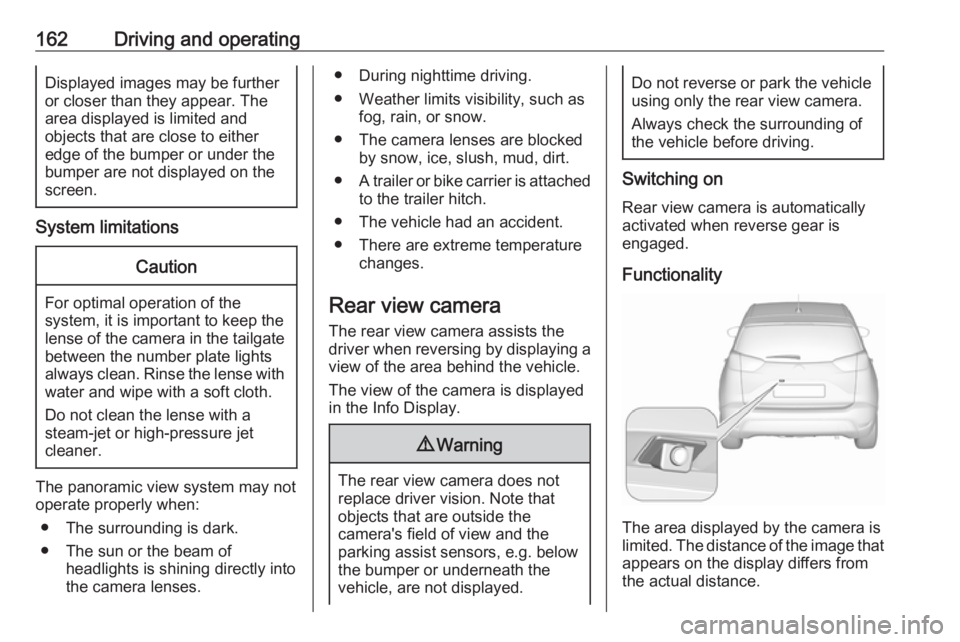
Functionality
The area displayed by the camera is
limited. The distance of the image that
appears on the display differs from
the actual distance.
Page 165 of 253
Driving and operating163Guide lines
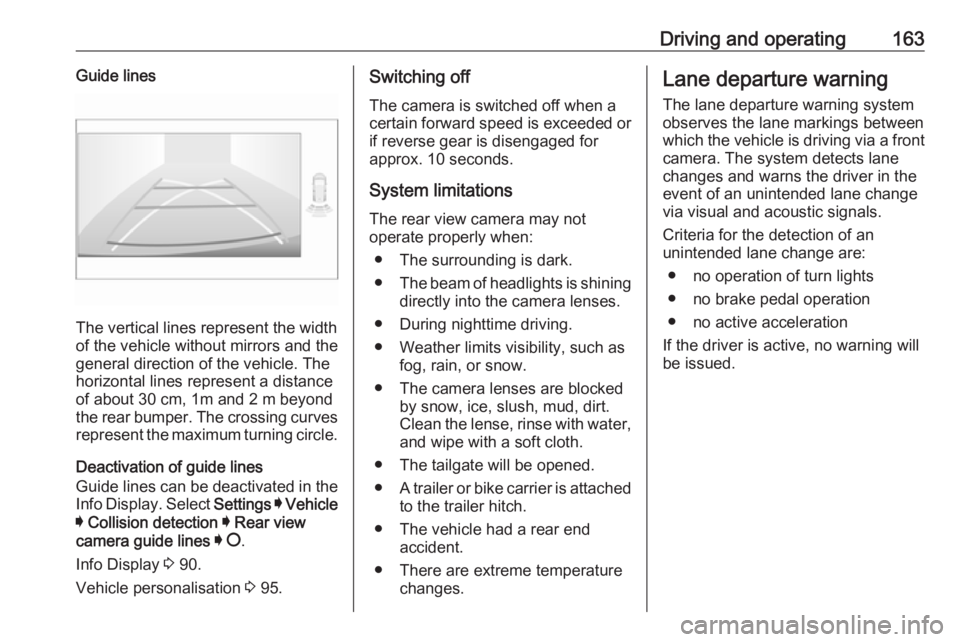
The vertical lines represent the width
of the vehicle without mirrors and the
general direction of the vehicle. The
horizontal lines represent a distance of about 30 cm, 1m and 2 m beyond
the rear bumper. The crossing curves
represent the maximum turning circle.
Deactivation of guide lines
Guide lines can be deactivated in the Info Display. Select Settings I Vehicle
I Collision detection I Rear view
camera guide lines I § .
Info Display 3 90.
Vehicle personalisation 3 95.
Switching off
The camera is switched off when a
certain forward speed is exceeded or
if reverse gear is disengaged for
approx. 10 seconds.
System limitations
The rear view camera may not
operate properly when:
● The surrounding is dark.
● The beam of headlights is shining
directly into the camera lenses.
● During nighttime driving.
● Weather limits visibility, such as fog, rain, or snow.
● The camera lenses are blocked by snow, ice, slush, mud, dirt.
Clean the lense, rinse with water,
and wipe with a soft cloth.
● The tailgate will be opened.
● A trailer or bike carrier is attached
to the trailer hitch.
● The vehicle had a rear end accident.
● There are extreme temperature changes.Lane departure warning
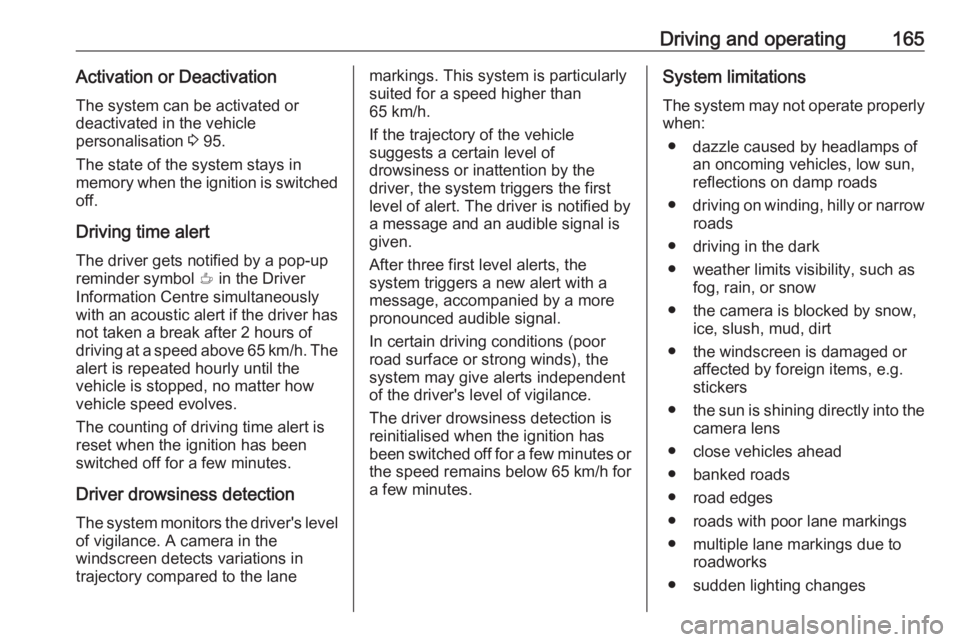
The lane departure warning systemobserves the lane markings between
which the vehicle is driving via a front camera. The system detects lane
changes and warns the driver in the
event of an unintended lane change
via visual and acoustic signals.
Criteria for the detection of an
unintended lane change are:
● no operation of turn lights
● no brake pedal operation
● no active acceleration
If the driver is active, no warning will
be issued.
Page 166 of 253
164Driving and operatingActivation
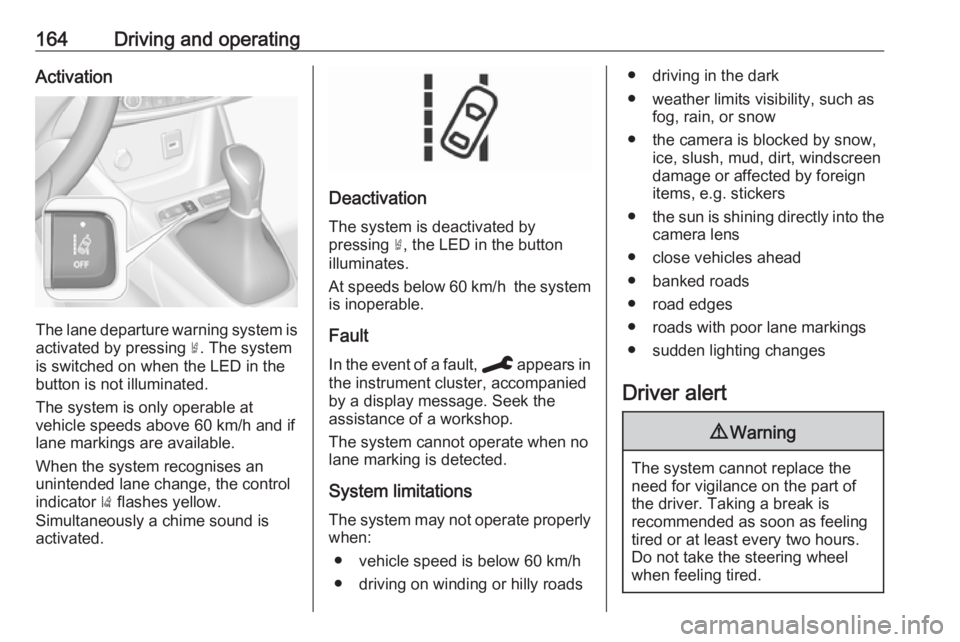
The lane departure warning system isactivated by pressing ½. The system
is switched on when the LED in the
button is not illuminated.
The system is only operable at
vehicle speeds above 60 km/h and if
lane markings are available.
When the system recognises an
unintended lane change, the control
indicator ) flashes yellow.
Simultaneously a chime sound is
activated.
Deactivation
The system is deactivated by
pressing ½, the LED in the button
illuminates.
At speeds below 60 km/h the system
is inoperable.
Fault
In the event of a fault, C appears in
the instrument cluster, accompanied
by a display message. Seek the
assistance of a workshop.
The system cannot operate when no
lane marking is detected.
System limitations
The system may not operate properly when:
● vehicle speed is below 60 km/h● driving on winding or hilly roads
● driving in the dark
● weather limits visibility, such as fog, rain, or snow
● the camera is blocked by snow, ice, slush, mud, dirt, windscreen
damage or affected by foreign
items, e.g. stickers
● the sun is shining directly into the
camera lens
● close vehicles ahead
● banked roads
● road edges
● roads with poor lane markings
● sudden lighting changes
Driver alert9 Warning
The system cannot replace the
need for vigilance on the part of
the driver. Taking a break is
recommended as soon as feeling tired or at least every two hours.
Do not take the steering wheel
when feeling tired.
Page 167 of 253
Driving and operating165Activation or DeactivationThe system can be activated or
deactivated in the vehicle
personalisation 3 95.
The state of the system stays in
memory when the ignition is switched
off.
Driving time alert
The driver gets notified by a pop-up reminder symbol € in the Driver
Information Centre simultaneously with an acoustic alert if the driver has not taken a break after 2 hours of
driving at a speed above 65 km/h. The
alert is repeated hourly until the
vehicle is stopped, no matter how
vehicle speed evolves.
The counting of driving time alert is
reset when the ignition has been
switched off for a few minutes.
Driver drowsiness detection
The system monitors the driver's level
of vigilance. A camera in the
windscreen detects variations in
trajectory compared to the lanemarkings. This system is particularly
suited for a speed higher than
65 km/h.
If the trajectory of the vehicle
suggests a certain level of
drowsiness or inattention by the
driver, the system triggers the first
level of alert. The driver is notified by
a message and an audible signal is
given.
After three first level alerts, the
system triggers a new alert with a
message, accompanied by a more
pronounced audible signal.
In certain driving conditions (poor
road surface or strong winds), the
system may give alerts independent
of the driver's level of vigilance.
The driver drowsiness detection is
reinitialised when the ignition has
been switched off for a few minutes or the speed remains below 65 km/h for a few minutes.System limitations
The system may not operate properly
when:
● dazzle caused by headlamps of an oncoming vehicles, low sun,
reflections on damp roads
● driving on winding, hilly or narrow
roads
● driving in the dark
● weather limits visibility, such as fog, rain, or snow
● the camera is blocked by snow, ice, slush, mud, dirt
● the windscreen is damaged or affected by foreign items, e.g.
stickers
● the sun is shining directly into the
camera lens
● close vehicles ahead
● banked roads
● road edges
● roads with poor lane markings
● multiple lane markings due to roadworks
● sudden lighting changes
Page 170 of 253
168Driving and operating9Danger
Fuel is flammable and explosive.
No smoking. No naked flames or
sparks.
If you can smell fuel in your
vehicle, have the cause of this
remedied immediately by a
workshop.
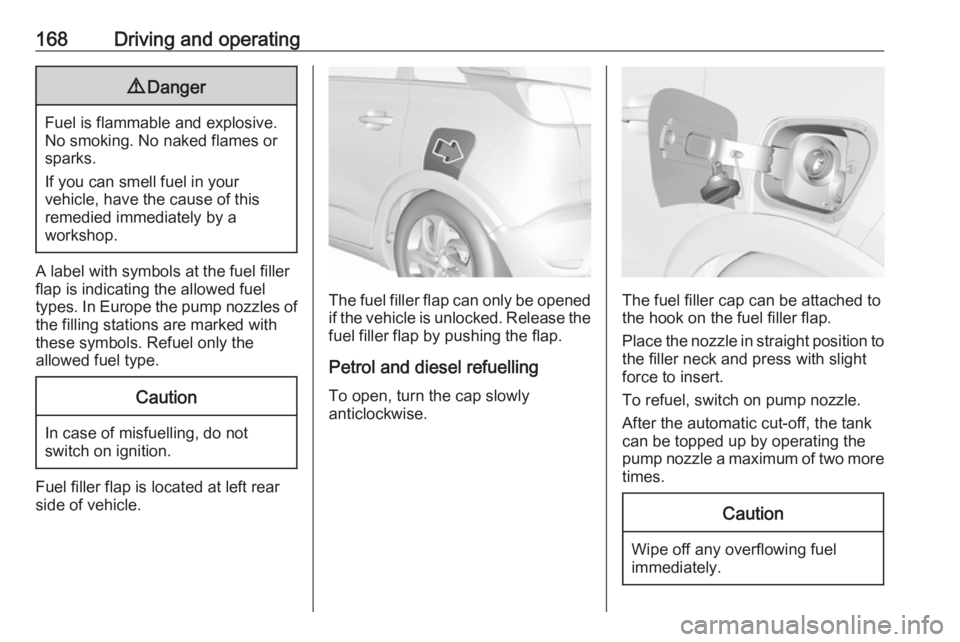
A label with symbols at the fuel filler
flap is indicating the allowed fuel
types. In Europe the pump nozzles of the filling stations are marked with
these symbols. Refuel only the
allowed fuel type.
Caution
In case of misfuelling, do not
switch on ignition.
Fuel filler flap is located at left rear
side of vehicle.
The fuel filler flap can only be opened
if the vehicle is unlocked. Release the
fuel filler flap by pushing the flap.
Petrol and diesel refuelling To open, turn the cap slowly
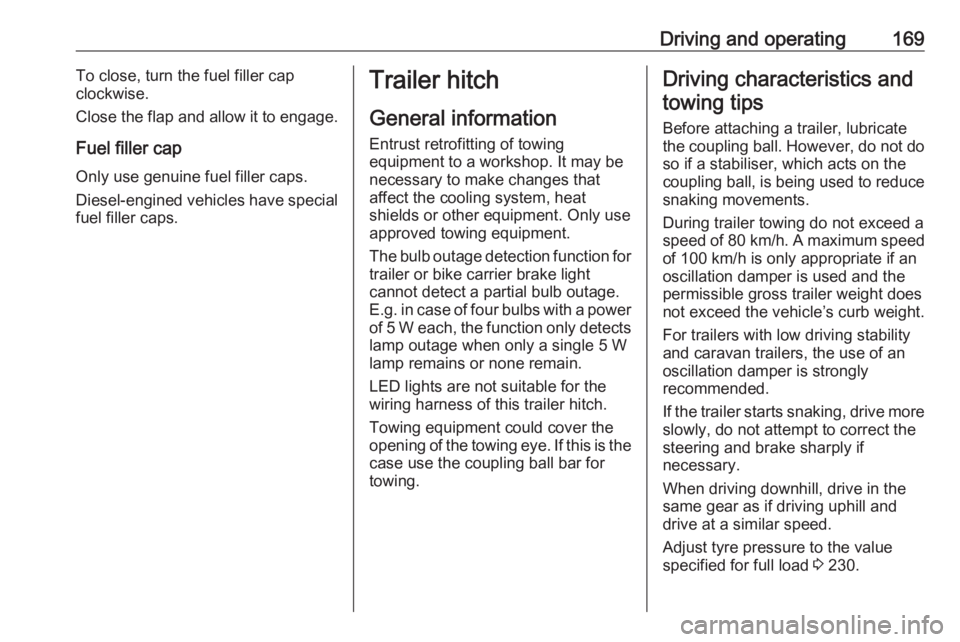
anticlockwise.The fuel filler cap can be attached to
the hook on the fuel filler flap.
Place the nozzle in straight position to the filler neck and press with slight
force to insert.
To refuel, switch on pump nozzle.
After the automatic cut-off, the tank can be topped up by operating the
pump nozzle a maximum of two more
times.
Caution
Wipe off any overflowing fuel
immediately.
Page 171 of 253
Driving and operating169To close, turn the fuel filler cap
clockwise.
Close the flap and allow it to engage.
Fuel filler cap Only use genuine fuel filler caps.Diesel-engined vehicles have special
fuel filler caps.Trailer hitch
General information
Entrust retrofitting of towing
equipment to a workshop. It may be
necessary to make changes that
affect the cooling system, heat
shields or other equipment. Only use
approved towing equipment.
The bulb outage detection function for trailer or bike carrier brake light
cannot detect a partial bulb outage.
E.g. in case of four bulbs with a power
of 5 W each, the function only detects
lamp outage when only a single 5 W lamp remains or none remain.
LED lights are not suitable for the
wiring harness of this trailer hitch.
Towing equipment could cover the
opening of the towing eye. If this is the case use the coupling ball bar for
towing.Driving characteristics and
towing tips
Before attaching a trailer, lubricate the coupling ball. However, do not do so if a stabiliser, which acts on thecoupling ball, is being used to reduce
snaking movements.
During trailer towing do not exceed a
speed of 80 km/h. A maximum speed
of 100 km/h is only appropriate if an
oscillation damper is used and the
permissible gross trailer weight does
not exceed the vehicle’s curb weight.
For trailers with low driving stability
and caravan trailers, the use of an
oscillation damper is strongly
recommended.
If the trailer starts snaking, drive more slowly, do not attempt to correct the
steering and brake sharply if
necessary.
When driving downhill, drive in the
same gear as if driving uphill and
drive at a similar speed.
Adjust tyre pressure to the value
specified for full load 3 230.
Page 173 of 253
Driving and operating171
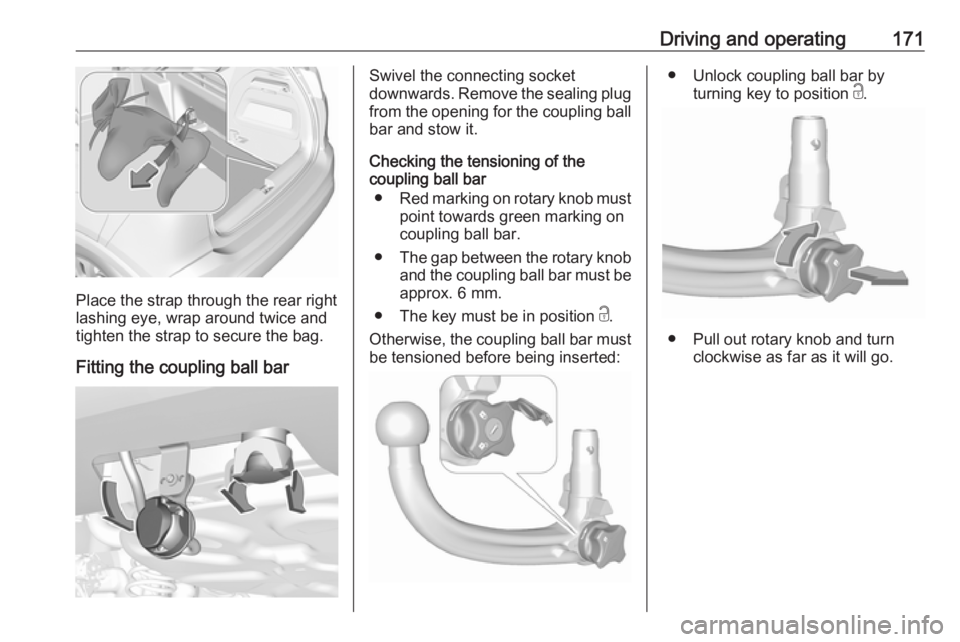
Place the strap through the rear right
lashing eye, wrap around twice and
tighten the strap to secure the bag.
Fitting the coupling ball bar
Swivel the connecting socket
downwards. Remove the sealing plug from the opening for the coupling ball
bar and stow it.
Checking the tensioning of the
coupling ball bar
● Red marking on rotary knob must
point towards green marking on
coupling ball bar.
● The gap between the rotary knob
and the coupling ball bar must be approx. 6 mm.
● The key must be in position c.
Otherwise, the coupling ball bar must
be tensioned before being inserted:● Unlock coupling ball bar by
turning key to position c.
● Pull out rotary knob and turn
clockwise as far as it will go.
Page 174 of 253
172Driving and operatingInserting the coupling ball bar
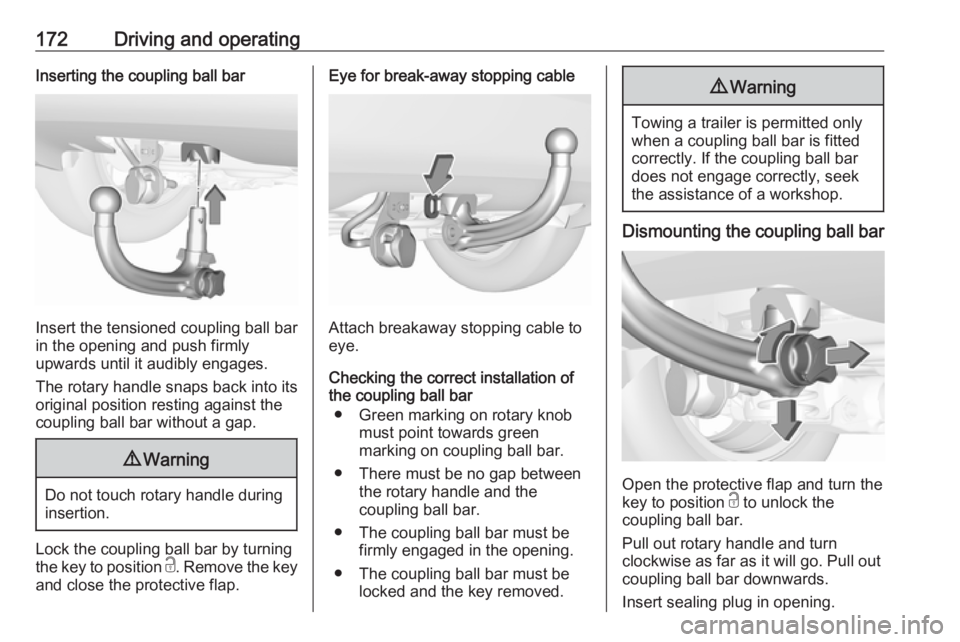
Insert the tensioned coupling ball bar
in the opening and push firmly
upwards until it audibly engages.
The rotary handle snaps back into its
original position resting against the
coupling ball bar without a gap.
9 Warning
Do not touch rotary handle during
insertion.
Lock the coupling ball bar by turning
the key to position c. Remove the key
and close the protective flap.
Eye for break-away stopping cable
Attach breakaway stopping cable to
eye.
Checking the correct installation of
the coupling ball bar
● Green marking on rotary knob must point towards green
marking on coupling ball bar.
● There must be no gap between the rotary handle and the
coupling ball bar.
● The coupling ball bar must be firmly engaged in the opening.
● The coupling ball bar must be locked and the key removed.
9Warning
Towing a trailer is permitted only
when a coupling ball bar is fitted correctly. If the coupling ball bardoes not engage correctly, seekthe assistance of a workshop.
Dismounting the coupling ball bar
Open the protective flap and turn the
key to position c to unlock the
coupling ball bar.
Pull out rotary handle and turn
clockwise as far as it will go. Pull out coupling ball bar downwards.
Insert sealing plug in opening.