ECO mode OPEL GRANDLAND X 2018.75 Manual user
[x] Cancel search | Manufacturer: OPEL, Model Year: 2018.75, Model line: GRANDLAND X, Model: OPEL GRANDLAND X 2018.75Pages: 273, PDF Size: 7.7 MB
Page 152 of 273
150Driving and operatingIn manual mode, no automatic
shifting to a higher gear takes place
at high engine revolutions.
Gear shift indication
The symbol R or S with a number
beside it is indicated when
gearshifting is recommended for fuel
saving reasons.
Shift indication appears only in
manual mode.
Electronic driving programmes
● Following a cold start, the operating temperature
programme increases engine
speed to quickly bring the
catalytic converter to the required
temperature.
● Special programmes automatically adapt the shifting
points when driving up inclines or
down hills.
● In snowy or icy conditions or on other slippery surfaces, the
electronic transmission controlenables the driver to select
manually first, second or third
gear for starting off.
Kickdown Pressing down the accelerator pedal
beyond the kickdown detent will lead
to maximum acceleration
independent of selected driving
mode. The transmission shifts to a
lower gear depending on engine
speed.
Fault
In the event of a fault a message is
displayed in the Driver Information
Centre.
Vehicle messages 3 105.
Electronic transmission control
enables only third gear. The
transmission no longer shifts
automatically.
Do not drive faster than 100 km/h.
Have the cause of the fault remedied by a workshop.Interruption of power supply
In the event of an interruption of
power supply, the selector lever
cannot be moved out of the P
position. The ignition key cannot be
removed from the ignition switch.
If the vehicle battery is discharged,
start the vehicle using jump leads
3 233.
If the vehicle battery is not the cause
of the fault, release the selector lever.
1. Apply the parking brake.
2. Release the selector lever trim from the centre console. Poke
with a finger into the leather
socket below the selector lever
and push the trim upwards.
Page 156 of 273
154Driving and operatingAutomatic operation
Automatic operation includes
automatic application and automatic
release of the electric parking brake.
The electric parking brake can also be
applied or released manually by using
the switch m.
Automatic application: ● The electric parking brake is automatically applied when the
vehicle is stationary and the
ignition is switched off.
● j illuminates in the instrument
cluster and a display message
pops up to confirm the
application.
Automatic release: ● Parking brake releases automatically after moving off.
● j extinguishes in the instrument
cluster and a display message
pops up to confirm the release.
If the vehicle is equipped with an
automatic transmission and the brake is not released automatically, make
sure the front doors are correctly
closed.Deactivation of automatic operation 1. Start the engine.
2. If the parking brake is released, apply the parking brake pulling the
switch m.
3. Take your foot off the brake pedal.
4. Press the switch m for at least
10 seconds and maximum
15 seconds.
5. Release the switch m.
6. Press and hold the brake pedal. 7. Pull the switch m for 2 seconds.
The deactivation of the automatic
operation of the electric parking brake
is confirmed by o illuminating in the
instrument cluster 3 96. The electric
parking brake can only be applied and released manually.
To reactivate the automatic
operation, repeat the steps described
above.
Functionality check
When the vehicle is not moving, the
electric parking brake might be
applied automatically. This is done to
check the system.Fault
Failure mode of electric parking brake
is indicated by a control indicator j
and by a vehicle message which is
displayed in the Driver Information Centre.
Vehicle messages 3 105.
Apply electric parking brake: pull and
hold the switch m for more than
5 seconds. If control indicator m
illuminates, electric parking brake is
applied.
Release electric parking brake: push and hold the switch m for more than
2 seconds. If control indicator m
extinguishes, electric parking brake is released.
Control indicator m flashes: electric
parking brake is not fully applied or released. When continuously
flashing, release electric parking
brake and retry applying.
Brake assist If brake pedal is depressed quickly
and forcefully, maximum brake force
is automatically applied.
Page 159 of 273
Driving and operating157Selective ride control allows to
choose between five driving modes:
● ESC off mode 9
● standard mode 2
● snow mode 3
● mud mode 4
● sand mode 1
The several modes can be activated by turning the control.
A LED illuminates and a status
message appears in the Driver
Information Centre to confirm the
chosen mode.
ESC off mode 9
The ESC and Traction Control are
deactivated in this mode.
A LED in the button a illuminates.
ESC and Traction Control are
reactivated automatically from
50 km/h or everytime the ignition is
switched on.Standard mode 2
This mode is calibrated for a low level
of wheel spin, based on the different
types of grip generally encountered in normal day to day driving.
Everytime the ignition is switched off,
the system is automatically reset to
this mode.
Snow mode 3
This mode adapts to the grip
conditions encountered by each
wheel when starting.
When advancing, the system
optimises wheel spin to guarantee the
best acceleration based on the
available traction. Recommended in
cases of deep snow and steep
inclines.
This mode is active up to a speed of
50 km/h.
Mud mode 4
This mode allows considerable wheel
spin at start-up for the wheel with the
least grip, this removes mud and re- establishes traction.Simultaneously, the wheel with the
most grip is provided with the most
torque possible.
This mode is active up to a speed of 80 km/h.
Sand mode 1
This mode allows a small amount of simultaneous wheel spin on the two
drive wheels, enabling the vehicle to
advance and reduce the risk of
sinking.
This mode is active up to a speed of
120 km/h.Caution
Do not use the other modes on
sand as the vehicle may become
stuck.
Page 160 of 273
158Driving and operatingSport mode
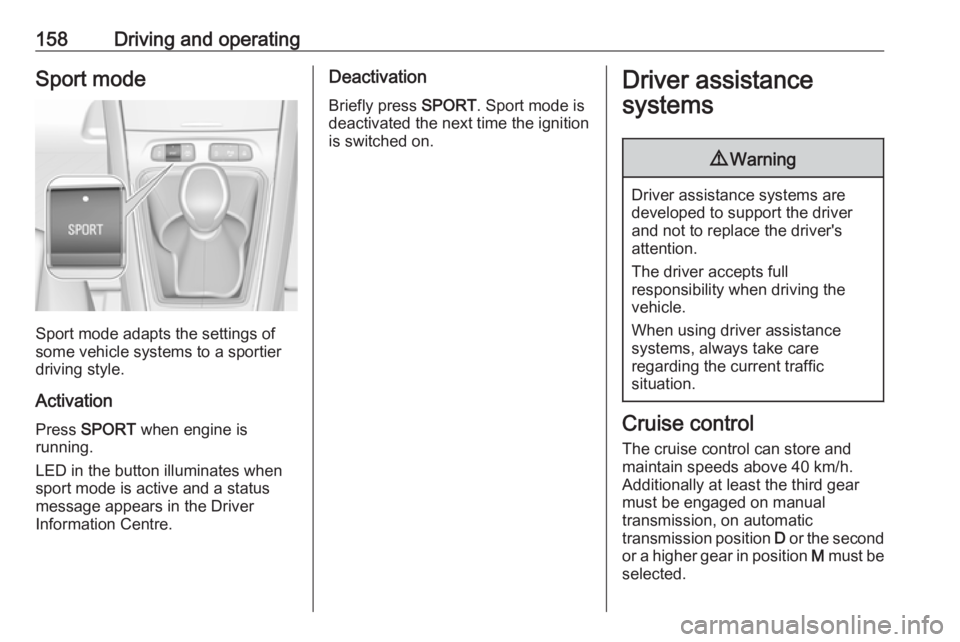
Sport mode adapts the settings of
some vehicle systems to a sportier
driving style.
Activation
Press SPORT when engine is
running.
LED in the button illuminates when
sport mode is active and a status
message appears in the Driver
Information Centre.
Deactivation
Briefly press SPORT. Sport mode is
deactivated the next time the ignition
is switched on.Driver assistance
systems9 Warning
Driver assistance systems are
developed to support the driver
and not to replace the driver's
attention.
The driver accepts full
responsibility when driving the
vehicle.
When using driver assistance
systems, always take care
regarding the current traffic
situation.
Cruise control
The cruise control can store and
maintain speeds above 40 km/h.
Additionally at least the third gear
must be engaged on manual
transmission, on automatic
transmission position D or the second
or a higher gear in position M must be
selected.
Page 162 of 273
160Driving and operatingAccelerate to the desired speed and
move thumb wheel once briefly to
SET/- . The current speed is stored
and maintained. Accelerator pedal
can be released.
The preset speed can then be
changed by moving thumb wheel to RES/+ to increase or SET/- to
decrease the speed. Move thumb wheel repeatedly to change speed in
small steps, move and hold to change speed in large steps.
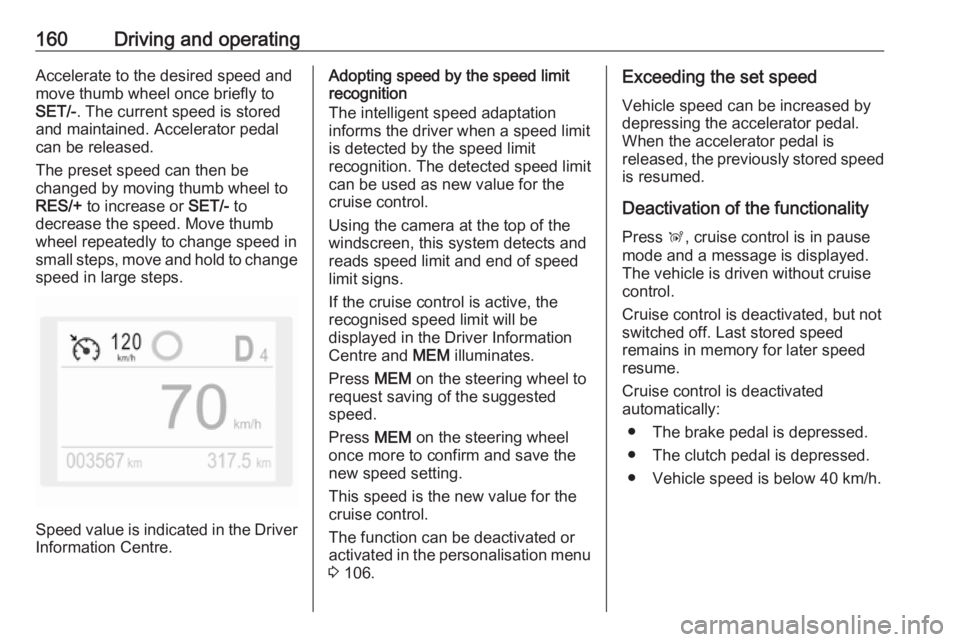
Speed value is indicated in the Driver
Information Centre.
Adopting speed by the speed limit
recognition
The intelligent speed adaptation
informs the driver when a speed limit
is detected by the speed limit
recognition. The detected speed limit
can be used as new value for the
cruise control.
Using the camera at the top of the
windscreen, this system detects and
reads speed limit and end of speed
limit signs.
If the cruise control is active, the
recognised speed limit will be
displayed in the Driver Information
Centre and MEM illuminates.
Press MEM on the steering wheel to
request saving of the suggested
speed.
Press MEM on the steering wheel
once more to confirm and save the
new speed setting.
This speed is the new value for the
cruise control.
The function can be deactivated or
activated in the personalisation menu 3 106.Exceeding the set speed
Vehicle speed can be increased by depressing the accelerator pedal.
When the accelerator pedal is
released, the previously stored speed
is resumed.
Deactivation of the functionality
Press Ñ, cruise control is in pause
mode and a message is displayed.
The vehicle is driven without cruise
control.
Cruise control is deactivated, but not
switched off. Last stored speed
remains in memory for later speed
resume.
Cruise control is deactivated
automatically:
● The brake pedal is depressed.
● The clutch pedal is depressed.
● Vehicle speed is below 40 km/h.
Page 163 of 273
Driving and operating161● The Traction Control system orElectronic Stability Control is
operating.
● The selector lever is in N
(automatic transmission), first or
second gear (manual
transmission).
Resume stored speed
Move thumb wheel to RES/+ at a
speed above 40 km/h. The stored
speed will be obtained.
Switching off the system
Press m, the cruise control mode is
deselected and the cruise control
indication extinguishes in the Driver
Information Centre.
Pressing ß to activate the speed
limiter deactivates cruise control.
Switching off the ignition cancels any
programmed speed value.
Fault
In the event of a cruise control fault,
the speed is cleared resulting in
flashing of the dashes.The speed limit recognition may not
operate correctly if traffic signs do not
comply with the Vienna Convention
on Road Signs and Signals.
Speed limiter
The speed limiter prevents the
vehicle from exceeding a preset
maximum speed.
The maximum speed can be set at
speeds above 30 km/h.
The driver can accelerate the vehicle
up to the preset speed. Deviations
from the limited speed may occur
when driving downhill.
The preset speed can be exceeded
temporarily by pressing the
accelerator pedal firmly.
The status and preset speed limit are displayed in the Driver Information
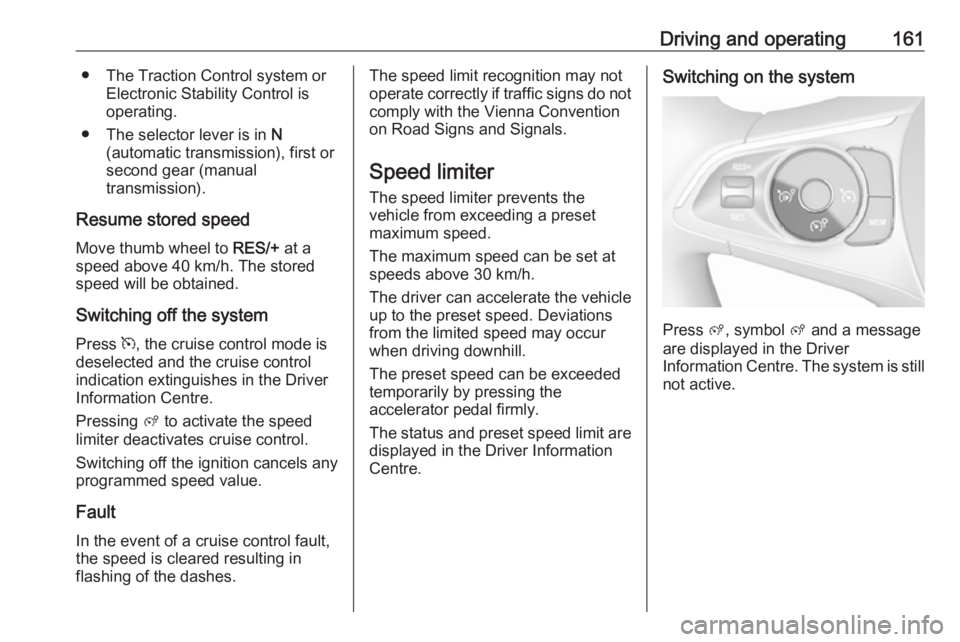
Centre.Switching on the system
Press ß, symbol ß and a message
are displayed in the Driver
Information Centre. The system is still not active.
Page 165 of 273
Driving and operating163If the speed limiter is active, the
recognised speed limit will be
displayed in the Driver Information
Centre and MEM illuminates.
Press MEM on the steering wheel to
request saving of the suggested
speed limit.
Press MEM on the steering wheel
once more to confirm and save the
new speed setting.
This speed is the new value for the
speed limiter.
The function can be activated or deactivated in the personalisation
menu 3 106.
Exceeding the speed limit
In the event of an emergency, it is possible to exceed the speed limit by
depressing the accelerator pedal
firmly nearly to the final point. In this
case the preset speed value flashes.
Release the accelerator pedal and the speed limiter function is
reactivated once a speed lower than
the limit speed is obtained.Deactivation of the functionality
Press Ñ, speed limiter is in pause
mode and a message is displayed.
The vehicle is driven without speed
limiter.
Speed limiter is deactivated, but not
switched off. Last stored speed
remains in memory for later speed
resume.
Resume limit speed Press Ñ, the stored speed limit will be
obtained.
Switching off the system
Press ß, the speed limiter mode is
deselected and the speed limit
indication extinguishes in the Driver Information Centre.
Pressing m to activate cruise control
deactivates speed limiter.
The preset speed remains in the
memory when the ignition is switched
off.Fault
In the event of a speed limiter fault,
the speed is cleared resulting in
flashing of the dashes.
The speed limit recognition may not
operate correctly if traffic signs do not comply with the Vienna Convention
on Road Signs and Signals.
Adaptive cruise control
The adaptive cruise control is an
enhancement to the conventional
cruise control with the additional
feature of maintaining a certain
following distance to the vehicle
ahead. It uses radar and camera
sensors to detect the vehicles ahead.
If no vehicle is detected in the driving path, the adaptive cruise control will
behave like a conventional cruise
control.
The adaptive cruise control
automatically decelerates the vehicle
when approaching a slower moving
vehicle. It then adjusts the vehicle
speed to follow the vehicle ahead at
the selected following distance. The
Page 174 of 273
172Driving and operatingeither by manual braking or by
steering. Before the active
emergency braking applies, the driver
is warned by the forward collision
alert 3 170 or the front pedestrian
protection alert 3 174.
The feature uses various inputs (e.g.
camera sensor, radar sensor, brake
pressure, vehicle speed) to calculate
the probability of a frontal collision.9 Warning
This system is not intended to
replace the driver responsibility for driving the vehicle and looking
ahead. Its function is limited to
supplemental use only to reduce
the vehicle speed before a
collision.
The system may not react to
animals. After a sudden lane
change, the system needs a
certain time to detect the next
preceding vehicle.
The driver must always be ready
to take action and apply the brakes and steer to avoid collisions.
Operation conditions
If equipped only with front camera the
active emergency braking operates in
forward gear above walking speed up to 85 km/h. With radar sensor and
front camera active emergency
braking operates in forward gear in
the range between walking speed
and 140 km/h.
Activation
A precondition is that forward collision
alert with front camera system is not
deactivated in the vehicle
personalisation menu and the seat
belts of the front passengers are
fastened 3 106.
Functionality
The system includes: ● brake preparation system
● emergency automatic braking
● forward looking brake assist
● intelligent brake assist (only with radar sensor)
● forward collision alert
● front pedestrian protectionBrake preparation system
When approaching a vehicle ahead
or a pedestrian so quickly that a
collision is likely, the brake
preparation system slightly
pressurises the brakes. This reduces
the response time when a braking is
required.
Emergency automatic braking
After activation of brake preparation
system and just before the imminent
collision, this function automatically
applies limited braking to reduce the
impact speed of the collision or
prohibit a crash. If active emergency
braking is applied, m flashes in the
instrument cluster. Depending on the
situation, the vehicle may
automatically brake moderately or
hard. This front automatic braking can
only occur if a vehicle ahead is
detected 3 170 . On vehicles with front
pedestrian protection, front automatic
braking can also occur when a
pedestrian ahead is detected 3 174.
Emergency automatic braking may slow the vehicle to a complete stop to
try to avoid a potential crash. If this
Page 188 of 273
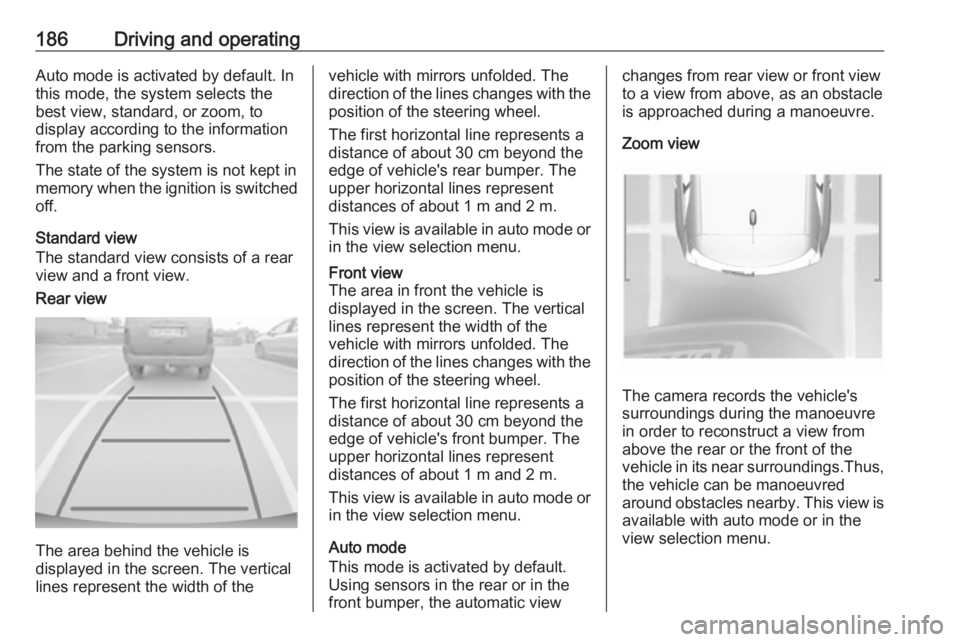
186Driving and operatingAuto mode is activated by default. In
this mode, the system selects the
best view, standard, or zoom, to
display according to the information
from the parking sensors.
The state of the system is not kept in memory when the ignition is switched
off.
Standard view
The standard view consists of a rear
view and a front view.Rear view
The area behind the vehicle is
displayed in the screen. The vertical
lines represent the width of the
vehicle with mirrors unfolded. The
direction of the lines changes with the position of the steering wheel.
The first horizontal line represents a
distance of about 30 cm beyond the
edge of vehicle's rear bumper. The
upper horizontal lines represent
distances of about 1 m and 2 m.
This view is available in auto mode or
in the view selection menu.Front view
The area in front the vehicle is
displayed in the screen. The vertical
lines represent the width of the
vehicle with mirrors unfolded. The
direction of the lines changes with the position of the steering wheel.
The first horizontal line represents a
distance of about 30 cm beyond the
edge of vehicle's front bumper. The
upper horizontal lines represent
distances of about 1 m and 2 m.
This view is available in auto mode or
in the view selection menu.
Auto mode
This mode is activated by default.
Using sensors in the rear or in the
front bumper, the automatic view
changes from rear view or front view
to a view from above, as an obstacle is approached during a manoeuvre.
Zoom view
The camera records the vehicle's
surroundings during the manoeuvre in order to reconstruct a view fromabove the rear or the front of the
vehicle in its near surroundings.Thus,
the vehicle can be manoeuvred
around obstacles nearby. This view is available with auto mode or in the
view selection menu.
Page 254 of 273
![OPEL GRANDLAND X 2018.75 Manual user 252Technical dataVehicle weight
Kerb weight, basic model without any optional equipmentEngineManual transmissionAutomatic transmission[kg]B12xHT13501370B16DTH13921430D15DT1289–D15DTH1360 / 1375 (ECO](/img/37/18848/w960_18848-253.png "OPEL GRANDLAND X 2018.75 Manual user 252Technical dataVehicle weight
Kerb weight, basic model without any optional equipmentEngineManual transmissionAutomatic transmission[kg]B12xHT13501370B16DTH13921430D15DT1289–D15DTH1360 / 1375 (ECO")
252Technical dataVehicle weight
Kerb weight, basic model without any optional equipmentEngineManual transmissionAutomatic transmission[kg]B12xHT13501370B16DTH13921430D15DT1289–D15DTH1360 / 1375 (ECO)1380D20DTH–1500A16NHT–7)7) Not available at time of printing.
Optional equipment and accessories increase the kerb weight.
Loading information 3 77.