mirror OPEL GRANDLAND X 2018.75 Manual user
[x] Cancel search | Manufacturer: OPEL, Model Year: 2018.75, Model line: GRANDLAND X, Model: OPEL GRANDLAND X 2018.75Pages: 273, PDF Size: 7.7 MB
Page 45 of 273
Keys, doors and windows43Sun visors
The sun visors can be folded down or swivelled to the side to prevent
dazzling.
If the sun visors have integral mirrors, the mirror covers should be closed
when driving.
A ticket holder is located on the
backside of the sun visor.
Roller blinds
To reduce sunlight at the second row seats, pull the blind upwards using
the grip and engage it at the top of the
door frame.
Roof
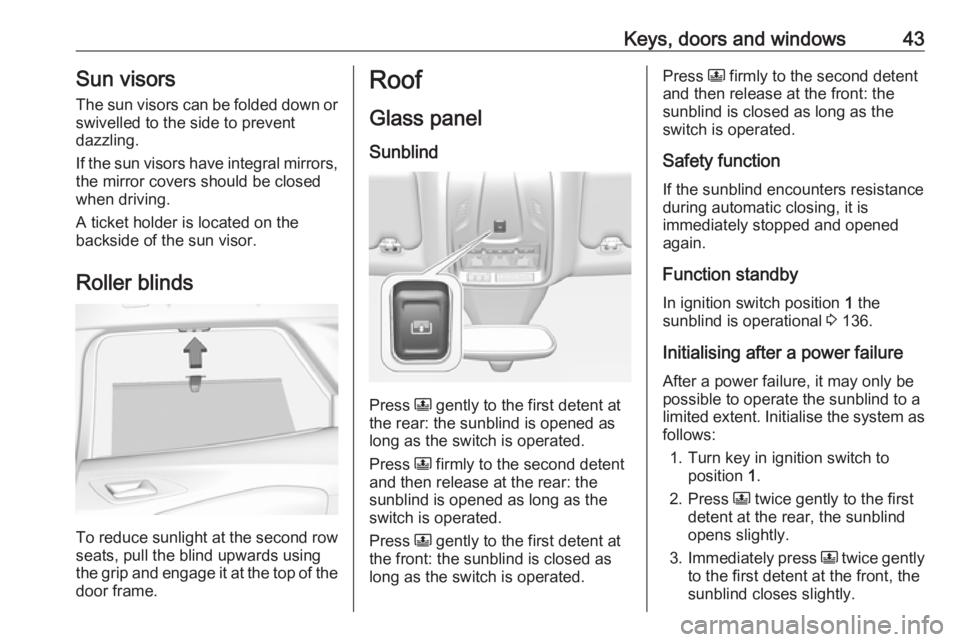
Glass panel Sunblind
Press N gently to the first detent at
the rear: the sunblind is opened as long as the switch is operated.
Press N firmly to the second detent
and then release at the rear: the
sunblind is opened as long as the
switch is operated.
Press N gently to the first detent at
the front: the sunblind is closed as
long as the switch is operated.
Press N firmly to the second detent
and then release at the front: the
sunblind is closed as long as the
switch is operated.
Safety function
If the sunblind encounters resistance during automatic closing, it is
immediately stopped and opened again.
Function standby In ignition switch position 1 the
sunblind is operational 3 136.
Initialising after a power failure
After a power failure, it may only be
possible to operate the sunblind to a limited extent. Initialise the system as follows:
1. Turn key in ignition switch to position 1.
2. Press N twice gently to the first
detent at the rear, the sunblind
opens slightly.
3. Immediately press N twice gently
to the first detent at the front, the
sunblind closes slightly.
Page 110 of 273
108Instruments and controlsUnlock boot only: Activates or
deactivates unlocking the tailgate
only when pressing T on the
remote control.
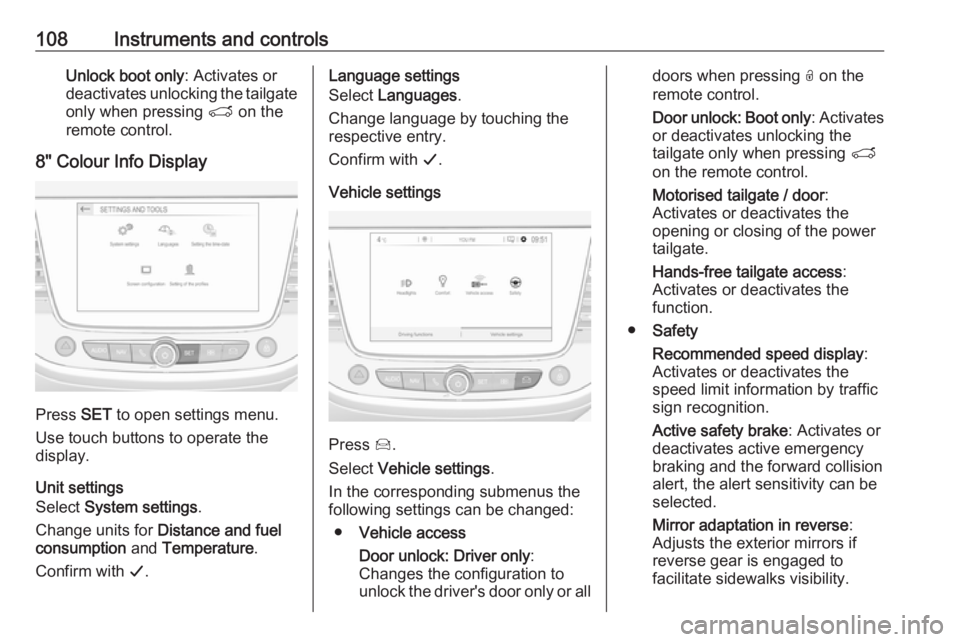
8" Colour Info Display
Press SET to open settings menu.
Use touch buttons to operate the
display.
Unit settings
Select System settings .
Change units for Distance and fuel
consumption and Temperature .
Confirm with G.
Language settings
Select Languages .
Change language by touching the
respective entry.
Confirm with G.
Vehicle settings
Press Í.
Select Vehicle settings .
In the corresponding submenus the
following settings can be changed:
● Vehicle access
Door unlock: Driver only :
Changes the configuration to unlock the driver's door only or all
doors when pressing O on the
remote control.
Door unlock: Boot only : Activates
or deactivates unlocking the
tailgate only when pressing T
on the remote control.
Motorised tailgate / door :
Activates or deactivates the
opening or closing of the power
tailgate.
Hands-free tailgate access :
Activates or deactivates the
function.
● Safety
Recommended speed display :
Activates or deactivates the
speed limit information by traffic
sign recognition.
Active safety brake : Activates or
deactivates active emergency
braking and the forward collision
alert, the alert sensitivity can be
selected.
Mirror adaptation in reverse :
Adjusts the exterior mirrors if
reverse gear is engaged to
facilitate sidewalks visibility.
Page 126 of 273
124Climate controlClimate controlClimate control systems.............124
Heating and ventilation system 124
Air conditioning system ...........125
Electronic climate control system .................................... 128
Auxiliary heater ........................132
Air vents ..................................... 132
Adjustable air vents .................132
Fixed air vents ......................... 133
Glovebox cooler ......................133
Maintenance .............................. 133
Air intake ................................. 133
Air conditioning regular
operation ................................ 134
Service .................................... 134Climate control systems
Heating and ventilation system
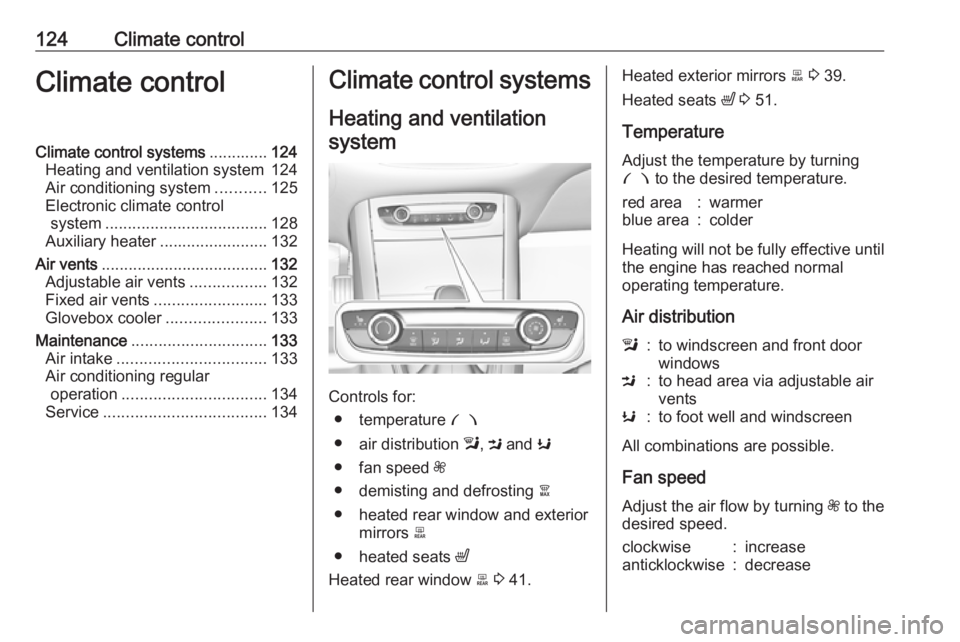
Controls for: ● temperature £
● air distribution l, M and K
● fan speed Z
● demisting and defrosting à
● heated rear window and exterior mirrors b
● heated seats ß
Heated rear window b 3 41.
Heated exterior mirrors b 3 39.
Heated seats ß 3 51.
Temperature
Adjust the temperature by turning £ to the desired temperature.red area:warmerblue area:colder
Heating will not be fully effective until
the engine has reached normal
operating temperature.
Air distribution
l:to windscreen and front door
windowsM:to head area via adjustable air
ventsK:to foot well and windscreen
All combinations are possible.
Fan speed
Adjust the air flow by turning Z to the
desired speed.
clockwise:increaseanticklockwise:decrease
Page 127 of 273
Climate control125Demisting and defrosting
● Press à: the air distribution is
directed towards the windscreen.
● Set temperature controller £ to
warmest level.
● Set fan speed Z to highest level.
● Switch on heated rear window b.
● Open side air vents as required and direct them towards the doorwindows.
Heated rear window, windscreen and exterior mirrors b 3 41.
Heated seats ß 3 51.
Air conditioning system
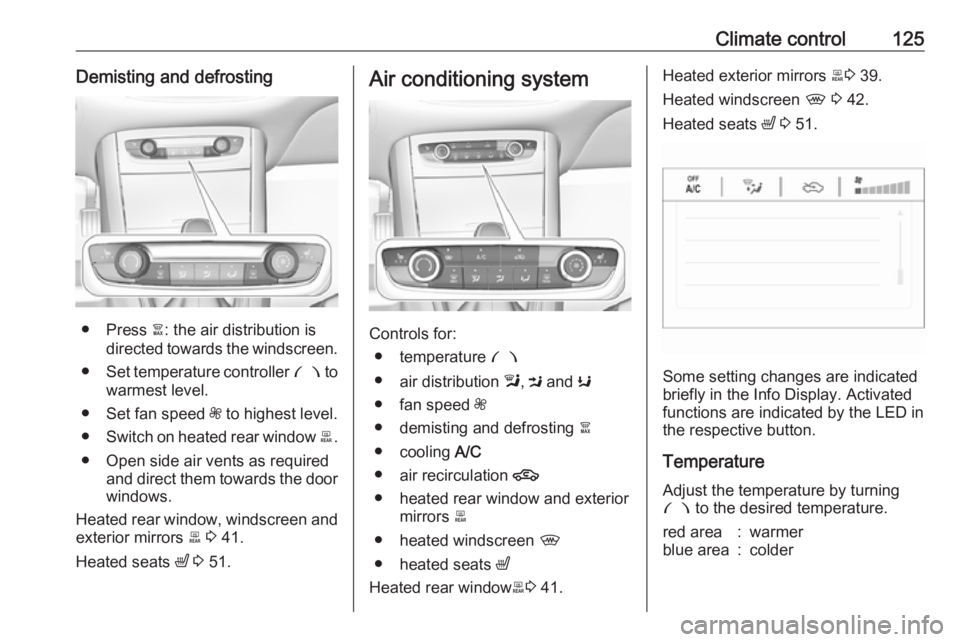
Controls for:
● temperature £
● air distribution l, M and K
● fan speed Z
● demisting and defrosting à
● cooling A/C
● air recirculation 4
● heated rear window and exterior mirrors b
● heated windscreen ,
● heated seats ß
Heated rear window b3 41.
Heated exterior mirrors b3 39.
Heated windscreen , 3 42.
Heated seats ß 3 51.
Some setting changes are indicated
briefly in the Info Display. Activated
functions are indicated by the LED in
the respective button.
Temperature
Adjust the temperature by turning
£ to the desired temperature.
red area:warmerblue area:colder
Page 129 of 273
Climate control127humidity increases, so the
windows may mist up from inside.
The quality of the passenger
compartment air deteriorates,
which may cause the vehicle
occupants to feel drowsy.
In warm and very humid ambient air conditions, the windscreen may mist
up from outside when cold air is
directed towards it. If windscreen
mists up from outside, activate
windscreen wiper and deactivate l.
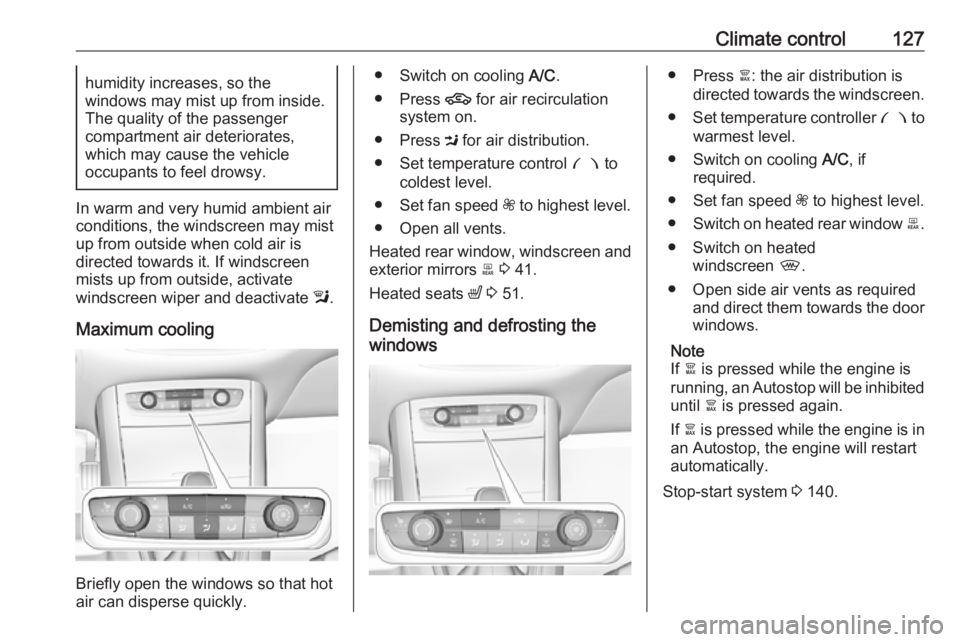
Maximum cooling
Briefly open the windows so that hot
air can disperse quickly.
● Switch on cooling A/C.
● Press 4 for air recirculation
system on.
● Press M for air distribution.
● Set temperature control £ to
coldest level.
● Set fan speed Z to highest level.
● Open all vents.
Heated rear window, windscreen and exterior mirrors b 3 41.
Heated seats ß 3 51.
Demisting and defrosting the
windows● Press à: the air distribution is
directed towards the windscreen.
● Set temperature controller £ to
warmest level.
● Switch on cooling A/C, if
required.
● Set fan speed Z to highest level.
● Switch on heated rear window b.
● Switch on heated windscreen ,.
● Open side air vents as required and direct them towards the doorwindows.
Note
If à is pressed while the engine is
running, an Autostop will be inhibited until à is pressed again.
If à is pressed while the engine is in
an Autostop, the engine will restart
automatically.
Stop-start system 3 140.
Page 130 of 273
128Climate controlElectronic climate controlsystem
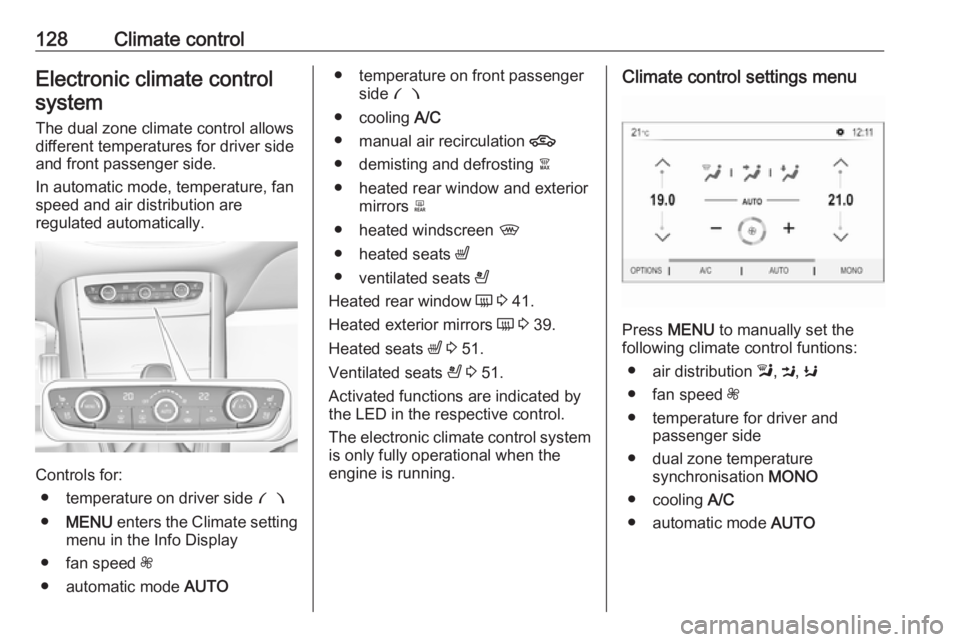
The dual zone climate control allows
different temperatures for driver side
and front passenger side.
In automatic mode, temperature, fan
speed and air distribution are
regulated automatically.
Controls for:
● temperature on driver side £
● MENU enters the Climate setting
menu in the Info Display
● fan speed Z
● automatic mode AUTO
● temperature on front passenger
side £
● cooling A/C
● manual air recirculation 4
● demisting and defrosting à
● heated rear window and exterior mirrors b
● heated windscreen ,
● heated seats ß
● ventilated seats A
Heated rear window Ü 3 41.
Heated exterior mirrors Ü 3 39.
Heated seats ß 3 51.
Ventilated seats A 3 51.
Activated functions are indicated by the LED in the respective control.
The electronic climate control system
is only fully operational when the
engine is running.Climate control settings menu
Press MENU to manually set the
following climate control funtions:
● air distribution l, M , K
● fan speed Z
● temperature for driver and passenger side
● dual zone temperature synchronisation MONO
● cooling A/C
● automatic mode AUTO
Page 134 of 273
132Climate controlNote
If à is pressed while the engine is
running, an Autostop will be inhibited until à is pressed again.
If à is pressed while the engine is in
an Autostop, the engine will restart
automatically.
Stop-start system 3 140.
Deactivation of electronic climate control system
Cooling, fan and automatic mode can
be switched off by turning the rotary
ring around the AUTO button
anticlockwise.
Activation by switching on the fan or
pressing AUTO.
Heated rear window, windscreen and exterior mirrors b 3 41.
Heated seats ß 3 51.Auxiliary heater
Air heater
Quickheat is an electric auxiliary air
heater which automatically warms up
the passenger compartment more
quickly.Air vents
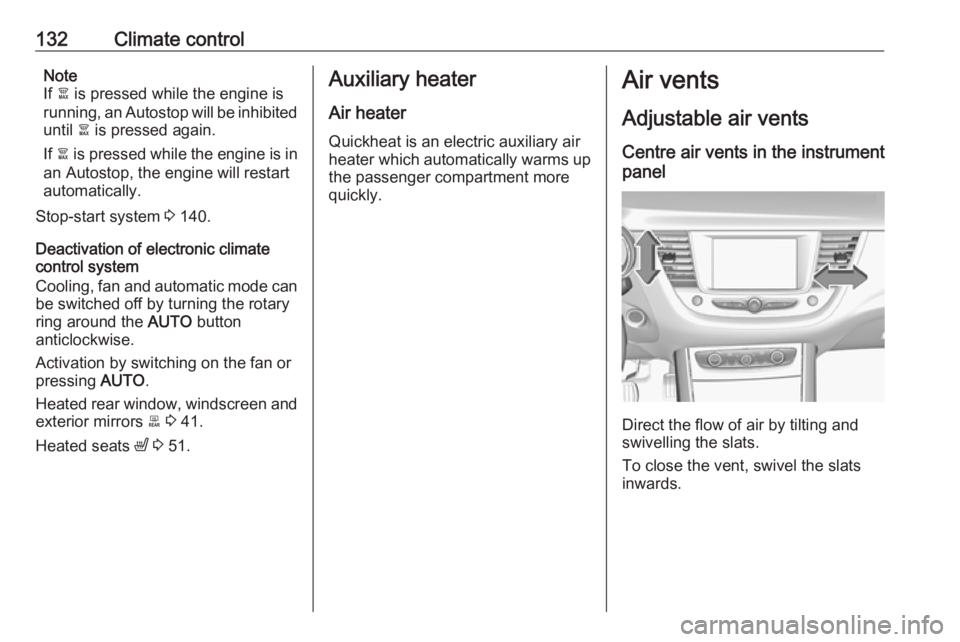
Adjustable air vents Centre air vents in the instrument
panel
Direct the flow of air by tilting and
swivelling the slats.
To close the vent, swivel the slats
inwards.
Page 185 of 273
Driving and operating183Caution
Performance of the system can bereduced when sensors are
covered, e.g. by ice or snow.
Performance of the parking assist
system can be reduced due to
heavy loading.
Special conditions apply if there
are taller vehicles in the vicinity
(e.g. off-road vehicles, mini vans,
vans). Object identification and correct distance indication in the
upper part of these vehicles
cannot be guaranteed.
Objects with a very small reflection
cross-section, e.g. objects of
narrow size or soft materials, may
not be detected by the system.
Parking assist systems do not
detect objects outside the
detection range.
Note
It is possible that the sensor detects a non-existing object caused by
echo disturbance from external
acoustic noise or mechanical
misalignments (sporadic false
warnings may occur).
Make sure that the front number
plate is properly mounted (not bent
and no gaps to the bumper on the left
or right side) and the sensors are
firmly in place.
Advanced parking assist system
may not respond to changes in the
available parking space after
initiating a parking manoeuvre. The
system may recognize an entry, a
gateway, a courtyard or even a crossing as a parking slot. After
selecting reverse gear the system
will start a parking manoeuvre. Take care regarding the availability of the
suggested parking slot.
Surface irregularities, e.g. on construction zones, are not detected
by the system. The driver accepts
responsibility.
Side blind spot alert The side blind spot alert system
detects and reports objects on either
side of the vehicle, within a specified
blind spot zone. The system displaysa visual alert in each exterior mirror,
when detecting objects that may not
be visible in the interior and exterior
mirrors.
Side blind spot alert uses some of the
advanced parking assist sensors
which are located in the front and rear bumper on both sides of the vehicle.9 Warning
Side blind spot alert does not
replace driver vision.
The system does not detect:
● vehicles outside the side blind zones which may be rapidly
approaching
● pedestrians, cyclists or animals
Before changing a lane, always
check all mirrors, look over the
shoulder and use the turn light.
Activation
7'' Colour Info Display: select on the
Info Display and activate the function.
Page 186 of 273
184Driving and operating8'' Colour Info Display: press Í.
Select Driving functions on the Info
Display and then Blind spot
monitoring . Activate the function.
B illuminates continously green in the
instrument cluster to confirm the
function.
Functionality
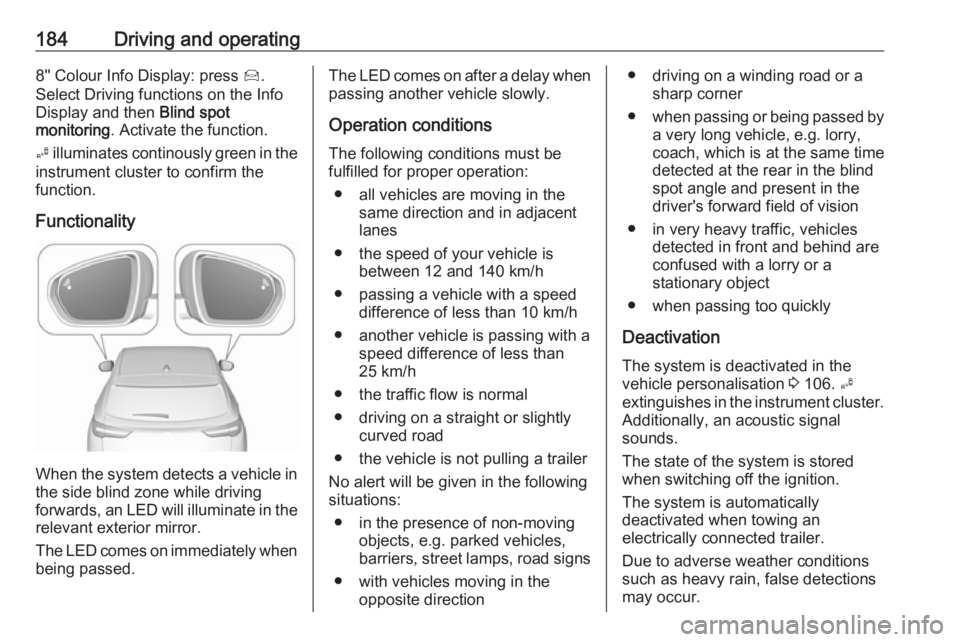
When the system detects a vehicle in the side blind zone while driving
forwards, an LED will illuminate in the
relevant exterior mirror.
The LED comes on immediately when being passed.
The LED comes on after a delay when
passing another vehicle slowly.
Operation conditions
The following conditions must be
fulfilled for proper operation:
● all vehicles are moving in the same direction and in adjacent
lanes
● the speed of your vehicle is between 12 and 140 km/h
● passing a vehicle with a speed difference of less than 10 km/h
● another vehicle is passing with a speed difference of less than
25 km/h
● the traffic flow is normal
● driving on a straight or slightly curved road
● the vehicle is not pulling a trailer
No alert will be given in the following
situations:
● in the presence of non-moving objects, e.g. parked vehicles,
barriers, street lamps, road signs
● with vehicles moving in the opposite direction● driving on a winding road or a sharp corner
● when passing or being passed by
a very long vehicle, e.g. lorry,
coach, which is at the same time
detected at the rear in the blind spot angle and present in the
driver's forward field of vision
● in very heavy traffic, vehicles detected in front and behind are
confused with a lorry or a
stationary object
● when passing too quickly
Deactivation The system is deactivated in the
vehicle personalisation 3 106. B
extinguishes in the instrument cluster.
Additionally, an acoustic signal
sounds.
The state of the system is stored
when switching off the ignition.
The system is automatically
deactivated when towing an
electrically connected trailer.
Due to adverse weather conditions
such as heavy rain, false detections
may occur.
Page 188 of 273
186Driving and operatingAuto mode is activated by default. In
this mode, the system selects the
best view, standard, or zoom, to
display according to the information
from the parking sensors.
The state of the system is not kept in memory when the ignition is switched
off.
Standard view
The standard view consists of a rear
view and a front view.Rear view
The area behind the vehicle is
displayed in the screen. The vertical
lines represent the width of the
vehicle with mirrors unfolded. The
direction of the lines changes with the position of the steering wheel.
The first horizontal line represents a
distance of about 30 cm beyond the
edge of vehicle's rear bumper. The
upper horizontal lines represent
distances of about 1 m and 2 m.
This view is available in auto mode or
in the view selection menu.Front view
The area in front the vehicle is
displayed in the screen. The vertical
lines represent the width of the
vehicle with mirrors unfolded. The
direction of the lines changes with the position of the steering wheel.
The first horizontal line represents a
distance of about 30 cm beyond the
edge of vehicle's front bumper. The
upper horizontal lines represent
distances of about 1 m and 2 m.
This view is available in auto mode or
in the view selection menu.
Auto mode
This mode is activated by default.
Using sensors in the rear or in the
front bumper, the automatic view
changes from rear view or front view
to a view from above, as an obstacle is approached during a manoeuvre.
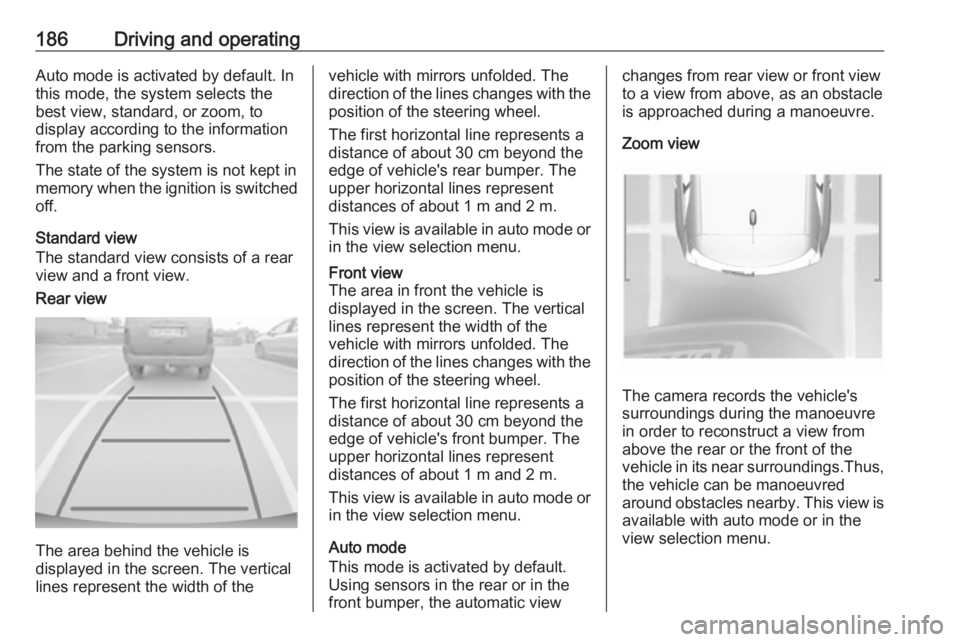
Zoom view
The camera records the vehicle's
surroundings during the manoeuvre in order to reconstruct a view fromabove the rear or the front of the
vehicle in its near surroundings.Thus,
the vehicle can be manoeuvred
around obstacles nearby. This view is available with auto mode or in the
view selection menu.