ignition OPEL GRANDLAND X 2018.75 Manual user
[x] Cancel search | Manufacturer: OPEL, Model Year: 2018.75, Model line: GRANDLAND X, Model: OPEL GRANDLAND X 2018.75Pages: 273, PDF Size: 7.7 MB
Page 152 of 273
150Driving and operatingIn manual mode, no automatic
shifting to a higher gear takes place
at high engine revolutions.
Gear shift indication
The symbol R or S with a number
beside it is indicated when
gearshifting is recommended for fuel
saving reasons.
Shift indication appears only in
manual mode.
Electronic driving programmes
● Following a cold start, the operating temperature
programme increases engine
speed to quickly bring the
catalytic converter to the required
temperature.
● Special programmes automatically adapt the shifting
points when driving up inclines or
down hills.
● In snowy or icy conditions or on other slippery surfaces, the
electronic transmission controlenables the driver to select
manually first, second or third
gear for starting off.
Kickdown Pressing down the accelerator pedal
beyond the kickdown detent will lead
to maximum acceleration
independent of selected driving
mode. The transmission shifts to a
lower gear depending on engine
speed.
Fault
In the event of a fault a message is
displayed in the Driver Information
Centre.
Vehicle messages 3 105.
Electronic transmission control
enables only third gear. The
transmission no longer shifts
automatically.
Do not drive faster than 100 km/h.
Have the cause of the fault remedied by a workshop.Interruption of power supply
In the event of an interruption of
power supply, the selector lever
cannot be moved out of the P
position. The ignition key cannot be
removed from the ignition switch.
If the vehicle battery is discharged,
start the vehicle using jump leads
3 233.
If the vehicle battery is not the cause
of the fault, release the selector lever.
1. Apply the parking brake.
2. Release the selector lever trim from the centre console. Poke
with a finger into the leather
socket below the selector lever
and push the trim upwards.
Page 155 of 273
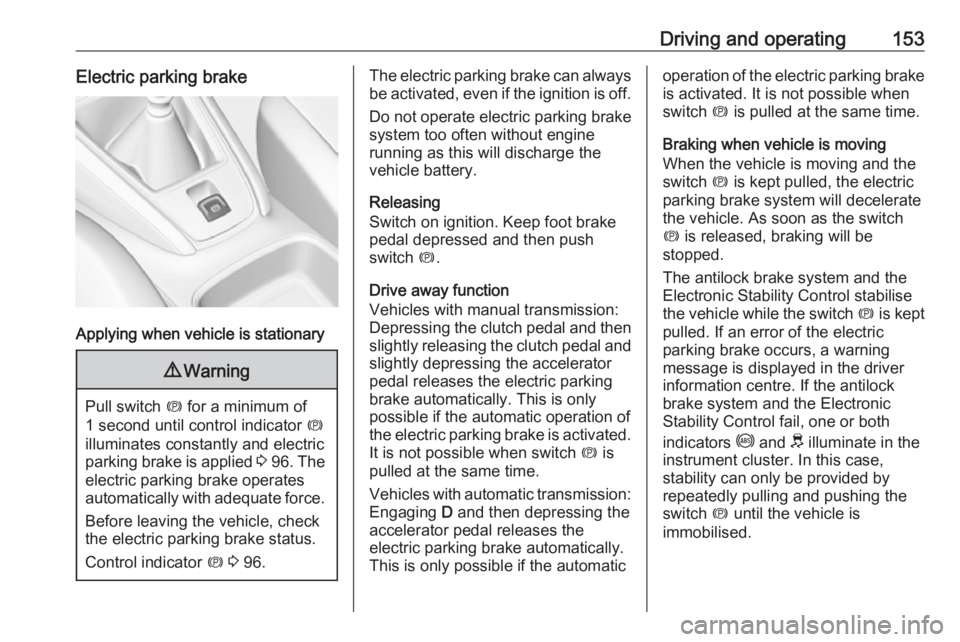
Driving and operating153Electric parking brake
Applying when vehicle is stationary
9Warning
Pull switch m for a minimum of
1 second until control indicator m
illuminates constantly and electric
parking brake is applied 3 96 . The
electric parking brake operates automatically with adequate force.
Before leaving the vehicle, check
the electric parking brake status.
Control indicator m 3 96.
The electric parking brake can always
be activated, even if the ignition is off.
Do not operate electric parking brake
system too often without engine
running as this will discharge the
vehicle battery.
Releasing
Switch on ignition. Keep foot brake
pedal depressed and then push
switch m.
Drive away function
Vehicles with manual transmission:
Depressing the clutch pedal and then slightly releasing the clutch pedal and
slightly depressing the accelerator
pedal releases the electric parking
brake automatically. This is only
possible if the automatic operation of
the electric parking brake is activated. It is not possible when switch m is
pulled at the same time.
Vehicles with automatic transmission: Engaging D and then depressing the
accelerator pedal releases the
electric parking brake automatically.
This is only possible if the automaticoperation of the electric parking brake
is activated. It is not possible when
switch m is pulled at the same time.
Braking when vehicle is moving
When the vehicle is moving and the
switch m is kept pulled, the electric
parking brake system will decelerate
the vehicle. As soon as the switch
m is released, braking will be
stopped.
The antilock brake system and the Electronic Stability Control stabilise
the vehicle while the switch m is kept
pulled. If an error of the electric
parking brake occurs, a warning
message is displayed in the driver
information centre. If the antilock
brake system and the Electronic
Stability Control fail, one or both
indicators i and J illuminate in the
instrument cluster. In this case,
stability can only be provided by
repeatedly pulling and pushing the
switch m until the vehicle is
immobilised.
Page 156 of 273
154Driving and operatingAutomatic operation
Automatic operation includes
automatic application and automatic
release of the electric parking brake.
The electric parking brake can also be
applied or released manually by using
the switch m.
Automatic application: ● The electric parking brake is automatically applied when the
vehicle is stationary and the
ignition is switched off.
● j illuminates in the instrument
cluster and a display message
pops up to confirm the
application.
Automatic release: ● Parking brake releases automatically after moving off.
● j extinguishes in the instrument
cluster and a display message
pops up to confirm the release.
If the vehicle is equipped with an
automatic transmission and the brake is not released automatically, make
sure the front doors are correctly
closed.Deactivation of automatic operation 1. Start the engine.
2. If the parking brake is released, apply the parking brake pulling the
switch m.
3. Take your foot off the brake pedal.
4. Press the switch m for at least
10 seconds and maximum
15 seconds.
5. Release the switch m.
6. Press and hold the brake pedal. 7. Pull the switch m for 2 seconds.
The deactivation of the automatic
operation of the electric parking brake
is confirmed by o illuminating in the
instrument cluster 3 96. The electric
parking brake can only be applied and released manually.
To reactivate the automatic
operation, repeat the steps described
above.
Functionality check
When the vehicle is not moving, the
electric parking brake might be
applied automatically. This is done to
check the system.Fault
Failure mode of electric parking brake
is indicated by a control indicator j
and by a vehicle message which is
displayed in the Driver Information Centre.
Vehicle messages 3 105.
Apply electric parking brake: pull and
hold the switch m for more than
5 seconds. If control indicator m
illuminates, electric parking brake is
applied.
Release electric parking brake: push and hold the switch m for more than
2 seconds. If control indicator m
extinguishes, electric parking brake is released.
Control indicator m flashes: electric
parking brake is not fully applied or released. When continuously
flashing, release electric parking
brake and retry applying.
Brake assist If brake pedal is depressed quickly
and forcefully, maximum brake force
is automatically applied.
Page 158 of 273
156Driving and operatingDeactivation
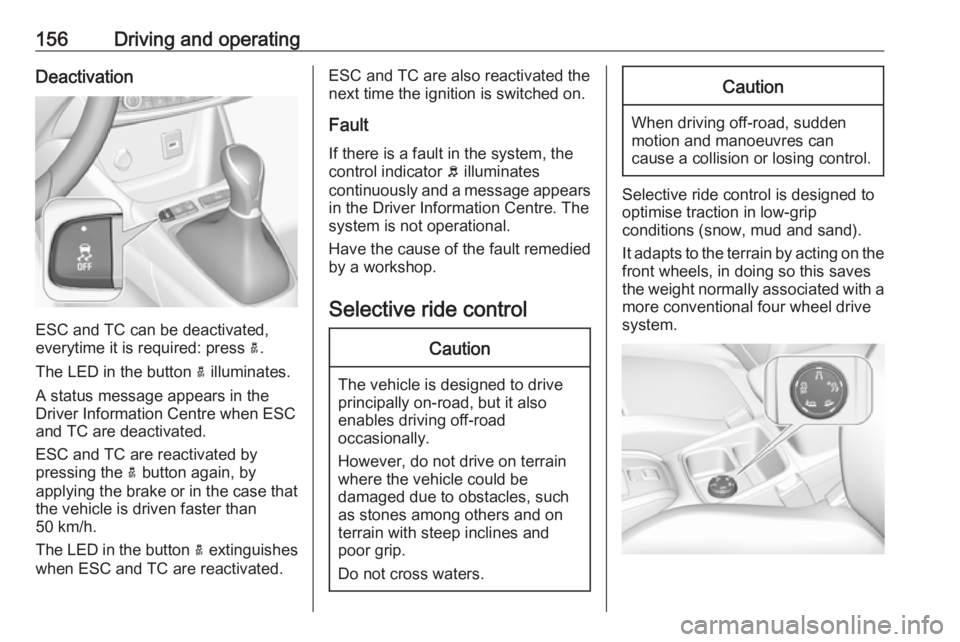
ESC and TC can be deactivated,
everytime it is required: press a.
The LED in the button a illuminates.
A status message appears in the
Driver Information Centre when ESC
and TC are deactivated.
ESC and TC are reactivated by
pressing the a button again, by
applying the brake or in the case that
the vehicle is driven faster than
50 km/h.
The LED in the button a extinguishes
when ESC and TC are reactivated.
ESC and TC are also reactivated the
next time the ignition is switched on.
Fault
If there is a fault in the system, the control indicator b illuminates
continuously and a message appears
in the Driver Information Centre. The
system is not operational.
Have the cause of the fault remedied
by a workshop.
Selective ride controlCaution
The vehicle is designed to drive
principally on-road, but it also
enables driving off-road
occasionally.
However, do not drive on terrain
where the vehicle could be
damaged due to obstacles, such
as stones among others and on
terrain with steep inclines and
poor grip.
Do not cross waters.
Caution
When driving off-road, sudden
motion and manoeuvres can
cause a collision or losing control.
Selective ride control is designed to
optimise traction in low-grip
conditions (snow, mud and sand).
It adapts to the terrain by acting on the
front wheels, in doing so this saves
the weight normally associated with a more conventional four wheel drive
system.
Page 159 of 273
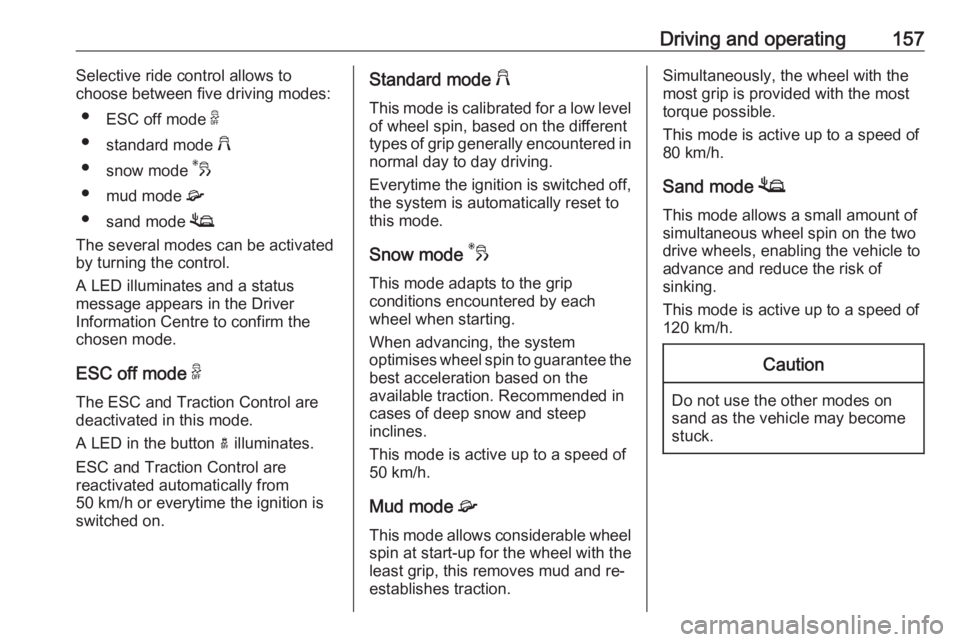
Driving and operating157Selective ride control allows to
choose between five driving modes:
● ESC off mode 9
● standard mode 2
● snow mode 3
● mud mode 4
● sand mode 1
The several modes can be activated by turning the control.
A LED illuminates and a status
message appears in the Driver
Information Centre to confirm the
chosen mode.
ESC off mode 9
The ESC and Traction Control are
deactivated in this mode.
A LED in the button a illuminates.
ESC and Traction Control are
reactivated automatically from
50 km/h or everytime the ignition is
switched on.Standard mode 2
This mode is calibrated for a low level
of wheel spin, based on the different
types of grip generally encountered in normal day to day driving.
Everytime the ignition is switched off,
the system is automatically reset to
this mode.
Snow mode 3
This mode adapts to the grip
conditions encountered by each
wheel when starting.
When advancing, the system
optimises wheel spin to guarantee the
best acceleration based on the
available traction. Recommended in
cases of deep snow and steep
inclines.
This mode is active up to a speed of
50 km/h.
Mud mode 4
This mode allows considerable wheel
spin at start-up for the wheel with the
least grip, this removes mud and re- establishes traction.Simultaneously, the wheel with the
most grip is provided with the most
torque possible.
This mode is active up to a speed of 80 km/h.
Sand mode 1
This mode allows a small amount of simultaneous wheel spin on the two
drive wheels, enabling the vehicle to
advance and reduce the risk of
sinking.
This mode is active up to a speed of
120 km/h.Caution
Do not use the other modes on
sand as the vehicle may become
stuck.
Page 160 of 273
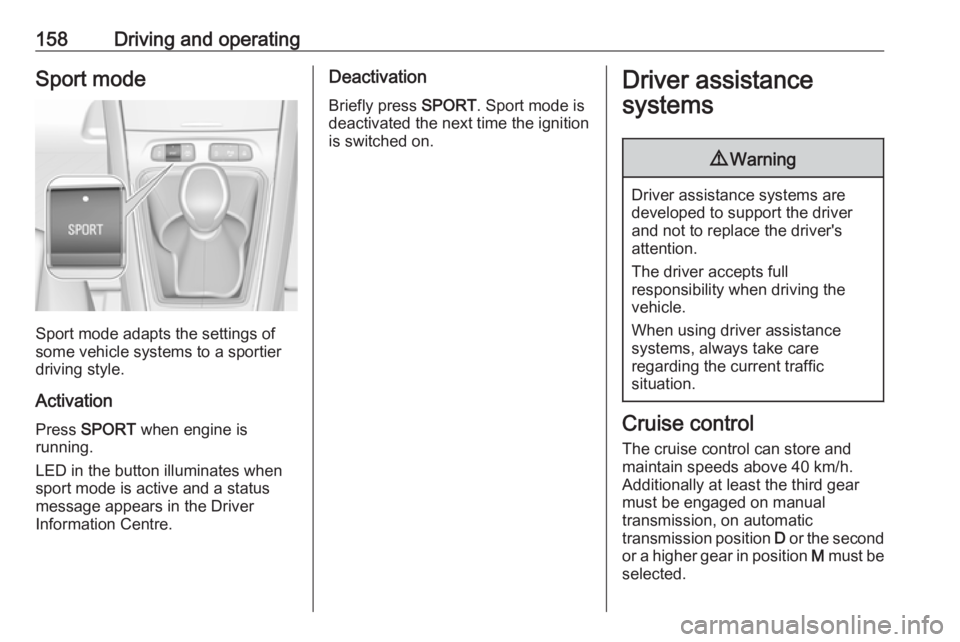
158Driving and operatingSport mode
Sport mode adapts the settings of
some vehicle systems to a sportier
driving style.
Activation
Press SPORT when engine is
running.
LED in the button illuminates when
sport mode is active and a status
message appears in the Driver
Information Centre.
Deactivation
Briefly press SPORT. Sport mode is
deactivated the next time the ignition
is switched on.Driver assistance
systems9 Warning
Driver assistance systems are
developed to support the driver
and not to replace the driver's
attention.
The driver accepts full
responsibility when driving the
vehicle.
When using driver assistance
systems, always take care
regarding the current traffic
situation.
Cruise control
The cruise control can store and
maintain speeds above 40 km/h.
Additionally at least the third gear
must be engaged on manual
transmission, on automatic
transmission position D or the second
or a higher gear in position M must be
selected.
Page 163 of 273
Driving and operating161● The Traction Control system orElectronic Stability Control is
operating.
● The selector lever is in N
(automatic transmission), first or
second gear (manual
transmission).
Resume stored speed
Move thumb wheel to RES/+ at a
speed above 40 km/h. The stored
speed will be obtained.
Switching off the system
Press m, the cruise control mode is
deselected and the cruise control
indication extinguishes in the Driver
Information Centre.
Pressing ß to activate the speed
limiter deactivates cruise control.
Switching off the ignition cancels any
programmed speed value.
Fault
In the event of a cruise control fault,
the speed is cleared resulting in
flashing of the dashes.The speed limit recognition may not
operate correctly if traffic signs do not
comply with the Vienna Convention
on Road Signs and Signals.
Speed limiter
The speed limiter prevents the
vehicle from exceeding a preset
maximum speed.
The maximum speed can be set at
speeds above 30 km/h.
The driver can accelerate the vehicle
up to the preset speed. Deviations
from the limited speed may occur
when driving downhill.
The preset speed can be exceeded
temporarily by pressing the
accelerator pedal firmly.
The status and preset speed limit are displayed in the Driver Information
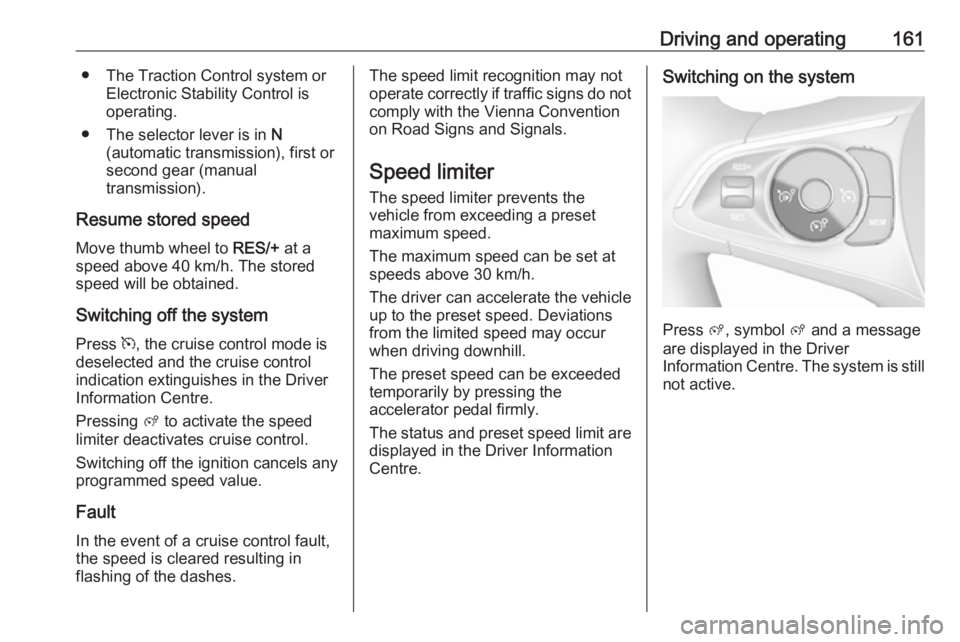
Centre.Switching on the system
Press ß, symbol ß and a message
are displayed in the Driver
Information Centre. The system is still not active.
Page 165 of 273
Driving and operating163If the speed limiter is active, the
recognised speed limit will be
displayed in the Driver Information
Centre and MEM illuminates.
Press MEM on the steering wheel to
request saving of the suggested
speed limit.
Press MEM on the steering wheel
once more to confirm and save the
new speed setting.
This speed is the new value for the
speed limiter.
The function can be activated or deactivated in the personalisation
menu 3 106.
Exceeding the speed limit
In the event of an emergency, it is possible to exceed the speed limit by
depressing the accelerator pedal
firmly nearly to the final point. In this
case the preset speed value flashes.
Release the accelerator pedal and the speed limiter function is
reactivated once a speed lower than
the limit speed is obtained.Deactivation of the functionality
Press Ñ, speed limiter is in pause
mode and a message is displayed.
The vehicle is driven without speed
limiter.
Speed limiter is deactivated, but not
switched off. Last stored speed
remains in memory for later speed
resume.
Resume limit speed Press Ñ, the stored speed limit will be
obtained.
Switching off the system
Press ß, the speed limiter mode is
deselected and the speed limit
indication extinguishes in the Driver Information Centre.
Pressing m to activate cruise control
deactivates speed limiter.
The preset speed remains in the
memory when the ignition is switched
off.Fault
In the event of a speed limiter fault,
the speed is cleared resulting in
flashing of the dashes.
The speed limit recognition may not
operate correctly if traffic signs do not comply with the Vienna Convention
on Road Signs and Signals.
Adaptive cruise control
The adaptive cruise control is an
enhancement to the conventional
cruise control with the additional
feature of maintaining a certain
following distance to the vehicle
ahead. It uses radar and camera
sensors to detect the vehicles ahead.
If no vehicle is detected in the driving path, the adaptive cruise control will
behave like a conventional cruise
control.
The adaptive cruise control
automatically decelerates the vehicle
when approaching a slower moving
vehicle. It then adjusts the vehicle
speed to follow the vehicle ahead at
the selected following distance. The
Page 168 of 273
166Driving and operatingAdaptive cruise control on
vehicles with automatic
transmission
For vehicles with automatic
transmission, adaptive cruise control allows to maintain the selected
distance behind a stopping vehicle until a complete stop is reached.
If the system has stopped your
vehicle behind another vehicle, then
the set speed is replaced by a green
control indicator .. This symbol
notifies, that the vehicle is hold
automatically in stop position.
If the stopped vehicle ahead was
stopped for a longer time and then
begins to move forward, the green
illuminated vehicle ahead control
indicator . will flash and a warning
chime will sound as a reminder to check traffic before resuming.
When the vehicle ahead drives away,
press the accelerator pedal until
30 km/h and then move the thumb
wheel to SET- or RES+ to resume
adaptive cruise control. If the vehicle
stays stopped for more than
5 minutes or if the driver's door isopened and the driver's seat belt is
unfastened, then the electric parking
brake is applied automatically to hold the vehicle. Control indicator m will
illuminate. To release electric parking
brake, press the accelerator pedal.
Electric parking brake 3 152.9 Warning
When the system is deactivated or
cancelled, the vehicle will no
longer be held at a stop and can
start moving. Be always prepared
to manually apply the brake to hold the vehicle stationary.
Do not leave the vehicle while it is
being held at a stop by adaptive
cruise control. Always move
selector lever to park position P
and switch off the ignition before
leaving the vehicle.
Setting the following distance
When adaptive cruise control detects
a slower moving vehicle in the driving path, it will adjust the vehicle speed tomaintain the following distance
selected by the driver.
The following distance can be set to
close (1 bar), normal (2 bars) or far (3 bars).
If the engine is running and the
adaptive cruise control is enabled
(grey), you can modify the following
distance setting:
Press Ö, the current setting is shown
in the Driver Information Centre.
Press Ö again to change the following
distance: The new setting is
displayed in the Driver Information
Centre.
The selected following distance is
indicated by full bars in the adaptive
cruise control page.9 Warning
The driver accepts full
responsibility for the appropriate
following distance based on traffic, weather and visibility conditions.
Following distance must be
adjusted or the system switched
off when required by the prevailing
conditions.
Page 169 of 273
Driving and operating167Detecting the vehicle aheadIf the system detects a vehicle in the
driving path, the adaptive cruise
control symbol displayed in the Driver
Information Centre changes: - is
changed to w.
Deactivation of the functionality
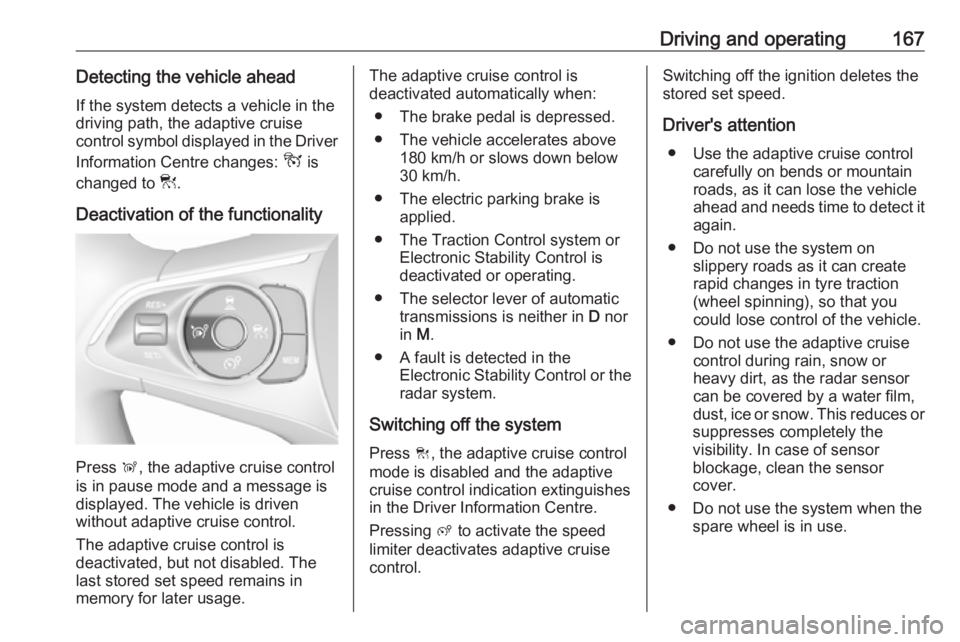
Press Ñ, the adaptive cruise control
is in pause mode and a message is
displayed. The vehicle is driven
without adaptive cruise control.
The adaptive cruise control is
deactivated, but not disabled. The
last stored set speed remains in
memory for later usage.
The adaptive cruise control is
deactivated automatically when:
● The brake pedal is depressed.
● The vehicle accelerates above 180 km/h or slows down below
30 km/h.
● The electric parking brake is applied.
● The Traction Control system or Electronic Stability Control is
deactivated or operating.
● The selector lever of automatic transmissions is neither in D nor
in M.
● A fault is detected in the Electronic Stability Control or the
radar system.
Switching off the system
Press C, the adaptive cruise control
mode is disabled and the adaptive
cruise control indication extinguishes
in the Driver Information Centre.
Pressing ß to activate the speed
limiter deactivates adaptive cruise
control.Switching off the ignition deletes the
stored set speed.
Driver's attention ● Use the adaptive cruise control carefully on bends or mountain
roads, as it can lose the vehicle
ahead and needs time to detect it again.
● Do not use the system on slippery roads as it can create
rapid changes in tyre traction
(wheel spinning), so that you
could lose control of the vehicle.
● Do not use the adaptive cruise control during rain, snow or
heavy dirt, as the radar sensor
can be covered by a water film,
dust, ice or snow. This reduces or
suppresses completely the
visibility. In case of sensor
blockage, clean the sensor
cover.
● Do not use the system when the spare wheel is in use.