warning OPEL GRANDLAND X 2018.75 Manual user
[x] Cancel search | Manufacturer: OPEL, Model Year: 2018.75, Model line: GRANDLAND X, Model: OPEL GRANDLAND X 2018.75Pages: 273, PDF Size: 7.7 MB
Page 157 of 273
Driving and operating155Operation of brake assist might
become apparent by a pulse in the
brake pedal and a greater resistance
when depressing the brake pedal.
Maintain steady pressure on the
brake pedal as long as full braking is
required. Maximum brake force is
automatically reduced when brake pedal is released.
Hill start assist The system helps prevent unintended
movement when driving away on
inclines.
When releasing the brake pedal after
stopping on an incline, brakes remain on for further 2 seconds. The brakes
release automatically as soon as the
vehicle begins to accelerate.Ride control systems
Electronic Stability Control and Traction Control system
Electronic Stability Control (ESC)
improves driving stability when
necessary, regardless of the type of
road surface or tyre grip.
As soon as the vehicle starts to
swerve (understeer / oversteer),
engine output is reduced and the wheels are braked individually.
ESC operates in combination with the Traction Control system (TC). It
prevents the driven wheels from
spinning.
The TC is a component of the ESC. Traction Control improves driving
stability when necessary, regardless
of the type of road surface or tyre grip,
by preventing the driven wheels from
spinning.
As soon as the driven wheels starts to spin, engine output is reduced and
the wheel spinning the most is brakedindividually. This considerably
improves the driving stability of the
vehicle on slippery road surfaces.
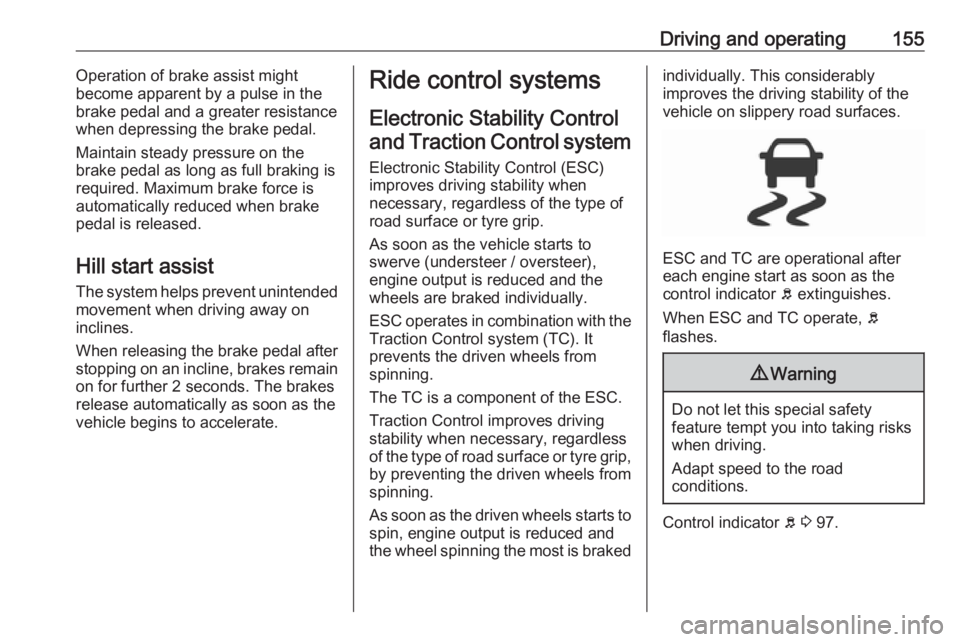
ESC and TC are operational after
each engine start as soon as the
control indicator b extinguishes.
When ESC and TC operate, b
flashes.
9 Warning
Do not let this special safety
feature tempt you into taking risks
when driving.
Adapt speed to the road
conditions.
Control indicator b 3 97.
Page 160 of 273
158Driving and operatingSport mode
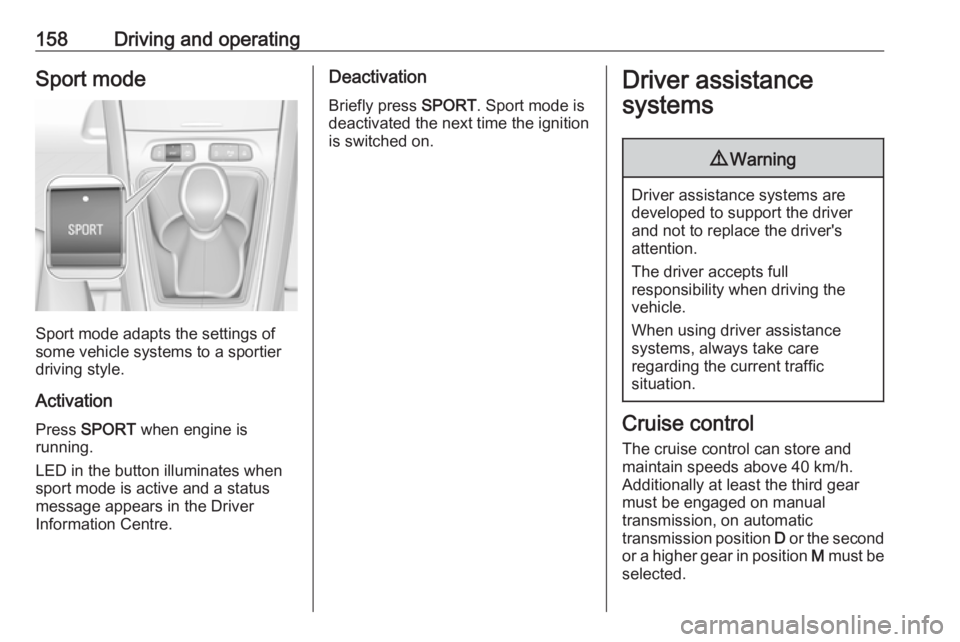
Sport mode adapts the settings of
some vehicle systems to a sportier
driving style.
Activation
Press SPORT when engine is
running.
LED in the button illuminates when
sport mode is active and a status
message appears in the Driver
Information Centre.
Deactivation
Briefly press SPORT. Sport mode is
deactivated the next time the ignition
is switched on.Driver assistance
systems9 Warning
Driver assistance systems are
developed to support the driver
and not to replace the driver's
attention.
The driver accepts full
responsibility when driving the
vehicle.
When using driver assistance
systems, always take care
regarding the current traffic
situation.
Cruise control
The cruise control can store and
maintain speeds above 40 km/h.
Additionally at least the third gear
must be engaged on manual
transmission, on automatic
transmission position D or the second
or a higher gear in position M must be
selected.
Page 166 of 273
164Driving and operatingvehicle speed increases or decreasesto follow the vehicle ahead, but will
not exceed the set speed. It may
apply limited braking with activated
brake lights.
If the vehicle ahead accelerates or
changes lane, the adaptive cruise
control progressively accelerates the
vehicle to return to the stored set
speed. If the driver operates a the turn
lights to overtake a slower vehicle, the adaptive cruise control allows the
vehicle to temporarily approach the
vehicle ahead to help passing it.
However, the set speed will never be
exceeded.
The adaptive cruise control can store
set speeds over 30 km/h for manual
transmission. If the vehicle ahead is
moving too slowly and the selected
following distance cannot be
maintained anymore, a warning
chime is given and a message is
displayed in the Driver Information
Centre. The message prompts the
driver to take back control of the
vehicle. On vehicles with automatic
transmission, the system can brake
the vehicle until a full stop.9 Warning
The complete driver attention is
always required while driving with adaptive cruise control. The driver stays fully in control of the vehicle
because the brake pedal, the
accelerator pedal and the button
Ñ have priority over any adaptive
cruise control operation.
Switching on the system
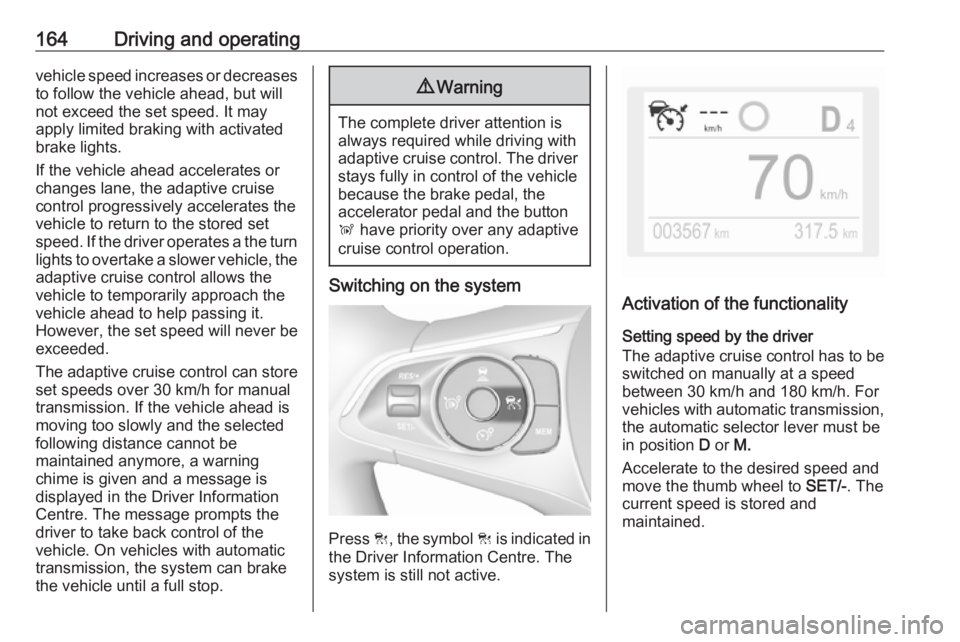
Press C, the symbol C is indicated in
the Driver Information Centre. The system is still not active.
Activation of the functionality
Setting speed by the driver
The adaptive cruise control has to be switched on manually at a speed
between 30 km/h and 180 km/h. For
vehicles with automatic transmission, the automatic selector lever must be
in position D or M.
Accelerate to the desired speed and
move the thumb wheel to SET/-. The
current speed is stored and
maintained.
Page 167 of 273
Driving and operating165
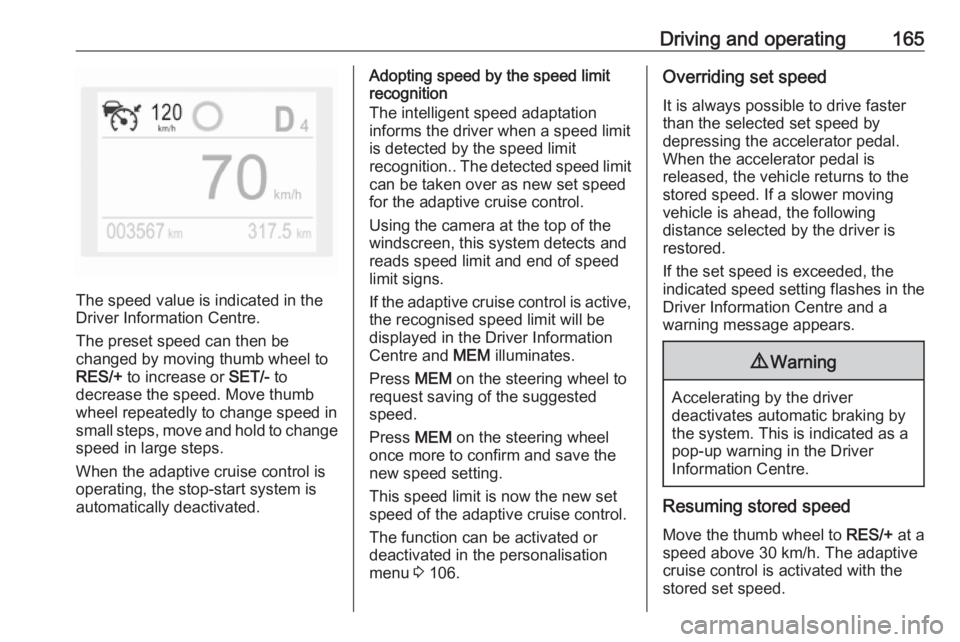
The speed value is indicated in the
Driver Information Centre.
The preset speed can then be
changed by moving thumb wheel to
RES/+ to increase or SET/- to
decrease the speed. Move thumb
wheel repeatedly to change speed in
small steps, move and hold to change speed in large steps.
When the adaptive cruise control is
operating, the stop-start system is
automatically deactivated.
Adopting speed by the speed limit
recognition
The intelligent speed adaptation
informs the driver when a speed limit
is detected by the speed limit
recognition.. The detected speed limit
can be taken over as new set speed
for the adaptive cruise control.
Using the camera at the top of the
windscreen, this system detects and
reads speed limit and end of speed
limit signs.
If the adaptive cruise control is active, the recognised speed limit will be
displayed in the Driver Information Centre and MEM illuminates.
Press MEM on the steering wheel to
request saving of the suggested
speed.
Press MEM on the steering wheel
once more to confirm and save the
new speed setting.
This speed limit is now the new set
speed of the adaptive cruise control.
The function can be activated or
deactivated in the personalisation
menu 3 106.Overriding set speed
It is always possible to drive faster
than the selected set speed by
depressing the accelerator pedal.
When the accelerator pedal is
released, the vehicle returns to the
stored speed. If a slower moving
vehicle is ahead, the following
distance selected by the driver is
restored.
If the set speed is exceeded, the
indicated speed setting flashes in the Driver Information Centre and a
warning message appears.9 Warning
Accelerating by the driver
deactivates automatic braking by
the system. This is indicated as a
pop-up warning in the Driver
Information Centre.
Resuming stored speed
Move the thumb wheel to RES/+ at a
speed above 30 km/h. The adaptive
cruise control is activated with the
stored set speed.
Page 168 of 273
166Driving and operatingAdaptive cruise control on
vehicles with automatic
transmission
For vehicles with automatic
transmission, adaptive cruise control allows to maintain the selected
distance behind a stopping vehicle until a complete stop is reached.
If the system has stopped your
vehicle behind another vehicle, then
the set speed is replaced by a green
control indicator .. This symbol
notifies, that the vehicle is hold
automatically in stop position.
If the stopped vehicle ahead was
stopped for a longer time and then
begins to move forward, the green
illuminated vehicle ahead control
indicator . will flash and a warning
chime will sound as a reminder to check traffic before resuming.
When the vehicle ahead drives away,
press the accelerator pedal until
30 km/h and then move the thumb
wheel to SET- or RES+ to resume
adaptive cruise control. If the vehicle
stays stopped for more than
5 minutes or if the driver's door isopened and the driver's seat belt is
unfastened, then the electric parking
brake is applied automatically to hold the vehicle. Control indicator m will
illuminate. To release electric parking
brake, press the accelerator pedal.
Electric parking brake 3 152.9 Warning
When the system is deactivated or
cancelled, the vehicle will no
longer be held at a stop and can
start moving. Be always prepared
to manually apply the brake to hold the vehicle stationary.
Do not leave the vehicle while it is
being held at a stop by adaptive
cruise control. Always move
selector lever to park position P
and switch off the ignition before
leaving the vehicle.
Setting the following distance
When adaptive cruise control detects
a slower moving vehicle in the driving path, it will adjust the vehicle speed tomaintain the following distance
selected by the driver.
The following distance can be set to
close (1 bar), normal (2 bars) or far (3 bars).
If the engine is running and the
adaptive cruise control is enabled
(grey), you can modify the following
distance setting:
Press Ö, the current setting is shown
in the Driver Information Centre.
Press Ö again to change the following
distance: The new setting is
displayed in the Driver Information
Centre.
The selected following distance is
indicated by full bars in the adaptive
cruise control page.9 Warning
The driver accepts full
responsibility for the appropriate
following distance based on traffic, weather and visibility conditions.
Following distance must be
adjusted or the system switched
off when required by the prevailing
conditions.
Page 170 of 273
168Driving and operatingSystem limits9Warning
The system's automatic brake
force does not permit hard braking and the braking level may not be
sufficient to avoid a collision.
● After a sudden lane change, the system needs a certain time to
detect the next preceding
vehicle. So if a new vehicle is
detected, the system may
accelerate instead of braking.
● The adaptive cruise control does ignore the oncoming traffic.
● The adaptive cruise control does not consider pedestrians and
animals for braking and driving
off.
● The adaptive cruise control considers stopped vehicles only
at low speed.
● Do not use the adaptive cruise control when towing a trailer.
● Do not use the adaptive cruise control on roads with an incline ofmore than 10%.
As the radar's field of detection is
quite narrow, it is possible that the
system may not detect:
● vehicles of reduced width, e.g. motorcycles, scooters
● vehicles not running in the middle
of the lane
● vehicles entering a corner
● vehicles suddenly pulling out
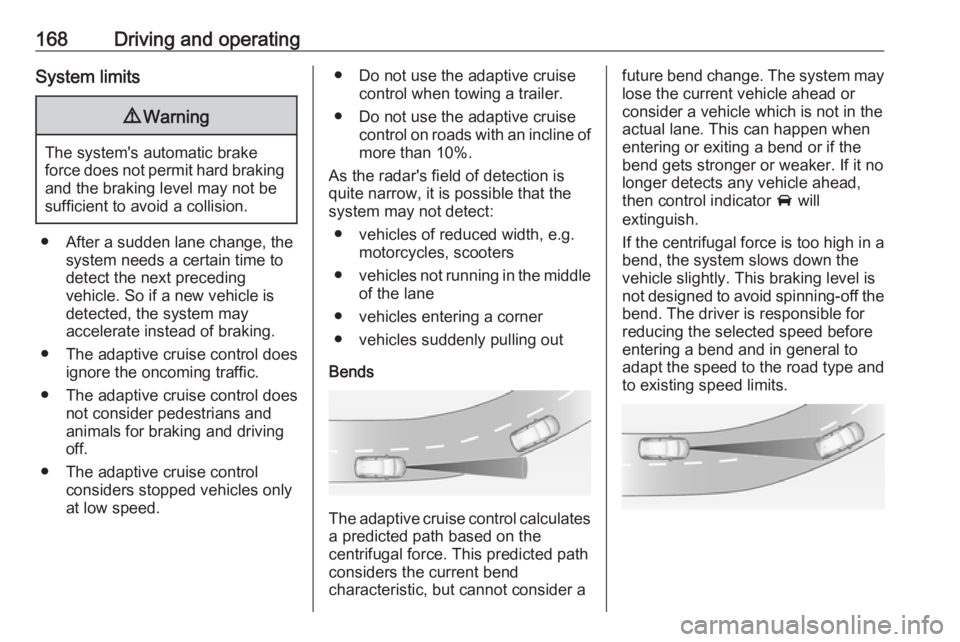
Bends
The adaptive cruise control calculates
a predicted path based on the
centrifugal force. This predicted path
considers the current bend
characteristic, but cannot consider a
future bend change. The system may lose the current vehicle ahead or
consider a vehicle which is not in the
actual lane. This can happen when
entering or exiting a bend or if the
bend gets stronger or weaker. If it no
longer detects any vehicle ahead,
then control indicator A will
extinguish.
If the centrifugal force is too high in a bend, the system slows down the vehicle slightly. This braking level is
not designed to avoid spinning-off the
bend. The driver is responsible for
reducing the selected speed before
entering a bend and in general to
adapt the speed to the road type and
to existing speed limits.
Page 171 of 273
Driving and operating169Motorways
On motorways, adapt the set speed
to the situation and the weather.
Always consider that adaptive cruise control has a limited visibility range, a
limited braking level and a certain
reaction time to verify if a vehicle is on
the driving path or not. Adaptive
cruise control may not be able to
brake the vehicle in time to avoid a
collision with a much slower vehicle or
after a lane change. This is
particularly true while driving fast or if
the visibility is reduced due to weather
conditions.
While entering or exiting a motorway, adaptive cruise control may lose the
vehicle ahead and accelerate up to
the set speed. For this reason,
decrease the set speed before the
exit or before the entry.
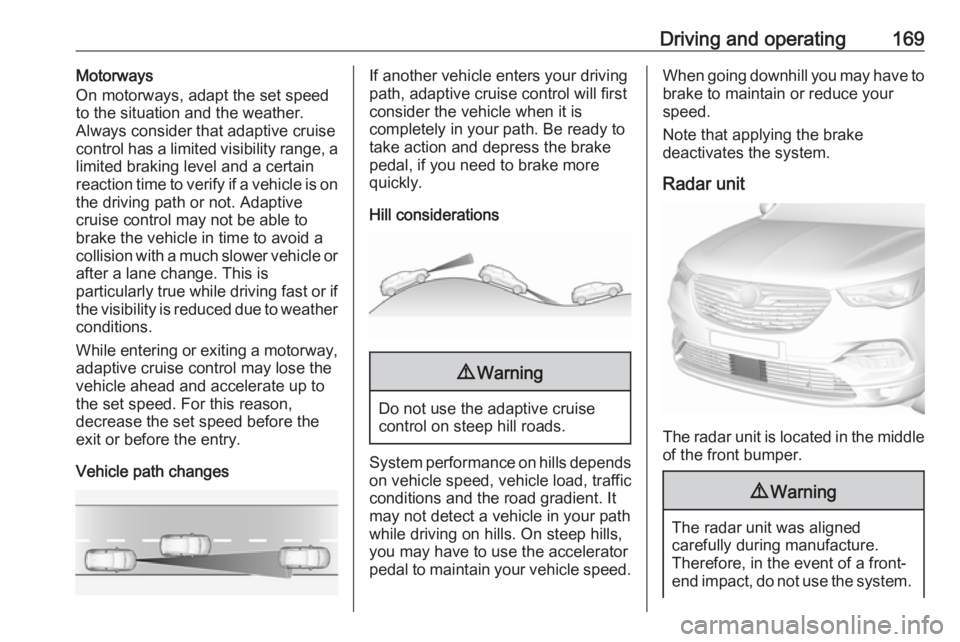
Vehicle path changesIf another vehicle enters your driving
path, adaptive cruise control will first
consider the vehicle when it is
completely in your path. Be ready to
take action and depress the brake
pedal, if you need to brake more
quickly.
Hill considerations9 Warning
Do not use the adaptive cruise
control on steep hill roads.
System performance on hills depends
on vehicle speed, vehicle load, traffic
conditions and the road gradient. It
may not detect a vehicle in your path
while driving on hills. On steep hills,
you may have to use the accelerator
pedal to maintain your vehicle speed.
When going downhill you may have to brake to maintain or reduce your
speed.
Note that applying the brake
deactivates the system.
Radar unit
The radar unit is located in the middle of the front bumper.
9 Warning
The radar unit was aligned
carefully during manufacture.
Therefore, in the event of a front-
end impact, do not use the system.
Page 172 of 273
170Driving and operatingThe front bumper may appear to
be intact, however the sensor
behind may be affected and react
incorrectly. After an accident,
consult a workshop to verify and
adjust the radar unit position.
Fault
In the event of a fault with the adaptive cruise control, you are alerted by the
illumination of a warning light and the display of a message in the
instrument panel, accompanied by an
audible signal.
The adaptive cruise control may not
operate correctly if traffic signs do not comply with the Vienna Convention
on Road Signs and Signals.
Have the system checked by a dealer
or a qualified workshop.
As a safety measure, do not use the
system if the brake lights are faulty.
Do not use the system if the front
bumper is damaged.
Forward collision alert
The forward collision alert may help to avoid or reduce the harm caused by
front-end crashes.
The forward collision alert uses the
front camera in the windscreen and a radar unit located behind the front
bumper of the vehicle to detect a vehicle directly ahead, in your path.
If a vehicle directly ahead is
approached too quickly, a warning
chime and alert in the Driver
Information Centre is provided.9 Warning
Forward collision alert is just a
warning system and does not
apply the brakes. When
approaching a vehicle ahead too
rapidly, it may not provide you
enough time to avoid a collision.
The driver accepts full
responsibility for the appropriate
following distance based on traffic, weather and visibility conditions.
The complete attention of the
driver is always required while
driving. The driver must always be
ready to take action and apply the
brakes.
Activation
Forward collision alert detects
vehicles and operates automatically
at all speeds between 5 km/h and 140 km/h.
Alerting the driver
The driver is warned by following
alerts:
● Symbol , illuminates and a
warning message is displayed in
the Driver Information Center,
when the distance to the vehicle
ahead gets to small.
● Symbol , illuminates, a warning
message is displayed in the
Driver Information Center and a
warning chime sounds, when a
collision is imminent and
immediate driver's action is
required.
Page 173 of 273
Driving and operating1719Warning
Forward collision alert is just a
warning system and does not
apply the brakes. When
approaching a vehicle ahead too
rapidly, it may not provide you
enough time to avoid a collision.
The driver accepts full
responsibility for the appropriate
following distance based on traffic, weather and visibility conditions.
The complete attention of the
driver is always required while
driving. The driver must always be
ready to take action and apply the
brakes.
Caution
The colour lighting of this control
indicator does not correspond to
local traffic laws on following
distance. The driver bears full
responsibility for maintaining safe
following distance according to
applicable traffic rules, weather
and road conditions etc. at all
times.
Selecting the alert sensitivity
7'' Colour Info Display: Adjust the alert
sensitivity in the vehicle
personalisation 3 106.
8'' Colour Info Display: Adjust the alert sensitivity in the settings of the active
safety brake in the vehicle
personalisation 3 106.
The chosen setting will remain until it
is changed. The alert timing will vary
based on vehicle speed. The faster
the vehicle speed, the farther away
the alert will occur. Consider traffic
and weather conditions when
selecting the alert timing.
Deactivation The system can only be deactivated
by deactivating the active emergency braking in the vehicle personalisation
3 106.
System limitations
Forward collision alert is designed to
warn on vehicles only, but may react also to other objects.
In the following cases, forward
collision alert may not detect a vehicle ahead or sensor performance is
limited:
● driving on winding or hilly roads
● driving during nighttime
● weather limits visibility, such as fog, rain, or snow
● the sensor in the windscreen or the radar unit behind the front
bumper are blocked by snow, ice, slush, mud, dirt etc.
● the windscreen is damaged or affected by foreign objects, e.g.
stickers
Active emergency braking
Active emergency braking can help to reduce the damage and injury from
crashes with vehicles, pedestrians and obstacles directly ahead, when a
collision can no longer be avoided
Page 174 of 273
172Driving and operatingeither by manual braking or by
steering. Before the active
emergency braking applies, the driver
is warned by the forward collision
alert 3 170 or the front pedestrian
protection alert 3 174.
The feature uses various inputs (e.g.
camera sensor, radar sensor, brake
pressure, vehicle speed) to calculate
the probability of a frontal collision.9 Warning
This system is not intended to
replace the driver responsibility for driving the vehicle and looking
ahead. Its function is limited to
supplemental use only to reduce
the vehicle speed before a
collision.
The system may not react to
animals. After a sudden lane
change, the system needs a
certain time to detect the next
preceding vehicle.
The driver must always be ready
to take action and apply the brakes and steer to avoid collisions.
Operation conditions
If equipped only with front camera the
active emergency braking operates in
forward gear above walking speed up to 85 km/h. With radar sensor and
front camera active emergency
braking operates in forward gear in
the range between walking speed
and 140 km/h.
Activation
A precondition is that forward collision
alert with front camera system is not
deactivated in the vehicle
personalisation menu and the seat
belts of the front passengers are
fastened 3 106.
Functionality
The system includes: ● brake preparation system
● emergency automatic braking
● forward looking brake assist
● intelligent brake assist (only with radar sensor)
● forward collision alert
● front pedestrian protectionBrake preparation system
When approaching a vehicle ahead
or a pedestrian so quickly that a
collision is likely, the brake
preparation system slightly
pressurises the brakes. This reduces
the response time when a braking is
required.
Emergency automatic braking
After activation of brake preparation
system and just before the imminent
collision, this function automatically
applies limited braking to reduce the
impact speed of the collision or
prohibit a crash. If active emergency
braking is applied, m flashes in the
instrument cluster. Depending on the
situation, the vehicle may
automatically brake moderately or
hard. This front automatic braking can
only occur if a vehicle ahead is
detected 3 170 . On vehicles with front
pedestrian protection, front automatic
braking can also occur when a
pedestrian ahead is detected 3 174.
Emergency automatic braking may slow the vehicle to a complete stop to
try to avoid a potential crash. If this