light OPEL GRANDLAND X 2018 Infotainment system
[x] Cancel search | Manufacturer: OPEL, Model Year: 2018, Model line: GRANDLAND X, Model: OPEL GRANDLAND X 2018Pages: 265, PDF Size: 7.5 MB
Page 115 of 265

Instruments and controls113Diagnostic report
The vehicle automatically transmits
diagnostic data to OnStar which
sends a monthly email report to you
and your preferred workshop.
Note
The workshop notification function
can be disabled in your account.
The report contains the status of key
operating systems of the vehicle like
engine, transmission, airbags, ABS,
and other major systems. It also
provides information on possible
maintenance items and tyre pressure
(only with tyre pressure monitoring
system).
To look at the information in greater
detail, select the link within the email and log in to your account.
OnStar settings
OnStar PIN
To have full access to all OnStar
services, a four-digit PIN is required. The PIN has to be personalised when first talking to an advisor.
To change the PIN, press Z to call an
advisor.Account data
An OnStar subscriber has an account
where all the data is stored. To
request a change of the account
information, press Z and talk to an
advisor or log in to your account.
If the OnStar service is used on
another vehicle, press Z and request
that the account be transferred to the new vehicle.
Note
In any case, if the vehicle is disposed
of, sold or otherwise transferred,
immediately inform OnStar about
the changes and terminate the
OnStar service on this vehicle.
Vehicle location
The vehicle location is transmitted to OnStar when service is requested or triggered. A message on the Info-
Display informs about this
transmission.
To activate or deactivate the
transmission of the vehicle location,
press and hold j until an audio
message is heard.The deactivation is indicated by the
status light flashing red and green for a short period of time and each time
the vehicle is started.
Note
If the transmission of the vehicle
location is deactivated, some
services are no longer available.
Note
The vehicle location always remains
accessible to OnStar in the case of
an emergency.
Find the privacy policy in your
account.
Software updates
OnStar may remotely carry out software updates without further
notice or consent. These updates are to enhance or maintain safety and
security or the operation of the
vehicle.
These updates may concern privacy
issues. Find the privacy policy in your
account.
Page 116 of 265
114LightingLightingExterior lighting
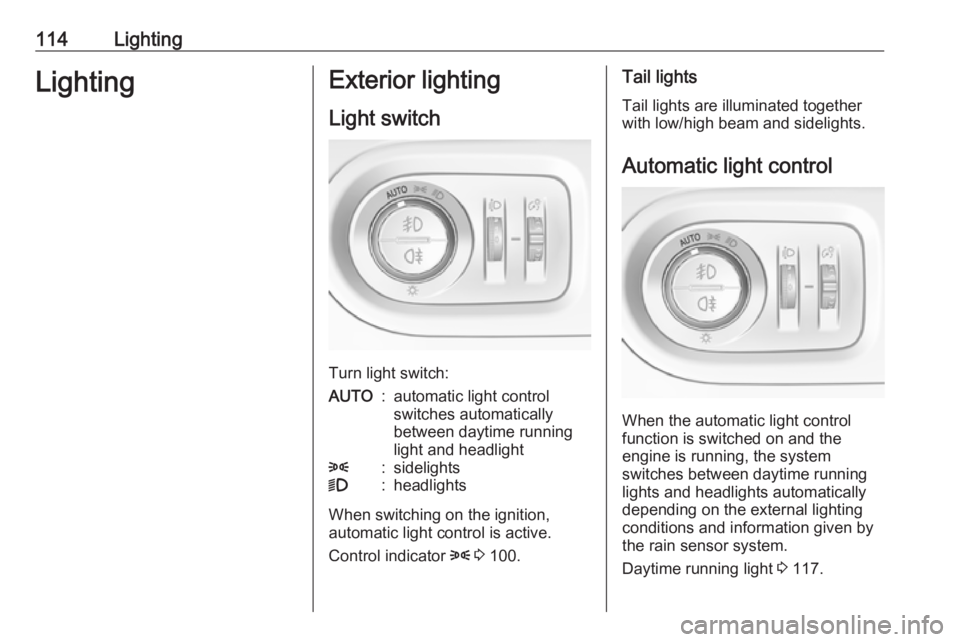
Light switch
Turn light switch:
AUTO:automatic light control
switches automatically
between daytime running
light and headlight8:sidelights9:headlights
When switching on the ignition,
automatic light control is active.
Control indicator 8 3 100.
Tail lights
Tail lights are illuminated together
with low/high beam and sidelights.
Automatic light control
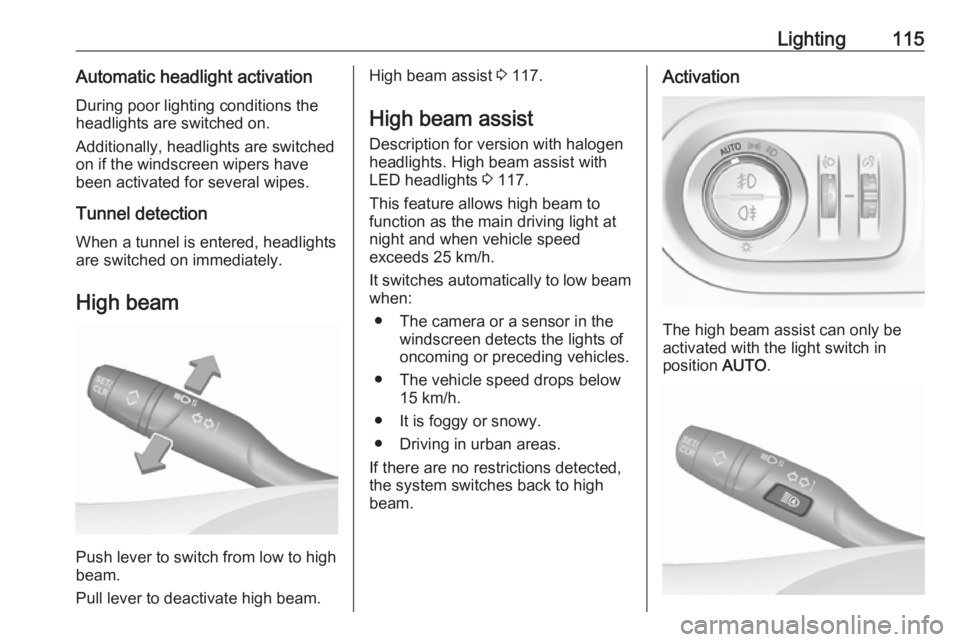
When the automatic light control
function is switched on and the
engine is running, the system
switches between daytime running
lights and headlights automatically
depending on the external lighting
conditions and information given by
the rain sensor system.
Daytime running light 3 117.
Page 117 of 265
Lighting115Automatic headlight activation
During poor lighting conditions the
headlights are switched on.
Additionally, headlights are switched
on if the windscreen wipers have
been activated for several wipes.
Tunnel detection
When a tunnel is entered, headlights
are switched on immediately.
High beam
Push lever to switch from low to high
beam.
Pull lever to deactivate high beam.
High beam assist 3 117.
High beam assist Description for version with halogen
headlights. High beam assist with
LED headlights 3 117.
This feature allows high beam to
function as the main driving light at
night and when vehicle speed
exceeds 25 km/h.
It switches automatically to low beam
when:
● The camera or a sensor in the windscreen detects the lights of
oncoming or preceding vehicles.
● The vehicle speed drops below 15 km/h.
● It is foggy or snowy.
● Driving in urban areas.
If there are no restrictions detected,
the system switches back to high
beam.Activation
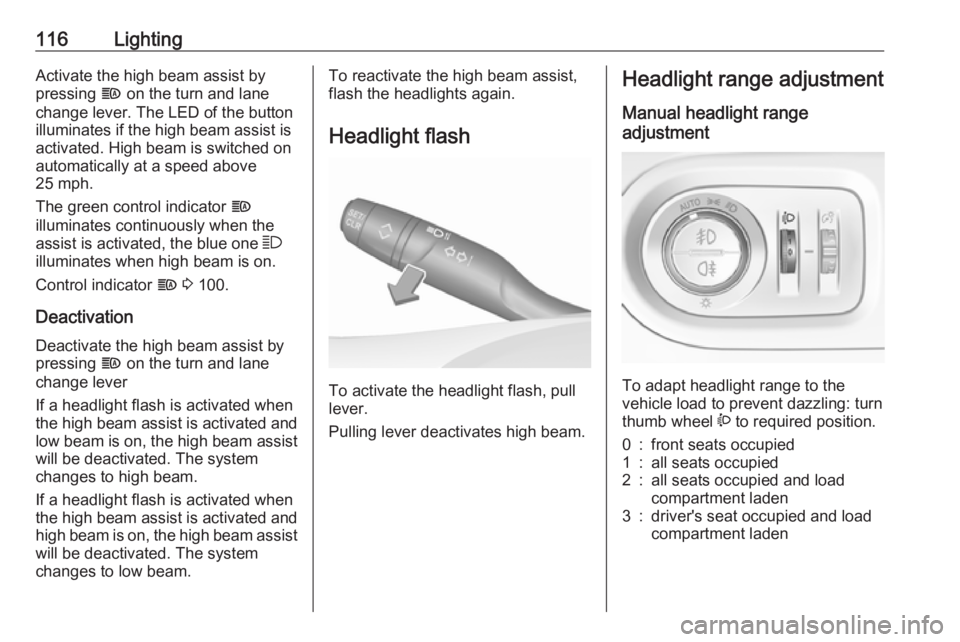
The high beam assist can only be
activated with the light switch in
position AUTO.
Page 118 of 265
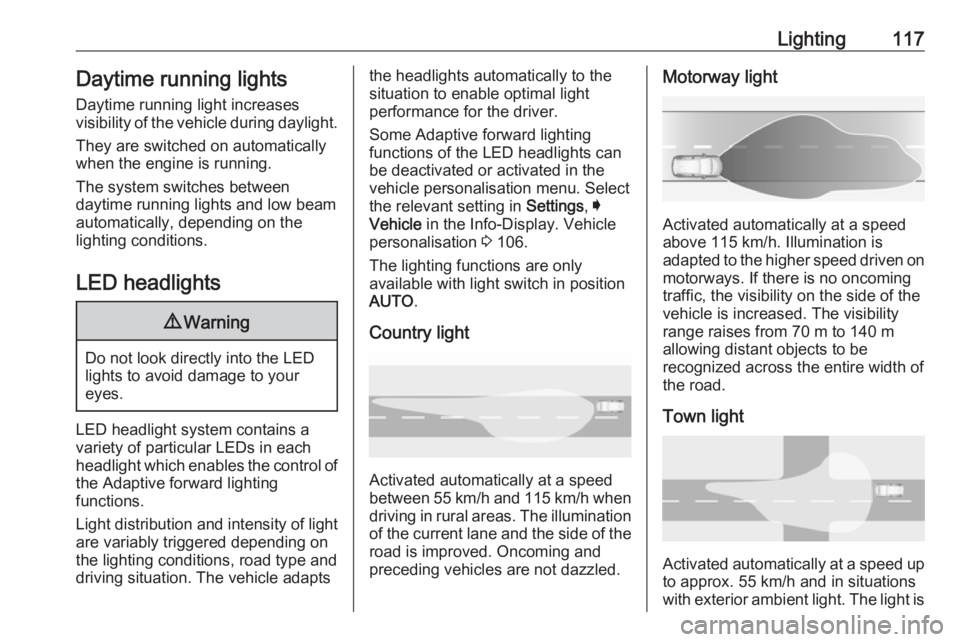
116LightingActivate the high beam assist by
pressing f on the turn and lane
change lever. The LED of the button
illuminates if the high beam assist is
activated. High beam is switched on
automatically at a speed above
25 mph.
The green control indicator f
illuminates continuously when the
assist is activated, the blue one 7
illuminates when high beam is on.
Control indicator f 3 100.
Deactivation Deactivate the high beam assist by
pressing f on the turn and lane
change lever
If a headlight flash is activated when
the high beam assist is activated and low beam is on, the high beam assist
will be deactivated. The system
changes to high beam.
If a headlight flash is activated when
the high beam assist is activated and high beam is on, the high beam assist
will be deactivated. The system
changes to low beam.To reactivate the high beam assist,
flash the headlights again.
Headlight flash
To activate the headlight flash, pull
lever.
Pulling lever deactivates high beam.
Headlight range adjustment
Manual headlight range
adjustment
To adapt headlight range to the
vehicle load to prevent dazzling: turn
thumb wheel ? to required position.
0:front seats occupied1:all seats occupied2:all seats occupied and load
compartment laden3:driver's seat occupied and load
compartment laden
Page 119 of 265
Lighting117Daytime running lightsDaytime running light increases
visibility of the vehicle during daylight.
They are switched on automatically
when the engine is running.
The system switches between
daytime running lights and low beam
automatically, depending on the
lighting conditions.
LED headlights9 Warning
Do not look directly into the LED
lights to avoid damage to your
eyes.
LED headlight system contains a
variety of particular LEDs in each
headlight which enables the control of
the Adaptive forward lighting
functions.
Light distribution and intensity of light
are variably triggered depending on
the lighting conditions, road type and
driving situation. The vehicle adapts
the headlights automatically to the
situation to enable optimal light
performance for the driver.
Some Adaptive forward lighting
functions of the LED headlights can
be deactivated or activated in the
vehicle personalisation menu. Select
the relevant setting in Settings, I
Vehicle in the Info-Display. Vehicle
personalisation 3 106.
The lighting functions are only
available with light switch in position
AUTO .
Country light
Activated automatically at a speed
between 55 km/h and 115 km/h when driving in rural areas. The illumination
of the current lane and the side of the road is improved. Oncoming and
preceding vehicles are not dazzled.
Motorway light
Activated automatically at a speed
above 115 km/h. Illumination is
adapted to the higher speed driven on
motorways. If there is no oncoming
traffic, the visibility on the side of the
vehicle is increased. The visibility
range raises from 70 m to 140 m
allowing distant objects to be
recognized across the entire width of
the road.
Town light
Activated automatically at a speed up to approx. 55 km/h and in situations
with exterior ambient light. The light is
Page 120 of 265
118Lightingwide and symmetrical. If the speed is
below 30 mph, the headlamps are
slightly swiveled to the outside to
allow an earlier recognition of of
pedestrians and objects on each side
of the road. A special beam pattern is
designed to avoid glare for other road
users.
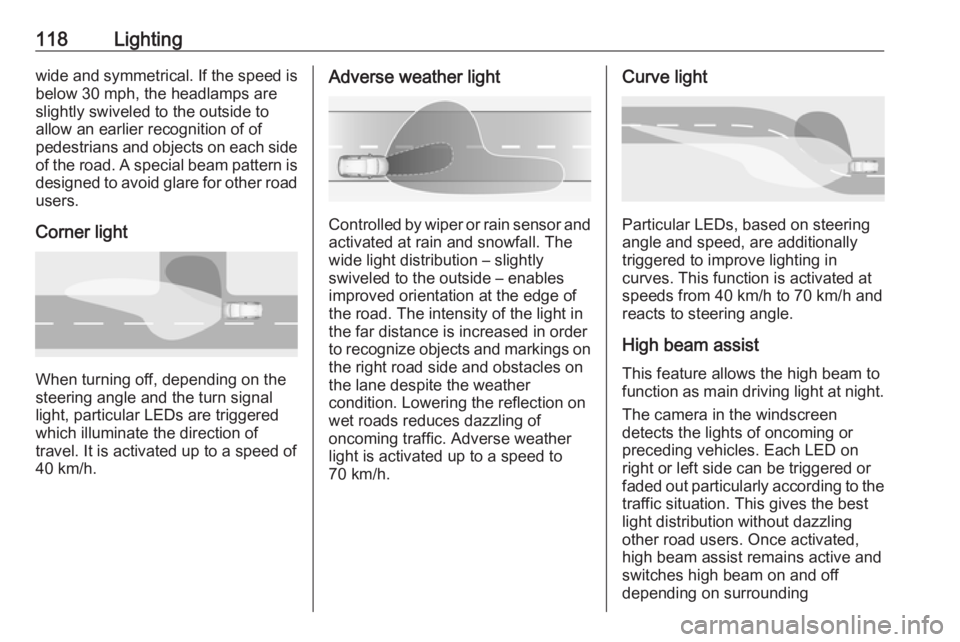
Corner light
When turning off, depending on the
steering angle and the turn signal light, particular LEDs are triggered
which illuminate the direction of
travel. It is activated up to a speed of
40 km/h.
Adverse weather light
Controlled by wiper or rain sensor and activated at rain and snowfall. The
wide light distribution – slightly
swiveled to the outside – enables
improved orientation at the edge of
the road. The intensity of the light in
the far distance is increased in order
to recognize objects and markings on
the right road side and obstacles on
the lane despite the weather
condition. Lowering the reflection on
wet roads reduces dazzling of
oncoming traffic. Adverse weather
light is activated up to a speed to 70 km/h.
Curve light
Particular LEDs, based on steering
angle and speed, are additionally
triggered to improve lighting in
curves. This function is activated at
speeds from 40 km/h to 70 km/h and
reacts to steering angle.
High beam assist This feature allows the high beam to
function as main driving light at night.
The camera in the windscreen
detects the lights of oncoming or
preceding vehicles. Each LED on
right or left side can be triggered or faded out particularly according to the traffic situation. This gives the best
light distribution without dazzling
other road users. Once activated,
high beam assist remains active and switches high beam on and off
depending on surrounding
Page 121 of 265
Lighting119conditions. The latest setting of the
high beam assist will remain after the
ignition is switched on again.
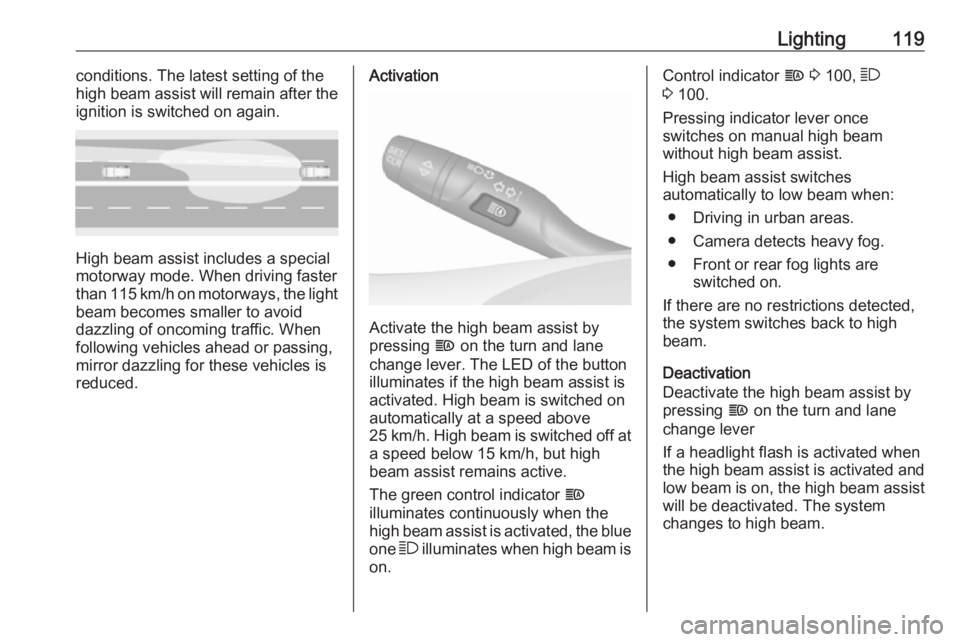
High beam assist includes a special
motorway mode. When driving faster
than 115 km/h on motorways, the light
beam becomes smaller to avoid
dazzling of oncoming traffic. When
following vehicles ahead or passing,
mirror dazzling for these vehicles is reduced.
Activation
Activate the high beam assist by
pressing f on the turn and lane
change lever. The LED of the button illuminates if the high beam assist is
activated. High beam is switched on
automatically at a speed above
25 km/h. High beam is switched off at a speed below 15 km/h, but high
beam assist remains active.
The green control indicator f
illuminates continuously when the
high beam assist is activated, the blue
one 7 illuminates when high beam is
on.
Control indicator f 3 100, 7
3 100.
Pressing indicator lever once
switches on manual high beam
without high beam assist.
High beam assist switches
automatically to low beam when:
● Driving in urban areas.
● Camera detects heavy fog.
● Front or rear fog lights are switched on.
If there are no restrictions detected, the system switches back to high
beam.
Deactivation
Deactivate the high beam assist by
pressing f on the turn and lane
change lever
If a headlight flash is activated when the high beam assist is activated and
low beam is on, the high beam assist will be deactivated. The system
changes to high beam.
Page 122 of 265
120LightingIf a headlight flash is activated when
the high beam assist is activated and
high beam is on, the high beam assist will be deactivated. The system
changes to low beam.
To reactivate the high beam assist,
flash the headlights again.
Fault in LED headlight system
When the system detects a failure in
the LED headlight system, it selects a preset position to avoid dazzling of
oncoming traffic. A warning is
displayed in the Driver Information
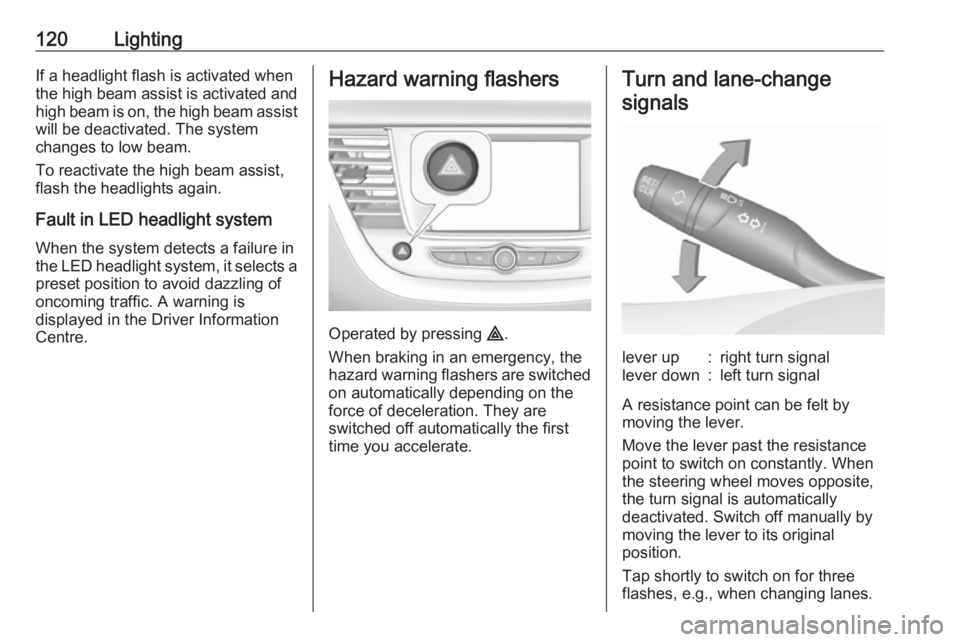
Centre.Hazard warning flashers
Operated by pressing ¨.
When braking in an emergency, the
hazard warning flashers are switched
on automatically depending on the
force of deceleration. They are
switched off automatically the first
time you accelerate.
Turn and lane-change
signalslever up:right turn signallever down:left turn signal
A resistance point can be felt bymoving the lever.
Move the lever past the resistance
point to switch on constantly. When
the steering wheel moves opposite,
the turn signal is automatically
deactivated. Switch off manually by
moving the lever to its original
position.
Tap shortly to switch on for three
flashes, e.g., when changing lanes.
Page 123 of 265
Lighting121Move the lever to the resistance point
and hold for flashing until lever is
released.
If you forget to cancel the turn and
lane-change signals for more than
twenty seconds, the volume of the
audible signal will increase if the
speed is above 60 km/h.
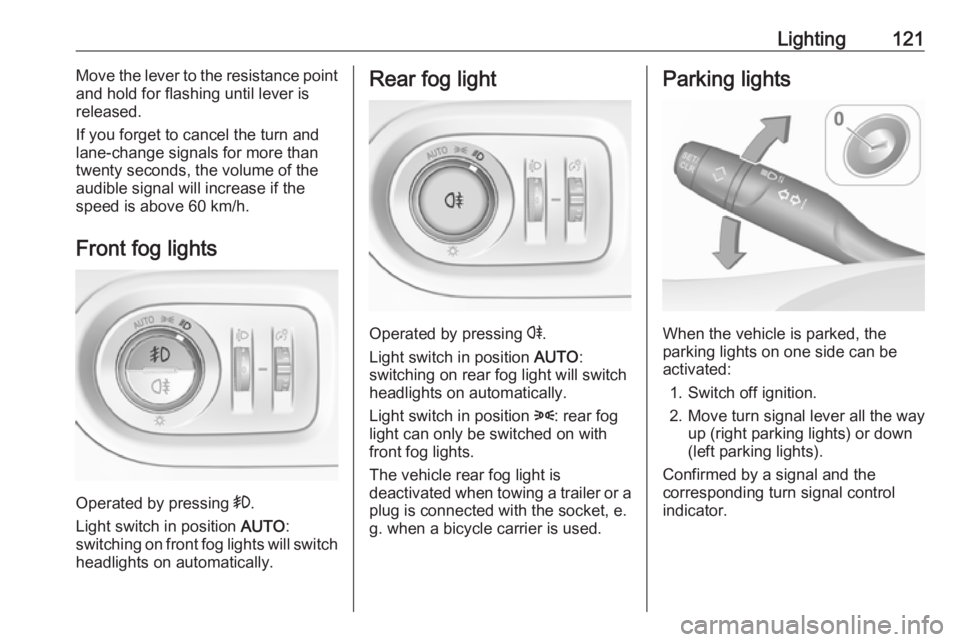
Front fog lights
Operated by pressing >
.
Light switch in position AUTO:
switching on front fog lights will switch headlights on automatically.
Rear fog light
Operated by pressing r.
Light switch in position AUTO:
switching on rear fog light will switch
headlights on automatically.
Light switch in position 8: rear fog
light can only be switched on with
front fog lights.
The vehicle rear fog light is
deactivated when towing a trailer or a
plug is connected with the socket, e.
g. when a bicycle carrier is used.
Parking lights
When the vehicle is parked, the
parking lights on one side can be
activated:
1. Switch off ignition.
2. Move turn signal lever all the way up (right parking lights) or down
(left parking lights).
Confirmed by a signal and the
corresponding turn signal control
indicator.
Page 124 of 265
122LightingReversing lights
The reversing light comes on when
the ignition is on and reverse gear is
selected.
Misted light covers
The inside of the light housing may
mist up briefly in poor, wet and cold weather conditions, in heavy rain or
after washing. The mist disappears
quickly by itself; to help switch on the
headlights.Interior lighting
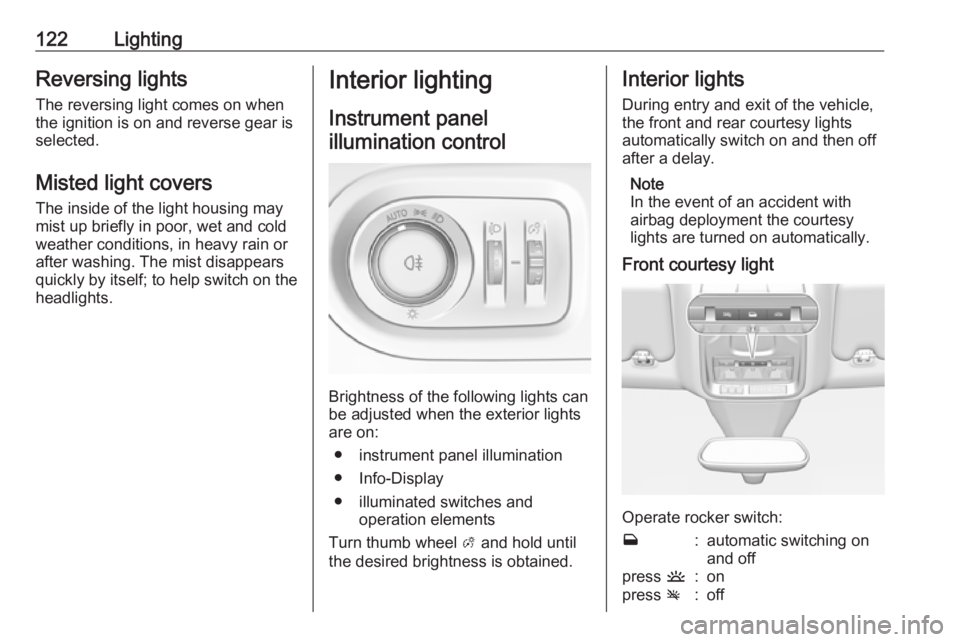
Instrument panelillumination control
Brightness of the following lights can
be adjusted when the exterior lights
are on:
● instrument panel illumination
● Info-Display
● illuminated switches and operation elements
Turn thumb wheel A and hold until
the desired brightness is obtained.
Interior lights
During entry and exit of the vehicle,
the front and rear courtesy lights
automatically switch on and then off
after a delay.
Note
In the event of an accident with
airbag deployment the courtesy
lights are turned on automatically.
Front courtesy light
Operate rocker switch:
w:automatic switching on
and offpress u:onpress v:off