buttons OPEL GRANDLAND X 2018 Infotainment system
[x] Cancel search | Manufacturer: OPEL, Model Year: 2018, Model line: GRANDLAND X, Model: OPEL GRANDLAND X 2018Pages: 127, PDF Size: 2.31 MB
Page 78 of 127
78External devicesThe maximum resolution is 1280 x
720 pixels. The frame rate must be
less than 30 fps.
The usable codec is H.264/MPEG-4
AVC.
The playable audio formats are MP3,
AC3, AAC and WMA.
The displayable subtitle format is
SMI.
Playing audio Activating the music function
If the device is not yet connected to
the Infotainment system, connect the
device 3 76.
Usually, the respective audio main
menu is displayed automatically.
If playback is not started
automatically, e.g. if USB Auto
Launch is deactivated 3 76, take the
following steps:
Press ; and then select Audio to
open the audio main menu last
selected.Select Source in the interaction
selector bar and then select the
desired audio source to open the
respective audio main menu.
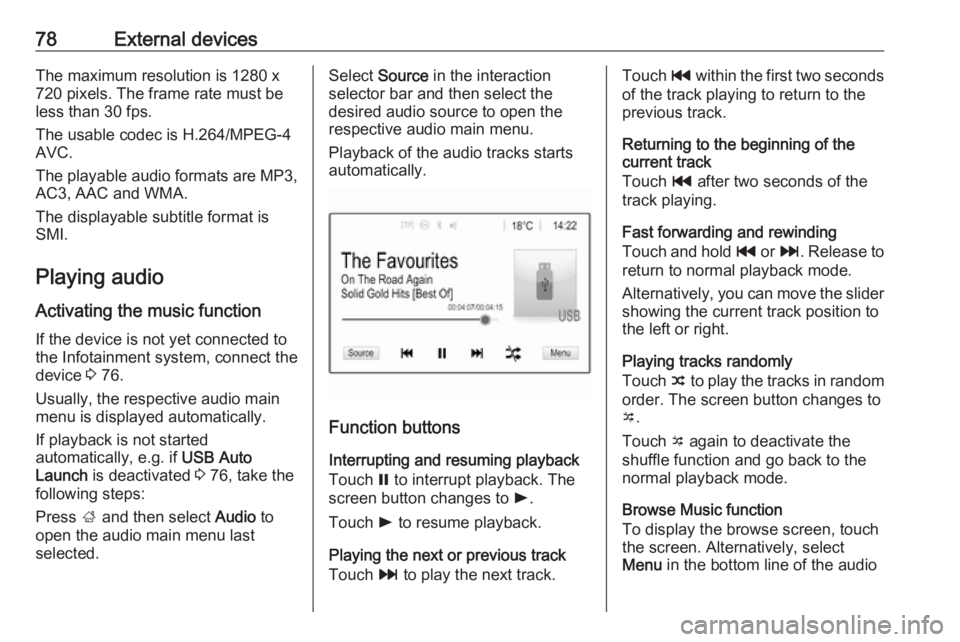
Playback of the audio tracks starts automatically.
Function buttons
Interrupting and resuming playback
Touch = to interrupt playback. The
screen button changes to l.
Touch l to resume playback.
Playing the next or previous track
Touch v to play the next track.
Touch t within the first two seconds
of the track playing to return to the
previous track.
Returning to the beginning of the
current track
Touch t after two seconds of the
track playing.
Fast forwarding and rewinding
Touch and hold t or v. Release to
return to normal playback mode.
Alternatively, you can move the slider
showing the current track position to
the left or right.
Playing tracks randomly
Touch n to play the tracks in random
order. The screen button changes to
o .
Touch o again to deactivate the
shuffle function and go back to the
normal playback mode.
Browse Music function
To display the browse screen, touch
the screen. Alternatively, select
Menu in the bottom line of the audio
Page 79 of 127
External devices79main screen to display the respective
audio menu and then select Browse
Music .
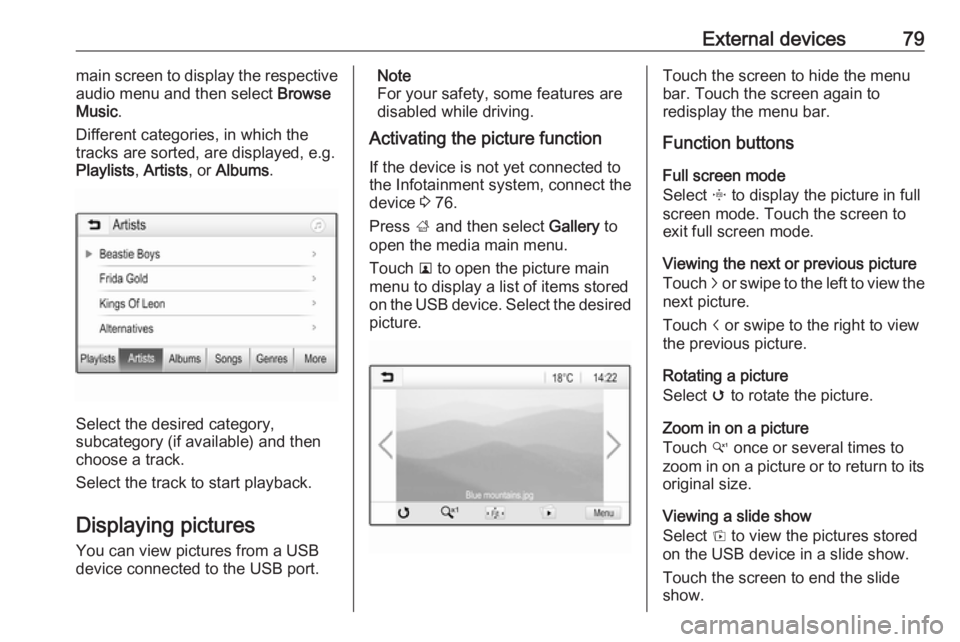
Different categories, in which the tracks are sorted, are displayed, e.g.
Playlists , Artists , or Albums .
Select the desired category,
subcategory (if available) and then
choose a track.
Select the track to start playback.
Displaying pictures
You can view pictures from a USB
device connected to the USB port.
Note
For your safety, some features are
disabled while driving.
Activating the picture function
If the device is not yet connected to
the Infotainment system, connect the
device 3 76.
Press ; and then select Gallery to
open the media main menu.
Touch l to open the picture main
menu to display a list of items stored on the USB device. Select the desired
picture.Touch the screen to hide the menu
bar. Touch the screen again to
redisplay the menu bar.
Function buttons
Full screen mode
Select x to display the picture in full
screen mode. Touch the screen to
exit full screen mode.
Viewing the next or previous picture
Touch j or swipe to the left to view the
next picture.
Touch i or swipe to the right to view
the previous picture.
Rotating a picture
Select v to rotate the picture.
Zoom in on a picture
Touch w once or several times to
zoom in on a picture or to return to its
original size.
Viewing a slide show
Select t to view the pictures stored
on the USB device in a slide show.
Touch the screen to end the slide
show.
Page 80 of 127
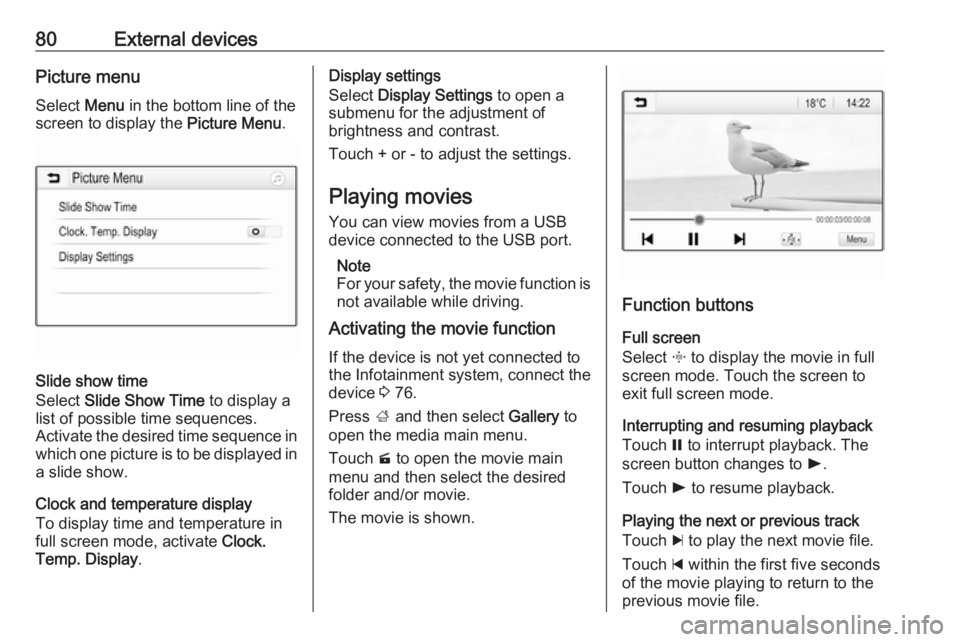
80External devicesPicture menuSelect Menu in the bottom line of the
screen to display the Picture Menu.
Slide show time
Select Slide Show Time to display a
list of possible time sequences.
Activate the desired time sequence in which one picture is to be displayed in
a slide show.
Clock and temperature display
To display time and temperature in
full screen mode, activate Clock.
Temp. Display .
Display settings
Select Display Settings to open a
submenu for the adjustment of
brightness and contrast.
Touch + or - to adjust the settings.
Playing movies
You can view movies from a USB
device connected to the USB port.
Note
For your safety, the movie function is
not available while driving.
Activating the movie function
If the device is not yet connected to
the Infotainment system, connect the
device 3 76.
Press ; and then select Gallery to
open the media main menu.
Touch m to open the movie main
menu and then select the desired folder and/or movie.
The movie is shown.
Function buttons
Full screen
Select x to display the movie in full
screen mode. Touch the screen to
exit full screen mode.
Interrupting and resuming playback
Touch = to interrupt playback. The
screen button changes to l.
Touch l to resume playback.
Playing the next or previous track
Touch c to play the next movie file.
Touch d within the first five seconds
of the movie playing to return to the
previous movie file.
Page 89 of 127
Phone89Quick search1. Select u to display a list of all
contacts.
2. Scroll through the list of contacts entries.
3. Touch the contact you wish to call.
A menu with all phone numbers
stored for the selected contact is
displayed.
4. Select the desired phone number to initiate the call.Search menu
If the phone book contains a large
number of entries, you can search for
the desired contact via the search
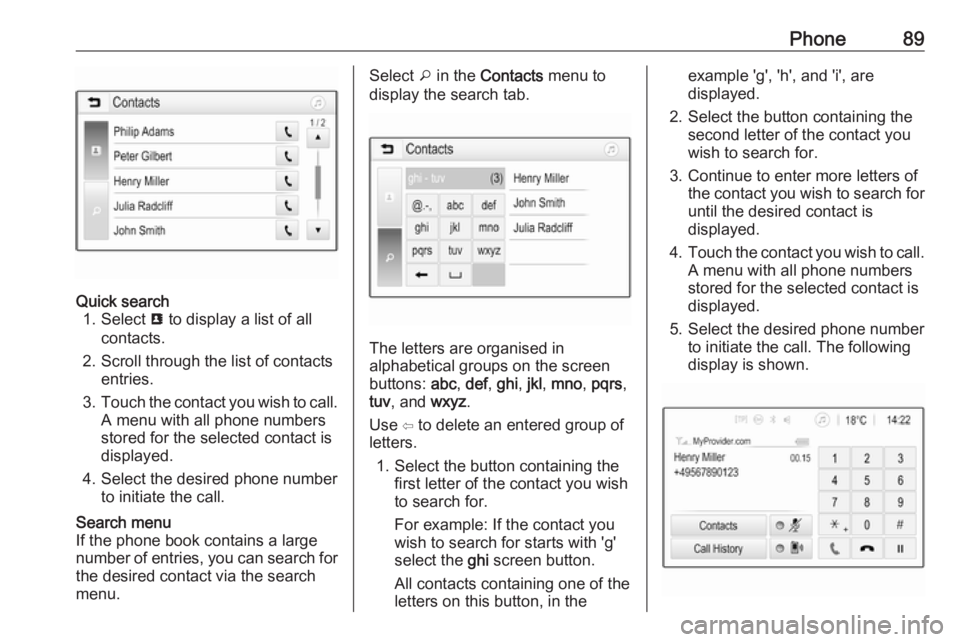
menu.Select o in the Contacts menu to
display the search tab.
The letters are organised in
alphabetical groups on the screen
buttons: abc, def , ghi , jkl , mno , pqrs ,
tuv , and wxyz.
Use ⇦ to delete an entered group of
letters.
1. Select the button containing the first letter of the contact you wish
to search for.
For example: If the contact you
wish to search for starts with 'g'
select the ghi screen button.
All contacts containing one of the
letters on this button, in the
example 'g', 'h', and 'i', are
displayed.
2. Select the button containing the second letter of the contact you
wish to search for.
3. Continue to enter more letters of the contact you wish to search for
until the desired contact is
displayed.
4. Touch the contact you wish to call.
A menu with all phone numbers
stored for the selected contact is
displayed.
5. Select the desired phone number to initiate the call. The following
display is shown.
Page 98 of 127
98IntroductionIntroductionGeneral information.....................98
Theft-deterrent feature .................99
Control elements overview ........100
Usage ........................................ 103General information
The Infotainment system provides
you with state-of-the-art in-car
infotainment.
Using the FM, AM or DAB radio
functions, you can play a great
number of different radio stations. If desired, you can register stations on
radio preset buttons.
You can connect external data
storage devices to the Infotainment
system as further audio sources,
either via a cable or via Bluetooth ®
.
In addition, the Infotainment system is equipped with a Phone function that
allows comfortable and safe use of
your mobile phone in the vehicle.
The Infotainment system can be
operated using the control panel or
the controls on the steering wheel.
Note
This manual describes all options
and features available for the
various Infotainment systems.
Certain descriptions, including those
for display and menu functions, may
not apply to your vehicle due tomodel variant, country
specifications, special equipment or
accessories.
Important information on
operation and traffic safety9 Warning
Drive safely at all times when
using the Infotainment system.
If in doubt, stop the vehicle before operating the Infotainment
system.
Radio reception
Radio reception may be disrupted by static, noise, distortion or loss of
reception due to:
● changes in distance from the transmitter
● multi-path reception due to reflection
● shadowing
Page 101 of 127
Introduction1011X
If switched off: short press:
switch power on ..................103
If switched on: short press: mute system; long press:
switch power off ..................103
Turn: adjust volume ............103
2 Preset buttons
Short press: select
favourites ............................ 109
Long press: save radio
stations as favourites ..........109
3 AUDIO
Short press: open menu
for tone and volume
settings ................................ 106
4 Î
Short press: toggle
through the different
display modes .....................103
Long press: turn display off (while the sound remains
active) ................................. 1035Q / P
Radio: short press:
manual station search .........109
Media: short press: select
next or previous folder,
genre, artist or playlist;
long press: scroll in a list .....113
N / O
Radio: short press:
automatic station search
for the previous or next
station; long press: seek
up or down .......................... 109
Media: short press: select
previous or next track; long press: fast forward or
rewind ................................. 113
6 OK
Short press: confirm a
setting or open a submenu . 105
7 MENU
Short press: display home
page .................................... 1058 BAND
Short press: toggle
between the wavebands .....109
9 Display
10 TA
Short press: activate or
deactivate traffic
announcements ..................110
Long press: open the TA
settings ................................ 111
11 LIST
Radio: short press: displaystations list; long press:
update stations list ..............109
Media: short press: display folders list; long press:
display the track listing
options ................................ 113
12 BACK
Menu: one level back ..........105
Input: delete last character
or entire entry ......................121
Page 103 of 127
Introduction103Usage
Control elements
The Infotainment system is operated
via function buttons, navigation
buttons and menus that are shown on the display.
Inputs are made optionally via: ● the control panel on the Infotainment system 3 100
● controls on the steering wheel 3 100
Switching the Infotainment
system on or off
Press X briefly. After switching on,
the last selected Infotainment source
becomes active.
Note
Some functions of the Infotainment
system are only available if ignition
is switched on or engine is running.
Press X again to turn the system off.
Automatic switch-off
If the Infotainment system is switched
on by pressing X while the ignition is
switched off, it switches off again
automatically after a certain time.
Setting the volume Turn m. The current setting is shown
on the display.
When the Infotainment system is
switched on, the last selected volume
is set.
Speed compensated volume
When the automatic volume function
is activated 3 106, the volume is
adapted automatically to make up for the road and wind noises as you
drive.
Mute function
Press x on the steering wheel to
mute the audio sources.
To cancel the mute function, press
x again.
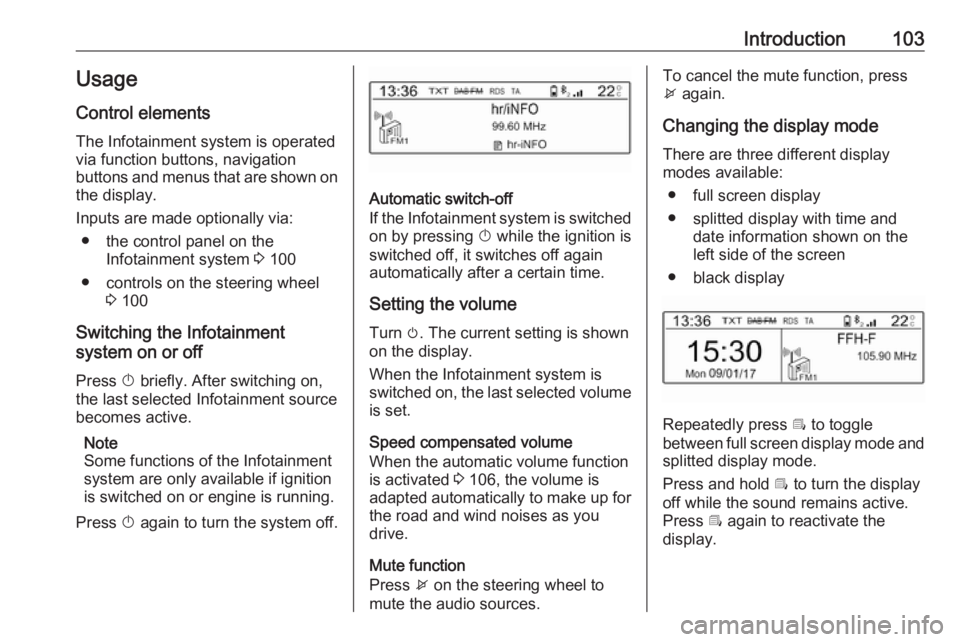
Changing the display mode There are three different display
modes available:
● full screen display
● splitted display with time and date information shown on the
left side of the screen
● black display
Repeatedly press Î to toggle
between full screen display mode and splitted display mode.
Press and hold Î to turn the display
off while the sound remains active. Press Î again to reactivate the
display.
Page 110 of 127
110RadioPreset buttons
The six favourite radio stations of each waveband can be stored on
preset buttons. When pressing one of the preset buttons, the favourites
page is displayed.
Note
The station currently playing is
marked with 6.
Storing preset stations
To store a station to a preset button,
activate the desired waveband and
station. When the station is playing,
press and hold one of the preset
button 1... 6 on which the desired
station is to be stored.
The station name or frequency is
displayed next to the respective
favourite on the screen.
Retrieving preset stations
To retrieve a station stored as a
favourite, press the respective preset button 1... 6.Radio data system (RDS)
RDS is a service of FM stations that
considerably facilitates the finding of
the desired station and its fault-free
reception.
Alternative frequencies If the FM signal of a station is too
weak to be picked up by the receiver, the Infotainment system can
automatically tune to an alternative
FM frequency to continue the
programme.
Activate the FM waveband and then
press OK to display the waveband
menu. Activate RDS.
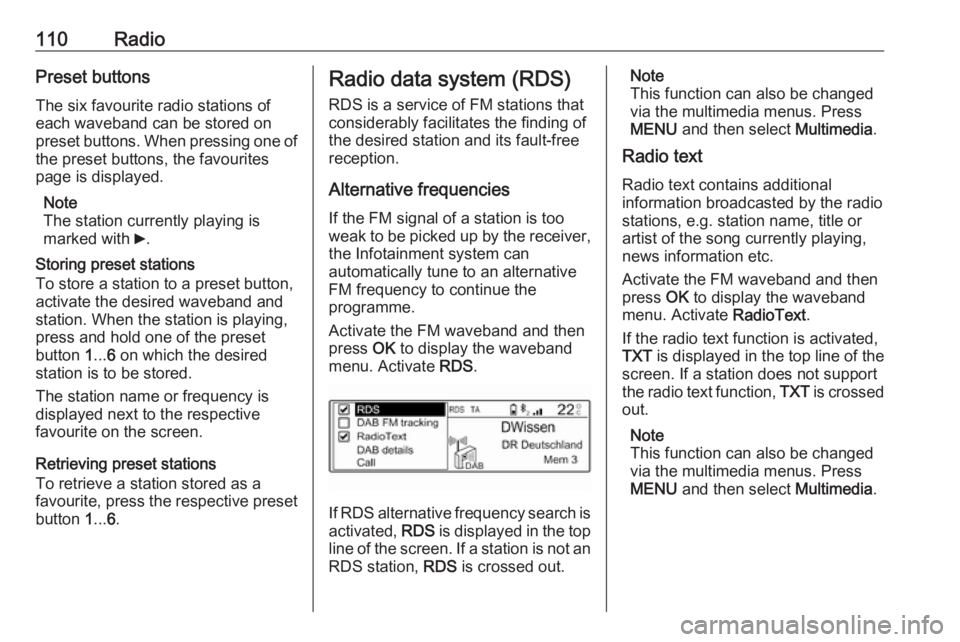
If RDS alternative frequency search is
activated, RDS is displayed in the top
line of the screen. If a station is not an
RDS station, RDS is crossed out.
Note
This function can also be changed
via the multimedia menus. Press
MENU and then select Multimedia.
Radio text
Radio text contains additional
information broadcasted by the radio stations, e.g. station name, title or
artist of the song currently playing,
news information etc.
Activate the FM waveband and then
press OK to display the waveband
menu. Activate RadioText.
If the radio text function is activated,
TXT is displayed in the top line of the
screen. If a station does not support
the radio text function, TXT is crossed
out.
Note
This function can also be changed
via the multimedia menus. Press
MENU and then select Multimedia.
Page 114 of 127
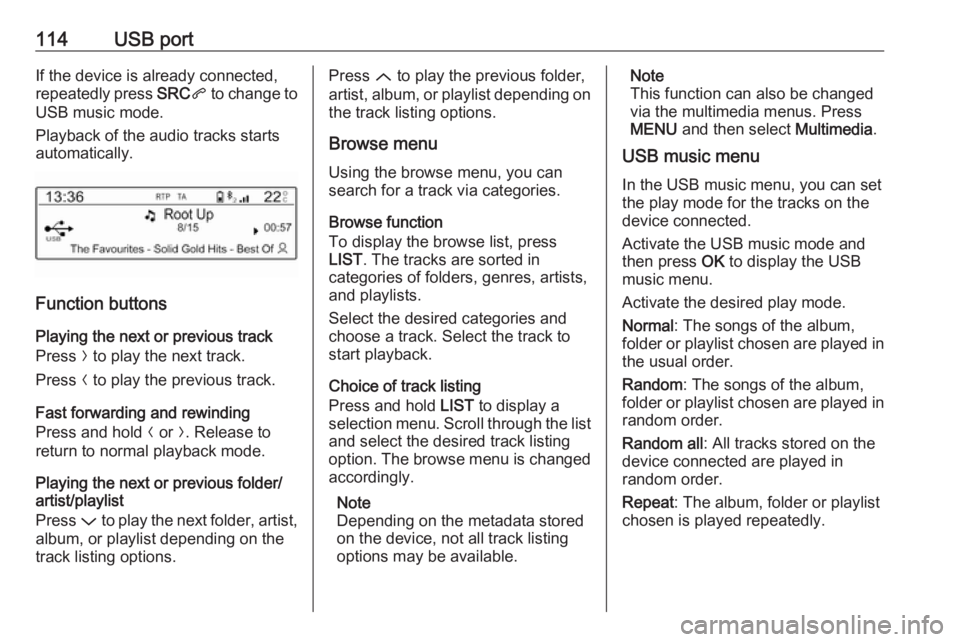
114USB portIf the device is already connected,
repeatedly press SRCq to change to
USB music mode.
Playback of the audio tracks starts
automatically.
Function buttons
Playing the next or previous track
Press O to play the next track.
Press N to play the previous track.
Fast forwarding and rewinding
Press and hold N or O. Release to
return to normal playback mode.
Playing the next or previous folder/
artist/playlist
Press P to play the next folder, artist,
album, or playlist depending on the
track listing options.
Press Q to play the previous folder,
artist, album, or playlist depending on
the track listing options.
Browse menu Using the browse menu, you can
search for a track via categories.
Browse function
To display the browse list, press
LIST . The tracks are sorted in
categories of folders, genres, artists,
and playlists.
Select the desired categories and
choose a track. Select the track to
start playback.
Choice of track listing
Press and hold LIST to display a
selection menu. Scroll through the list
and select the desired track listing
option. The browse menu is changed
accordingly.
Note
Depending on the metadata stored
on the device, not all track listing
options may be available.Note
This function can also be changed
via the multimedia menus. Press
MENU and then select Multimedia.
USB music menu
In the USB music menu, you can set
the play mode for the tracks on the
device connected.
Activate the USB music mode and then press OK to display the USB
music menu.
Activate the desired play mode.
Normal : The songs of the album,
folder or playlist chosen are played in
the usual order.
Random : The songs of the album,
folder or playlist chosen are played in
random order.
Random all : All tracks stored on the
device connected are played in
random order.
Repeat : The album, folder or playlist
chosen is played repeatedly.
Page 116 of 127
116Bluetooth musicIf the device is already connected,
repeatedly press SRCq to change to
Bluetooth music mode.
If music playback does not start
automatically, it may be required to
start the audio files from the Bluetooth device.
Function buttons
Playing the next or previous track
Press O to play the next track.
Press N to play the previous track.