lights OPEL GRANDLAND X 2018 Infotainment system
[x] Cancel search | Manufacturer: OPEL, Model Year: 2018, Model line: GRANDLAND X, Model: OPEL GRANDLAND X 2018Pages: 265, PDF Size: 7.5 MB
Page 122 of 265
120LightingIf a headlight flash is activated when
the high beam assist is activated and
high beam is on, the high beam assist will be deactivated. The system
changes to low beam.
To reactivate the high beam assist,
flash the headlights again.
Fault in LED headlight system
When the system detects a failure in
the LED headlight system, it selects a preset position to avoid dazzling of
oncoming traffic. A warning is
displayed in the Driver Information
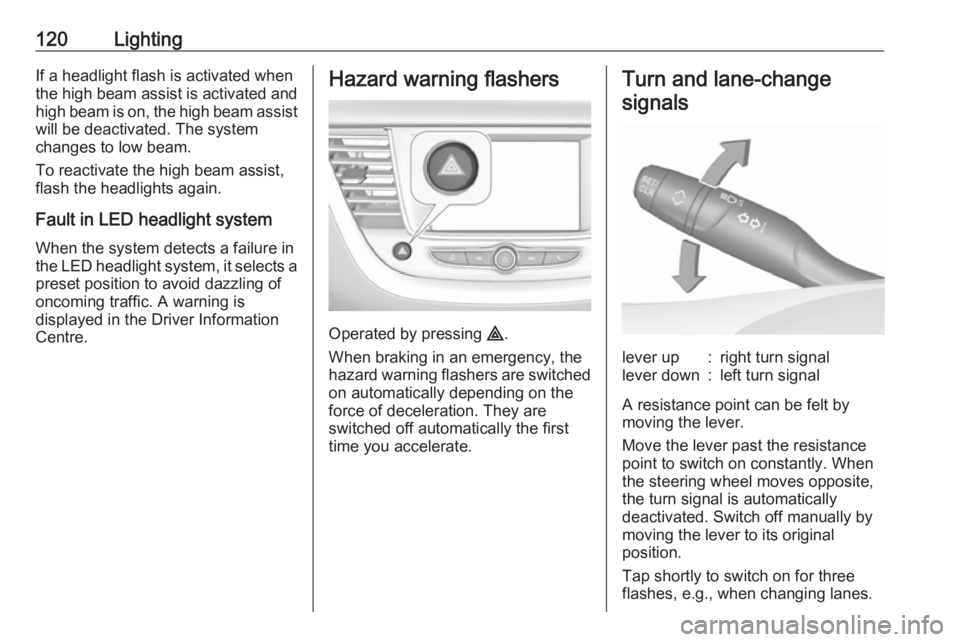
Centre.Hazard warning flashers
Operated by pressing ¨.
When braking in an emergency, the
hazard warning flashers are switched
on automatically depending on the
force of deceleration. They are
switched off automatically the first
time you accelerate.
Turn and lane-change
signalslever up:right turn signallever down:left turn signal
A resistance point can be felt bymoving the lever.
Move the lever past the resistance
point to switch on constantly. When
the steering wheel moves opposite,
the turn signal is automatically
deactivated. Switch off manually by
moving the lever to its original
position.
Tap shortly to switch on for three
flashes, e.g., when changing lanes.
Page 123 of 265
Lighting121Move the lever to the resistance point
and hold for flashing until lever is
released.
If you forget to cancel the turn and
lane-change signals for more than
twenty seconds, the volume of the
audible signal will increase if the
speed is above 60 km/h.
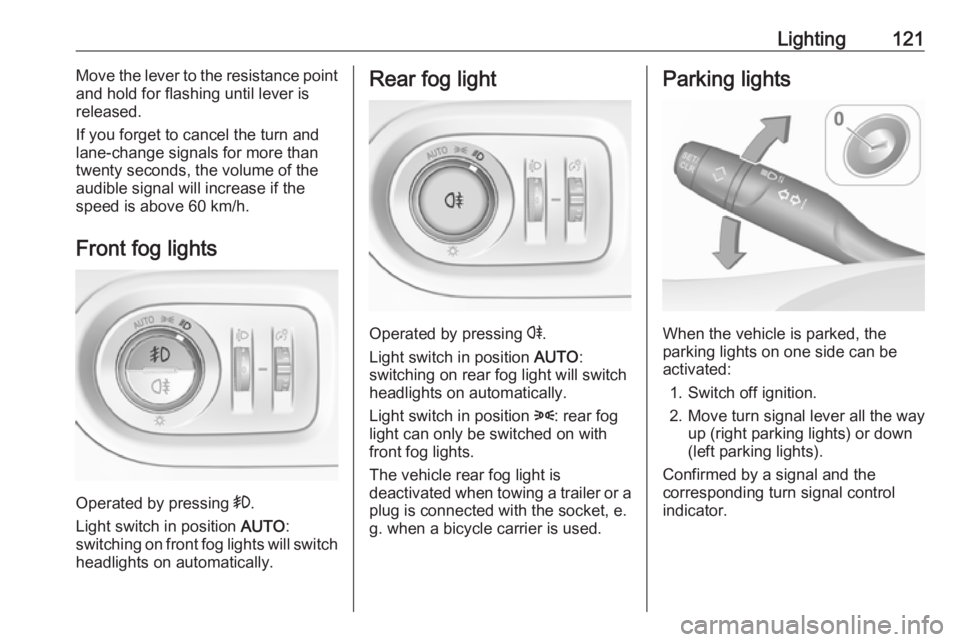
Front fog lights
Operated by pressing >
.
Light switch in position AUTO:
switching on front fog lights will switch headlights on automatically.
Rear fog light
Operated by pressing r.
Light switch in position AUTO:
switching on rear fog light will switch
headlights on automatically.
Light switch in position 8: rear fog
light can only be switched on with
front fog lights.
The vehicle rear fog light is
deactivated when towing a trailer or a
plug is connected with the socket, e.
g. when a bicycle carrier is used.
Parking lights
When the vehicle is parked, the
parking lights on one side can be
activated:
1. Switch off ignition.
2. Move turn signal lever all the way up (right parking lights) or down
(left parking lights).
Confirmed by a signal and the
corresponding turn signal control
indicator.
Page 124 of 265
122LightingReversing lights
The reversing light comes on when
the ignition is on and reverse gear is
selected.
Misted light covers
The inside of the light housing may
mist up briefly in poor, wet and cold weather conditions, in heavy rain or
after washing. The mist disappears
quickly by itself; to help switch on the
headlights.Interior lighting
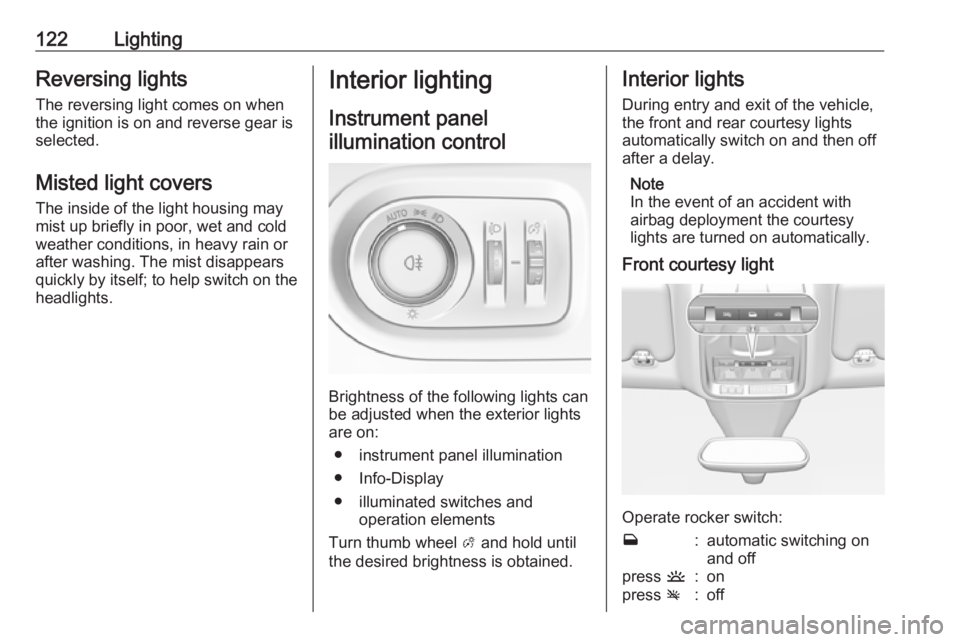
Instrument panelillumination control
Brightness of the following lights can
be adjusted when the exterior lights
are on:
● instrument panel illumination
● Info-Display
● illuminated switches and operation elements
Turn thumb wheel A and hold until
the desired brightness is obtained.
Interior lights
During entry and exit of the vehicle,
the front and rear courtesy lights
automatically switch on and then off
after a delay.
Note
In the event of an accident with
airbag deployment the courtesy
lights are turned on automatically.
Front courtesy light
Operate rocker switch:
w:automatic switching on
and offpress u:onpress v:off
Page 125 of 265
Lighting123Rear courtesy lightsIlluminate in conjunction with the front
courtesy light depending on rocker
switch position.
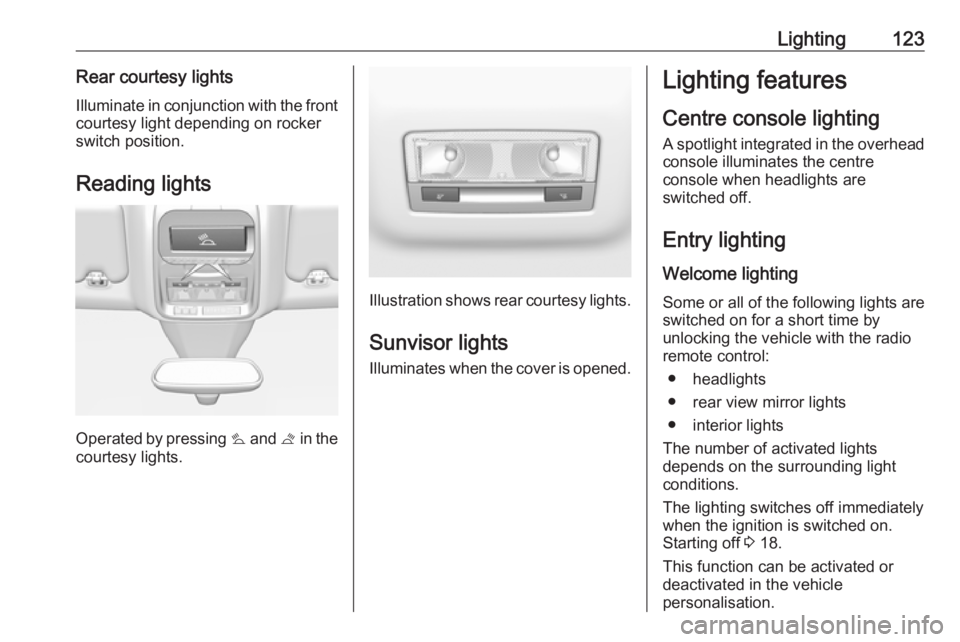
Reading lights
Operated by pressing s and t in the
courtesy lights.
Illustration shows rear courtesy lights.
Sunvisor lights
Illuminates when the cover is opened.
Lighting features
Centre console lighting A spotlight integrated in the overheadconsole illuminates the centre
console when headlights are
switched off.
Entry lighting Welcome lighting
Some or all of the following lights are
switched on for a short time by
unlocking the vehicle with the radio remote control:
● headlights
● rear view mirror lights
● interior lights
The number of activated lights
depends on the surrounding light
conditions.
The lighting switches off immediately
when the ignition is switched on.
Starting off 3 18.
This function can be activated or
deactivated in the vehicle
personalisation.
Page 126 of 265
124LightingVehicle personalisation 3 106.
The following lights will additionally
switch on when the driver's door is
opened:
● illumination of some switches
● Driver Information Centre
● door pocket lights
Exit lighting
The following lights are switched on if
the ignition is switched off:
● headlights
● interior lights
● instrument panel light
They will switch off automatically after
a delay. This function works only in
the dark. Theatre lighting is activated
if the driver's door is opened during
this time.
Battery discharge protection To prevent discharge of the vehicle
battery when the ignition is switched
off, some interior lights are switched
off automatically after some time.
Page 142 of 265
140Driving and operatingAutomatic transmission: operate
brake pedal and move selector lever
to P or N.
Do not operate accelerator pedal.
Press and release Start/Stop: an
automatic procedure operates the
starter with a short delay until the
engine is running.
Before restarting or to switch off the engine when vehicle is stationary, press Start/Stop once more briefly.
Manual transmission: during an
Autostop, the engine can be started
by depressing the clutch pedal
3 141.
Automatic transmission: during an
Autostop, the engine can be started
by releasing the brake pedal 3 141.
Emergency shut off during driving If the engine needs to be switched offduring driving in case of emergency,
press Start/Stop for five seconds.9Danger
Switching off the engine during
driving may cause loss of power
support for brake and steering
systems. Assistance systems and
airbag systems are disabled.
Lighting and brake lights will
extinguish. Therefore power down the engine and ignition while
driving only when required in case of emergency.
Starting the vehicle at low
temperatures
Starting the engine without additional
heaters is possible down to -25 °С for diesel engines and -30 °C for petrol
engines. Required is an engine oil
with the correct viscosity, the correct fuel, performed services and a
sufficiently charged vehicle battery.
With temperatures below -30 °C the
automatic transmission requires a
warming phase of approx.
five minutes. The selector lever must
be in position P.
Heating functionalities
Note
Individual heating functionalities,
such as heated seats or heated
steering wheel, may be temporarily
unavailable in the event of electrical
loading constraints. Functions will
be resumed after some minutes.
Turbo engine warm-up
Upon start-up, engine available
torque may be limited for a short time,
especially when the engine
temperature is cold. The limitation is
to allow the lubrication system to fully
protect the engine.
Overrun cut-off
The fuel supply is automatically cut off
during overrun, i.e. when the vehicle
is driven with a gear engaged but accelerator pedal is released.
Depending on driving conditions, the
overrun cut-off may be deactivated.
Page 154 of 265
152Driving and operatingWhen clutch slip is detected for a
specific time, the engine power will be
reduced. A warning is displayed in the Driver Information Centre. Release
the clutch.Caution
It is not advisable to drive with the hand resting on the selector lever.
Gear shift indication 3 98.
Stop-start system 3 141.
Brakes
The brake system comprises two
independent brake circuits.
If a brake circuit fails, the vehicle can
still be braked using the other brake
circuit. However, braking effect is
achieved only when the brake pedal
is depressed firmly. Considerably
more force is needed for this. The
braking distance is extended. Seek
the assistance of a workshop before
continuing the journey.
When the engine is not running, the
support of the brake servo unit
disappears once the brake pedal has been depressed once or twice.
Braking effect is not reduced, but
braking requires significantly greater
force. It is especially important to bear this in mind when being towed.
Control indicator m 3 97.
Antilock brake system
Antilock brake system (ABS)
prevents the wheels from locking.ABS starts to regulate brake pressure as soon as a wheel shows a tendency to lock. The vehicle remains
steerable, even during hard braking.
ABS control is made apparent
through a pulse in the brake pedal
and the noise of the regulation
process.
For optimum braking, keep the brake
pedal fully depressed throughout the
braking process, despite the fact that
the pedal is pulsating. Do not reduce
the pressure on the pedal.
After starting off, the system performs
a self-test which may be audible.
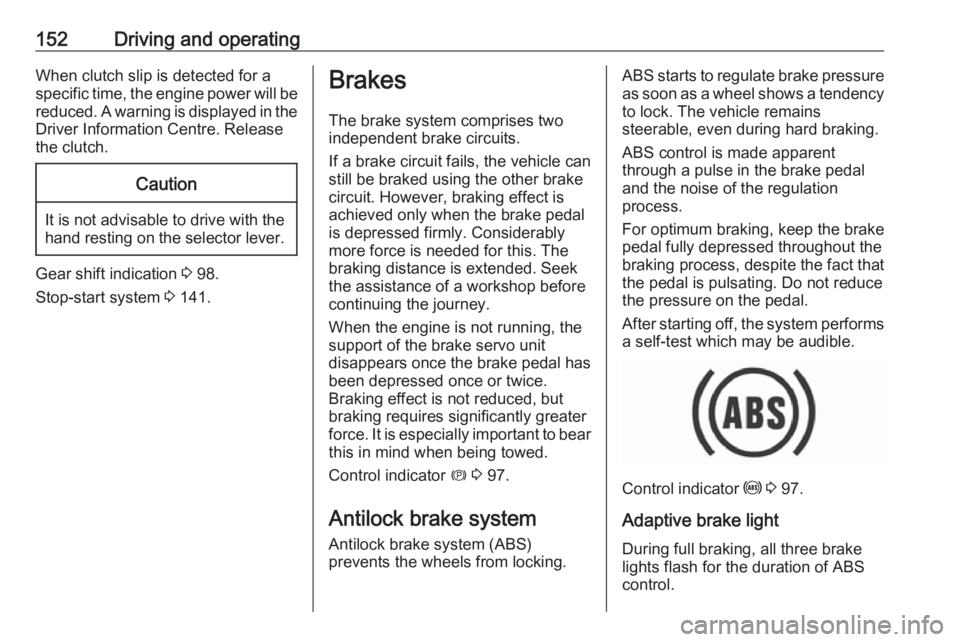
Control indicator u 3 97.
Adaptive brake light
During full braking, all three brake
lights flash for the duration of ABS
control.
Page 166 of 265
164Driving and operatingFault
In the event of a speed limiter fault, the speed is cleared resulting in
flashing of the dashes.
The speed limiter may not operate correctly if traffic signs do not comply
with the Vienna Convention on Road
Signs and Signals (Wiener
Übereinkommen über
Straßenverkehrszeichen).
Adaptive cruise control
Adaptive cruise control is an
enhancement to conventional cruise
control with the additional feature of
maintaining a certain distance behind the vehicle ahead. It uses radar and
camera sensors to detect the vehicles ahead. If no vehicle is detected in the
driving path, the adaptive cruise
control will behave like a conventional
cruise control.
Adaptive cruise control automatically
decelerates the vehicle when
approaching a slower moving vehicle. It then adjusts the vehicle speed to
follow the vehicle ahead at the
selected following distance. Thevehicle speed increases or decreases
to follow the vehicle in front, but will
not exceed the set speed. It may
apply limited braking with activated
brake lights.
If the vehicle in front accelerates or changes lane, the adaptive cruise
control progressively accelerates
your vehicle to return to the
programmed speed. If the driver
operates a direction indicator to
overtake a slower vehicle, the
adaptive cruise control allows your
vehicle to temporarily approach the
vehicle in front to assist the
overtaking manoeuvre, though never
exceeding the programmed speed.9 Warning
The complete driver attention is
always required while driving with adaptive cruise control. The driver stays fully in control of the vehicle
because the brake pedal, the
accelerator pedal and the cancel
switch have priority over any
adaptive cruise control operation.
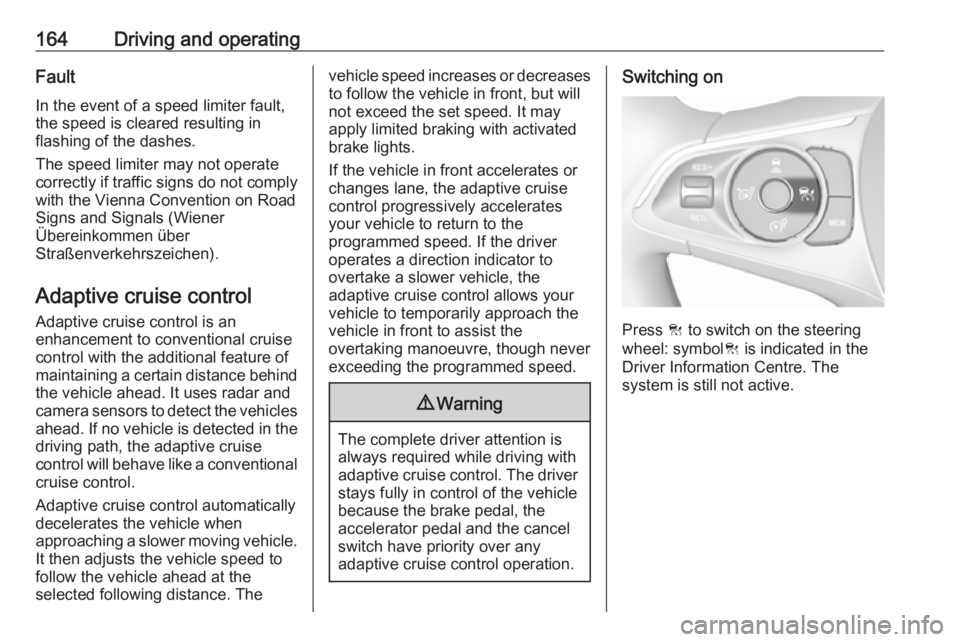
Switching on
Press C to switch on the steering
wheel: symbol C is indicated in the
Driver Information Centre. The
system is still not active.
Page 190 of 265
188Driving and operatingDisplayed images may be furtheror closer than they appear. The
area displayed is limited and
objects that are close to either
edge of the bumper or under the
bumper are not displayed on the
screen.
System limitations
Caution
For optimal operation of the
system, it is important to keep the
lense of the camera in the tailgate between the number plate lightsand the lense in the front grill
below the enblem always clean. Rinse the lenses with water and
wipe with a soft cloth.
Do not clean the lenses with a
steam-jet or high-pressure jet
cleaner.
The panoramic view system may not operate properly when:
● The surrounding is dark.
● The sun or the beam of headlights is shining directly into
the camera lenses.
● During nighttime driving.
● Weather limits visibility, such as fog, rain, or snow.
● The camera lenses are blocked by snow, ice, slush, mud, dirt.
● The vehicle is towing a trailer. ● The vehicle had an accident.● There are extreme temperature changes.
Rear view camera The rear view camera assists the
driver when reversing by displaying a
view of the area behind the vehicle.
The view of the camera is displayed
in the Info-Display.9 Warning
The rear view camera does not
replace driver vision. Note that
objects that are outside the
camera's field of view and the
parking assist sensors, e.g. below
the bumper or underneath the
vehicle, are not displayed.
Do not reverse or park the vehicle
using only the rear view camera.
Always check the surrounding of
the vehicle before driving.
Switching on
Rear view camera is automatically
activated when reverse gear is
engaged.
Page 191 of 265
Driving and operating189Functionality
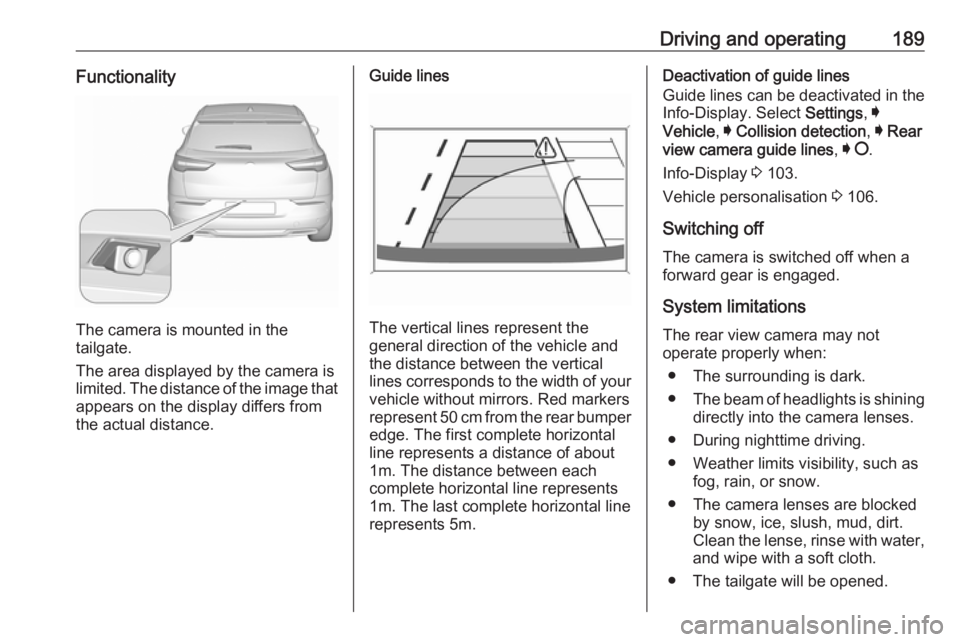
The camera is mounted in the
tailgate.
The area displayed by the camera is
limited. The distance of the image that
appears on the display differs from
the actual distance.
Guide lines
The vertical lines represent the
general direction of the vehicle and
the distance between the vertical
lines corresponds to the width of your vehicle without mirrors. Red markers
represent 50 cm from the rear bumper
edge. The first complete horizontal
line represents a distance of about
1m. The distance between each
complete horizontal line represents
1m. The last complete horizontal line
represents 5m.
Deactivation of guide lines
Guide lines can be deactivated in the Info-Display. Select Settings, I
Vehicle , I Collision detection , I Rear
view camera guide lines , I § .
Info-Display 3 103.
Vehicle personalisation 3 106.
Switching off
The camera is switched off when a
forward gear is engaged.
System limitations The rear view camera may not
operate properly when:
● The surrounding is dark.
● The beam of headlights is shining
directly into the camera lenses.
● During nighttime driving.
● Weather limits visibility, such as fog, rain, or snow.
● The camera lenses are blocked by snow, ice, slush, mud, dirt.
Clean the lense, rinse with water,
and wipe with a soft cloth.
● The tailgate will be opened.