start stop button OPEL GRANDLAND X 2019.75 Manual user
[x] Cancel search | Manufacturer: OPEL, Model Year: 2019.75, Model line: GRANDLAND X, Model: OPEL GRANDLAND X 2019.75Pages: 273, PDF Size: 7.85 MB
Page 132 of 273
130Driving and operatingDriving and
operatingDriving hints ............................... 131
Control of the vehicle ...............131
Steering ................................... 131
Starting and operating ...............131
New vehicle running-in ............131
Ignition switch positions ...........131
Power button ........................... 132
Starting the engine ..................133
Overrun cut-off ........................ 135
Stop-start system ....................135
Parking .................................... 137
Engine exhaust .......................... 138
Exhaust filter ............................ 138
Catalytic converter ...................139
AdBlue ..................................... 139
Automatic transmission ..............143
Transmission display ...............143
Gear selection ......................... 143
Manual mode ........................... 144
Electronic driving programmes 144
Fault ........................................ 145
Interruption of power supply ....145
Manual transmission ..................146Brakes........................................ 146
Antilock brake system .............146
Parking brake .......................... 147
Brake assist ............................. 149
Hill start assist ......................... 149
Ride control systems .................150
Electronic Stability Control and Traction Control system .........150
Selective ride control ...............151
Sport mode .............................. 152
Driver assistance systems .........153
Cruise control .......................... 153
Speed limiter ........................... 156
Adaptive cruise control ............158
Forward collision alert .............164
Active emergency braking .......166
Front pedestrian protection .....169
Parking assist .......................... 170
Advanced parking assist .........173
Side blind spot alert .................178
Panoramic view system ...........179
Rear view camera ...................182
Lane departure warning ..........184
Lane keep assist .....................185
Driver alert ............................... 187
Fuel ............................................ 188
Fuel for petrol engines .............188
Fuel for diesel engines ............189
Refuelling ................................ 190Trailer hitch................................ 192
General information .................192
Driving characteristics and towing tips .............................. 192
Trailer towing ........................... 192
Towing equipment ...................193
Trailer stability assist ...............195
Page 134 of 273
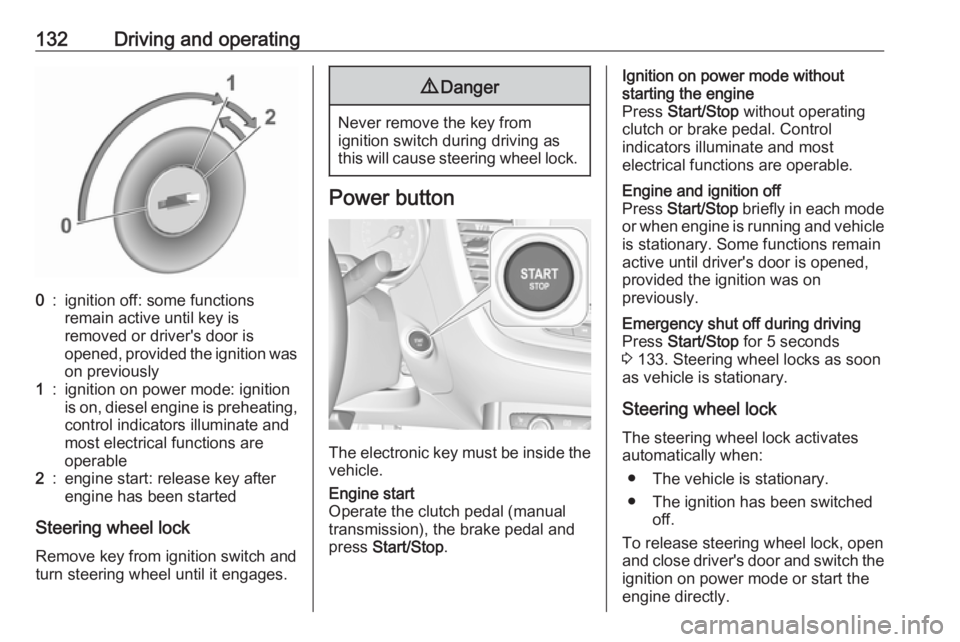
132Driving and operating0:ignition off: some functions
remain active until key is
removed or driver's door is
opened, provided the ignition was
on previously1:ignition on power mode: ignition
is on, diesel engine is preheating, control indicators illuminate and
most electrical functions are
operable2:engine start: release key after
engine has been started
Steering wheel lock
Remove key from ignition switch and
turn steering wheel until it engages.
9 Danger
Never remove the key from
ignition switch during driving as
this will cause steering wheel lock.
Power button
The electronic key must be inside the
vehicle.
Engine start
Operate the clutch pedal (manual
transmission), the brake pedal and
press Start/Stop .Ignition on power mode without
starting the engine
Press Start/Stop without operating
clutch or brake pedal. Control
indicators illuminate and most
electrical functions are operable.Engine and ignition off
Press Start/Stop briefly in each mode
or when engine is running and vehicle
is stationary. Some functions remain
active until driver's door is opened,
provided the ignition was on
previously.Emergency shut off during driving
Press Start/Stop for 5 seconds
3 133. Steering wheel locks as soon
as vehicle is stationary.
Steering wheel lock
The steering wheel lock activates
automatically when:
● The vehicle is stationary.
● The ignition has been switched off.
To release steering wheel lock, open
and close driver's door and switch the ignition on power mode or start the
engine directly.
Page 135 of 273
Driving and operating1339Warning
If the vehicle battery is discharged,
the vehicle must not be towed,
tow-started or jump-started as the
steering wheel lock cannot be
disengaged.
Operation on vehicles with
electronic key system in case of
failure
If either the electronic key fails or the
battery of the electronic key is weak,
a message may be displayed in the
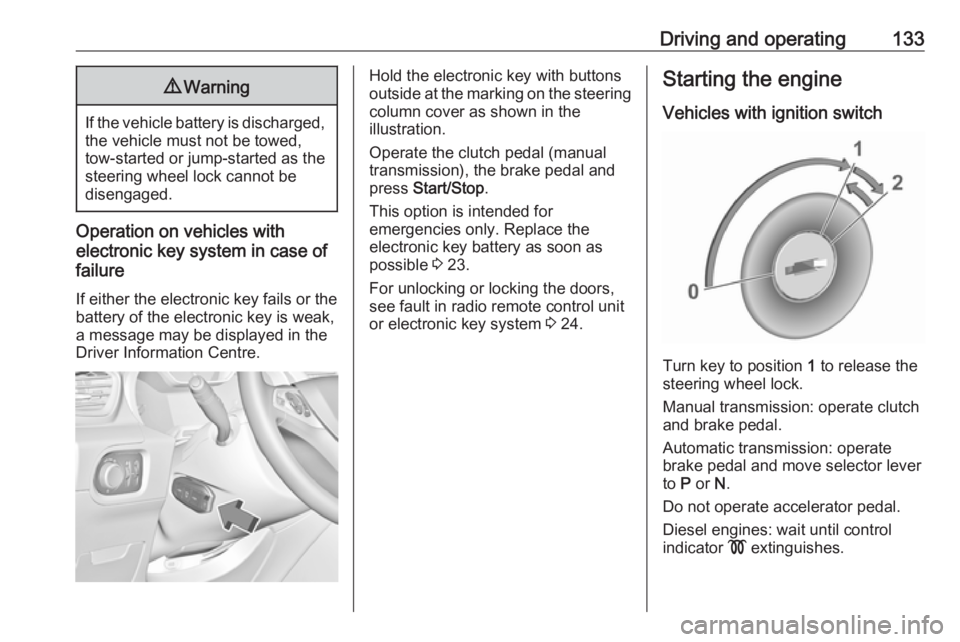
Driver Information Centre.
Hold the electronic key with buttons
outside at the marking on the steering column cover as shown in the
illustration.
Operate the clutch pedal (manual
transmission), the brake pedal and
press Start/Stop .
This option is intended for
emergencies only. Replace the
electronic key battery as soon as
possible 3 23.
For unlocking or locking the doors,
see fault in radio remote control unit
or electronic key system 3 24.Starting the engine
Vehicles with ignition switch
Turn key to position 1 to release the
steering wheel lock.
Manual transmission: operate clutch
and brake pedal.
Automatic transmission: operate
brake pedal and move selector lever
to P or N.
Do not operate accelerator pedal.
Diesel engines: wait until control
indicator ! extinguishes.
Page 136 of 273
134Driving and operatingTurn key briefly to position 2 and
release after engine has been
started.
Manual transmission: during an
Autostop, the engine can be started
by depressing the clutch pedal
3 135.
Automatic transmission: during an
Autostop, the engine can be started
by releasing the brake pedal 3 135.
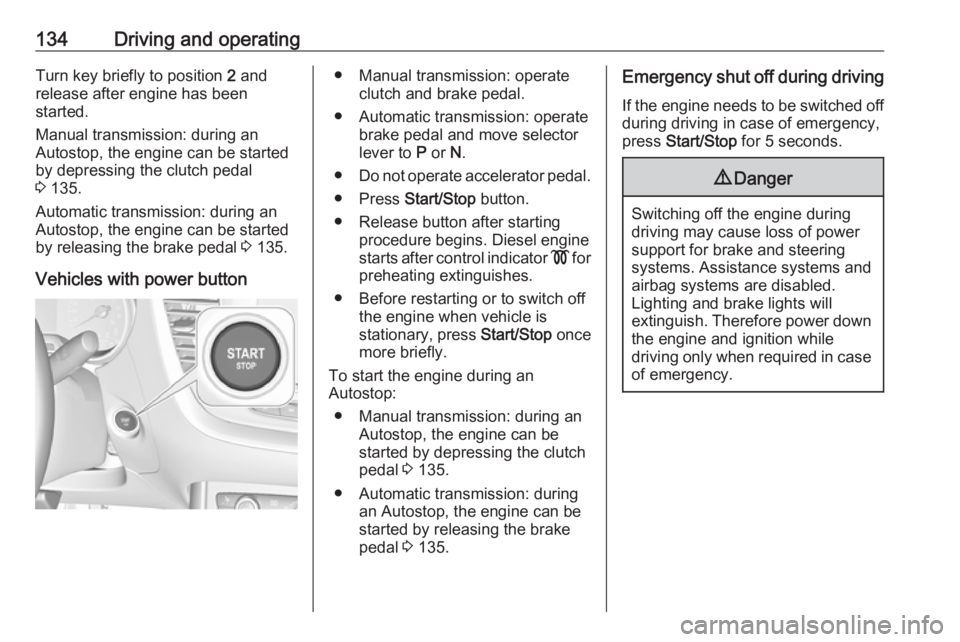
Vehicles with power button● Manual transmission: operate clutch and brake pedal.
● Automatic transmission: operate brake pedal and move selector
lever to P or N.
● Do not operate accelerator pedal.
● Press Start/Stop button.
● Release button after starting procedure begins. Diesel engine
starts after control indicator ! for
preheating extinguishes.
● Before restarting or to switch off the engine when vehicle is
stationary, press Start/Stop once
more briefly.
To start the engine during an
Autostop:
● Manual transmission: during an Autostop, the engine can be
started by depressing the clutch
pedal 3 135.
● Automatic transmission: during an Autostop, the engine can be
started by releasing the brake
pedal 3 135.Emergency shut off during driving
If the engine needs to be switched offduring driving in case of emergency,
press Start/Stop for 5 seconds.9Danger
Switching off the engine during
driving may cause loss of power
support for brake and steering
systems. Assistance systems and
airbag systems are disabled.
Lighting and brake lights will
extinguish. Therefore power down the engine and ignition while
driving only when required in case of emergency.
Page 137 of 273
Driving and operating135Starting the vehicle at lowtemperatures
Starting the engine without additional
heaters is possible down to -25 °С for diesel engines and -30 °C for petrol
engines. Required is an engine oil
with the correct viscosity, the correct fuel, performed services and a
sufficiently charged vehicle battery.
With temperatures below -30 °C the
automatic transmission requires a
warming phase of approx. 5 minutes.
The selector lever must be in position
P .
Turbo engine warm-up
Upon start-up, engine available
torque may be limited for a short time, especially when the engine
temperature is cold. The limitation is
to allow the lubrication system to fully
protect the engine.
Overrun cut-off
The fuel supply is automatically cut off
during overrun, i.e. when the vehicle
is driven with a gear engaged but accelerator pedal is released.Depending on driving conditions, the
overrun cut-off may be deactivated.
Stop-start system
The stop-start system helps to save
fuel and to reduce the exhaust
emissions. When conditions allow, it
switches off the engine as soon as the
vehicle is at a low speed or at a
standstill, e.g. at a traffic light or in a
traffic jam.
Activation The stop-start system is available as
soon as the engine is started, the
vehicle starts-off and the conditions
as stated below in this section are
fulfilled.
The system is ready to operate when
the LED in the button Ò is not
illuminated. To activate the system
when the system is deactivated,
press Ó.
If the stop-start system is temporarily
not available and the button Ò is
pressed, the LED in the button
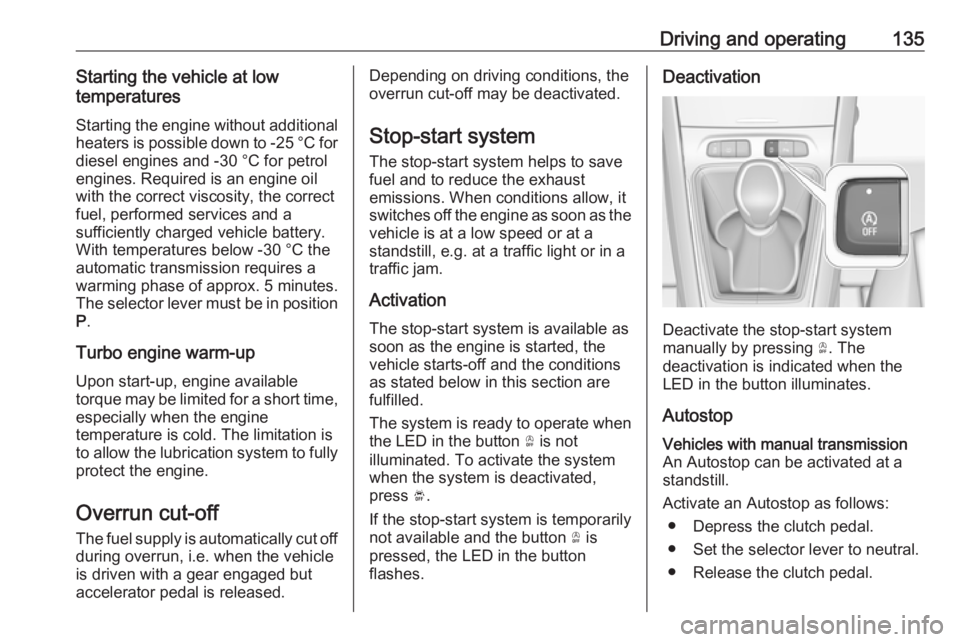
flashes.Deactivation
Deactivate the stop-start system
manually by pressing Ò. The
deactivation is indicated when the
LED in the button illuminates.
Autostop
Vehicles with manual transmission
An Autostop can be activated at a
standstill.
Activate an Autostop as follows: ● Depress the clutch pedal.
● Set the selector lever to neutral.
● Release the clutch pedal.
Page 161 of 273
Driving and operating1599Warning
The complete driver attention is
always required while driving with adaptive cruise control. The driver stays fully in control of the vehicle
because the brake pedal, the
accelerator pedal and the button
Ñ have priority over any adaptive
cruise control operation.
Switching on the system
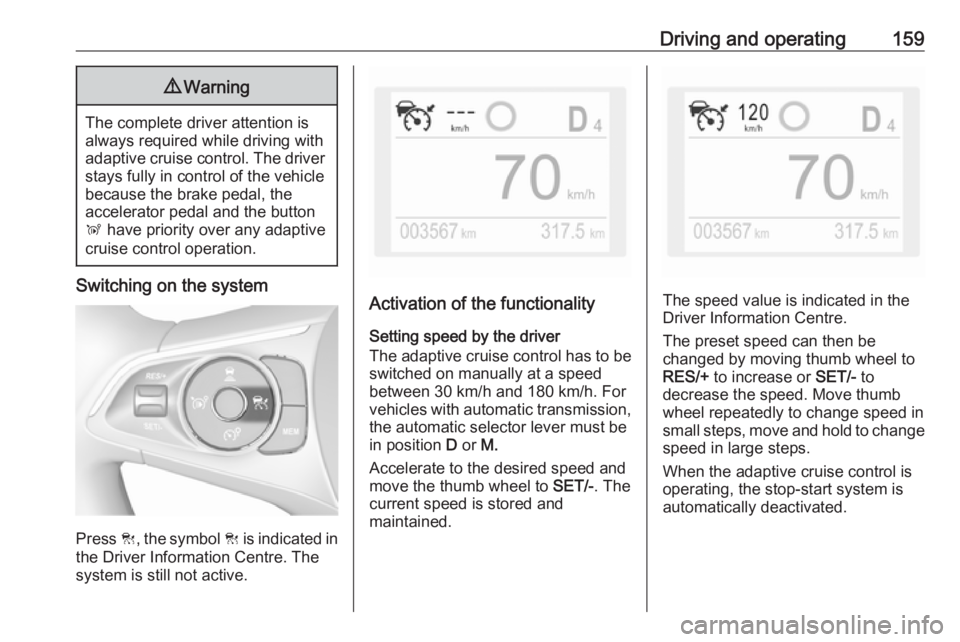
Press C, the symbol C is indicated in
the Driver Information Centre. The system is still not active.
Activation of the functionality
Setting speed by the driver
The adaptive cruise control has to be switched on manually at a speed
between 30 km/h and 180 km/h. For
vehicles with automatic transmission, the automatic selector lever must be
in position D or M.
Accelerate to the desired speed and
move the thumb wheel to SET/-. The
current speed is stored and
maintained.The speed value is indicated in the
Driver Information Centre.
The preset speed can then be
changed by moving thumb wheel to
RES/+ to increase or SET/- to
decrease the speed. Move thumb wheel repeatedly to change speed in
small steps, move and hold to change
speed in large steps.
When the adaptive cruise control is
operating, the stop-start system is
automatically deactivated.
Page 178 of 273
176Driving and operatingExiting a parallel parking slot
Activation
7'' Colour Info Display: when exiting a parallel parking slot, activate the
system by selecting Park Assist on
the Info Display. Then select Exit
parallel parking space .
8'' Colour Info Display: when exiting a parallel parking slot, activate the
system by pressing Í. Select Driving
functions on the Info Display and then
Park Assist . Select Exit parallel
parking space .
Select exit side by switching on the
respective turn light.
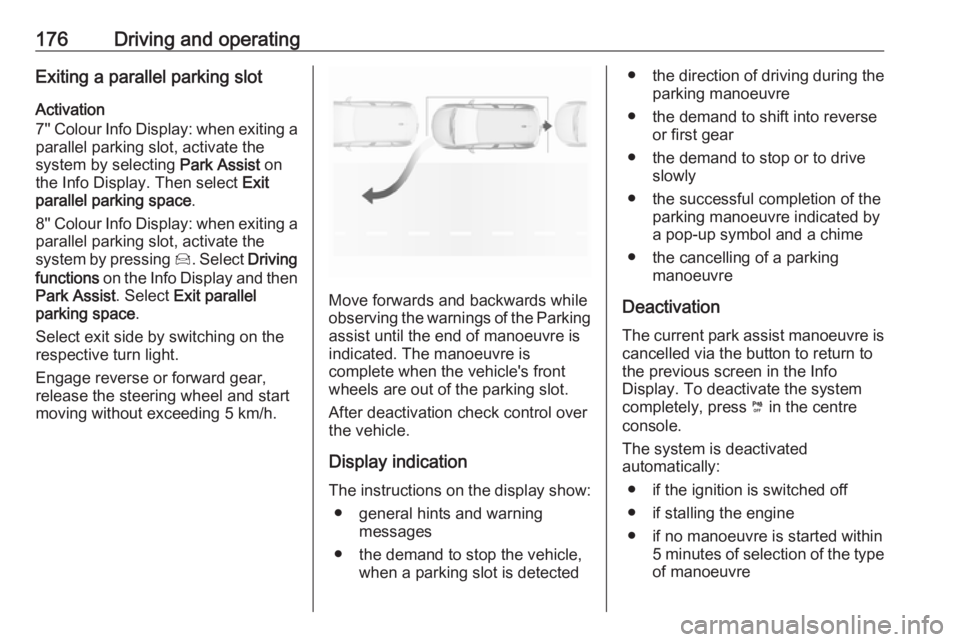
Engage reverse or forward gear,
release the steering wheel and start
moving without exceeding 5 km/h.
Move forwards and backwards while
observing the warnings of the Parking
assist until the end of manoeuvre is
indicated. The manoeuvre is
complete when the vehicle's front
wheels are out of the parking slot.
After deactivation check control over
the vehicle.
Display indication The instructions on the display show: ● general hints and warning messages
● the demand to stop the vehicle, when a parking slot is detected
●the direction of driving during the
parking manoeuvre
● the demand to shift into reverse or first gear
● the demand to stop or to drive slowly
● the successful completion of the parking manoeuvre indicated by
a pop-up symbol and a chime
● the cancelling of a parking manoeuvre
Deactivation The current park assist manoeuvre is
cancelled via the button to return to
the previous screen in the Info
Display. To deactivate the system
completely, press ¼ in the centre
console.
The system is deactivated
automatically:
● if the ignition is switched off
● if stalling the engine
● if no manoeuvre is started within 5 minutes of selection of the typeof manoeuvre