ESP OPEL GRANDLAND X 2019.75 Manual user
[x] Cancel search | Manufacturer: OPEL, Model Year: 2019.75, Model line: GRANDLAND X, Model: OPEL GRANDLAND X 2019.75Pages: 273, PDF Size: 7.85 MB
Page 106 of 273
104Instruments and controls● the electronic key is not in thepassenger compartment
● the parking assist detects an object
● an unintended lane change occurs
● the exhaust filter has reached the
maximum filling level
If several warnings appear at the
same time, only one warning chime
will sound
When the vehicle is parked and /
or the driver's door is opened
● With exterior lights on.
During an Autostop ● If the driver's door is opened.
● If any condition for a restart of the
engine is not fulfilled.Vehicle personalisation
The vehicle's behaviour can be
personalised by changing the settings
in the Info Display.
Depending on vehicle equipment and country-specific regulations some of
the functions described below may
not be available.
Some functions are only displayed or
active when the engine is running.
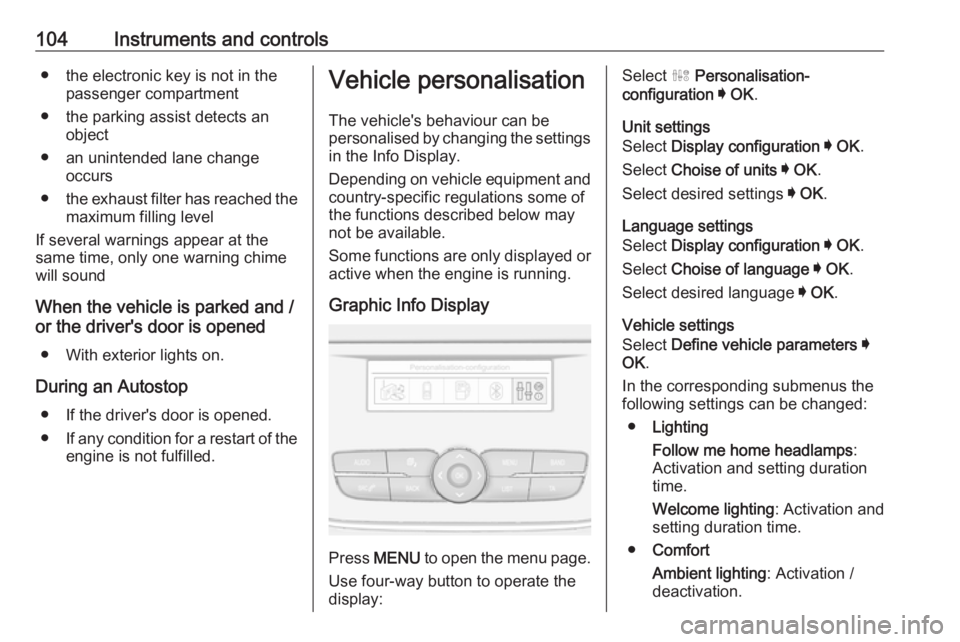
Graphic Info Display
Press MENU to open the menu page.
Use four-way button to operate the
display:
Select ˆ Personalisation-
configuration I OK .
Unit settings
Select Display configuration I OK .
Select Choise of units I OK .
Select desired settings I OK .
Language settings
Select Display configuration I OK .
Select Choise of language I OK .
Select desired language I OK .
Vehicle settings
Select Define vehicle parameters I
OK .
In the corresponding submenus the
following settings can be changed:
● Lighting
Follow me home headlamps :
Activation and setting duration
time.
Welcome lighting : Activation and
setting duration time.
● Comfort
Ambient lighting : Activation /
deactivation.
Page 107 of 273
Instruments and controls105Rear wiper in reverse gear:
Activation / deactivation.
● Vehicle
Unlocking boot only : Activation /
deactivation.
Plip action : Driver / all doors.
● Driving assistance
Fatigue Detection system :
Activation / deactivation.
Speed recommendation :
Activation / deactivation.
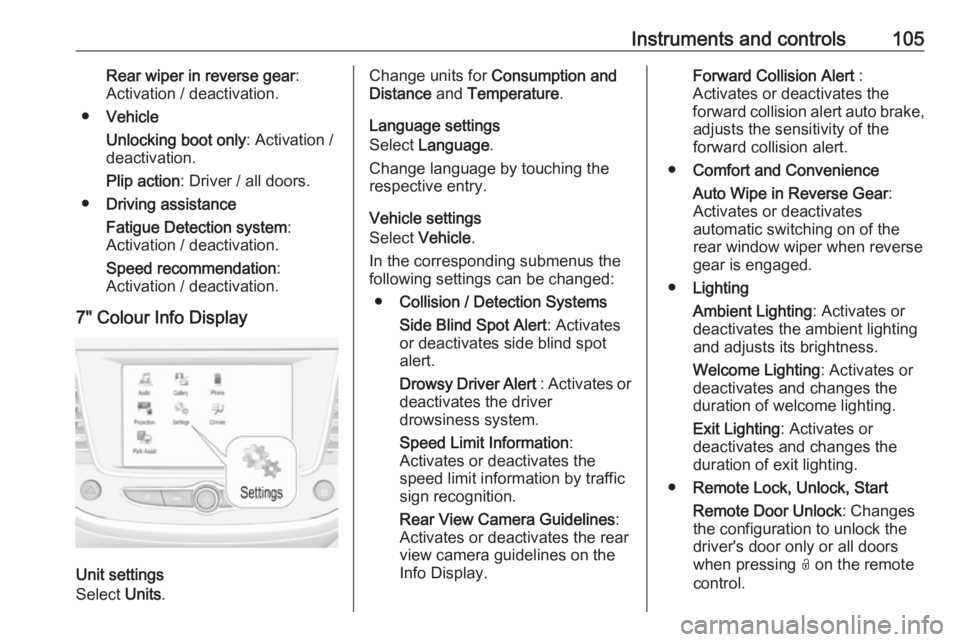
7" Colour Info Display
Unit settings
Select Units.
Change units for Consumption and
Distance and Temperature .
Language settings
Select Language .
Change language by touching the
respective entry.
Vehicle settings
Select Vehicle .
In the corresponding submenus the
following settings can be changed:
● Collision / Detection Systems
Side Blind Spot Alert : Activates
or deactivates side blind spot
alert.
Drowsy Driver Alert : Activates or
deactivates the driver
drowsiness system.
Speed Limit Information :
Activates or deactivates the
speed limit information by traffic sign recognition.
Rear View Camera Guidelines :
Activates or deactivates the rear
view camera guidelines on the
Info Display.Forward Collision Alert :
Activates or deactivates the
forward collision alert auto brake, adjusts the sensitivity of the
forward collision alert.
● Comfort and Convenience
Auto Wipe in Reverse Gear :
Activates or deactivates
automatic switching on of the
rear window wiper when reverse gear is engaged.
● Lighting
Ambient Lighting : Activates or
deactivates the ambient lighting
and adjusts its brightness.
Welcome Lighting : Activates or
deactivates and changes the
duration of welcome lighting.
Exit Lighting : Activates or
deactivates and changes the duration of exit lighting.
● Remote Lock, Unlock, Start
Remote Door Unlock : Changes
the configuration to unlock the
driver's door only or all doors
when pressing O on the remote
control.
Page 108 of 273
106Instruments and controlsUnlock boot only: Activates or
deactivates unlocking the tailgate
only when pressing T on the
remote control.
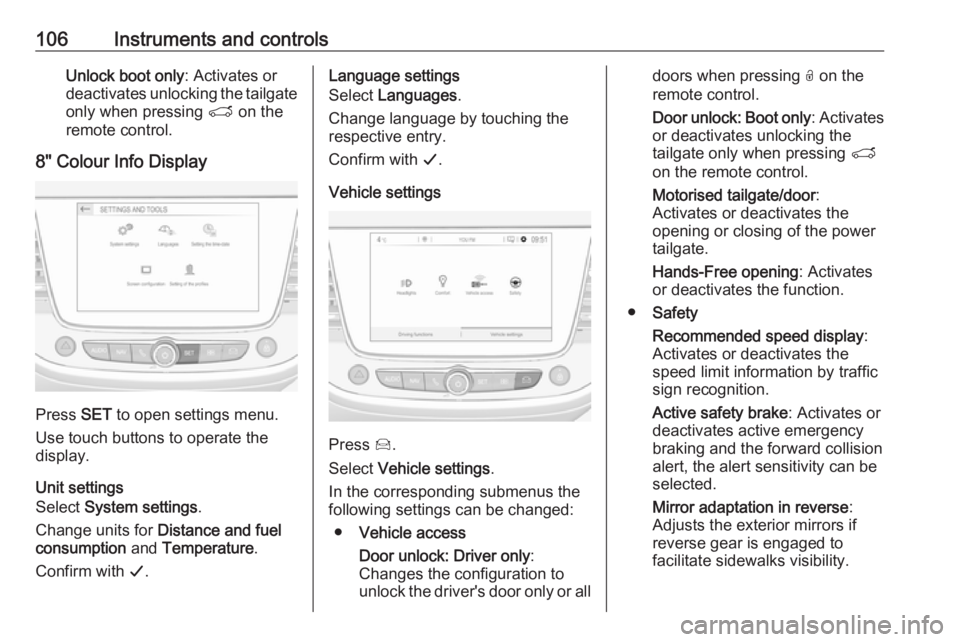
8" Colour Info Display
Press SET to open settings menu.
Use touch buttons to operate the
display.
Unit settings
Select System settings .
Change units for Distance and fuel
consumption and Temperature .
Confirm with G.
Language settings
Select Languages .
Change language by touching the
respective entry.
Confirm with G.
Vehicle settings
Press Í.
Select Vehicle settings .
In the corresponding submenus the
following settings can be changed:
● Vehicle access
Door unlock: Driver only :
Changes the configuration to unlock the driver's door only or all
doors when pressing O on the
remote control.
Door unlock: Boot only : Activates
or deactivates unlocking the
tailgate only when pressing T
on the remote control.
Motorised tailgate/door :
Activates or deactivates the
opening or closing of the power
tailgate.
Hands-Free opening : Activates
or deactivates the function.
● Safety
Recommended speed display :
Activates or deactivates the
speed limit information by traffic
sign recognition.
Active safety brake : Activates or
deactivates active emergency
braking and the forward collision
alert, the alert sensitivity can be
selected.
Mirror adaptation in reverse :
Adjusts the exterior mirrors if
reverse gear is engaged to
facilitate sidewalks visibility.
Page 109 of 273
Instruments and controls107Driver’s attention warning:
Activates or deactivates the
driver drowsiness system.
Rear wiper in reverse : Activates
or deactivates automatic
switching on of the rear window
wiper when reverse gear is
engaged.
● Driving lighting
Directional headlamps : Activates
or deactivates the function.
● Comfort lighting
Guide-me-home lighting :
Activates or deactivates the
function and adjusts its duration.
Welcome lighting : Activates or
deactivates the function and
adjusts its duration.
Mood lighting : Adjusts the
brightness of the ambient
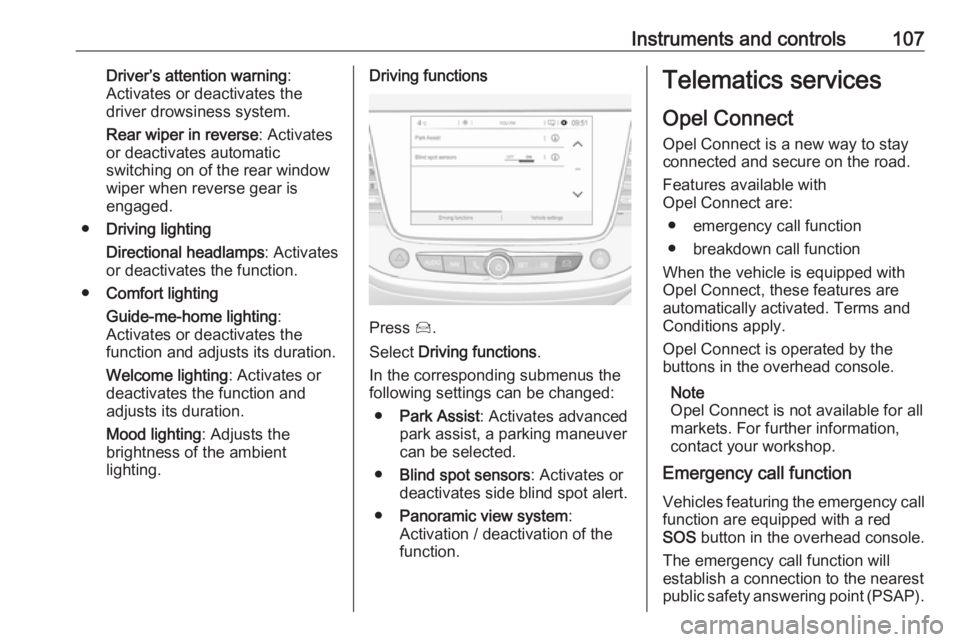
lighting.Driving functions
Press Í.
Select Driving functions .
In the corresponding submenus the
following settings can be changed:
● Park Assist : Activates advanced
park assist, a parking maneuver can be selected.
● Blind spot sensors : Activates or
deactivates side blind spot alert.
● Panoramic view system :
Activation / deactivation of the
function.
Telematics services
Opel Connect
Opel Connect is a new way to stay
connected and secure on the road.
Features available with
Opel Connect are:
● emergency call function
● breakdown call function
When the vehicle is equipped with
Opel Connect, these features are
automatically activated. Terms and
Conditions apply.
Opel Connect is operated by the buttons in the overhead console.
Note
Opel Connect is not available for all
markets. For further information,
contact your workshop.
Emergency call function
Vehicles featuring the emergency call
function are equipped with a red SOS button in the overhead console.
The emergency call function will
establish a connection to the nearest
public safety answering point (PSAP).
Page 114 of 273
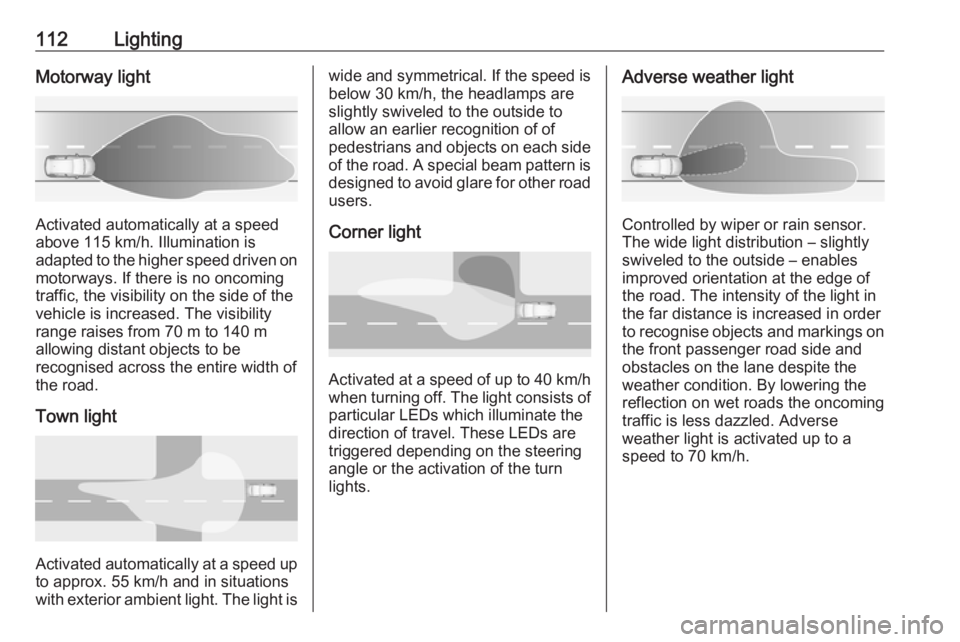
112LightingMotorway light
Activated automatically at a speed
above 115 km/h. Illumination is
adapted to the higher speed driven on
motorways. If there is no oncoming
traffic, the visibility on the side of the
vehicle is increased. The visibility
range raises from 70 m to 140 m
allowing distant objects to be
recognised across the entire width of
the road.
Town light
Activated automatically at a speed up to approx. 55 km/h and in situations
with exterior ambient light. The light is
wide and symmetrical. If the speed is
below 30 km/h, the headlamps are
slightly swiveled to the outside to
allow an earlier recognition of of
pedestrians and objects on each side
of the road. A special beam pattern is
designed to avoid glare for other road users.
Corner light
Activated at a speed of up to 40 km/h
when turning off. The light consists of particular LEDs which illuminate the
direction of travel. These LEDs are
triggered depending on the steering
angle or the activation of the turn
lights.
Adverse weather light
Controlled by wiper or rain sensor.
The wide light distribution – slightly
swiveled to the outside – enables
improved orientation at the edge of
the road. The intensity of the light in
the far distance is increased in order
to recognise objects and markings on
the front passenger road side and
obstacles on the lane despite the
weather condition. By lowering the
reflection on wet roads the oncoming
traffic is less dazzled. Adverse
weather light is activated up to a
speed to 70 km/h.
Page 118 of 273
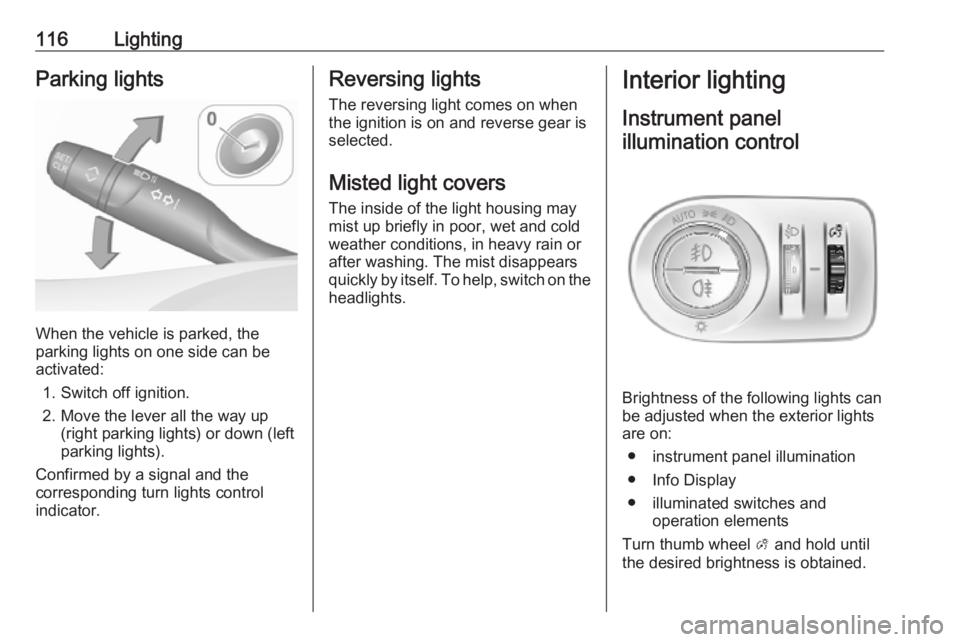
116LightingParking lights
When the vehicle is parked, the
parking lights on one side can be
activated:
1. Switch off ignition.
2. Move the lever all the way up (right parking lights) or down (left
parking lights).
Confirmed by a signal and the
corresponding turn lights control
indicator.
Reversing lights
The reversing light comes on when
the ignition is on and reverse gear is
selected.
Misted light covers
The inside of the light housing may
mist up briefly in poor, wet and cold weather conditions, in heavy rain or
after washing. The mist disappears
quickly by itself. To help, switch on the headlights.Interior lighting
Instrument panel illumination control
Brightness of the following lights can
be adjusted when the exterior lights
are on:
● instrument panel illumination
● Info Display
● illuminated switches and operation elements
Turn thumb wheel A and hold until
the desired brightness is obtained.
Page 122 of 273
120Climate controlDemisting and defrosting
● Press à: the air distribution is
directed towards the windscreen.
● Set temperature controller £ to
warmest level.
● Set fan speed Z to highest level.
● Switch on heated rear window b.
● Open side air vents as required and direct them towards the doorwindows.
Heated rear window, windscreen and exterior mirrors b 3 41.
Heated seats ß 3 51.
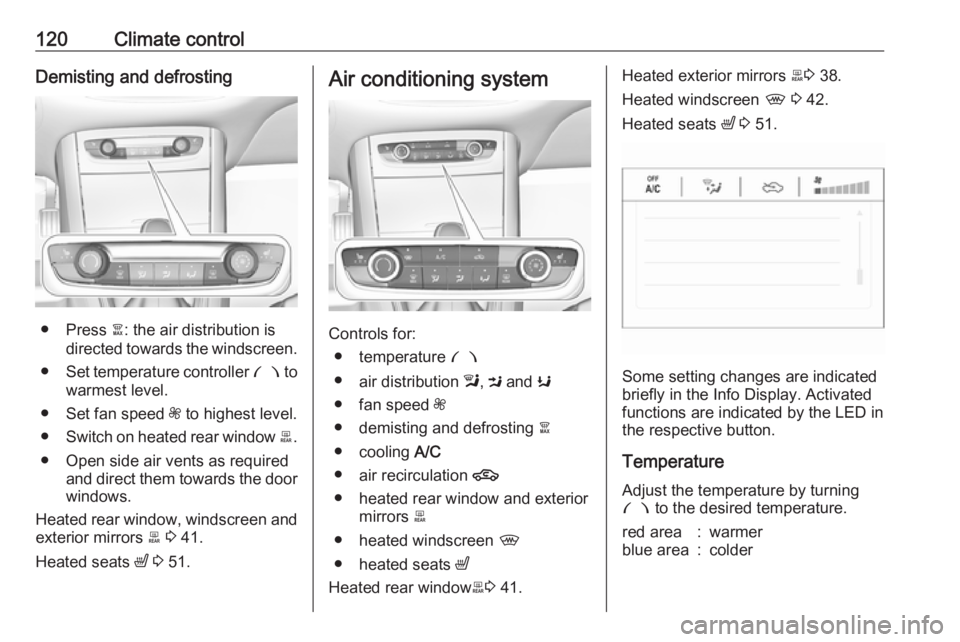
Air conditioning system
Controls for:
● temperature £
● air distribution l, M and K
● fan speed Z
● demisting and defrosting à
● cooling A/C
● air recirculation 4
● heated rear window and exterior mirrors b
● heated windscreen ,
● heated seats ß
Heated rear window b3 41.
Heated exterior mirrors b3 38.
Heated windscreen , 3 42.
Heated seats ß 3 51.
Some setting changes are indicated
briefly in the Info Display. Activated
functions are indicated by the LED in
the respective button.
Temperature
Adjust the temperature by turning
£ to the desired temperature.
red area:warmerblue area:colder
Page 125 of 273
Climate control123Electronic climate controlsystem
The dual zone climate control allows
different temperatures for driver side
and front passenger side.
In automatic mode, temperature, fan
speed and air distribution are
regulated automatically.
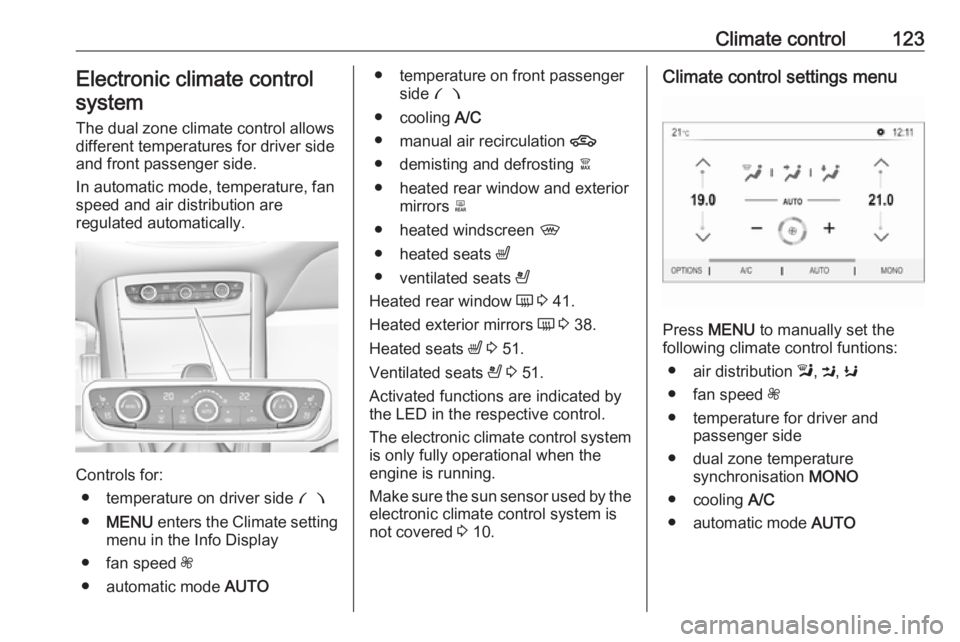
Controls for:
● temperature on driver side £
● MENU enters the Climate setting
menu in the Info Display
● fan speed Z
● automatic mode AUTO
● temperature on front passenger
side £
● cooling A/C
● manual air recirculation 4
● demisting and defrosting à
● heated rear window and exterior mirrors b
● heated windscreen ,
● heated seats ß
● ventilated seats A
Heated rear window Ü 3 41.
Heated exterior mirrors Ü 3 38.
Heated seats ß 3 51.
Ventilated seats A 3 51.
Activated functions are indicated by the LED in the respective control.
The electronic climate control system
is only fully operational when the
engine is running.
Make sure the sun sensor used by the
electronic climate control system is
not covered 3 10.Climate control settings menu
Press MENU to manually set the
following climate control funtions:
● air distribution l, M , K
● fan speed Z
● temperature for driver and passenger side
● dual zone temperature synchronisation MONO
● cooling A/C
● automatic mode AUTO
Page 131 of 273
Climate control129Air conditioning regular
operation
In order to ensure continuously
efficient performance, cooling must
be operated for a few minutes once a month, irrespective of the weather
and time of year. Operation with
cooling is not possible when the
outside temperature is too low.
Service For optimal cooling performance, it is
recommended to annually check the
climate control system, starting
three years after initial vehicle
registration, including:
● functionality and pressure test
● heating functionality
● leakage check
● check of drive belts
● cleaning of condenser and evaporator drainage
● performance check
Page 137 of 273
Driving and operating135Starting the vehicle at lowtemperatures
Starting the engine without additional
heaters is possible down to -25 °С for diesel engines and -30 °C for petrol
engines. Required is an engine oil
with the correct viscosity, the correct fuel, performed services and a
sufficiently charged vehicle battery.
With temperatures below -30 °C the
automatic transmission requires a
warming phase of approx. 5 minutes.
The selector lever must be in position
P .
Turbo engine warm-up
Upon start-up, engine available
torque may be limited for a short time, especially when the engine
temperature is cold. The limitation is
to allow the lubrication system to fully
protect the engine.
Overrun cut-off
The fuel supply is automatically cut off
during overrun, i.e. when the vehicle
is driven with a gear engaged but accelerator pedal is released.Depending on driving conditions, the
overrun cut-off may be deactivated.
Stop-start system
The stop-start system helps to save
fuel and to reduce the exhaust
emissions. When conditions allow, it
switches off the engine as soon as the
vehicle is at a low speed or at a
standstill, e.g. at a traffic light or in a
traffic jam.
Activation The stop-start system is available as
soon as the engine is started, the
vehicle starts-off and the conditions
as stated below in this section are
fulfilled.
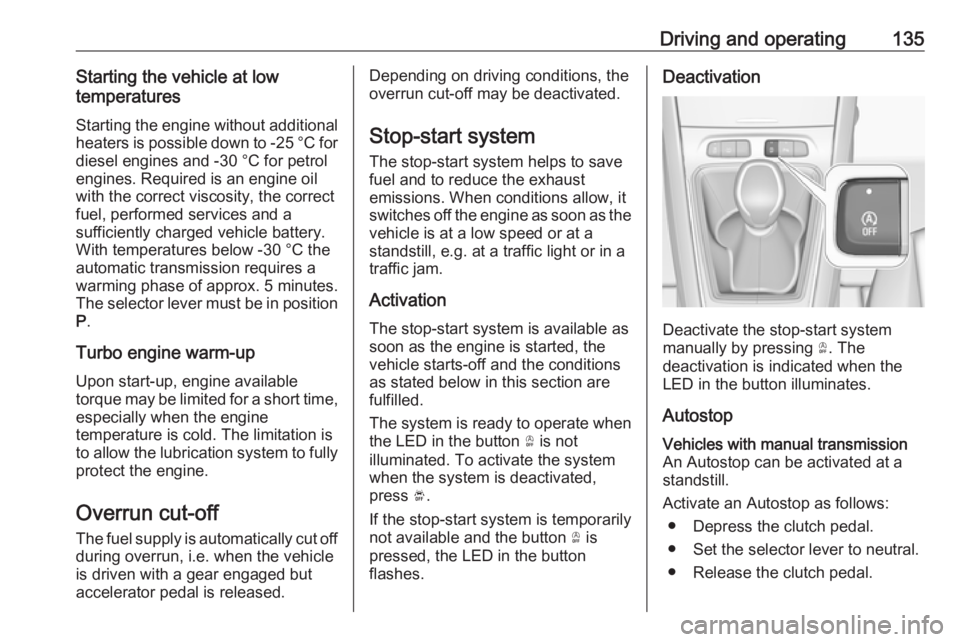
The system is ready to operate when
the LED in the button Ò is not
illuminated. To activate the system
when the system is deactivated,
press Ó.
If the stop-start system is temporarily
not available and the button Ò is
pressed, the LED in the button
flashes.Deactivation
Deactivate the stop-start system
manually by pressing Ò. The
deactivation is indicated when the
LED in the button illuminates.
Autostop
Vehicles with manual transmission
An Autostop can be activated at a
standstill.
Activate an Autostop as follows: ● Depress the clutch pedal.
● Set the selector lever to neutral.
● Release the clutch pedal.