light OPEL GRANDLAND X 2020 Manual user
[x] Cancel search | Manufacturer: OPEL, Model Year: 2020, Model line: GRANDLAND X, Model: OPEL GRANDLAND X 2020Pages: 283, PDF Size: 22.19 MB
Page 95 of 283
Instruments and controls93Overdued service is indicated by a
message in the Driver Information
Centre which indicates the overdued
distance. C flashes and then
illuminates permanently until service
is executed.
Reset of service interval After each service, the service
indicator must be reset to ensure
proper functionality. It is
recommended to seek the assistance
of a workshop.
If service is executed by yourself,
operate as following:
● switch off ignition
● press and hold button CHECK
● switch on ignition, the distance indication begins a countdown
● when the display indicates =0,
release the button
The symbol C disappears.Retrieving service information
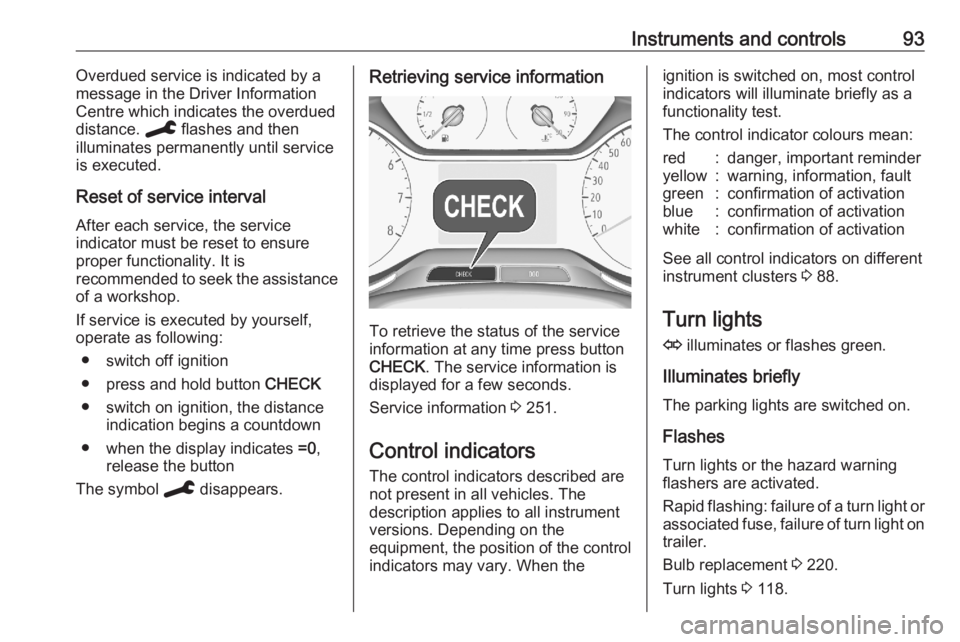
To retrieve the status of the service
information at any time press button
CHECK . The service information is
displayed for a few seconds.
Service information 3 251.
Control indicators The control indicators described are
not present in all vehicles. The
description applies to all instrument
versions. Depending on the
equipment, the position of the control indicators may vary. When the
ignition is switched on, most controlindicators will illuminate briefly as afunctionality test.
The control indicator colours mean:red:danger, important reminderyellow:warning, information, faultgreen:confirmation of activationblue:confirmation of activationwhite:confirmation of activation
See all control indicators on different
instrument clusters 3 88.
Turn lights
O illuminates or flashes green.
Illuminates briefly The parking lights are switched on.
Flashes
Turn lights or the hazard warning
flashers are activated.
Rapid flashing: failure of a turn light or associated fuse, failure of turn light on
trailer.
Bulb replacement 3 220.
Turn lights 3 118.
Page 97 of 283
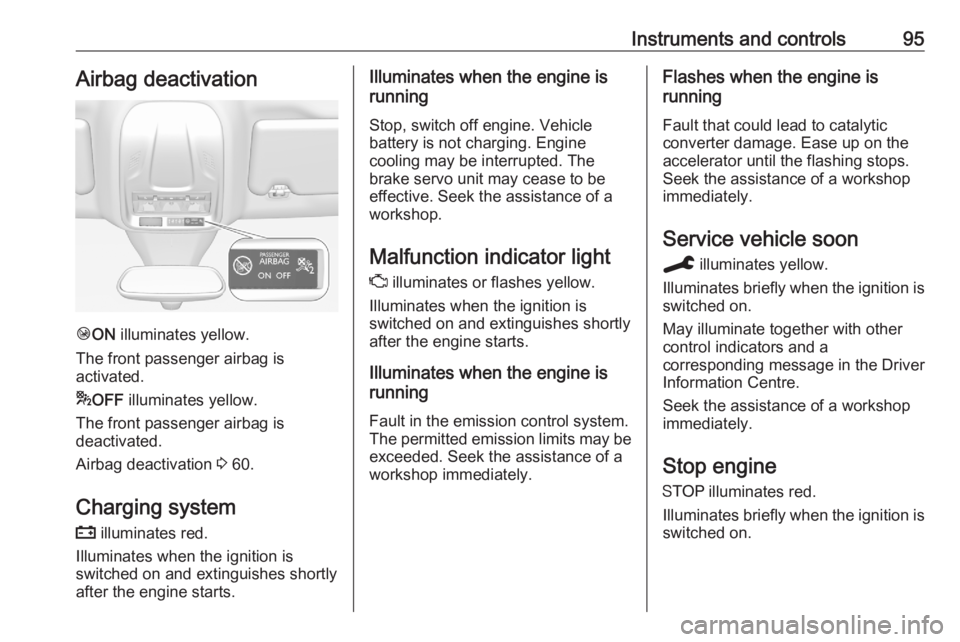
Instruments and controls95Airbag deactivation
ÓON illuminates yellow.
The front passenger airbag is
activated.
* OFF illuminates yellow.
The front passenger airbag is
deactivated.
Airbag deactivation 3 60.
Charging system
p illuminates red.
Illuminates when the ignition is
switched on and extinguishes shortly
after the engine starts.
Illuminates when the engine is
running
Stop, switch off engine. Vehicle
battery is not charging. Engine
cooling may be interrupted. The
brake servo unit may cease to be
effective. Seek the assistance of a
workshop.
Malfunction indicator light
Z illuminates or flashes yellow.
Illuminates when the ignition is
switched on and extinguishes shortly
after the engine starts.
Illuminates when the engine is
running
Fault in the emission control system.The permitted emission limits may be
exceeded. Seek the assistance of a
workshop immediately.Flashes when the engine is
running
Fault that could lead to catalytic
converter damage. Ease up on the
accelerator until the flashing stops.
Seek the assistance of a workshop
immediately.
Service vehicle soon
C illuminates yellow.
Illuminates briefly when the ignition is
switched on.
May illuminate together with other
control indicators and a
corresponding message in the Driver
Information Centre.
Seek the assistance of a workshop
immediately.
Stop engine
Y illuminates red.
Illuminates briefly when the ignition is switched on.
Page 99 of 283
Instruments and controls97Automatic operation of
electric parking brake off
o illuminates yellow.
Illuminates
Automatic operation is deactivated or faulty. In the event of a fault, o
illuminates together with other control
indicators or it is accompanied by a
corresponding message in the Driver
Information Centre.
Activate automatic operation again or have the cause remedied by a
workshop in the event of a fault.
Automatic operation 3 154.
Antilock brake system (ABS)
u illuminates yellow.
Illuminates for a few seconds after the ignition is switched on. The system is ready for operation when the control
indicator extinguishes.
If the control indicator does not
extinguish after a few seconds, or if it illuminates while driving, there is afault in the ABS. The brake system
remains operational but without ABS
regulation.
Antilock brake system 3 153.
Gear shifting R with the number of a higher gear is
indicated, when upshifting is
recommended for fuel saving
reasons.
Lane departure warning ) illuminates green or flashes yellow.
Illuminates green
System is switched on and ready to
operate.
Flashes yellow
System recognises an unintended
lane change.
Lane departure warning 3 191.
Lane keep assist a illuminates green or yellow, or
flashes yellow.Illuminates green
The system is switched on and ready
to operate.
Illuminates yellow The system approaches a detected
lane marking without using the turn
light in that direction.
Flashes yellow
The system recognizes that the lane
is departed significantly.
Lane keep assist 3 192.
Electronic Stability Control and Traction Control system
b illuminates or flashes yellow.
Illuminates
A fault in the system is present.
Continued driving is possible. Driving
stability, however, may deteriorate
depending on road surface
conditions.
Have the cause of the fault remedied
by a workshop.
Page 101 of 283
Instruments and controls99Deflation detection system
w illuminates or flashes yellow.
Illuminates
Tyre pressure loss in one or more
wheels. Stop immediately and check
tyre pressure.
Flashes
Fault in system. Consult a workshop.
Deflation detection system 3 233.
Engine oil pressure
I illuminates red.
Illuminates when the ignition is
switched on and extinguishes shortly after the engine starts.
Illuminates when the engine is
runningCaution
Engine lubrication may be
interrupted. This may result in
damage to the engine and / or
locking of the drive wheels.
1. Select neutral gear.
2. Move out of the flow of traffic as quickly as possible without
impeding other vehicles.
3. Switch off ignition.9 Warning
When the engine is off,
considerably more force is needed
to brake and steer. During an
Autostop the brake servo unit will
still be operational.
Do not remove key until vehicle is stationary, otherwise the steeringwheel lock could engage
unexpectedly.
Keep engine turned off and let the
vehicle be towed to a workshop.
Low fuel o illuminates yellow.
Level in fuel tank is too low.
Refuelling 3 204.
Bleeding the diesel fuel system
3 219.
Charge cord connected
j illuminates red.
The vehicle plug of the charge cord is
still connected to the charge port. The
vehicle cannot be started.
Disconnect the vehicle plug from the
charge port and close the charge port door.
Autostop
D illuminates or flashes green.
Illuminates green
Engine is in an Autostop.
Flashes green
Autostop is temporarily unavailable,
or Autostop mode is invoked
automatically.
Stop-start system 3 139.
Exterior light
8 illuminates green.
The exterior lights are on 3 113.
Page 102 of 283
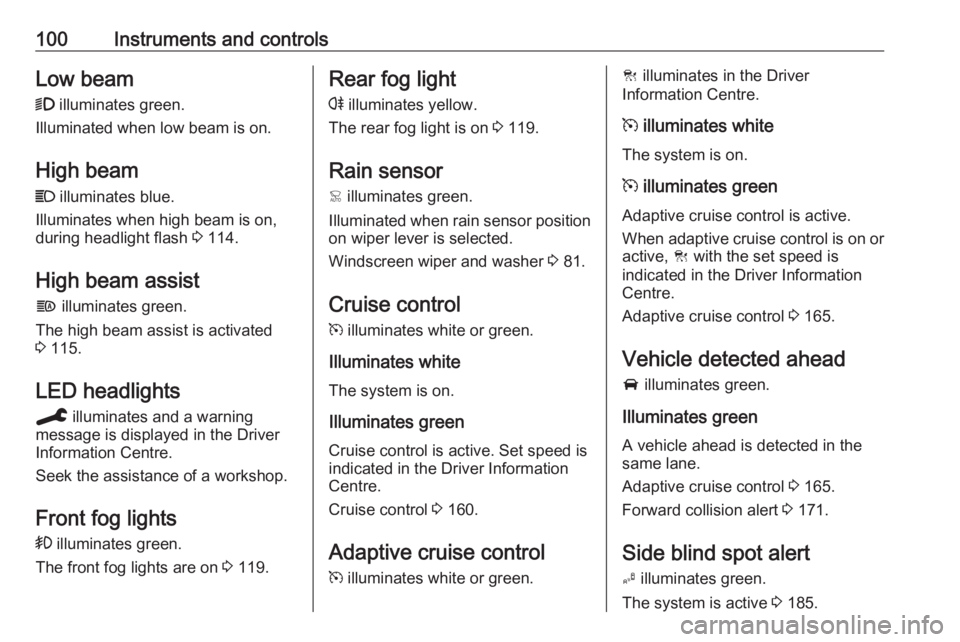
100Instruments and controlsLow beam9 illuminates green.
Illuminated when low beam is on.
High beam
C illuminates blue.
Illuminates when high beam is on,
during headlight flash 3 114.
High beam assist
f illuminates green.
The high beam assist is activated
3 115.
LED headlights
C illuminates and a warning
message is displayed in the Driver
Information Centre.
Seek the assistance of a workshop.
Front fog lights
> illuminates green.
The front fog lights are on 3 119.Rear fog light
r illuminates yellow.
The rear fog light is on 3 119.
Rain sensor < illuminates green.
Illuminated when rain sensor position on wiper lever is selected.
Windscreen wiper and washer 3 81.
Cruise control m illuminates white or green.
Illuminates white The system is on.
Illuminates green
Cruise control is active. Set speed is
indicated in the Driver Information
Centre.
Cruise control 3 160.
Adaptive cruise control
m illuminates white or green.C illuminates in the Driver
Information Centre.
m illuminates white
The system is on.
m illuminates green
Adaptive cruise control is active.
When adaptive cruise control is on or active, C with the set speed is
indicated in the Driver Information
Centre.
Adaptive cruise control 3 165.
Vehicle detected ahead
A illuminates green.
Illuminates green
A vehicle ahead is detected in the
same lane.
Adaptive cruise control 3 165.
Forward collision alert 3 171.
Side blind spot alert B illuminates green.
The system is active 3 185.
Page 107 of 283
Instruments and controls105For further information, see
Infotainment manual.
Vehicle personalisation 3 108.
8'' Colour Info Display
Selecting menus and settings
There are three options to operate the display:
● via buttons below the display● by touching the touchscreen with
the finger
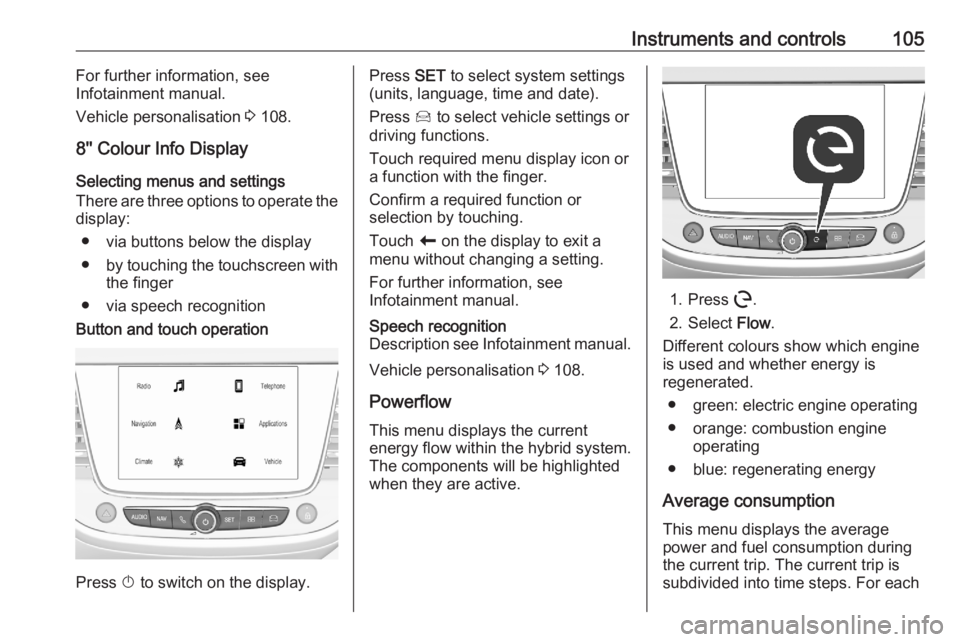
● via speech recognitionButton and touch operation
Press X to switch on the display.
Press SET to select system settings
(units, language, time and date).
Press Í to select vehicle settings or
driving functions.
Touch required menu display icon or
a function with the finger.
Confirm a required function or
selection by touching.
Touch r on the display to exit a
menu without changing a setting.
For further information, see
Infotainment manual.Speech recognition
Description see Infotainment manual.
Vehicle personalisation 3 108.
Powerflow This menu displays the current
energy flow within the hybrid system.
The components will be highlighted
when they are active.
1. Press m.
2. Select Flow.
Different colours show which engine
is used and whether energy is
regenerated.
● green: electric engine operating
● orange: combustion engine operating
● blue: regenerating energy
Average consumption This menu displays the average
power and fuel consumption during
the current trip. The current trip is
subdivided into time steps. For each
Page 110 of 283
108Instruments and controls● the electronic key is not in thepassenger compartment
● the parking assist detects an object
● an unintended lane change occurs
● the exhaust filter has reached the
maximum filling level
If several warnings appear at the
same time, only one warning chime
will sound
When the vehicle is parked and /
or the driver's door is opened
● With exterior lights on.
During an Autostop ● If the driver's door is opened.
● If any condition for a restart of the
engine is not fulfilled.Vehicle personalisation
The vehicle's behaviour can be
personalised by changing the settings
in the Info Display.
Depending on vehicle equipment and country-specific regulations some of
the functions described below may
not be available.
Some functions are only displayed or
active when the engine is running.
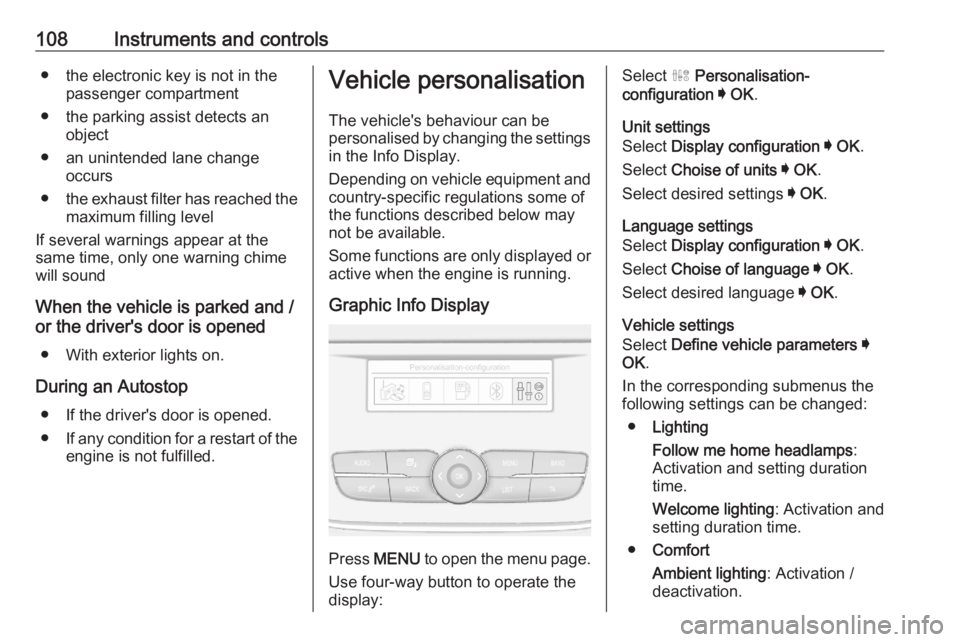
Graphic Info Display
Press MENU to open the menu page.
Use four-way button to operate the
display:
Select ˆ Personalisation-
configuration I OK .
Unit settings
Select Display configuration I OK .
Select Choise of units I OK .
Select desired settings I OK .
Language settings
Select Display configuration I OK .
Select Choise of language I OK .
Select desired language I OK .
Vehicle settings
Select Define vehicle parameters I
OK .
In the corresponding submenus the
following settings can be changed:
● Lighting
Follow me home headlamps :
Activation and setting duration
time.
Welcome lighting : Activation and
setting duration time.
● Comfort
Ambient lighting : Activation /
deactivation.
Page 111 of 283
Instruments and controls109Rear wiper in reverse gear:
Activation / deactivation.
● Vehicle
Unlocking boot only : Activation /
deactivation.
Plip action : Driver / all doors.
● Driving assistance
Fatigue Detection system :
Activation / deactivation.
Speed recommendation :
Activation / deactivation.
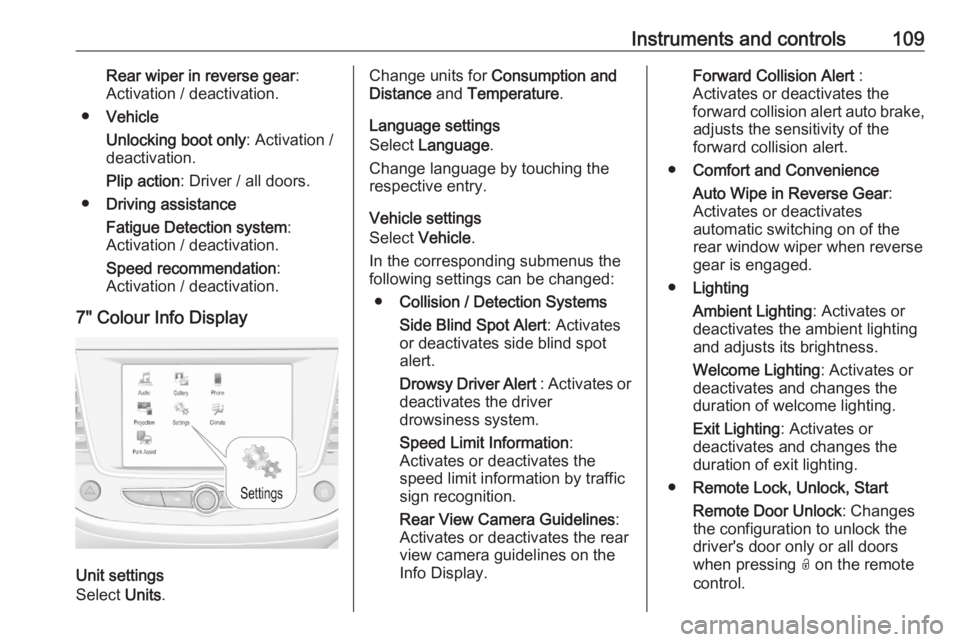
7" Colour Info Display
Unit settings
Select Units.
Change units for Consumption and
Distance and Temperature .
Language settings
Select Language .
Change language by touching the
respective entry.
Vehicle settings
Select Vehicle .
In the corresponding submenus the
following settings can be changed:
● Collision / Detection Systems
Side Blind Spot Alert : Activates
or deactivates side blind spot
alert.
Drowsy Driver Alert : Activates or
deactivates the driver
drowsiness system.
Speed Limit Information :
Activates or deactivates the
speed limit information by traffic sign recognition.
Rear View Camera Guidelines :
Activates or deactivates the rear
view camera guidelines on the
Info Display.Forward Collision Alert :
Activates or deactivates the
forward collision alert auto brake, adjusts the sensitivity of the
forward collision alert.
● Comfort and Convenience
Auto Wipe in Reverse Gear :
Activates or deactivates
automatic switching on of the
rear window wiper when reverse gear is engaged.
● Lighting
Ambient Lighting : Activates or
deactivates the ambient lighting
and adjusts its brightness.
Welcome Lighting : Activates or
deactivates and changes the
duration of welcome lighting.
Exit Lighting : Activates or
deactivates and changes the duration of exit lighting.
● Remote Lock, Unlock, Start
Remote Door Unlock : Changes
the configuration to unlock the
driver's door only or all doors
when pressing O on the remote
control.
Page 113 of 283
Instruments and controls111Driver’s attention warning:
Activates or deactivates the
driver drowsiness system.
Rear wiper in reverse : Activates
or deactivates automatic
switching on of the rear window
wiper when reverse gear is
engaged.
● Driving lighting
Directional headlamps : Activates
or deactivates the function.
● Comfort lighting
Guide-me-home lighting :
Activates or deactivates the
function and adjusts its duration.
Welcome lighting : Activates or
deactivates the function and
adjusts its duration.
Mood lighting : Adjusts the
brightness of the ambient
lighting.Driving functions
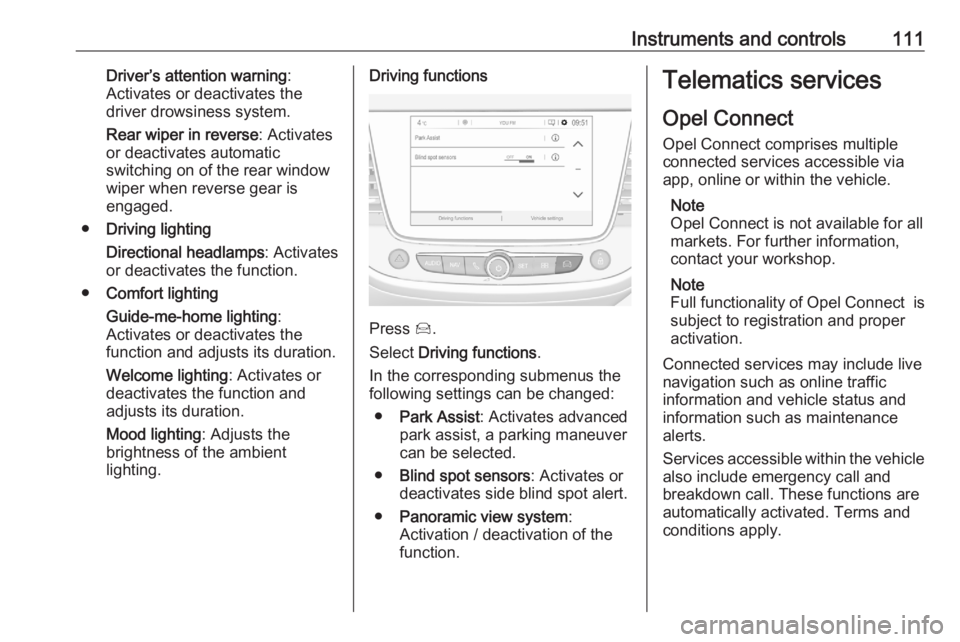
Press Í.
Select Driving functions .
In the corresponding submenus the
following settings can be changed:
● Park Assist : Activates advanced
park assist, a parking maneuver can be selected.
● Blind spot sensors : Activates or
deactivates side blind spot alert.
● Panoramic view system :
Activation / deactivation of the
function.
Telematics services
Opel Connect
Opel Connect comprises multiple
connected services accessible via
app, online or within the vehicle.
Note
Opel Connect is not available for all
markets. For further information,
contact your workshop.
Note
Full functionality of Opel Connect is
subject to registration and proper
activation.
Connected services may include live
navigation such as online traffic
information and vehicle status and
information such as maintenance alerts.
Services accessible within the vehicle also include emergency call and
breakdown call. These functions are
automatically activated. Terms and
conditions apply.
Page 115 of 283
Lighting113LightingExterior lighting.......................... 113
Light switch .............................. 113
Automatic light control .............114
High beam ............................... 114
Headlight flash ......................... 114
Headlight range adjustment ....115
Headlights when driving abroad .................................... 115
Daytime running lights .............115
LED headlights ........................ 115
Hazard warning flashers ..........118
Turn lights ................................ 118
Front fog lights ......................... 119
Rear fog light ........................... 119
Parking lights ........................... 120
Reversing lights .......................120
Misted light covers ...................120
Interior lighting ........................... 120
Instrument panel illumination control ..................................... 120
Interior lights ............................ 121
Reading lights .......................... 121
Sunvisor lights ......................... 121
Lighting features ........................122
Centre console lighting ............122Entry lighting ............................ 122
Exit lighting .............................. 122
Battery discharge protection ....122Exterior lighting
Light switch
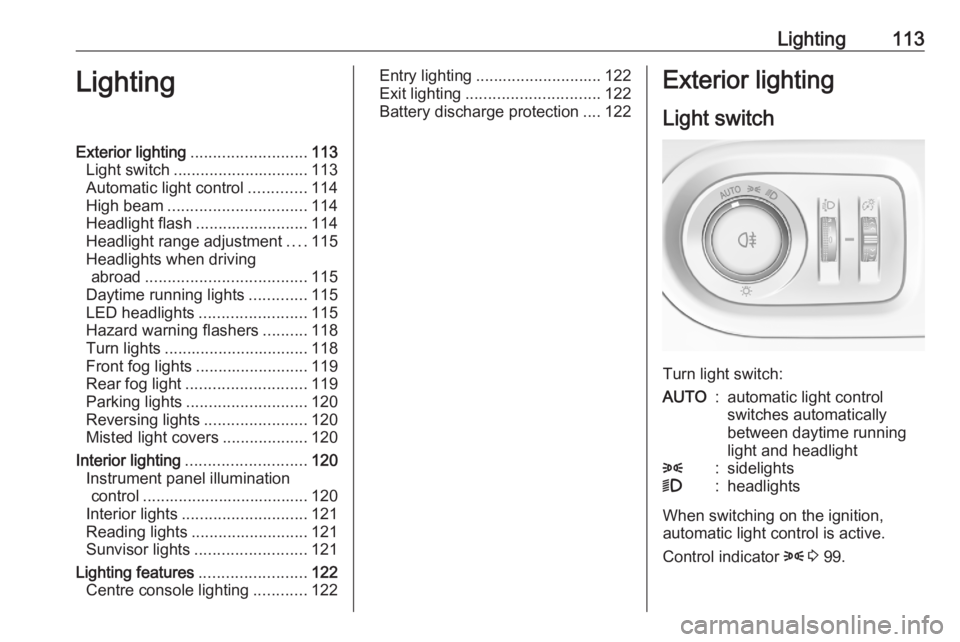
Turn light switch:
AUTO:automatic light control
switches automatically
between daytime running
light and headlight8:sidelights9:headlights
When switching on the ignition,
automatic light control is active.
Control indicator 8 3 99.