fuel consumption OPEL GRANDLAND X 2020 Manual user
[x] Cancel search | Manufacturer: OPEL, Model Year: 2020, Model line: GRANDLAND X, Model: OPEL GRANDLAND X 2020Pages: 283, PDF Size: 22.19 MB
Page 104 of 283
102Instruments and controls
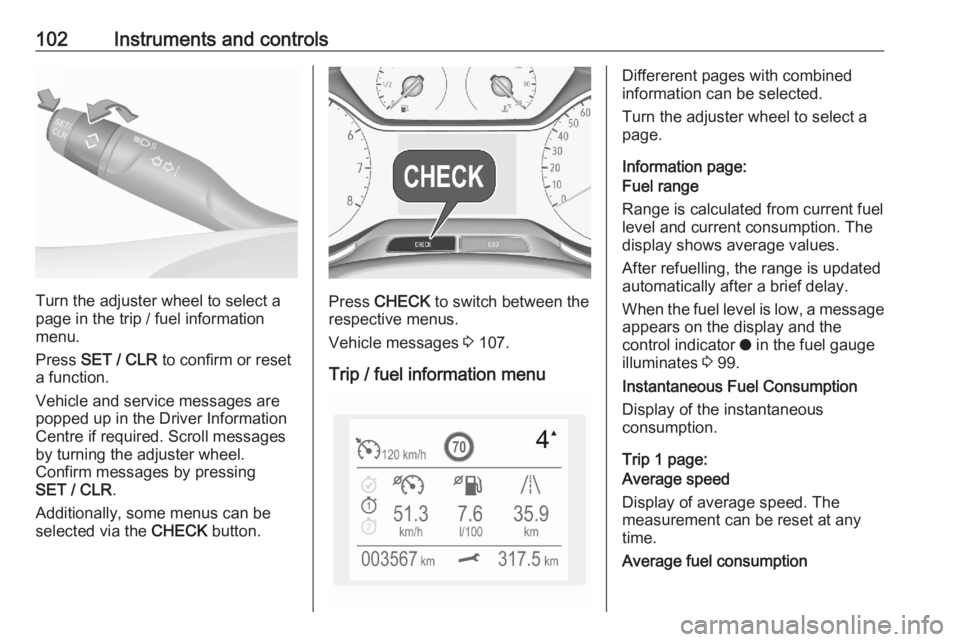
Turn the adjuster wheel to select a
page in the trip / fuel information
menu.
Press SET / CLR to confirm or reset
a function.
Vehicle and service messages are
popped up in the Driver Information
Centre if required. Scroll messages
by turning the adjuster wheel.
Confirm messages by pressing
SET / CLR .
Additionally, some menus can be selected via the CHECK button.Press CHECK to switch between the
respective menus.
Vehicle messages 3 107.
Trip / fuel information menu
Differerent pages with combined
information can be selected.
Turn the adjuster wheel to select a
page.
Information page:
Fuel range
Range is calculated from current fuel
level and current consumption. The
display shows average values.
After refuelling, the range is updated
automatically after a brief delay.
When the fuel level is low, a message appears on the display and the
control indicator o in the fuel gauge
illuminates 3 99.
Instantaneous Fuel Consumption
Display of the instantaneous
consumption.
Trip 1 page:
Average speed
Display of average speed. The
measurement can be reset at any
time.
Average fuel consumption
Page 105 of 283
Instruments and controls103Display of average consumption. The
measurement can be reset at any
time and starts with a default value.
Distance travelled
Displays the current distance for trip
1 since the reset.
The values of trip 1 page can be reset by pressing SET / CLR for a few
seconds.
Trip 2 page:
Average speed
Display of average speed. The
measurement can be reset at any
time.
Average fuel consumption
Display of average consumption. The
measurement can be reset at any
time and starts with a default value.
Distance travelled
Displays the current distance for trip
2 since a certain reset.
The values of trip 2 page can be reset by pressing SET / CLR for a few
seconds.Digital speed page
Digital display of the instantaneous
speed.
Autostop time counter
A time counter calculates the time
spent in Autostop during a journey. It
resets to zero every time the ignition
is switched on.
Compass page
Displays the geographic direction of
driving.
Blank page
No trip / fuel information is displayed.
AdBlue Press CHECK repeatedly until the
AdBlue menu is shown.
AdBlue range
Indicates an estimate of the AdBlue
level. A message indicates whether the level is sufficient or low.
3 143.Powerflow
Displays the current powerflow in the
hybrid system, e.g., when the vehicle
is operating in electric mode or when
energy is regenerated.
Range autonomy Displays the selected drive mode, the range of the high voltage battery and
the combined range, i.e., the range of
the high voltage battery and the fuel
tank.
Info Display The Info Display is located in the
instrument panel near the instrument
cluster.
Depending on the vehicle
configuration the vehicle has a
● Graphic Info Display
or
● 7'' Colour Info Display with
touchscreen functionality
or
● 8'' Colour Info Display with
touchscreen functionality
Page 106 of 283
104Instruments and controlsThe Info Displays can indicate:● time 3 84
● outside temperature 3 84
● date 3 84
● Infotainment system, see description in the Infotainment
manual
● indication of rear view camera 3 189
● indication of panoramic view system 3 186
● indication of parking assist instructions 3 177
● navigation, see description in the
Infotainment manual
● vehicle and system messages 3 107
● settings for vehicle personalisation 3 108
● indication of the current powerflow within the hybrid
system
● indication of the average fuel and
power consumption● settings for programmable charging 3 198
● settings for eSave function
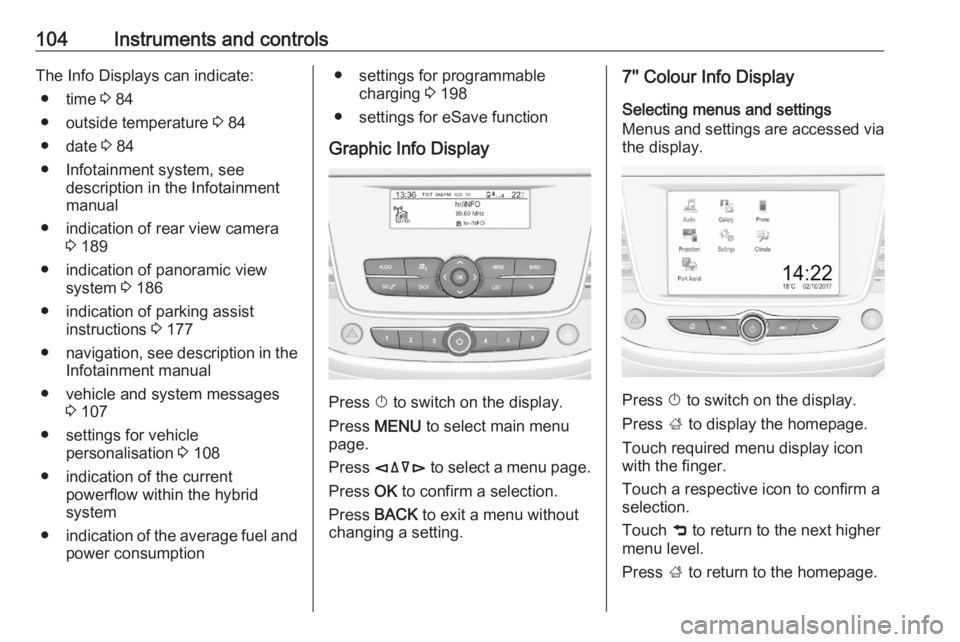
Graphic Info Display
Press X to switch on the display.
Press MENU to select main menu
page.
Press èäåé to select a menu page.
Press OK to confirm a selection.
Press BACK to exit a menu without
changing a setting.
7'' Colour Info Display
Selecting menus and settings
Menus and settings are accessed via
the display.
Press X to switch on the display.
Press ; to display the homepage.
Touch required menu display icon
with the finger.
Touch a respective icon to confirm a
selection.
Touch 9 to return to the next higher
menu level.
Press ; to return to the homepage.
Page 107 of 283
Instruments and controls105For further information, see
Infotainment manual.
Vehicle personalisation 3 108.
8'' Colour Info Display
Selecting menus and settings
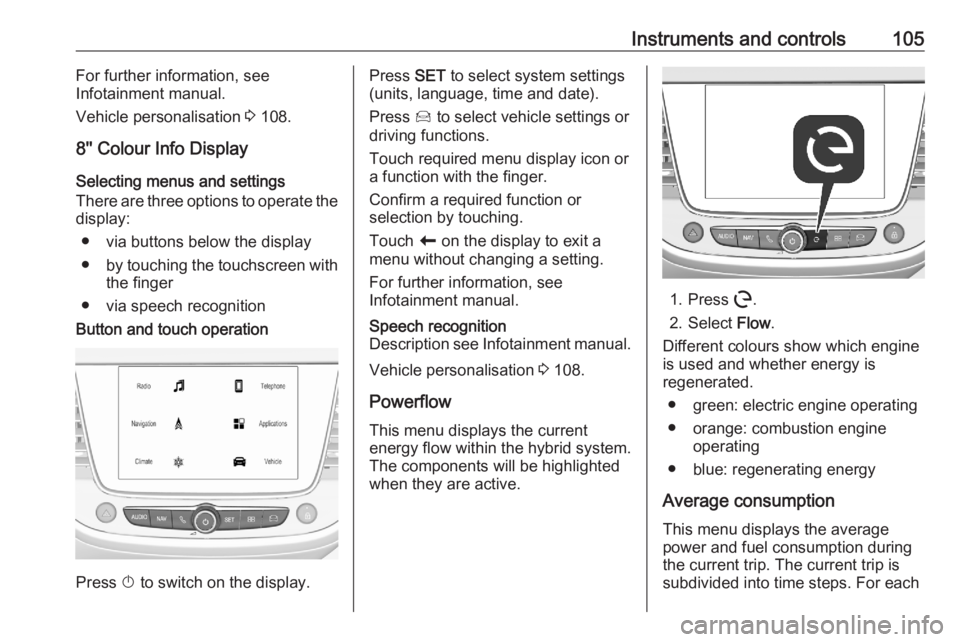
There are three options to operate the display:
● via buttons below the display● by touching the touchscreen with
the finger
● via speech recognitionButton and touch operation
Press X to switch on the display.
Press SET to select system settings
(units, language, time and date).
Press Í to select vehicle settings or
driving functions.
Touch required menu display icon or
a function with the finger.
Confirm a required function or
selection by touching.
Touch r on the display to exit a
menu without changing a setting.
For further information, see
Infotainment manual.Speech recognition
Description see Infotainment manual.
Vehicle personalisation 3 108.
Powerflow This menu displays the current
energy flow within the hybrid system.
The components will be highlighted
when they are active.
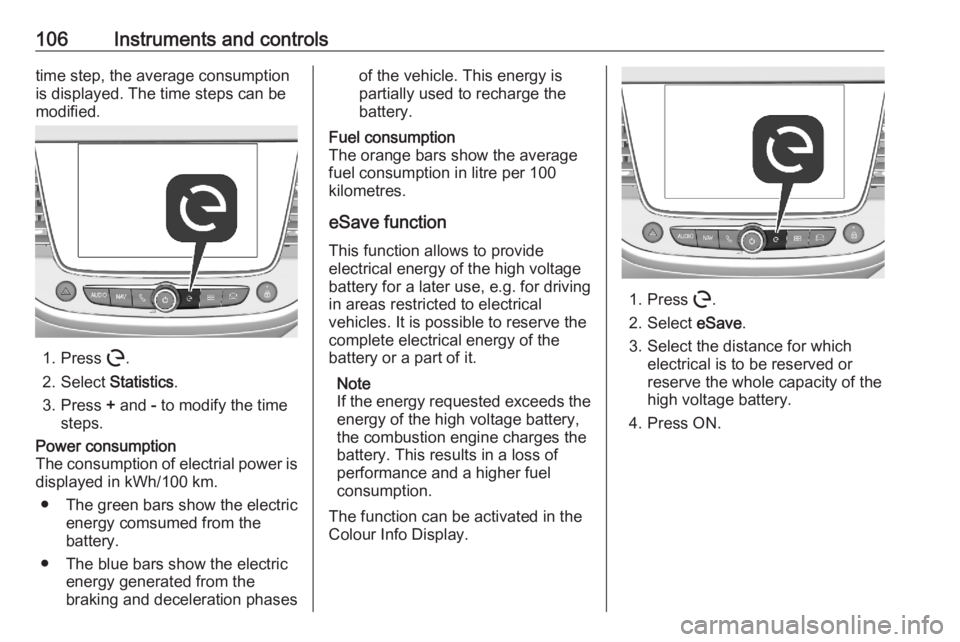
1. Press m.
2. Select Flow.
Different colours show which engine
is used and whether energy is
regenerated.
● green: electric engine operating
● orange: combustion engine operating
● blue: regenerating energy
Average consumption This menu displays the average
power and fuel consumption during
the current trip. The current trip is
subdivided into time steps. For each
Page 108 of 283
106Instruments and controlstime step, the average consumption
is displayed. The time steps can be
modified.
1. Press m.
2. Select Statistics.
3. Press + and - to modify the time
steps.
Power consumption
The consumption of electrial power is displayed in kWh/100 km.
● The green bars show the electric
energy comsumed from the
battery.
● The blue bars show the electric energy generated from the
braking and deceleration phasesof the vehicle. This energy is
partially used to recharge the
battery.Fuel consumption
The orange bars show the average fuel consumption in litre per 100
kilometres.
eSave function
This function allows to provide
electrical energy of the high voltage
battery for a later use, e.g. for driving
in areas restricted to electrical
vehicles. It is possible to reserve the
complete electrical energy of the
battery or a part of it.
Note
If the energy requested exceeds the energy of the high voltage battery,
the combustion engine charges the
battery. This results in a loss of
performance and a higher fuel
consumption.
The function can be activated in the
Colour Info Display.
1. Press m.
2. Select eSave.
3. Select the distance for which electrical is to be reserved or
reserve the whole capacity of the
high voltage battery.
4. Press ON.
Page 112 of 283
110Instruments and controlsUnlock boot only: Activates or
deactivates unlocking the tailgate
only when pressing T on the
remote control.
8" Colour Info Display
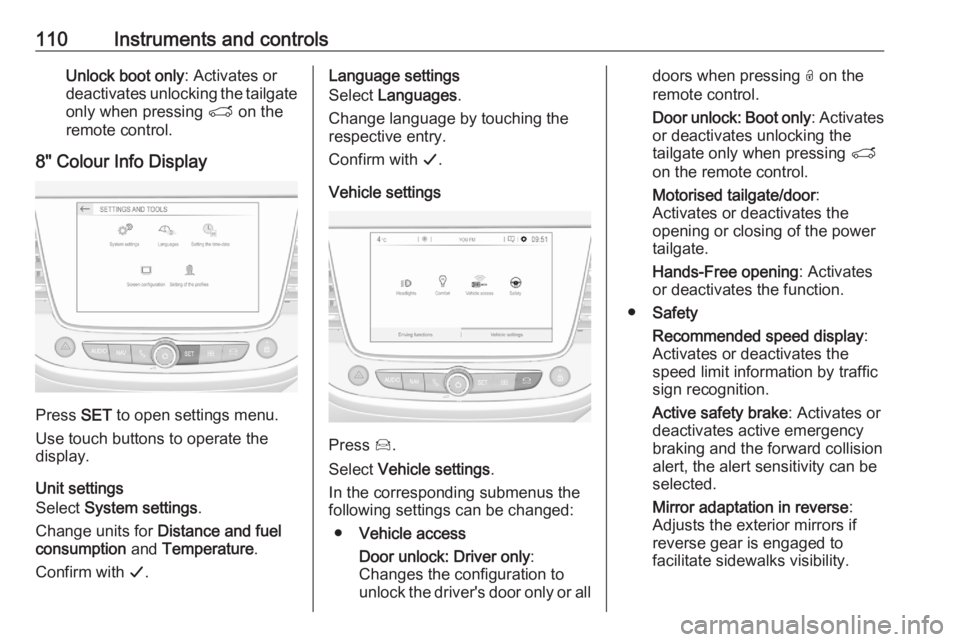
Press SET to open settings menu.
Use touch buttons to operate the
display.
Unit settings
Select System settings .
Change units for Distance and fuel
consumption and Temperature .
Confirm with G.
Language settings
Select Languages .
Change language by touching the
respective entry.
Confirm with G.
Vehicle settings
Press Í.
Select Vehicle settings .
In the corresponding submenus the
following settings can be changed:
● Vehicle access
Door unlock: Driver only :
Changes the configuration to unlock the driver's door only or all
doors when pressing O on the
remote control.
Door unlock: Boot only : Activates
or deactivates unlocking the
tailgate only when pressing T
on the remote control.
Motorised tailgate/door :
Activates or deactivates the
opening or closing of the power
tailgate.
Hands-Free opening : Activates
or deactivates the function.
● Safety
Recommended speed display :
Activates or deactivates the
speed limit information by traffic
sign recognition.
Active safety brake : Activates or
deactivates active emergency
braking and the forward collision
alert, the alert sensitivity can be
selected.
Mirror adaptation in reverse :
Adjusts the exterior mirrors if
reverse gear is engaged to
facilitate sidewalks visibility.
Page 137 of 283
Driving and operating135Driving hints
Control of the vehicle
Never coast with engine not
running
Many systems will not function in this
situation ( e.g. brake servo unit, power
steering). Driving in this manner is a danger to yourself and others.
All systems function during an
Autostop.
Stop-start system 3 139.
Pedals
To ensure the pedal travel is uninhibited, there must be no mats in the area of the pedals.
Use only floor mats, which fit properly
and are fixed by the retainers on the
driver side.Steering
If power steering assist is lost
because the engine stops or due to a system malfunction, the vehicle can
be steered but may require increased
effort.Starting and operating
New vehicle running-in Do not brake unnecessarily hard for
the first few journeys.
During the first drive, smoke may
occur because of wax and enginge oil evaporating off the exhaust system.Park the vehicle in the open for a
while after the first drive and avoid
inhaling the fumes.
During the running-in period, fuel and
engine oil consumption may be
higher.
Additionally, the cleaning process of
the exhaust filter may take place more
often.
Exhaust filter 3 142.
Ignition switch positions Turn key:
Page 154 of 283
152Driving and operatingDrive systems
Drive modes The plug-in hybrid vehicle providesseveral drive modes.
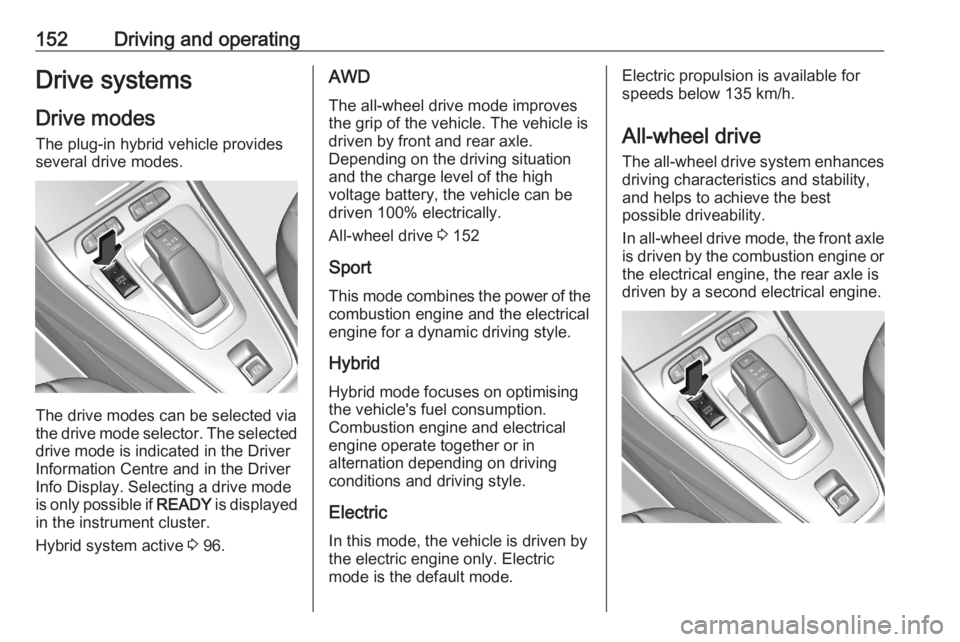
The drive modes can be selected via
the drive mode selector. The selected
drive mode is indicated in the Driver
Information Centre and in the Driver
Info Display. Selecting a drive mode
is only possible if READY is displayed
in the instrument cluster.
Hybrid system active 3 96.
AWD
The all-wheel drive mode improves
the grip of the vehicle. The vehicle is
driven by front and rear axle.
Depending on the driving situation
and the charge level of the high
voltage battery, the vehicle can be
driven 100% electrically.
All-wheel drive 3 152
Sport
This mode combines the power of the combustion engine and the electrical
engine for a dynamic driving style.
Hybrid
Hybrid mode focuses on optimising
the vehicle's fuel consumption.
Combustion engine and electrical
engine operate together or in
alternation depending on driving
conditions and driving style.
Electric
In this mode, the vehicle is driven by
the electric engine only. Electric
mode is the default mode.Electric propulsion is available for
speeds below 135 km/h.
All-wheel drive The all-wheel drive system enhances
driving characteristics and stability,
and helps to achieve the best
possible driveability.
In all-wheel drive mode, the front axle is driven by the combustion engine or
the electrical engine, the rear axle is
driven by a second electrical engine.
Page 204 of 283
202Driving and operatingGrounding instructions
This product must be grounded. If this product should malfunction or break
down, grounding provides a path of
least resistance for electric current to
reduce the risk of electric shock. This
product is equipped with a cord that
has a grounding conductor. The plug
must be plugged into an appropriate
outlet that is properly installed and
grounded in accordance with all local
codes and ordinances.9 Warning
Improper connection of the charge
cord ground may cause electrical
shock. Check with a qualified
electrician if there is doubt as to
whether the charge circuit is
properly grounded. Do not modify
the plug provided with the product.
If it will not fit the electrical outlet,
have a proper electrical outlet
installed by a qualified electrician.
Fuel
Fuel for petrol engines
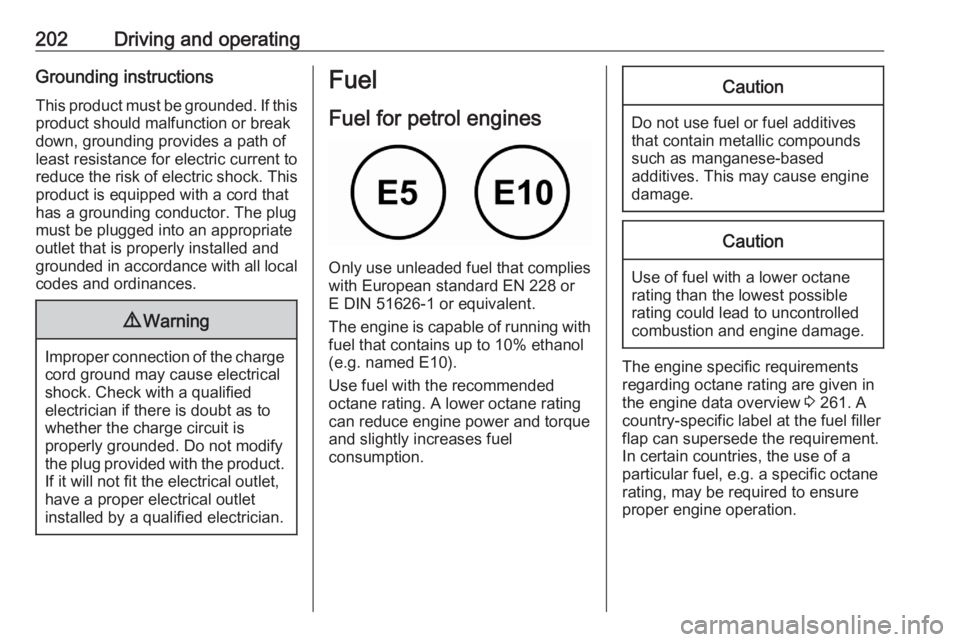
Only use unleaded fuel that complies
with European standard EN 228 or
E DIN 51626-1 or equivalent.
The engine is capable of running with
fuel that contains up to 10% ethanol
(e.g. named E10).
Use fuel with the recommended octane rating. A lower octane rating can reduce engine power and torque
and slightly increases fuel
consumption.
Caution
Do not use fuel or fuel additives
that contain metallic compounds
such as manganese-based
additives. This may cause engine
damage.
Caution
Use of fuel with a lower octane
rating than the lowest possible
rating could lead to uncontrolled combustion and engine damage.
The engine specific requirements
regarding octane rating are given in
the engine data overview 3 261. A
country-specific label at the fuel filler
flap can supersede the requirement.
In certain countries, the use of a
particular fuel, e.g. a specific octane
rating, may be required to ensure
proper engine operation.
Page 213 of 283
Vehicle care211Vehicle careGeneral Information...................211
Accessories and vehicle modifications .......................... 211
Vehicle storage ........................213
End-of-life vehicle recovery .....213
Vehicle checks ........................... 214
Performing work ......................214
Bonnet ..................................... 214
Engine oil ................................. 215
Engine coolant ......................... 216
Washer fluid ............................ 216
Brakes ..................................... 217
Brake fluid ............................... 217
Vehicle battery ......................... 217
Diesel fuel system bleeding .....219
Wiper blade replacement ........219
Bulb replacement .......................220
Halogen headlights ..................220
LED headlights ........................ 222
Front fog lights ......................... 222
Tail lights ................................. 222
Side turn lights ......................... 225
Number plate light ...................226
Interior lights ............................ 226Electrical system........................226
Fuses ....................................... 226
Engine compartment fuse box . 227
Instrument panel fuse box .......228
Vehicle tools .............................. 230
Tools ........................................ 230
Wheels and tyres .......................231
Winter tyres ............................. 231
Tyre designations ....................232
Tyre pressure .......................... 232
Tyre deflation detection system .................................... 233
Tread depth ............................. 234
Changing tyre and wheel size . 235
Wheel covers ........................... 235
Tyre chains .............................. 235
Tyre repair kit .......................... 236
Wheel changing .......................239
Spare wheel ............................ 240
Jump starting ............................. 244
Towing ....................................... 245
Towing the vehicle ...................245
Towing another vehicle ...........247
Appearance care .......................247
Exterior care ............................ 247
Interior care ............................. 249
Floor mats ............................... 250General Information
Accessories and vehicle modifications
We recommend the use of genuine parts and accessories and factory
approved parts specific for your
vehicle type. We cannot assess or
guarantee reliability of other products - even if they have a regulatory or
otherwise granted approval.
Any modification, conversion or other
changes made to standard vehicle
specifications (including, without
limitation, software modifications,
modifications of the electronic control units) may invalidate the warranty
offered by Opel. Furthermore, such
changes may affect driver assistance
systems, may impact fuel
consumption, CO 2 emissions and
other emissions of the vehicle and
cause the vehicle to no longer
conform to the operating permit,
impacting the validity of your vehicle
registration.