change time OPEL INSIGNIA 2014 Manual user
[x] Cancel search | Manufacturer: OPEL, Model Year: 2014, Model line: INSIGNIA, Model: OPEL INSIGNIA 2014Pages: 321, PDF Size: 8.95 MB
Page 145 of 321
Climate control143
Setting of automatic rear window
heating based on cool outside
temperatures can be changed in the
vehicle personalisation menu in the
Colour-Info-Display.
Select the relevant setting in Settings,
I Vehicle in the Colour-Info-Display.
Colour-Info-Display 3 114.
Vehicle personalisation 3 118.
Note
If the V button is pressed while the
engine is running, an Autostop will
be inhibited until the V button is
pressed again.
If the V button is pressed while the
engine is in an Autostop, the engine will restart automatically.
Stop-start system 3 153.
Manual settings
Climate control system settings can
be manually adapted by using the air
distribution buttons and the fan speed
controller as follows. Manual
changing of settings will deactivate
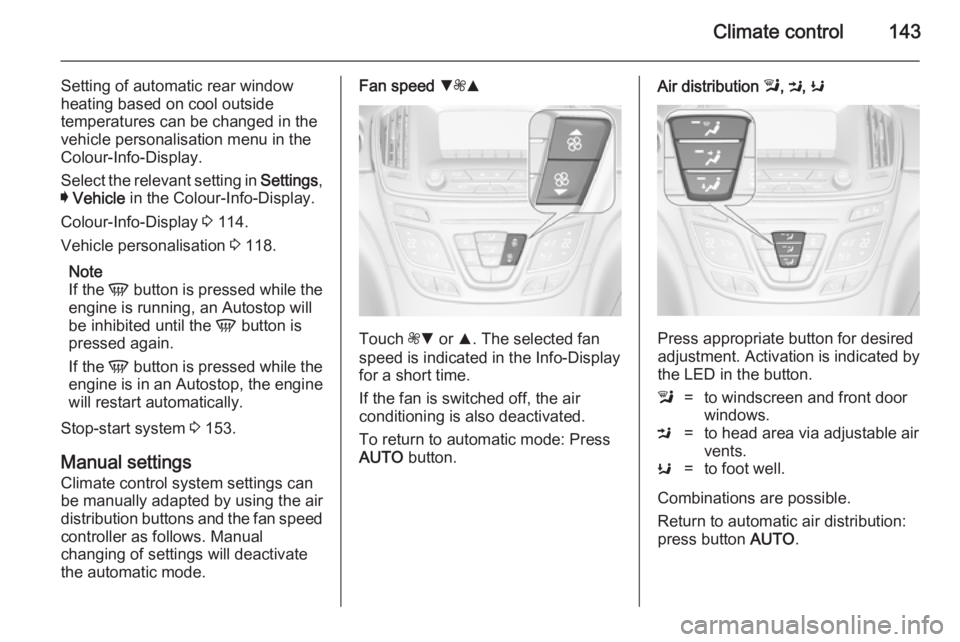
the automatic mode.Fan speed S
ZR
Touch ZS or R. The selected fan
speed is indicated in the Info-Display for a short time.
If the fan is switched off, the air
conditioning is also deactivated.
To return to automatic mode: Press AUTO button.
Air distribution l, M , K
Press appropriate button for desired
adjustment. Activation is indicated by the LED in the button.
l=to windscreen and front door
windows.M=to head area via adjustable air
vents.K=to foot well.
Combinations are possible.
Return to automatic air distribution:
press button AUTO.
Page 161 of 321
Driving and operating159
Parking
Apply the parking brake and engage P .
The ignition key can only be removed
when the selector lever is in position
P .
Manual mode
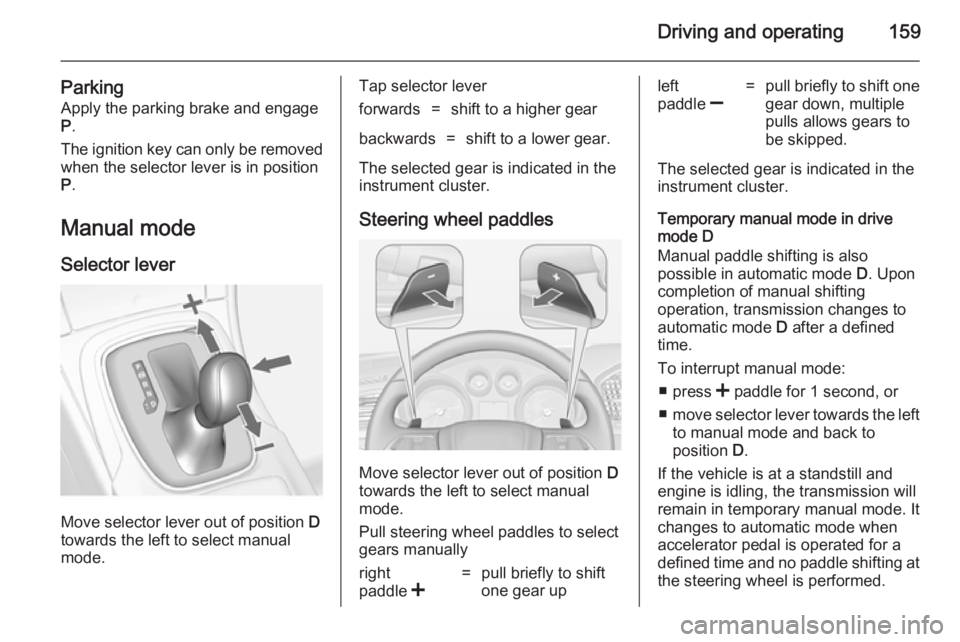
Selector lever
Move selector lever out of position D
towards the left to select manual
mode.
Tap selector leverforwards=shift to a higher gearbackwards=shift to a lower gear.
The selected gear is indicated in the
instrument cluster.
Steering wheel paddles
Move selector lever out of position D
towards the left to select manual
mode.
Pull steering wheel paddles to select
gears manually
right
paddle <=pull briefly to shift
one gear upleft
paddle ]=pull briefly to shift one
gear down, multiple
pulls allows gears to
be skipped.
The selected gear is indicated in the instrument cluster.
Temporary manual mode in drive
mode D
Manual paddle shifting is also
possible in automatic mode D. Upon
completion of manual shifting
operation, transmission changes to
automatic mode D after a defined
time.
To interrupt manual mode: ■ press < paddle for 1 second, or
■ move selector lever towards the left
to manual mode and back to
position D.
If the vehicle is at a standstill and
engine is idling, the transmission will remain in temporary manual mode. It
changes to automatic mode when
accelerator pedal is operated for a
defined time and no paddle shifting at
the steering wheel is performed.
Page 181 of 321
Driving and operating179
Driver's attention■ Use adaptive cruise control carefully on bends or mountainroads, as it can lose the vehicle
ahead and need time to detect it
again.
■ Do not use the system on slippery roads as it can create rapid
changes in tyre traction (wheel spinning), so that you could lose
control of the vehicle.
■ Do not use adaptive cruise control during rain, snow or heavy dirt, as
the radar sensor can be covered by
a water film, dust, ice or snow. This reduces or suppresses completelythe visibility. In case of sensor
blockage, clean the sensor cover.
System limits ■ The system's automatic brake force
does not permit hard braking and
the braking level may not be
sufficient to avoid a collision.
■ After a sudden lane change, the system needs a certain time to
detect the next preceding vehicle.So if a new vehicle is detected, the
system may accelerate instead of
braking.
■ Adaptive cruise control does ignore
the oncoming traffic.
■ Adaptive cruise control does not brake for pedestrians, animals or
stopped vehicles.
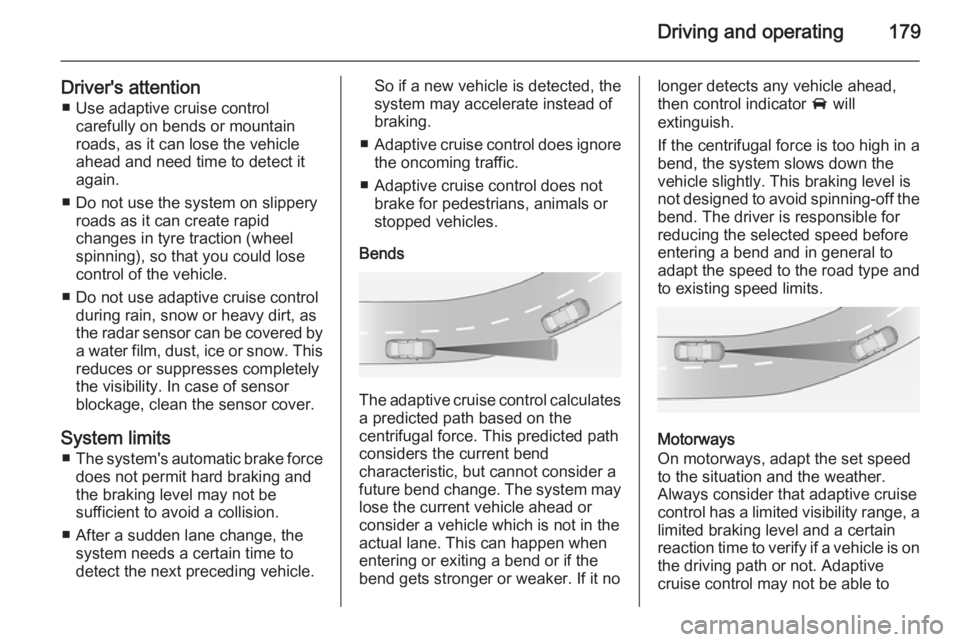
Bends
The adaptive cruise control calculates
a predicted path based on the
centrifugal force. This predicted path
considers the current bend
characteristic, but cannot consider a
future bend change. The system may lose the current vehicle ahead or
consider a vehicle which is not in the
actual lane. This can happen when
entering or exiting a bend or if the
bend gets stronger or weaker. If it no
longer detects any vehicle ahead,
then control indicator A will
extinguish.
If the centrifugal force is too high in a bend, the system slows down the vehicle slightly. This braking level is
not designed to avoid spinning-off the
bend. The driver is responsible for
reducing the selected speed before
entering a bend and in general to
adapt the speed to the road type and
to existing speed limits.
Motorways
On motorways, adapt the set speed
to the situation and the weather.
Always consider that adaptive cruise
control has a limited visibility range, a
limited braking level and a certain
reaction time to verify if a vehicle is on
the driving path or not. Adaptive
cruise control may not be able to
Page 182 of 321
180Driving and operating
brake the vehicle in time to avoid a
collision with a much slower vehicle or after a lane change. This is
particularly true if driving fast or if the
visibility is reduced due to weather
conditions.
While entering or exiting a motorway,
adaptive cruise control may lose the
vehicle ahead and accelerate up to
the set speed. For this reason,
decrease the set speed before the
exit or before the entry.
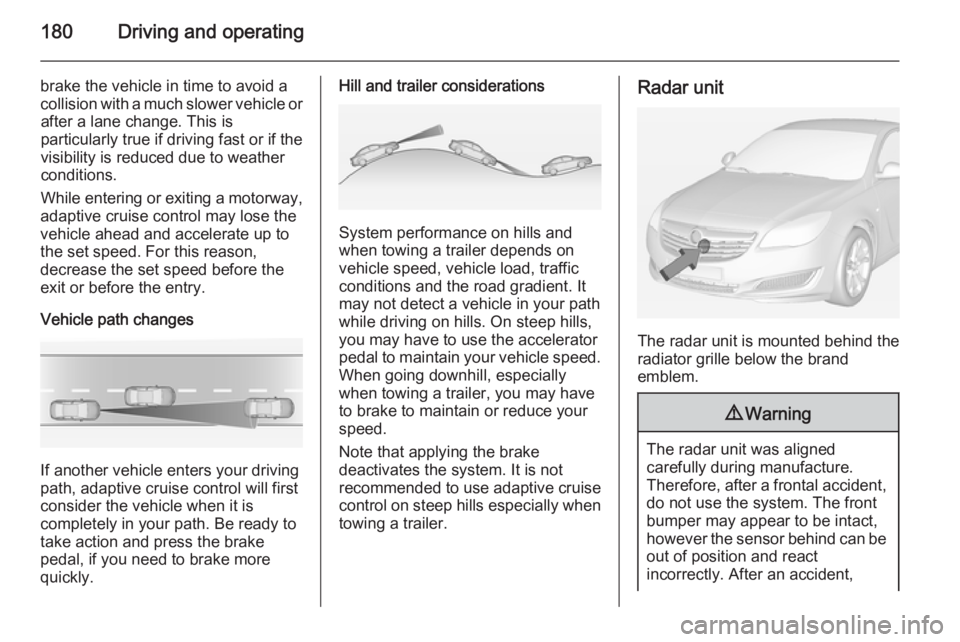
Vehicle path changes
If another vehicle enters your driving
path, adaptive cruise control will first
consider the vehicle when it is
completely in your path. Be ready to
take action and press the brake
pedal, if you need to brake more
quickly.
Hill and trailer considerations
System performance on hills and
when towing a trailer depends on
vehicle speed, vehicle load, traffic
conditions and the road gradient. It
may not detect a vehicle in your path
while driving on hills. On steep hills,
you may have to use the accelerator
pedal to maintain your vehicle speed.
When going downhill, especially
when towing a trailer, you may have
to brake to maintain or reduce your
speed.
Note that applying the brake
deactivates the system. It is not
recommended to use adaptive cruise
control on steep hills especially when towing a trailer.
Radar unit
The radar unit is mounted behind the
radiator grille below the brand
emblem.
9 Warning
The radar unit was aligned
carefully during manufacture.
Therefore, after a frontal accident, do not use the system. The front
bumper may appear to be intact,
however the sensor behind can be
out of position and react
incorrectly. After an accident,
Page 188 of 321
186Driving and operatingpedestrians or animals. After a
sudden lane change, the system
needs a certain time to detect the
next preceding vehicle.
The complete attention of the
driver is always required while
driving. The driver shall always be ready to take action and apply the brakes and steer to avoid
collisions. The system is designed
to work with all occupants wearing their seat belts.
System limitations
The active emergency braking has
limited or no function during rain,
snow or heavy dirt, as the radar
sensor can be covered by a water
film, dust, ice or snow. In case of
sensor blockage, clean the sensor
cover.
In some cases, the active emergency braking system may provide a short
automatic braking in situations that
seem to be unnecessary, for instance
due to traffic signs in a curve or due
to vehicles in another lane. This is
normal operation, the vehicle does
not need service. Firmly apply the
accelerator pedal to override the
automatic braking.
Settings Settings can be changed in the
vehicle personalisation menu in the
Colour-Info-Display.
Select the relevant setting in Settings,
I Vehicle in the Colour-Info-Display.
Colour-Info-Display 3 114.
Vehicle personalisation 3 118.
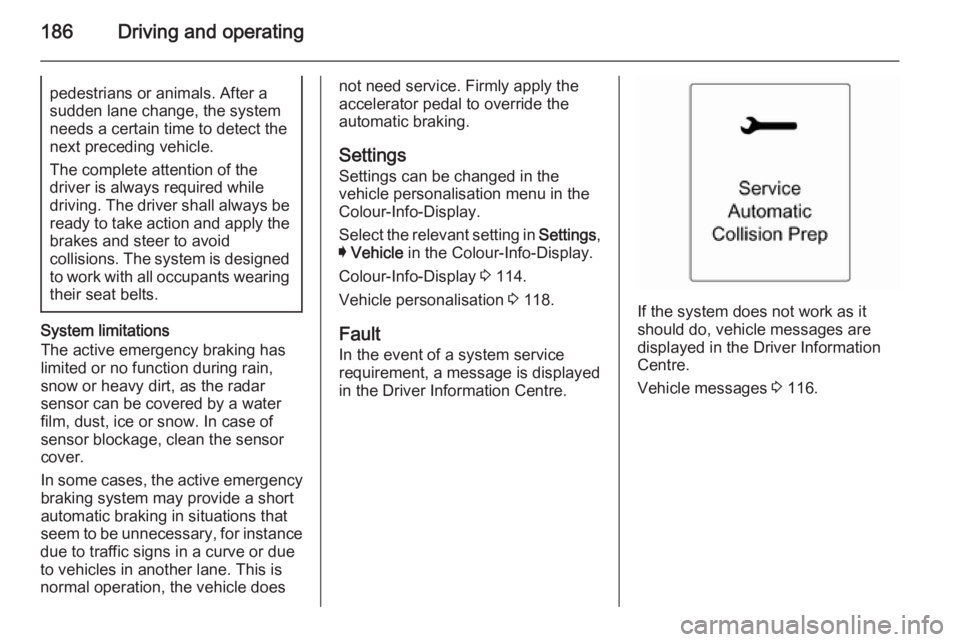
Fault
In the event of a system service
requirement, a message is displayed
in the Driver Information Centre.
If the system does not work as it
should do, vehicle messages are
displayed in the Driver Information
Centre.
Vehicle messages 3 116.
Page 200 of 321
198Driving and operating
■the vehicle had a rear end accident,
■ there are extreme temperature changes.
Traffic sign assistant Functionality
The traffic sign assistant system
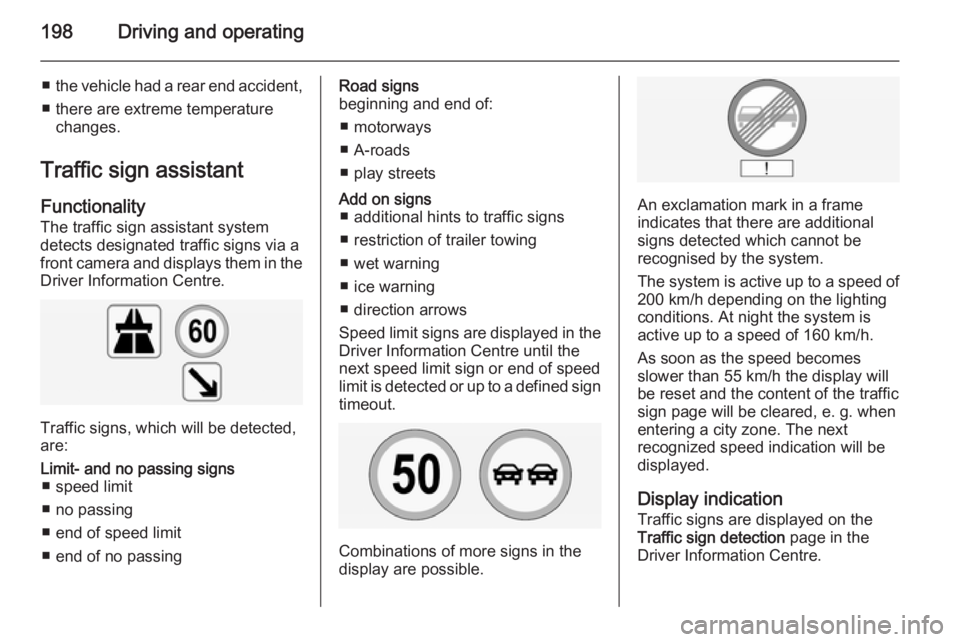
detects designated traffic signs via a
front camera and displays them in the
Driver Information Centre.
Traffic signs, which will be detected,
are:
Limit- and no passing signs ■ speed limit
■ no passing
■ end of speed limit
■ end of no passingRoad signs
beginning and end of:
■ motorways
■ A-roads
■ play streetsAdd on signs ■ additional hints to traffic signs
■ restriction of trailer towing
■ wet warning
■ ice warning
■ direction arrows
Speed limit signs are displayed in the
Driver Information Centre until the
next speed limit sign or end of speed
limit is detected or up to a defined sign timeout.
Combinations of more signs in the
display are possible.
An exclamation mark in a frame
indicates that there are additional
signs detected which cannot be
recognised by the system.
The system is active up to a speed of
200 km/h depending on the lighting
conditions. At night the system is
active up to a speed of 160 km/h.
As soon as the speed becomes
slower than 55 km/h the display will
be reset and the content of the traffic
sign page will be cleared, e. g. when
entering a city zone. The next
recognized speed indication will be
displayed.
Display indication Traffic signs are displayed on the
Traffic sign detection page in the
Driver Information Centre.
Page 215 of 321
Vehicle care213Vehicle careGeneral Information...................213
Vehicle checks ........................... 214
Bulb replacement .......................222
Electrical system ........................232
Vehicle tools .............................. 239
Wheels and tyres .......................240
Jump starting ............................. 252
Towing ....................................... 254
Appearance care .......................257General Information
Accessories and vehicle
modifications
We recommend to use genuine parts and accessories and factory
approved parts specific for your
vehicle type. We cannot assess or
guarantee reliability of other products
- even if they have a regulatory or
otherwise granted approval.
Do not make any modifications to the
electrical system, e.g. changes of
electronic control units (chip tuning).Caution
When transporting the vehicle on
a train or on a recovery vehicle, the
mud flaps might be damaged.
Vehicle storage
Storage for a long period of time
If the vehicle is to be stored for several months:
■ Wash and wax the vehicle.
■ Have the wax in the engine compartment and underbody
checked.
■ Clean and preserve rubber seals.
■ Fill up fuel tank completely.
■ Change engine oil.
■ Drain washer fluid reservoir.
■ Check coolant antifreeze and corrosion protection.
■ Adjust tyre pressure to the value specified for full load.
■ Park vehicle in dry, well ventilated place. Engage first or reverse gear
or set selector lever to P. Prevent
the vehicle from rolling.
■ Do not apply parking brake.
Page 227 of 321
Vehicle care225
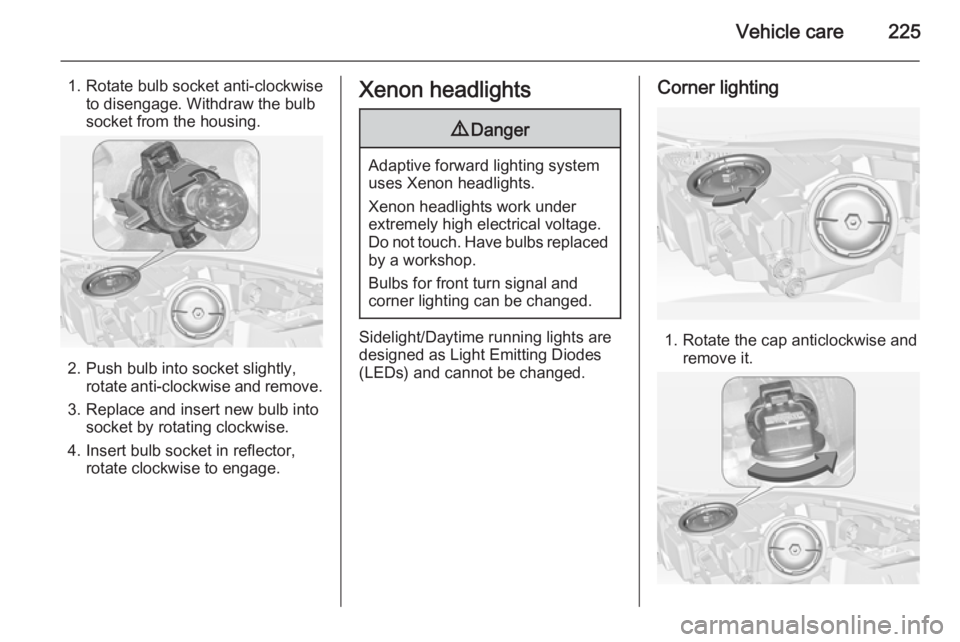
1. Rotate bulb socket anti-clockwiseto disengage. Withdraw the bulb
socket from the housing.
2. Push bulb into socket slightly, rotate anti-clockwise and remove.
3. Replace and insert new bulb into socket by rotating clockwise.
4. Insert bulb socket in reflector, rotate clockwise to engage.
Xenon headlights9 Danger
Adaptive forward lighting system
uses Xenon headlights.
Xenon headlights work under
extremely high electrical voltage.
Do not touch. Have bulbs replaced by a workshop.
Bulbs for front turn signal and
corner lighting can be changed.
Sidelight/Daytime running lights are
designed as Light Emitting Diodes
(LEDs) and cannot be changed.
Corner lighting
1. Rotate the cap anticlockwise and remove it.