fuel OPEL INSIGNIA 2014 Manual user
[x] Cancel search | Manufacturer: OPEL, Model Year: 2014, Model line: INSIGNIA, Model: OPEL INSIGNIA 2014Pages: 321, PDF Size: 8.95 MB
Page 109 of 321
Instruments and controls107Traffic sign assistantL displays detected traffic signs as
control indicator.
Traffic sign assistant 3 198.
Door open
h illuminates red.
A door or the tailgate is open.Information displays
Driver Information Centre The Driver Information Centre (DIC)
is located in the instrument cluster.
Depending on the version and the
instrument cluster, the Driver
Information Centre is available as
Baselevel display, Midlevel display or Uplevel display.
DIC indicates depending on the
equipment:
■ overall and trip odometer
■ vehicle information
■ trip/fuel information
■ economic information
■ performance information
■ vehicle and warning messages
■ audio and infotainment information
■ phone information
■ navigation information
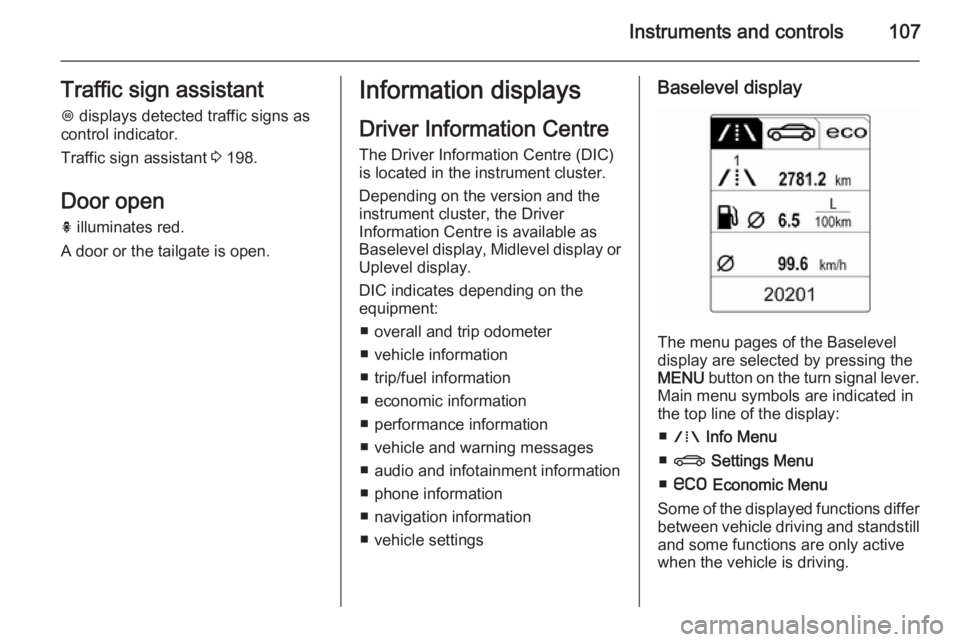
■ vehicle settingsBaselevel display
The menu pages of the Baselevel
display are selected by pressing the
MENU button on the turn signal lever.
Main menu symbols are indicated in
the top line of the display:
■ W Info Menu
■ X Settings Menu
■ s Economic Menu
Some of the displayed functions differ between vehicle driving and standstilland some functions are only active
when the vehicle is driving.
Page 111 of 321
Instruments and controls109
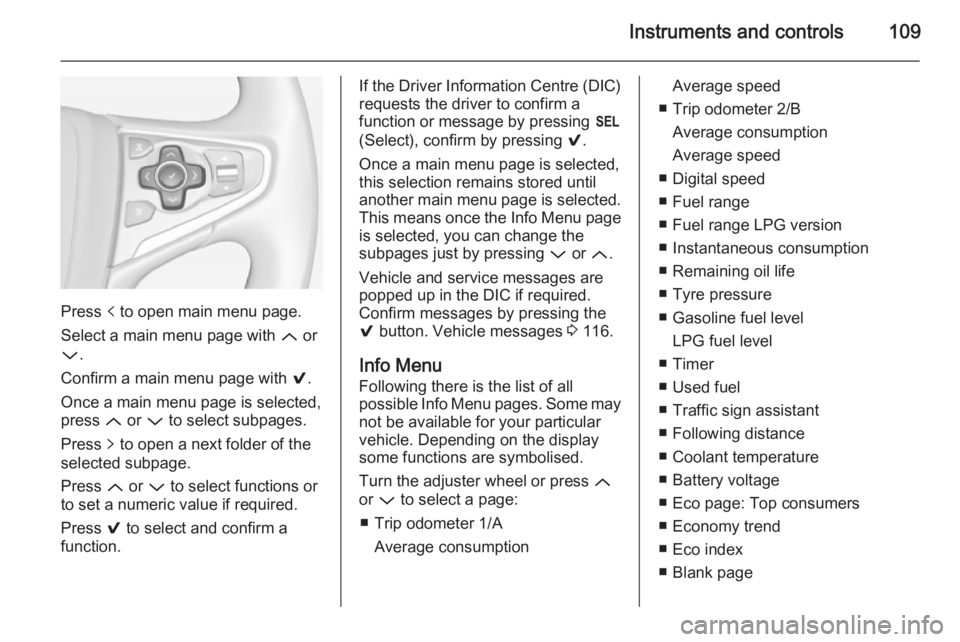
Press p to open main menu page.
Select a main menu page with Q or
P .
Confirm a main menu page with 9.
Once a main menu page is selected, press Q or P to select subpages.
Press q to open a next folder of the
selected subpage.
Press Q or P to select functions or
to set a numeric value if required.
Press 9 to select and confirm a
function.
If the Driver Information Centre (DIC) requests the driver to confirm a
function or message by pressing H
(Select), confirm by pressing 9.
Once a main menu page is selected,
this selection remains stored until
another main menu page is selected.
This means once the Info Menu page
is selected, you can change the
subpages just by pressing P or Q.
Vehicle and service messages are
popped up in the DIC if required.
Confirm messages by pressing the 9 button. Vehicle messages 3 116.
Info Menu Following there is the list of all
possible Info Menu pages. Some may
not be available for your particular
vehicle. Depending on the display
some functions are symbolised.
Turn the adjuster wheel or press Q
or P to select a page:
■ Trip odometer 1/A Average consumptionAverage speed
■ Trip odometer 2/B Average consumption
Average speed
■ Digital speed
■ Fuel range
■ Fuel range LPG version
■ Instantaneous consumption
■ Remaining oil life
■ Tyre pressure
■ Gasoline fuel level LPG fuel level
■ Timer
■ Used fuel
■ Traffic sign assistant
■ Following distance
■ Coolant temperature
■ Battery voltage
■ Eco page: Top consumers
■ Economy trend
■ Eco index
■ Blank page
Page 112 of 321
110Instruments and controls
On Baselevel display, the pages
"Remaining Oil Life ", "Tyre
Pressure", "Traffic Sign Assistant"
and "Following distance indication" are displayed in the Settings Menu
X . Select by pressing Menu
button.
On Baselevel display, the pages "Top consumers", "Economy trend" and
"Eco index" are displayed in the Eco
Menu s . Select by pressing
Menu button.
Trip odometer 1/A and 2/B
Trip odometer displays the current
distance since a certain reset.
Trip odometer counts up to a distance
of 2000 km then restarts at 0.
To reset on Baselevel display, press
the SET/CLR button for a few
seconds, on Midlevel and Uplevel
display, press > and confirm with 9.
The information of trip odometer page
1/A and 2/B can be reset separately
for odometer, average consumption
and average speed while the
respective display is active.Average consumption
Display of average consumption. The measurement can be reset at any
time and starts with a default value.
To reset on Baselevel display, press
the SET/CLR button for a few
seconds, on Midlevel and Uplevel
display, press > and confirm with 9.
On vehicles with LPG engines, average consumption is indicated for
the currently selected mode, LPG or Gasoline.
Average speed
Display of average speed. The
measurement can be reset at any
time.
To reset on Baselevel display, press
the SET/CLR button for a few
seconds, on Midlevel and Uplevel
display, press > and confirm with 9.
Digital speed Digital display of the instantaneous
speed.Fuel range
Range is calculated from current fuel
tank content and current
consumption. The display shows
average values.
After refuelling, the range is updated
automatically after a brief delay.
When the fuel level in the tank is low,
a message appears on the display
and the control indicator i or Y in the
fuel gauge illuminates.
When the tank has to be refuelled
immediately, a warning message
appears and remains on the display.
Additionally the control indicator i
or Y in the fuel gauge flashes 3 105.
Fuel range LPG version
Display of approximate fuel range
available with the remaining fuel in
each respective fuel tank of gasoline
and LPG fuel, along with a total range
of both fuel types together. Switch
between the modes by pressing SET/
CLR button or 9 button.
Page 113 of 321
Instruments and controls111
Instantaneous consumption
Display of the instantaneous
consumption.
On vehicles with LPG engines,
instantaneous consumption is
indicated for the currently selected mode, LPG or Gasoline.
Remaining oil life
Indicates an estimate of the oil's
useful life. The number in % means
the remaining of current oil life 3 98.
Tire pressure
Checks tyre pressure of all wheels
during driving 3 241.
Gasoline fuel level/LPG fuel level
Displays the fuel level for the fuel not
currently being used (Gasoline or
LPG). A dedicated DIC cluster gauge
shows the fuel level for the fuel
currently being used.
Timer
To start and stop press 9. To reset,
press > and confirm Reset.Used fuel
Indicates used fuel since a certain
point of time. To reset, press > and
confirm Reset.
Traffic sign assistant
Displays the detected traffic signs for
the current route section 3 198.
Following distance
Displays the distance in seconds to a preceding moving vehicle 3 184. If
Adaptive cruise control is active this
page shows the following distance
setting instead.
Coolant temperature
Displays the coolant temperature.
Battery voltage
Displays the vehicle battery voltage.
Top consumers
List of top comfort consumers
currently switched on is displayed in
descending order. Fuel saving
potential is indicated. A switched-off
consumer disappears from the list
and the consumption value will be
updated.During sporadic driving conditions,
the engine will activate the rear
window defog automatically to
increase the engine load. In this
event, the rear window defog is
indicated as one of the top
consumers, without activation by the
driver.
Economy trend
Displays the average consumption
development over a distance of
50 km. Filled segments display the
consumption in 5 km steps and shows
the effect of topography or driving
behaviour on fuel consumption.
Economy index
The current fuel consumption is
indicated on an economic scale. For
economical driving adapt your driving style to keep the indicator within the
Eco area. Indicator outside the Eco
area means higher fuel consumption.
On Baselevel display, the current
consumption value is indicated.
Page 114 of 321
112Instruments and controls
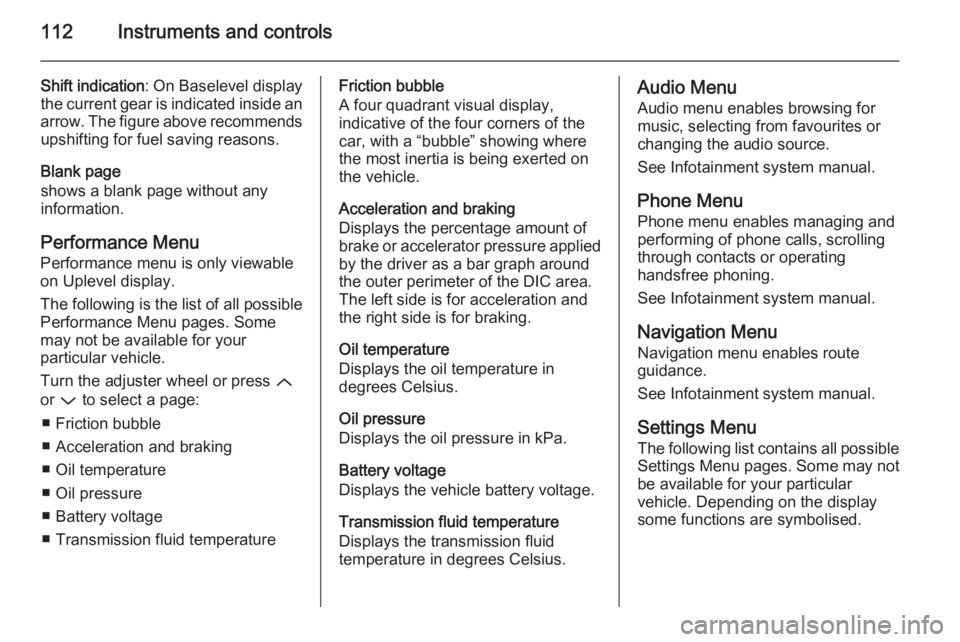
Shift indication: On Baselevel display
the current gear is indicated inside an
arrow. The figure above recommends upshifting for fuel saving reasons.
Blank page
shows a blank page without any
information.
Performance Menu Performance menu is only viewable
on Uplevel display.
The following is the list of all possible
Performance Menu pages. Some
may not be available for your
particular vehicle.
Turn the adjuster wheel or press Q
or P to select a page:
■ Friction bubble
■ Acceleration and braking
■ Oil temperature
■ Oil pressure
■ Battery voltage
■ Transmission fluid temperatureFriction bubble
A four quadrant visual display,
indicative of the four corners of the
car, with a “bubble” showing where
the most inertia is being exerted on
the vehicle.
Acceleration and braking
Displays the percentage amount of
brake or accelerator pressure applied
by the driver as a bar graph around
the outer perimeter of the DIC area.
The left side is for acceleration and
the right side is for braking.
Oil temperature
Displays the oil temperature in
degrees Celsius.
Oil pressure
Displays the oil pressure in kPa.
Battery voltage
Displays the vehicle battery voltage.
Transmission fluid temperature
Displays the transmission fluid
temperature in degrees Celsius.Audio Menu
Audio menu enables browsing for
music, selecting from favourites or
changing the audio source.
See Infotainment system manual.
Phone Menu
Phone menu enables managing and
performing of phone calls, scrolling
through contacts or operating
handsfree phoning.
See Infotainment system manual.
Navigation Menu Navigation menu enables route
guidance.
See Infotainment system manual.
Settings Menu The following list contains all possible
Settings Menu pages. Some may not
be available for your particular
vehicle. Depending on the display
some functions are symbolised.
Page 138 of 321
136Climate control
If no cooling or drying is required,
switch off the cooling system for fuel
saving reasons. Activated cooling
might inhibit Autostops.
Stop-start system 3 153.
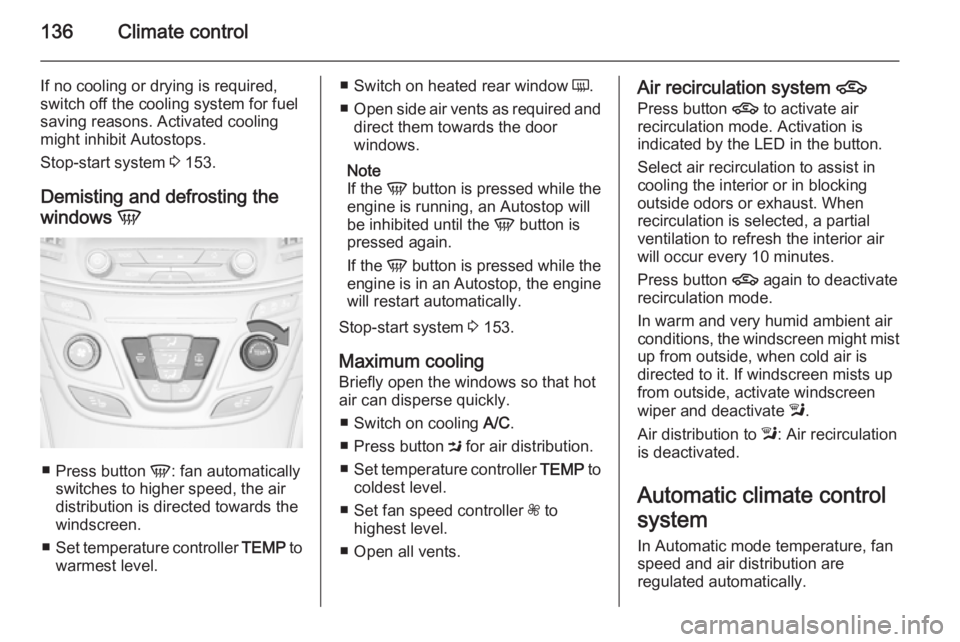
Demisting and defrosting the
windows V
■
Press button V: fan automatically
switches to higher speed, the air distribution is directed towards the
windscreen.
■ Set temperature controller TEMP to
warmest level.
■ Switch on heated rear window Ü.
■ Open side air vents as required and
direct them towards the door
windows.
Note
If the V button is pressed while the
engine is running, an Autostop will
be inhibited until the V button is
pressed again.
If the V button is pressed while the
engine is in an Autostop, the engine
will restart automatically.
Stop-start system 3 153.
Maximum cooling
Briefly open the windows so that hot
air can disperse quickly.
■ Switch on cooling A/C.
■ Press button M for air distribution.
■ Set temperature controller TEMP to
coldest level.
■ Set fan speed controller Z to
highest level.
■ Open all vents.Air recirculation system 4
Press button 4 to activate air
recirculation mode. Activation is
indicated by the LED in the button.
Select air recirculation to assist in
cooling the interior or in blocking
outside odors or exhaust. When
recirculation is selected, a partial
ventilation to refresh the interior air
will occur every 10 minutes.
Press button 4 again to deactivate
recirculation mode.
In warm and very humid ambient air
conditions, the windscreen might mist
up from outside, when cold air is
directed to it. If windscreen mists up
from outside, activate windscreen
wiper and deactivate l.
Air distribution to l: Air recirculation
is deactivated.
Automatic climate control
system
In Automatic mode temperature, fan
speed and air distribution are
regulated automatically.
Page 142 of 321
140Climate control
If no cooling or drying is required,
switch off the cooling system for fuel
saving reasons.
System ON/OFF X
Cooling, fan and automatic mode can
be switched off by pressing button X.
When the system is deactivated, the
LED in the button X is off.
Activation by pressing button X or
cooling button A/C or automatic mode
button AUTO. Activation is indicated
by the LED in the button.
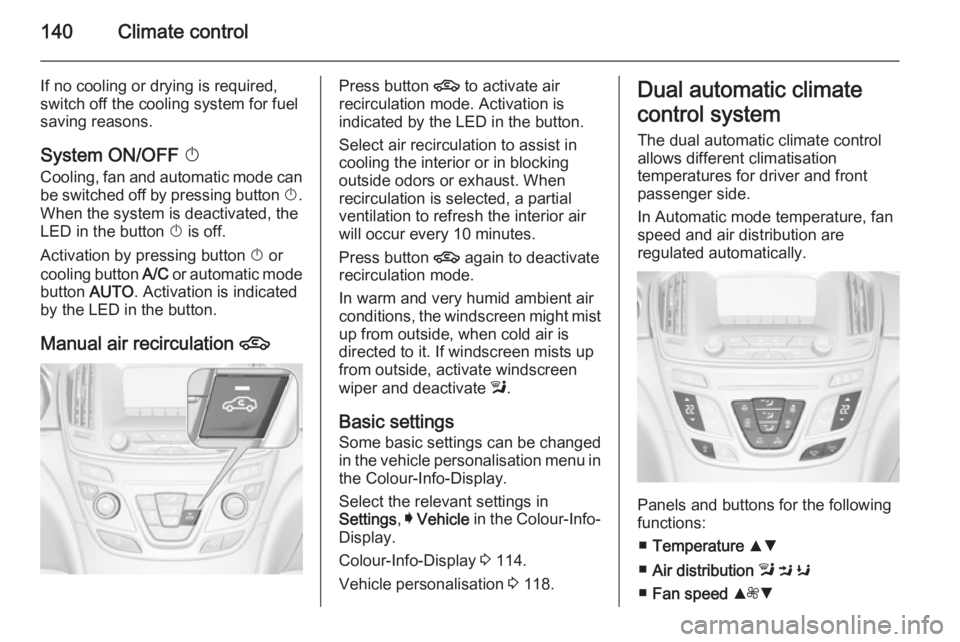
Manual air recirculation 4Press button 4 to activate air
recirculation mode. Activation is
indicated by the LED in the button.
Select air recirculation to assist in cooling the interior or in blocking
outside odors or exhaust. When
recirculation is selected, a partial
ventilation to refresh the interior air
will occur every 10 minutes.
Press button 4 again to deactivate
recirculation mode.
In warm and very humid ambient air
conditions, the windscreen might mist up from outside, when cold air is
directed to it. If windscreen mists up
from outside, activate windscreen
wiper and deactivate l.
Basic settings Some basic settings can be changedin the vehicle personalisation menu in the Colour-Info-Display.
Select the relevant settings in
Settings , I Vehicle in the Colour-Info-
Display.
Colour-Info-Display 3 114.
Vehicle personalisation 3 118.Dual automatic climate
control system
The dual automatic climate control
allows different climatisation
temperatures for driver and front
passenger side.
In Automatic mode temperature, fan
speed and air distribution are
regulated automatically.
Panels and buttons for the following
functions:
■ Temperature RS
■ Air distribution l M K
■ Fan speed R ZS
Page 146 of 321
144Climate control
Cooling A/C
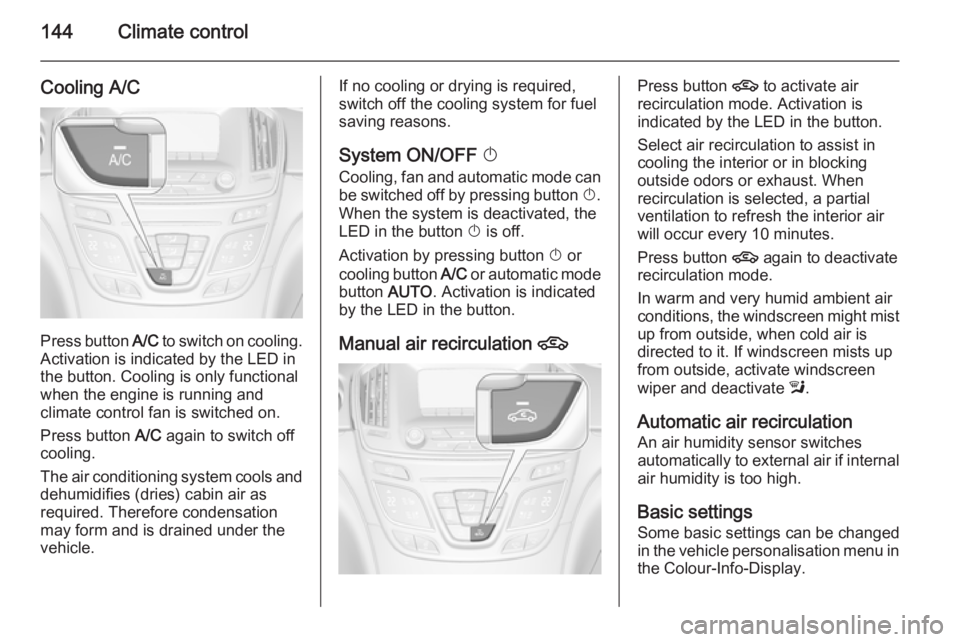
Press button A/C to switch on cooling.
Activation is indicated by the LED in
the button. Cooling is only functional
when the engine is running and
climate control fan is switched on.
Press button A/C again to switch off
cooling.
The air conditioning system cools and
dehumidifies (dries) cabin air as
required. Therefore condensation
may form and is drained under the
vehicle.
If no cooling or drying is required,
switch off the cooling system for fuel
saving reasons.
System ON/OFF X
Cooling, fan and automatic mode can
be switched off by pressing button X.
When the system is deactivated, the
LED in the button X is off.
Activation by pressing button X or
cooling button A/C or automatic mode
button AUTO. Activation is indicated
by the LED in the button.
Manual air recirculation 4Press button 4 to activate air
recirculation mode. Activation is
indicated by the LED in the button.
Select air recirculation to assist in cooling the interior or in blocking
outside odors or exhaust. When
recirculation is selected, a partial
ventilation to refresh the interior air
will occur every 10 minutes.
Press button 4 again to deactivate
recirculation mode.
In warm and very humid ambient air
conditions, the windscreen might mist up from outside, when cold air is
directed to it. If windscreen mists up
from outside, activate windscreen
wiper and deactivate l.
Automatic air recirculation An air humidity sensor switches
automatically to external air if internal air humidity is too high.
Basic settingsSome basic settings can be changed
in the vehicle personalisation menu in
the Colour-Info-Display.
Page 150 of 321
148Driving and operatingDriving and operatingDriving hints............................... 148
Starting and operating ...............149
Engine exhaust .......................... 156
Automatic transmission .............. 157
Manual transmission ..................162
Drive systems ............................ 163
Brakes ........................................ 163
Ride control systems .................166
Driver assistance systems .........171
Fuel ............................................ 202
Trailer hitch ................................ 209Driving hints
Control of the vehicleNever coast with engine not
running (except during Autostop)
Many systems will not function in this
situation (e.g. brake servo unit, power steering). Driving in this manner is a
danger to yourself and others. All
systems function during an Autostop,
but there will be a controlled reduction
in power steering assist and vehicle
speed is reduced.
Stop-start system 3 153.
Pedals
To ensure the pedal travel is
uninhibited, there must be no mats in the area of the pedals.Steering
If power steering assist is lost
because the engine stops or due to a
system malfunction, the vehicle can
be steered but may require increased
effort.
Control indicator c 3 103.Caution
Vehicles equipped with hydraulic
power steering:
If the steering wheel is turned until it reaches the end of its travel, and
is held in that position for more
than 15 seconds, damage may occur to the power steering
system and there may be loss of
power steering assist.
Page 151 of 321
Driving and operating149Starting and operating
New vehicle running-in Do not brake unnecessarily hard for
the first few journeys.
During the first drive, smoke may
occur because of wax and oil
evaporating off the exhaust system.
Park the vehicle in the open for a
while after the first drive and avoid
inhaling the fumes.
During the running-in period fuel and
engine oil consumption may be
higher and the cleaning process of the diesel particle filter may take
place more often.
Diesel particle filter 3 156.
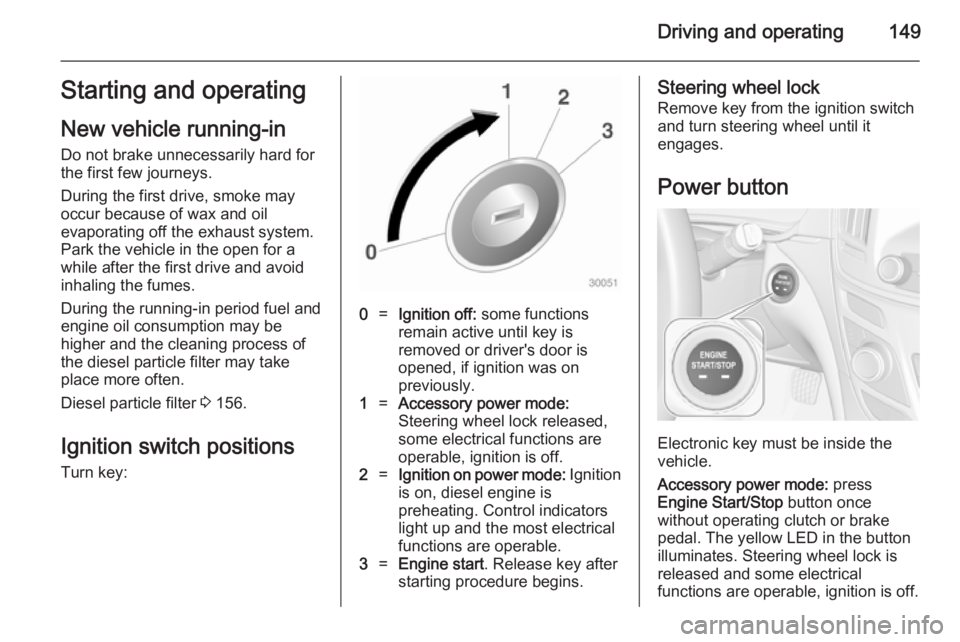
Ignition switch positions
Turn key:0=Ignition off: some functions
remain active until key is
removed or driver's door is
opened, if ignition was on
previously.1=Accessory power mode:
Steering wheel lock released,
some electrical functions are
operable, ignition is off.2=Ignition on power mode: Ignition
is on, diesel engine is
preheating. Control indicators
light up and the most electrical
functions are operable.3=Engine start . Release key after
starting procedure begins.Steering wheel lock
Remove key from the ignition switch
and turn steering wheel until it
engages.
Power button
Electronic key must be inside the
vehicle.
Accessory power mode: press
Engine Start/Stop button once
without operating clutch or brake pedal. The yellow LED in the button
illuminates. Steering wheel lock is
released and some electrical
functions are operable, ignition is off.