instrument cluster OPEL INSIGNIA 2017 Manual user
[x] Cancel search | Manufacturer: OPEL, Model Year: 2017, Model line: INSIGNIA, Model: OPEL INSIGNIA 2017Pages: 327, PDF Size: 9.3 MB
Page 186 of 327

184Driving and operating
Control indicator L in the instrument
cluster illuminates green.
If the vehicle is equipped with Uplevel
display and Sport mode is selected
3 111, the scale of the speedometer
is only indicated up to the set speed
limit. The speed limiter setting is
marked by a green dot, it changes to
white when the system is active but not engaged.
Change speed limit
With speed limiter active, hold or
briefly turn thumb wheel to RES/+ to
increase or SET/- to decrease the
desired maximum speed.
Exceeding the speed limit
When exceeding the limited speed
without driver input, the speed will
flash in the Driver Information Centre
and a chime sounds during this
period.
In the event of an emergency, it is possible to exceed the speed limit by
depressing the accelerator pedal
firmly nearly to the final point. In this
case no chime appears.
Release the accelerator pedal and
the speed limiter function is
reactivated once a speed lower than
the limit speed is obtained.
Deactivation Press y: speed limiter is deactivated
and the vehicle can be driven without
speed limit.
On midlevel or uplevel display L
changes to white. Additionally, a
corresponding message appears.
Speed limiter is deactivated, but not
switched off. Last stored speed
remains in memory for later speed
resume.Resume limit speed
Turn thumb wheel to RES/+. The
stored speed limit will be obtained.
Switching off Press L, the speed limit indication in
the Driver Information Centre extinguishes. The stored speed is
deleted.
By pressing m to activate cruise
control or adaptive cruise control,
speed limiter is also deactivated and
the stored speed is deleted.
By switching off the ignition, speed
limiter is also deactivated, but the
speed limit will be stored for next
speed limiter activation.
Adaptive cruise control
Adaptive cruise control (ACC) is an
enhancement to traditional cruise
control with the additional feature of maintaining a certain distance behind the vehicle ahead.
Adaptive cruise control automatically
decelerates the vehicle when
approaching a slower moving vehicle.
Page 187 of 327

Driving and operating185It then adjusts the vehicle speed to
follow the vehicle ahead at the
selected following distance. The
vehicle speed increases or decreases
to follow the vehicle in front, but will
not exceed the set speed. It may
apply limited braking with activated
brake lights.
The adaptive cruise control can store and maintain speeds over approx.
25 km/h. If following a vehicle ahead
driving slower than 25 km/h, the
slower speed will be set. On vehicles
with automatic transmission, the
system can also brake to a stop.
Adaptive cruise control uses a radar
sensor to detect vehicles ahead. If no
vehicle is detected in the driving path, the adaptive cruise control will
behave like a traditional cruise
control.
For safety reasons, the system
cannot be activated before the brake
pedal or clutch pedal has been
depressed once after switching on
ignition.
Adaptive cruise control is mainly
advised to be used on long straight
roads like highways or country roads
with steady traffic. Do not use the
system if it is not advisable to
maintain a constant speed.
Control indicator A 3 110, m 3 110,
C 3 110.9 Warning
The complete driver attention is
always required while driving with adaptive cruise control. The driver stays fully in control of the vehicle
because the brake pedal, the
accelerator pedal and the cancel
switch have priority over any
adaptive cruise control operation.
Switching on
Press C to switch on adaptive cruise
control. The control indicator m in the
instrument cluster illuminates white.
Additionally C appears in the Driver
Information Centre.
Activation by setting the speed
Adaptive cruise control can be
activated between 25 km/h and
180 km/h.
Accelerate to the desired speed and
turn thumb wheel to SET/-, the
current speed is stored and
maintained. Control indicator m in the
instrument cluster illuminates green.
Page 195 of 327

Driving and operating193
Press E, the current setting is shown
in the Driver Information Centre.
Press E again to change the alert
sensitivity. The setting is also displayed in the Driver Information
Centre.Note that the alert timing sensitivity
setting is shared with the following
distance setting of the adaptive cruise control 3 184. So changing the alert
timing sensitivity changes the
adaptive cruise control following
distance setting.
Alerting the driver
The vehicle ahead control indicator A illuminates green in the instrument
cluster when the system has detected
a vehicle in the driving path.
The control indicator A changes to
yellow when the distance to a
preceding moving vehicle gets too
short or when approaching another
vehicle too rapidly.Caution
The colour lighting of this control
indicator does not correspond to
local traffic laws on following
distance. The driver bears full
responsibility for maintaining safe
following distance according to
applicable traffic rules, weather
and road conditions etc. at all
times.
If a collision is imminent, the collision
alert symbol pops-up in the Driver
Information Centre and a warning
chime sounds. Depress the brake
pedal if it is required by the situation.
Page 196 of 327

194Driving and operatingSettings
Settings can be changed in the
vehicle personalisation menu in the
Colour-Info-Display.
Select the relevant setting in Settings,
I Vehicle in the Colour-Info-Display.
Colour-Info-Display 3 118.
Vehicle personalisation 3 121.
Forward collision alert based on
front camera system
Forward collision alert uses the front
camera system in the windscreen to
detect a vehicle directly ahead, in
your path, within a distance of approx.
60 metres.
Activation
Forward collision alert operates
automatically above 40 km/h, if it is
not deactivated by pressing V, see
below.
Selecting the alert sensitivity
The alert sensitivity can be set to
near, medium or far.
Press V, the current setting is shown
in the Driver Information Centre.
Press V again to change the alert
sensitivity.
Alerting the driver
The vehicle ahead control indicator
A illuminates green in the instrument
cluster when the system has detected
a vehicle in the driving path.
When the distance to a preceding
moving vehicle gets too short or when approaching another vehicle too
rapidly and a collision is imminent, the
collision alert symbol pops-up in the
Driver Information Centre.
Simultaneously, a warning chime sounds. Depress the brake pedal, if it
is required by the situation.
Deactivation
The system can be deactivated.
Press V repeatedly until Forward
Collision Alert Off appears in the
Driver Information Centre.
Page 216 of 327

214Driving and operatingon. When the control indicator ) in
the instrument cluster illuminates
green, the system is ready to operate.
The system is only operable at
vehicle speeds above 56 km/h and if
lane markings are available.
When the system recognises an
unintended lane change, the control indicator ) changes to yellow and
flashes. Simultaneously a chime
sound is activated.
Deactivation
The system is deactivated by
pressing ); the LED in the button
extinguishes.
At speeds below 56 km/h the system
is inoperable.
Fault
The lane departure warning system may not operate properly when:
● The windscreen is not clean or affected by foreign items, e.g.
stickers.
● There are adverse environmental
conditions, e.g. heavy rain, snow,
direct sunlight or shadows.
The system cannot operate when no
lane marking is detected.Fuel
Fuel for petrol engines Only use unleaded fuel that complies
with European standard EN 228 or
E DIN 51626-1 or equivalent.
The engine is capable of running with
fuel that contains up to 10% ethanol
(e.g. named E10).
Use fuel with the recommended
octane rating. A lower octane rating can reduce engine power and torque
and slightly increases fuel
consumption.Caution
Do not use fuel or fuel additives
that contain metallic compounds
such as manganese-based
additives. This may cause engine
damage.
Page 276 of 327

274Vehicle careFor painting work and when using a
drying booth at a temperature above
60 °C, the liquid gas tank must be
removed.
Do not make any modifications to the liquid gas system.
Towing equipment Do not clean the coupling ball bar with
a steam-jet or high-pressure jet
cleaner.
Interior care
Interior and upholstery Only clean the vehicle interior,
including the instrument panel fascia
and panelling, with a dry cloth or
interior cleaner.
Clean the leather upholstery with
clear water and a soft cloth. In case of
heavy soiling, use leather care.
The instrument cluster and the
displays should only be cleaned using
a soft damp cloth. If necessary use a
weak soap solution.Clean fabric upholstery with a
vacuum cleaner and brush. Remove
stains with an upholstery cleaner.
Clothing fabrics may not be
colourfast. This could cause visible discolourations, especially on light-
coloured upholstery. Removable
stains and discolourations should be
cleaned as soon as possible.
Clean seat belts with lukewarm water or interior cleaner.Caution
Close Velcro fasteners as open
Velcro fasteners on clothing could
damage seat upholstery.
The same applies to clothing with
sharp-edged objects, like zips or
belts or studded jeans.
Plastic and rubber parts
Plastic and rubber parts can be
cleaned with the same cleaner as
used to clean the body. Use interior cleaner if necessary. Do not use any
other agent. Avoid solvents and petrol in particular. Do not use high-
pressure jet cleaners.
Page 324 of 327
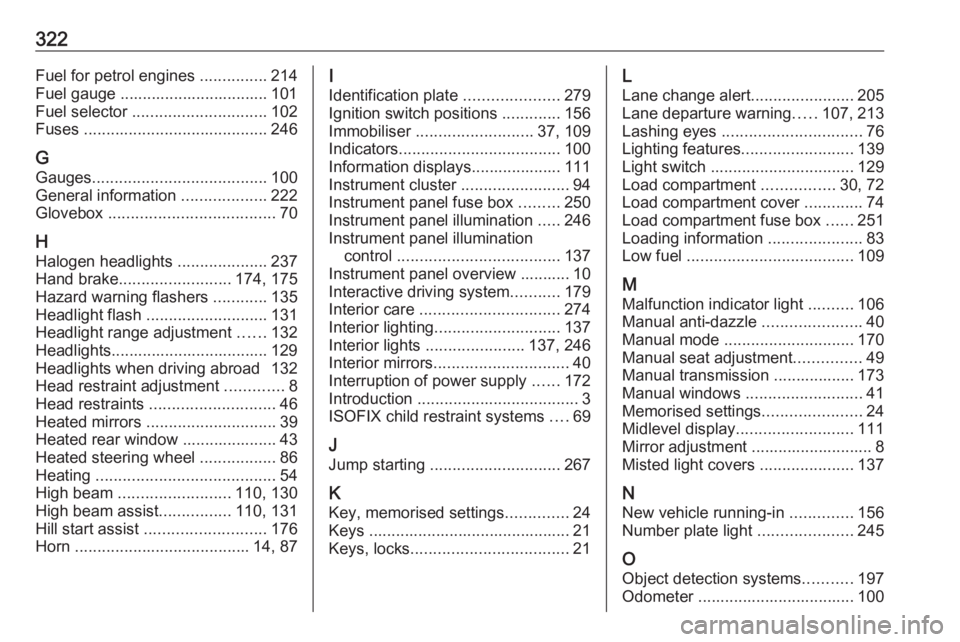
322Fuel for petrol engines ...............214
Fuel gauge ................................. 101
Fuel selector .............................. 102
Fuses ......................................... 246
G Gauges ....................................... 100
General information ...................222
Glovebox ..................................... 70
H Halogen headlights ....................237
Hand brake ......................... 174, 175
Hazard warning flashers ............135
Headlight flash ........................... 131
Headlight range adjustment ......132
Headlights................................... 129
Headlights when driving abroad 132
Head restraint adjustment .............8
Head restraints ............................ 46
Heated mirrors ............................. 39
Heated rear window ..................... 43
Heated steering wheel .................86
Heating ........................................ 54
High beam ......................... 110, 130
High beam assist ................110, 131
Hill start assist ........................... 176
Horn ....................................... 14, 87I
Identification plate .....................279
Ignition switch positions .............156
Immobiliser .......................... 37, 109
Indicators .................................... 100
Information displays.................... 111
Instrument cluster ........................94
Instrument panel fuse box .........250
Instrument panel illumination .....246
Instrument panel illumination control .................................... 137
Instrument panel overview ........... 10
Interactive driving system ...........179
Interior care ............................... 274
Interior lighting ............................ 137
Interior lights ...................... 137, 246
Interior mirrors .............................. 40
Interruption of power supply ......172
Introduction .................................... 3
ISOFIX child restraint systems ....69
J
Jump starting ............................. 267
K
Key, memorised settings ..............24
Keys ............................................. 21
Keys, locks ................................... 21L
Lane change alert .......................205
Lane departure warning .....107, 213
Lashing eyes ............................... 76
Lighting features .........................139
Light switch ................................ 129
Load compartment ................30, 72
Load compartment cover .............74
Load compartment fuse box ......251
Loading information .....................83
Low fuel ..................................... 109
M
Malfunction indicator light ..........106
Manual anti-dazzle ......................40
Manual mode ............................. 170
Manual seat adjustment ...............49
Manual transmission .................. 173
Manual windows ..........................41
Memorised settings ......................24
Midlevel display .......................... 111
Mirror adjustment ........................... 8
Misted light covers .....................137
N New vehicle running-in ..............156
Number plate light .....................245
O Object detection systems ...........197
Odometer ................................... 100