transmission OPEL INSIGNIA 2017 Manual user
[x] Cancel search | Manufacturer: OPEL, Model Year: 2017, Model line: INSIGNIA, Model: OPEL INSIGNIA 2017Pages: 327, PDF Size: 9.3 MB
Page 178 of 327

176Driving and operatingVehicles with automatic transmission:Engaging D and then depressing the
accelerator pedal releases the
electric parking brake automatically.
This is not possible when switch m is
pulled at the same time.
Dynamic braking when vehicle is
moving
When the vehicle is moving and
switch m is kept pulled, the electric
parking brake system will decelerate the vehicle, but will not apply
statically.
As soon as switch m is released,
dynamic braking will be stopped.
Automatic applying
If the vehicle is equipped with
Automatic transmission and Adaptive cruise control is active, electric
parking brake is applied automatically when vehicle is stopped by the
system for more than two minutes.
Parking brake is released
automatically after moving off.Functionality check
When the vehicle is not moving, the electric parking brake might be
applied automatically. This is done to
check the system.
Fault
Failure mode of electric parking brake
is indicated by control indicator j and
by a vehicle message which is displayed in the Driver Information
Centre. Vehicle messages 3 120.
Apply electric parking brake: pull and
hold switch m for more than
5 seconds. If control indicator m
illuminates, electric parking brake is
applied.
Release electric parking brake: push and hold switch m for more than
2 seconds. If control indicator m
extinguishes, electric parking brake is
released.
Control indicator m flashes: electric
parking brake is not fully applied or released. When continuously
flashing, release electric parking
brake and retry applying.Brake assist
If brake pedal is depressed quickly
and forcefully, maximum brake force is automatically applied.
Operation of brake assist might
become apparent by a pulse in the
brake pedal and a greater resistance when depressing the brake pedal.
Maintain steady pressure on the
brake pedal as long as full braking is
required. Maximum brake force is
automatically reduced when brake
pedal is released.
Hill start assist The system helps prevent unintendedmovement when driving away on
inclines.
When releasing the foot brake after
stopping on an incline, brakes remain
on for further two seconds. Brakes
release automatically as soon as the
vehicle begins to accelerate.
The hill start assist is not active during
an Autostop.
Stop-start system 3 160.
Page 181 of 327
Driving and operating179Interactive driving systemFlex Ride
Flex Ride driving system allows the
driver to select between three driving
modes:
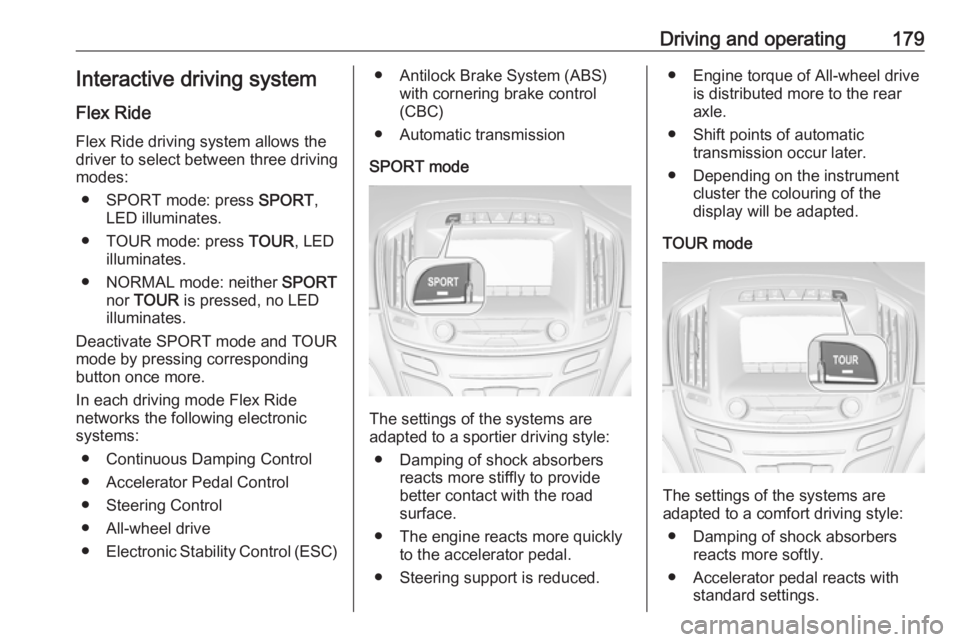
● SPORT mode: press SPORT,
LED illuminates.
● TOUR mode: press TOUR, LED
illuminates.
● NORMAL mode: neither SPORT
nor TOUR is pressed, no LED
illuminates.
Deactivate SPORT mode and TOUR
mode by pressing corresponding
button once more.
In each driving mode Flex Ride
networks the following electronic
systems:
● Continuous Damping Control
● Accelerator Pedal Control
● Steering Control
● All-wheel drive
● Electronic Stability Control (ESC)● Antilock Brake System (ABS)
with cornering brake control
(CBC)
● Automatic transmission
SPORT mode
The settings of the systems are
adapted to a sportier driving style:
● Damping of shock absorbers reacts more stiffly to providebetter contact with the road
surface.
● The engine reacts more quickly to the accelerator pedal.
● Steering support is reduced.
● Engine torque of All-wheel drive is distributed more to the rear
axle.
● Shift points of automatic transmission occur later.
● Depending on the instrument cluster the colouring of the
display will be adapted.
TOUR mode
The settings of the systems are
adapted to a comfort driving style:
● Damping of shock absorbers reacts more softly.
● Accelerator pedal reacts with standard settings.
Page 182 of 327
180Driving and operating● Steering support is in standardmode.
● Engine torque of All-wheel drive is distributed mainly to the front
axle.
● Shift points of automatic transmission occur in a comfort
mode.
NORMAL mode
All settings of the systems are
adapted to standard values.
Drive mode control
Within each manually selected driving mode SPORT, TOUR or NORMAL,
the Drive Mode Control (DMC)
detects and analyses continuously the real driving characteristic,
responses by the driver, and the
active dynamic state of the vehicle. If
necessary, the control unit of DMC
automatically changes the settings
within the selected driving mode or, when recognising greater variations,
the driving mode is changed for the
length of variation.If, for example, NORMAL mode is
selected and DMC detects a sporty
driving behaviour, DMC changes
several settings of the Normal mode
into sporty settings. The DMC
changes to SPORT mode in case of
very sporty driving behaviour.
If, for another example, TOUR mode
is selected and whilst driving on a
winding road a sudden hard brake is
necessary, DMC will detect the
dynamic vehicle condition and
changes the settings for suspension
to SPORT mode to increase vehicle
stability.
When the driving characteristic or the
dynamic vehicle state returns to the
former state, DMC will change the
settings to the preselected driving
mode.
Personalised settings in SPORT
mode
The driver can select the functions of
the SPORT mode when SPORT is
pressed.
Select the relevant settings in
Settings , I Sport Mode in the Colour-
Info-Display.Colour-Info-Display 3 118.
Vehicle personalisation 3 121.
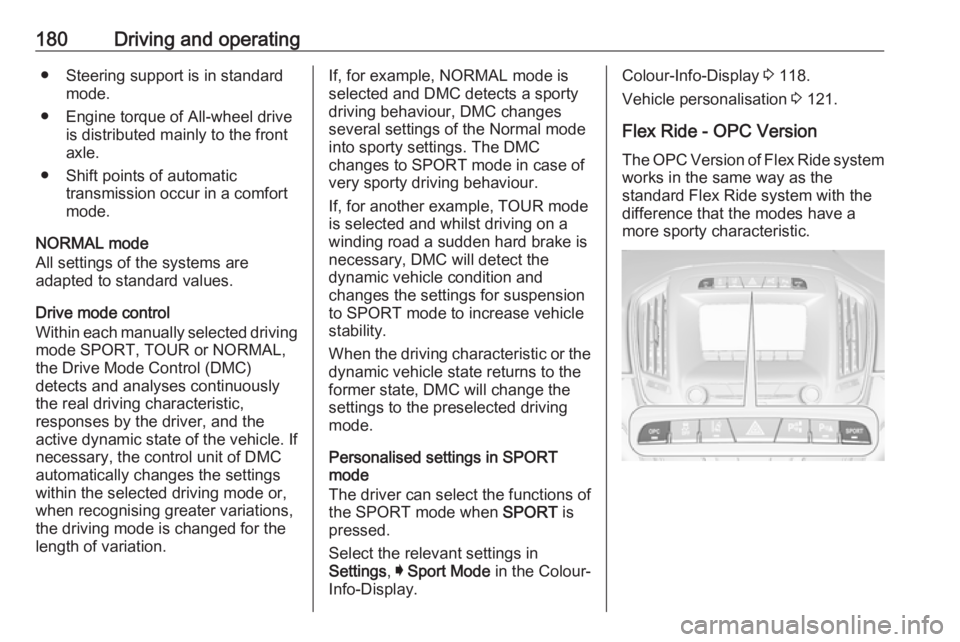
Flex Ride - OPC Version The OPC Version of Flex Ride system works in the same way as the
standard Flex Ride system with the
difference that the modes have a
more sporty characteristic.
Page 183 of 327
Driving and operating181OPC Flex Ride driving system allows
the driver to select between three
driving modes:
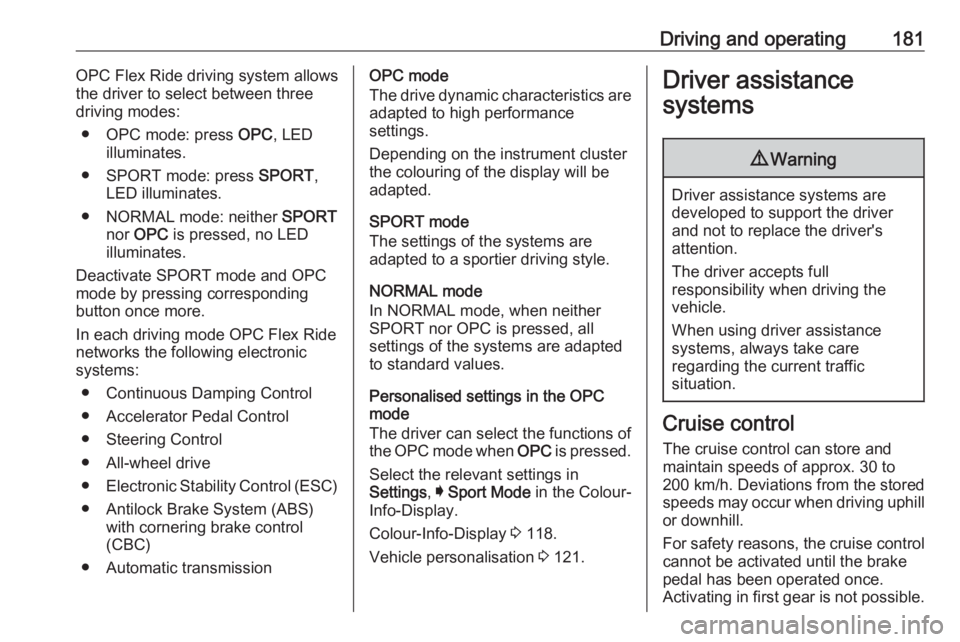
● OPC mode: press OPC, LED
illuminates.
● SPORT mode: press SPORT,
LED illuminates.
● NORMAL mode: neither SPORT
nor OPC is pressed, no LED
illuminates.
Deactivate SPORT mode and OPC
mode by pressing corresponding
button once more.
In each driving mode OPC Flex Ride
networks the following electronic
systems:
● Continuous Damping Control
● Accelerator Pedal Control
● Steering Control
● All-wheel drive
● Electronic Stability Control (ESC)
● Antilock Brake System (ABS) with cornering brake control
(CBC)
● Automatic transmissionOPC mode
The drive dynamic characteristics are
adapted to high performance
settings.
Depending on the instrument cluster the colouring of the display will beadapted.
SPORT mode
The settings of the systems are
adapted to a sportier driving style.
NORMAL mode
In NORMAL mode, when neither SPORT nor OPC is pressed, all
settings of the systems are adapted
to standard values.
Personalised settings in the OPC mode
The driver can select the functions of
the OPC mode when OPC is pressed.
Select the relevant settings in
Settings , I Sport Mode in the Colour-
Info-Display.
Colour-Info-Display 3 118.
Vehicle personalisation 3 121.Driver assistance
systems9 Warning
Driver assistance systems are
developed to support the driver
and not to replace the driver's
attention.
The driver accepts full
responsibility when driving the
vehicle.
When using driver assistance
systems, always take care
regarding the current traffic
situation.
Cruise control
The cruise control can store and
maintain speeds of approx. 30 to
200 km/h. Deviations from the stored
speeds may occur when driving uphill or downhill.
For safety reasons, the cruise control cannot be activated until the brake
pedal has been operated once.
Activating in first gear is not possible.
Page 184 of 327

182Driving and operating
Do not use the cruise control if it is notadvisable to maintain a constant
speed.
On vehicles with automatic
transmission or manual transmission
automated cruise control can be
activated in automatic mode and
manual mode.
Control indicator m 3 110.
Switching on
Press m; control indicator m in
instrument cluster illuminates white.
Activation
Accelerate to the desired speed and
turn thumb wheel to SET/-, the
current speed is stored and
maintained. Control indicator m in
instrument cluster illuminates green.
Set speed is indicated on midlevel or
uplevel display with green illuminated
symbol m. Accelerator pedal can be
released.
Vehicle speed can be increased by depressing the accelerator pedal.
When the accelerator pedal is
released, the previously stored speed is resumed.
Cruise control remains activated
while gearshifting.
Increase speed
With cruise control active, hold thumb
wheel turned to RES/+ or briefly turn
to RES/+ repeatedly: speed
increases continuously or in small
increments.
Alternatively accelerate to the desired speed and store by turning to SET/-.
Reduce speed
With cruise control active, hold thumb wheel turned to SET/- or briefly turn to
SET/- repeatedly: speed decreases
continuously or in small increments.
Deactivation Press y; control indicator m in
instrument cluster illuminates white.
On midlevel or uplevel display m
changes to white.
Page 187 of 327

Driving and operating185It then adjusts the vehicle speed to
follow the vehicle ahead at the
selected following distance. The
vehicle speed increases or decreases
to follow the vehicle in front, but will
not exceed the set speed. It may
apply limited braking with activated
brake lights.
The adaptive cruise control can store and maintain speeds over approx.
25 km/h. If following a vehicle ahead
driving slower than 25 km/h, the
slower speed will be set. On vehicles
with automatic transmission, the
system can also brake to a stop.
Adaptive cruise control uses a radar
sensor to detect vehicles ahead. If no
vehicle is detected in the driving path, the adaptive cruise control will
behave like a traditional cruise
control.
For safety reasons, the system
cannot be activated before the brake
pedal or clutch pedal has been
depressed once after switching on
ignition.
Adaptive cruise control is mainly
advised to be used on long straight
roads like highways or country roads
with steady traffic. Do not use the
system if it is not advisable to
maintain a constant speed.
Control indicator A 3 110, m 3 110,
C 3 110.9 Warning
The complete driver attention is
always required while driving with adaptive cruise control. The driver stays fully in control of the vehicle
because the brake pedal, the
accelerator pedal and the cancel
switch have priority over any
adaptive cruise control operation.
Switching on
Press C to switch on adaptive cruise
control. The control indicator m in the
instrument cluster illuminates white.
Additionally C appears in the Driver
Information Centre.
Activation by setting the speed
Adaptive cruise control can be
activated between 25 km/h and
180 km/h.
Accelerate to the desired speed and
turn thumb wheel to SET/-, the
current speed is stored and
maintained. Control indicator m in the
instrument cluster illuminates green.
Page 189 of 327

Driving and operating187Full speed range adaptive cruise
control on vehicles with automatic transmission
Full speed range adaptive cruisecontrol will maintain a following gap
behind a detected vehicle and can
slow your vehicle to a stop behind that
vehicle.
When the vehicle ahead drives away
within two minutes, turn thumb wheel to RES/+ or operate the acceleratorpedal to reach a speed of 10 km/h to
resume full speed range adaptive cruise control.
If the stopped vehicle ahead begins to move forward and full speed range
adaptive cruise control has not
resumed, the green illuminated
vehicle ahead control indicator A will
flash and a warning chime will sound
as a reminder that the vehicle ahead
is pulling away.
When the vehicle ahead stops for
more than two minutes, the electric
parking brake will apply automatically and the full speed range adaptive
cruise control is deactivated. In this
event, drive the vehicle normally byoperating the accelerator pedal. Turn
thumb wheel to RES/+ at a speed
above 10 km/h to resume full speed
range adaptive cruise control.9 Warning
When full speed range adaptive
cruise control is deactivated or
cancelled, the vehicle will no
longer be held at a stop and can
start to move. Always be prepared
to manually apply the brake pedal
to hold the vehicle stationary.
Do not leave the vehicle while it is being held at a stop by the full
speed range adaptive cruise
control. Always move selector
lever to park position P and switch
off the ignition before leaving the
vehicle.
Setting the following distance
When adaptive cruise control detects a slower moving vehicle in the driving
path, it will adjust the vehicle speed to maintain the following distance
selected by the driver.
The following distance can be set to
near, medium or far.
Press E, the current setting is shown
in the Driver Information Centre.
Press E again to change the
following distance. The setting is also displayed in the Driver Information
Centre.
Page 190 of 327
188Driving and operating
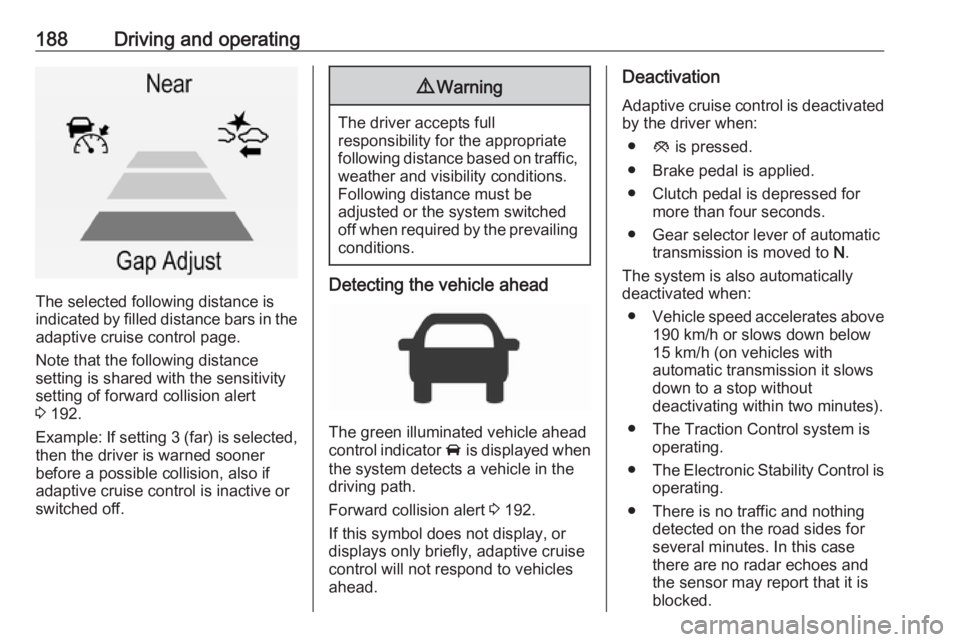
The selected following distance is
indicated by filled distance bars in the
adaptive cruise control page.
Note that the following distance
setting is shared with the sensitivity
setting of forward collision alert
3 192.
Example: If setting 3 (far) is selected,
then the driver is warned sooner
before a possible collision, also if
adaptive cruise control is inactive or
switched off.
9 Warning
The driver accepts full
responsibility for the appropriate
following distance based on traffic, weather and visibility conditions.
Following distance must be
adjusted or the system switched
off when required by the prevailing
conditions.
Detecting the vehicle ahead
The green illuminated vehicle ahead
control indicator A is displayed when
the system detects a vehicle in the driving path.
Forward collision alert 3 192.
If this symbol does not display, or displays only briefly, adaptive cruise
control will not respond to vehicles
ahead.
Deactivation
Adaptive cruise control is deactivated by the driver when:
● y is pressed.
● Brake pedal is applied.
● Clutch pedal is depressed for more than four seconds.
● Gear selector lever of automatic transmission is moved to N.
The system is also automatically deactivated when:
● Vehicle speed accelerates above
190 km/h or slows down below
15 km/h (on vehicles with
automatic transmission it slows
down to a stop without
deactivating within two minutes).
● The Traction Control system is operating.
● The Electronic Stability Control is
operating.
● There is no traffic and nothing detected on the road sides for
several minutes. In this case
there are no radar echoes and
the sensor may report that it is blocked.
Page 191 of 327
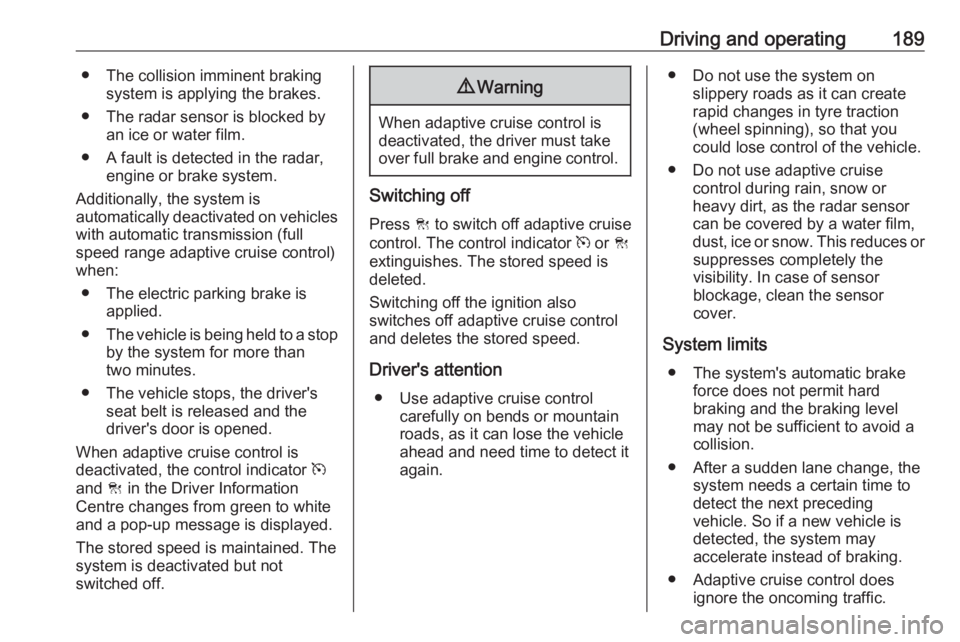
Driving and operating189● The collision imminent brakingsystem is applying the brakes.
● The radar sensor is blocked by an ice or water film.
● A fault is detected in the radar, engine or brake system.
Additionally, the system is
automatically deactivated on vehicles
with automatic transmission (full
speed range adaptive cruise control)
when:
● The electric parking brake is applied.
● The vehicle is being held to a stop
by the system for more than
two minutes.
● The vehicle stops, the driver's seat belt is released and the
driver's door is opened.
When adaptive cruise control is
deactivated, the control indicator m
and C in the Driver Information
Centre changes from green to white
and a pop-up message is displayed.
The stored speed is maintained. The
system is deactivated but not
switched off.9 Warning
When adaptive cruise control is
deactivated, the driver must take
over full brake and engine control.
Switching off
Press C to switch off adaptive cruise
control. The control indicator m or C
extinguishes. The stored speed is
deleted.
Switching off the ignition also
switches off adaptive cruise control
and deletes the stored speed.
Driver's attention ● Use adaptive cruise control carefully on bends or mountain
roads, as it can lose the vehicle
ahead and need time to detect it
again.
● Do not use the system on slippery roads as it can create
rapid changes in tyre traction
(wheel spinning), so that you
could lose control of the vehicle.
● Do not use adaptive cruise control during rain, snow or
heavy dirt, as the radar sensor
can be covered by a water film,
dust, ice or snow. This reduces or suppresses completely the
visibility. In case of sensor
blockage, clean the sensor
cover.
System limits ● The system's automatic brake force does not permit hard
braking and the braking level
may not be sufficient to avoid a
collision.
● After a sudden lane change, the system needs a certain time to
detect the next preceding
vehicle. So if a new vehicle is
detected, the system may
accelerate instead of braking.
● Adaptive cruise control does ignore the oncoming traffic.
Page 228 of 327
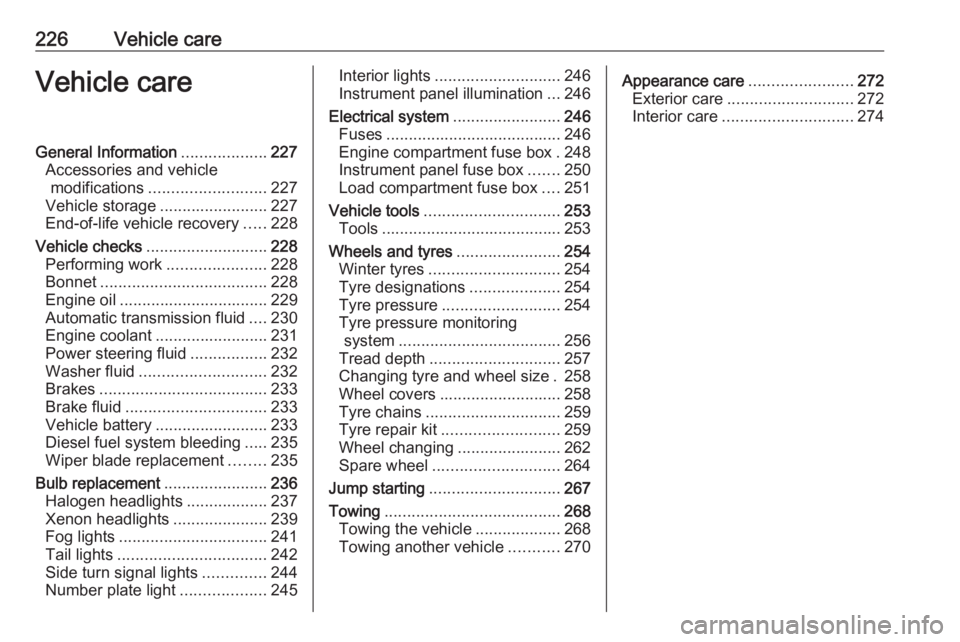
226Vehicle careVehicle careGeneral Information...................227
Accessories and vehicle modifications .......................... 227
Vehicle storage ........................227
End-of-life vehicle recovery .....228
Vehicle checks ........................... 228
Performing work ......................228
Bonnet ..................................... 228
Engine oil ................................. 229
Automatic transmission fluid ....230
Engine coolant ......................... 231
Power steering fluid .................232
Washer fluid ............................ 232
Brakes ..................................... 233
Brake fluid ............................... 233
Vehicle battery ......................... 233
Diesel fuel system bleeding .....235
Wiper blade replacement ........235
Bulb replacement .......................236
Halogen headlights ..................237
Xenon headlights .....................239
Fog lights ................................. 241
Tail lights ................................. 242
Side turn signal lights ..............244
Number plate light ...................245Interior lights ............................ 246
Instrument panel illumination ...246
Electrical system ........................246
Fuses ....................................... 246
Engine compartment fuse box . 248
Instrument panel fuse box .......250
Load compartment fuse box ....251
Vehicle tools .............................. 253
Tools ........................................ 253
Wheels and tyres .......................254
Winter tyres ............................. 254
Tyre designations ....................254
Tyre pressure .......................... 254
Tyre pressure monitoring system .................................... 256
Tread depth ............................. 257
Changing tyre and wheel size . 258
Wheel covers ........................... 258
Tyre chains .............................. 259
Tyre repair kit .......................... 259
Wheel changing .......................262
Spare wheel ............................ 264
Jump starting ............................. 267
Towing ....................................... 268
Towing the vehicle ...................268
Towing another vehicle ...........270Appearance care .......................272
Exterior care ............................ 272
Interior care ............................. 274