warning OPEL INSIGNIA 2018 Repair Manual
[x] Cancel search | Manufacturer: OPEL, Model Year: 2018, Model line: INSIGNIA, Model: OPEL INSIGNIA 2018Pages: 323, PDF Size: 9.33 MB
Page 173 of 323
Driving and operating171AdBlue
General information
The selective catalytic reduction
(BlueInjection) is a method to
substantially reduce the nitrogen
oxides in the exhaust emission. This
is achieved by injecting a Diesel
Exhaust Fluid (DEF) into the exhaust
system. The ammonia released by
the fluid reacts with nitrous gases
(NO x) from the exhaust and turns it
into nitrogen and water.
The designation of this fluid is AdBlue
® . It is a non-toxic, non-flammable,
colourless and odourless fluid which
consists of 32% urea and 68% water.9Warning
Avoid contact of your eyes or skin
with AdBlue.
In case of eye or skin contact,
rinse off with water.
Caution
Avoid contact of the paintwork with AdBlue.
In case of contact, rinse off with water.
AdBlue freezes at a temperature of
approx. -11 °C. As the vehicle is
equipped with an AdBlue pre-heater,
the emissions reduction at low
temperatures is ensured. The AdBlue
pre-heater works automatically.
The typical AdBlue consumption is
approx. two litres per 1000 km, but
can also be higher depending on
driving behaviour (e.g. high load or
towing).
AdBlue tank
At a remaining volume of approx. five litres, there is a liquid level switch. Warning messages are displayed
only below that threshold. Tank
volume 3 300.
Level warnings
Depending on the calculated range of
AdBlue, different messages are
displayed in the Driver Information
Centre. The messages and the
restrictions are a legal requirement.
The first possible warning is AdBlue
Range: 2400 km .
This warning will show up once briefly with the calculated range. Driving is
possible without any restrictions.
The next warning level is entered with
a range below 1750 km. The
message with the current range will always be displayed when ignition is
switched on and needs to be
confirmed 3 113 . Refill AdBlue before
entering the next warning level.
At an AdBlue range below 900 km,
the following warning messages are
alternately displayed and cannot be
dismissed:
● AdBlue Low Refill Now
● Engine Restart Prevented in 900
km .
Additionally, control indicator Y
flashes continuously.
Page 174 of 323
172Driving and operatingNote
In case of high AdBlue consumption, the Driver Information Centre may
display this warning without the
previous warning stages.
The last warning level is entered
when the AdBlue tank is empty.
Restart of the engine is not possible.
The following warning messages are
alternately displayed and cannot be
dismissed:
● AdBlue Empty Refill Now
● Engine Will Not Restart .
Additionally, control indicator Y
flashes continuously.
With active prevention of an engine
start, the following message will be
displayed:
Refill AdBlue To Start Vehicle .
The tank must be refilled completely with AdBlue, otherwise restarting of
the engine is not possible.High emission warnings
If the exhaust emission rises above a certain value, warnings similar to the
range warnings will be displayed in the Driver Information Centre.
Requests to have the exhaust system checked and finally the
announcement of the prevention of
an engine restart are displayed.
These restrictions are a legal
requirement.
Consult a workshop for assistance.
Refilling AdBlueCaution
Only use AdBlue that complies
with European standards
DIN 70 070 and ISO 22241-1.
Do not use additives.
Do not dilute AdBlue.
Otherwise the selective catalytic
reduction system could be
damaged.
Note
Whenever a filling pump with a
nozzle for passenger cars is not
available at a filling station, use only
AdBlue bottles or canisters with a
sealed refill adapter for refilling, to
prevent splashback and overspill,
and in order to ensure that the fumes
from the tank are captured and do
not emerge. AdBlue in bottles or
canisters is available in many filling
stations and can be purchased e.g. at Opel dealers and other retail
outlets.
Since AdBlue has a limited
durability, check the date of expiry
before refilling.
Note
The refilling of AdBlue is only
detected by the system when the
above mentioned liquid level switch
in the tank is activated.
In case AdBlue refill is not
successfully detected:
Page 175 of 323
Driving and operating1731. Continuously drive the vehiclefor 10 minutes making sure that
vehicle speed is always higher
than 20 km/h.
2. If AdBlue refill is detected successfully, AdBlue supply-
driven limitations will disappear.
If AdBlue refill is still not detected,
seek the assistance of a workshop.
If AdBlue must be refilled at
temperatures below -11 °C, the
refilling of AdBlue may not be
detected by the system. In this
event, park the vehicle in a space
with a higher ambient temperature
until AdBlue is liquefied.
Note
When unscrewing the protective cap
from the filler neck, ammonia fumes
may emerge. Do not inhale as the fumes have a pungent smell. The
fumes are not harmful by inhalation.
The AdBlue tank should be filled
completely. This must be done if the
warning message regarding
prevention of an engine restart is
already displayed.The vehicle must be parked on a level surface.
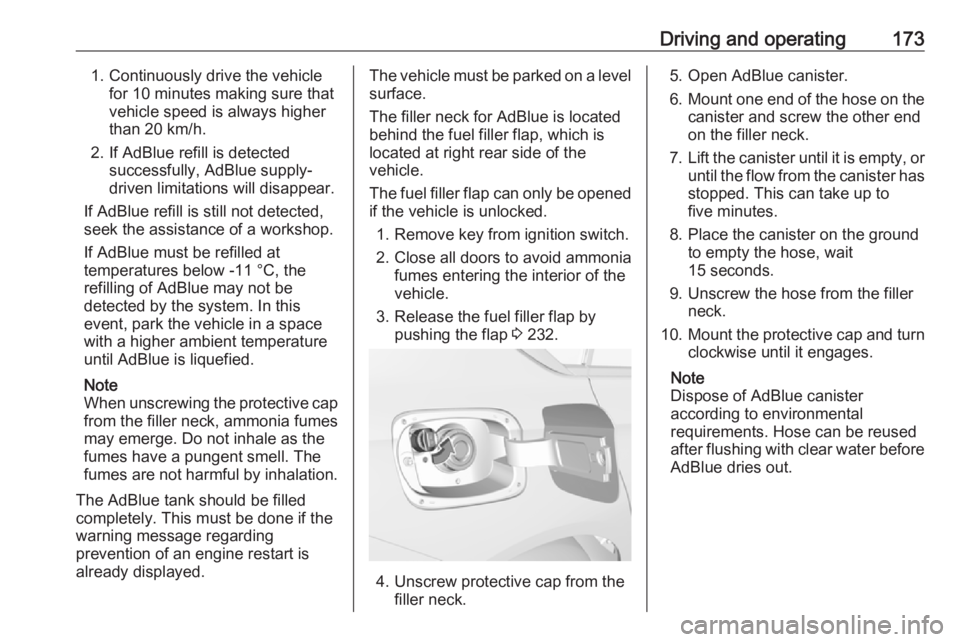
The filler neck for AdBlue is located
behind the fuel filler flap, which is located at right rear side of the
vehicle.
The fuel filler flap can only be opened
if the vehicle is unlocked.
1. Remove key from ignition switch.
2. Close all doors to avoid ammonia fumes entering the interior of the
vehicle.
3. Release the fuel filler flap by pushing the flap 3 232.
4. Unscrew protective cap from the
filler neck.
5. Open AdBlue canister.
6. Mount one end of the hose on the
canister and screw the other end
on the filler neck.
7. Lift the canister until it is empty, or
until the flow from the canister has stopped. This can take up to
five minutes.
8. Place the canister on the ground to empty the hose, wait
15 seconds.
9. Unscrew the hose from the filler neck.
10. Mount the protective cap and turn
clockwise until it engages.
Note
Dispose of AdBlue canister
according to environmental
requirements. Hose can be reused
after flushing with clear water before
AdBlue dries out.
Page 180 of 323
178Driving and operating
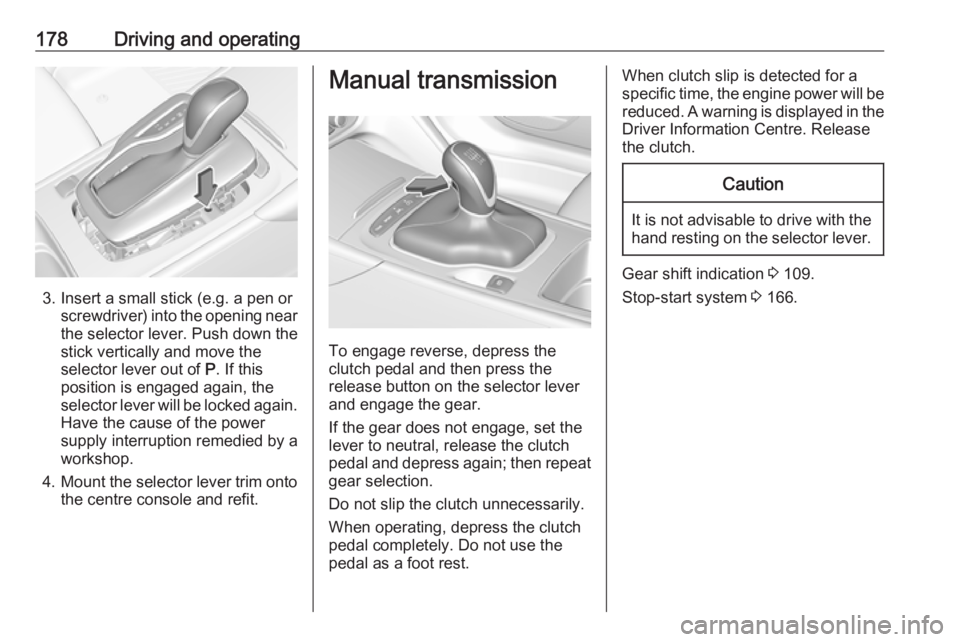
3. Insert a small stick (e.g. a pen orscrewdriver) into the opening near
the selector lever. Push down the
stick vertically and move the
selector lever out of P. If this
position is engaged again, the
selector lever will be locked again.
Have the cause of the power
supply interruption remedied by a
workshop.
4. Mount the selector lever trim onto
the centre console and refit.
Manual transmission
To engage reverse, depress the
clutch pedal and then press the
release button on the selector lever
and engage the gear.
If the gear does not engage, set the
lever to neutral, release the clutch
pedal and depress again; then repeat
gear selection.
Do not slip the clutch unnecessarily.
When operating, depress the clutch
pedal completely. Do not use the
pedal as a foot rest.
When clutch slip is detected for a specific time, the engine power will be reduced. A warning is displayed in the
Driver Information Centre. Release
the clutch.Caution
It is not advisable to drive with the hand resting on the selector lever.
Gear shift indication 3 109.
Stop-start system 3 166.
Page 182 of 323
180Driving and operatingABS starts to regulate brake pressureas soon as a wheel shows a tendency to lock. The vehicle remains
steerable, even during hard braking.
ABS control is made apparent
through a pulse in the brake pedal
and the noise of the regulation
process.
For optimum braking, keep the brake
pedal fully depressed throughout the
braking process, despite the fact that
the pedal is pulsating. Do not reduce
the pressure on the pedal.
After starting off, the system performs
a self-test which may be audible.
Control indicator u 3 109.
Adaptive brake light During full braking, all three brake
lights flash for the duration of ABS
control.
Fault9 Warning
If there is a fault in the ABS, the
wheels may be liable to lock due
to braking that is heavier than
normal. The advantages of ABS are no longer available. During
hard braking, the vehicle can no longer be steered and may
swerve.
Have the cause of the fault remedied
by a workshop.
Parking brake
9 Warning
Before leaving the vehicle, check
parking brake status. Control
indicator m must illuminate
constantly.
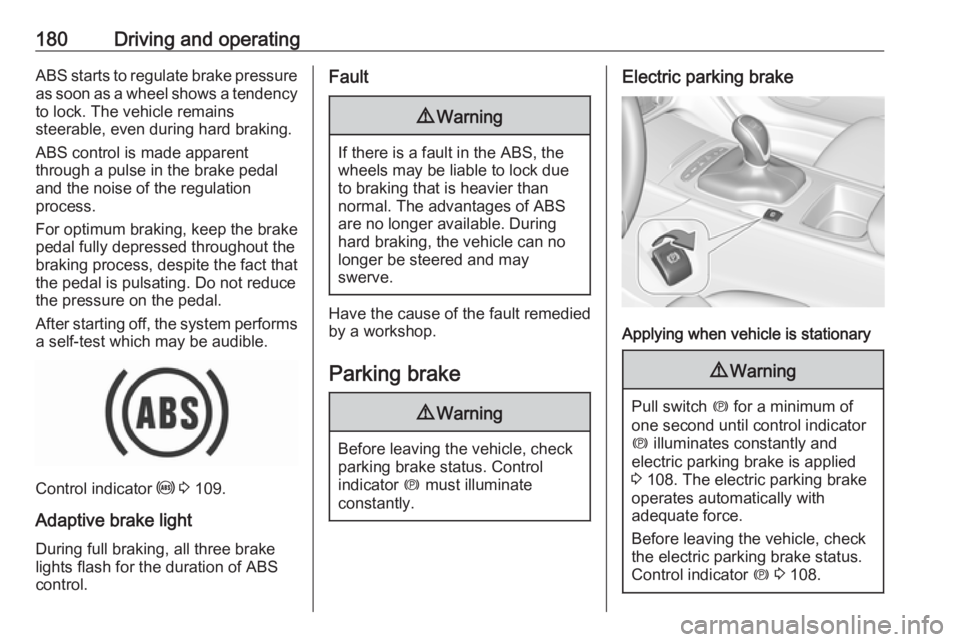
Electric parking brake
Applying when vehicle is stationary
9 Warning
Pull switch m for a minimum of
one second until control indicator
m illuminates constantly and
electric parking brake is applied
3 108. The electric parking brake
operates automatically with
adequate force.
Before leaving the vehicle, check
the electric parking brake status.
Control indicator m 3 108.
Page 184 of 323
182Driving and operatingOperation of brake assist might
become apparent by a pulse in the brake pedal and a greater resistancewhen depressing the brake pedal.
Maintain steady pressure on the
brake pedal as long as full braking is
required. Maximum brake force is
automatically reduced when brake
pedal is released.
Hill start assist The system helps prevent unintendedmovement when driving away on
inclines.
When releasing the brake pedal after
stopping on an incline, brakes remain
on for further two seconds. The
brakes release automatically as soon as the vehicle begins to accelerate.Ride control systems
Traction Control system The Traction Control system (TC) is a
component of the Electronic Stability
Control (ESC).
TC improves driving stability when
necessary, regardless of the type of
road surface or tyre grip, by
preventing the drive wheels from
spinning.
As soon as the drive wheels starts to spin, engine output is reduced and
the wheel spinning the most is braked individually. This considerably
improves the driving stability of the
vehicle on slippery road surfaces.
TC is operational after each engine
start as soon as the control indicator
b extinguishes.
When TC operates b flashes.
9 Warning
Do not let this special safety
feature tempt you into taking risks
when driving.
Adapt speed to the road
conditions.
Control indicator b 3 109.
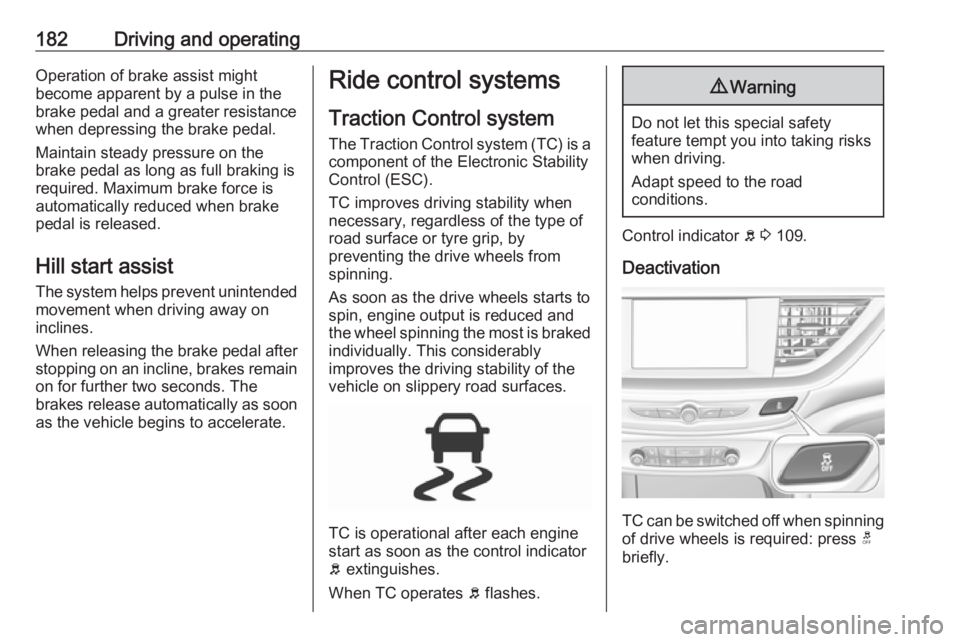
Deactivation
TC can be switched off when spinning of drive wheels is required: press t
briefly.
Page 185 of 323
Driving and operating183
Control indicator k illuminates.
A status message appears in the
Driver Information Centre when TC is
deactivated.
When TC is deactivated, ESC
remains active but with higher control threshold.
TC is reactivated by pressing t again.
A status message pops up in the Driver Information Centre when TC is reactivated.
TC is also reactivated the next time
the ignition is switched on.
Fault
If there is a fault in the system the
control indicator b illuminates
continuously and a message appears
in the Driver Information Centre. The
system is not operational.
Have the cause of the fault remedied
by a workshop.
Electronic Stability Control Electronic Stability Control (ESC)
improves driving stability when
necessary, regardless of the type of
road surface or tyre grip.
As soon as the vehicle starts to
swerve (understeer/oversteer),
engine output is reduced and the wheels are braked individually.
ESC operates in combination with the
Traction Control system (TC). It
prevents the drive wheels from
spinning.
Torque distribution is a special
feature that allocates the torque to the drive wheels before the ESC
intervenes. When cornering, the
wheels on the inner curve are braked
individually. Additionally, engine
torque will be delivered to the drive wheel on the outer curve. This
reduces the tendency of
understeering and improves traction
when cornering fast.
ESC is operational after each engine
start as soon as the control indicator
b extinguishes.
When ESC operates b flashes.
9 Warning
Do not let this special safety
feature tempt you into taking risks
when driving.
Adapt speed to the road
conditions.
Control indicator b 3 109.
Page 189 of 323
Driving and operating187Personalisation of Sport mode
settings
The driver can customise the settings
of the SPORT mode via the Flex Ride
visualisation menu.
Flex Ride visualisation menu will be
displayed when SPORT mode is
selected or by touching ê on the 8"
Info display.
Select Sport Mode Customisation
and select the relevant settings.
The settings can also be changed in
the personalisation menu in the Info
Display, I Settings 3 126.
Info display 3 120.Driver assistance
systems9 Warning
Driver assistance systems are
developed to support the driver
and not to replace the driver's
attention.
The driver stays in full control of
the vehicle and accepts full
responsibility when driving the
vehicle.
When using driver assistance
systems, always take care
regarding the current traffic
situation and follow applicable
traffic rules.
Cruise control
The cruise control can store and
maintain speeds of approx. 30 km/h
to maximum vehicle speed.
Deviations from the stored speeds
may occur when driving uphill or
downhill.
Activating in first gear is not possible.
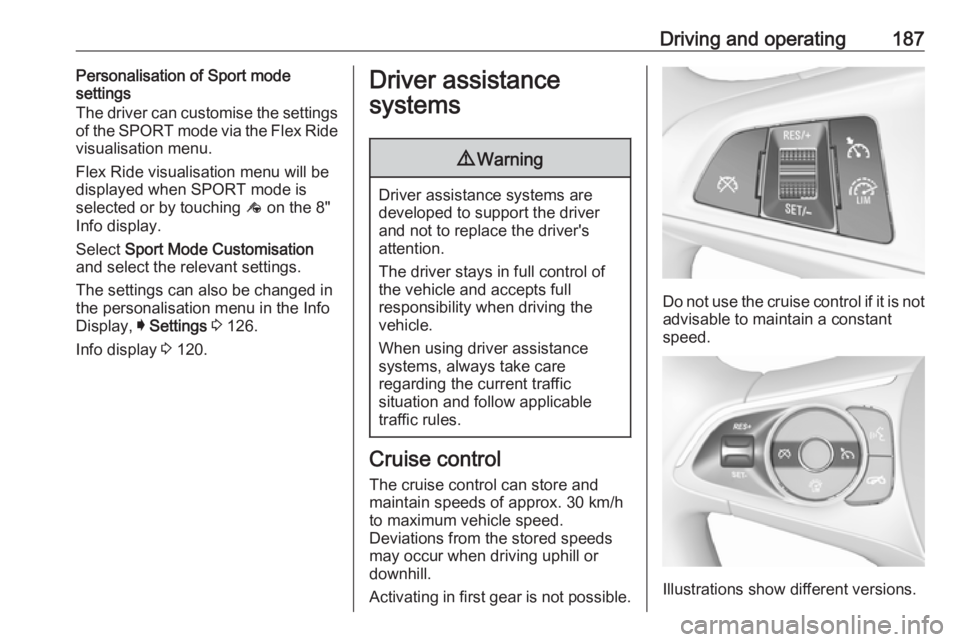
Do not use the cruise control if it is not advisable to maintain a constant
speed.
Illustrations show different versions.
Page 193 of 323
Driving and operating191Adaptive cruise control automatically
decelerates the vehicle when
approaching a slower moving vehicle.
It then adjusts the vehicle speed to
follow the vehicle ahead at the
selected following distance. The
vehicle speed increases or decreases to follow the vehicle in front, but willnot exceed the set speed. It may
apply limited braking with activated
brake lights.
To facilitate overtaking a vehicle on
the motorway, the activation of the
turn signal reduces the following
distance for a short time. This function is implemented only on the respective
driver's side depending on left or right
hand drive vehicle configuration.
The adaptive cruise control can store
set speed over 30 km/h for manual
transmission. On vehicles with
automatic transmissions the system
can brake until a full stop and drive off from a stop.
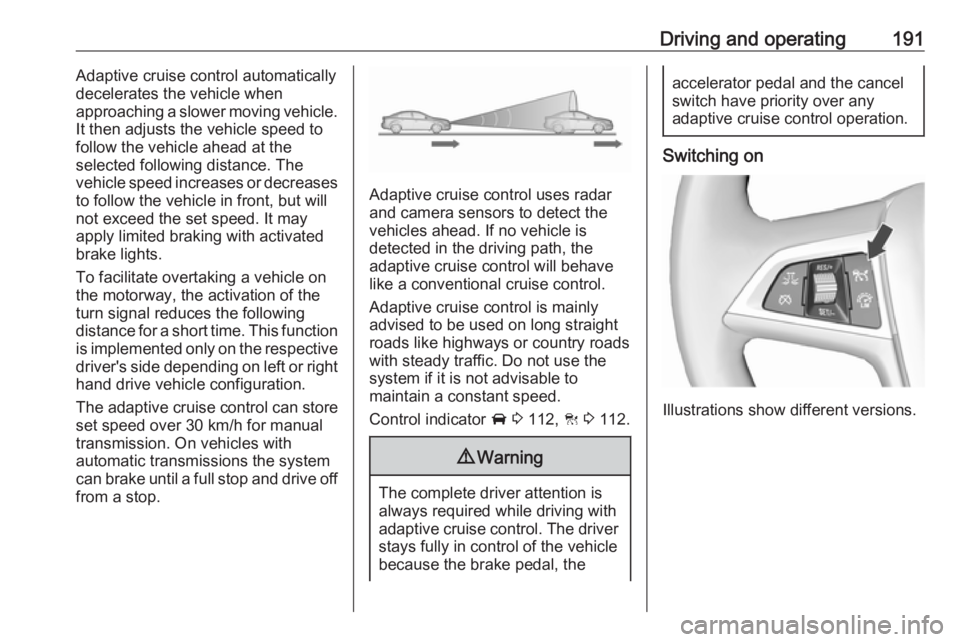
Adaptive cruise control uses radar
and camera sensors to detect the
vehicles ahead. If no vehicle is
detected in the driving path, the
adaptive cruise control will behave
like a conventional cruise control.
Adaptive cruise control is mainly
advised to be used on long straight
roads like highways or country roads
with steady traffic. Do not use the
system if it is not advisable to
maintain a constant speed.
Control indicator A 3 112, C 3 112.
9 Warning
The complete driver attention is
always required while driving with adaptive cruise control. The driver
stays fully in control of the vehicle
because the brake pedal, the
accelerator pedal and the cancel
switch have priority over any
adaptive cruise control operation.
Switching on
Illustrations show different versions.
Page 194 of 323
192Driving and operating
Press C to switch on adaptive cruise
control. C appears in the Driver
Information Centre.
Activation by setting the speedAdaptive cruise control can be
activated at speeds above 25 km/h on
vehicles with automatic transmission
or 30 km/h on vehicles with manual
transmission. The upper speed limit is 180 km/h.
Accelerate to the desired speed and
turn thumb wheel to SET/-, the
current speed is stored and
maintained.
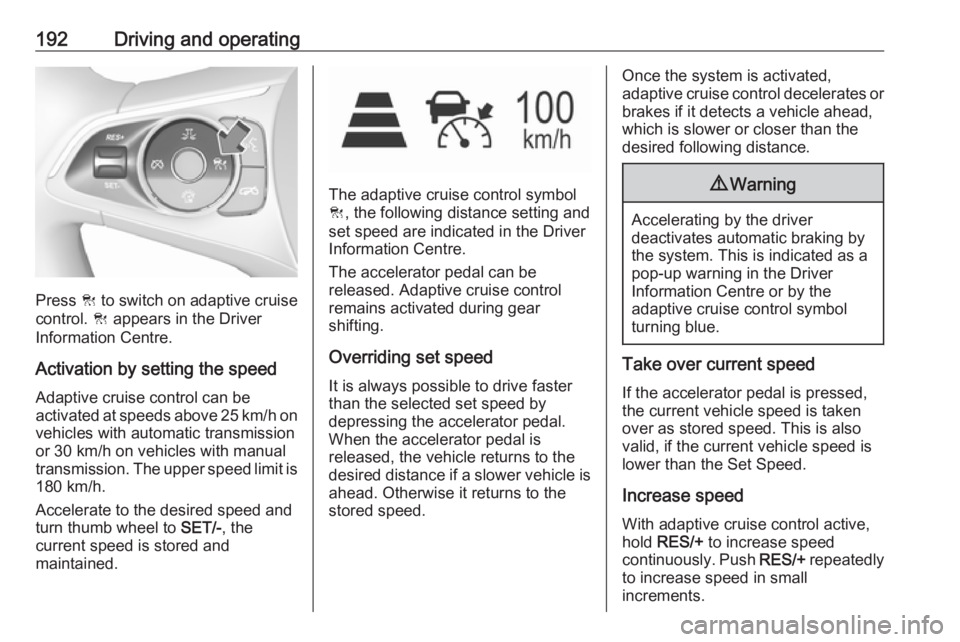
The adaptive cruise control symbol
C , the following distance setting and
set speed are indicated in the Driver
Information Centre.
The accelerator pedal can be
released. Adaptive cruise control
remains activated during gear
shifting.
Overriding set speed
It is always possible to drive faster
than the selected set speed by
depressing the accelerator pedal.
When the accelerator pedal is
released, the vehicle returns to the
desired distance if a slower vehicle is ahead. Otherwise it returns to the
stored speed.
Once the system is activated,
adaptive cruise control decelerates or
brakes if it detects a vehicle ahead,
which is slower or closer than the
desired following distance.9 Warning
Accelerating by the driver
deactivates automatic braking by
the system. This is indicated as a
pop-up warning in the Driver
Information Centre or by the
adaptive cruise control symbol
turning blue.
Take over current speed
If the accelerator pedal is pressed,
the current vehicle speed is taken
over as stored speed. This is also
valid, if the current vehicle speed is
lower than the Set Speed.
Increase speed
With adaptive cruise control active,
hold RES/+ to increase speed
continuously. Push RES/+ repeatedly
to increase speed in small
increments.