park assist OPEL INSIGNIA 2019 User Guide
[x] Cancel search | Manufacturer: OPEL, Model Year: 2019, Model line: INSIGNIA, Model: OPEL INSIGNIA 2019Pages: 347, PDF Size: 9.76 MB
Page 126 of 347
124Instruments and controls● If approaching a pedestrianahead too closely.
● If a programmed speed or speed
limit is exceeded.
● If a warning message appears in the Driver Information Centre.
● If the electronic key is not in the passenger compartment.
● If the parking assist detects an object.
● If an unintended lane change occurs.
● If the exhaust filter has reached the maximum filling level.
When the vehicle is parked and/or the driver's door is opened
● With exterior lights on.
● If the trailer hitch is not engaged.
During an Autostop ● If the driver's door is opened.
● If any condition for an Autostop is
not fulfilled.Battery voltage
When the vehicle battery voltage is
running low, a warning message will
appear in the Driver Information
Centre.
1. Switch off any electrical consumers which are not requiredfor a safe ride, e.g. seat heating,
heated rear window or other main consumers.
2. Charge the vehicle battery by driving continuously for a while or
by using a charging device.
The warning message will disappear
after the engine has been started
twice without a voltage drop.
If the vehicle battery cannot be
recharged, have the cause of the fault
remedied by a workshop.Vehicle personalisation
The vehicle's behaviour can be
personalised by changing the settings
in the Info-Display.
Some of the personal settings for
different drivers can be memorised individually for each vehicle key.
Memorised settings 3 25.
Depending on vehicle equipment and
country-specific regulations some of
the functions described below may
not be available.
Some functions are only displayed or
active when the engine is running.
Personal settings 8" Colour-Info-Display
Press ; then select the % icon.
Page 127 of 347
Instruments and controls125
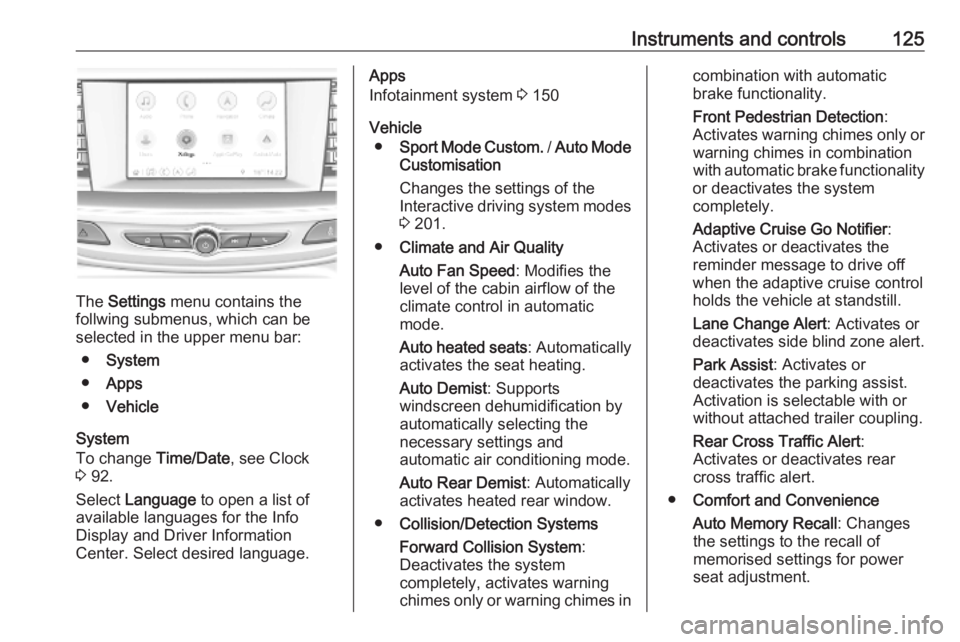
The Settings menu contains the
follwing submenus, which can be
selected in the upper menu bar:
● System
● Apps
● Vehicle
System
To change Time/Date, see Clock
3 92.
Select Language to open a list of
available languages for the Info
Display and Driver Information
Center. Select desired language.
Apps
Infotainment system 3 150
Vehicle ● Sport Mode Custom. / Auto Mode
Customisation
Changes the settings of the
Interactive driving system modes 3 201.
● Climate and Air Quality
Auto Fan Speed : Modifies the
level of the cabin airflow of the
climate control in automatic
mode.
Auto heated seats : Automatically
activates the seat heating.
Auto Demist : Supports
windscreen dehumidification by
automatically selecting the
necessary settings and
automatic air conditioning mode.
Auto Rear Demist : Automatically
activates heated rear window.
● Collision/Detection Systems
Forward Collision System :
Deactivates the system
completely, activates warning chimes only or warning chimes incombination with automatic
brake functionality.
Front Pedestrian Detection :
Activates warning chimes only or warning chimes in combination
with automatic brake functionality
or deactivates the system
completely.
Adaptive Cruise Go Notifier :
Activates or deactivates the reminder message to drive off
when the adaptive cruise control
holds the vehicle at standstill.
Lane Change Alert : Activates or
deactivates side blind zone alert.
Park Assist : Activates or
deactivates the parking assist.
Activation is selectable with or
without attached trailer coupling.
Rear Cross Traffic Alert :
Activates or deactivates rear
cross traffic alert.
● Comfort and Convenience
Auto Memory Recall : Changes
the settings to the recall of
memorised settings for power
seat adjustment.
Page 128 of 347
126Instruments and controlsEasy Exit Driver\'s Seat:
Activates or deactivates easy exit
function of the power seat.
Chime Volume : Changes the
volume of warning chimes.
Reverse Tilt Mirror : Activates or
deactivates the parking assist function of the exterior mirrors.
Auto Mirror Folding : Activates or
deactivates folding of the exterior
mirrors with the remote control.
Personalisation by Driver :
Activates or deactivates the
personalisation function,
depending on which key is being
used.
Rain Sense Wipers : Activates or
deactivates automatic wiping
with rain sensor.
Auto Wipe in Reverse Gear :
Activates or deactivates
automatic switching on of the
rear window wiper when reverse
gear is engaged.
Extended Hill Start Assist :
Toggles between hill start assist and extended hold hill start assist● Lighting
Vehicle Locator Lights : Activates
or deactivates the entry lighting.
Exit Lighting : Activates or
deactivates and changes the
duration of exit lighting.
Left or Right-Hand Traffic :
Changes between lighting for left or right-hand traffic.
Adaptive Forward Lighting :
Changes the settings of the LED
headlights.
● Power Door Locks
Open Door Anti-Lock Out :
Activates or deactivates the door
locking function while a door is open.
Auto Door Lock : Activates or
deactivates the automatic door
locking function after switching on ignition.
Delayed Door Lock : Activates or
deactivates the delayed door locking function. This featuredelays the actual locking of the
doors until all doors are closed.
● Remote Lock, Unlock and Start
Remote Unlock Light Feedback :
Activates or deactivates the
hazard warning flasher feedback
whilst unlocking.
Remote Lock Feedback :
Changes what kind of feedback
is given when locking the vehicle.
Remote Door Unlock : Changes
the configuration to unlock only
the driver's door or the whole
vehicle whilst unlocking.
Relock Doors Unlocked
Remotely : Activates or
deactivates the automatic relock
function after unlocking without
opening the vehicle.
Remote Window Operation :
Activates or deactivates the
operation of power windows with
electronic key.
Passive Door Unlock : Changes
the configuration to unlock only
the driver's door or the whole
vehicle whilst unlocking.
Page 134 of 347
132LightingLightingExterior lighting.......................... 132
Light switch .............................. 132
Automatic light control .............133
High beam ............................... 133
High beam assist .....................133
Headlight flash ......................... 134
Headlight range adjustment ....134
Headlights when driving abroad .................................... 135
Daytime running lights .............135
LED headlights ........................ 135
Hazard warning flashers ..........138
Turn lights ................................ 139
Front fog lights ......................... 139
Rear fog light ........................... 139
Parking lights ........................... 140
Reversing lights .......................140
Misted light covers ...................140
Interior lighting ........................... 140
Instrument panel illumination control ..................................... 140
Interior lights ............................ 141
Reading lights .......................... 141
Sunvisor lights ......................... 142Lighting features ........................142
Centre console lighting ............142
Entry lighting ............................ 142
Exit lighting .............................. 142
Battery discharge protection ....143Exterior lighting
Light switch
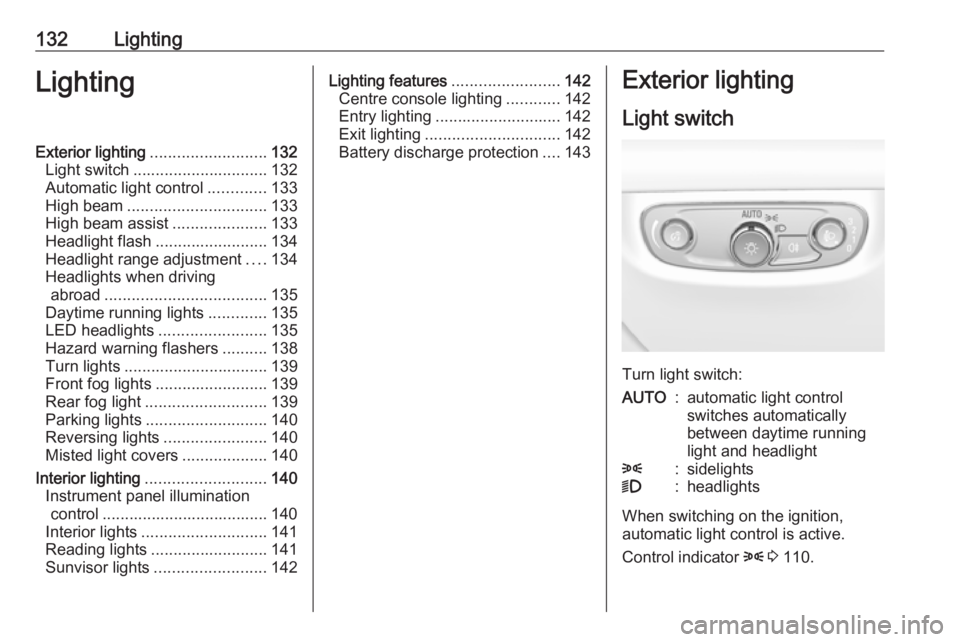
Turn light switch:
AUTO:automatic light control
switches automatically
between daytime running
light and headlight8:sidelights9:headlights
When switching on the ignition,
automatic light control is active.
Control indicator 8 3 110.
Page 138 of 347
136LightingActivated automatically at a speed up
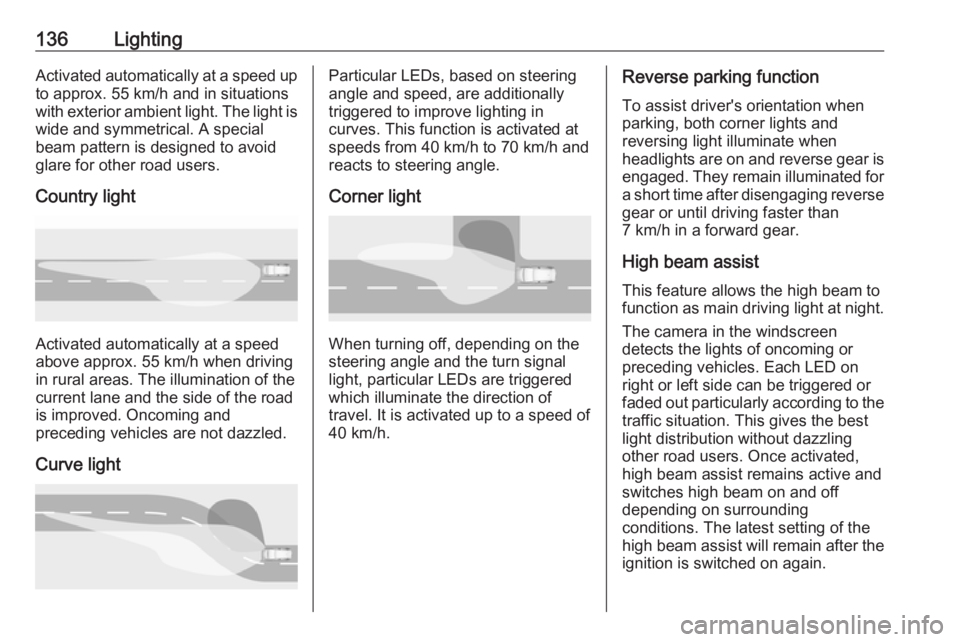
to approx. 55 km/h and in situations with exterior ambient light. The light is wide and symmetrical. A special
beam pattern is designed to avoid
glare for other road users.
Country light
Activated automatically at a speed
above approx. 55 km/h when driving
in rural areas. The illumination of the current lane and the side of the roadis improved. Oncoming and
preceding vehicles are not dazzled.
Curve light
Particular LEDs, based on steering
angle and speed, are additionally
triggered to improve lighting in
curves. This function is activated at
speeds from 40 km/h to 70 km/h and
reacts to steering angle.
Corner light
When turning off, depending on the
steering angle and the turn signal light, particular LEDs are triggered
which illuminate the direction of
travel. It is activated up to a speed of
40 km/h.
Reverse parking function
To assist driver's orientation when
parking, both corner lights and
reversing light illuminate when
headlights are on and reverse gear is
engaged. They remain illuminated for
a short time after disengaging reverse gear or until driving faster than
7 km/h in a forward gear.
High beam assist This feature allows the high beam to
function as main driving light at night.
The camera in the windscreen
detects the lights of oncoming or
preceding vehicles. Each LED on
right or left side can be triggered or
faded out particularly according to the
traffic situation. This gives the best
light distribution without dazzling
other road users. Once activated,
high beam assist remains active and
switches high beam on and off
depending on surrounding
conditions. The latest setting of the
high beam assist will remain after the ignition is switched on again.
Page 179 of 347
Driving and operating177Driving and
operatingDriving hints ............................... 178
Control of the vehicle ...............178
Steering ................................... 178
Starting and operating ...............178
New vehicle running-in ............178
Power button ........................... 179
Retained power off ..................180
Starting the engine ..................180
Overrun cut-off ........................ 182
Stop-start system ....................182
Parking .................................... 184
Engine exhaust .......................... 185
Exhaust filter ............................ 185
Catalytic converter ...................186
AdBlue ..................................... 187
Automatic transmission ..............189
Manual transmission ..................194
Drive systems ............................ 194
All-wheel drive ......................... 194
Brakes ........................................ 195
Antilock brake system .............195
Parking brake .......................... 196Brake assist............................. 197
Hill start assist ......................... 197
Ride control systems .................198
Traction Control system ..........198
Electronic Stability Control ......199
Interactive driving system ........201
Driver assistance systems .........203
Cruise control .......................... 203
Speed limiter ........................... 204
Adaptive cruise control ............206
Forward collision alert .............216
Following distance indication ...219
Active emergency braking .......220
Front pedestrian protection .....223
Parking assist .......................... 225
Side blind spot alert .................231
Lane change alert ....................233
Panoramic view system ...........234
Rear view camera ...................237
Rear cross traffic alert .............238
Traffic sign assistant ................240
Lane keep assist .....................244
Fuel ............................................ 246
Fuel for petrol engines .............246
Fuel for diesel engines ............248
Refuelling ................................ 248
Trailer hitch ................................ 250
General information .................250Driving characteristics and
towing tips .............................. 251
Trailer towing ........................... 251
Towing equipment ...................252
Trailer stability assist ...............253
Page 180 of 347
178Driving and operatingDriving hints
Control of the vehicle
Never coast with engine not
running
Many systems will not function in this situation ( e.g. brake servo unit, power
steering). Driving in this manner is a
danger to yourself and others.
All systems function during an
Autostop.
Stop-start system 3 182.
Idle boost
If charging of the vehicle battery is
required due to battery condition, the
power output of the generator must
be increased. This will be achieved by an idle boost which may be audible.
A message appears in the Driver
Information Centre.
Pedals
To ensure the pedal travel is
uninhibited, there must be no mats in
the area of the pedals.Use only floor mats, which fit properly and are fixed by the retainers on the
driver side.
Steering If power steering assist is lost
because the engine stops or due to a system malfunction, the vehicle can
be steered but may require increased
effort.Starting and operating
New vehicle running-in Do not brake unnecessarily hard for
the first few journeys.
During the first drive, smoke may
occur because of wax and oil
evaporating off the exhaust system.
Park the vehicle in the open for a
while after the first drive and avoid
inhaling the fumes.
During the running-in period, fuel and engine oil consumption may be
higher.
Additionally, the cleaning process of
the exhaust filter may take place more
often.
Exhaust filter 3 185.
Autostop may be inhibited to allow for
charging of the vehicle battery.
Page 183 of 347
Driving and operating181Press Engine Start/Stop briefly: an
automatic procedure operates the
starter with a short delay until the engine is running.
To switch off the engine when vehicle
is stationary, press
Engine Start/Stop briefly. Automatic
transmission: apply the parking brake
and engage P.
To start the engine during an
Autostop:
Manual transmission: during an
Autostop, the engine can be started
by depressing the clutch pedal
3 182.
Automatic transmission: during an
Autostop, the engine can be started
by releasing the brake pedal 3 182.
Emergency engine shut off during driving
If the engine needs to be switched off during driving in case of emergency,
press Engine Start/Stop for more than
two seconds or press twice briefly
within five seconds.9 Danger
Switching off the engine during
driving may cause loss of power
support for brake and steering
systems. Assistance systems and
airbag systems are disabled.
Lighting and brake lights will
extinguish. Therefore power down the engine and ignition while
driving only when required in case of emergency.
Starting the vehicle at low
temperatures
Starting the engine without additional
heaters is possible down to -25 °С for diesel engines and -30 °C for petrol
engines. Required is an engine oil
with the correct viscosity, the correct fuel, performed services and a
sufficiently charged vehicle battery.
With temperatures below -30 °C the
automatic transmission requires a
warming phase of approx.
five minutes. The selector lever must
be in position P.
Automatic Starter Control
This function controls the engine
starting procedure. The driver does
not need to hold Engine Start/Stop
pressed. Once applied, the system
will go on starting automatically until
the engine is running. Because of the checking procedure, the engine startsrunning after a short delay.
Possible reasons for a non-starting
engine:
● Clutch pedal not operated (manual transmission).
● Brake pedal not operated or selector lever not in P or N
(automatic transmission).
● Timeout occurred.
Turbo engine warm-up
Upon start-up, engine available
torque may be limited for a short time, especially when the engine
temperature is cold. The limitation is
to allow the lubrication system to fully
protect the engine.
Page 199 of 347
Driving and operating197Dynamic braking when vehicle is
moving
When the vehicle is moving and the
switch m is kept pulled, the electric
parking brake system will decelerate
the vehicle, but will not apply
statically.
As soon as the switch m is released,
dynamic braking will be stopped.
Automatic applying
If the vehicle is equipped with
automatic transmission and adaptive cruise control is active, electric
parking brake is applied automatically when vehicle is stopped by the
system for more than two minutes.
Parking brake releases automatically
after moving off.
Functionality check
When the vehicle is not moving, the
electric parking brake might be
applied automatically. This is done to
check the system.Fault
Failure mode of electric parking brake
is indicated by a control indicator j
and by a vehicle message which is
displayed in the Driver Information
Centre. Vehicle messages 3 123.
Apply electric parking brake: pull and
hold the switch m for more than
five seconds. If control indicator m
illuminates, electric parking brake is
applied.
Release electric parking brake: push
and hold the switch m for more than
two seconds. If control indicator m
extinguishes, electric parking brake is
released.
Control indicator m flashes: electric
parking brake is not fully applied or released. When continuously
flashing, release electric parking
brake and retry applying.
Brake assist If brake pedal is depressed quickly
and forcefully, maximum brake force
is automatically applied.Operation of brake assist might
become apparent by a pulse in the
brake pedal and a greater resistance
when depressing the brake pedal.
Maintain steady pressure on the
brake pedal as long as full braking is
required. Maximum brake force is
automatically reduced when brake
pedal is released.
Hill start assist The system helps preventing
unintended movement when driving
away on inclines.
When releasing the brake pedal after
stopping on an incline, brakes remain
on for further two seconds. The
brakes release automatically as soon as the vehicle begins to accelerate.
The hill start assist will not activate if
one of the following conditions
occurs:
● forward gear is engaged when facing downhill.
● reverse gear is engaged when facing uphill.
Page 200 of 347
198Driving and operating● driver seat belt is unfastened.
● driver's door is open.
Extended hold hill start assist
Vehicles with automatic transmission
are additionally equipped with the
extended hold hill start assist. This
function holds the vehicle stationary
for up to five minutes after the brake
pedal is released.
The electric parking brake will be
automatically activated to prevent
vehicle movement when one of the
following conditions occurs:
● extended hold hill start assist is deactivated after five minutes.
● ignition is switched off.
● driver's exit is detected.
Hill start assist or extended hold hill
start assist can be selected in the
vehicle personalisation. 3 124
Note
Hill start assist and extended hold
hill start assist will not be activated in neutral gear. If neutral gear isselected during an active hold,
assists will deactivate and vehicle
may start moving.Ride control systems
Traction Control systemThe Traction Control system (TC) is a
component of the Electronic Stability
Control (ESC).
TC improves driving stability when
necessary, regardless of the type of
road surface or tyre grip, by
preventing the drive wheels from
spinning.
As soon as the drive wheels starts to spin, engine output is reduced and
the wheel spinning the most is braked
individually. This considerably
improves the driving stability of the
vehicle on slippery road surfaces.
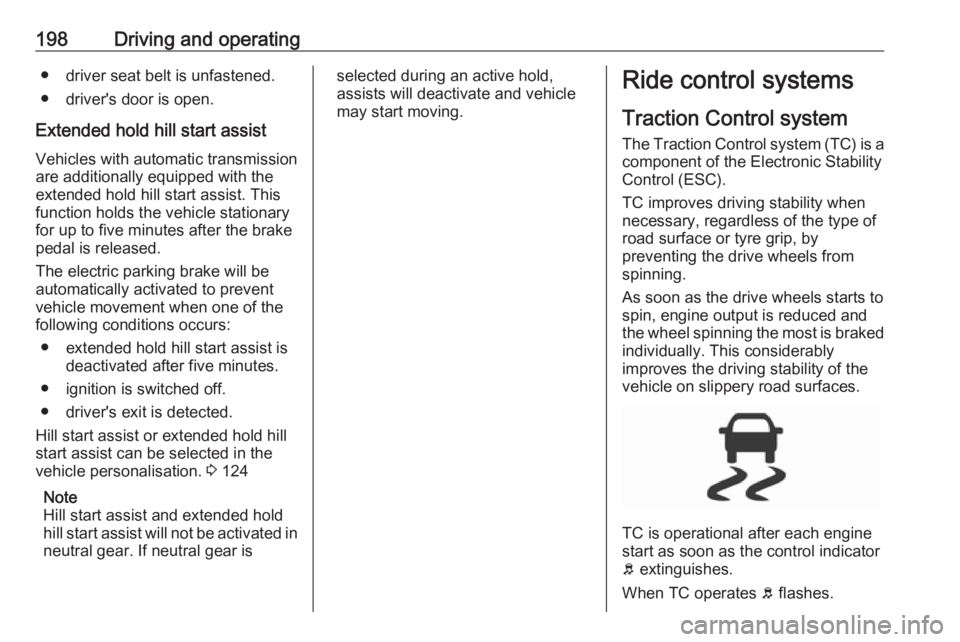
TC is operational after each engine
start as soon as the control indicator
b extinguishes.
When TC operates b flashes.