steering wheel OPEL INSIGNIA BREAK 2017.5 Manual user
[x] Cancel search | Manufacturer: OPEL, Model Year: 2017.5, Model line: INSIGNIA BREAK, Model: OPEL INSIGNIA BREAK 2017.5Pages: 303, PDF Size: 8.46 MB
Page 140 of 303

138LightingThey will switch off automatically after
a delay. This function works only in
the dark. Theatre lighting is activated
if the driver's door is opened during
this time.
Path lighting Headlights, tail lights and number
plate lights illuminate the surrounding
area for an adjustable time after
leaving the vehicle.
ActivatingHalogen headlights
1. Switch off the ignition.
2. Open the driver's door.
3. Pull the turn signal lever.
4. Close the driver's door.
If the driver's door is not closed, the
lights switch off after two minutes.
Exit lighting is switched off
immediately if the turn signal lever is pulled while the driver's door is open.LED headlights
Path lighting is activated, when the
ignistion is switched off and the
driver's door is opened.
This function can be activated or
deactivated in the vehicle
personalisation.
Select the relevant setting in Settings,
I Vehicle in the Info-Display.
Info-Display 3 111.
Vehicle personalisation 3 117.
The settings can be saved for the key being used 3 23.
Battery discharge protection
Vehicle battery state of charge
function
The function guarantees longest
vehicle battery life via a generator
with controllable power output and
optimised power distribution.
To prevent discharge of the vehicle
battery when driving, the following
systems are reduced automatically in
two stages and finally switched off:
● auxiliary heater
● heated rear and front window
● heated steering wheel
● heated mirrors
● heated seats
● fan
In the second stage, a message
which confirms the activation of the
vehicle battery discharge protection
will be displayed in the Driver
Information Centre.
Page 154 of 303

152Driving and operatingDriving and
operatingDriving hints ............................... 153
Control of the vehicle ...............153
Steering ................................... 153
Starting and operating ...............153
New vehicle running-in ............153
Power button ........................... 154
Retained power off ..................155
Starting the engine ..................155
Overrun cut-off ........................ 156
Stop-start system ....................157
Parking .................................... 159
Engine exhaust .......................... 160
Diesel particle filter ..................160
Catalytic converter ...................161
AdBlue ..................................... 162
Automatic transmission ..............165
Manual transmission ..................169
Drive systems ............................ 170
All-wheel drive ......................... 170
Brakes ........................................ 170
Antilock brake system .............170
Parking brake .......................... 171Brake assist............................. 172
Hill start assist ......................... 173
Ride control systems .................173
Traction Control system ..........173
Electronic Stability Control ......174
Interactive driving system ........175
Driver assistance systems .........178
Cruise control .......................... 178
Speed limiter ........................... 180
Adaptive cruise control ............181
Forward collision alert .............189
Following distance indication ...192
Active emergency braking .......193
Front pedestrian protection .....196
Parking assist .......................... 198
Side blind zone assistant .........206
Lane change alert ....................207
Panoramic view system ...........209
Rear view camera ...................212
Rear cross traffic alert .............214
Traffic sign assistant ................215
Lane keep assist .....................219
Fuel ............................................ 221
Fuel for petrol engines .............221
Fuel for diesel engines ............222
Refuelling ................................ 222
Fuel consumption - CO 2-
Emissions ............................... 224Trailer hitch................................ 225
General information .................225
Driving characteristics and towing tips .............................. 225
Trailer towing ........................... 225
Towing equipment ...................226
Trailer stability assist ...............228
Page 156 of 303
154Driving and operatingPower button
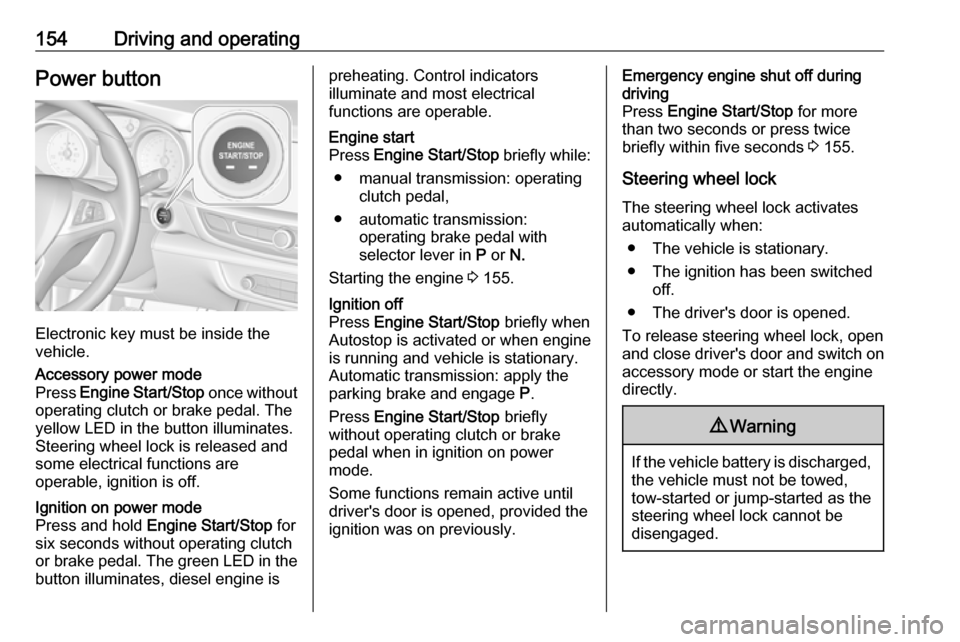
Electronic key must be inside the
vehicle.
Accessory power mode
Press Engine Start/Stop once without
operating clutch or brake pedal. The yellow LED in the button illuminates.
Steering wheel lock is released and
some electrical functions are
operable, ignition is off.Ignition on power mode
Press and hold Engine Start/Stop for
six seconds without operating clutch
or brake pedal. The green LED in the button illuminates, diesel engine ispreheating. Control indicators
illuminate and most electrical
functions are operable.Engine start
Press Engine Start/Stop briefly while:
● manual transmission: operating clutch pedal,
● automatic transmission: operating brake pedal with
selector lever in P or N.
Starting the engine 3 155.Ignition off
Press Engine Start/Stop briefly when
Autostop is activated or when engine is running and vehicle is stationary.
Automatic transmission: apply the
parking brake and engage P.
Press Engine Start/Stop briefly
without operating clutch or brake pedal when in ignition on power
mode.
Some functions remain active until
driver's door is opened, provided the
ignition was on previously.Emergency engine shut off during
driving
Press Engine Start/Stop for more
than two seconds or press twice
briefly within five seconds 3 155.
Steering wheel lock The steering wheel lock activates
automatically when:
● The vehicle is stationary.
● The ignition has been switched off.
● The driver's door is opened.
To release steering wheel lock, open
and close driver's door and switch on accessory mode or start the engine
directly.9 Warning
If the vehicle battery is discharged,
the vehicle must not be towed,
tow-started or jump-started as the
steering wheel lock cannot be
disengaged.
Page 161 of 303

Driving and operating159● The driver's seat belt isunfastened and the driver's door
is opened.
● The engine temperature is too low.
● The charging level of the vehicle battery is below a defined level.
● The brake vacuum is not sufficient.
● The vehicle is driven at least at walking speed.
● The climate control system requests an engine start.
● The air conditioning is manually switched on.
If the bonnet is not fully closed, a warning message is displayed in the
Driver Information Centre.
If an electrical accessory, e.g. a
portable CD player, is connected to
the power outlet, a brief power drop during the restart might be noticeable.Parking9 Warning
● Do not park the vehicle on an
easily ignitable surface. The
high temperature of the
exhaust system could ignite the
surface.
● Always apply the parking brake. Pull switch m for
approx. one second and check
if the control indicator m
illuminates.
The electric parking brake is applied when control indicator
m illuminates 3 99.
● Switch off the engine. ● If the vehicle is on a level surface or uphill slope, engage
first gear or set the selector
lever to position P before
removing the ignition key or
switching off ignition on
vehicles with power button. On
an uphill slope, turn the front
wheels away from the kerb.
If the vehicle is on a downhill
slope, engage reverse gear or
set the selector lever to position P before removing the ignition
key or switching off ignition on
vehicles with power button.
Turn the front wheels towards
the kerb.
● Close the windows and the sunroof.
● Remove the ignition key from the ignition switch or switch off
ignition on vehicles with power
button. Turn the steering wheel
until the steering wheel lock is
felt to engage.
For vehicles with automatic
transmission, the key can only
be removed when the selector
lever is in position P.
●
Lock the vehicle with button e on
the radio remote control.
Activate the anti-theft alarm
system 3 30.
● The engine cooling fans may run
after the engine has been
switched off 3 231.
Page 167 of 303

Driving and operating165Automatic transmission
The automatic transmission permits
automatic gear shifting (automatic
mode) or manual gear shifting
(manual mode).
Manual shifting is possible in manual mode by tapping the selector lever to + or - or pulling the steering wheel
paddles.
Transmission display
Illustrations show different versions.
The mode or selected gear is shown
in the Driver Information Centre.
In automatic mode, the driving
programme is indicated by D.
In manual mode, M and the number
of the selected gear is indicated.
R indicates reverse gear.
N indicates neutral position.
P indicates park position.
Selector leverP:park position, wheels are locked,
engage only when the vehicle is
stationaryR:reverse gear, engage only when
the vehicle is stationaryN:neutralD:automatic modeM:manual mode<:upshift in manual mode]:downshift in manual mode
Page 169 of 303

Driving and operating167Steering wheel paddles
Move selector lever out of position D
towards the left in position M.
Manual mode M can be activated
from position D in each driving
situation and speed.
Pull steering wheel paddles to select
gears manually.
Pull right paddle + to shift to a higher
gear.
Pull left paddle - to shift to a lower
gear.
Multiple pulls allow gears to be
skipped.
The selected gear is indicated in the
instrument cluster.
Temporary manual mode in drive
mode D
Manual paddle shifting is also
possible in automatic mode D. Upon
completion of manual shifting
operation, transmission changes to
automatic mode D after a defined
time.
To interrupt manual mode and return
to D, do one of the following:
● Press + paddle for 1 second.
● Move selector lever towards the left to manual mode and back to
position D.
If the vehicle is at a standstill and
engine is idling, the transmission will
remain in temporary manual mode. It
changes to automatic mode when
accelerator pedal is operated for a
defined time, and no paddle shifting
at the steering wheel is performed.
General
If a higher gear is selected when
vehicle speed is too low, or a lower
gear when vehicle speed is too high,the shift is not executed. This can
cause a message in the Driver
Information Centre.
In manual mode, no automatic
shifting to a higher gear takes place
at high engine revolutions, except
activating the kickdown function.
Gear shift indication
The symbol R or S with a number
beside it is indicated when gear
shifting is recommended for fuel
saving reasons.
Shift indication appears only in
manual mode.
Electronic driving programmes ● Following a cold start, the operating temperature
programme increases engine
speed to quickly bring the
catalytic converter to the required
temperature.
● When SPORT mode is engaged,
the vehicle shifts at higher engine
speeds (unless cruise control is
on). SPORT mode 3 175.
Page 176 of 303
174Driving and operating
Control indicator k illuminates.
A status message appears in the
Driver Information Centre when TC is
deactivated.
When TC is deactivated, ESC
remains active but with higher control threshold.
TC is reactivated by pressing t again.
A status message pops up in the Driver Information Centre when TC is reactivated.
TC is also reactivated the next time
the ignition is switched on.
Fault
If there is a fault in the system the
control indicator b illuminates
continuously and a message appears
in the Driver Information Centre. The
system is not operational.
Have the cause of the fault remedied
by a workshop.
Electronic Stability Control Electronic Stability Control (ESC)
improves driving stability when
necessary, regardless of the type of
road surface or tyre grip.
As soon as the vehicle starts to
swerve (understeer/oversteer),
engine output is reduced and the wheels are braked individually.
ESC operates in combination with the
Traction Control system (TC). It
prevents the drive wheels from
spinning.
Torque distribution is a special
feature that allocates the torque to the drive wheels before the ESC
intervenes. When cornering, the
wheels on the inner curve are braked
individually. Additionally, engine
torque will be delivered to the drive wheel on the outer curve. This
reduces the tendency of
understeering and improves traction
when cornering fast.
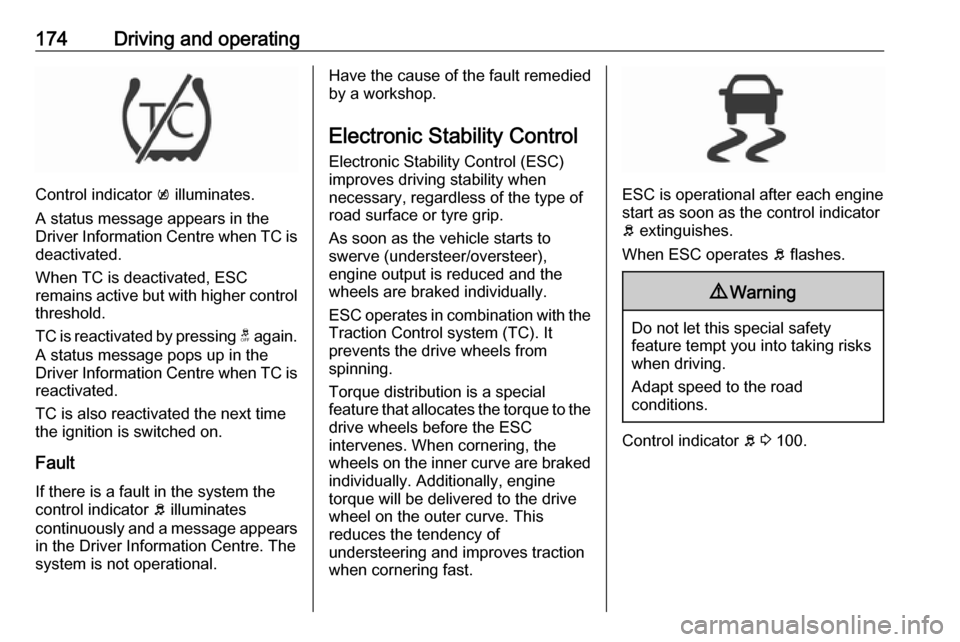
ESC is operational after each engine
start as soon as the control indicator
b extinguishes.
When ESC operates b flashes.
9 Warning
Do not let this special safety
feature tempt you into taking risks
when driving.
Adapt speed to the road
conditions.
Control indicator b 3 100.
Page 178 of 303

176Driving and operating● adaptive cruise control
● all-wheel drive
● engine sound enhancement
● instrument cluster theme
SPORT mode
The settings of the systems are
adjusted for a sportier driving style:
● Damping of shock absorbers is set up for increased handling andagility.
● The engine reacts more quickly to accelerator pedal changes.
● Steering support is sportier.
● Automatic transmission shift points optimised for sporty
driving.
● Adaptive cruise control is adjusted for a sportier driving
style.
● All-wheel drive supports active sporty driving of the vehicle.
● Engine sound enhancement intensifies interior engine sound
in a sporty manner.
● Cluster theme changes to sport.
TOUR modeTOUR mode adjusts the settings of
the systems for a comfortable driving
style.
● Damping of shock absorbers is adapted for increased driving
comfort.
● Steering efforts are reduced. ● Adaptive cruise control is adjusted for a more relaxed
driving style.
AUTO mode
All settings of the systems are preset
to standard values optimised for daily driving (default mode). This is the fully
adaptive mode, adjusting systems to
both comfort and sport settings
depending on driving style and driving
situation.
Adaptive drive mode control
Within each manually selected driving mode SPORT , TOUR or AUTO , Drive
Mode Control (DMC) detects and
analyses continuously the driving situation and the driver's driving style.
If necessary, DMC automatically
adjusts damping and steering for the
duration of the occuring situation.
Page 194 of 303

192Driving and operatingIn the following cases, Forward
collision alert may not detect a vehicle ahead or sensor performance is
limited:
● Driving on winding or hilly roads.● During nighttime driving.
● Weather limits visibility, such as fog, rain, or snow
● The sensor in the windscreen is blocked by snow, ice, slush, mud,
dirt, windscreen damage or
affected by foreign items, e.g.
stickers.
Following distance indication
The following distance indication
displays the distance to a preceding
moving vehicle. The front camera in
the windscreen is used to detect the
distance of a vehicle directly ahead in
the vehicle's path. It is active at
speeds above 40 km/h.
When a preceding vehicle is detected
ahead, the distance is indicated in
seconds, displayed on a page in the
Driver Information Centre.On Baselevel display, choose Info
Menu ? via MENU on the turn
signal lever and turn the adjuster wheel to choose following distance
indication page, 3 104
On Mid- and Uplevel display, select
Info menu via steering wheel buttons
and press å to select following
distance indication 3 104.
The minimum indicated distance is 0.5 seconds.
If there is no vehicle ahead or the vehicle ahead is out of range, two
dashes will be displayed: -.- sec.
If Adaptive cruise control is active,
this page shows the alert sensitivity
setting instead of following distance
setting. 3 181.
System limitations In the following cases, following
distance indication sensor
performance is limited:
● Driving on winding or hilly roads.
● During nighttime driving.
Page 206 of 303

204Driving and operatingA brief vibration in the steering wheel
after engaging reverse gear indicates
that the steering is controlled by the
system. Then the vehicle with manual transmission is steered into the slot
automatically by giving the driver
detailed instructions for braking,
accelerating and gear shifting. With
automatic transmission the vehicle is
steered into the slot automatically by
giving the driver detailed instructions for accelerating and shifting forward
or reversing. The driver must keep
hands away from the steering wheel.
During park guiding mode the
manoeuvring speed is limited.
Always pay attention to the sound of
the front-rear parking assist.
Continuous sound indicates that the
distance to an obstacle is less than
approx. 30 cm.
If, for any reason, the driver must take over control of the steering, hold the
steering wheel only at the outer edge.
Automatic steering is cancelled in this event.Display indication
The instructions on the display show:
● General hints and warning messages.
● A hint when driving faster than 30 km/h during parking slot
searching mode.
● The demand to stop the vehicle, when a parking slot is detected.
● The direction of driving during the
parking manoeuvre.
● The demand to shift into reverse or first gear, or R or D with
automatic transmission.
● The demand to stop or to drive slowly.
● For some of the instructions a progress bar is shown in the
Driver Information Centre.
● The successful completion of the
parking manoeuvre indicated by
a pop-up symbol and a chime.
● The cancelling of a parking manoeuvre.Display priorities
Advanced parking assist indication in the Driver Information Centre can be
inhibited by vehicle messages with a
higher priority. After approving the
message by pressing SET/CLR on
the turn signal lever or 9 on the
steering wheel, advanced parking
assist instructions appear again and
the parking manoeuvre can be
continued.
Deactivation
The system is deactivated by:
● a short press of (
● parking manoeuvre successfully ended
● driving faster than 30 km/h during
parking slot search
● driving faster than 8 km/h during parking guidance
● driver interference on steering wheel detected
● exceeding maximum number of gear changes: eight cycles when
parallel parking or five cycles
when perpendicular parking
● switching off the ignition